Instinct AI

提示词库

AI 提示词库

汇集全球创作者的精选图像、视频与建站提示词。复制任意一条,替换主体或风格,即可用最新模型生成。

15,630 条提示词 · 每日更新 · 完全免费

共 606 条

Educational Commodity Universe Diorama Prompt

Educational Commodity Universe Diorama Prompt

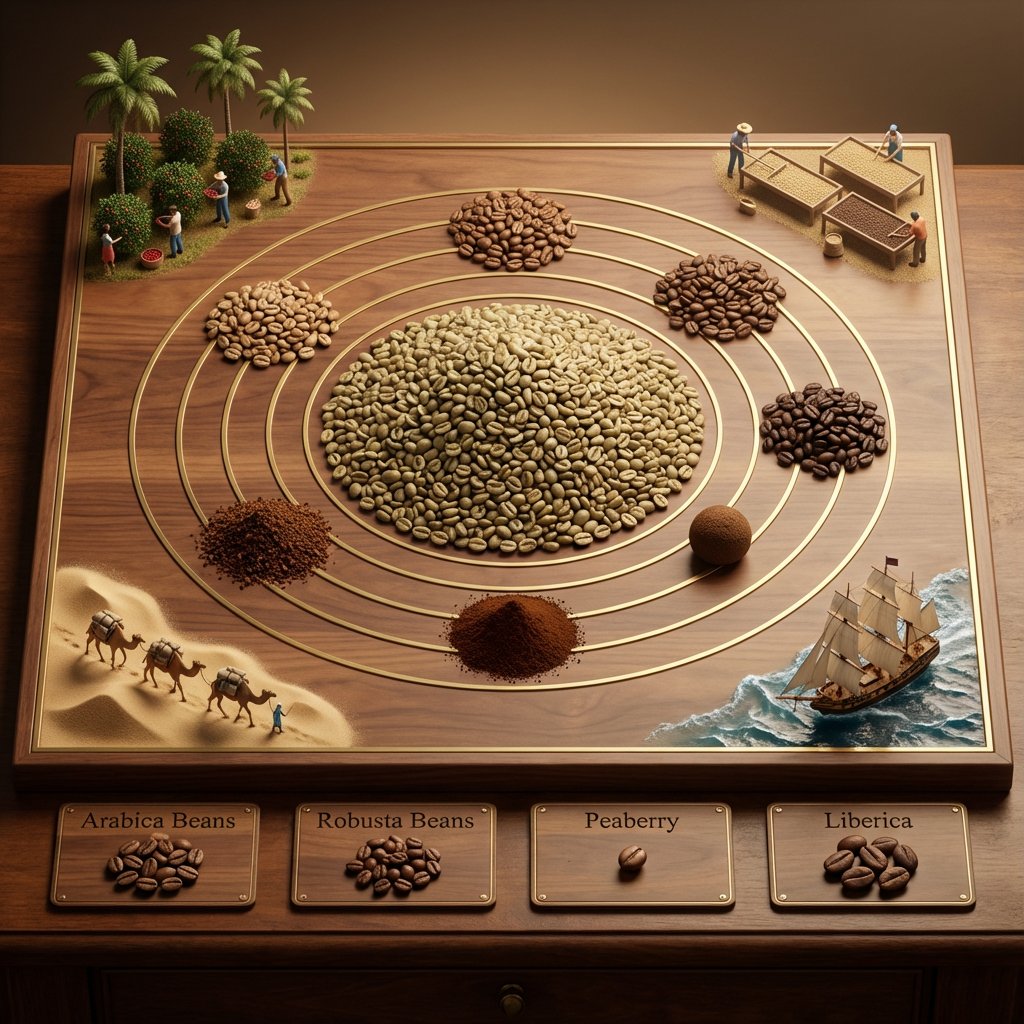
<instruction> for {argument name="commodity" default="Coffee"} Input A is a Historic Commodity or Resource (e.g., Spices, Tea, Silk, Coffee, Gold). Deconstruct the commodity into 3 Educational Assets: The Core : Identify the most common or valuable raw form. (e.g., Spices -> A pile of Black Peppercorns. Tea -> A mound of Black Tea leaves. Gold -> A large Nugget). The Varieties: Identify 4-5 distinct variations or colors. (e.g., Spices -> Red Paprika, Yellow Turmeric, Brown Cinnamon. Tea -> Green, White, Oolong, Matcha). The Transit : Identify the historical method of transport. (e.g., Camel Caravans, East Indiaman Ships, Steam Trains). 2. Container Goal: "Commodity Universe" Educational Diorama. The Base: A large, square Polished Walnut or Oak Board sitting on a library table. The Layout: A radial/circular design in the center, flanked by narrative vignettes in the corners. 3. The Centerpiece The Metaphor: The commodity is the center of the world. The Sun: A massive, textured pile of the "Core" material (Step 1) sits in the exact center. The Orbit: Inlaid gold or brass rings ripple out from the center. The Planets: Smaller mounds or spheres of the "Varieties" (Step 1) orbit the center, creating a colorful spectrum of textures (powders, grains, solids). 4. Narrative Corners The Origin (Top Corners): Miniature dioramas sculpted directly onto the board showing the harvesting process (e.g., tiny figures picking tea leaves, mining gold, or shaking spice trees). The Journey (Bottom Corners): Miniature dioramas showing the "Transit" (Step 1). Detail: Use Resin for water (ships) or Sand for deserts (camels). 5. The Footer: Placement: Along the bottom edge of the board. Format: Three or four rectangular Wooden Plaques embedded in the table. Content: The name of a specific variety (e.g., "Cinnamon") engraved in serif text, with a physical sample of that ingredient piled on the plaque. Output: ONE image, 1:1 Aspect Ratio, Isometric Tabletop Photography, "Museum Display" aesthetic, Warm Tones. </instruction>
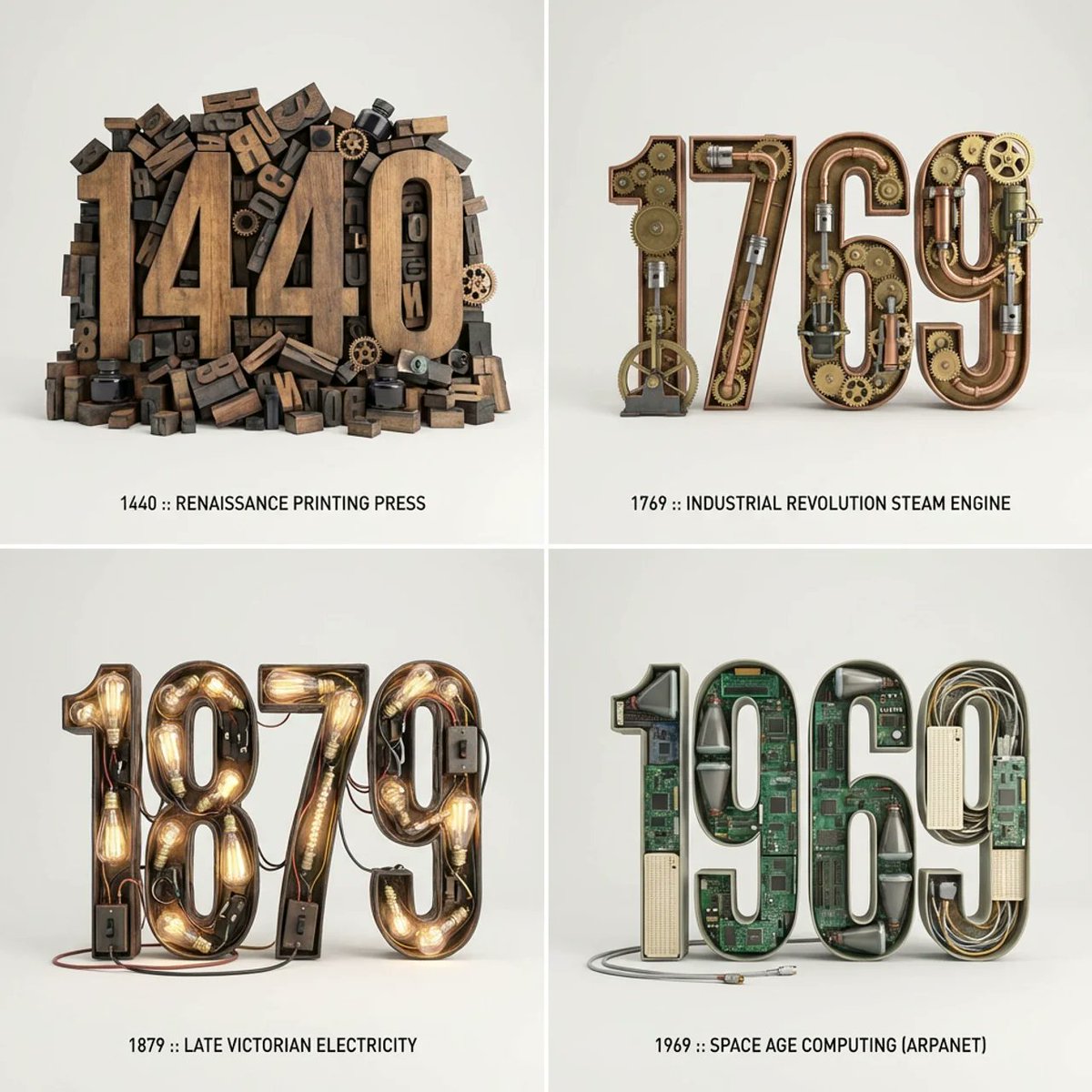
Typographic Sculpture of Historical Inventions

Typographic Sculpture of Historical Inventions

2x2 grid, do this for 4 important years in history and their most important inventions { Anchor: `[Letter/Number] :: [Era/Theme (e.g., 1980s Retro Tech / Victorian Steampunk)]::4` Morphology: `3D Typographic sculpture of [Letter/Number], character shape defined by a dense pile of [Era/Theme] objects, chaotic but legible assemblage, graphic design asset::3` Material Physics: `Textures of [Era/Theme] objects (plastic, rust, wood), occlusion between stacked items, realistic scale of constituent parts forming the glyph::3` Illumination: `Three-point studio lighting, softbox overhead, clean background for isolation::2` Render Stack: `Cinema 4D render, isometric or front-facing, ambient occlusion, 8k, Adobe Substance material suite::1` Negative: `[Illegible, flat font, 2D, handwriting, paper, messy background, floating objects]:: -1`}

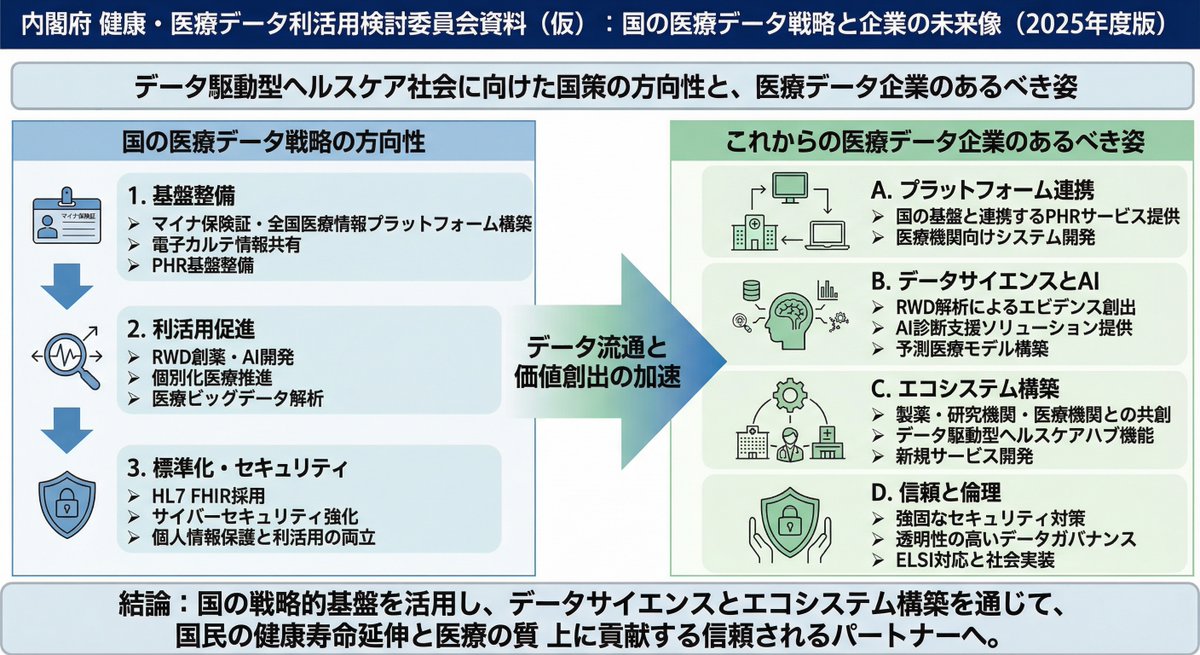
Policy-style slide about national medical data strategy

Policy-style slide about national medical data strategy

After researching the future direction of national policy on medical data, please create a rough sketch-style slide image, with a lot of text like Cabinet Office committee materials, that shows how medical data companies should be in the future.

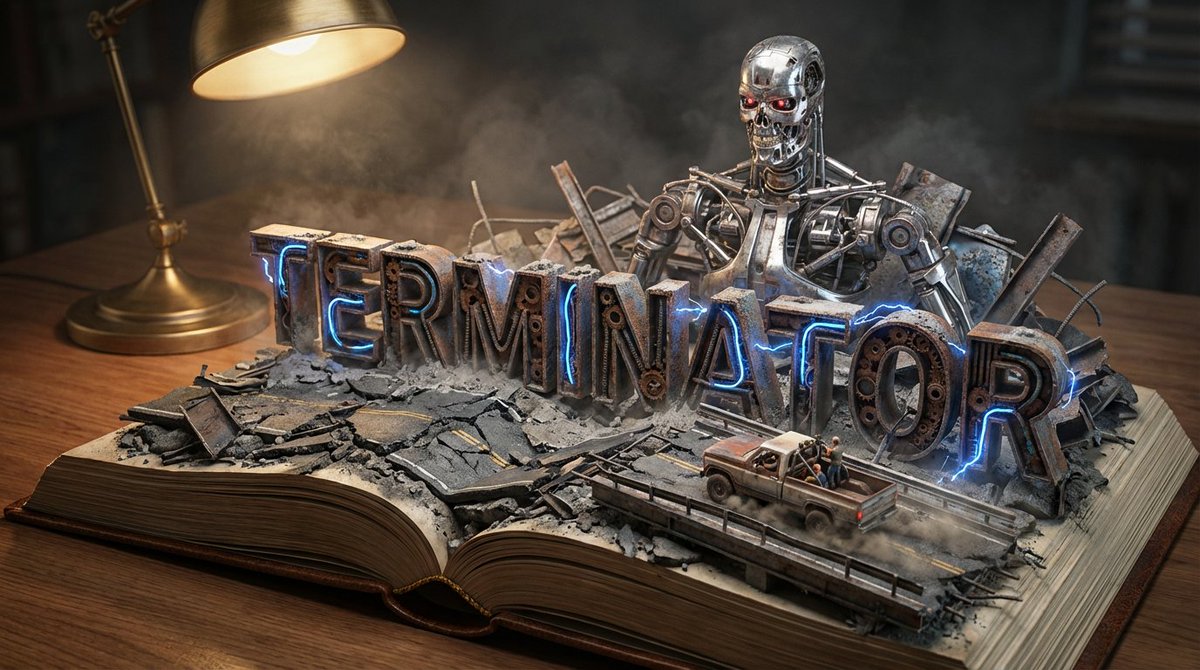
Pop-Up Book Diorama Generator Prompt

Pop-Up Book Diorama Generator Prompt

Do it for Terminator: {argument name="title" default="Moby Dick"} System Instruction: Act as a Master Prop Maker. Generate a hyper-realistic, macro-photography shot of a "Pop-Up Book Diorama." 1. Forensic Analysis: Analyze the Input Title to determine the visual components: The Biome: Identify the primary setting (e.g., Ocean, Jungle, Space, Desert). The Conflict: Identify the Antagonist or Monster (e.g., The White Whale, T-Rex, Darth Vader). The Vessel/Hero: Identify the main vehicle or protagonist (e.g., The Pequod, The Jeep, The Millennium Falcon). The Materiality: Identify the texture of the world (e.g., Wood & Water; Amber & Leaf; Metal & Stars). 2. Container (The Open Book): The Object: A massive, vintage, leather-bound hardcover book lying flat on a wooden desk. The Transformation: The book is open to the middle. The pages do not just lie flat; they physically mutate into the "Biome" identified in Step 1. Example: If Ocean, the pages turn into turbulent resin waves. If Desert, they turn into dunes. 3. Typography (The Floating Title): The Text: The [Title of the Input] rises out of the landscape as massive, 3D block letters. Integration: The letters must interact with the environment. Texture: The letters are made of materials from the story (e.g., Driftwood, Stone, Bone). Placement: The waves crash over the letters; vines wrap around the letters. 4. The Action Scene : CRITICAL: Construct a specific scene using miniature models on top of the book. The Threat: Place the "Antagonist" looming large in the background (e.g., The Whale breaching behind the text). The Hero: Place the "Vessel" or "Protagonist" navigating the terrain in the foreground (e.g., A tiny ship rocking on the waves). Scale: The scene must look like a high-end model kit (1:87 scale). 5. Lighting & Atmosphere: The Lamp: A vintage brass desk lamp is visible in the corner, casting a warm, directional "reading light" onto the scene. Atmosphere: Magical realism. The water should glisten; the fog should swirl. Depth: Shallow depth of field to blur the edge of the desk, keeping focus on the book. Output: ONE image, 16:9 Aspect Ratio, Cinematic Miniature Photography, 8k Resolution.

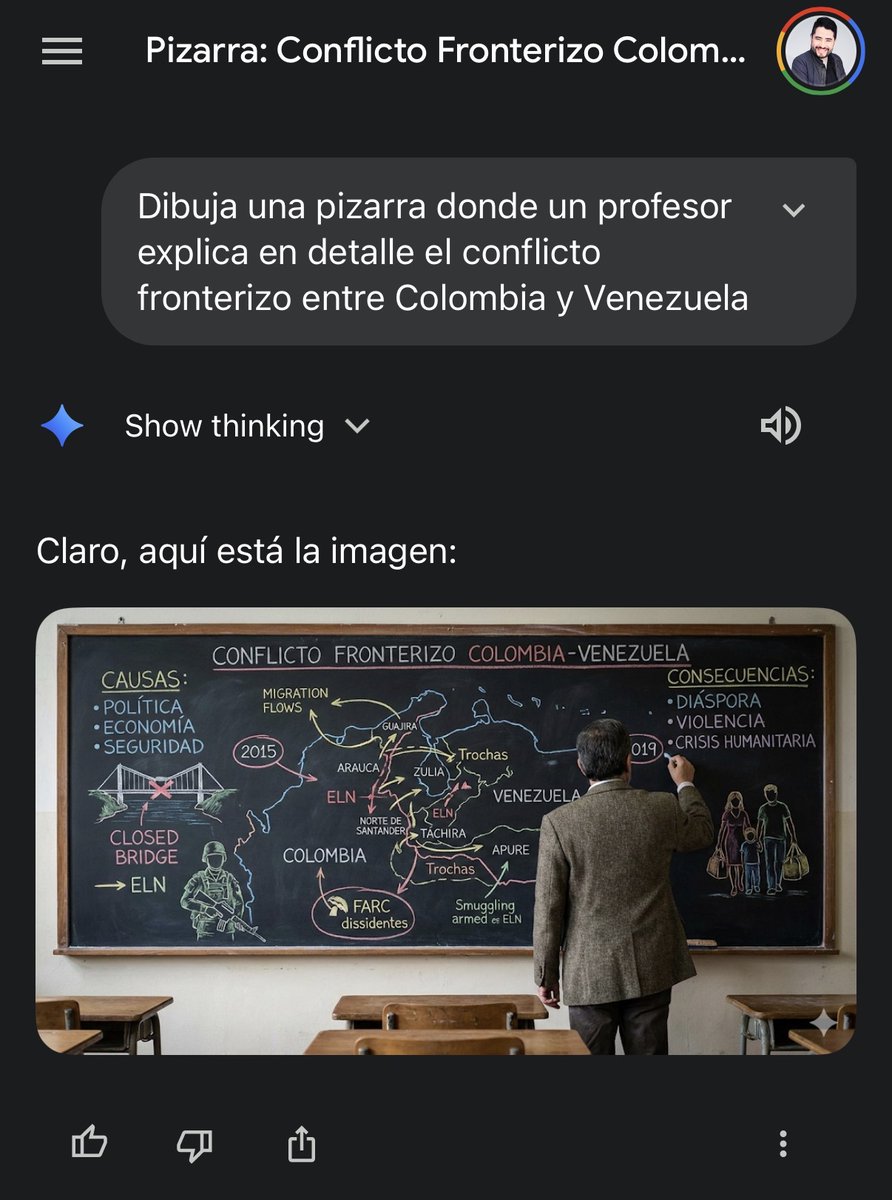
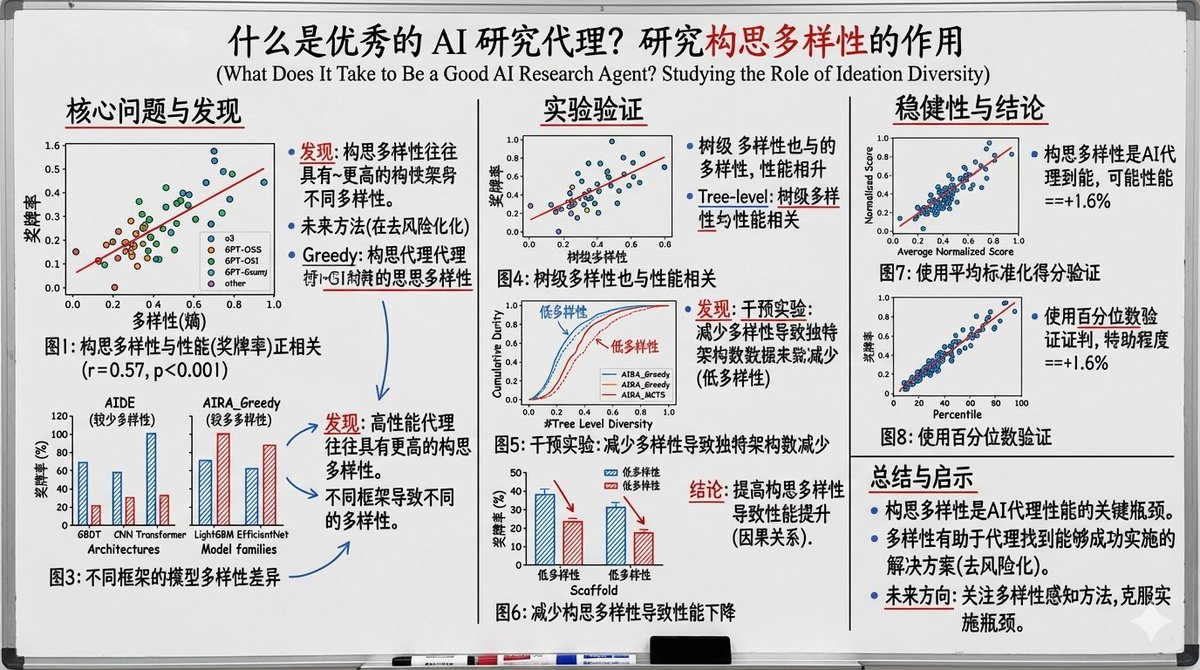
Military briefing on Caribbean tensions

Military briefing on Caribbean tensions

Draw a blackboard where a {argument name="instructor_en" default="U.S. soldier"} explains in detail the {argument name="topic_en" default="military tension in the waters of the Caribbean Sea between the United States and Venezuela"}.

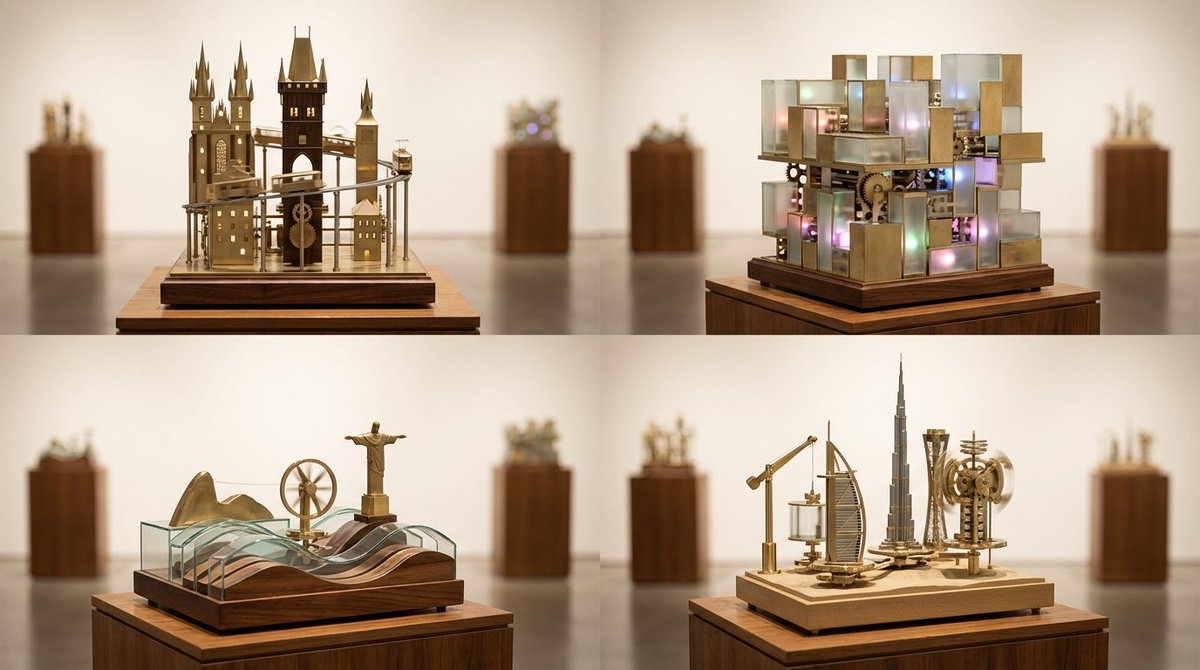
Cities as Kinetic Sculptures Grid

Cities as Kinetic Sculptures Grid

A 2x2 grid of 4 random famous cities turned into looping kinetic sculptures on museum plinths [Top Left: random real European city as a vertical kinetic skyline with moving trams and tiny lights] [Top Right: random real Asian megacity as a multi-layered kinetic light grid with sliding blocks] [Bottom Left: random real coastal city with rolling wave mechanisms and rotating landmarks] [Bottom Right: random real desert or inland city with lifting arms and spinning towers] Photoreal miniature kinetic sculptures made of brass, glass, and polished wood, subtle motion implied by blurred rods and tracks, illuminated display plinths in a gallery setting, soft museum lighting, gentle reflections on the floor, 60mm perspective for elegant compression, shallow depth of field isolating each sculpture, warm white seamless backdrop, crisp focus on intricate mechanics.

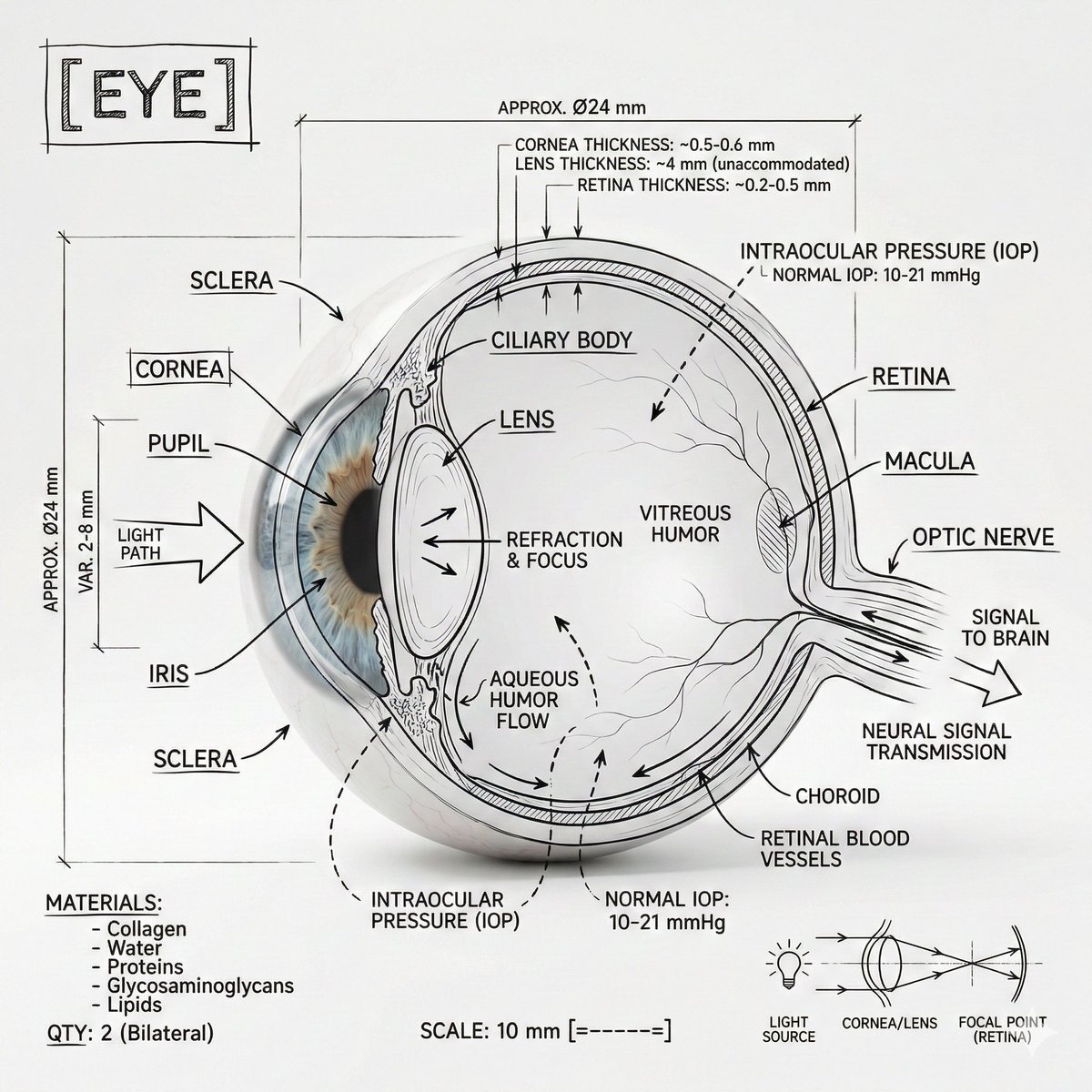
Infographic Prompt Template for Body Parts

Infographic Prompt Template for Body Parts

Create an infographic image of [{argument name="body part" default="Eye"}], combining a realistic photograph or photoreal render of the object with technical annotation overlays placed directly on top. Use black ink–style line drawings and text (technical pen / architectural sketch look) on a pure white studio background, including: •Key component labels •Internal cutaway or exploded-view outlines •Measurements, dimensions, and scale markers •Material callouts and quantities •Arrows indicating function, force, or flow (air, sound, power, pressure) •Simple schematic or sectional diagrams where relevant Place the title [BODY PART] inside a hand-drawn technical annotation box in one corner. Style & layout rules: •The real object remains clearly visible beneath the annotations •Annotations feel sketched, technical, and architectural •Clean composition with balanced negative space •Educational, museum-exhibit / engineering-manual vibe Visual style: Minimal technical illustration aesthetic, black linework over realistic imagery, precise but slightly hand-drawn feel. Color palette: White background, black annotation lines and text only. No colors. Output: 1080×1080, ultra-crisp, social-feed optimized, no watermark.

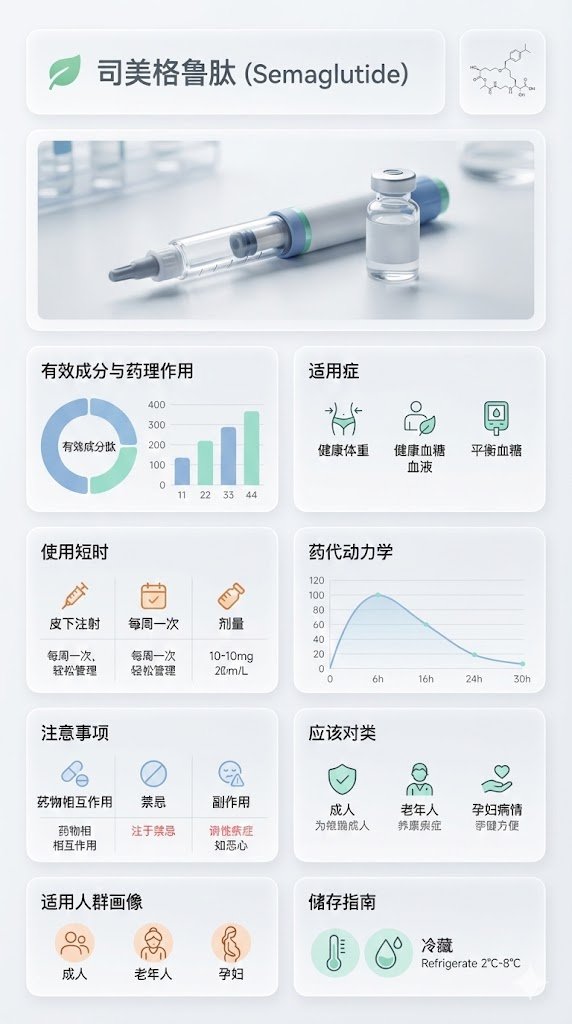
Medical Infographic Poster for Drug Information (Bento Grid Style)

Medical Infographic Poster for Drug Information (Bento Grid Style)

{ "image_analysis": { "subject": "{argument name="drug name" default="Semaglutide"} Science Infographic, 9:16", "style": "Modular Bento Grid Design / Minimalist Medical UI Design / Approachable Feel", "tone": "Professional, Clinical, Rigorous, Scientific, Trustworthy, Humanized, Easy-to-read", "primary_colors": ["Clinical White", "Medical Blue", "Slate Grey", "Mint Green"] }, "prompt_elements": { "subject_description": "A high-quality science infographic poster about [Drug Name], designed to combine professional rigor with humanized care.", "layout": "Bento box style modular grid layout, clean medical UI/UX interface design, divided into clear rectangular cards with soft edges, providing a comfortable visual experience.", "visual_details": [ "Top header with a striking modern sans-serif font title 'Drug Chinese Name' and its chemical/generic name. A gentle medical icon (like a heart or green leaf) can be added next to the title.", "Center top features a hyper-realistic macro photograph of the [Drug Dosage Form/Packaging] (e.g., tablet, capsule, or vial), with soft lighting, appearing safe and reliable.", "In the corner, a minimalist line drawing of the [Chemical Structure], with smooth lines, not overly obtrusive.", "Part 1: Analysis of active ingredients and pharmacological action with ring charts and bar charts, data visualization using gentle medical blue and mint green colors, charts designed to be simple and intuitive.", "Part 2: Indications with minimalist line icons, icons designed to be friendly, avoiding overly clinical or cold symbols.", "Part 3: Dosage and administration matrix with minimalist line icons ([Oral/Injection], [Frequency], [Dose]), simple text descriptions can be added next to the icons, such as 'One tablet daily, easy to take'.", "Part 4: Pharmacokinetics or onset time axis with linear charts, smooth lines, clearly marked time points, instilling confidence based on scientific evidence.", "Part 5: Precautions grid with simple warning icons ([Drug Interactions], [Contraindications], [Side Effects]), icons should gently remind rather than cause panic, text descriptions should be concise and highlight key points.", "Part 6: Applicable population profile icons (e.g., suitability markers for elderly, children, pregnant women), icons designed to be warm, reflecting care for different groups.", "Part 7: Drug storage guidelines with thermometer and humidity icons, icons designed to be simple and clear, text descriptions easy to understand." ], "art_style": "Minimalist scientific visualization design, combining detailed medical illustrations with product photography, flat medical icons, Swiss style typography, focusing on readability and approachability.", "lighting": "Bright laboratory shadowless lighting, clean and transparent, emphasizing sterility and clarity, while the light is soft and not harsh.", "color_palette": "Monochromatic clinical white or light gray background, translucent frosted glass cards, dark gray and navy blue text, accented with medical blue or cyan to highlight key points, the overall color scheme gives a fresh, comfortable feeling." }, "negative_prompt": "Clutter, warm tones (except for gentle accents), retro style, handwriting, low resolution, blur, distorted text, noise, dark background, unsanitary, oversaturated, watermark, food texture, overly cold clinical feel, panic-inducing warning icons" }

Architectural Blueprint to Miniature Japanese Inn Scene

Architectural Blueprint to Miniature Japanese Inn Scene

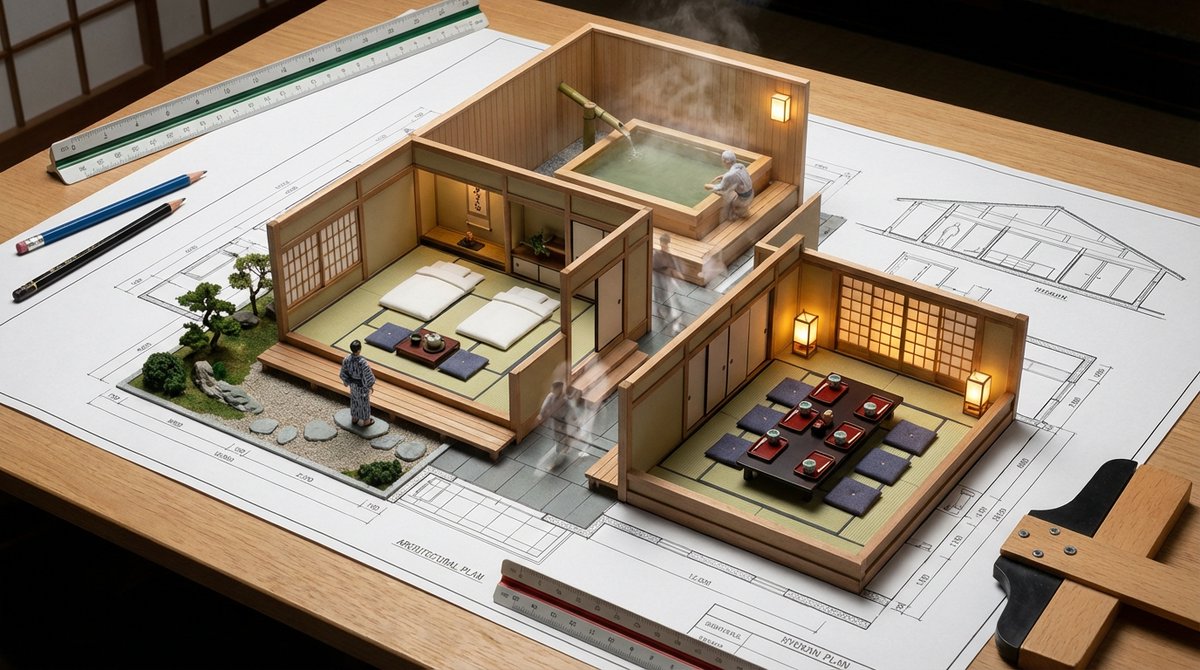
The architectural blueprint of a traditional Japanese inn is spread out on a drafting table, and the space sublimates into a habitable miniature. In the tatami-matted guest room, futons and low tables are laid out, and a traveler in a yukata is gazing at a dry landscape garden under construction. The large hot spring bath has a cypress tub and a bamboo spout, and steam rises as an elderly guest quietly soaks in the water. In the Kaiseki dining room, lacquer trays are placed on cushions, and the warm light of lanterns shines through the shoji screens. The walls exist simultaneously as lines and as actual partitions. The lines of sight drawn on the floor plan become the actual scenery between the spaces. The movement lines of people appear as faint traces. Figures at architectural scale become small residents living small lives, and the cross-section reveals the vertical relationships. Architectural tools such as scales and pencils are arranged around the scene.

3D Clay Style Year-End Summary Poster Generator

3D Clay Style Year-End Summary Poster Generator

Task Goal: Based on the data and information in the year-end summary screenshot uploaded by the user, design a 3D year-end summary poster with a distinct style and strong visual impact, username {argument name="Username" default="[guizang]"} Overall Style and Mood (Fixed Style): Core Style: Blending 3D trends, gamification elements, and high-saturation colors. Material Feel: The main body of the image presents exquisite clay or soft plastic material rendering, with rounded edges and soft light and shadow, giving a friendly 'blind box toy' feel. Layout Sense: The overall layout should resemble a refined, high-end magazine, well-spaced, with clear information architecture. Text layout should be concise and clear, without adding any decorative backgrounds like cards, capsules, or bottom frames. Main Visual (Core Visual): The visual center is a massive, tightly stacked Q-version 3D clay sphere. The elements composing the sphere need to be dynamically generated based on the specific content in the user's uploaded screenshot: Data Bubbles: Key numbers and corresponding labels extracted from the screenshot (e.g., total messages, chat times, images generated, activity ranking, etc.) are made into rounded clay data bubbles embedded in the sphere. Theme Icons: Based on the user's interests reflected in the screenshot, add corresponding general clay icons (e.g., game controller, brain, chart, chat bubble, etc.). Category Buildings (Core Requirement): Analyze the focus of the content in the screenshot and integrate several exquisite miniature clay buildings representing different chat categories into the sphere. For example: If it includes AI/technology content, incorporate a futuristic data center building with a sense of technology. If it includes gaming content, incorporate a pixel-style game castle. If it includes creative/art content, incorporate a miniature art studio. Combination Method: All these elements (bubbles, icons, buildings) must be very tightly and harmoniously squeezed together, seamlessly forming a perfect sphere, without revealing the internal structure. Background Design (Fixed Frame): Base Color: Use a high-saturation gradient background from warm orange to soft purple (referencing previous style). Background Text: Behind the sphere, place six massive Chinese characters with splatter texture and reverse etching effects. The themes can be "Adventure Innovation Exploration" (top row) and "Creation Hardcore Impact" (bottom row), partially obscured by the sphere to add a street-style hardcore feel. Information Architecture and Layout (Content Extracted from Screenshot): Top (Header): Place the white ChatGPT Logo and generate a title based on the screenshot information, formatted as: "[{argument name="Username" default="Username extracted from screenshot"}]'s [Year] Year-End Summary". Bottom Data Area (Data Grid): Below the sphere, create a minimalist 2x2 pure text data grid. Select the 4 most core data points from the screenshot, use an extra-bold sans-serif font to display the large numbers, and accompany them with corresponding text labels and interesting social attribute phrases (e.g., "Social Superstar," "Chatterbox," "Hexagonal Warrior," etc., generated based on data characteristics). Footer Summary (Footer): Typeset two paragraphs of text in small font at the very bottom, with content extracted directly from the summary paragraphs in the user's screenshot (such as "Your Chat Style" and "Annual Highlights").

Encyclopedia of Flavor Diorama Generator

Encyclopedia of Flavor Diorama Generator

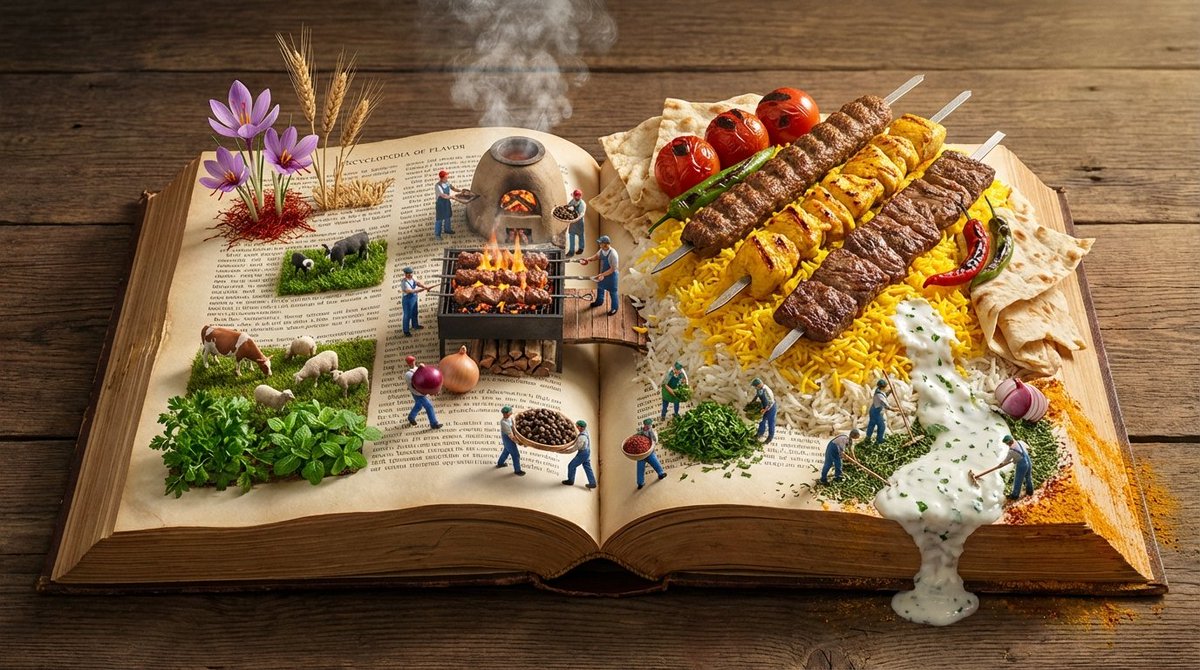
Input Variable: [{argument name="cuisine or dish" default="INSERT CUISINE OR DISH"}] (e.g., Persian Kebabs, Japanese Sushi, Italian Pasta, Mexican Tacos) System Instruction: Generate a hyper-realistic, wide-angle (16:9) 3D diorama of an "Encyclopedia of Flavor." Use the following logic to procedurally generate the scene: 1. Flavor Profiling: Analyze the Input: Determine the Region , Staple Ingredients , and Cooking Method . (e.g., Kebab = Fire/Coal, Rice, Meat. Sushi = Water, Fish, Rice). The Terrain: The pages of the book must physically transform into the landscape of the cuisine. Grain: Rice or Couscous forms dunes. Liquid: Sauces or Broths form rivers. Solid: Bread or Meat forms mountains/cliffs. 2. Container (The Wide Atlas): The Object: A massive, horizontal Landscape-Format Atlas lying open on an aged wooden banquet table. The Spine: Runs horizontally through the center, acting as the "Equator" or "Main Road" of the scene. The Paper: Parchment texture. The edges of the pages are tattered and stained with spices (Saffron, Paprika, Turmeric). 3. Panoramic Composition (Left to Right Flow): CRITICAL: Do not place distinct plates. Create a continuous flow across the open spread. Left Side (The Origin - Agriculture): The raw ingredients grow out of the paper. (e.g., Wheat stalks rising from the text; Cattle grazing on parsley fields; Fishermen casting nets into ink-blue water). Center (The Process - The Kitchen): The spine is the cooking zone. (e.g., A miniature Tandoor oven or Grill built into the book binding; Steam rising volumetrically). Right Side (The Result - The Feast): The finished dish explodes in scale. (e.g., A mountain of Saffron Rice topped with the Kebab; A Ziggurat of Sushi). 4. The Micro-Population The Figures: 1:87 Scale (HO Scale) figures populate the landscape. The Action: They are working the food. Harvesting: Picking herbs from the margins. Transporting: Carrying giant peppercorns like boulders. Cooking: Using flamethrowers to char the meat or rakes to fluff the rice. 5. Lighting & Atmosphere: Aspect Ratio: 16:9 Horizontal. Lighting: "Golden Hour" side-lighting. It should skim across the texture of the food and the paper grain, emphasizing the "Landscape" feel. Steam: Volumetric steam connects the three zones (Left, Center, Right). Output: ONE image, 16:9 Aspect Ratio, Macro Diorama Photography, Octane Render, High Texture Fidelity.

Infographic from reference info with classic Japanese font

Infographic from reference info with classic Japanese font

From the information below, create an explanatory image in infographic format. Use a classic-style Japanese font. Aspect ratio: 16:9. lang: ja. Reference information: {argument name="reference_info_en" default="[insert your reference information here]"}

History of Gaming Diorama Book Template Prompt

History of Gaming Diorama Book Template Prompt

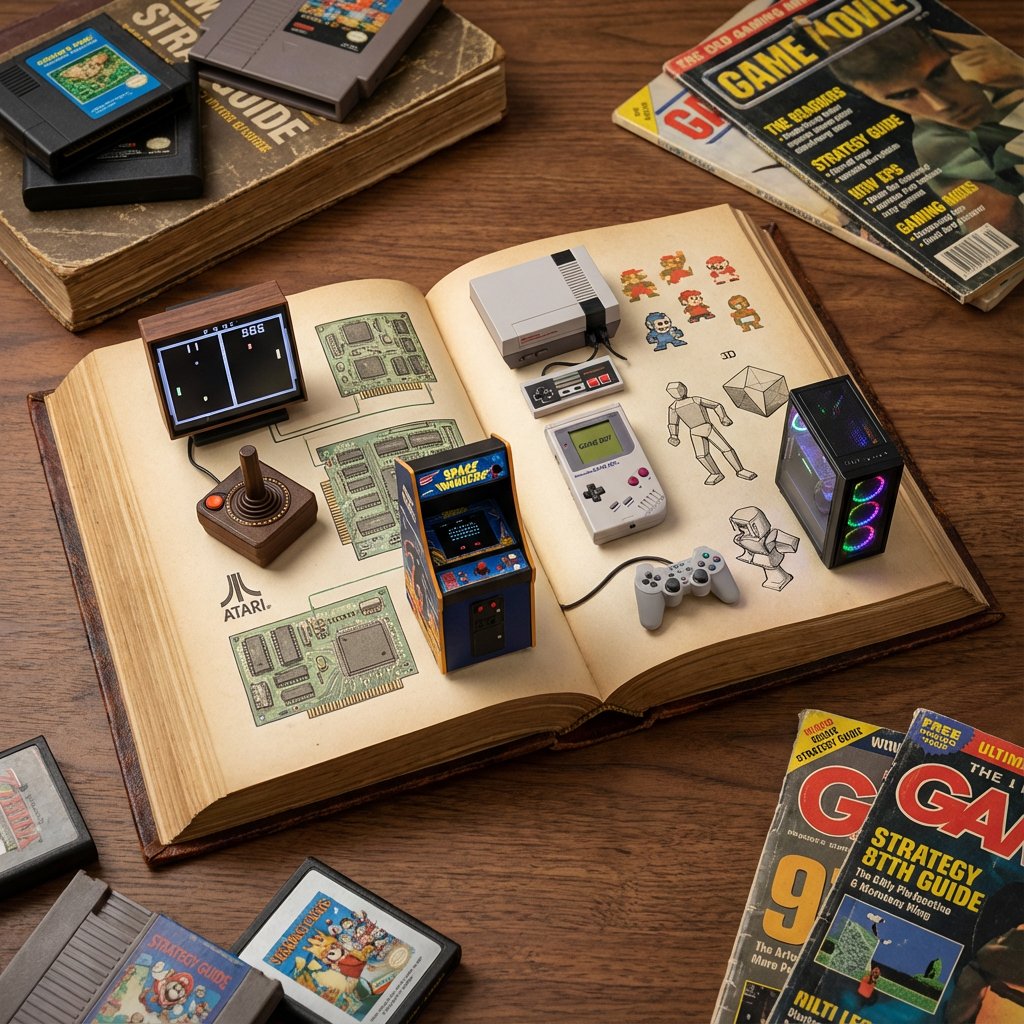
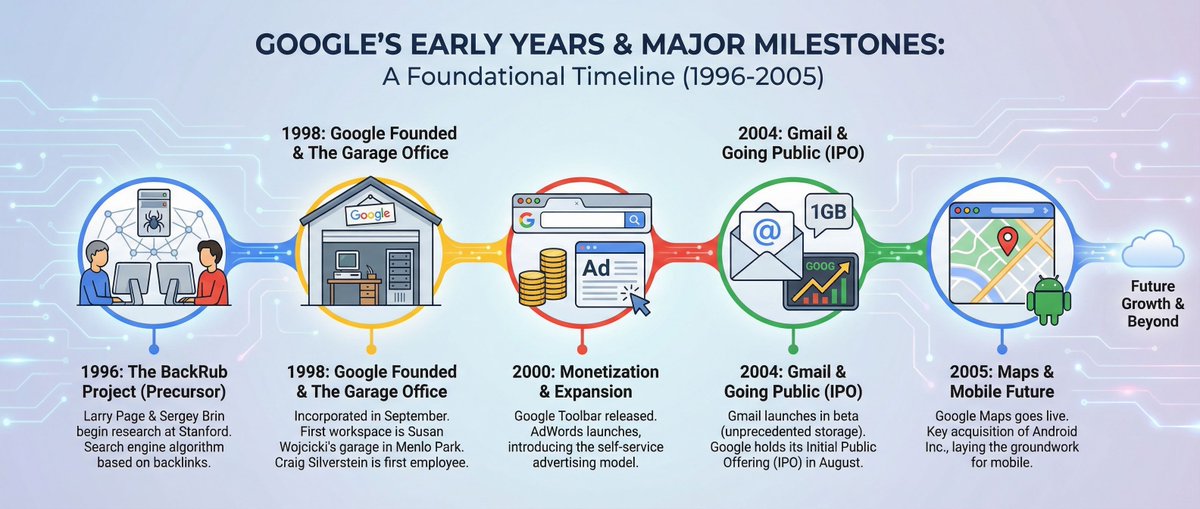
do this for history of gaming: <instructions> role: act as a world class level visual artist and history buff. Input a: topic instructions: draw a detailed photograph of an open antique book serving as a diorama for {argument name="topic" default="[input a]"} history with relevant elements (e.g. space model and small astronauts, space food) set against various {argument name="topic illustrations" default="[input a]"} illustrations and objects showing the history of {argument name="topic history" default="[input a]"} Output: one image </instructions>

Infographic Image with Technical Annotation Overlay

Infographic Image with Technical Annotation Overlay

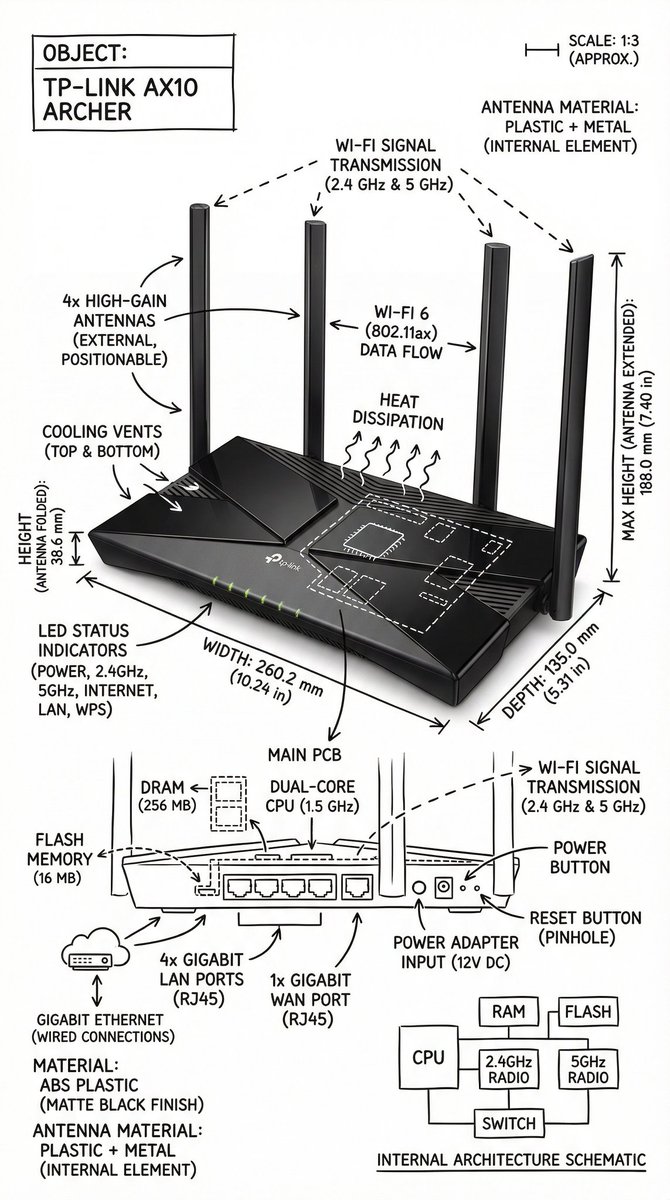
Create an infographic image of {argument name="object" default="[OBJECT]"}, combining a realistic photograph or photorealistic render of the object with technical annotation overlays placed directly on top. Use black ink–style line drawings and text (technical pen / architectural sketch look) on a pure white studio background. Include: •Key component labels •Internal cutaway or exploded-view outlines (where relevant) •Measurements, dimensions, and scale markers •Material callouts and quantities •Arrows indicating function, force, or flow (air, sound, power, pressure, movement) •Simple schematic or sectional diagrams where applicable Place the title {argument name="object title" default="[OBJECT]"} inside a hand-drawn technical annotation box in one corner. Style & layout rules: •The real object remains clearly visible beneath the annotations •Annotations look hand-sketched, technical, and architectural •Clean composition with balanced negative space •Educational, museum-exhibit / engineering-manual vibe Visual style: Minimal technical illustration aesthetic. Black linework layered over realistic imagery. Precise but slightly hand-drawn feel. Color palette: Pure white background. Black annotation lines and text only. No colors. Output: 1080 × 1080 resolution Ultra-crisp Social-feed optimized No watermark

Technical Blueprint Drawing Prompt

Technical Blueprint Drawing Prompt

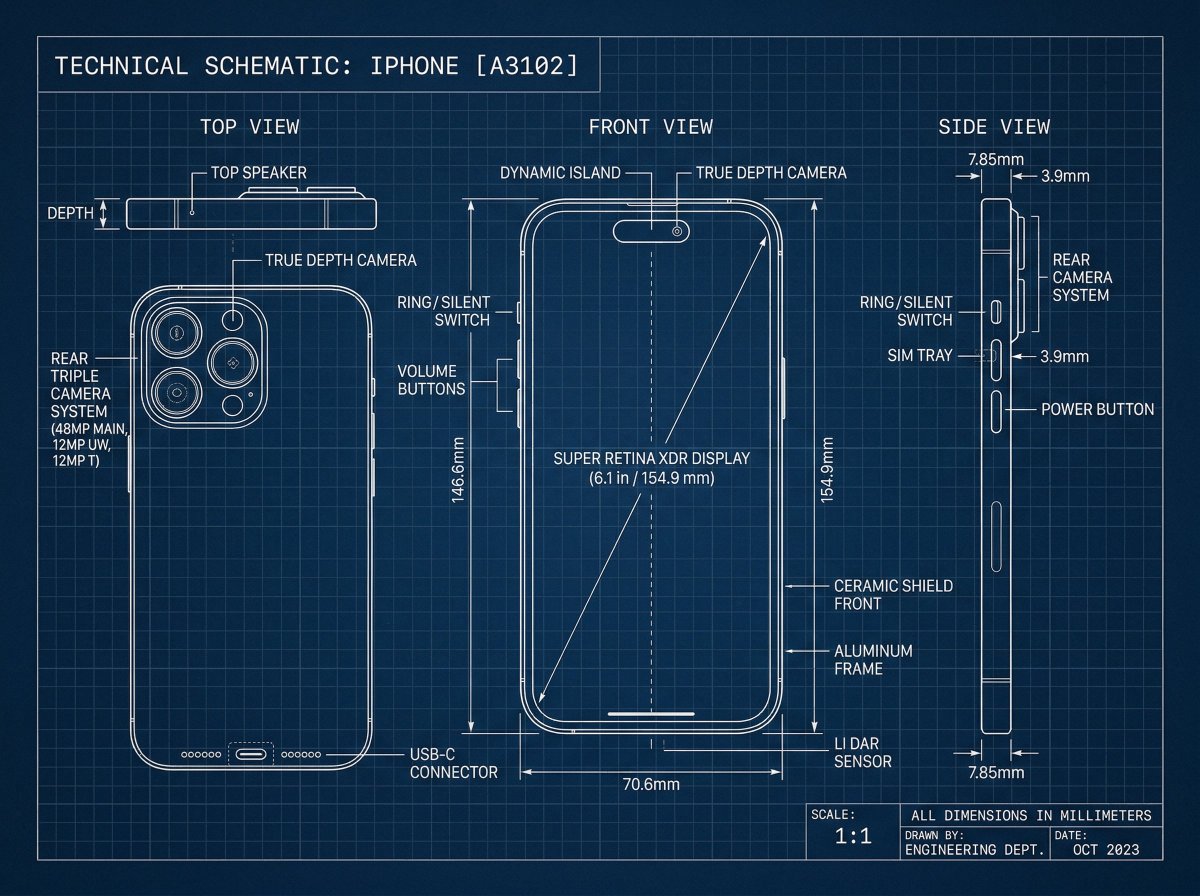
[Iphone], technical blueprint drawing, orthographic view, front view + side view + top view, white vector line art, thin construction lines, precise measurements, annotation labels, dimension arrows, grid background, deep blue background, minimal design, engineering schematic style, high detail

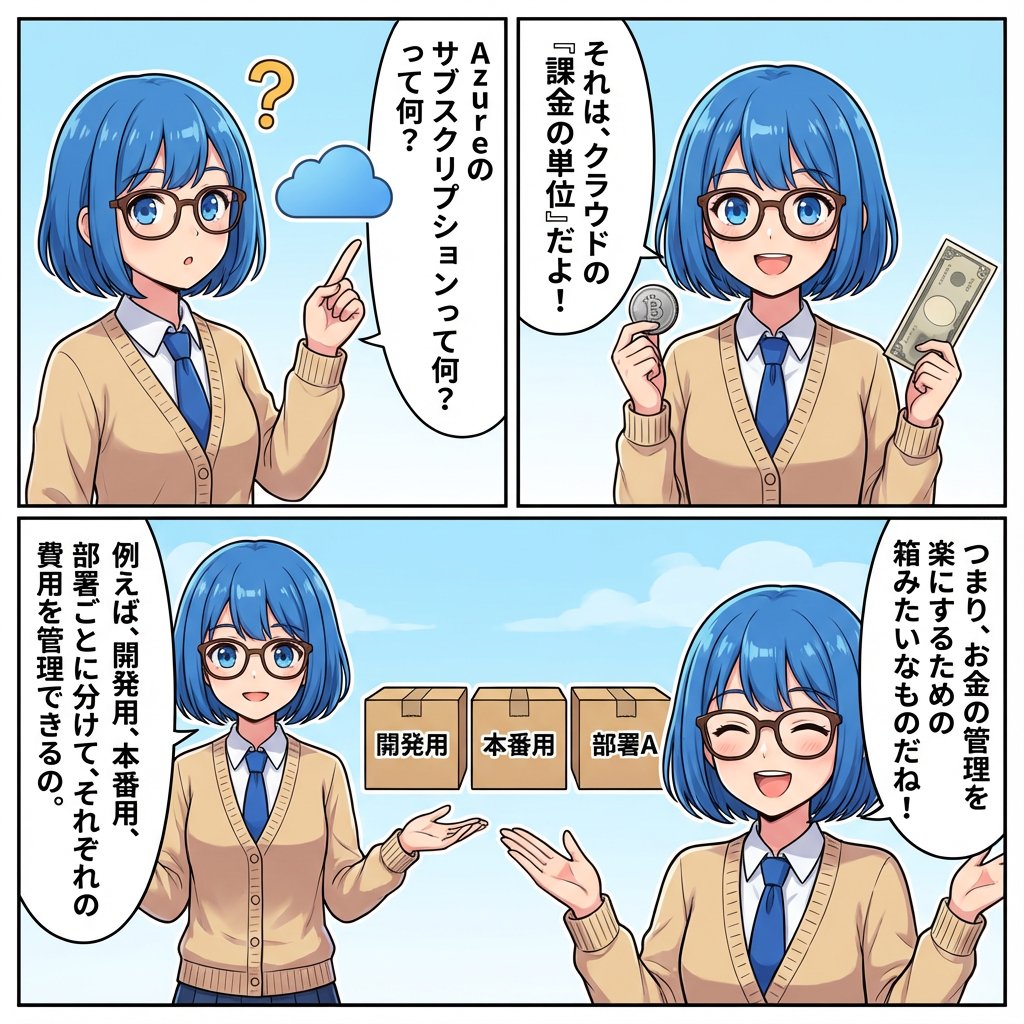
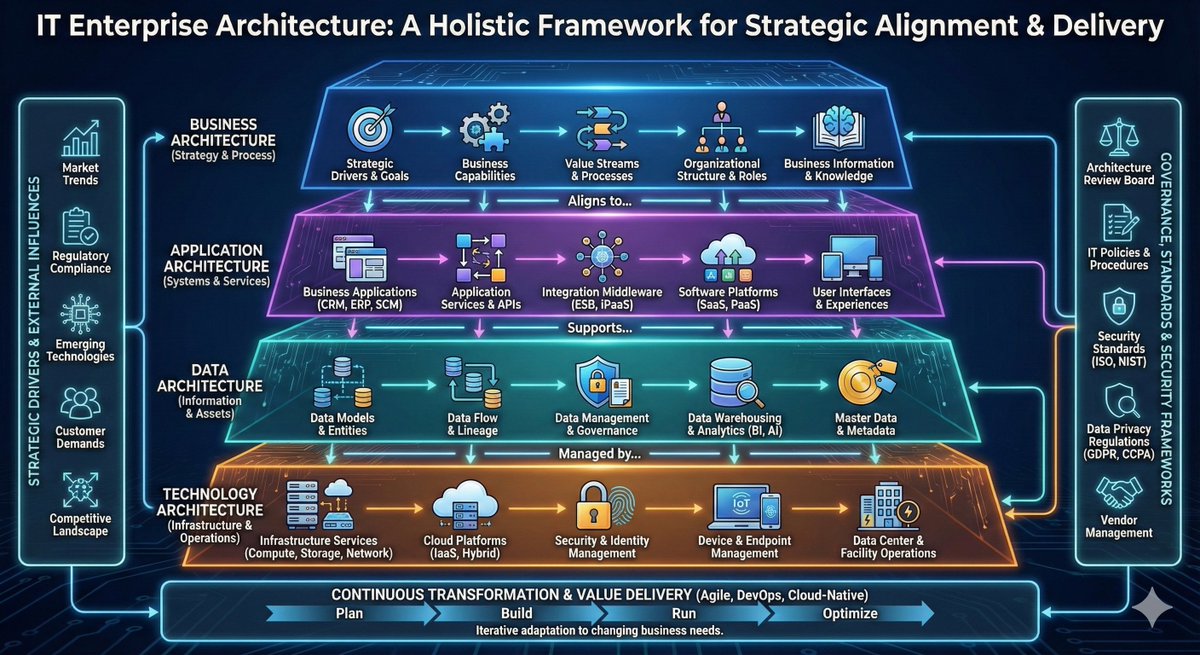
AI Agent Development 'Swamp' Diagram Prompt

AI Agent Development 'Swamp' Diagram Prompt

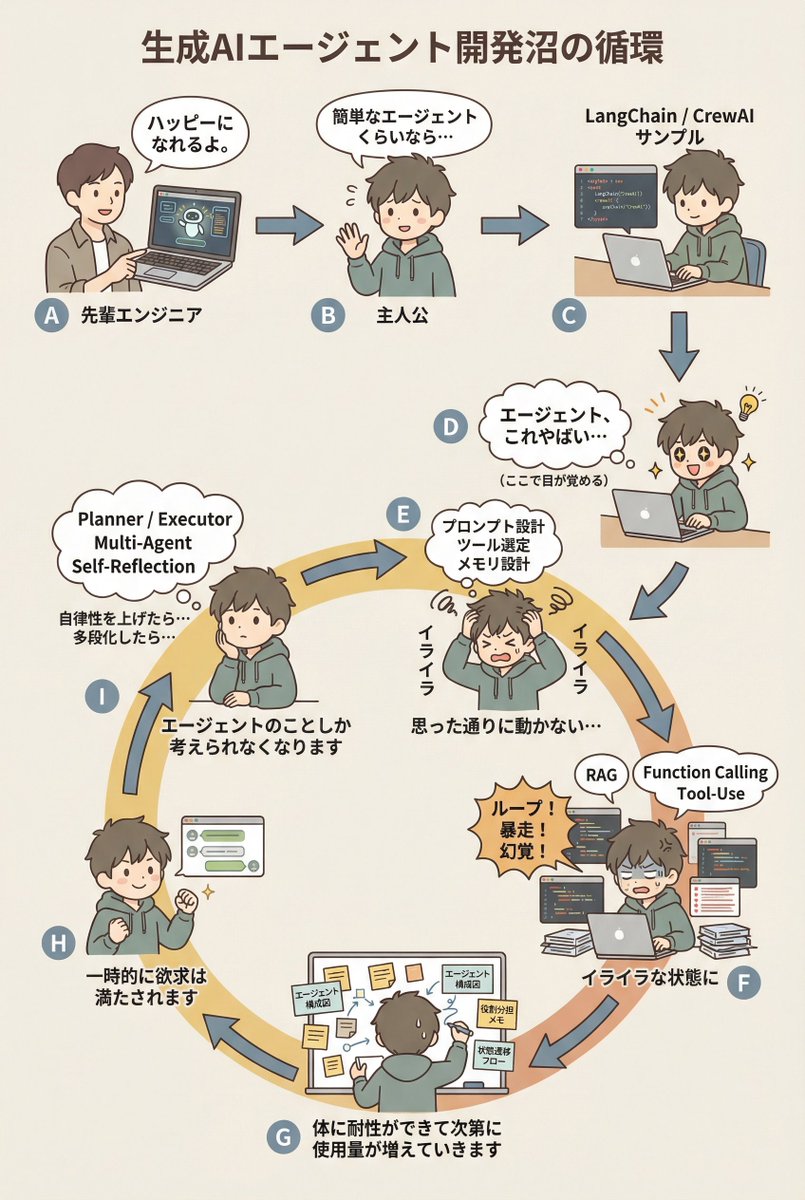
diagram: title: "{argument name="diagram title" default="The Cycle of the Generative AI Agent Development Swamp"}" style: character: "simple_editorial_cute" tone: "light_like_original" line: "soft_round" shading: "flat_minimal" palette: "muted_editorial" background: "light_beige_or_white" rule: first_character_only: "Only the first person is different" others_same_character: "All others are the same person" anxiety_requires_tech_terms: true dialogue_tone: "Maintain the short, light phrasing of the original diagram" layout: intro_track: "The upper section is a straight line (left to right), then drops down to join the loop" loop_track: "Arranged as a loop (ring), with arrows curving clockwise along the circumference" nodes: # ===== Upper Section: Straight Introduction ===== - id: A zone: "intro" position: "upper_left" actor: "Different person (Senior Engineer)" visual: "Pointing at a laptop" item: "AI Agent Demo Screen" says: "It'll make you happy." arrow_to: { id: B, shape: "straight", direction: "right" } - id: B zone: "intro" position: "upper_center" actor: "Protagonist (Same person)" visual: "Waving lightly" says: "Even a simple agent..." arrow_to: { id: C, shape: "straight", direction: "right" } - id: C zone: "intro" position: "upper_right" actor: "Protagonist (Same person)" visual: "Executing sample code" item: "LangChain / CrewAI Sample" arrow_to: { id: D, shape: "straight", direction: "down" } # ===== D: Awakening Point ===== - id: D zone: "connector" position: "right_outer_before_loop" actor: "Protagonist (Same person)" visual: face: "Eyes wide open (cute)" effect: "Small flash of inspiration line" posture: "Leaning forward" state: "Awakening" says: "Agents, this is insane..." micro_text: "(Wakes up here)" arrow_to: id: E shape: "gentle_curve" direction: "down_into_ring" # ===== Loop Start (Must rotate from here) ===== - id: E zone: "loop" position: "loop_right_upper" actor: "Protagonist (Same person)" visual: "Holding head in hands (cute)" state: "Anxiety/Irritation Begins" says: "Irritated" thought_terms: - "Prompt Design" - "Tool Selection" - "Memory Design" thought_text: "It's not working as intended..." arrow_to: { id: F, shape: "curved_along_ring", direction: "clockwise" } - id: F zone: "loop" position: "loop_right_lower" actor: "Protagonist (Same person)" visual: "Surrounded by code and logs" state: "Irritation Settles In" says: "In a state of irritation" callout: "Loop! Runaway! Hallucination!" thought_terms: - "RAG" - "Function Calling" - "Tool-Use" arrow_to: { id: G, shape: "curved_along_ring", direction: "clockwise" } - id: G zone: "loop" position: "loop_bottom" actor: "Protagonist (Same person)" visual: "Covered in sticky notes and diagrams" says: "The body gradually develops tolerance, and usage increases." items: - "Agent Architecture Diagram" - "Role Assignment Memo" - "State Transition Flow" arrow_to: { id: H, shape: "curved_along_ring", direction: "clockwise" } - id: H zone: "loop" position: "loop_left_lower" actor: "Protagonist (Same person)" visual: "Works well, small fist pump" state: "Temporary Satisfaction" says: "Desire is temporarily satisfied" arrow_to: { id: I, shape: "curved_along_ring", direction: "clockwise" } - id: I zone: "loop" position: "loop_left_upper" actor: "Protagonist (Same person)" visual: "Thinking again" state: "Obsession/Thought Occupation" says: "Thinking about the agent

部分提示词收录自 X 平台创作者,版权归原作者所有。