
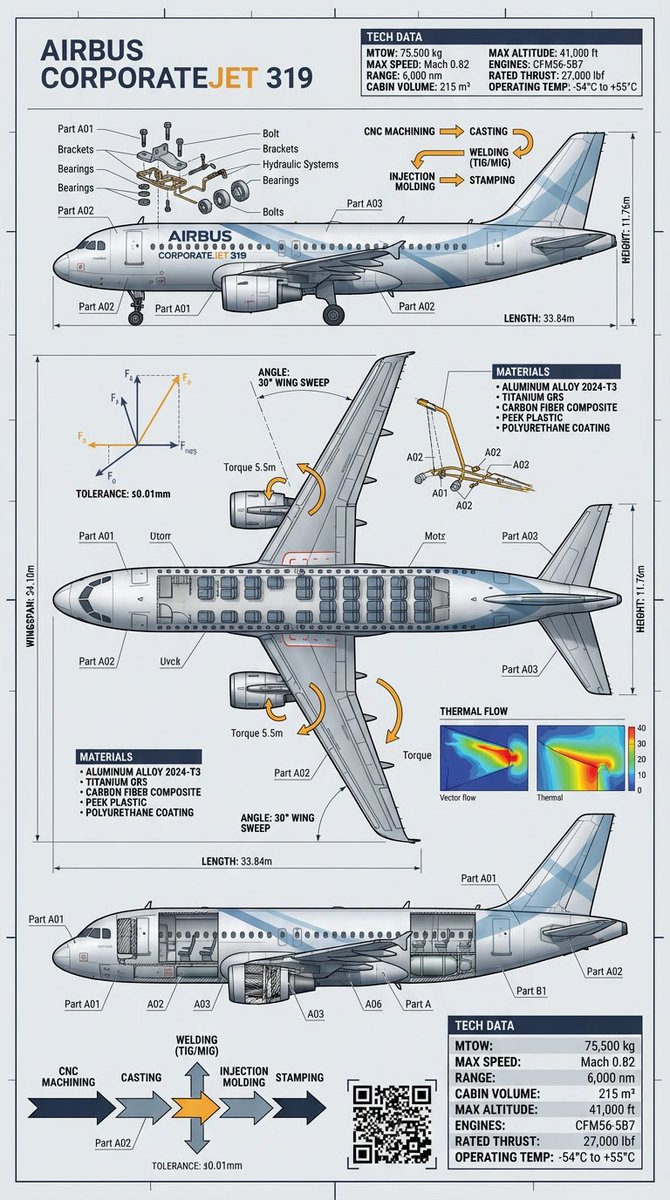
Raw Object to Factory Blueprint Prompt
From raw object to factory-grade blueprint Precision visualized with Gemini Nano Banana Pro on @lovart_ai
提示词库
汇集全球创作者的精选图像、视频与建站提示词。复制任意一条,替换主体或风格,即可用最新模型生成。
15,630 条提示词 · 每日更新 · 完全免费
共 606 条
From raw object to factory-grade blueprint Precision visualized with Gemini Nano Banana Pro on @lovart_ai
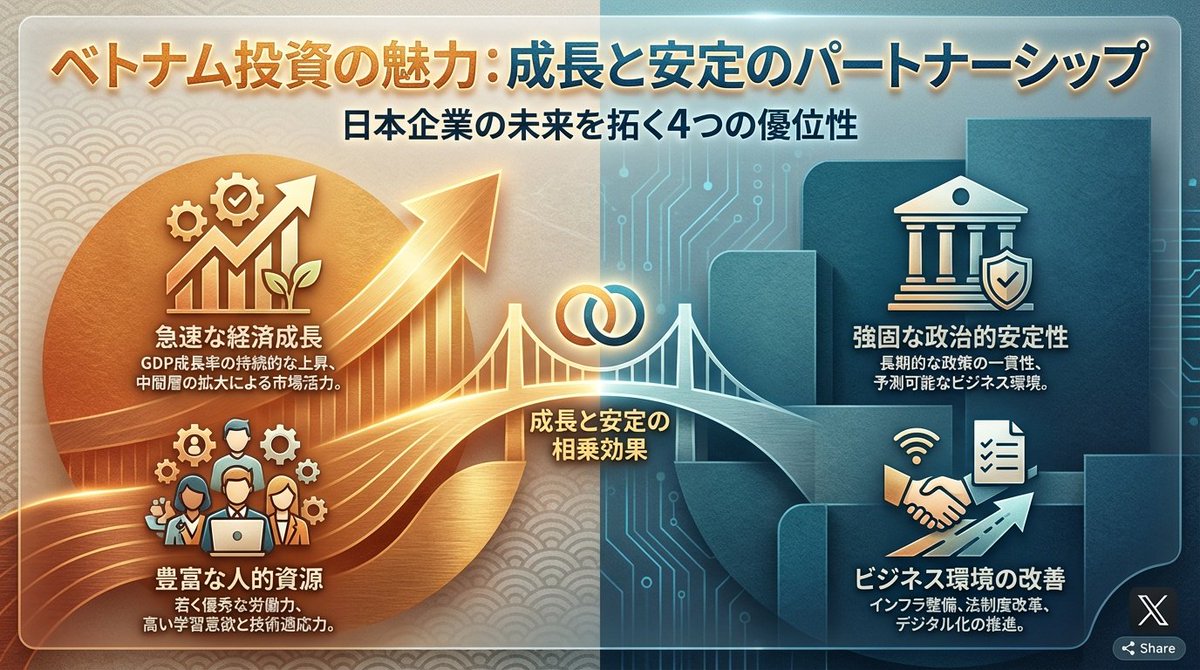
Turn the advantages of investing in Vietnam into a single slide.
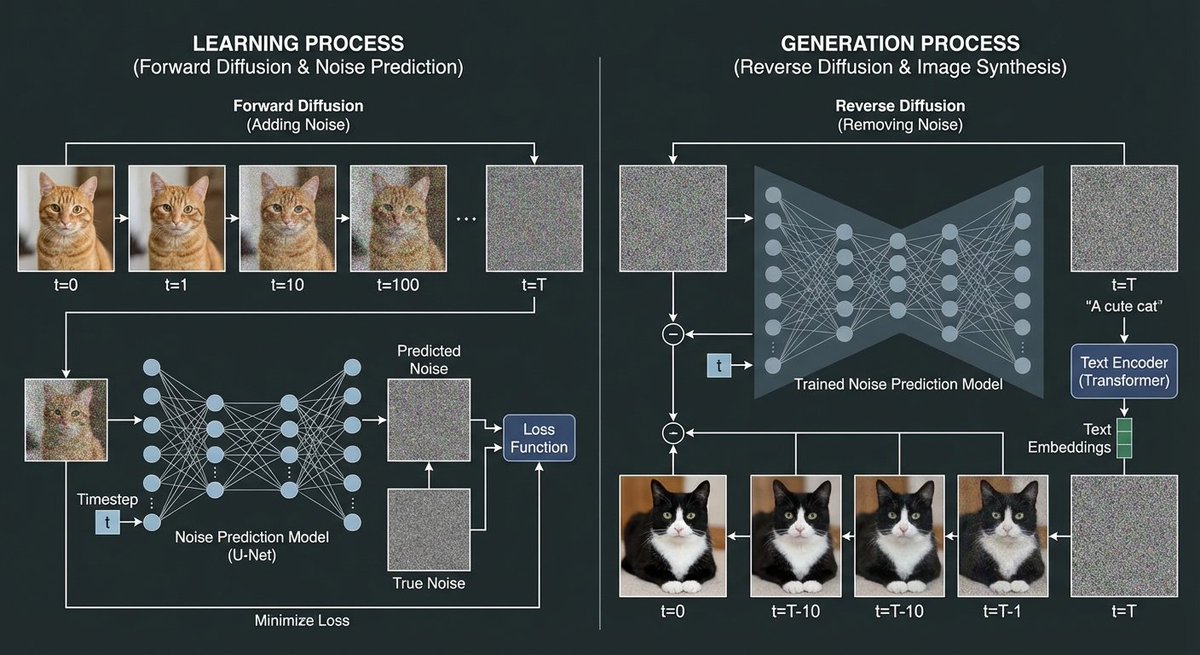
Using a cat image and noise images, create a diagram explaining the image generation process of a diffusion model. In the training process, show the process of adding noise to the cat image through forward diffusion, and depict the process of creating the noise prediction model.
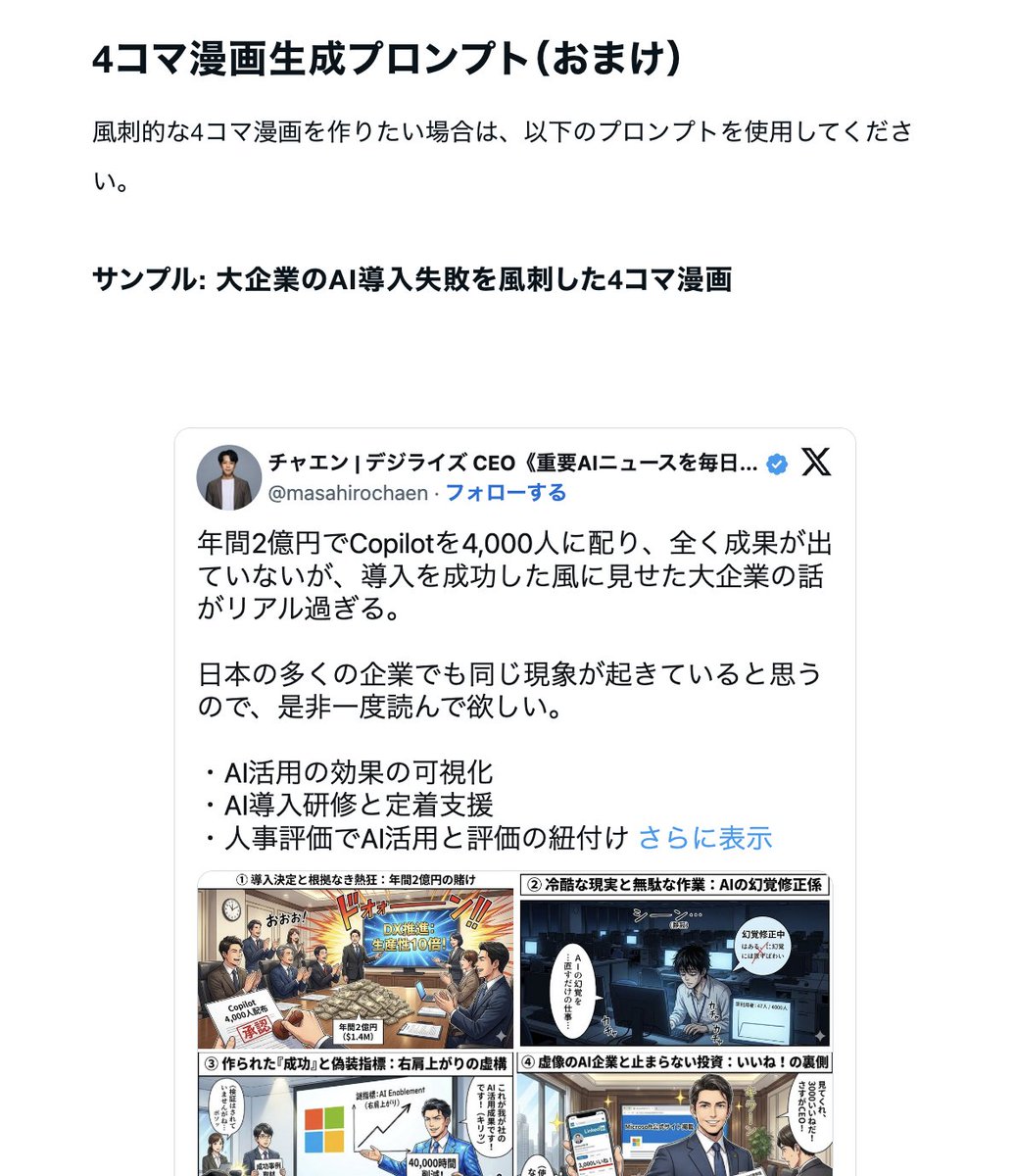
Secret prompt revealed for instantly generating "viral diagrams" with Gemini "Nano Banana Pro" ・ Diagram creation Bot ・ Four-panel comic creation
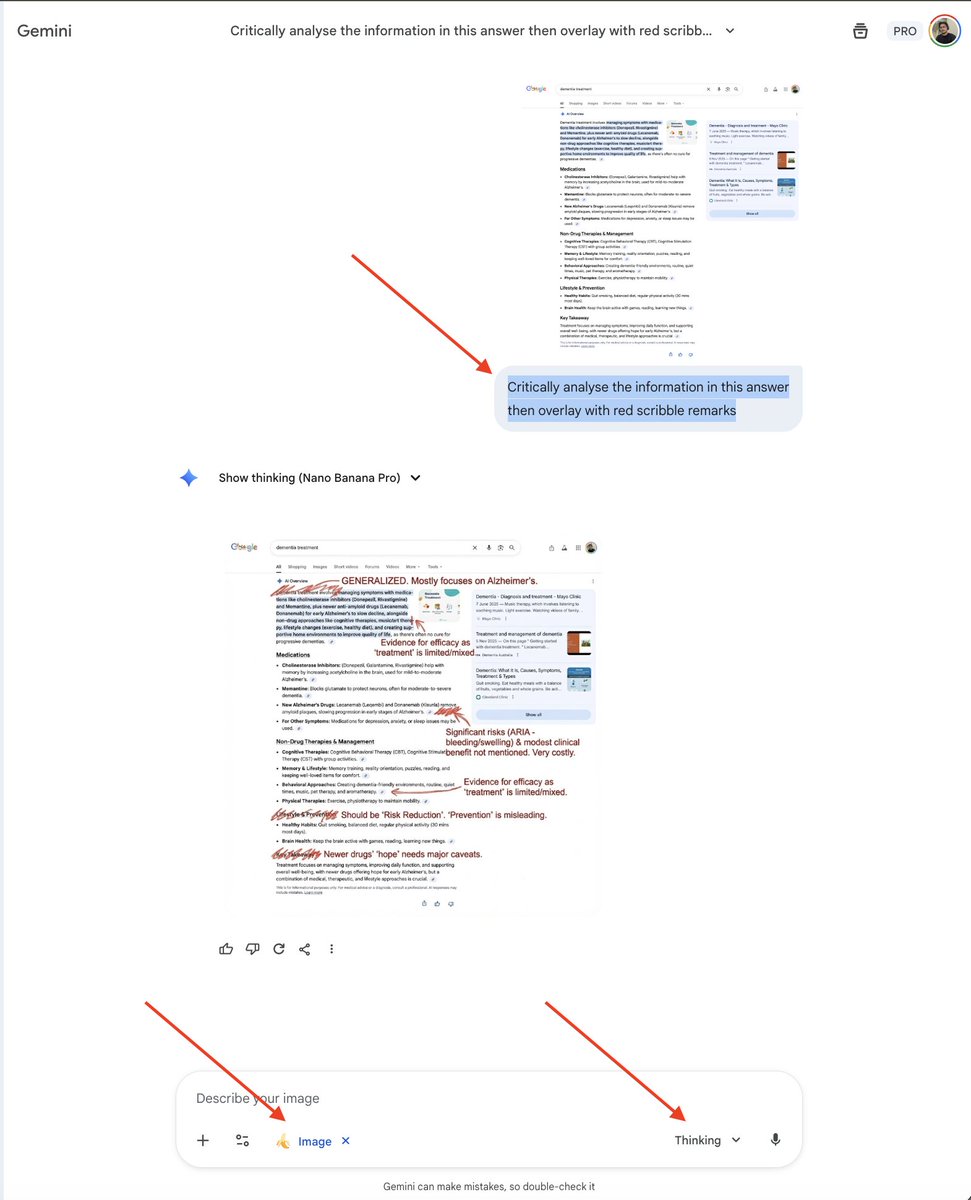
Critically analyse the information in this answer then overlay with red scribble remarks
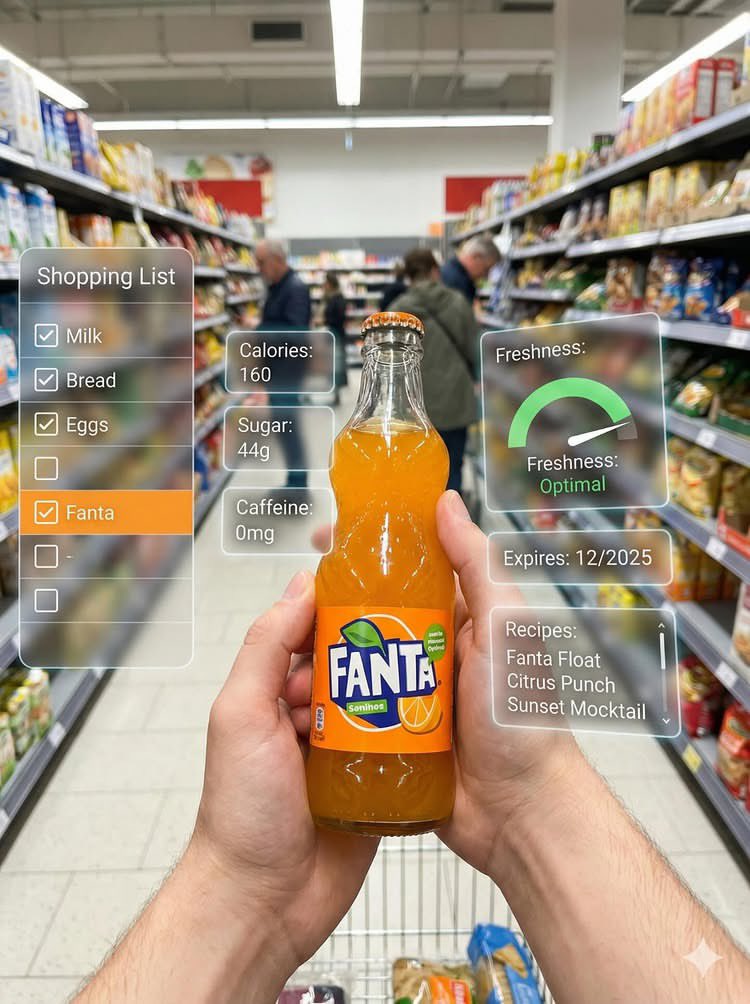
First-person perspective inside a brightly lit supermarket aisle or section. Realistic human hands are holding {argument name="product name" default="[PRODUCT NAME]"} close to the camera. The product’s [key visual traits: color, texture, packaging, freshness details] are clearly visible under natural store lighting. The {argument name="product name 2" default="[PRODUCT NAME]"} is surrounded by a multi-layered holographic augmented reality interface displaying relevant product information, including [nutritional or product data such as calories, protein/sugar/caffeine, vitamins, freshness indicator, origin, expiration date, usage or recipe suggestions]. The AR UI elements smoothly shift and reorganize based on the viewer’s gaze direction, as if dynamically responding to user focus. In the left peripheral vision, a vertical semi-transparent shopping list is visible with checked-off items, where {argument name="product name 3" default="[PRODUCT NAME]"} is highlighted as the currently active selection. Hyper-realistic mixed reality, clean futuristic AR design, glass-like UI panels, soft ambient glow, realistic lighting and shadows, natural depth of field, immersive first-person interface, showcasing next-generation retail technology.
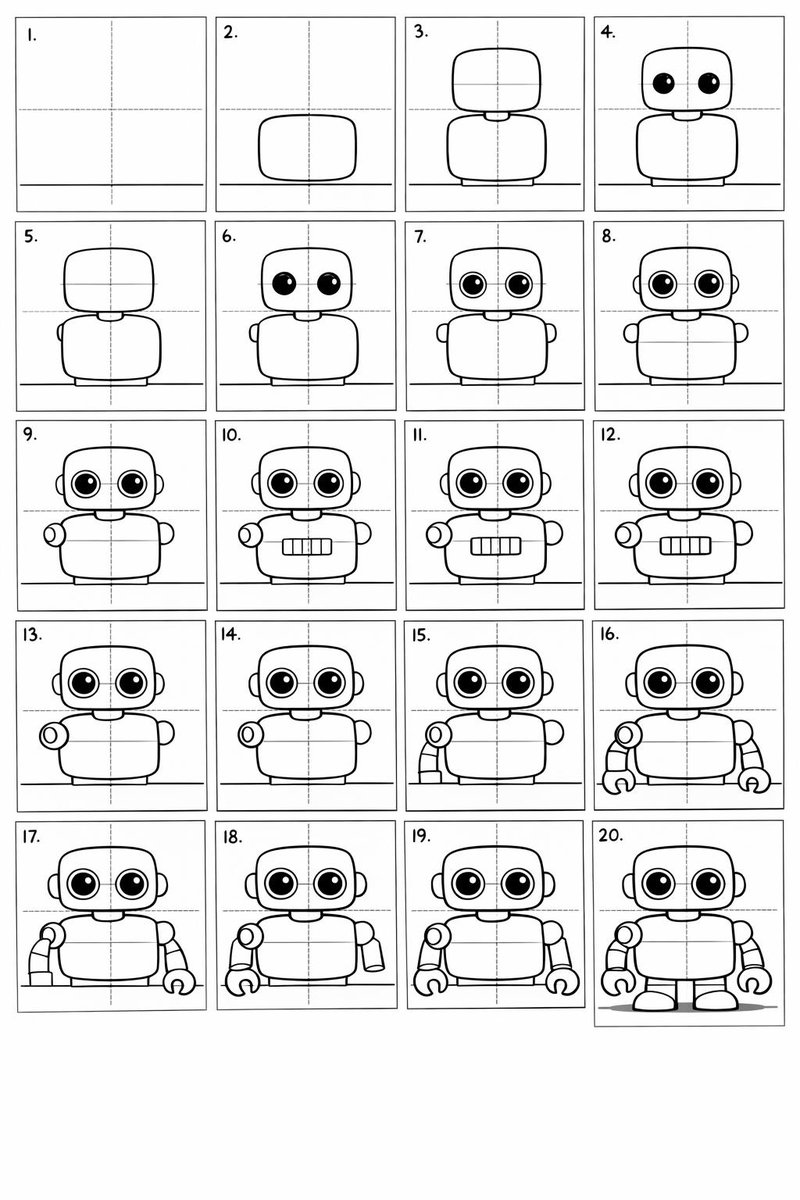
Create a 20-panel layout guide for drawing a cute cartoon robot. Each panel keeps everything from before and adds one clear change. 1. Light guide lines: vertical center, horizontal center, and a ground line. 2. Add torso: rounded rectangle above the ground. 3. Add torso centerline. 4. Add head: smaller rounded square above torso. 5. Add neck connector: short rounded block. 6. Add left eye circle. 7. Add right eye circle. 8. Add pupils inside both eyes. 9. Add thin rim rings around both eyes. 10. Add mouth rectangle below eyes. 11. Add evenly spaced vertical slats in the mouth. 12. Add left shoulder joint circle on torso side. 13. Add right shoulder joint circle. 14. Add left upper arm cylinder from left shoulder. 15. Add left elbow circle and left forearm cylinder. 16. Add left claw hand (base curve + two prongs). 17. Add right upper arm cylinder from right shoulder. 18. Add right elbow circle and right forearm cylinder. 19. Add right claw hand to match left. 20. Add legs and feet as simple blocks: two short legs from torso bottom and two rounded trapezoid feet, plus a small ground shadow.
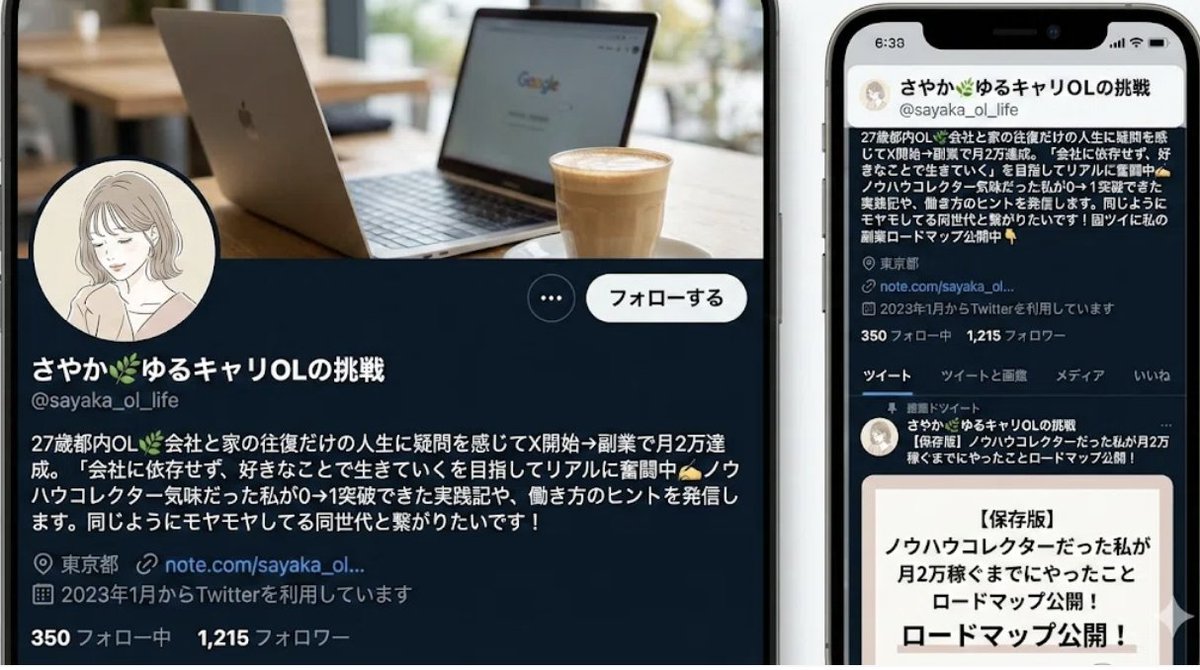
You are a professional persona designer. Based on the following information, please design a detailed persona. **Target Audience:** {argument name="target audience" default="Women in their 30s, living in the city center, working at an IT company"} **Objective:** {argument name="objective" default="Developing a marketing strategy for a new beauty serum"} **Elements to include in the persona:** 1. Basic information (Name, Age, Occupation, Residence, Family structure) 2. Personality and Values 3. Lifestyle (Daily routine, Hobbies, Information sources) 4. Challenges and Needs (Beauty concerns, Desired solutions) 5. Goals and Motivation 6. Purchasing behavior (Points of emphasis, Budget range, Purchase channels) 7. Touchpoints with the service/product (Usage scenarios, Expected effects) **Output format:** - Use appropriate headings for an easily readable structure. - Include specific descriptions that could be used for a persona image.
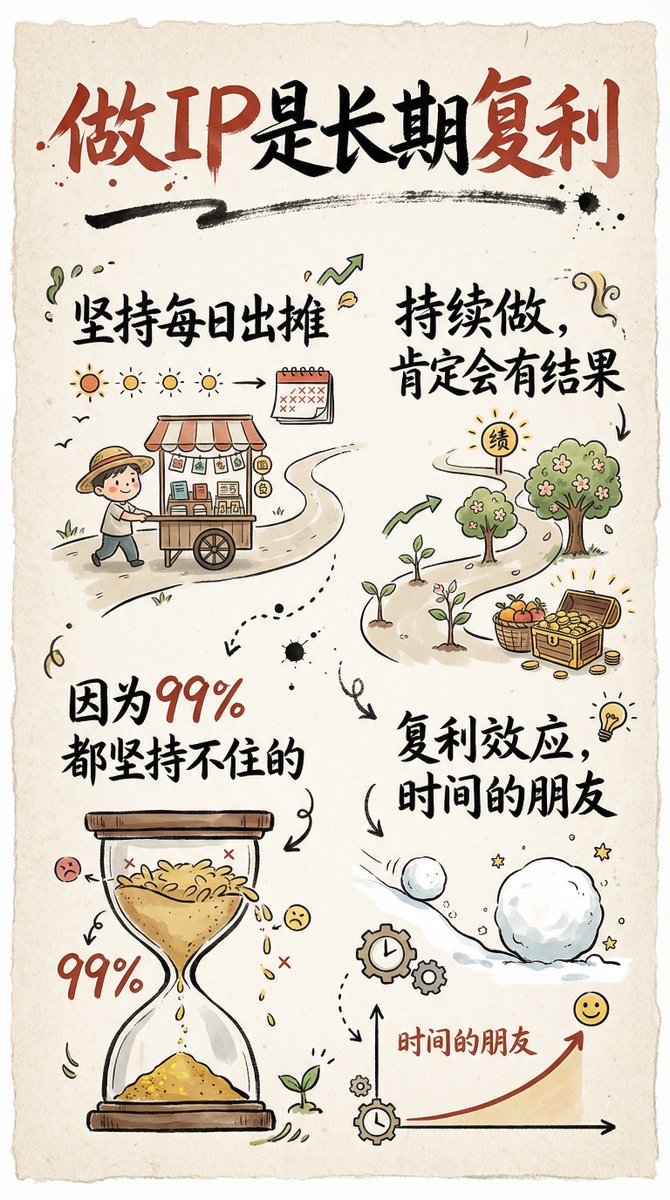
Create a hand-drawn style infographic card in a 9:16 vertical ratio. The card should have a clear theme, with a beige or off‑white paper-textured background and an overall rustic, friendly hand-drawn aesthetic. At the top of the card, highlight the title in large brush-style cursive Chinese characters using a striking red-and-black contrast to draw the viewer’s eye. All text should be in Chinese cursive script. The layout is divided into 2 to 4 clear sections, each using short, concise Chinese phrases to express the key points. The font should maintain the flowing rhythm of cursive script while staying readable and artistic. Add simple, fun hand-drawn illustrations or icons on the card, such as characters or symbolic motifs, to enhance visual appeal and spark reflection and empathy. Maintain visual balance in the overall layout and leave enough white space so the design remains clean, easy to read, and easy to understand. The theme is: “{argument name="theme" default="Building a personal IP is a long-term compounding process; if you keep showing up daily and continue consistently, you will definitely see results, because 99% of people can’t stick with it."}”
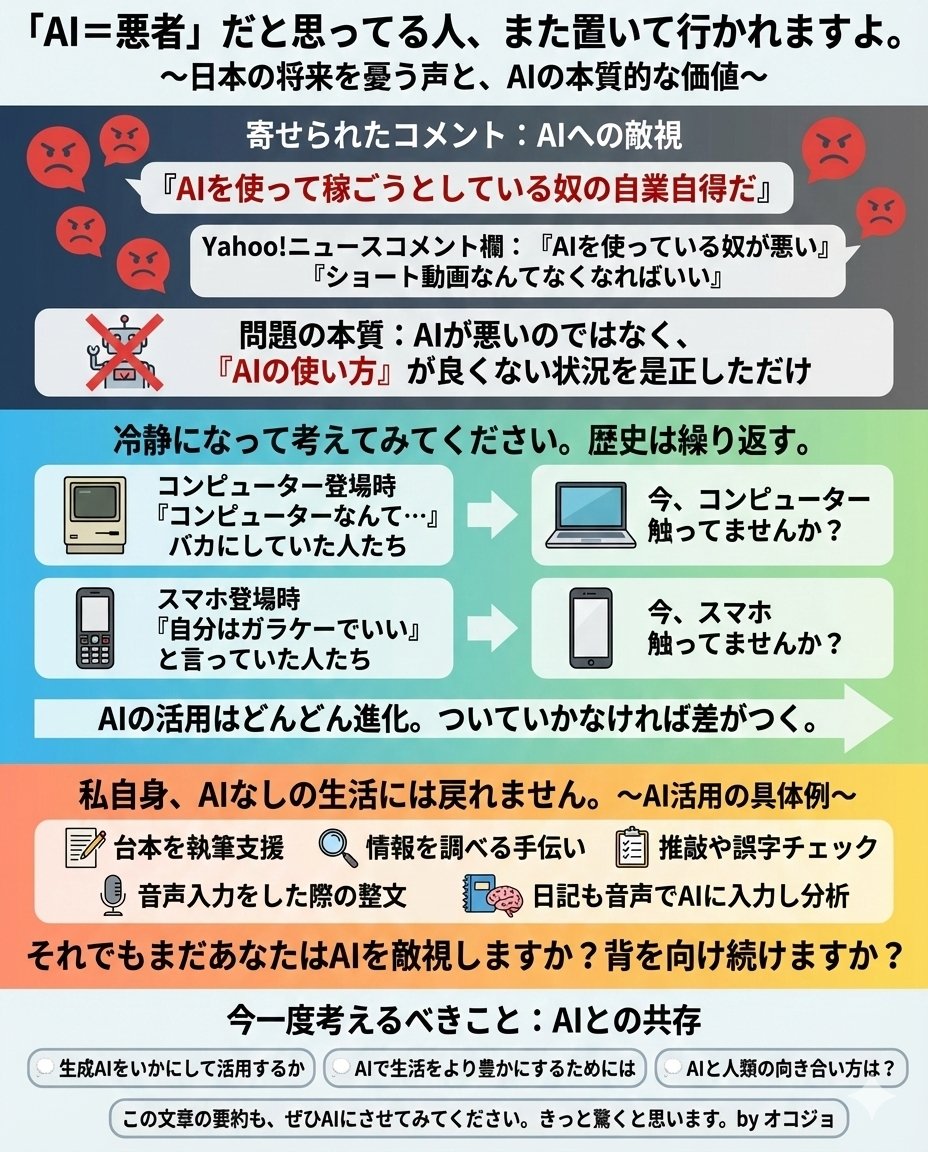
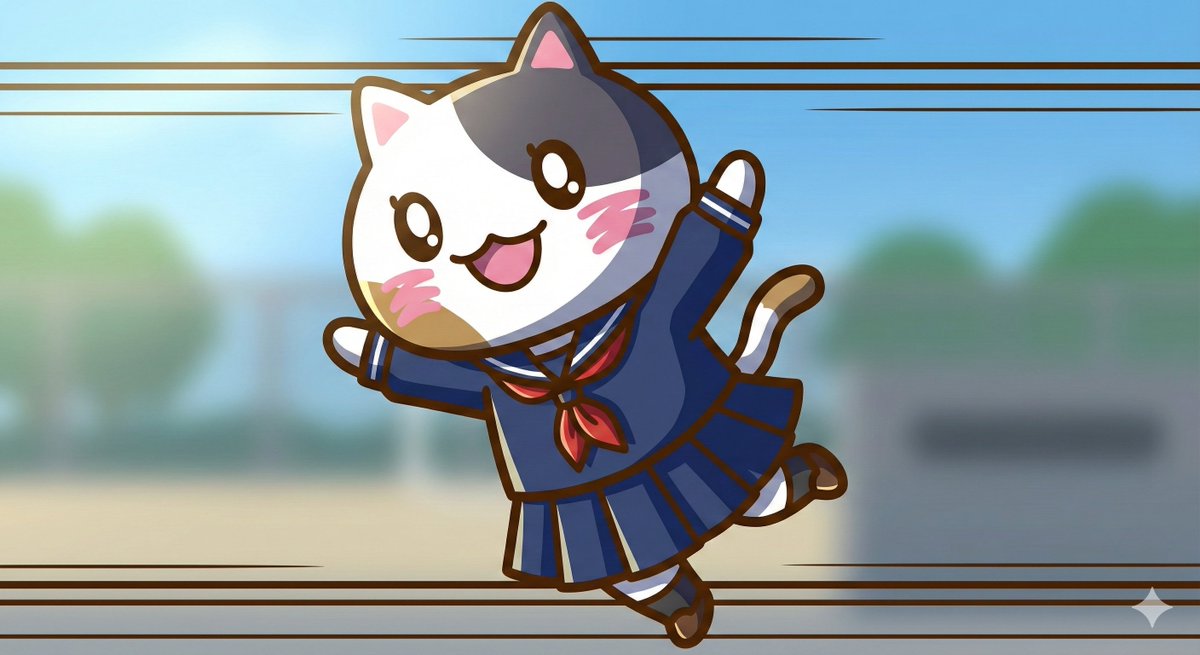
1. Significantly increase detail and texture 🎨 ・absurdres: For absurdly high resolution. Makes hair and clothing details intricate. ・intricate details: When you want to increase complex details like background or costume decorations. ・official art: Suppresses roughness, resulting in a well-composed and colored image like a professional artist drew it. 2. Change the atmosphere with "Light and Shadow" 💡 ・cinematic lighting: Adds depth and storytelling to the screen with movie-like lighting effects. ・soft lighting / soft focus: Makes the whole image soft, creating a gentle and cute atmosphere. ・ray tracing: Realistically expresses light reflection. Improves the texture of eyes, metal, and water. 3. Enhance character appeal 📸 ・beautiful detailed eyes: Strengthens the drawing of the "eyes," which are the life of anime illustrations. ・looking at viewer: Makes the character look at the viewer, increasing the image's appeal. ・dynamic angle: Prevents stiff standing poses, using dynamic compositions like diagonal or low-angle shots. 4. Adjusting the art style 🖌️ ・flat color: Reduces shadows, resulting in a crisp anime coloring style like a cel painting. ・thick painting: For a rich, heavy texture like impasto painting, when you want a sense of gravitas. Tips for further improving accuracy 🛠 ・Emphasis syntax: Important words are stabilized by enclosing them in parentheses and a numerical value, such as (best quality:1.2). ・Negative prompt: In addition to basics like worst quality, excluding muted color makes the colors more vivid 😳
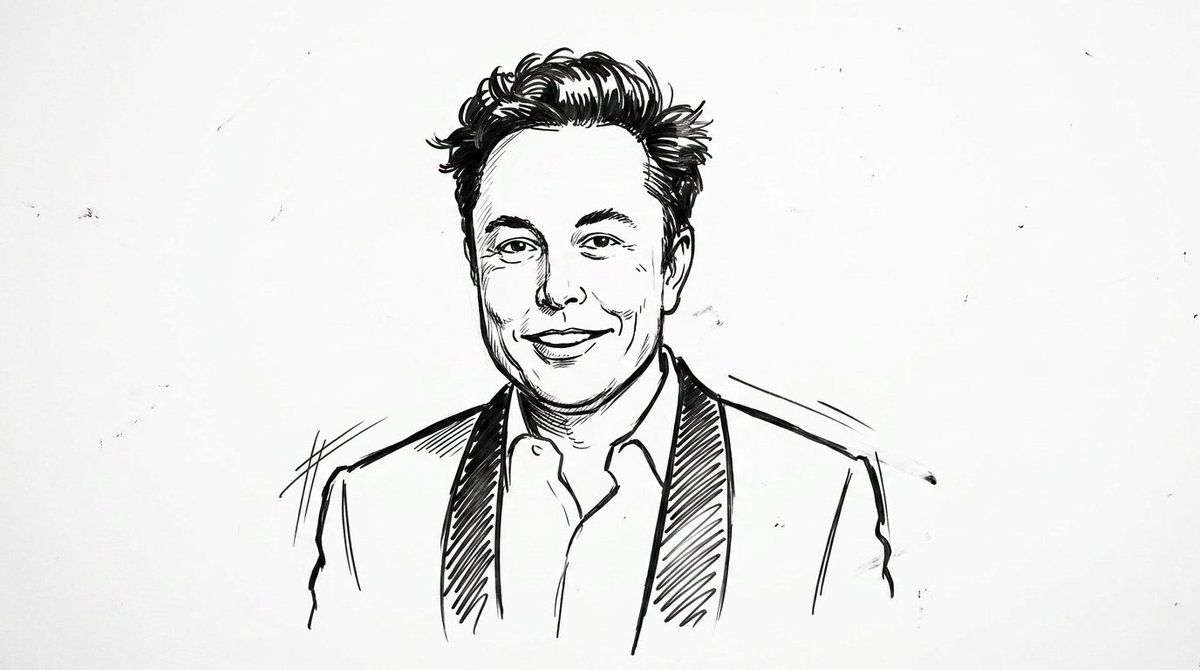
clean {argument name="style" default="whiteboard animation style"} illustration of the person from the reference image, drawn as a simple {argument name="medium" default="black marker sketch"} on a pure white background. Use bold hand-drawn outlines, minimal shading, and a slightly exaggerated cartoon-like style while still preserving the person’s recognizable facial features, hairstyle, and expression. Add subtle motion lines and sketch imperfections to mimic real hand-drawn animation. The character should appear as if being drawn on a whiteboard, with a casual, engaging, and educational vibe. Keep the composition minimal, high contrast, and visually clear, with no complex background elements
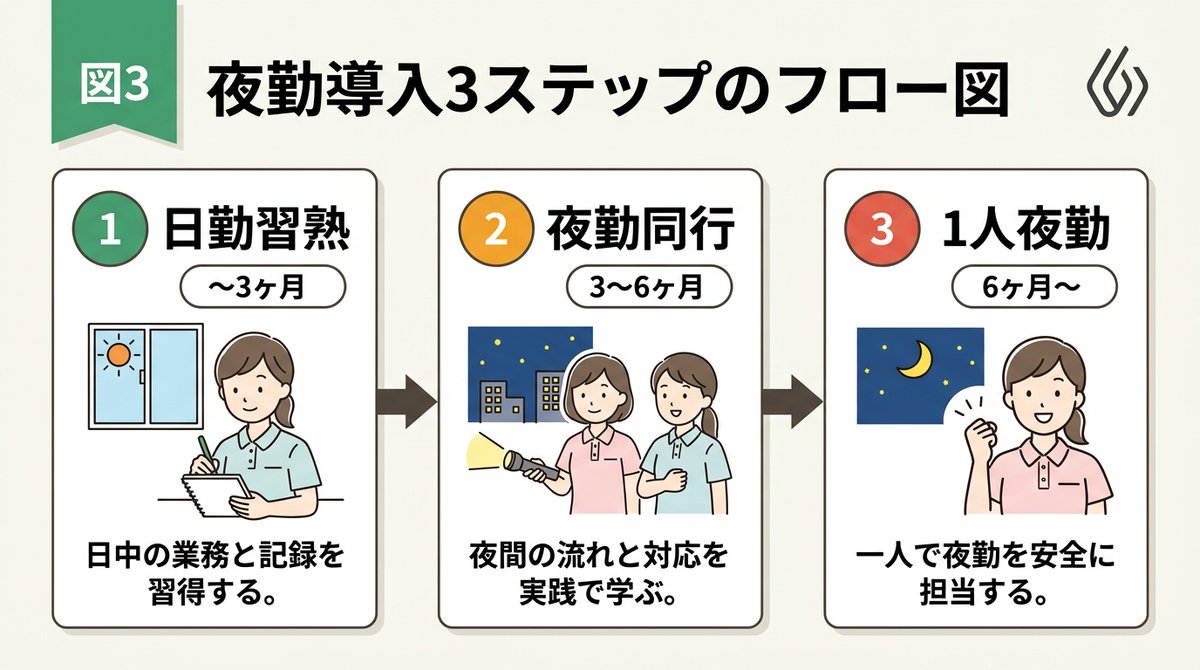
[输入数据] - 总标题:{argument name="main title" default="夜班介绍 3 步流程图"} - 第 1 步:标题 "{argument name="step 1 title" default="掌握白班"}" / 时段 "{step1Period}" / 描述 "{step1Desc}" - 第 2 步:标题 "{step2Title}" / 时段 "{step2Period}" / 描述 "{step2Desc}" - 第 3 步:标题 "{step3Title}" / 时段 "{step3Period}" / 描述 "{step3Desc}" - 配色主题:{argument name="color theme" default="绿色"} [结构与布局规范] - 风格:适用于日式商务 Slides、教学手册或内部文档的简洁友好型 3 步流程图插画。16:9 横向 Slides 配置。 - 背景:干净的米白色或纯白色背景。 - 顶部标题: - 在左上角放置“图 3”或步骤徽章,其右侧绘制大号日文主标题“{mainTitle}”,使用粗体、易读的哥特体。在右侧边缘放置一个小巧简洁的抽象 Logo。 - 步骤卡片排列: - 三张精美的矩形卡片并排排列。从左到右依次放置,并用粗箭头连接。每张卡片的边框根据配色主题 ({colorTheme}) 进行整齐的颜色编码。 - 卡片 1(左)内部: - 绘制圆形徽章“1”和醒目的日文标题“{step1Title}”。下方放置一个胶囊标签,显示“{step1Period}”。 - 中心处放置一张带有柔和手绘风格的日本女性做笔记的插图,以及一个显示太阳的窗口。 - 底部放置日文描述“{step1Desc}”。 - 卡片 2(中)内部: - 绘制圆形徽章“2”和醒目的日文标题“{step2Title}”。下方放置一个胶囊标签,显示“{step2Period}”。 - 中心处放置一张两名日本女性手持手电筒、夜空和建筑物的插图。 - 底部放置日文描述“{step2Desc}”。 - 卡片 3(右)内部: - 绘制圆形徽章“3”和醒目的日文标题“{step3Title}”。下方放置一个胶囊标签,显示“{step3Period}”。 - 中心处放置一张夜空、新月以及一名日本女性微笑并做出胜利姿势的插图。 - 底部放置日文描述“{step3Desc}”。 [质量与字体规范] - 简洁、干净的 2D 插画,扁平化设计,线条清晰明快。 - 所有文字必须准确绘制为可读的日文字体(哥特体),不得出现拼写错误。 - 排除所有 3D 效果、阴影、笔记本电脑样机背景或相机倾斜;在整个屏幕上显示扁平图表本身。 - 长宽比:--ar 16:9
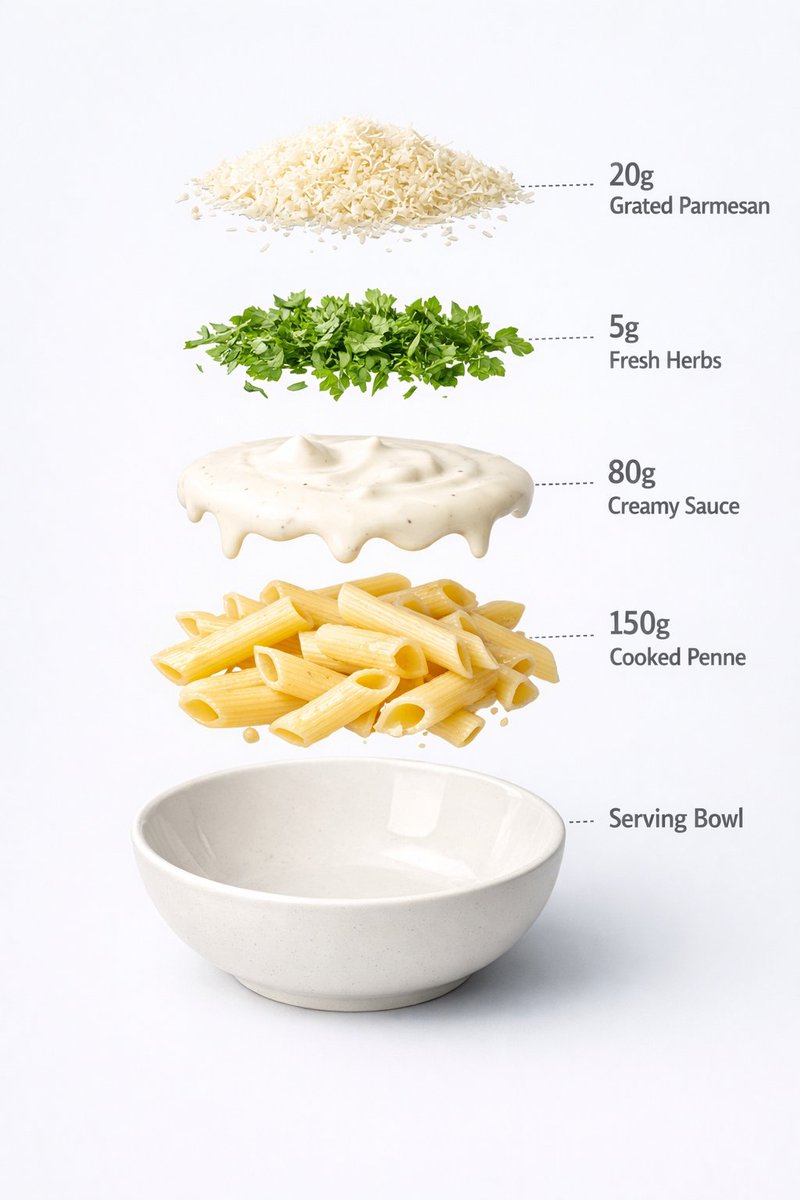
Motion Prompt: The pasta Cup start to round spin while ingredients separate gently and precisely, maintaining alignment and scale. The motion is smooth, with no extra effects. IMAGE 1 - Ultra-realistic food photography of a prepared creamy white sauce penne pasta served in a minimal ceramic bowl. Perfectly cooked penne coated evenly in rich, glossy cream sauce, topped with freshly grated parmesan cheese and finely chopped green herbs. Clean white studio background, soft diffused lighting, gentle shadows under the bowl, natural highlights on the sauce, realistic texture and thickness. Centered composition, shallow depth of field, premium restaurant-style presentation, high-detail food styling, 8K quality, sharp focus, no text, no labels, no hands, no props, no watermark. IMAGE 2 - Exploded view of a creamy pasta bowl, presented as a clean commercial breakdown. Exactly five ingredients, evenly spaced in vertical order. Ingredient order (top → bottom): Grated parmesan cheese — 20 g Fresh herbs garnish — 5 g Creamy white sauce — 80 g Cooked penne pasta — 150 g Serving bowl base — 200 g (bottom) Minimal infographic annotations, instructional food design.

Visualize according to the visualization principles in the book storytelling with data
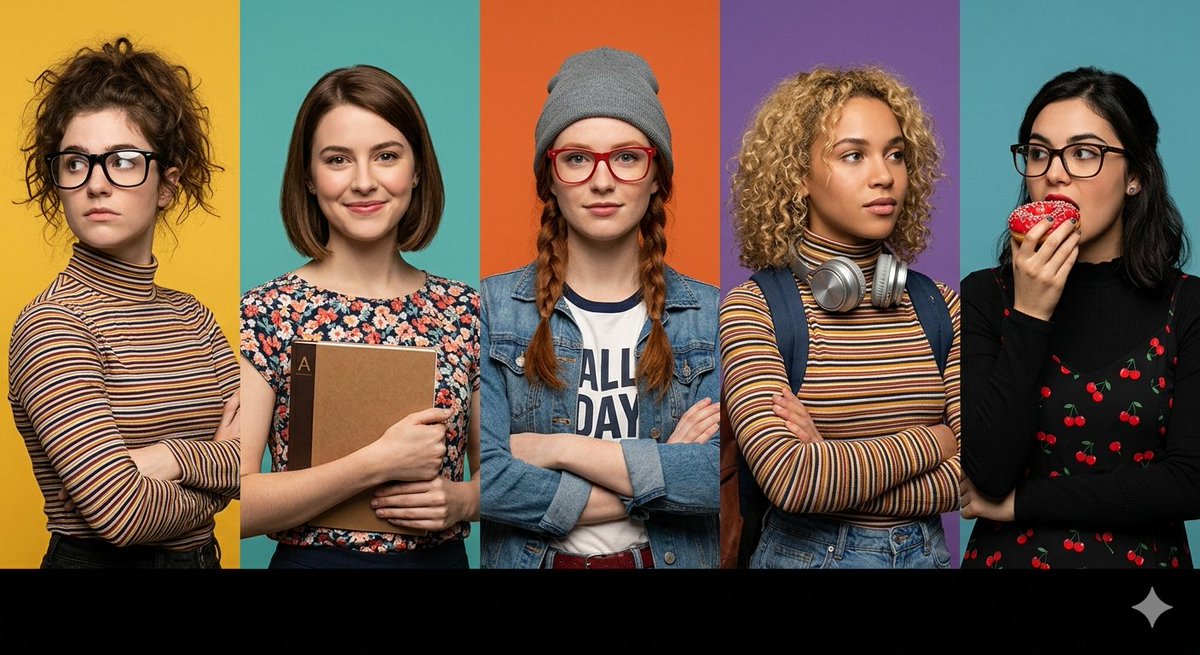
A prompt for a wide horizontal frame composed of five distinct vertical panels, each featuring a different character with specific styling, including customizable background colors and foreground elements.
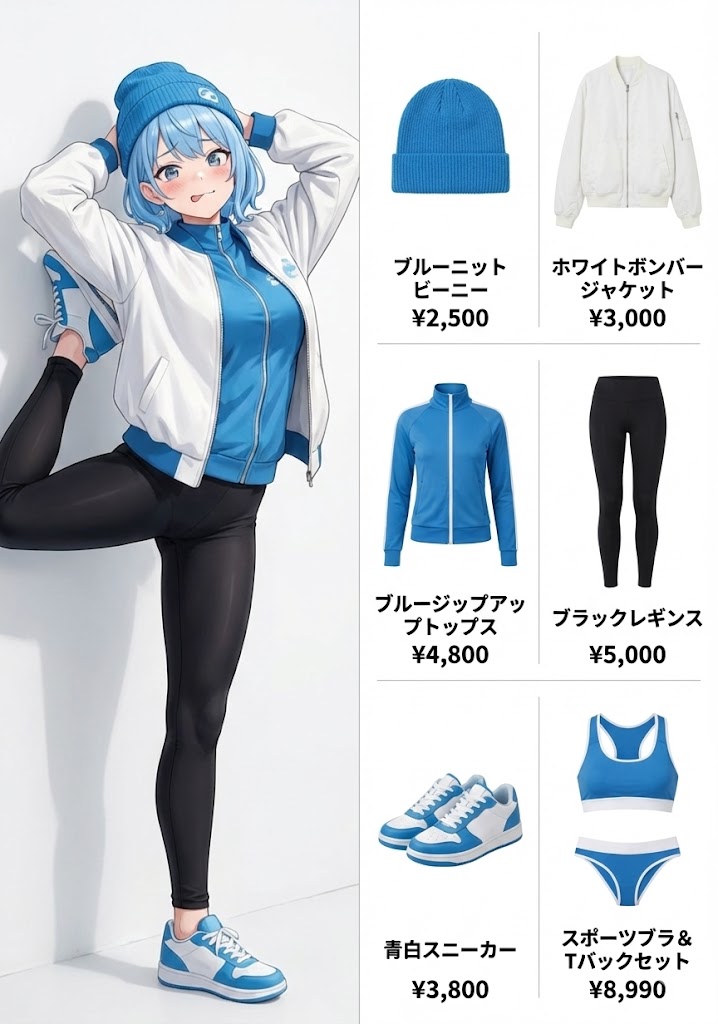
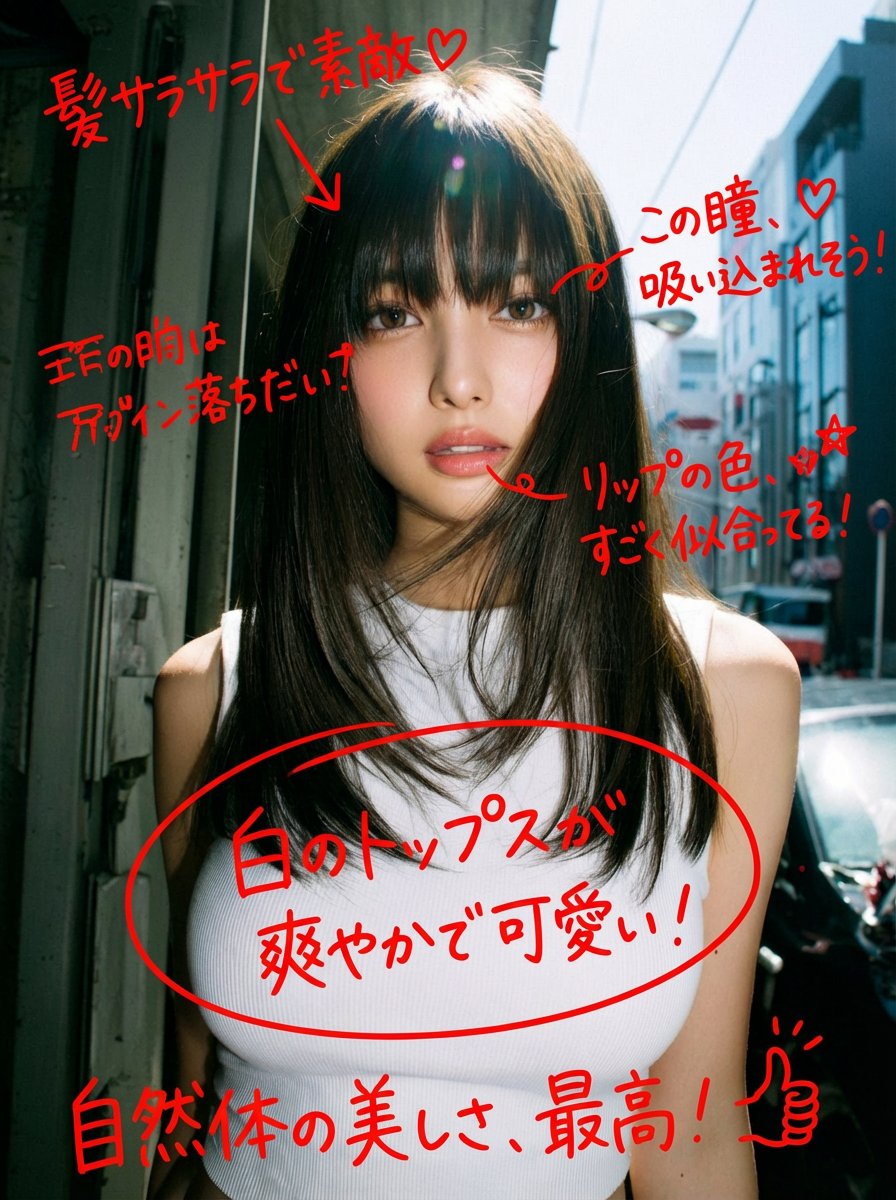
A game that automatically analyzes and corrects images.
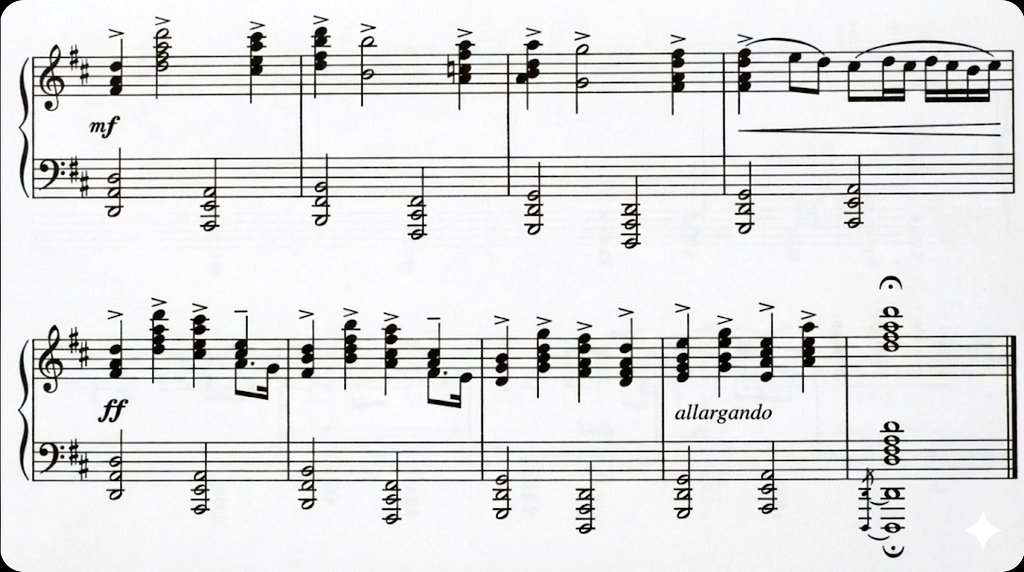
Generate a clean image from the original printed & handwritten sheet music
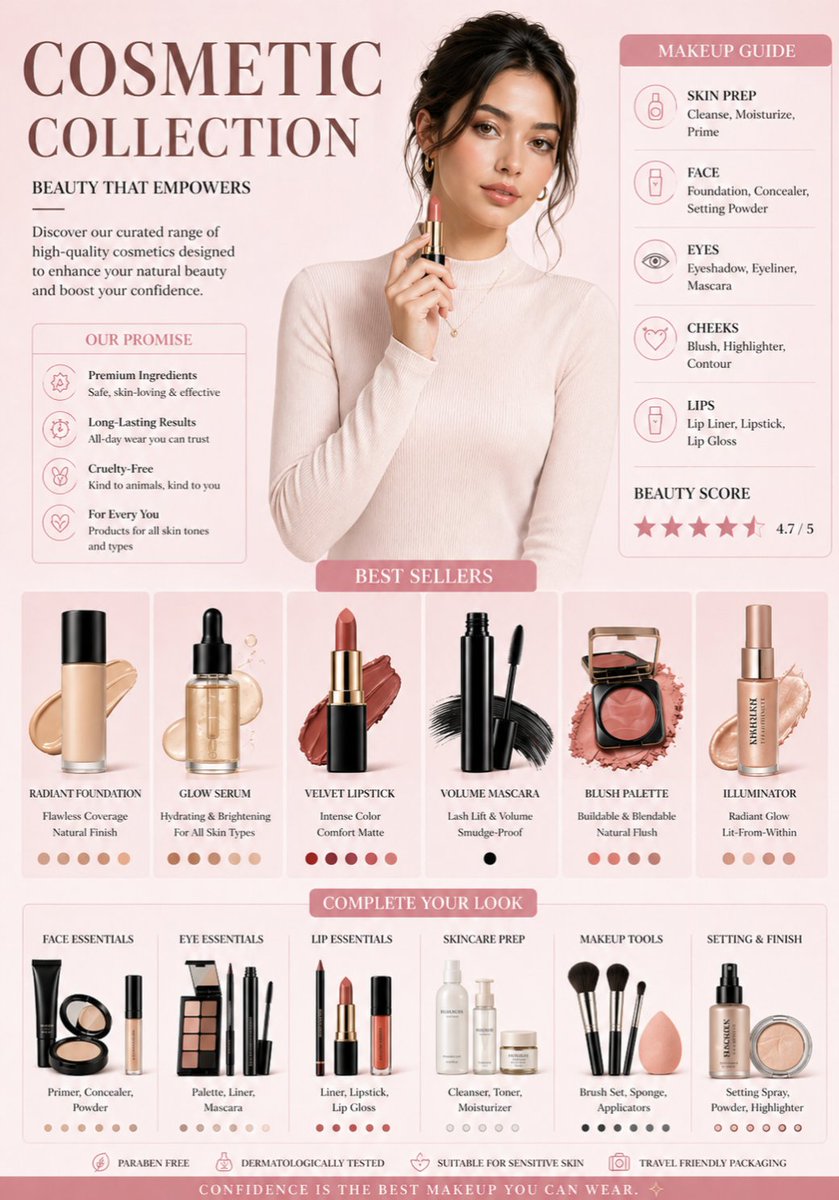
A professional cosmetic brand infographic in a soft aesthetic style. The color palette features {argument name="colors" default="muted rose, cream, and champagne gold"}. At the top center, a high-fashion portrait of a woman with glowing skin and soft makeup, wearing a {argument name="outfit" default="cream turtleneck"}. Below her, a clean grid of isolated makeup products: a glass foundation bottle with a liquid swatch, a sleek black mascara wand, and a rose-gold blush compact. The background is a clean, minimal gradient. Professional studio lighting, soft shadows, high-end commercial photography style, 8k resolution.
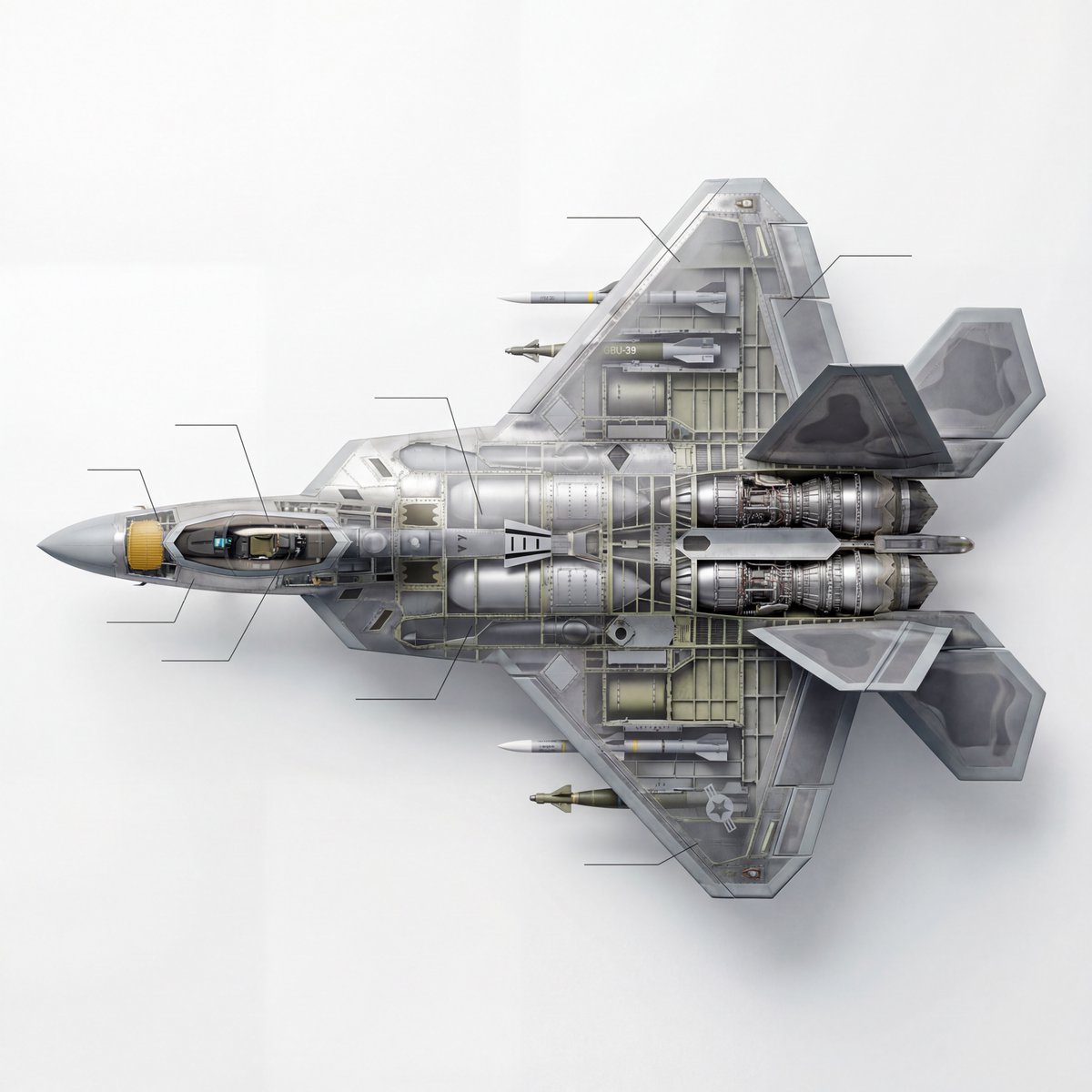
Content description: A scientific educational technical 3D cutaway diagram of a modern fifth-generation stealth fighter jet, in side view. The image clearly shows the complex internal structure, including details of the turbofan engine, the AESA (phased array) radar system in the nose, the cockpit avionics, the pilot’s seat, fuel tanks, and the internal weapons bay loaded with missiles. Style and image quality: High-tech infographic style, Dorling Kindersley (DK) visual encyclopedia style, hyperrealism, extremely detailed engineering blueprint (full-color mode). Lighting and background: Clean white background, soft studio lighting, sharp focus, 8K ultra-high-definition resolution, Unreal Engine 5 rendering feel, clearly defined mechanical parts with a metallic texture. The key requirement is that it must be a cutaway, a cutaway.
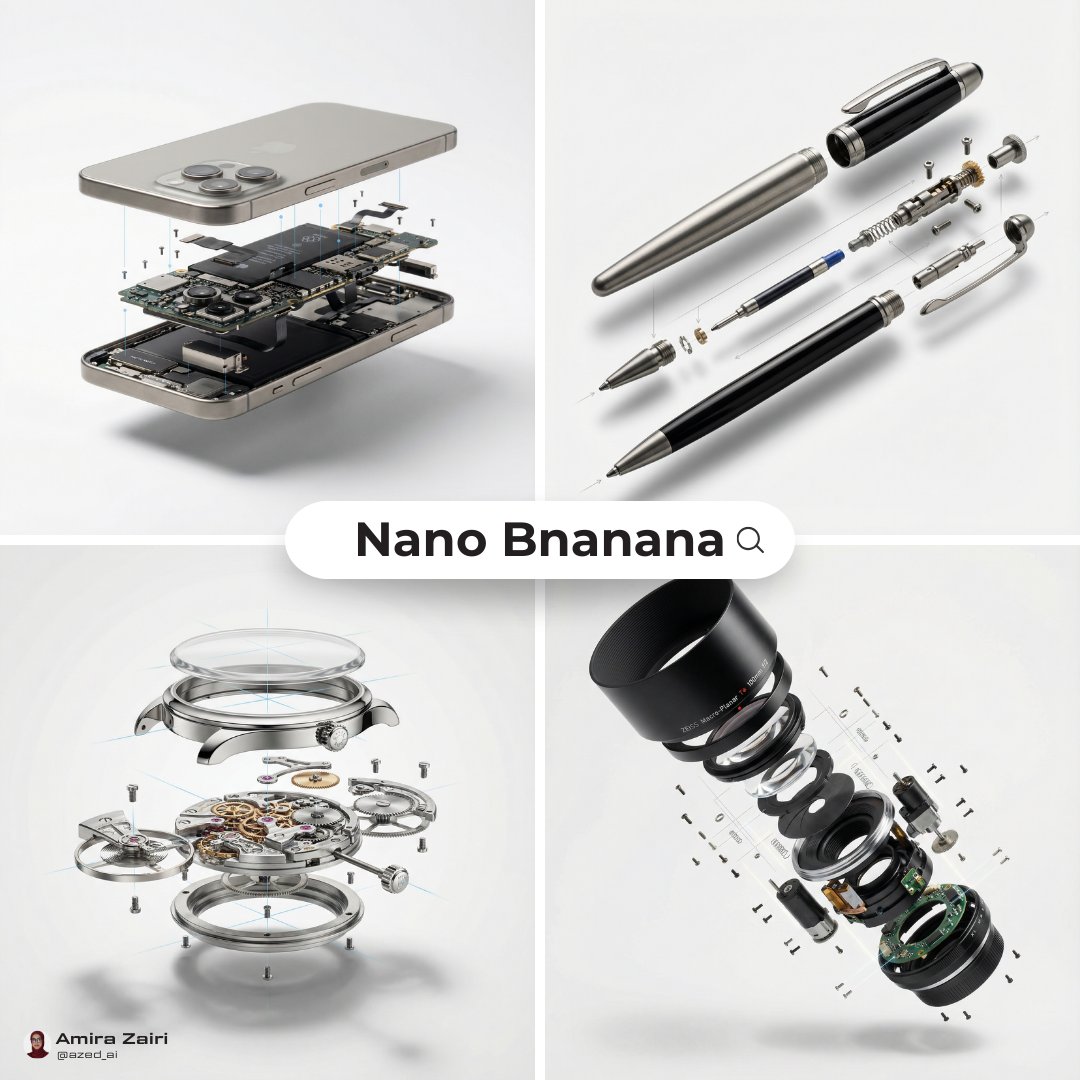
Use this prompt to create an exploded diagram showing the internal mechanical structure

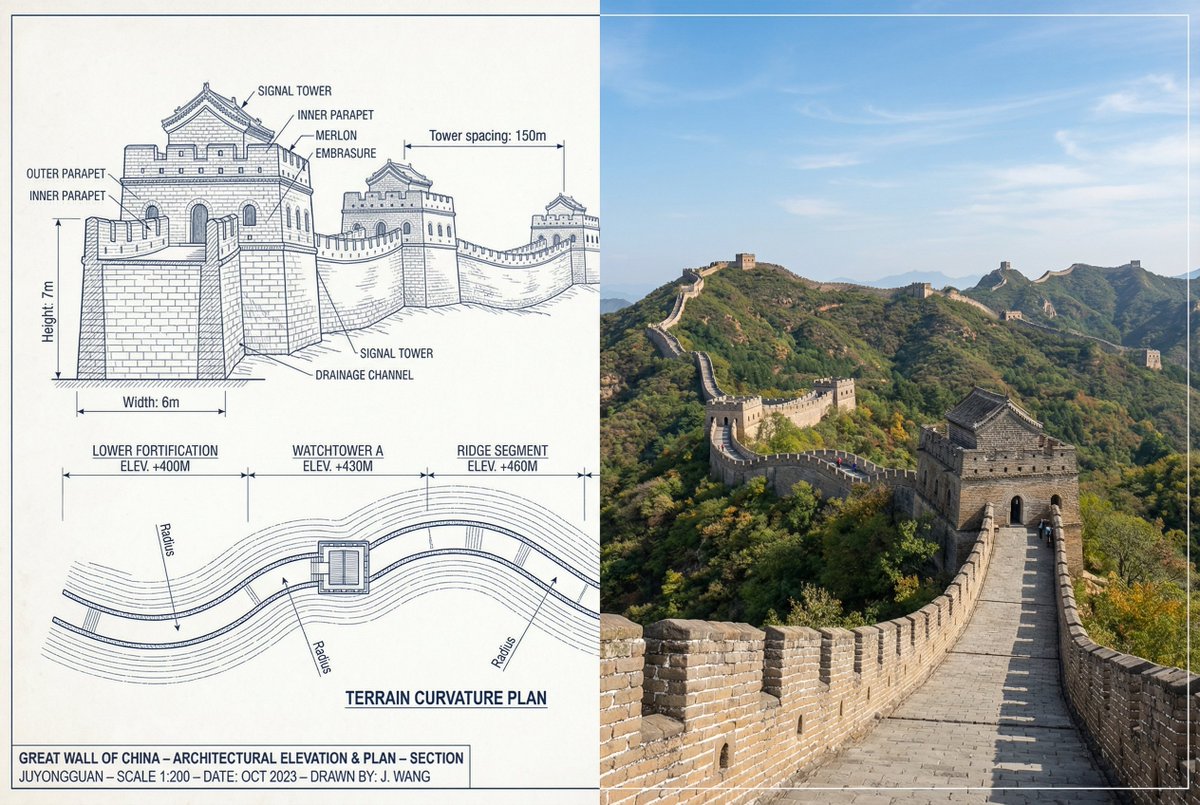
{ "objective": "Create a side-by-side comparison image featuring a technical sketch and real photograph of the Great Wall of China", "image_specifications": { "style": "Mixed media (Technical drawing + Real photograph)", "layout": "Horizontal split - Left side: Sketch with measurements, Right side: Real photo", "aspect_ratio": "3:2" }, "left_side": { "content_type": "Technical sketch of the Great Wall of China", "features": [ "Detailed architectural lines showing wall segments, watchtowers, and defensive structures", "Numerical measurements for wall height, width, and tower spacing", "Elevation labels for wall sections and towers", "Side elevation and top-down layout illustrating wall curvature along terrain" ], "text_annotations": { "units": "Metric (meters)", "language": "English", "font_style": "Blueprint or engineering-style typography" }, "positioning": "Take up the left half of the image" }, "right_side": { "content_type": "High-resolution real photo of the Great Wall of China", "features": [ "Wide panoramic view of the wall stretching across mountains", "Natural daylight with clear or lightly clouded sky", "Realistic colors with visible stone texture and surrounding landscape" ], "positioning": "Take up the right half of the image" }, "visual_elements": { "border_division": "Vertical line or subtle transition between left (sketch) and right (photo)", "color_palette": { "left": "Monochrome or blueprint blue for sketch", "right": "Natural realistic colors" } }, "output_format": { "type": "Image", "use_case": [ "Educational poster", "Architectural comparison", "Historical visualization", "Tourism visual aid" ], "high_resolution": true } }
部分提示词收录自 X 平台创作者,版权归原作者所有。