Instinct AI

提示词库

AI 提示词库

汇集全球创作者的精选图像、视频与建站提示词。复制任意一条,替换主体或风格,即可用最新模型生成。

15,630 条提示词 · 每日更新 · 完全免费

共 606 条

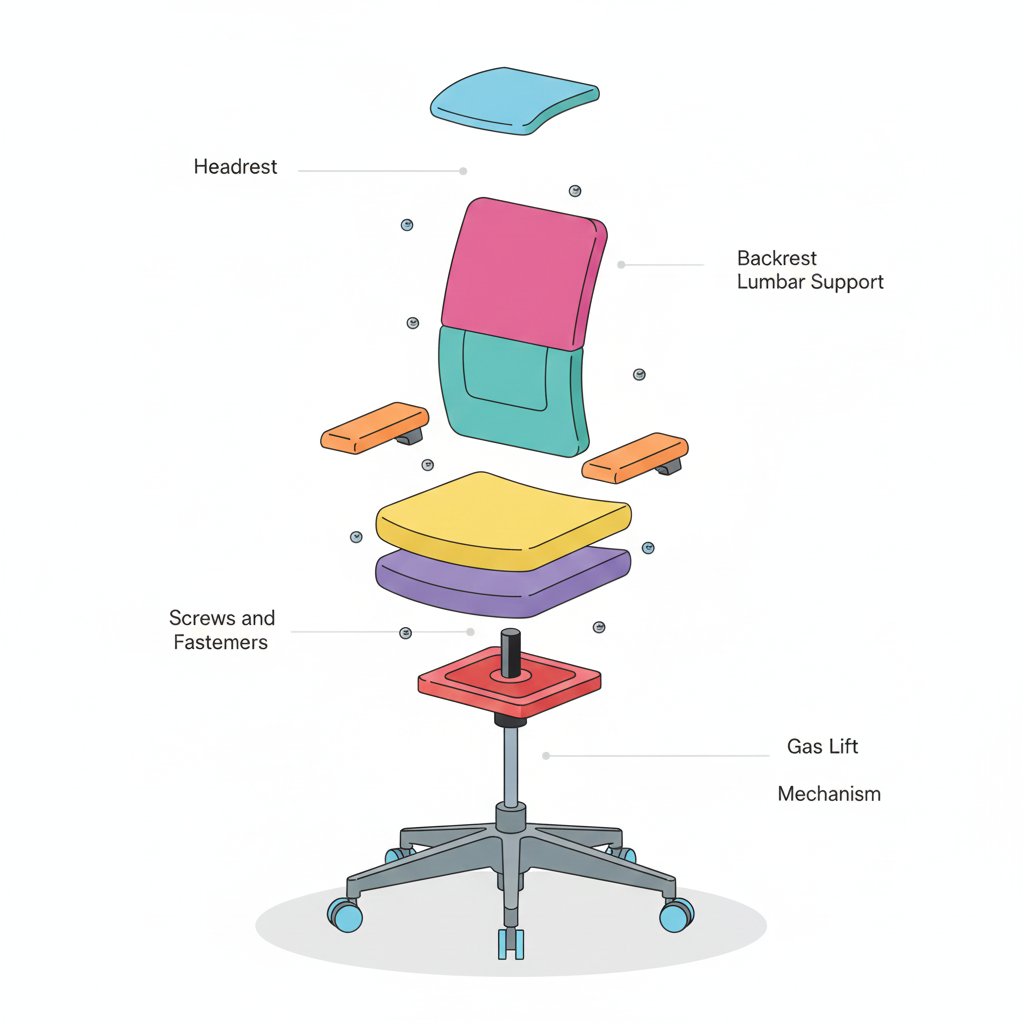
Minimalist Exploded View Industrial Design Diagram

Minimalist Exploded View Industrial Design Diagram

{ "prompt": { "objective": "Create a colorful minimalist exploded view of a chair with clearly labeled parts", "style": "minimalist, modern industrial design, flat yet slightly 3D, clean lines, soft shadows", "composition": "chair centered in frame, all components separated vertically in an exploded view, evenly spaced, balanced layout", "subject": { "type": "chair", "chair_style": "modern ergonomic chair", "parts": [ "Headrest", "Backrest", "Lumbar Support", "Seat Cushion", "Seat Base", "Armrests", "Armrest Pads", "Gas Lift Cylinder", "Tilt Mechanism", "Five-Star Base", "Caster Wheels", "Screws and Fasteners" ], "labels": "clear part names placed beside each component, thin connector lines, clean sans-serif font" }, "colors": "bright yet soft colors for each part, pastel and vibrant mix, each component in a different color, white or very light background", "lighting": "soft studio lighting, gentle shadows under each floating part", "camera": { "angle": "slight isometric view for depth", "focus": "all parts sharp and readable" }, "extra": "educational product diagram look, no clutter, modern design presentation, Instagram-friendly composition" }, "size": "1024x1024", "format": "png", "style_transfer": false }

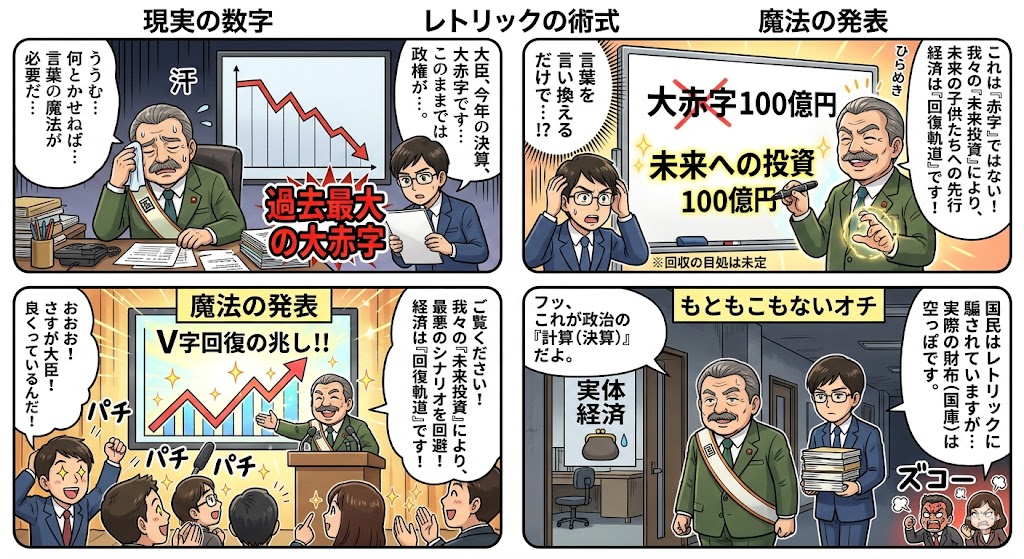
Four-Panel Manga: The Magic of Numbers

Four-Panel Manga: The Magic of Numbers

How settlement and budget figures change their appearance through political magic. Just by rephrasing a deficit as an investment, behold the wonder.

Glassmorphism SaaS-style PPT design prompt for Nano Banana Pro

Glassmorphism SaaS-style PPT design prompt for Nano Banana Pro

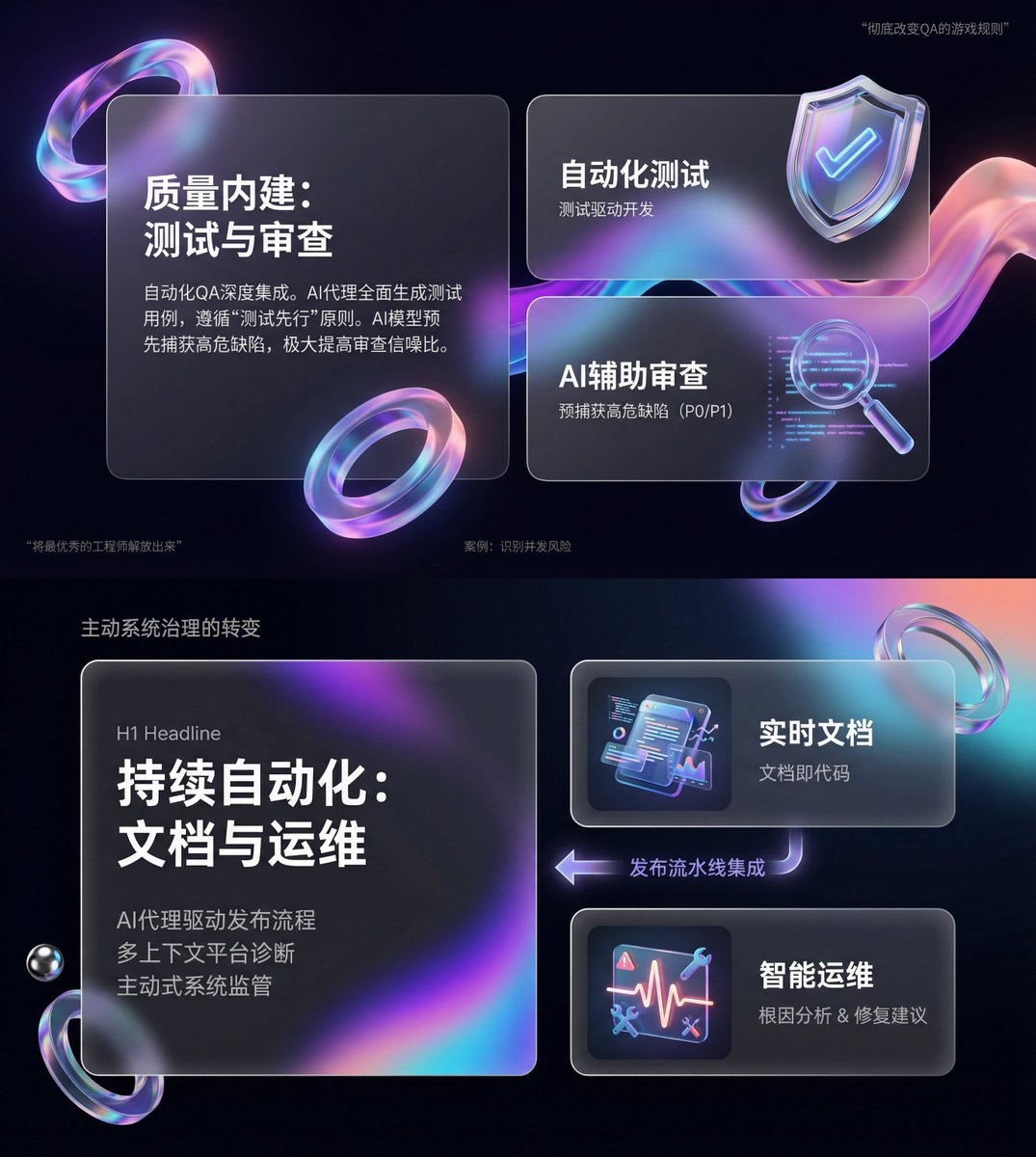
You are an expert-level UI/UX presentation designer. Generate high-fidelity, futuristic 16:9 presentation slides. Based on visual balance aesthetics, automatically choose the most perfect composition among a cover, grid layout, or data visualization. For the global visual language, the style should seamlessly blend Apple Keynote minimalism, modern SaaS product design, and glassmorphism. The overall mood should feel premium, immersive, clean, and breathable. Use cinematic volumetric lighting, soft ray-traced reflections, and ambient occlusion. For the color scheme, choose either deep void black or pure ceramic white as the base, accented with flowing aurora gradients such as neon purple, electric blue, soft coral orange, and cyan for the background and UI highlights. For the content modules on each slide, intelligently integrate the following elements: 1. Use a bento grid system as the layout engine, organizing content inside modular rounded-rectangle containers. The containers must be frosted glass with blur, featuring delicate white edges and soft shadows, and strictly preserve generous internal whitespace to avoid crowding. 2. Insert gift-like 3D objects, rendering unique, high-end abstract 3D artifacts as visual anchors. They should look like tangible, expensive gifts or collectibles, with materials such as polished metal, iridescent acrylic, transparent glass, or soft silicone, and shapes like floating capsules, spheres, shields, Möbius strips, or fluid waves. 3. For typography and data, use clean sans-serif fonts with high contrast. If there are charts, use glowing 3D donut charts, capsule-shaped progress bars, or floating numbers; the charts should look like glowing neon toys. Composition logic reference: If generating a cover, place a huge, complex 3D glass object in the center with bold large text over it and aurora waves stretching in the background. If generating a content slide, use the bento grid layout with 3D icons on small cards and text on large cards. If generating a data slide, use a split-screen design: typography on the left, and a large, glowing 3D data visualization chart floating on the right. Rendering quality requirements: Unreal Engine 5 rendering, 8K resolution, ultra-detailed textures, strong UI design sense, UX interface, Dribbble trending style, award-winning design quality.

Aerial View of a Film Set

Aerial View of a Film Set

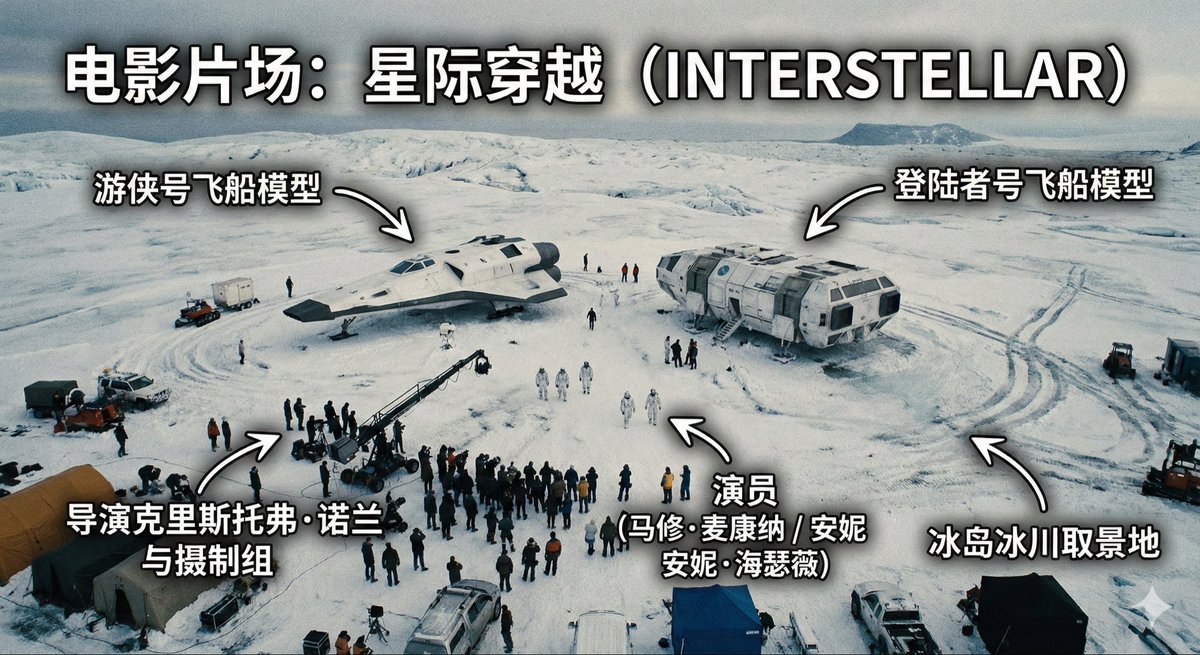
Generate an image of a film set, an aerial high-angle shot of one scene on the set, with annotations indicating the film set is: {argument name="film title" default="If Going to Work Were a Play"}

Male Age Progression Portrait

Male Age Progression Portrait

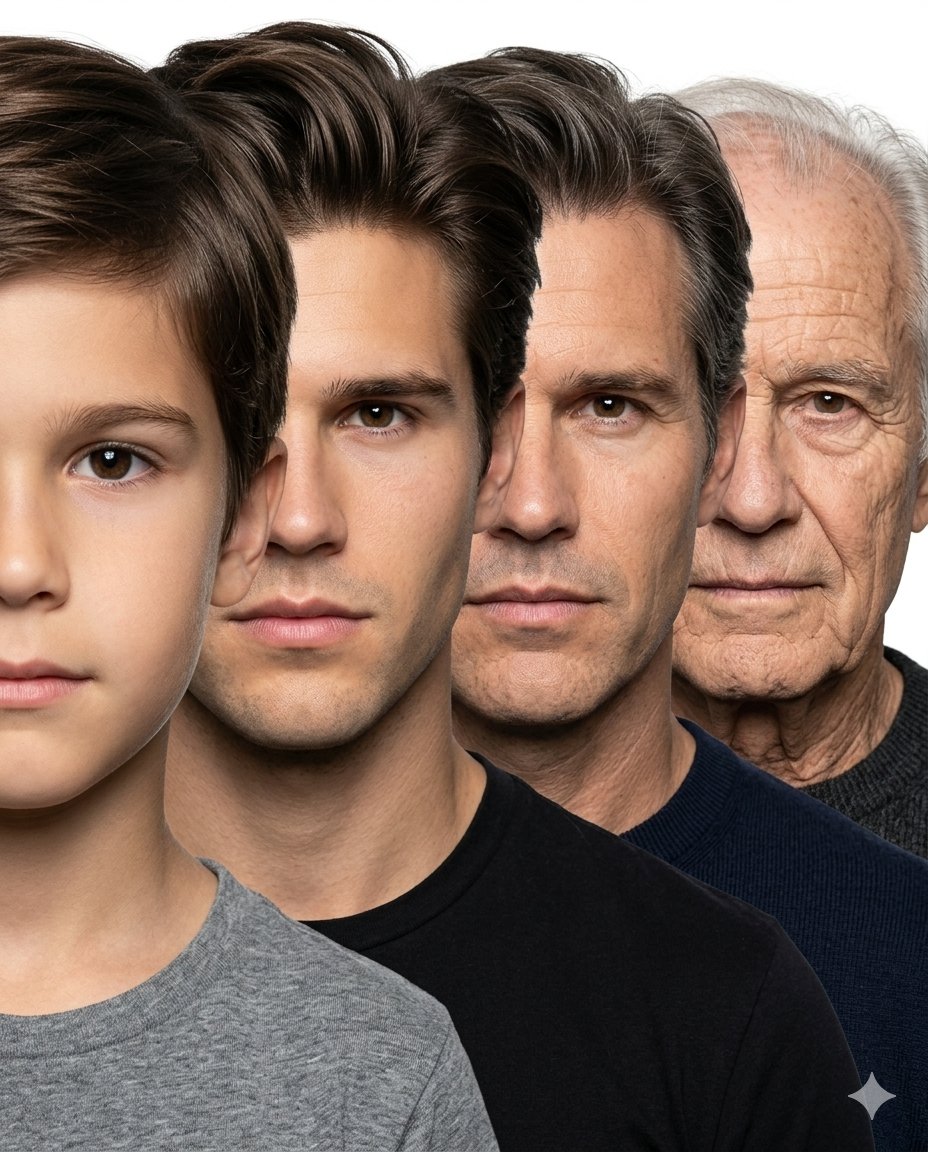
Create a hyper-realistic age progression portrait sequence of the same male individual across {argument name="stages" default="4 major life stages: child (age 6), young adult (age 25), middle-aged man (age 45), and elderly man (age 75+)"}. Use the attached child’s face as the exact identity reference for the youngest stage and ensure every age stage looks like the exact same person naturally aging over time, preserving identical facial structure, nose shape, eye color, jawline, skin tone, eyebrow structure, lips, and facial proportions consistently across all ages. Arrange all four faces in a tightly compressed overlapping side-stacked composition exactly like a professional photographic age progression lineup. Each face should be front-facing, tightly cropped, and positioned slightly behind the previous one from front to back, creating a smooth layered progression from youngest to oldest. Maintain nearly equal face scale across all stages with minimal perspective distortion. Faces should overlap naturally and remain very close together with clean simple spacing, similar to a studio portrait stacking composition. No geometric panels, no cinematic scene composition, no excessive depth effect, no dramatic perspective. Pure white seamless studio background, soft neutral studio lighting, realistic skin texture, natural aging details, plain neutral clothing, ultra photo-realistic, highly detailed, sharp focus, professional portrait photography, seamless identity consistency across all ages. No corp. Aspect ratio 4:5, no text, no logo.

Monochrome Engraving Portrait Style

Monochrome Engraving Portrait Style

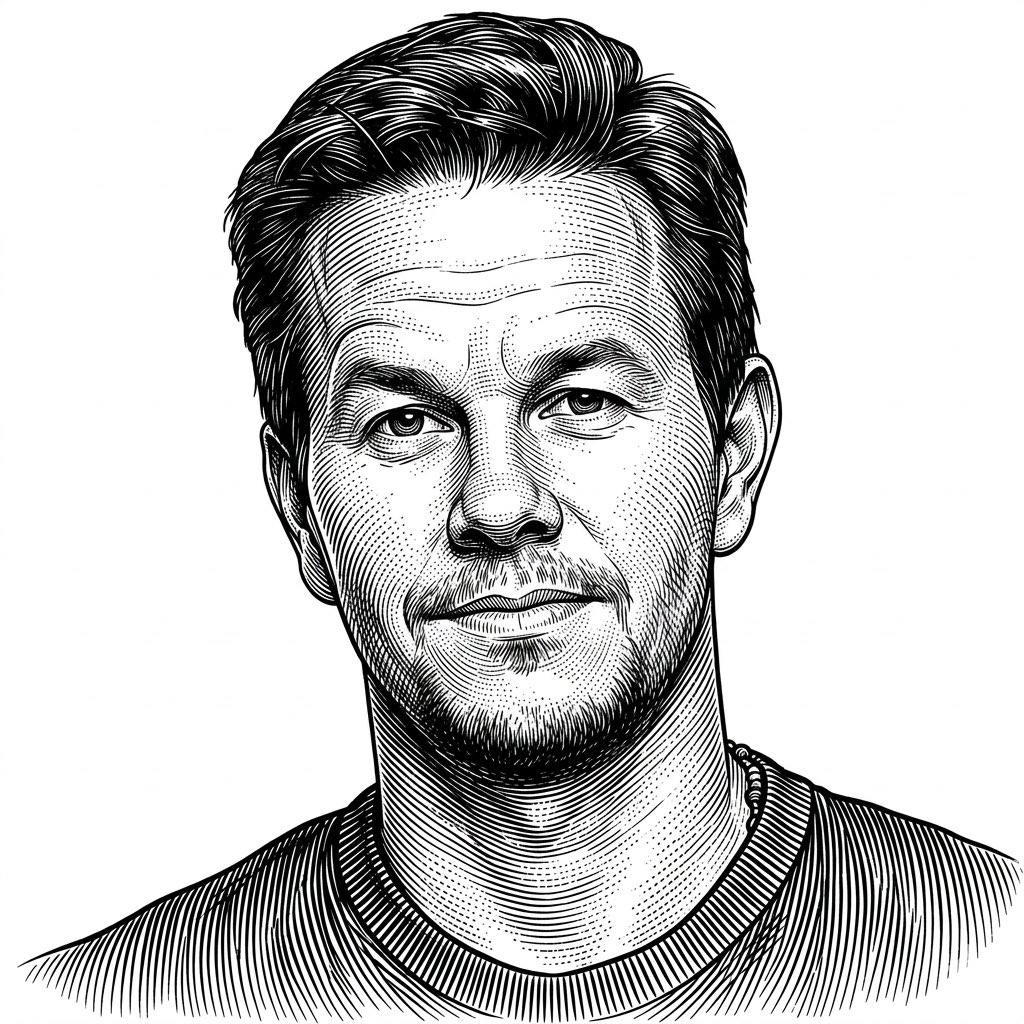
Use the Uploaded photo as reference, Vintage engraving illustration style, highly detailed black ink linework, dense parallel hatching and cross-hatching, precise contour engraving lines, woodcut and etching influence, classical printmaking aesthetic, monochrome black and white palette, intricate line density variation to create depth and volume, curved line flow following form anatomy, stippling accents for soft shading, old master engraving technique, baroque illustration feel, antique scientific illustration style, ultra fine (line precision), high contrast with clean negative space, ornamental yet anatomical rendering, hand-engraved texture simulation, timeless classical art style, meticulous craftsmanship, no color, no gradients, purely line-based shading.

Food photo turned into creature-style nutrition poster

Food photo turned into creature-style nutrition poster

Reconstruct the ingredients from the reference image as living creatures. Arrange them in the same order, and clearly label each with its name, calories, and nutrition index. Finish it as a “ingredient introduction poster” style image with scientific fun facts added.

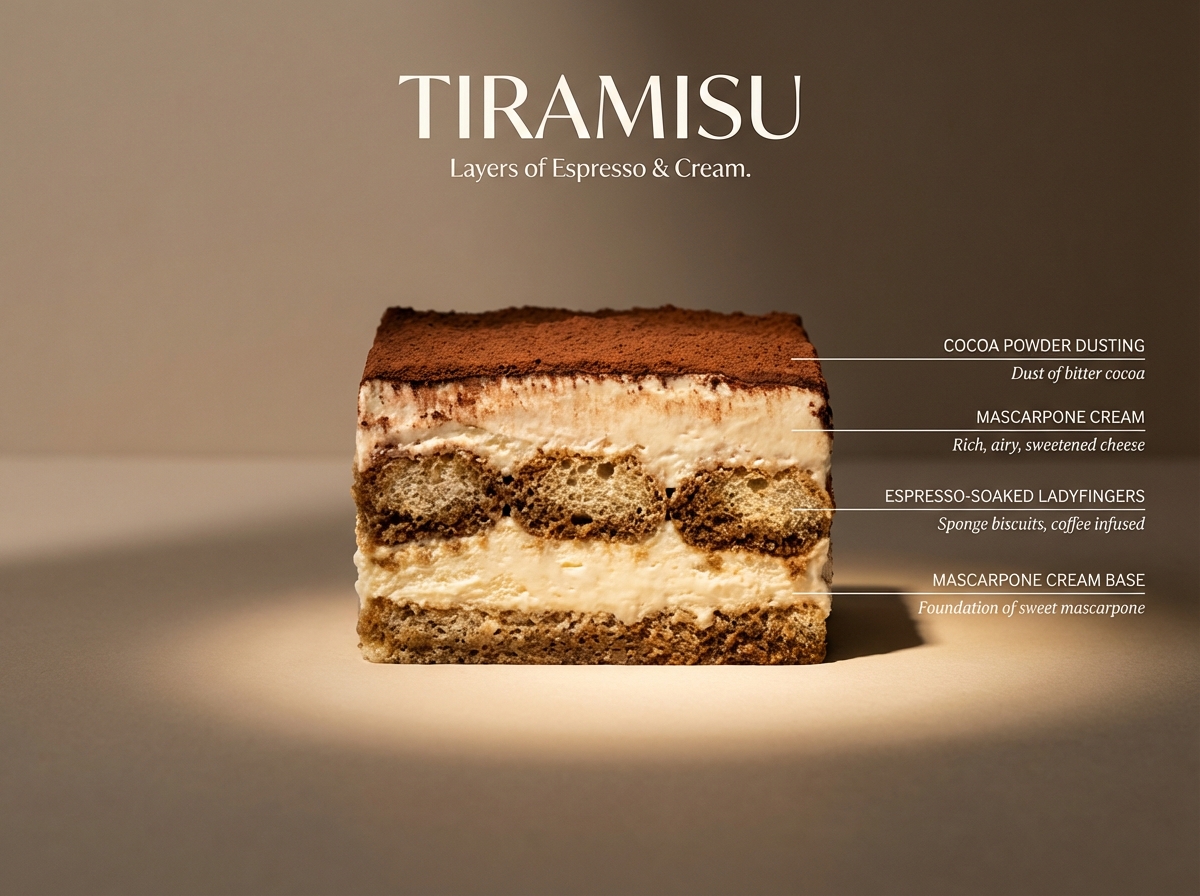
Architectural Tiramisu Cross-Section

Architectural Tiramisu Cross-Section

Perfect cinematic cross-section cut through a tiramisu, sliced cleanly down the center, cut face straight-on to camera like a geological flavor diagram. Clearly visible layers: cocoa powder dusting, mascarpone cream, espresso-soaked ladyfingers, mascarpone cream base — each layer labeled with thin horizontal line to the right, uppercase sans-serif ingredient name with italic descriptor below. Flat matte neutral beige background. Dramatic left side lighting casting long shadows, single warm spotlight illuminating the cut face. Hyperreal textures — visible cocoa dust, creamy air pockets, soaked sponge structure, slight moisture and softness. Mood: architectural food photography meets scientific illustration. Title “TIRAMISU” in large elegant type at top. Subtitle: “Layers of Espresso & Cream.” 4K, tack sharp, Wes Anderson symmetry meets Michelin-star kitchen.

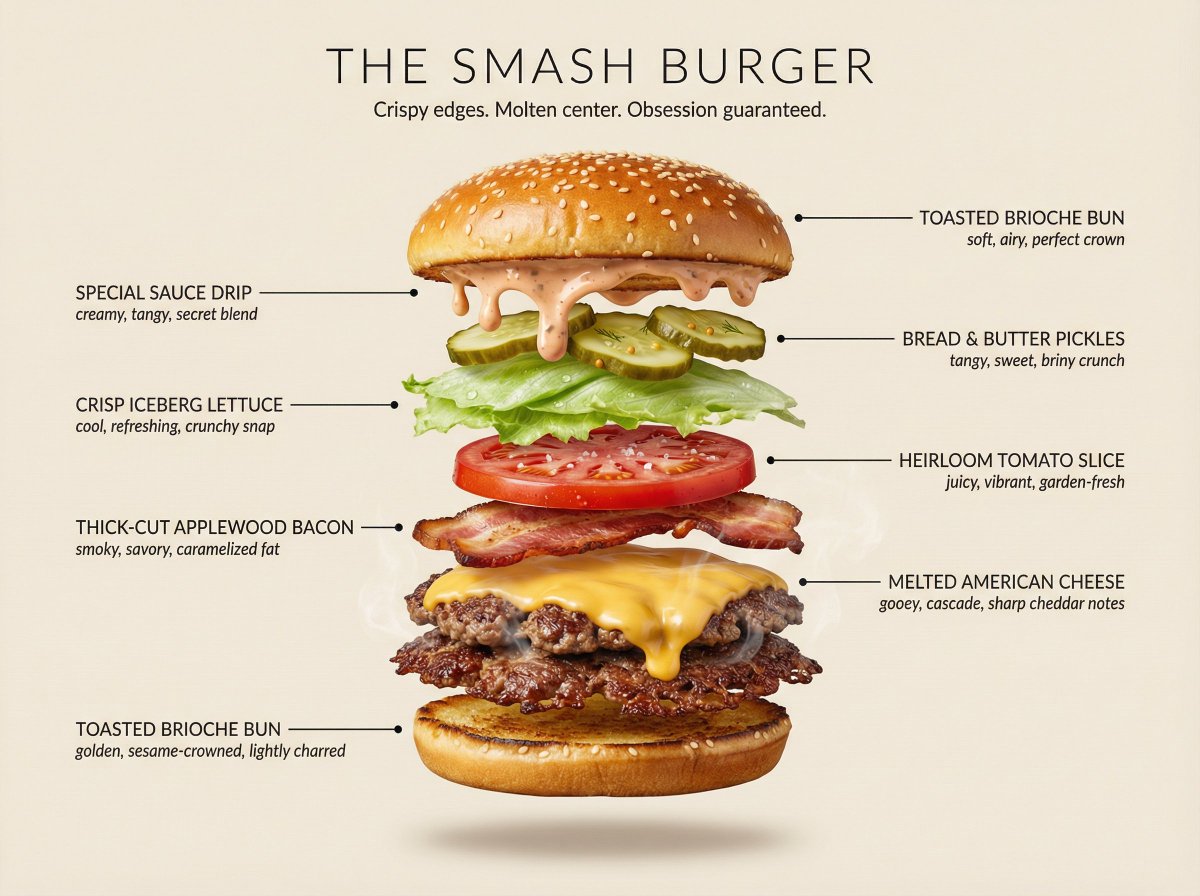
Hyperrealistic Exploded Ingredient Stack Diagram

Hyperrealistic Exploded Ingredient Stack Diagram

Hyperrealistic exploded {argument name="dish" default="lasagna"} stack, each ingredient layer floating in perfect mid-air suspension with equal spacing, shot straight-on at eye level against a {argument name="color" default="dark blue"} background. Each ingredient layer is clearly separated with soft drop shadows beneath. Ingredients are hyperdetailed — visible texture, sheen, moisture, and depth. Micro steam wisps rise from hot elements. Sauce and cheese frozen mid-drip, ultra sharp. LAYERS (bottom to top): {argument name="layer 1" default="pasta sheet"} → {argument name="layer 2" default="ricotta cheese"} → {argument name="layer 3" default="meat sauce"} → {argument name="layer 4" default="pasta sheet"} → {argument name="layer 5" default="mozzarella"} → {argument name="layer 6" default="basil leaves"} → {argument name="layer 7" default="parmesan dust"} Each ingredient has a clean horizontal label line extending to the right with a small dot at the ingredient. Label text in uppercase sans-serif: "[INGREDIENT NAME]" with a small italic descriptor below. Labels alternate left and right for readability. Large elegant dish name at top: "[DISH NAME]". Subtitle: "[TAGLINE]". Lighting: soft studio key light from upper left, subtle fill from right. Background: flat matte [COLOR], clean and minimal. Mood: premium editorial food advertising, extraordinary and craveable. 4K resolution, tack sharp, subtle chromatic warmth. Style ref: Apple product launch meets Michelin-star food photography.

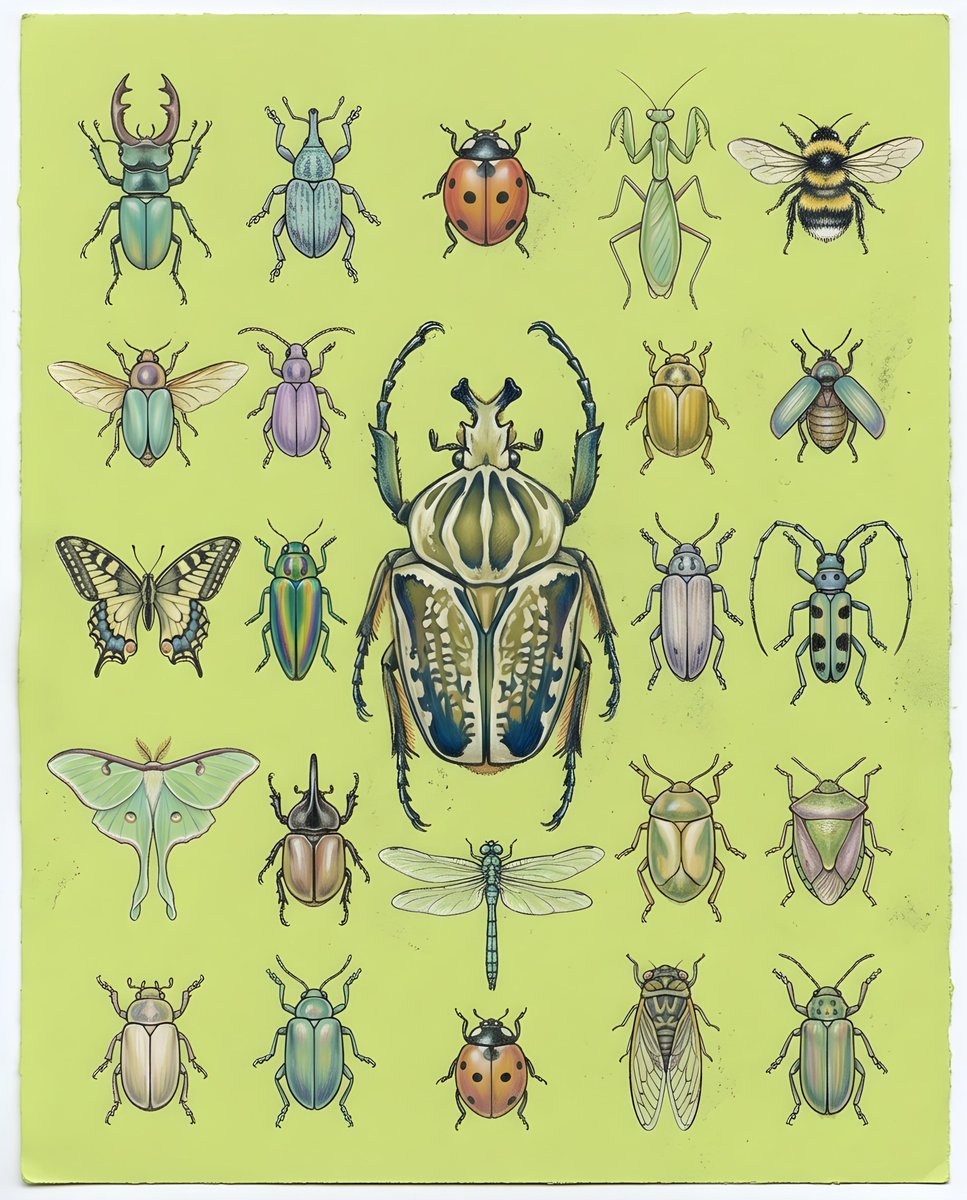
Pastel Chalk Insect Knolling

Pastel Chalk Insect Knolling

a detailed layout of {argument name="subject" default="various beetles and insects"} created in a {argument name="style" default="soft pastel chalk art style"}, with subtle chalk dust and textured paper grain visible. Harmonious, gently blended colors on a {argument name="background" default="lime-green background"}, arranged in a precise knolling style grid of hand-drawn beetles and insects, with one large, intricately rendered beetle in the center acting as the focal point, high-resolution illustration, clean negative space, top-down view.

Pergola Blueprint to Photoreal Structure Prompt

Pergola Blueprint to Photoreal Structure Prompt

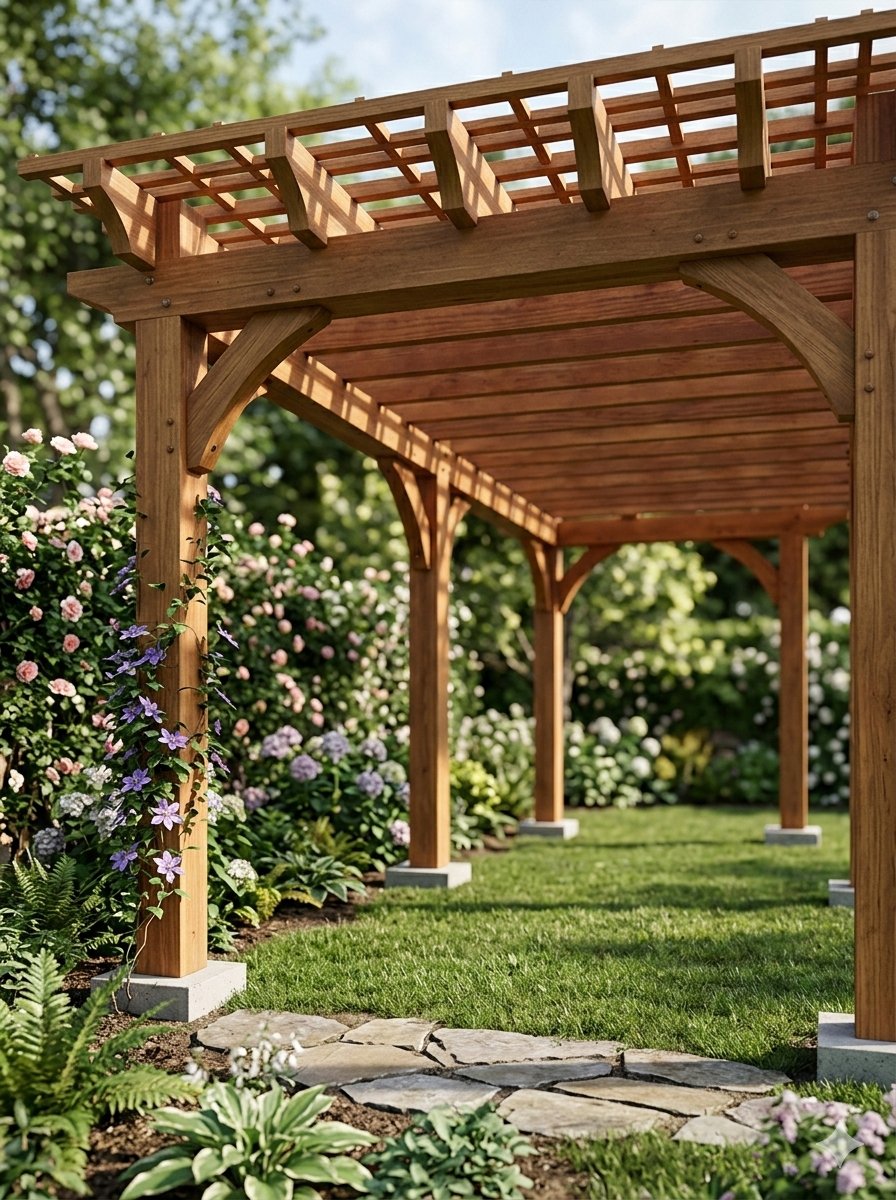
Pergola Blueprint Prompt: Hand-drawn architectural pencil sketch of a wooden garden pergola on white paper. Front and slight side elevation view with clear proportions. Construction lines, dimensions and handwritten notes visible. Wooden posts and cross beams precisely drafted. Professional but hand-sketched technical style. Clean white background. Finished Pergola: Fully built wooden pergola in a real garden, matching the exact structure and proportions from the sketch. Viewed from a low front corner perspective at eye level, showing depth and the full beam structure instead of a flat elevation. Natural wood texture with realistic joints and connections. Installed on grass with surrounding plants. Soft daylight with grounded shadows. Photorealistic architectural visualization.

Batch study card generation prompts (physics, English, poetry)

Batch study card generation prompts (physics, English, poetry)

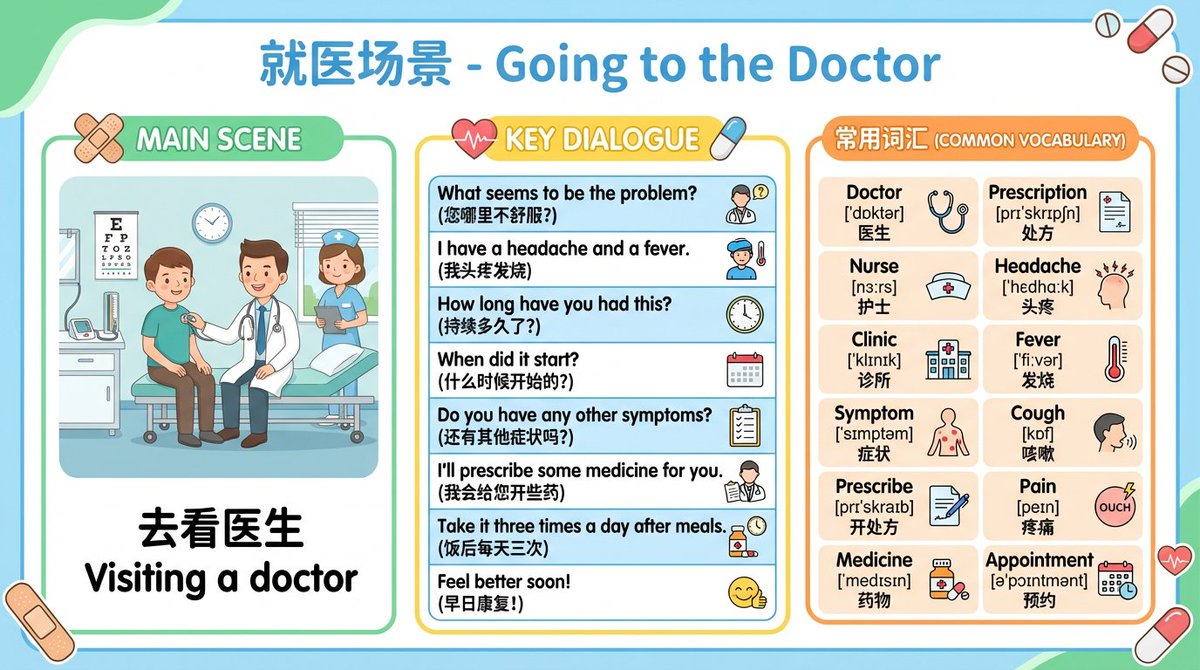
Physics laws prompt: Generate infographics for all physics laws from junior high school textbooks, one law per image. The content must be easy to understand and suitable for middle school students. English card prompt: Generate English learning cards, one per image, presented through everyday life scenarios such as ordering food, asking for directions while traveling, hotels, and airport check-in. Each card should include a dialogue scene between characters and the main commonly used sentences, and also list the key vocabulary (including phonetics and meanings). Start with {argument name="number of English scenarios" default="12"} scenarios for me to review. Poetry card prompt: Generate learning cards for {argument name="number of Tang poems" default="10"} famous Tang poems. The image should contain the full poem text, and the visual should match and reflect the poem’s content and mood to help students understand the background and artistic conception, with simple Chinese annotations.

Ultra-Clean Modern Recipe Infographic for Focaccia

Ultra-Clean Modern Recipe Infographic for Focaccia

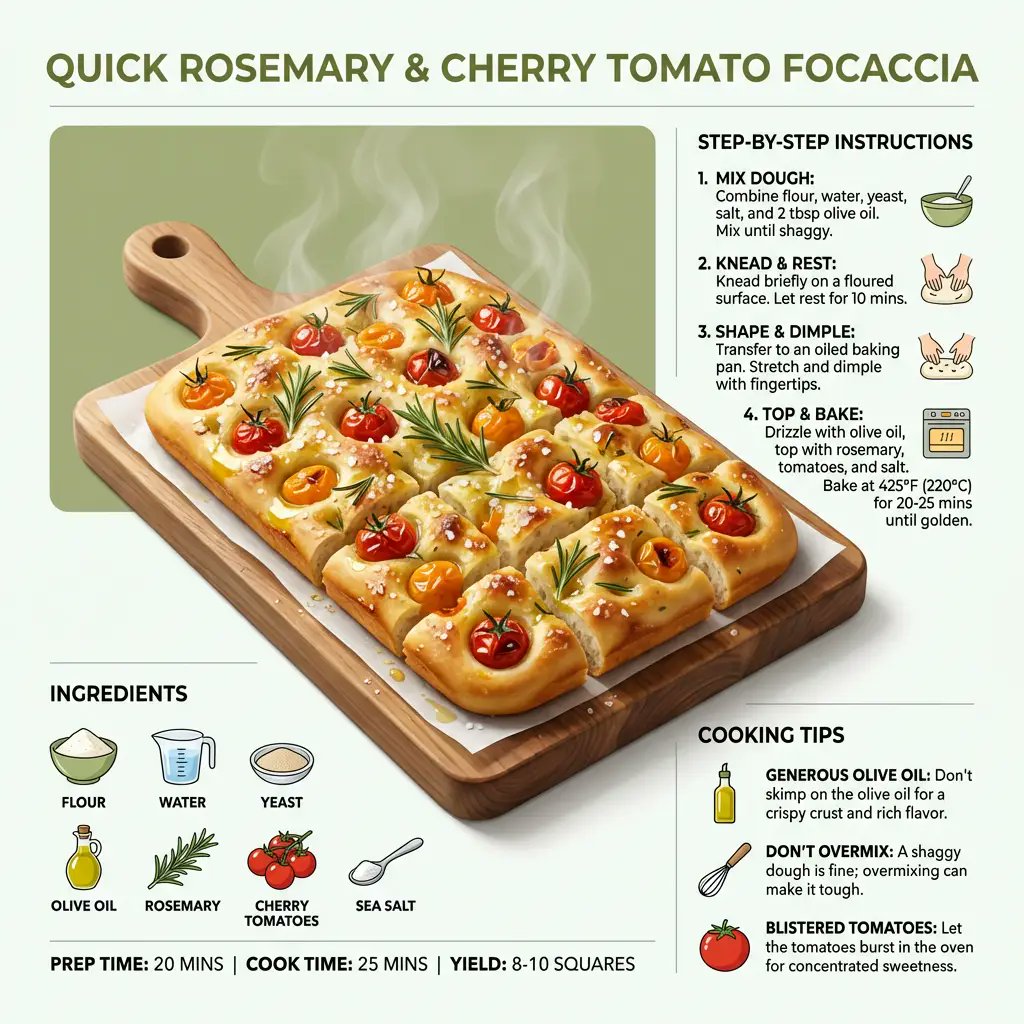
"style": "ultra_clean_modern", "dish": "{argument name="dish name" default="quick rosemary and cherry tomato focaccia"}", "presentation": { "form": "sliced into squares", "serving": "minimal board or plate", "perspective": "slightly elevated, dynamic angled view" }, "hero_visual": { "main_item": "golden dimpled focaccia", "toppings": ["blistered cherry tomatoes", "fresh rosemary", "glossy olive oil"] }, "layout": { "ingredients": "neatly arranged around main image", "steps": "step-by-step instructions", "tips": "helpful cooking tips" }, "composition": { "lighting": "bright, appetizing", "balance": "visually balanced", "focus": "clarity and modern design" }

Simple Stick Figure Coloring Book Clipart

Simple Stick Figure Coloring Book Clipart

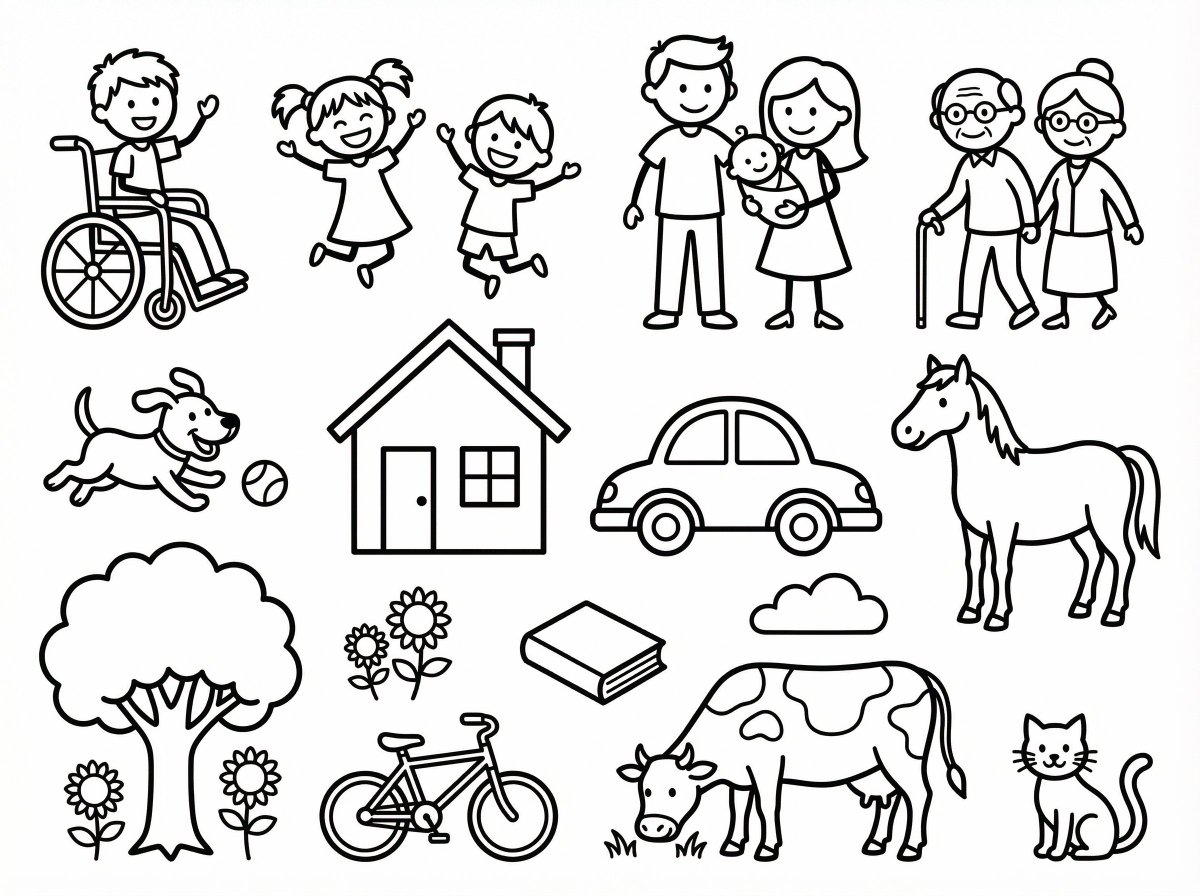
high-resolution black and white coloring book style line art set of simple stick figure clipart on a clean white background, featuring a diverse group of people in various poses and activities, along with a playful dog, a standing horse, a grazing cow, a sitting cat, and other familiar everyday subjects such as trees, houses, cars, flowers, and basic objects, all drawn with smooth, consistent outlines, no shading, large open areas for coloring, and clear separation between each element for easy cutting and arrangement.

Infographic Prompt Template for Objects

Infographic Prompt Template for Objects

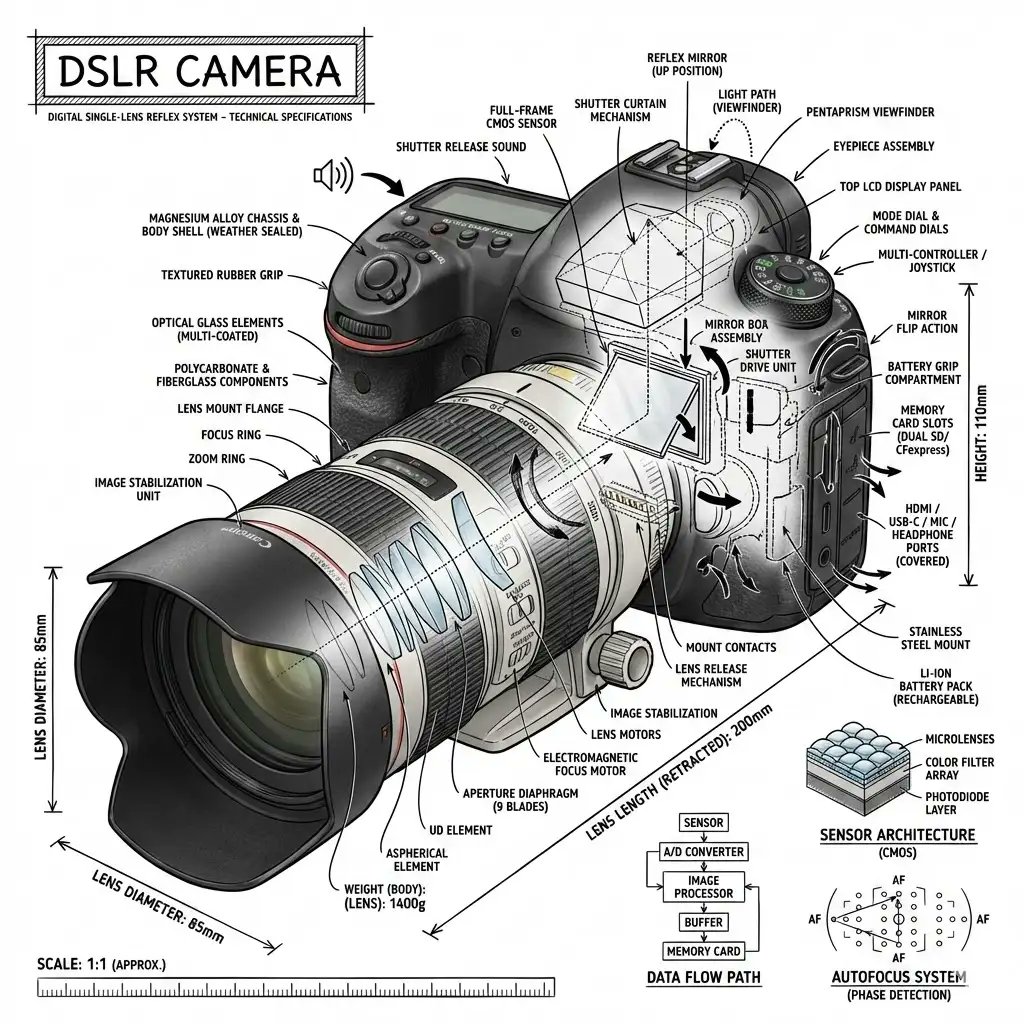
“Create an infographic image of [{argument name="object" default="OBJECT"}], combining a realistic photograph or photoreal render of the object with technical annotation overlays placed directly on top. Use black ink–style line drawings and text (technical pen / architectural sketch look) on a pure white studio background, including: •Key component labels •Internal cutaway or exploded-view outlines •Measurements, dimensions, and scale markers •Material callouts and quantities •Arrows indicating function, force, or flow (air, sound, power, pressure) •Simple schematic or sectional diagrams where relevant Place the title [OBJECT] inside a hand-drawn technical annotation box in one corner. Style & layout rules: •The real object remains clearly visible beneath the annotations •Annotations feel sketched, technical, and architectural •Clean composition with balanced negative space •Educational, museum-exhibit / engineering-manual vibe Visual style: Minimal technical illustration aesthetic, black linework over realistic imagery, precise but slightly hand-drawn feel. Color palette: White background, black annotation lines and text only. No colors. Output: 1080×1080, ultra-crisp, social-feed optimized, no watermark.”

Product Design Innovation Board

Product Design Innovation Board

Do this for {argument name="product" default="B2 plane"}: inputs ::= product ::= [any product / device / tool / appliance / machine] functions ::= [ai infer 3 to 7 core functional systems of product] subsystem_count ::= [ai infer] material_logic ::= [ai infer likely materials and mechanical parts] era_bias ::= [{argument name="style" default="industrial / retro-futurist / modern / luxury engineering"}] sketch_style ::= [{argument name="sketch type" default="patent sketch / engineering notebook / blueprint engraving / industrial concept sheet"}] hero_style ::= [studio product photo / cinematic workshop render / luxury catalog shot] layout ::= +----------------------------------------------------------------------------------+ | top panel :: invention / research board | | | | [orthographic sketch] [section cutaway] [component studies] [functional diagram]| | [gauge / chart / equation / small notes] [exploded parts] [form variants] | | | | goal: show how product might have been invented, refined, tested, and iterated. | | | |----------------------------------------------------------------------------------| | bottom panel :: polished final product | | | | [hero shot of fully realized product] | | [beautiful materials] [precise machining] [studio/warm workshop lighting] | | | +----------------------------------------------------------------------------------+ instruction ::= generate a two-panel invention inspiration board for product. the top half must look like a dense r&d archive showing ai-inferred mechanisms, studies, performance ideas, component experiments, and form exploration. the bottom half must show the final refined product as a premium finished object. make the whole image feel like "from concept science to product realization." no hard-coded product details unless provided by the user.

Medieval Altarpiece Display of Ghormeh Sabzi

Medieval Altarpiece Display of Ghormeh Sabzi

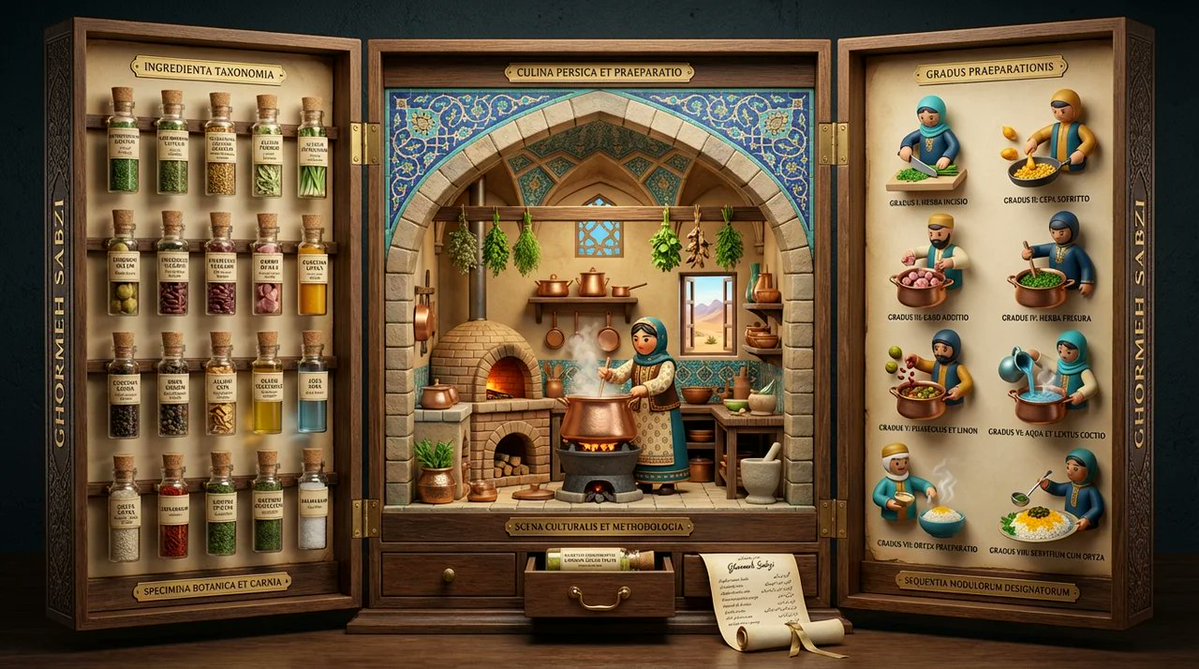
<instruction> Input A is a famous dish (photo or dish name). Analyze the dish's ingredient taxonomy, preparation methodology, cultural preparation setting, and historical documentation style. Optional Input B is a style reference (3d mod designer toy luxury product packaging). Goal: Three-panel folding display (12" tall, 36" wide when open) structured like a medieval altarpiece, with each panel revealing different aspects of the dish's story through museum-quality presentation. Rules: Left panel: 15-20 ingredients mounted as specimens in tiny bottles with handwritten Latin/scientific labels Center panel: 3D pop-up kitchen diorama with cultural figure preparing dish, architectural elements from origin region Right panel: 6-8 precise preparation steps as 3d mod designer toy style Closes into protective case with magnetic closure and embossed exterior Exterior: ornate typography with dish name in gold foil Small drawer at base containing actual spice sample or "secret ingredient" Color palette drawn from traditional pottery/textiles of origin culture Include tiny rolled "scroll" with full recipe in calligraphy Output: ONE image, 16:9 showing triptych fully opened, shot straight-on, museum exhibition lighting </instruction>

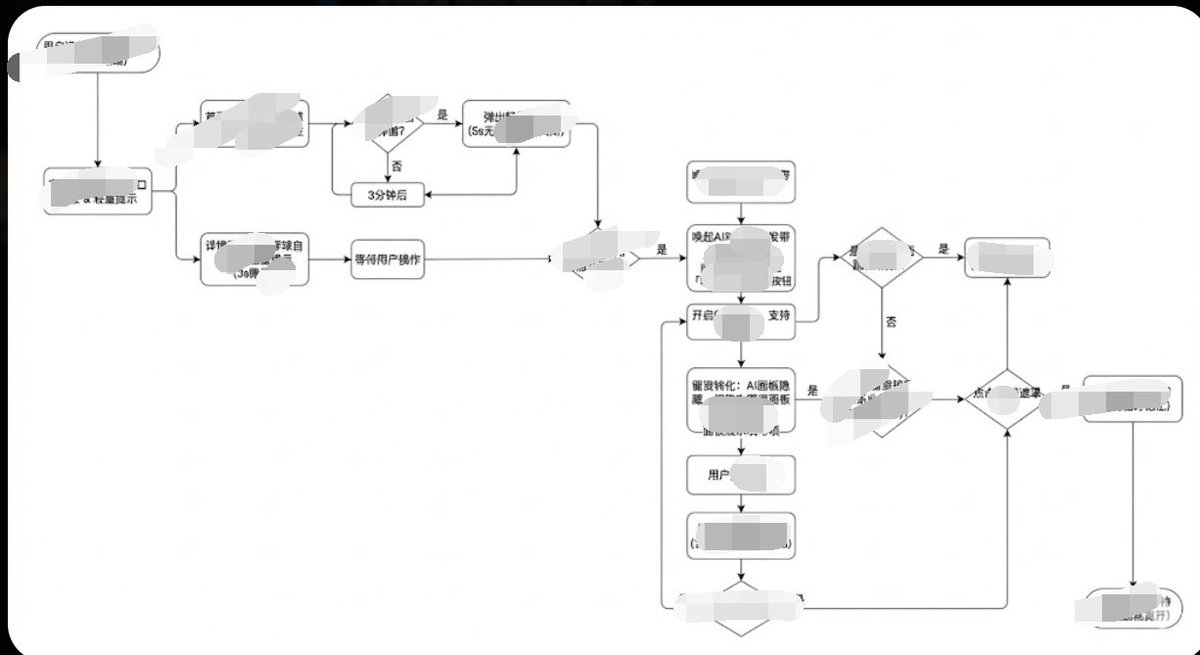
Minimalist Flowchart/Diagram Generation Style Guide

Minimalist Flowchart/Diagram Generation Style Guide

Generate image, 1. Style Core Parameter Extraction (Style Guide) Please refer to the following parameters: Color Palette: Background: Pure white (#FFFFFF) Lines/Borders: Dark gray or pure black (#333333 or #000000) Text: Dark gray (#333333), regular weight, no bold. Fill: No fill (transparent) or pure white fill, to cover lines behind. Lines/Connectors: Type: Orthogonal/Elbow lines, meaning only vertical and horizontal lines, with right-angle corners. Thickness: Extremely thin (1px). Arrow: Solid small triangle (Solid Arrowhead), black. Shapes: Normal Node: Rounded Rectangle, very small corner radius (approx. 4px - 8px). Decision Node: Diamond. Start/End: Capsule shape or rectangle with larger rounded corners. Typography: Alignment: Center aligned. Font: Sans-serif font, such as Arial, Roboto, or Source Han Sans. Small font size (approx. 12px-14px). Apply the style above along with your user journey/process to Gemini, and it will present the corresponding effect without needing adjustments.

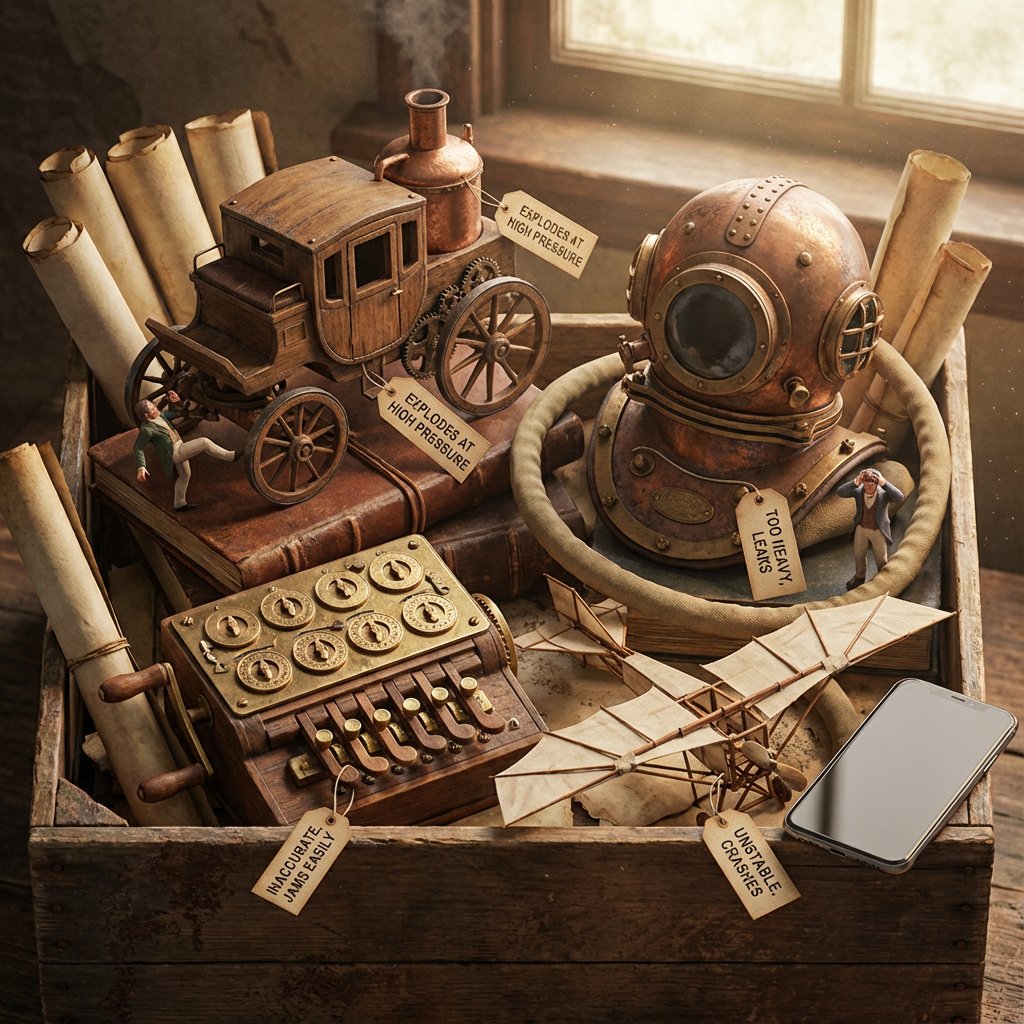
Historical Archivist Prompt for Flawed Inventions

Historical Archivist Prompt for Flawed Inventions

Role: Historical Archivist & Technical Illustrator. Input Era/Region: {argument name="era and region" default="US, 1820s"} Phase 1: The Deep Dive (AI to Deduce) 1. Identify Container: Era-appropriate storage (Chest, Cabinet, Box). 2. Identify Paperwork: Era-appropriate medium (Vellum, Blueprints, Floppy Disks). 3. Identify 4 Obscure Failures: Constraint: Do NOT select famous successes. Select Bizarre, Failed, or Dangerous prototypes. Data Extraction: For each item, identify its Historical Name and its Fatal Flaw. Phase 2: The Visual Translation Layer (Geometry) Logic: The AI must explicitly analyze the Physical Form Factor of each selected invention. Instruction: Do not render generic shapes. If it's a "Steam Man," render a brass robot. If it's a "Pneumatic Tube," render the piping. Phase 3: Visual Execution Subject: The [Container] overflowing with the [Signature Geometries] of the lost inventions. 1. The "Lost" Prototypes: Render the 4 inventions based strictly on their Physical Form Factor. Material: Authentic materials (Brass, Wood, Bakelite, Clay) based on the era. 2. The Labels (CRITICAL UPDATE): Format: Each item has a clearly attached tag (String/Wax/Adhesive) with Legible Text. Text Structure: Line 1:[The Invention Name] (e.g., "The Dynasphere"). Line 2:[The Flaw] (e.g., "Unstable Steering"). Note:Ensure the text looks handwritten or stamped according to the time period. 3. The Narrative: The Inventors: Tiny figurines reacting to the failure (frustrated, crying, kicking the machine). The Contrast: A generic Modern Smartphone (or futuristic device) sitting on the edge for scale/irony. 4. Atmosphere: Lighting: Dramatic, moody, specific to the era. Texture: Macro details of rust, dust, and age. Output: ONE image, 4:5, Photorealistic Macro Photography, Legible Text Labels.

部分提示词收录自 X 平台创作者,版权归原作者所有。