Instinct AI

提示词库

AI 提示词库

汇集全球创作者的精选图像、视频与建站提示词。复制任意一条,替换主体或风格,即可用最新模型生成。

15,630 条提示词 · 每日更新 · 完全免费

共 606 条

Artemis II Mission Journal Diorama

Artemis II Mission Journal Diorama

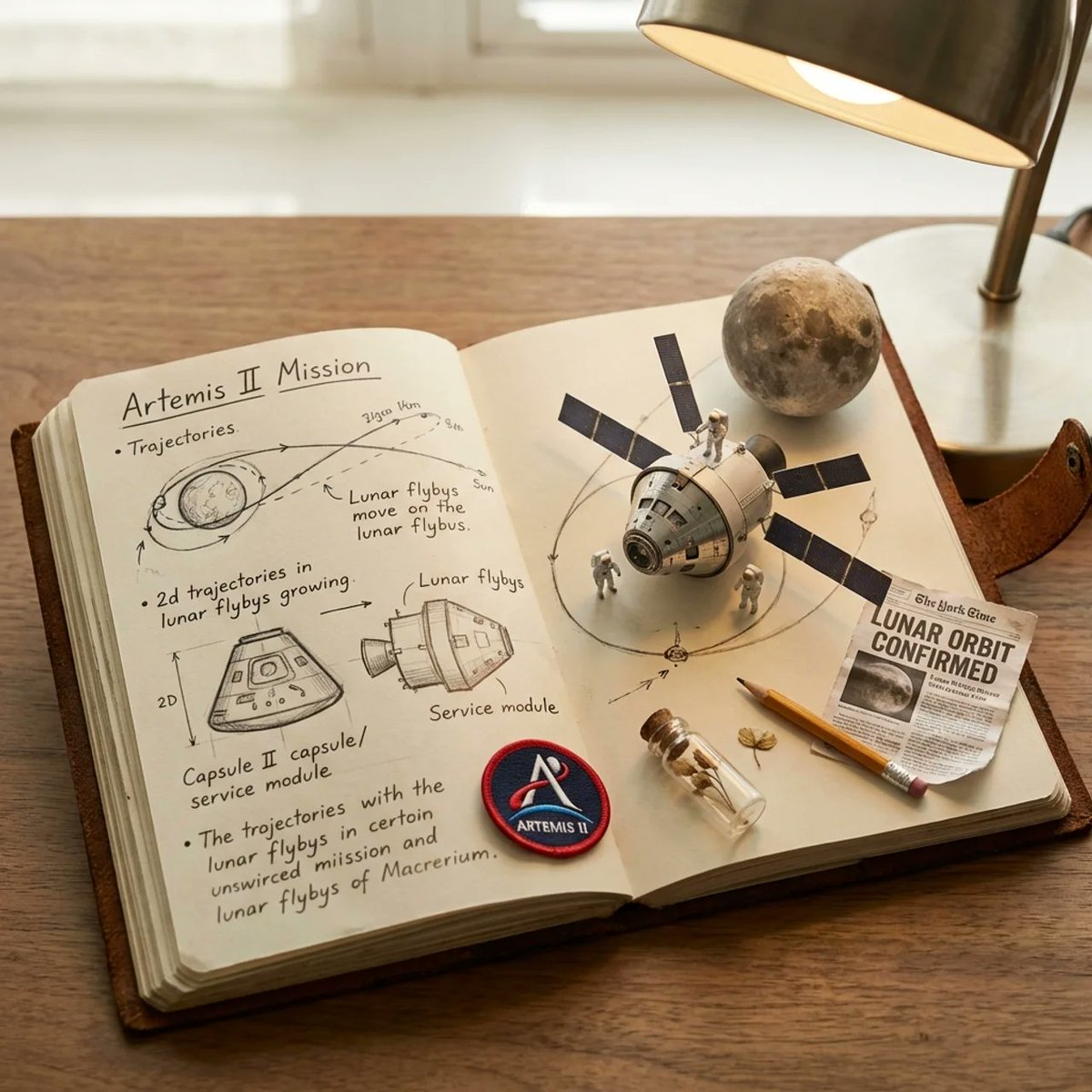
do this for Artemis II mission: class Artemis_Journal_Diorama: def __init__(self, subject="Artemis II Mission"): # AI infers the correct materials, textures, and desk environment self.stage = "AI‑inferred astronaut’s mission‑planning journal lying open on an AI‑inferred technical workstation." self. lighting = "AI‑inferred mixed illumination: task‑lamp warmth + cool instrument‑panel spill." def semantic_2D_to_3D_growth(self): # AI infers what '2D mission sketches' look like for this subject page_texture = ( f"AI‑inferred handwritten notes, trajectory arcs, module schematics, " f"and mission annotations related to {self.subject}, rendered as precise 2D graphite diagrams." ) # AI infers what physical 3D elements should emerge from those sketches diorama_pop = ( f"2D mission diagrams transition into physical 3D miniatures: " f"AI‑inferred spacecraft components, crew figures, lunar geometry, " f"and mission‑specific hardware rising seamlessly from the paper." ) return [page_texture, diorama_pop] def scatter_ephemera(self): # AI infers mission‑relevant desk objects without hard‑coding categories return infer_aerospace_ephemera(self.subject) # Examples (AI‑inferred, not fixed): mission patches, navigation tools, # micro‑scale lunar models, printed telemetry, procedural checklists, # archival headlines, engineering pencils, etc. render(Artemis_Journal_Diorama())

星云 IC 1590 灵感
Grok Imagine

星云 IC 1590 灵感

炽烈的红色与橙色源自巨大的电离氢云团,由位于星云中心的年轻、炽热的大质量恒星团(IC 1590)发出的紫外线辐射点燃。较冷的蓝青色则勾勒出电离氧的踪迹,将内部渲染得宛如一盏幽灵般的灯笼。深色的博克球状体——尘埃与气体的高密度结块。

@Time Traveler
Comparative Infographic Grid Generator Prompt (Legs and Stockings)

Comparative Infographic Grid Generator Prompt (Legs and Stockings)

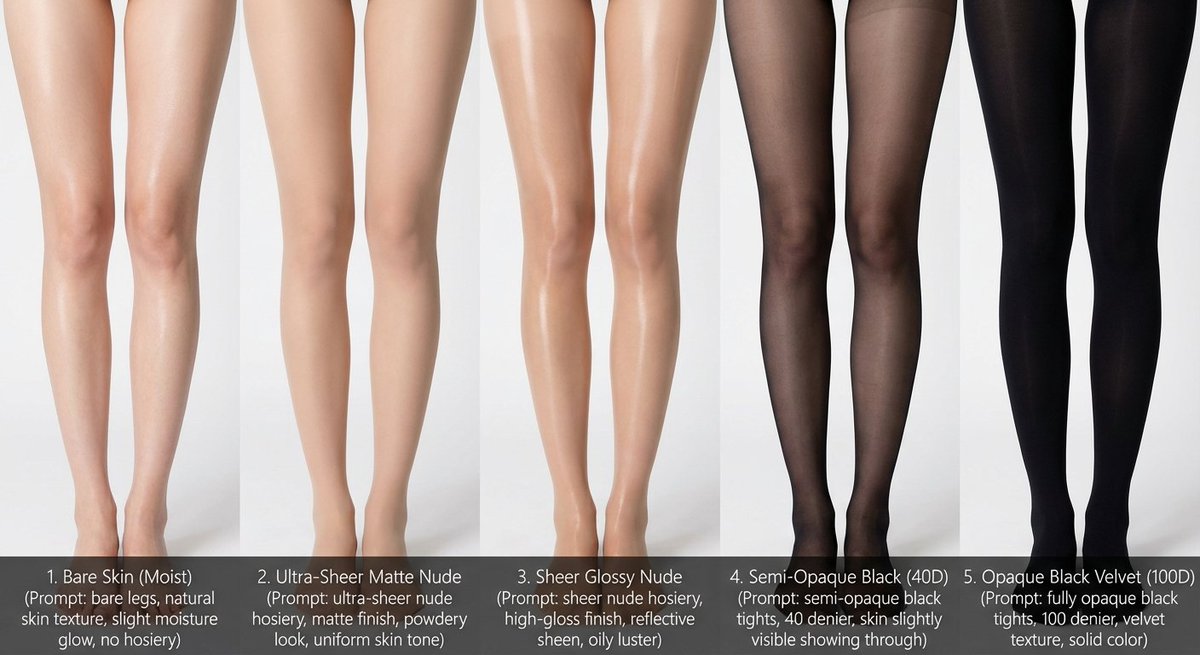
# Role: Comparison Infographic Generator (Design-Centric with Toggles) # === USER INPUT SETTINGS (FILL THESE IN) === # 1. Grid Size (e.g., "2x2 (4 panels)", "3x3 (9 panels)"): {argument name="grid size" default="1x5"} # 2. Base Subject Description (Identical base scene for all panels): [{argument name="subject description" default="Cold white, slender, fair Asian female legs, skin delicate and smooth, without blemishes, almost invisible pores and hair follicles. Skin is not dry, slightly moist"}] # 3. Variations Theme (What is being compared?): {argument name="variation theme" default="Bare legs versus different stockings"} # 4. Show Text Overlay at Bottom (Yes/No): YES # =========================================== # Task Description: Generate a multi-panel infographic grid chart for a comparative visual study based on the User Input Settings above. The goal is to showcase different textural or stylistic variations (defined in the data list below) applied to the identical Base Subject defined above. # Global Constraints & Style: 1. **Layout:** A **[Insert setting from "1. Grid Size" here]** infographic grid chart. 2. **Consistency is Key:** The Base Subject, camera angle, composition, and lighting must remain absolutely identical across ALL panels to emphasize only the specific variations. 3. **Photography Style:** Clean, controlled studio photography with neutral, even lighting designed to highlight texture differences. # Text Overlay Display Logic (CONDITIONAL): (AI Instructions: First, check the value of User Input Setting "# 4. Show Text Overlay at Bottom". You MUST execute ONLY ONE of the following logic blocks based on that value.) ##### ➤ LOGIC PATH A: IF Setting #4 is "Yes" (Show Overlay) If the user selected "Yes", EVERY panel must feature a precisely designed text overlay at the bottom following these strict rules: * **Background:** A clean, sharply defined solid rectangular color block (e.g., charcoal grey or black) spanning the entire width of the panel's bottom section. * **Typography:** Inside this block, the text must be rendered in an **elegant, ultra-thin, minimalist sans-serif font**. * **Layout:** The text "[Number]. [Short Title] (Prompt: [Key English Prompt Snippet])" must be perfectly centered within the color block. * **Aesthetic:** The overall effect should be that of professional, minimalist graphic design, with crisp lines and perfect alignment. ##### ➤ LOGIC PATH B: IF Setting #4 is "No" (Hide Overlay) If the user selected "No", apply this CRITICAL rule: * **CRITICAL:** DO NOT add any text overlay, numbers, titles, background color blocks, or prompt snippets to the images. * **Result:** The bottom of every panel must be clean image data only, showing the subject fully without obstruction. # Base Subject Definition: The base scene for every panel is: **[Insert description from "2. Base Subject Description" here]**. The variations below will modify the surface or appearance of this base subject. # Variations Data List (Apply sequentially to the grid): (AI instructions: Iterate through t

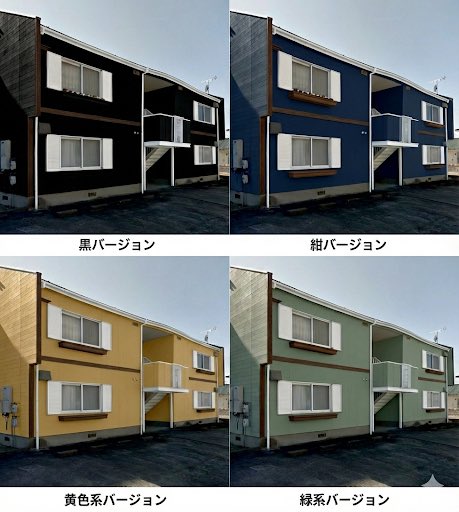
Paint scheme comparison image

Paint scheme comparison image

So that I can do a paint simulation, make a single image that lets me compare several different patterns.

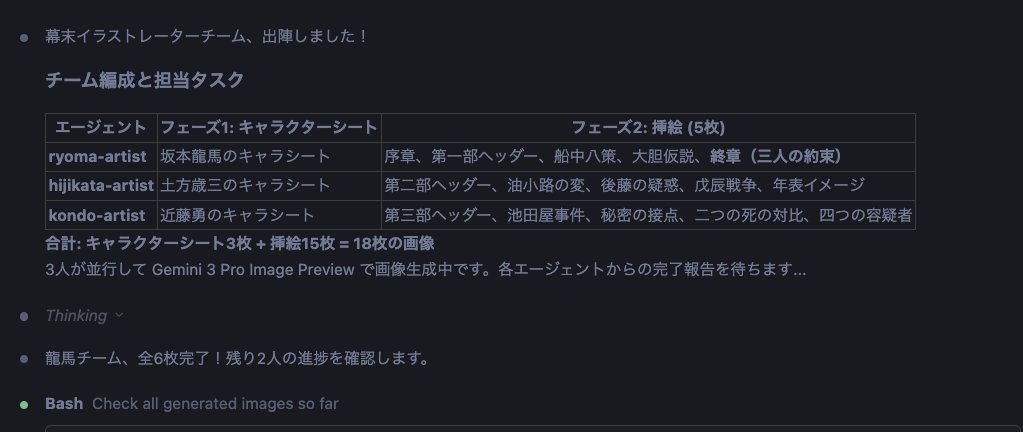
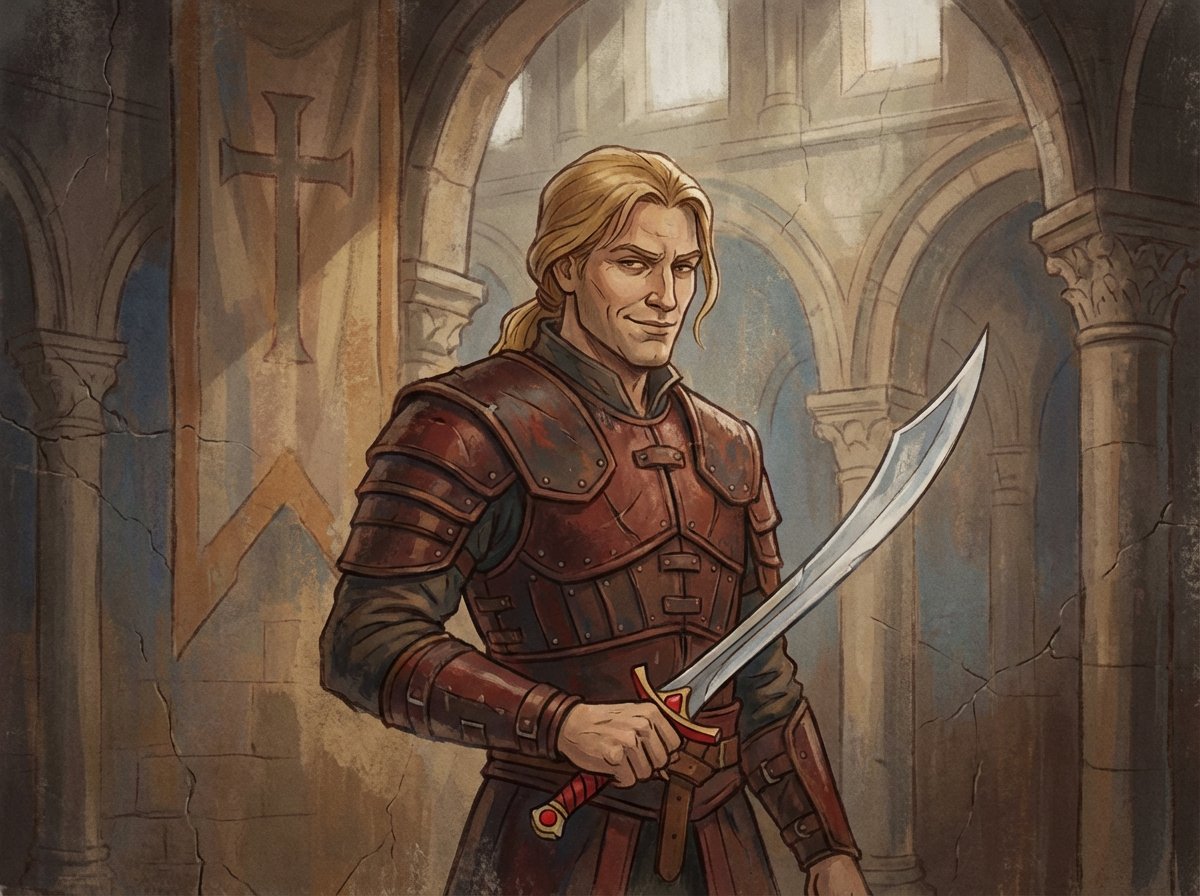
Character Sheet and Illustration Generation for Bakumatsu Agents

Character Sheet and Illustration Generation for Bakumatsu Agents

Gather the team members again. Activate the nanobanana pro slide generator skill for the Bakumatsu Agent Team. Then, proceed with the following steps: 1. Create reference images (a) Collect images of the three people: {argument name="person 1" default="Sakamoto Ryoma"}, {argument name="person 2" default="Hijikata Toshizo"}, and {argument name="person 3" default="Kondo Isami"} from Wikipedia or similar sources. (b) Use these as reference and base images to create character sheets with nanobanana pro. (c) Create character illustrations based on the consistent reference images. 2. Visualize the document (a) Create insertion illustrations for each chapter of the finalized report using nanobanana pro. (b) Insert the created images into the preview within the MD (Markdown) file. (c) Arrange the insertion illustrations for each H1, H2, and H3 section and for Tips to structure the document clearly. Divide this work among the three people to proceed most effectively.

Anime-style Graphic Recording from Web Search Results

Anime-style Graphic Recording from Web Search Results

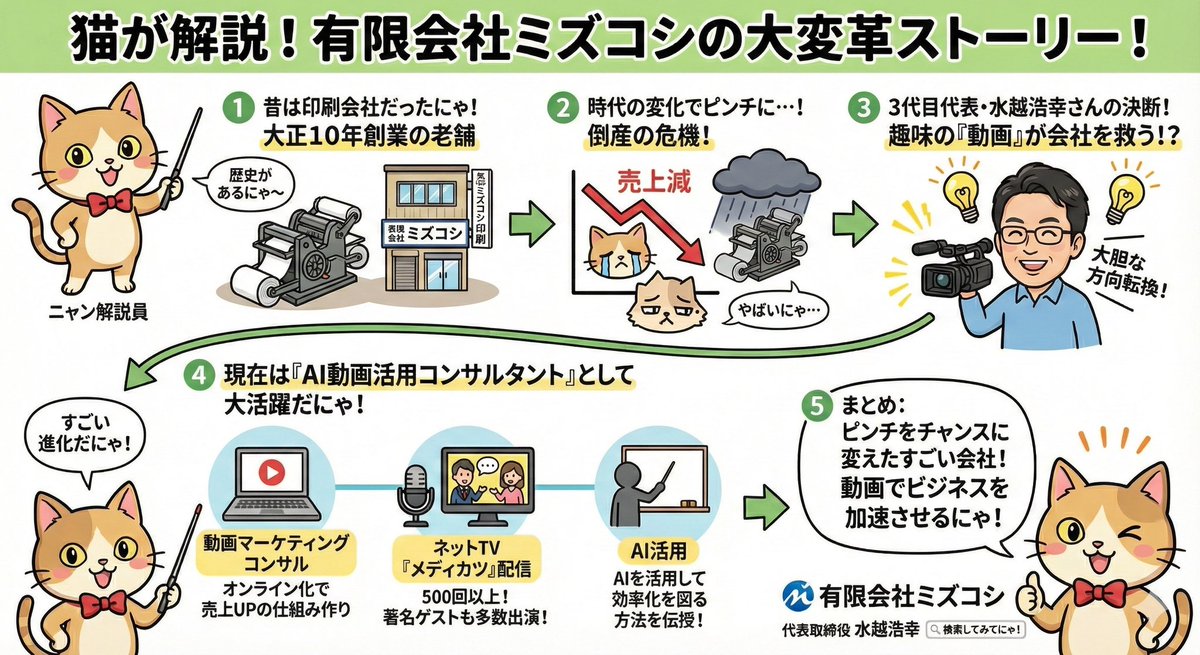
Search the internet for information about {argument name="company name" default="Mizukoshi Co., Ltd."} and create an anime-style graphic recording (grareco) where a {argument name="character" default="cat"} cheerfully explains the findings.

Object-to-Dystopian Building Transformation

Object-to-Dystopian Building Transformation

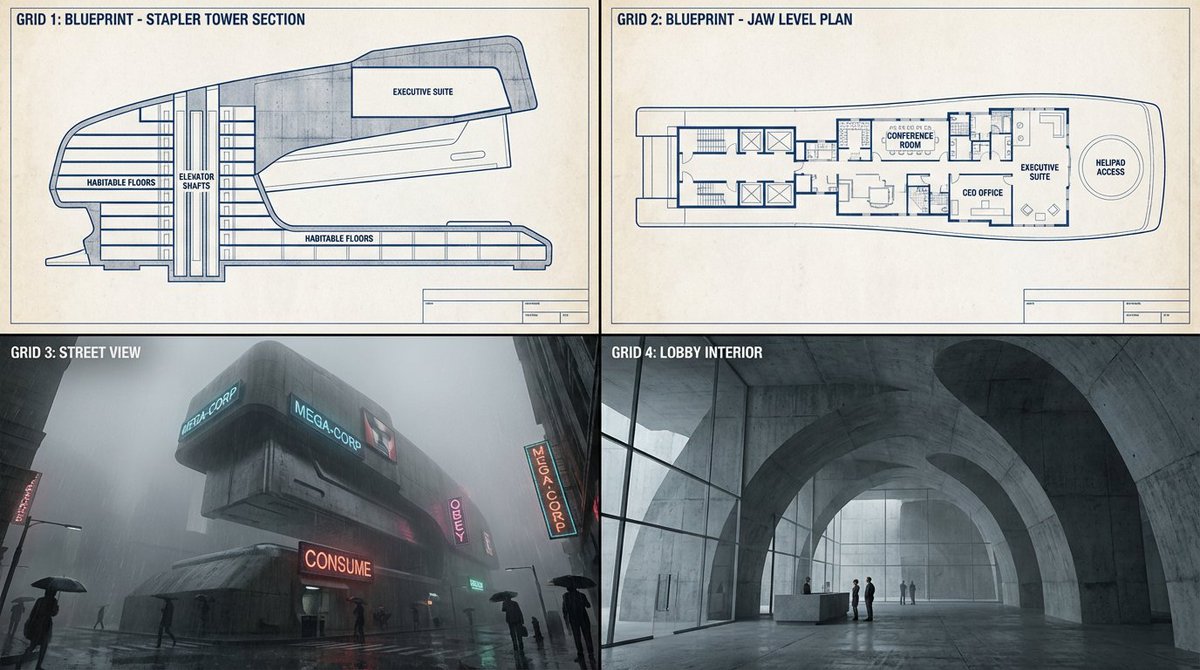
Task: Turn small desktop objects into monumental dystopian buildings. Step 1: Upload image.... e.g. a {argument name="object" default="stapler"} Step 2: Scale this object up by 5000%. It is now the headquarters for a villainous mega-corporation in a Brutalist concrete future. Analyze the geometry to create habitable floors." Step 3 Output: 2x2 Grid. Grid 1 & 2: Blueprints of the "Object turned into Tower" showing elevator shafts and executive suites. Grid 3: Eye-level street view looking up at the concrete mega-structure in rain and fog. Tiny people for scale. Neon cyberpunk signs attached to the exterior. Grid 4: Interior shot of the lobby, retaining the plastic curves of the original object but rendered in cold concrete and glass.

Hyper-Realistic Arabic Infographic Generator Prompt

Hyper-Realistic Arabic Infographic Generator Prompt

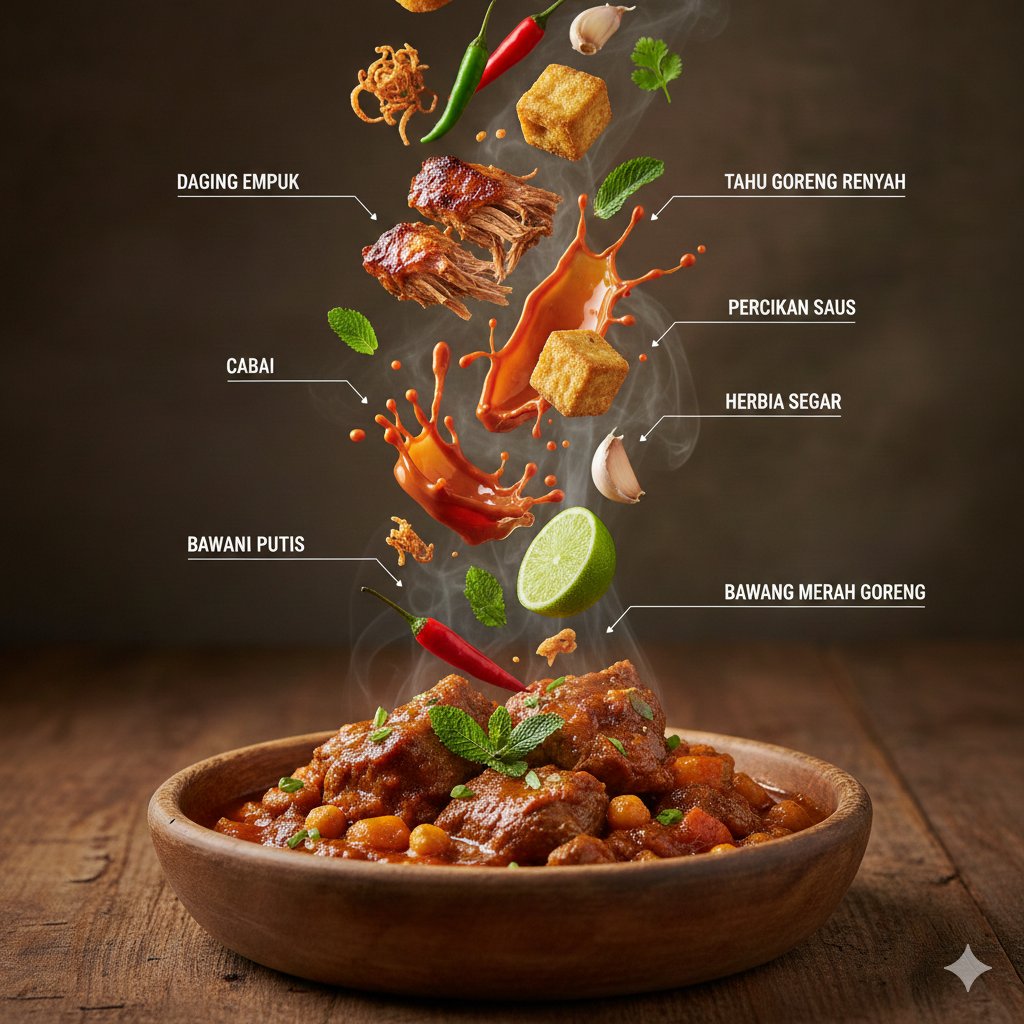
{ "request_type": "HyperRealistic_Infographic_Generator", "environment_config": { "cuisine_theme": "{argument name="cuisine theme" default="Arabic"}", "background_surface": "Rustic_Aged_Wood", "lighting_model": "Cinematic_Studio_Warm", "atmosphere_effects": ["High_Density_Steam", "Motion_Freeze_Action"] }, "visual_composition": { "anchor_element": { "object": "Traditional_Middle_Eastern_Ceramic_Bowl", "state": "Steaming_Hot_Platter", "position": "Bottom_Center" }, "dynamic_elements": { "arrangement": "Vertical_Levitation_Gravity_Defying", "ingredients": [ "{argument name="main ingredient" default="Slow_Cooked_Shredded_Lamb"}", "Crispy_Tofu_Cubes", "Viscous_Glossy_Tomato_Sauce_Splashes", "Fresh_Cilantro_and_Mint_Sprigs", "Whole_Red_and_Green_Chilies", "Symmetrical_Lime_Slices", "Whole_Garlic_Bulbs_and_Cloves", "Golden_Fried_Shallots" ] } }, "graphic_design_layer": { "annotation_style": "Editorial_Magazine_Infographic", "language": "Indonesian", "typography": { "font_weight": "Bold_Clean_Sans", "connector_lines": "Thin_White_Minimalist" }, "labels": [ "Tender Meat", "Crispy Fried Tofu", "Sauce Splashes", "Fresh Herbs", "Chili", "Lime", "Garlic", "Fried Shallots" ] }, "technical_output_specs": { "camera_settings": "Shallow_Depth_of_Field_Macro", "texture_detail": "8K_Ultra_Detailed_PBR", "rendering_engine": "DSLR_Look_High_Fidelity" } }

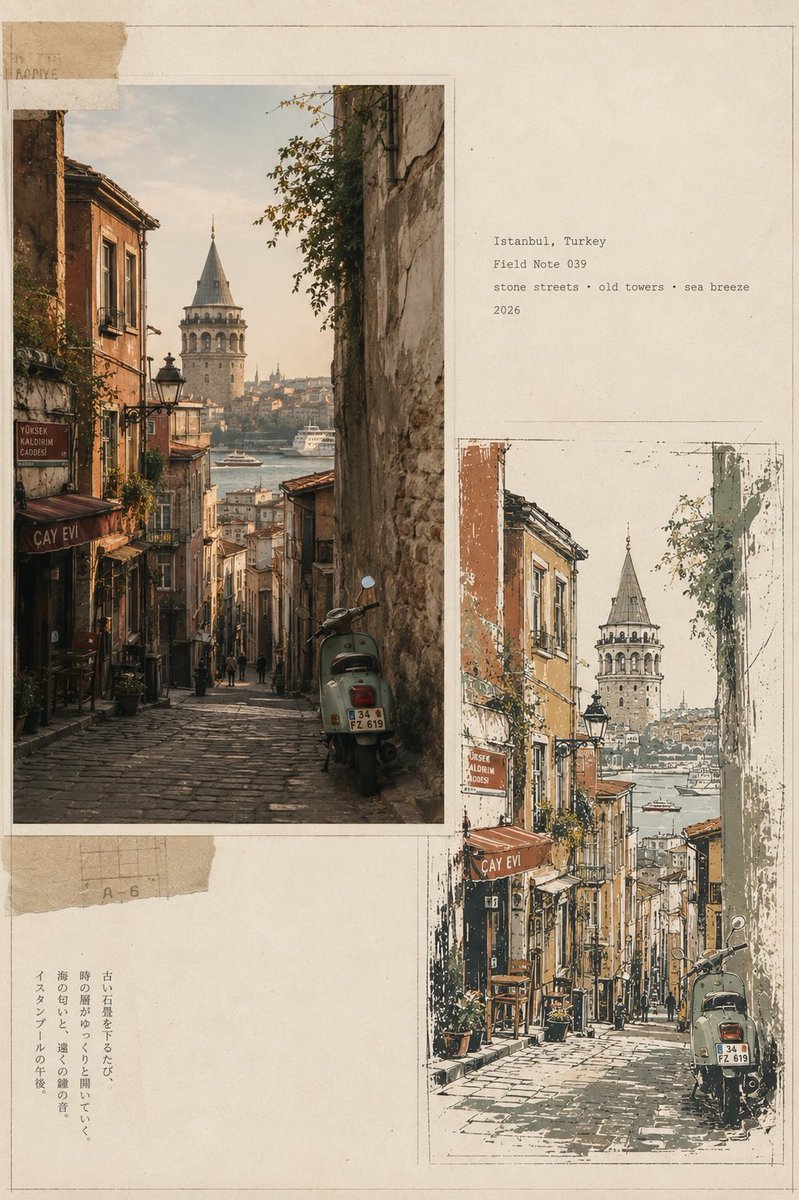
信息图 / 教育视觉图 - 复古旅行日志编辑拼贴画
Nano Banana Pro

信息图 / 教育视觉图 - 复古旅行日志编辑拼贴画

创作一张 4:5 垂直构图的高级复古日本旅行日志编辑拼贴画,包含四个独特的城市板块:泰国曼谷、葡萄牙里斯本、摩洛哥马拉喀什、土耳其伊斯坦布尔。每个板块将温暖的写实纪实街拍照片与相匹配的、带有瑕疵的手绘丝网印刷插图相结合,非对称地排列在做旧的奶油色纸张上,并辅以撕纸层、档案边框、细微的铅笔痕迹、打字机标题、褪色的墨水、纸张纤维以及真实的 35mm 胶片颗粒感。曼谷:神龛、缠绕的电线、热带绿植、青色摩托车;里斯本:黄色电车、陡峭的鹅卵石街道、阳台和河景;马拉喀什:赤陶色麦地那、棕榈树、地毯和华丽的宣礼塔;伊斯坦布尔:陡峭的石街、加拉塔塔、博斯普鲁斯海峡和复古踏板车。使用鼠尾草绿、赭石色、赤陶色、芥末黄、炭灰色和暖象牙色的克制调色板,呈现精致的编辑艺术指导、柔和的对比度、自然光、手工制作的瑕疵感以及博物馆级的旅行杂志美学。

@lovimg_com
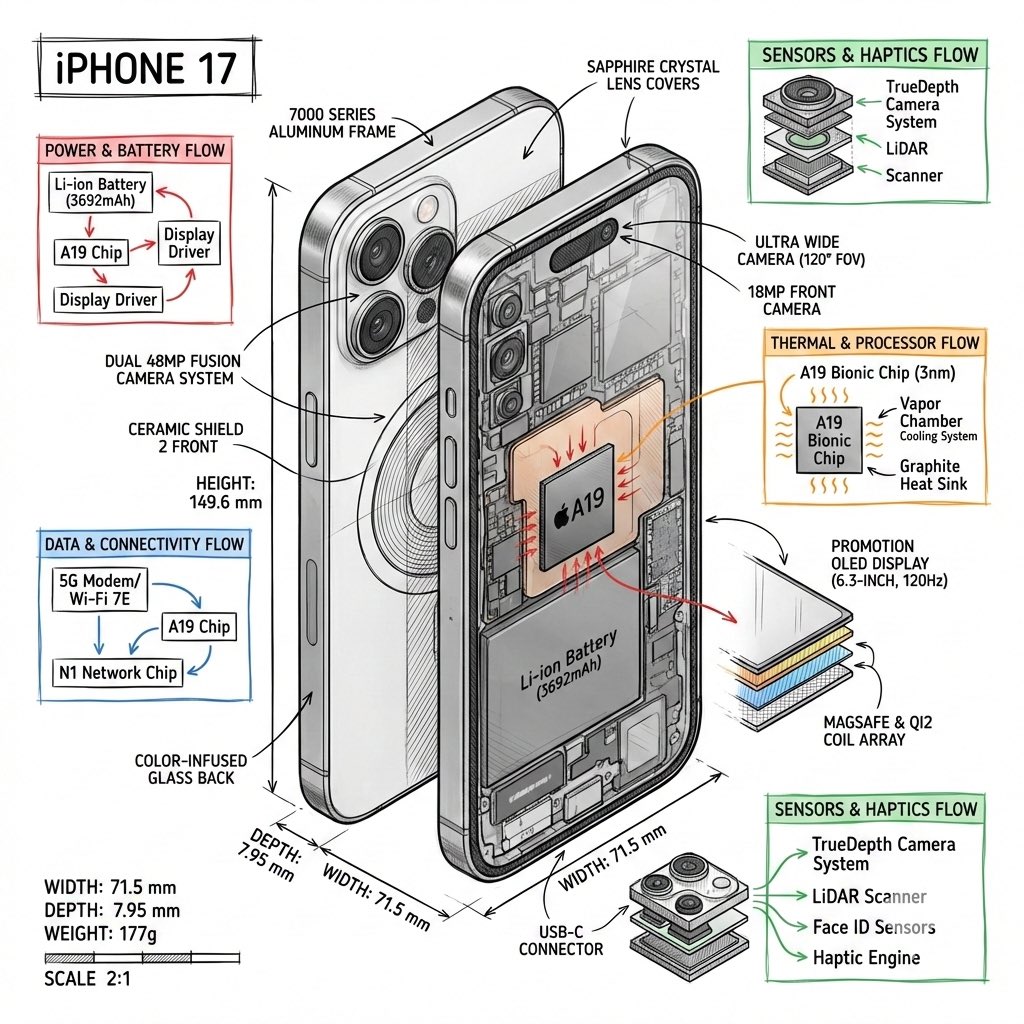
Technical Infographic Template for Objects

Technical Infographic Template for Objects

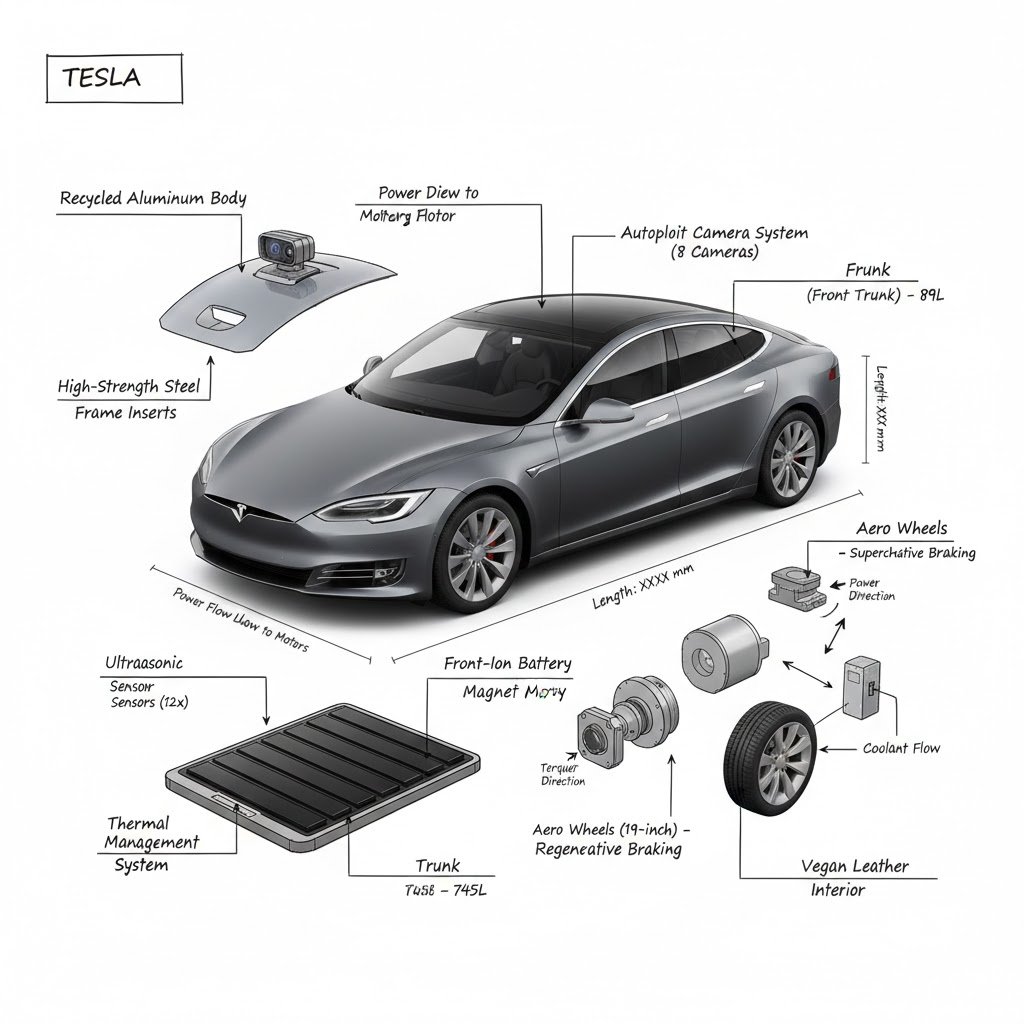
Create a technical infographic of {argument name="object name" default="[OBJECT NAME]"} with a 45-degree isometric 3D perspective showing the device slightly tilted to reveal depth and dimension. Combine a realistic photoreal render with black ink technical annotations on pure white background. Include: Key component labels with color-coded callout boxes Internal component visibility through transparent/cutaway sections Measurements, dimensions, and precise scale markers Material callouts and quantities Color-coded arrows for function/flow: RED (power/battery), BLUE (data/connectivity), ORANGE (thermal/processor), GREEN (sensors/haptics) Simple schematics or cross-sectional diagrams where relevant Place “OBJECT NAME” title in a hand-drawn technical box (top-left corner). Style: Black linework (technical pen/architectural), sketched but precise. Object remains clearly visible. Educational museum-exhibit vibe. Clean composition, balanced negative space. Perspective: Isometric 3D angle—tilted to show depth, dimension, and internal architecture dramatically. Like a professional product teardown or engineering manual. Colors: ~10–15% accent density. Black dominant. White background. Output: 1080×1080, ultra-crisp, social-feed optimized.

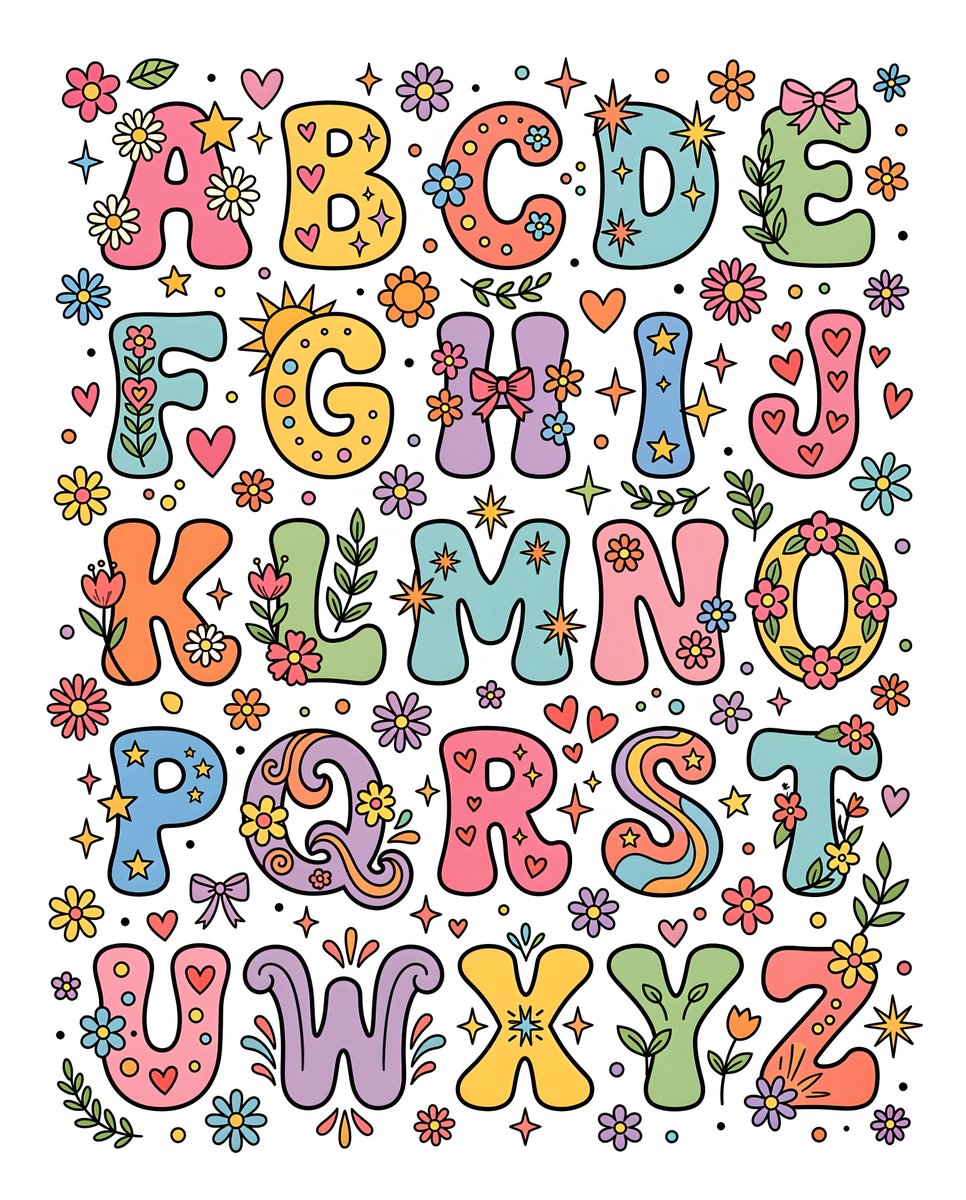
Retro 1970s Alphabet Graphic Design

Retro 1970s Alphabet Graphic Design

A collection of alphabet letters, {argument name="letters" default="A through Z"} and decorative elements are arranged in rows against a {argument name="background color" default="white background"}. The letters are in a playful, rounded font with thick black outlines and vibrant, pastel colors. Many of the letters are stylized with accompanying graphics: flowers, starbursts, hearts, bows, sparkles. There are also scattered floral and starburst elements throughout the composition. The overall style is reminiscent of {argument name="design era" default="1970s"} graphic design, with a cheerful and whimsical aesthetic.

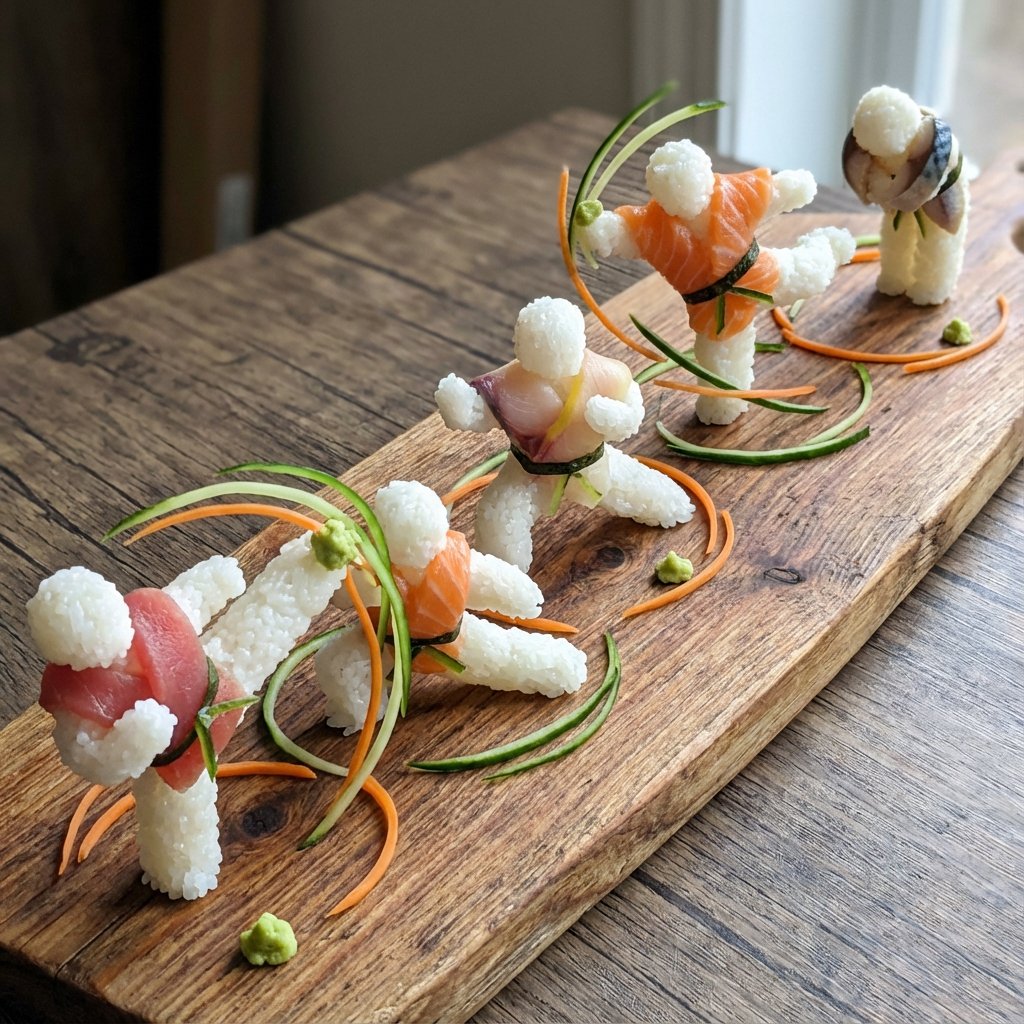
Sushi Kata/Forms Movement Arrangement on a Wooden Board

Sushi Kata/Forms Movement Arrangement on a Wooden Board

A long wooden board showing kata/forms movements in progressive sushi piece arrangements. [{argument name="martial art" default="Randomly select: Karate kata, Tai Chi form, Kung Fu set, Capoeira sequence, Aikido technique, etc."}] Each sushi piece represents a movement pose, arrangement shows flow, garnishes indicate energy direction, wasabi for power points.

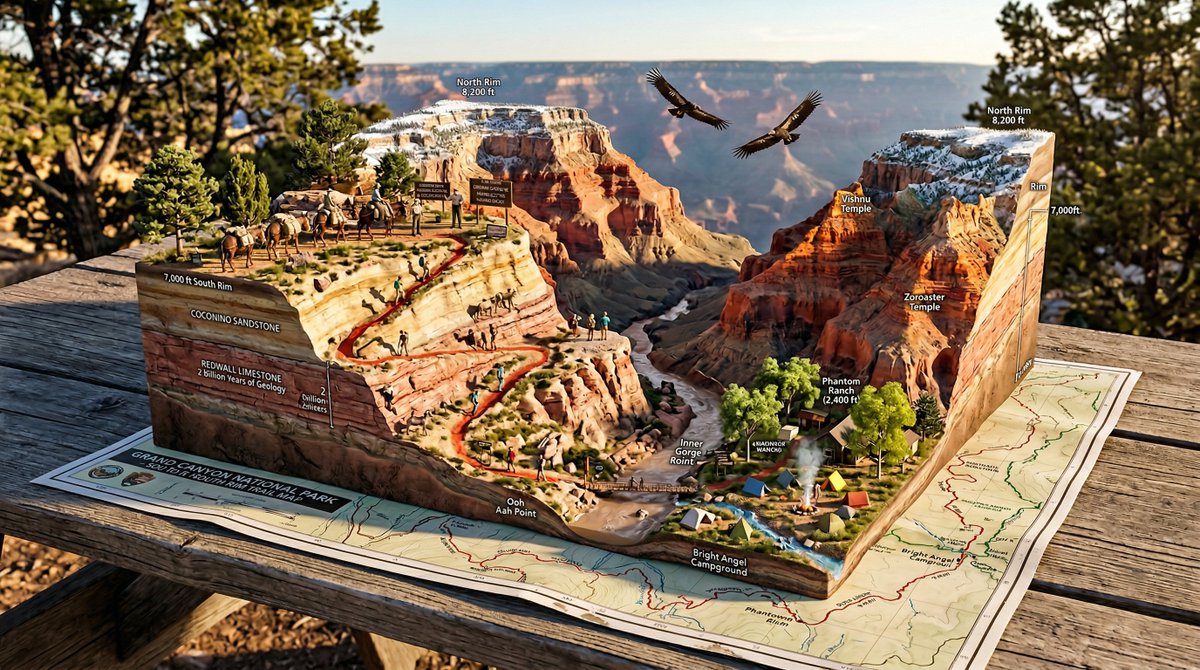
National Park Trail Map Miniature Ecosystem Diorama

National Park Trail Map Miniature Ecosystem Diorama

A National Park trail map unfolded on a picnic table, with the wilderness rising into explorable miniature ecosystem. {TRAILHEAD} emerges with {VISITOR_ELEMENT}, the marked paths wind upward through {TERRAIN_1} featuring {WILDLIFE_1}, past {VIEWPOINT_1} with {SCENIC_ELEMENT}, toward {SUMMIT/DESTINATION} with {PAYOFF_VIEW}. {WATER_FEATURE} flows actual water down the topography. {FOREST_TYPE} trees stand at proper scale, {BIRD_SPECIES} perch in branches. Trail markers and signs are legible. Elevation changes create dramatic miniature mountains. {WEATHER_ELEMENT} affects one region while another stays clear. Camping symbols mark actual tiny tent sites with smoke rising. Day hikers frozen mid-stride, wildlife pausing mid-graze. Golden hour backcountry light, wilderness diorama perfection, 8K, the park as you imagined it from the map.

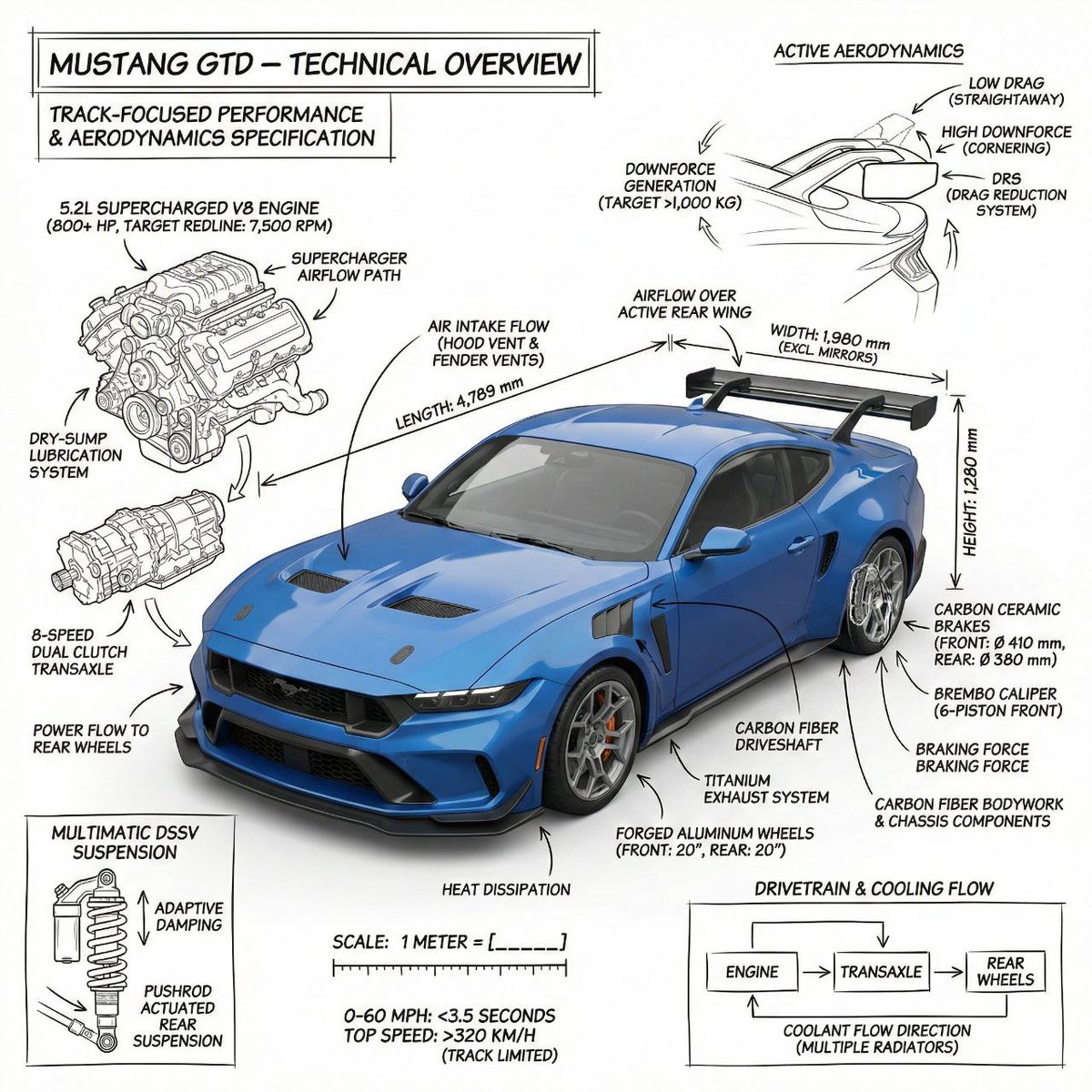
Infographic image of Mustang GTD with technical annotations

Infographic image of Mustang GTD with technical annotations

PROMPT 1 - Create an infographic image of Mustang GTD combining a realistic photograph or photorealistic render of the object with technical annotation overlays placed directly on top. Use black ink–style line drawings and text ({argument name="car color" default="blue"} Mustang GTD ) on a pure white studio background. Include: •Key component labels •Internal cutaway or exploded-view outlines (where relevant) •Measurements, dimensions, and scale markers •Material callouts and quantities •Arrows indicating function, force, or flow (all the functions that comes with bugatti Chiron) •Simple schematic or sectional diagrams where applicable Place the title Mustang GTD inside a real technical annotation box in one corner. Style & layout rules: •The real object remains clearly visible beneath the annotations(no annotation on the real object) •Annotations look hand-sketched, technical, and architectural •Clean composition with balanced negative space •Educational, museum-exhibit / engineering-manual vibe Visual style: Minimal technical illustration aesthetic. Black linework layered over realistic imagery. Precise but slightly hand-drawn feel. Color palette: Pure white background. Black annotation lines and text only. No colors. Output: 1080 × 1080 resolution Ultra-crisp Social-feed optimized No watermark PROMPT 2 - Create an infographic image of bugatti, combining a realistic photograph or photorealistic render of the object with technical annotation overlays placed directly on top. Use black ink–style line drawings and text ({argument name="bugatti color" default="copper color"} bugatti ) on a pure white studio background. Include: •Key component labels •Internal cutaway or exploded-view outlines (where relevant) •Measurements, dimensions, and scale markers •Material callouts and quantities •Arrows indicating function, force, or flow (all the functions that comes with bugatti Chiron) •Simple schematic or sectional diagrams where applicable Place the title bugatti inside a real technical annotation box in one corner. Style & layout rules: •The real object remains clearly visible beneath the annotations(no annotation on the real object) •Annotations look hand-sketched, technical, and architectural •Clean composition with balanced negative space •Educational, museum-exhibit / engineering-manual vibe Visual style: Minimal technical illustration aesthetic. Black linework layered over realistic imagery. Precise but slightly hand-drawn feel. Color palette: Pure white background. Black annotation lines and text only. No colors. Output: 1080 × 1080 resolution Ultra-crisp Social-feed optimized No watermark

Flower Mandala Coloring Page

Flower Mandala Coloring Page

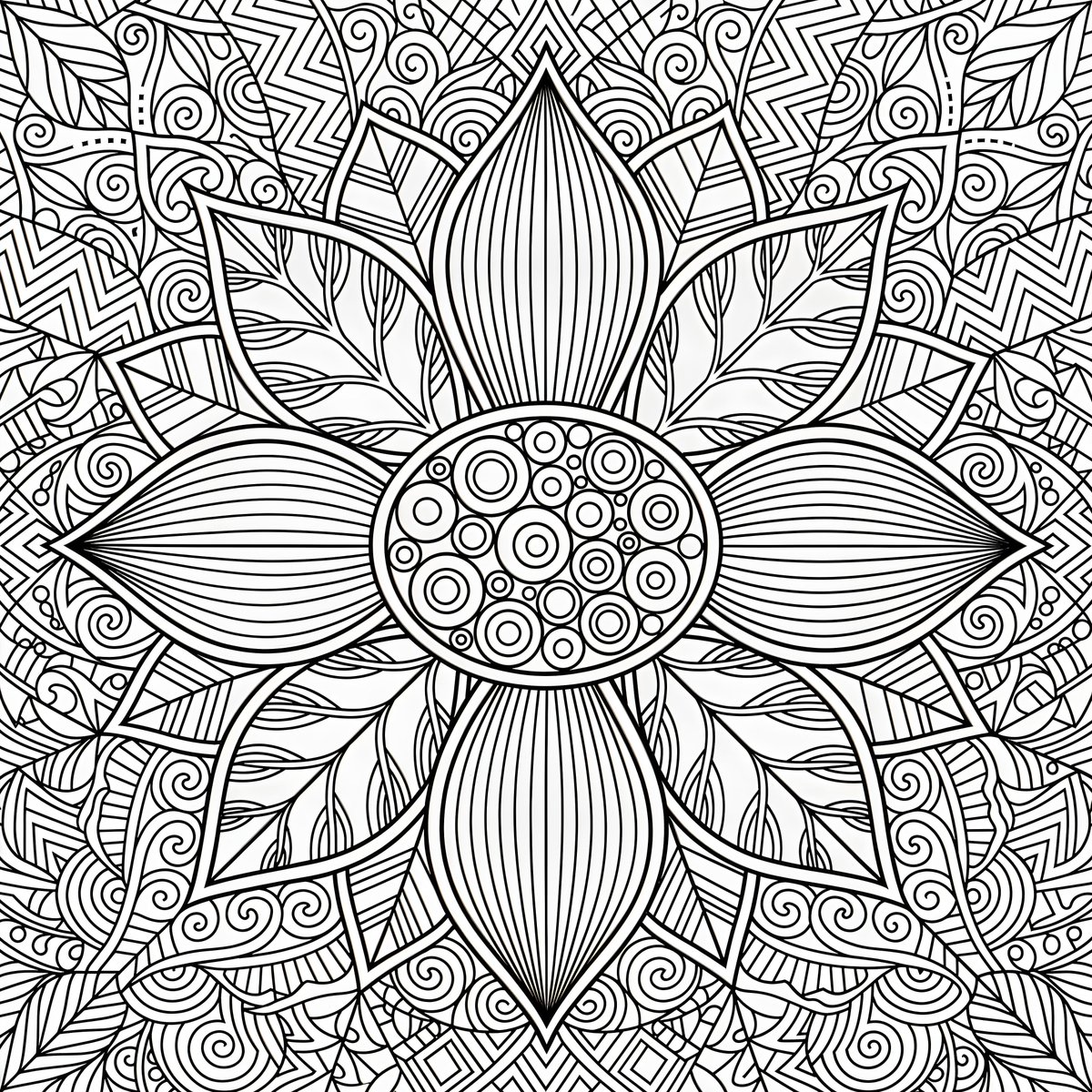
A black and white line drawing of a {argument name="flower type" default="stylized flower"} with {argument name="pattern style" default="intricate patterns"} fills the frame. The flower's center is an oval shape with smaller circles inside, surrounded by eight large petals. Each petal is decorated with parallel lines and some have a leaf-like shape. The background is a complex arrangement of geometric and organic patterns, including semicircles, zigzags, swirls, and a grid of dots. The overall composition is symmetrical, with the flower as the central focus, and the surrounding patterns radiating outwards.

Sushi Commercial Photography and Exploded Diagram Prompt

Sushi Commercial Photography and Exploded Diagram Prompt

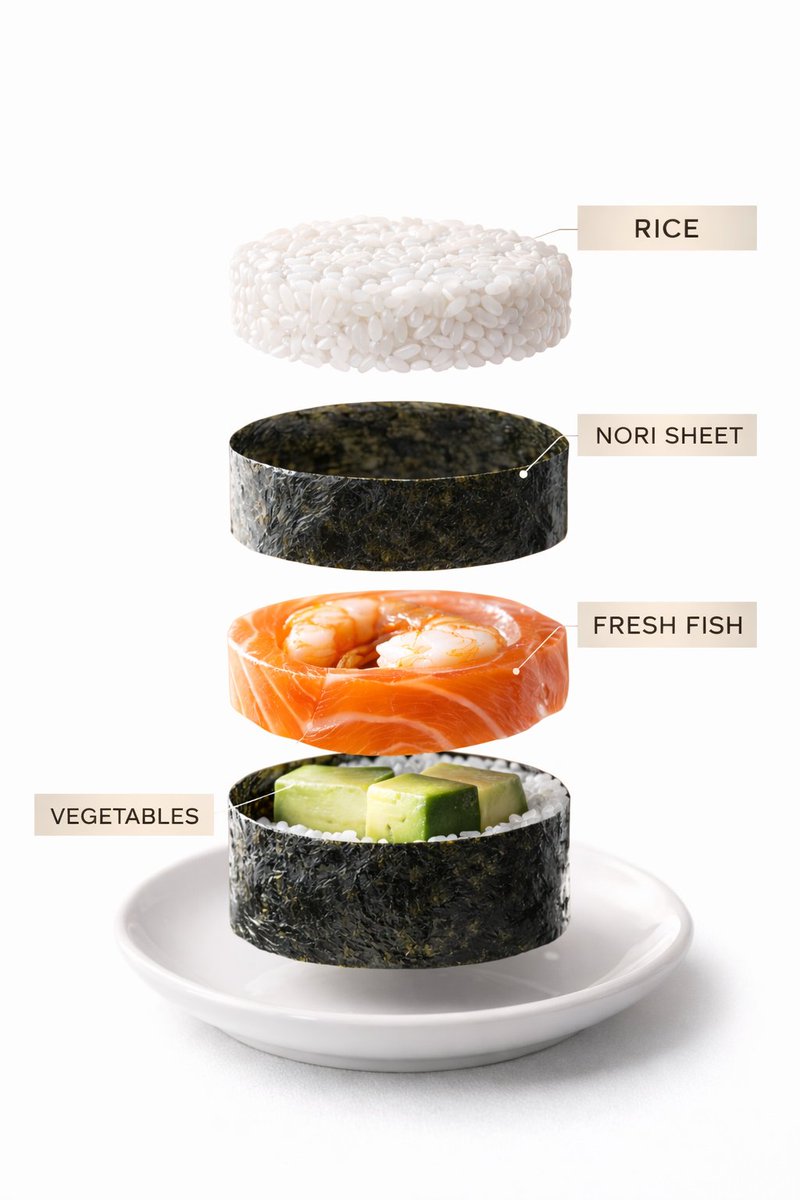
Image 1: Premium commercial photograph of assorted sushi rolls arranged elegantly on a slate plate. Soft diffused lighting, clean Japanese restaurant background blur, crisp textures, vibrant colors. Image 2: Exploded visualization of one sushi roll showing rice layer, nori sheet, fish filling, vegetables — precise vertical separation, minimal elegant labels.

Product Assembly Sequence Timeline

Product Assembly Sequence Timeline

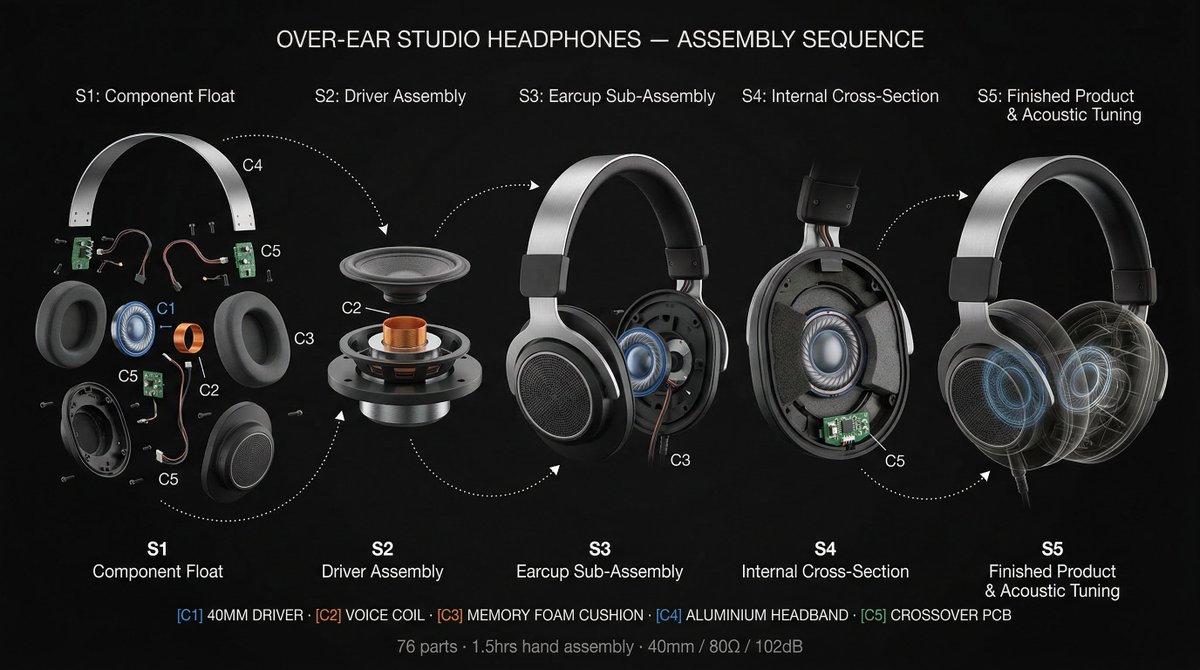
5-stage horizontal manufacturing timeline, frozen mid-assembly. deep matte black background. dramatic industrial spotlights, deep shadow falloff. S1: Components scattered, floating, zero assembly. S2: Converging with speed lines, skeleton emerging. S3: Half-built, peak tension, fasteners mid-tighten. S4: Chassis open, full internals exposed. S5: Finished product + ghost wireframe overlay. Same 3/4 camera angle across all stages. Dotted trajectory arcs connect each component across stages. Each component color-coded consistently. Title: "PRODUCT NAME - ASSEMBLY SEQUENCE" Footer: "N parts parts · X hrs · KEY SPEC" Helvetica Neue Light labels. 4K, tack sharp. Dieter Rams precision.

Hardcore Engineering Infographic Style

Hardcore Engineering Infographic Style

1️⃣ Select {argument name="object" default="OBJECT"} 2️⃣ Keep the realistic image clear and visible 3️⃣ Overlay black, hand-drawn engineering annotations (labels, dimensions, materials, cross-sections, arrows)

Architectural Illustrator Presentation Board Template

Architectural Illustrator Presentation Board Template

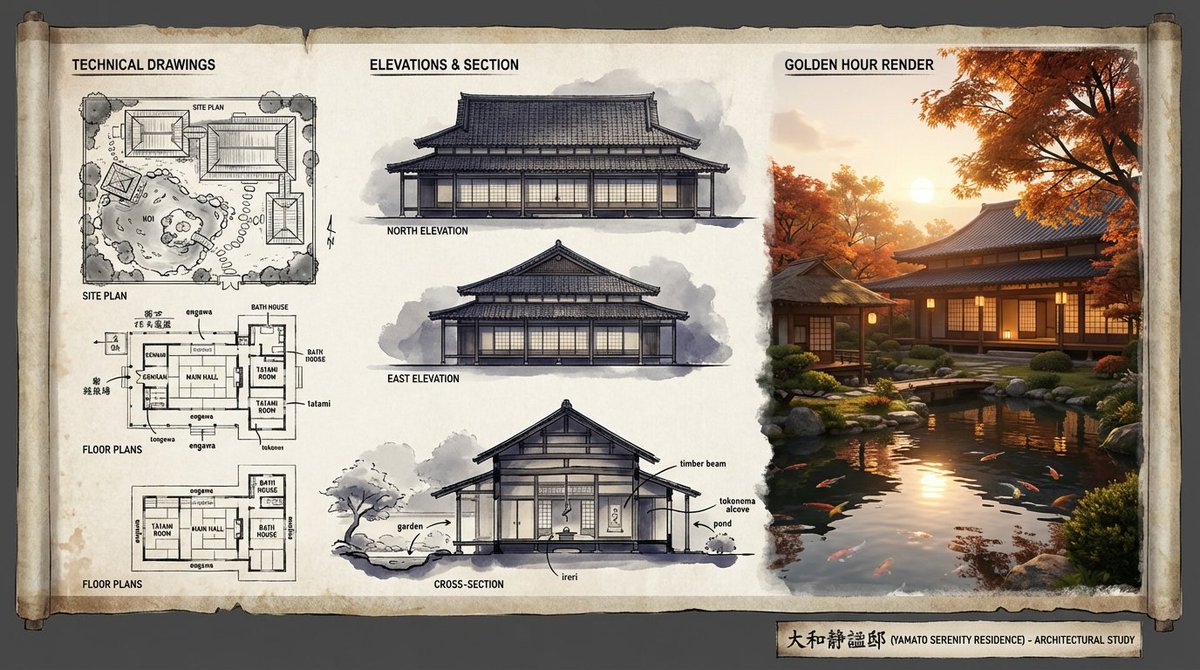
An expert architectural illustrator's presentation board for a [{argument name="style" default="STYLE"}] residence featuring [{argument name="architectural elements" default="KEY ARCHITECTURAL ELEMENTS"}]. The canvas flows left to right: black and white 2D drawings (Site Plan, Floor Plans) on the left, Elevations and Cross-Section in the center, and a photorealistic 3D render at [{argument name="time of day" default="TIME OF DAY/LIGHTING"}] on the right. Unified aesthetic blending [{argument name="linework style" default="LINEWORK STYLE"}] with [{argument name="texture" default="TEXTURE/MATERIAL"}]. [{argument name="drawing tones" default="TECHNICAL DRAWING TONES"}] transitioning to [{argument name="render palette" default="RENDER COLOUR PALETTE"}]. Title block reads '[{argument name="project name" default="PROJECT NAME"}]'.

部分提示词收录自 X 平台创作者,版权归原作者所有。