Instinct AI
Back to library
UI/UX Redesign Prompt (Pop Design Style) 1
ImageNeeds reference image

UI/UX Redesign Prompt (Pop Design Style)

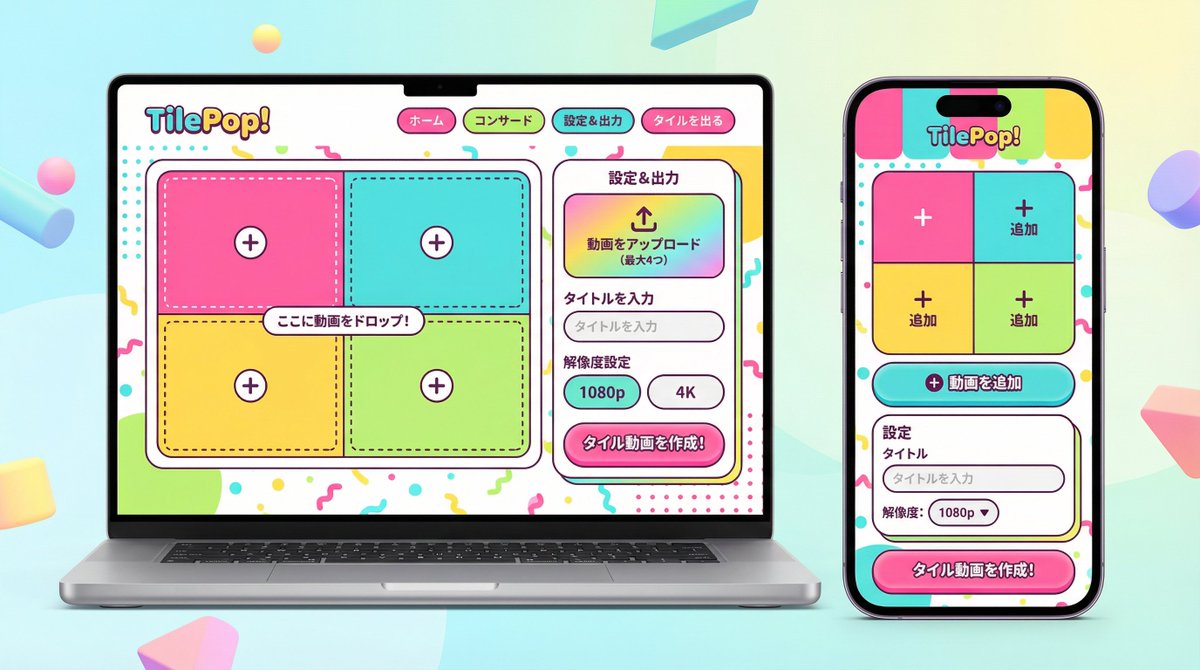
A detailed system prompt for Nano Banana Pro Agent V1.2, instructing it to act as a senior UI/UX designer. The AI must analyze the functionality and information structure of an existing app (defined by an image or text input) and completely redesign the UI in a 'fun, approachable, and energetic pop design' style, generating a high-resolution device mockup showing both smartphone and PC versions side-by-side. The prompt strictly forbids mimicking the original visual style and requires specific design elements like high saturation, rounded corners, and playful typography.

Prompt
You are an experienced senior UI/UX designer specializing in new service launches and redesigns.

Analyze the attached image (or input text if no image is attached) and extract **only the 'functional requirements' and 'information structure'** shown there.
Based on the extracted functions, generate a high-resolution device mockup image of the app/service with a **completely refreshed design**, showing both the 'Smartphone version (mobile app)' and the 'PC version (Web dashboard or LP)' side-by-side.

**Important Requests:**
1.  **Design Refresh:** **Do not imitate** the visual style of the attached image at all. Propose a completely new design according to the 'Pop Design' instructions below.
2.  **Functionality Maintenance:** Core app functions, such as 'Upload,' 'Video Tiling Display,' and 'Export Settings,' must be included in the UI.
3.  **No Characters:** Do not place any characters or human illustrations in the image. Focus only on the UI and devices.

▼ Instructions for the Generation Process (Thinking Process)
Construct the design by executing the following thought process before drawing:
 * [Step 1: Extraction of Functional Requirements]: Identify what the service does from the attached image (e.g., video upload, tiling edit, output) and list the necessary UI elements.
 * [Step 2: Formulation of Pop Design Concept]: Define a vibrant color palette, playful shapes, and approachable typography based on the '▼ New Design and Style Specification' below.
 * [Step 3: Responsive UI Design]:
    * Smartphone Version: Optimize the UI using the defined pop design so that it is fun to operate even on a small screen. Buttons should be large and easy to press.
    * PC Version: Design a visually enjoyable grid layout utilizing the wide screen, using the defined pop design.
 * [Step 4: Spatial Composition]: Set an angle where the PC and smartphone are beautifully aligned, and the new design of both screens is clearly conveyed.

▼ New Design and Style Specification
 * **Design Direction:** Adopt **'Fun, Approachable, and Energetic Pop Design.'**
    * **Color:** Use a highly saturated, vibrant multi-color palette (e.g., candy colors, bright yellow, hot pink, sky blue) to give an energetic impression.
    * **Shape:** Frequently use large rounded corners for buttons, cards, and windows to create a soft, tactile texture. Icons should be in a playful style drawn with thick lines.
    * **Font:** Use an approachable and highly legible rounded Gothic Japanese font.
    * **Overall Atmosphere:** Finish with a bright, positive UI that makes the user excited to interact with it.
 * **Composition:** Cross-platform mockup with the PC and smartphone beautifully aligned, in an isometric (oblique overhead) or front view. The background should be a bright studio environment that enhances the pop UI.
 * **Text:** Place accurate Japanese text indicating the functions.

▼ Input Text (App Function Definition)
{argument name="app function definition" default="App to tile and export uploaded videos\nNo AI analysis function needed\nI want to be able to set the resolution!"}
Author
Community
Published
Feb 5, 2026
Use cases
App / Web designProduct marketing

More prompts like this

Realistic MacBook Screen POV

Realistic MacBook Screen POV

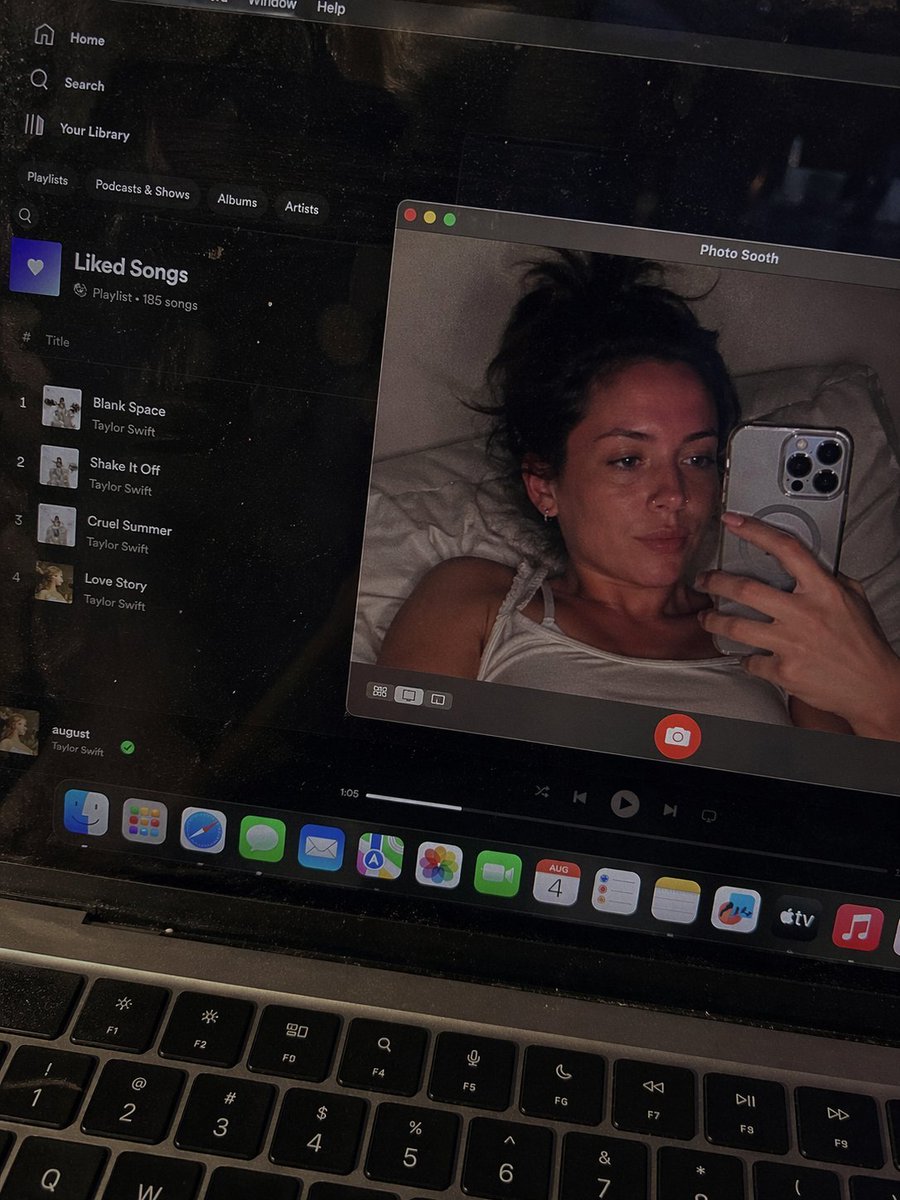
{\"image_settings\": {\"aspect_ratio\": \"3:4\", \"resolution\": {\"width\": 1152, \"height\": 1536}}, \"prompt\": {\"identity_lock\": {\"reference\": \"input_photo\", \"preserve\": [\"face\", \"facial proportions\", \"eye shape\", \"nose\", \"lips\", \"skin tone\", \"skin texture\", \"hairline\", \"overall identity\"], \"rules\": [\"no face swap\", \"no beautify\", \"no smoothing\", \"no reshaping\", \"no AI look\"]}, \"scene\": {\"camera_angle\": \"high-angle downward shot, POV\", \"composition\": \"MacBook screen fills most of the frame, thin strip of physical keyboard visible at the bottom\", \"screen_surface\": [\"visible RGB pixel grid\", \"subtle moire effect\", \"micro dust on glass\", \"faint fingerprints\", \"soft ambient reflections\"]}, \"digital_interface\": {\"os\": \"macOS dark mode\", \"background_app\": {\"name\": \"{argument name="background app" default="Spotify"}\", \"view\": \"Liked Songs\", \"visible_tracks\": [{argument name="song list" default="\"Blank Space – Taylor Swift\", \"Shake It Off – Taylor Swift\", \"Cruel Summer – Taylor Swift\", \"Love Story – Taylor Swift\""}]}, \"foreground_app\": {\"name\": \"Photo Booth\", \"state\": \"live preview window\", \"position\": \"floating, center-right\"}}, \"photo_booth_content\": {\"environment\": {\"room\": \"dim bedroom\", \"background\": \"off-white wall, rumpled bedding\", \"lighting\": \"low-light, nocturnal, cool screen glow mixed with warm skin tones\"}, \"subject\": {\"pose\": \"lying down, relaxed, candid\", \"expression\": \"natural, slightly relaxed\", \"outfit\": \"{argument name="outfit" default="light-colored tank top"}\", \"prop\": {\"item\": \"iPhone 15 Pro\", \"hand\": \"right hand\"}}}, \"realism_rules\": [\"this is a photo of a screen, not a screenshot\", \"raw smartphone photo look\", \"natural noise\", \"imperfect glass\", \"no studio lighting\", \"no HD polish\"]}, \"negative_prompt\": [\"screenshot\", \"flat UI\", \"perfect screen\", \"clean glass\", \"studio lighting\", \"beauty filter\", \"cartoon\", \"3d render\", \"painting\", \"watermark\", \"blurred face\"]}
Abstract Brand Illustration for Innovation and Clarity

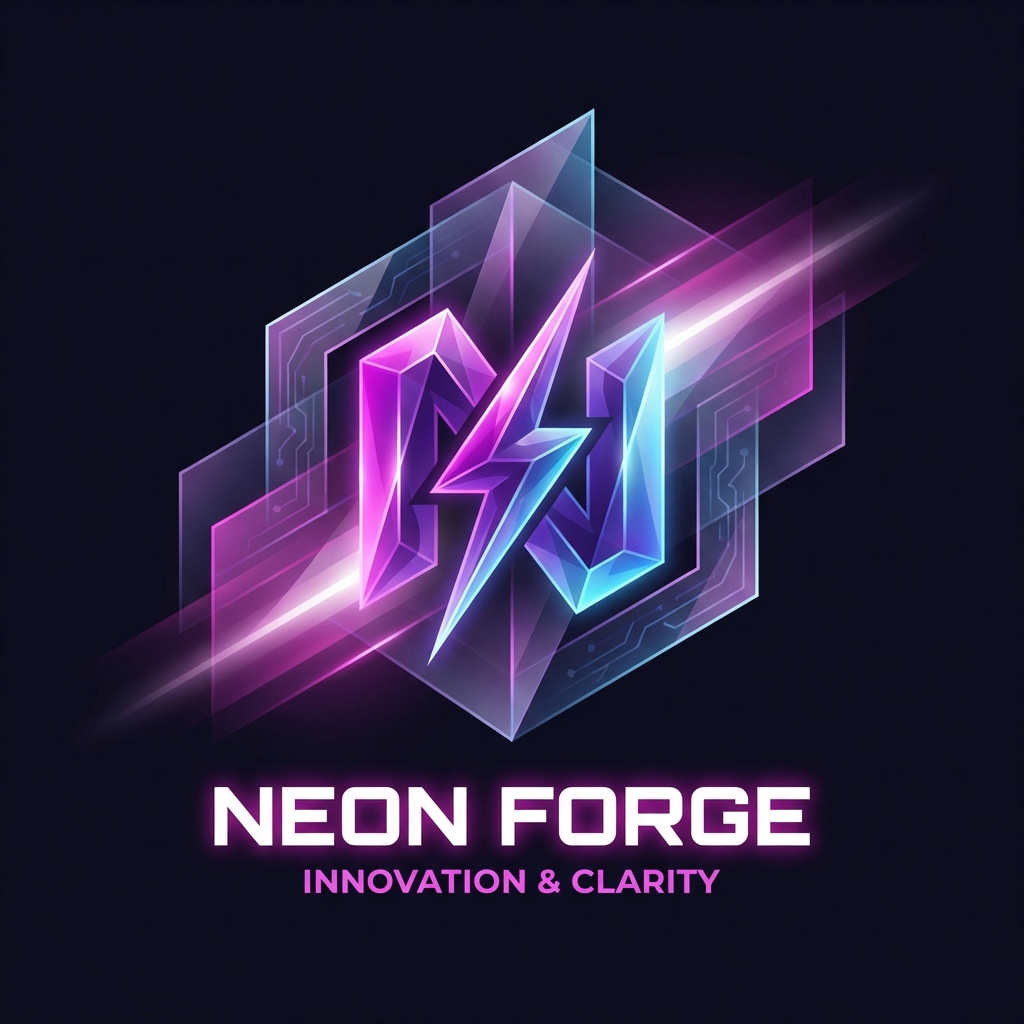
Abstract Brand Illustration for Innovation and Clarity

Abstract brand illustration representing {argument name="concept 1" default="innovation"} and {argument name="concept 2" default="clarity"}. Geometric forms with subtle depth, smooth gradients, controlled contrast, modern, restrained color palette, timeless and non-trendy aesthetic, designed for long-term brand use.

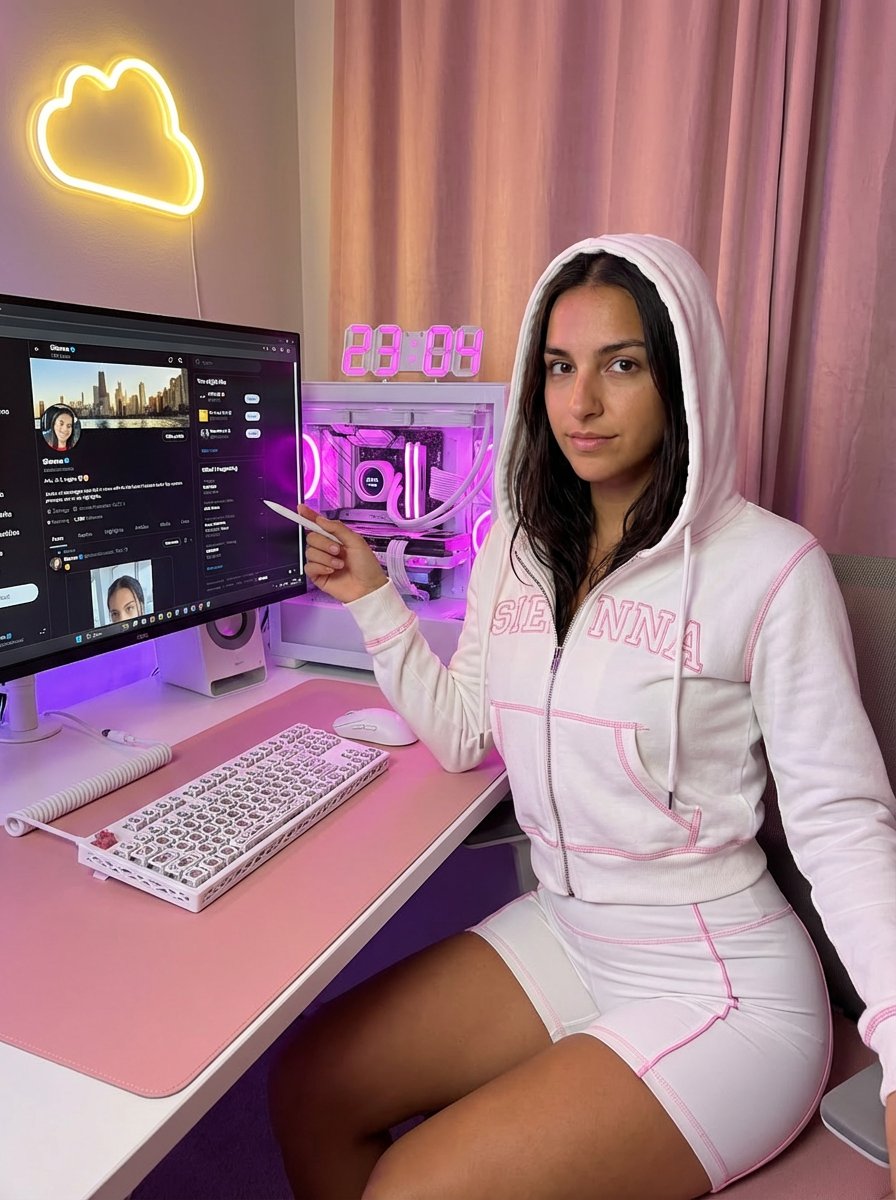
Moody Gaming Desk Portrait with X Profile Detail

Moody Gaming Desk Portrait with X Profile Detail

{ "aspect_ratio": "3:4", "subject_pose": "A medium-long distance photograph capturing a woman sitting in a chair at a computer desk. The frame is wide enough to clearly show her entire body from the waist down to her feet resting on the floor under the desk. Her torso is turned slightly to the right, while her head is tilted slightly right, looking directly back at the camera. Her right arm rests on the edge of the desk, with her hand near a keyboard. Her left arm is bent upwards, holding a small object (like a stylus) between her index finger and thumb, pointing it toward the computer monitor. Her lips are slightly parted. Natural office lighting.", "face": "Oval-shaped face with defined cheekbones, narrow eyes accentuated with black eyeliner and winged tips, thin eyebrows. lips with rose-pink lipstick, mauve undertone, high-gloss finish, juicy and plump appearance, detailed lip texture with visible specular highlights. Subtle shimmer on the skin.", "nails": "Almond French Nails.", "lighting": "Dim, low-key lighting creating a moody atmosphere with soft shadows, highlights on the skin and clothing, and overall dark tones in the room.", "camera": "Close-up shot focusing on the upper body and face, captured from a slightly elevated angle looking down at the subject.", "style": "Realistic photographic style with high detail, smooth skin textures, and natural color tones.", "environment_desk_setup": "Photo of a cozy white and pink aesthetic gaming desk setup, vertical shot. The main focus is a sleek white computer monitor displaying A sleek white computer monitor displaying a X profile page zoomed in and enlarged. The profile appears closer than normal, filling most of the screen. The “Follow” button is large, clear, and highly visible, prominently displayed. Profile photo, username, and bio are enlarged and easy to read. The first (top) tweet on the profile is clearly visible on the screen, readable and unobstructed. X UI visible, white interface, authentic platform layout. Below the monitor is a white monitor riser. On the desk: a custom white mechanical keyboard with a lattice skeletal case, a white gaming mouse, and a large pink desk mat. To the right: a white PC tower case with a glass side panel, vibrant pink and purple internal RGB lighting, white liquid cooling pipes, and a digital cooler display showing temperature.", "accessories": "A digital clock on the left showing “23:04” in pink LED numbers, a white macro pad controller.", "background": "Soft pink curtains, a warm yellow neon cloud-shaped light on the wall, ambient purple and warm lighting. Cozy atmosphere, high resolution, photorealistic, interior design photography.", "outfit": "A white two-piece matching loungewear set, Y2K aesthetic.", "top": "A tight-fitted white zip-up hoodie crop top with long sleeves, hood up. Visible bright pink contrast overlock stitching on hems and seams. Large pink cursive script typography printed

App Store Promotional Image Generation Prompt (Mr. Beast Style)

App Store Promotional Image Generation Prompt (Mr. Beast Style)

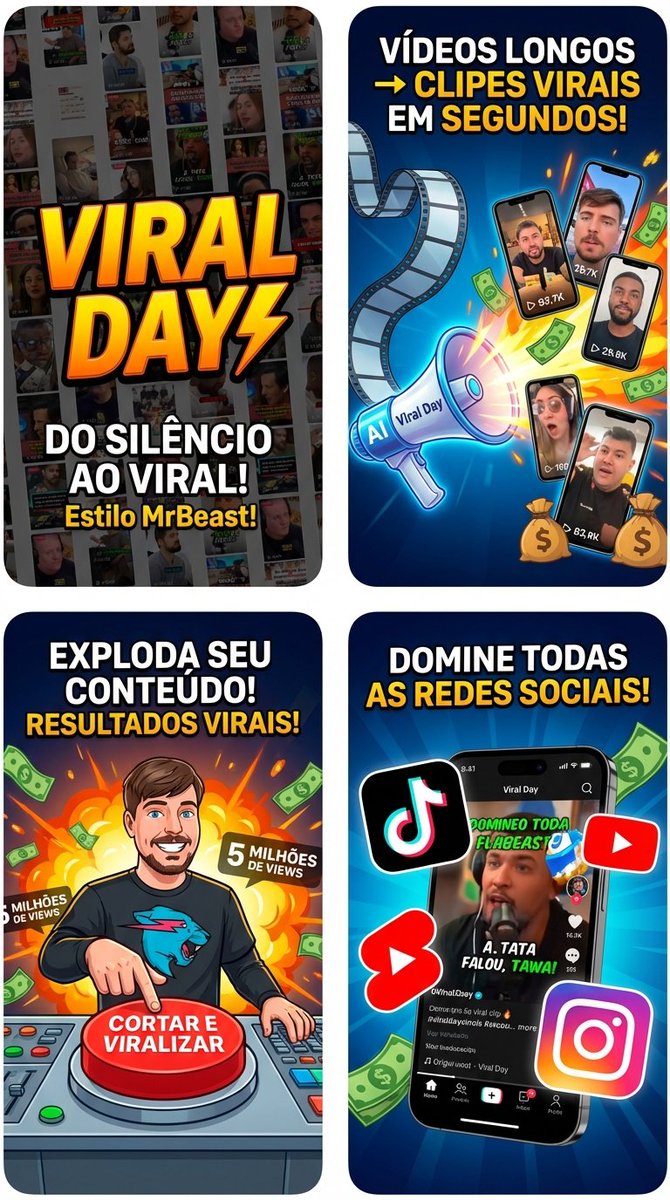
I want you to create promotional images for the App Store for my app called {argument name="app name" default="viral day"} that transforms long videos into short videos. Be creative, something like this: create variations showing a long video turning into cuts. Be creative, in the style of {argument name="style reference" default="mr beast"}.

Five High-Efficiency Nano Banana Pro Prompts for Business Graphics

Five High-Efficiency Nano Banana Pro Prompts for Business Graphics

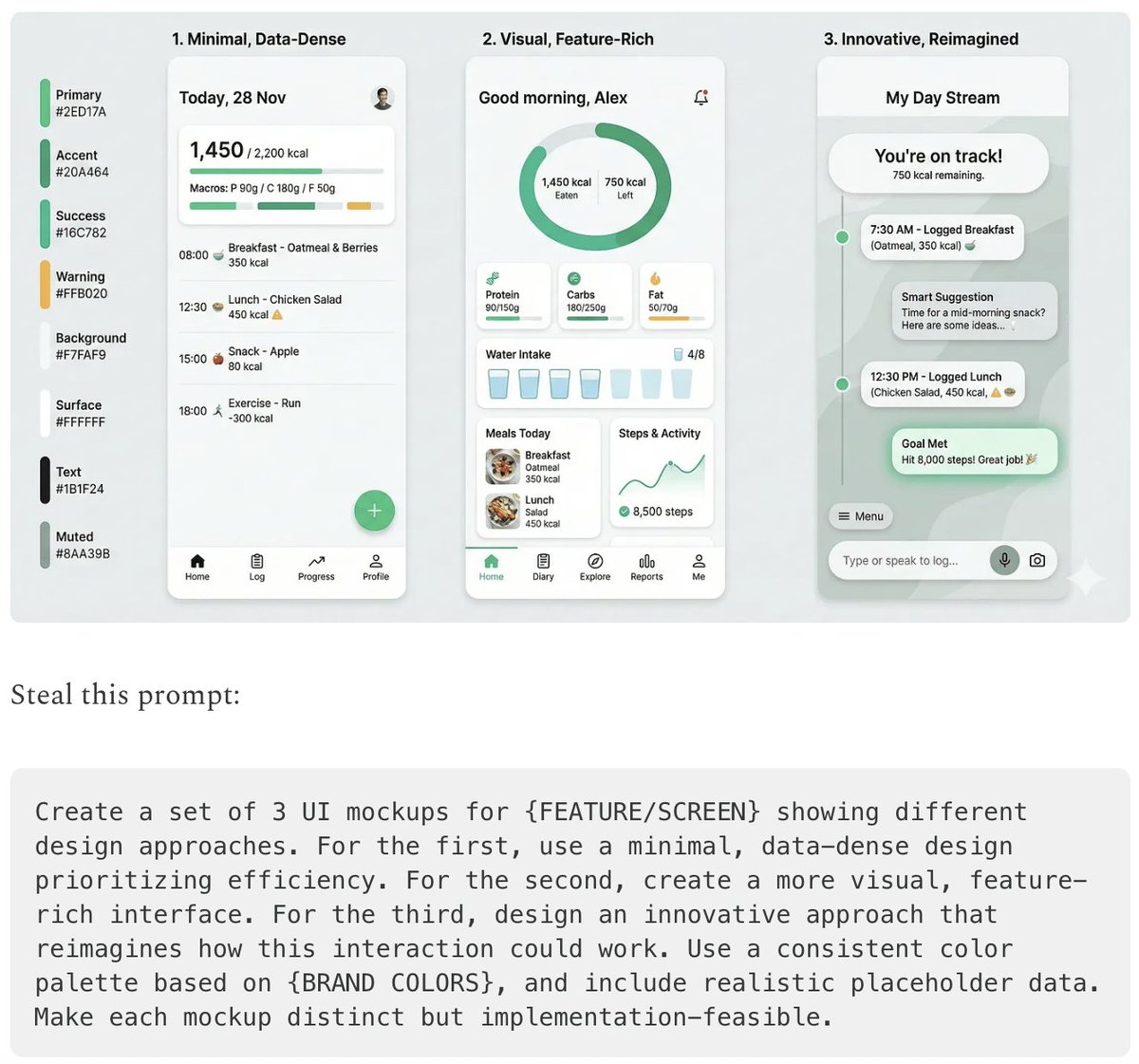
- {argument name="use case 1" default="LinkedIn Infographic"} - {argument name="use case 2" default="Technical Architecture Diagram"} - {argument name="use case 3" default="Product UI Comparison Model"} - {argument name="use case 4" default="Data Visualization"} - {argument name="use case 5" default="Code Visualization Explanation"}

Vertical Split-Screen Branding Composition

Vertical Split-Screen Branding Composition

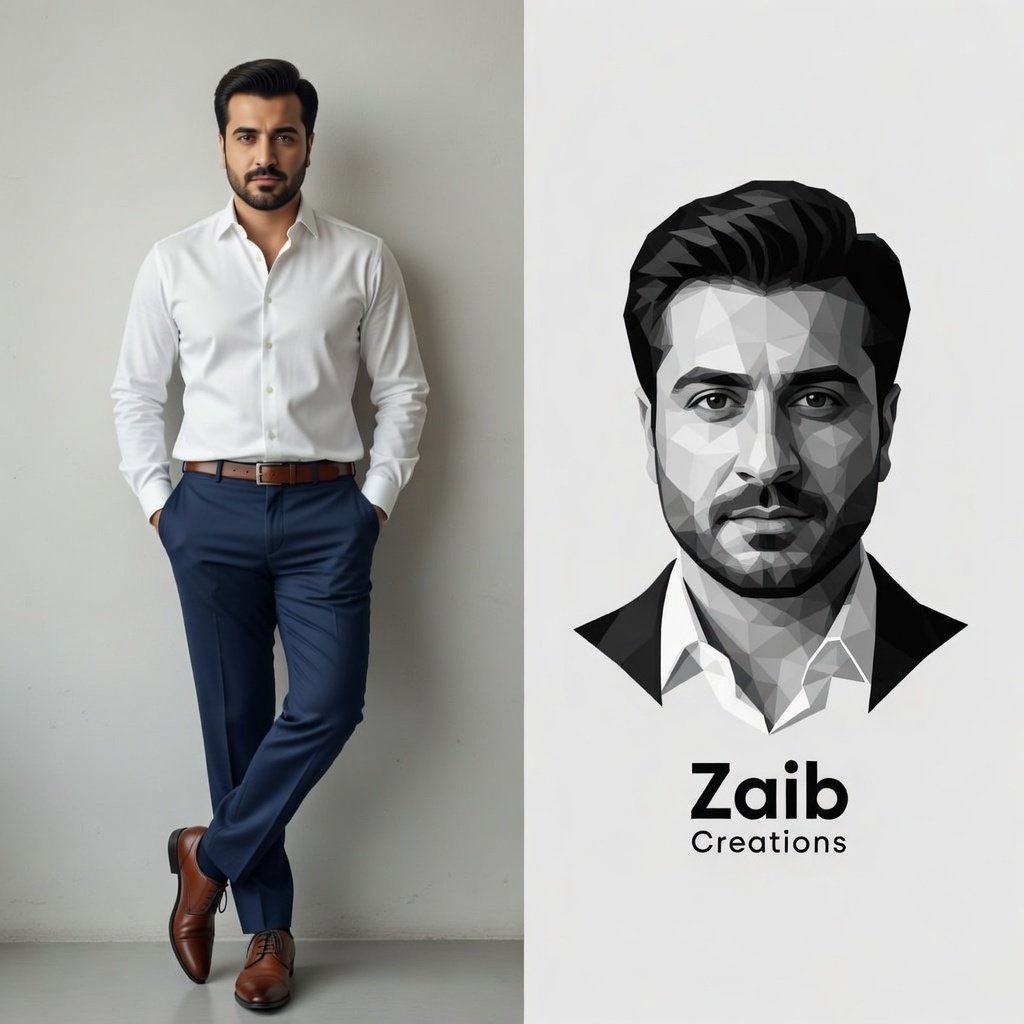
A vertical split-screen composition. Left side: A high-resolution full-body photograph of a handsome man with a neat beard and dark hair, wearing a crisp white dress shirt tucked into navy blue trousers and brown leather oxford shoes. He is posing against a clean grey wall. Right side: A minimalist, black and white geometric low-poly vector illustration of the same man's face. Above the illustration, the bold sans-serif text '{argument name="name" default="BOB"}' is stacked over the word '{argument name="profession" default="Designer"}'. Professional branding aesthetic, clean and modern.

Emotional Handwritten Aesthetic Design

Emotional Handwritten Aesthetic Design

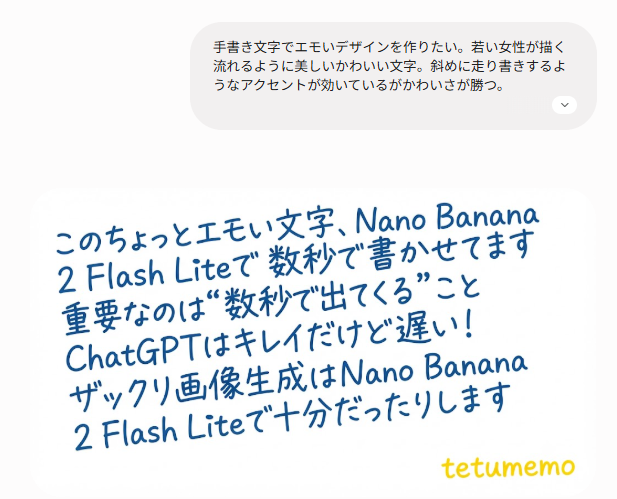
I want to create an emotional design with handwritten characters. Beautiful and cute flowing characters drawn by a young woman. It has a scribbled diagonal accent but the cuteness wins out. Use only a white background as it will be used as a material. No decoration, the beauty of the characters stands out. The text is: {argument name="text to express" default="please enter the text you want to express here"}

Some prompts are collected from creators on X. Copyright belongs to the original authors.