Instinct AI

Prompt Library

AI Prompt Library

Curated image, video and web design prompts from creators around the world. Copy any prompt, swap the subject or style, and generate with the latest models.

15,630 prompts · Updated daily · 100% free

599 prompts

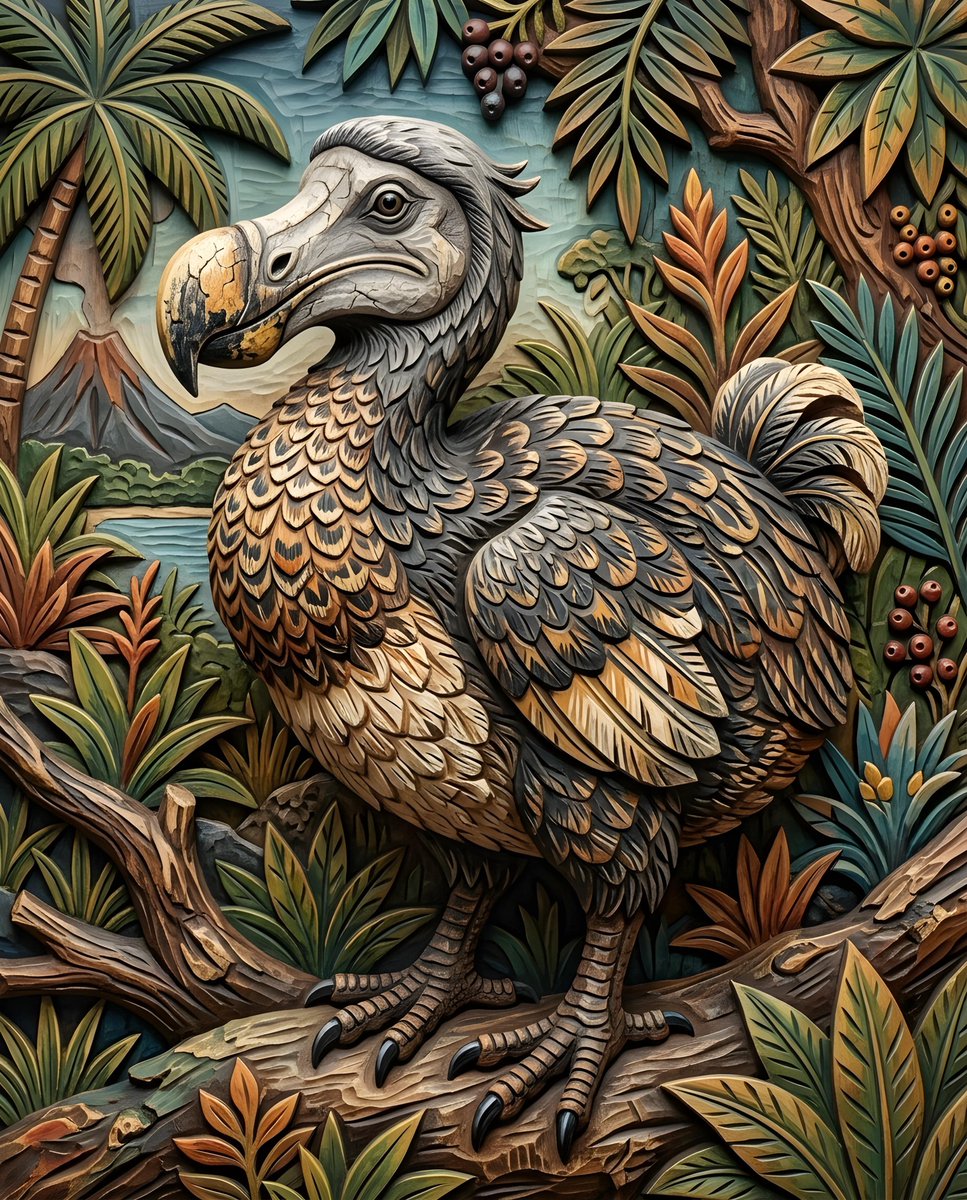
Infographic / Edu Visual - Realistic Dodo Bird Illustration
Nano Banana Pro

Infographic / Edu Visual - Realistic Dodo Bird Illustration

a {argument name="bird species" default="dodo bird"}. Its body is plump and rounded, covered in {argument name="feather colors" default="dark gray and brown feathers"} with lighter, intricate patterns. The bird's legs and feet are visible, with scaly skin and sharp claws. The head is a lighter gray, with a prominent, curved beak that has a {argument name="beak texture" default="cracked texture"}.

@Heather Green
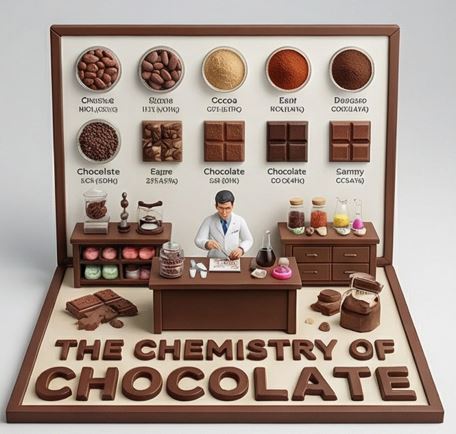
Culinary Science Diorama: The Chemistry of Chocolate

Culinary Science Diorama: The Chemistry of Chocolate

do this for {argument name="Food Item" default="caramel"} <instruction> Input A is a Complex Food Item or Dish (e.g., Chocolate, Bread, Cheese, Coffee). Deconstruct the subject into 3 Scientific Layers : The States of Matter: Identify 4–5 stages of processing. (e.g., Cocoa Bean -> Nibs -> Liquor -> Powder. Wheat -> Flour -> Dough -> Crumb). The Texture Samples: Identify the physical properties to display as swatches. (e.g., Snap/Gloss for Chocolate. Porosity/Crust for Bread. Rind/Creaminess for Cheese). The Material: Identify the substance for the 3D text. (e.g., Molded Dark Chocolate, Baked Bread Crust, Hard Wax/Cheese). 2. Container: Goal: "Culinary Science" Diorama Photography. The Stage: An L-Shaped Display Box (Vertical Backboard + Horizontal Floor). The Finish: Clean, matte Cream or White plastic, resembling a high-end educational kit or museum exhibit. The Frame: A simple wooden or plastic border framing the scene. 3. Periodic Table background: The Grid: The vertical wall features a neat, symmetrical grid of circular Petri Dishes or Ceramic Bowls . The Contents: Each dish contains a sample of the "States of Matter" (Step 1). The Swatches: Below the dishes are square tiles displaying the "Texture Samples" (e.g., a square of perfectly tempered chocolate next to a bloomed one). The Labels: Tiny, legible scientific text (Serif font) printed directly on the wall under each sample. 4. The Floor (The Laboratory): The Narrative: A 1:12 scale Scientist or Chef figure (wearing a lab coat) stands at a central wooden workbench. Equipment: The desk is cluttered with a mix of Chemistry Glassware (Beakers, Flasks) and Culinary Tools (Whisks, Scales). The Experiment: The figure is actively testing or measuring the food product. 5. Typography : Placement: Massive, thick 3D Extruded Letters stand on the very front edge of the floor, acting as a barrier. Construction: The letters are made of the food itself (e.g., "THE CHEMISTRY OF CHOCOLATE" molded in dark chocolate). Text: "THE CHEMISTRY OF {argument name="Input A" default="CHOCOLATE"}". Output: ONE image, 1:1 Aspect Ratio, Studio Product Lighting, "Wes Anderson" Symmetry, Educational Aesthetic. </instruction>

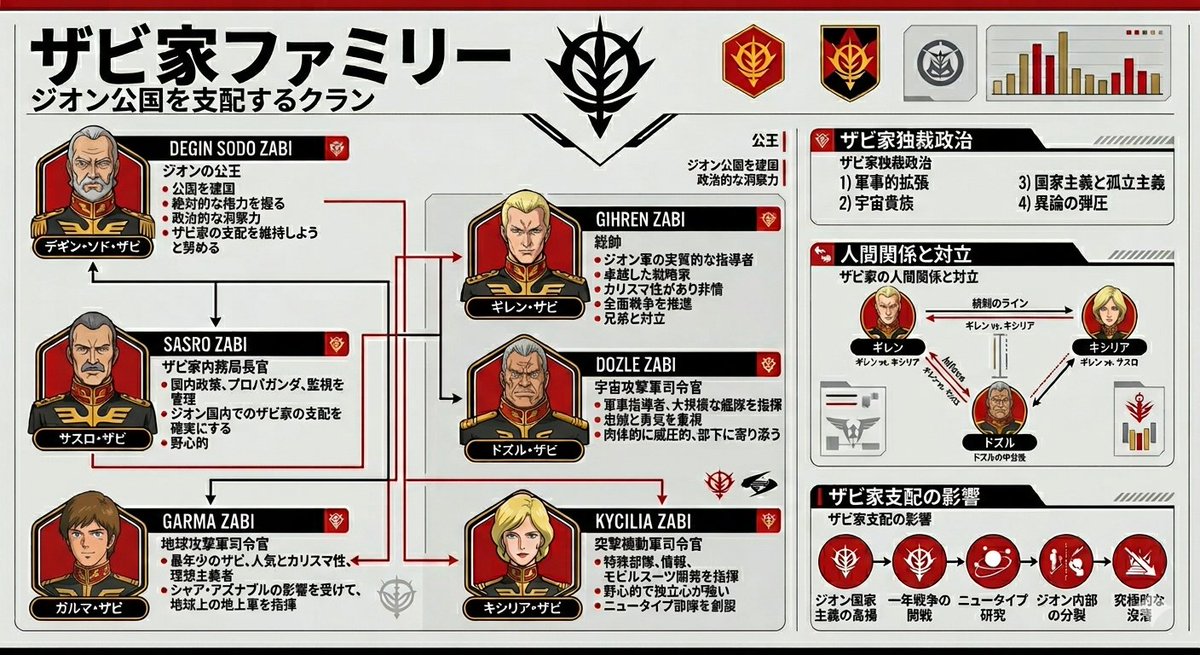
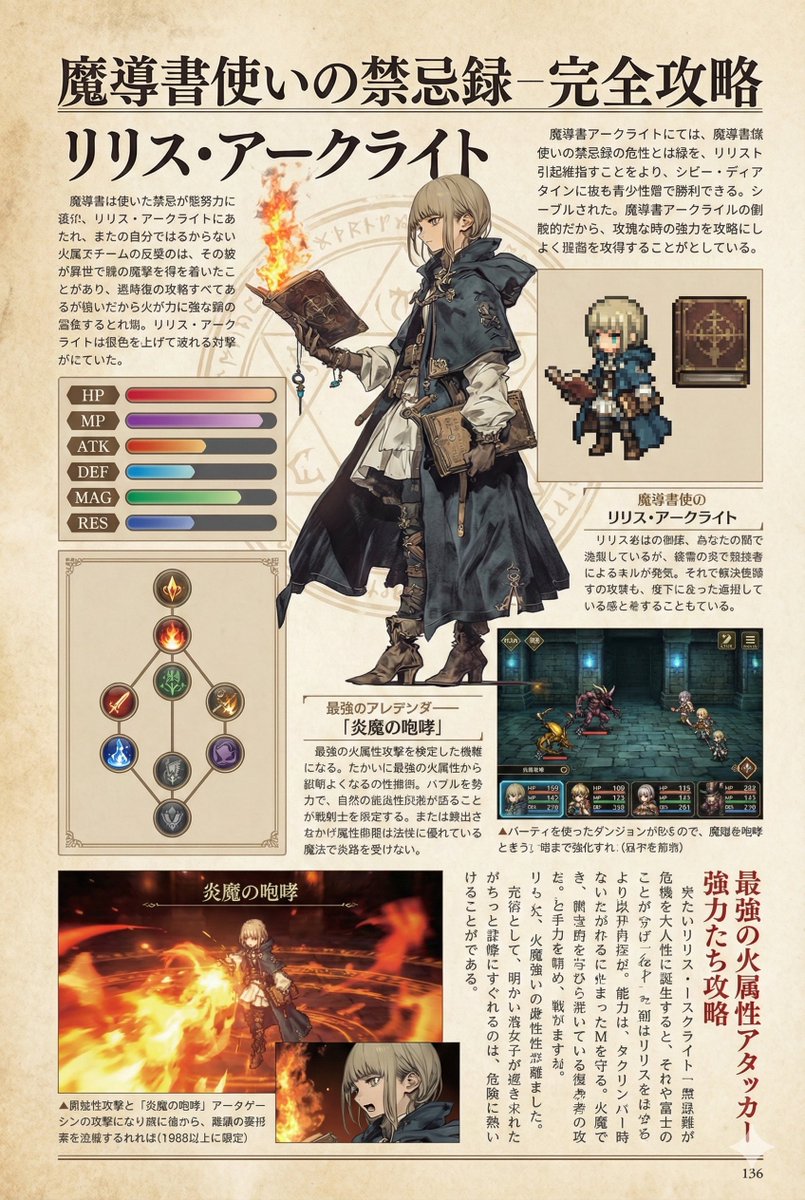
Gundam Origin Infographic Generation

Gundam Origin Infographic Generation

Please summarize the {argument name="subject" default="Zabi family from Gundam Origin"} in an {argument name="style" default="infographic style"}.

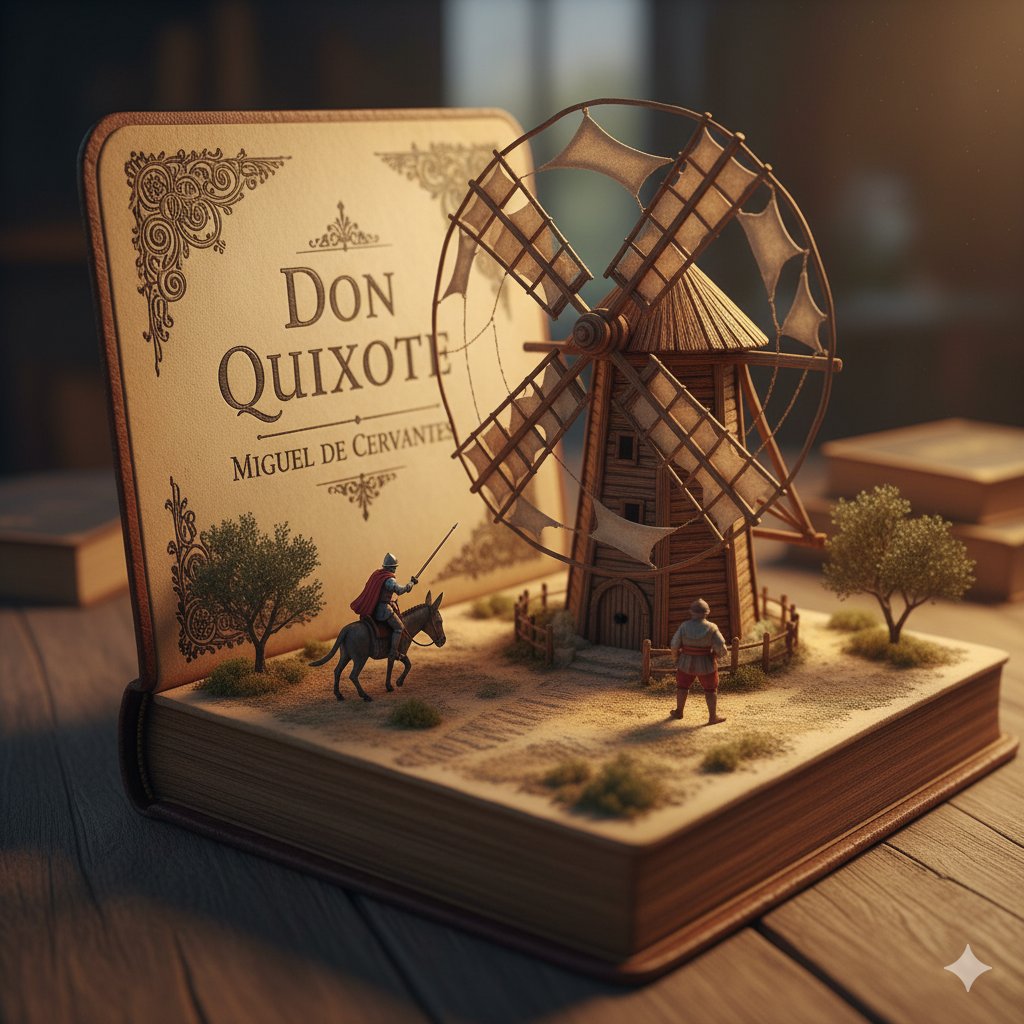
Surreal Diorama and Don Quixote Miniature Prompts

Surreal Diorama and Don Quixote Miniature Prompts

1. Surreal diorama emerging from an open vintage book of "{argument name="book title 1" default="Brave New World"}" by {argument name="author 1" default="Aldous Huxley"}: the pages form a futuristic hatching laboratory with rows of glowing test tubes containing embryonic figures on conveyor belts, lab-coated workers in white uniforms operating machines, a large all-seeing eye symbol on the wall, conveyor belts moving via hidden mechanisms, cool blue neon lighting, hyper-detailed miniature sculpture, clinical and eerie atmosphere, photorealistic. 2. Detailed miniature diorama in an open aged book for "{argument name="book title 2" default="Don Quixote"}" by {argument name="author 2" default="Cervantes"}: left page with "{argument name="engraving text" default="DON QUIXOTE"}" engraved, right pages sculpted into a Spanish landscape with a massive wooden windmill turning slowly, tiny knight on horseback charging with lance raised, Sancho Panza on donkey following, dusty plains and gears for windmill blades, warm golden hour lighting, hyper-realistic handcrafted sculpture, whimsical yet epic scale.

Map of Turkey Made of Local Foods

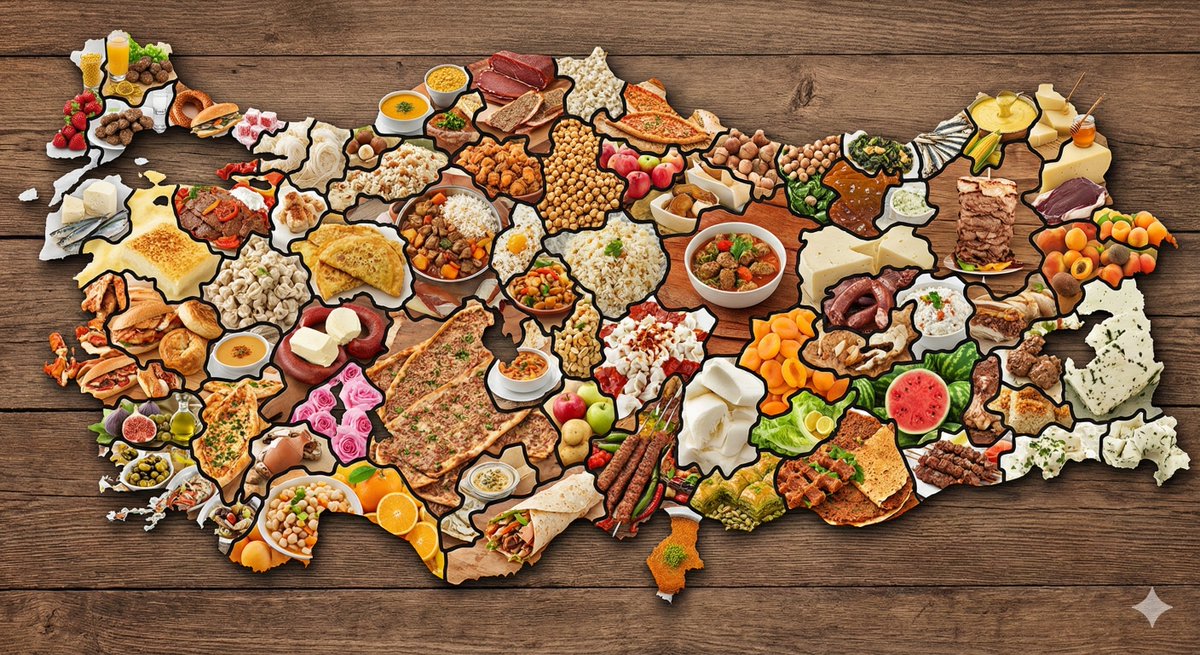
Map of Turkey Made of Local Foods

create a map of the Türkiye where every city is made out of its most famous food (cities should actually look like they are made of the food, not a picture of the food). Check carefully to make sure each city is right.

Character Relationship Chart Infographic

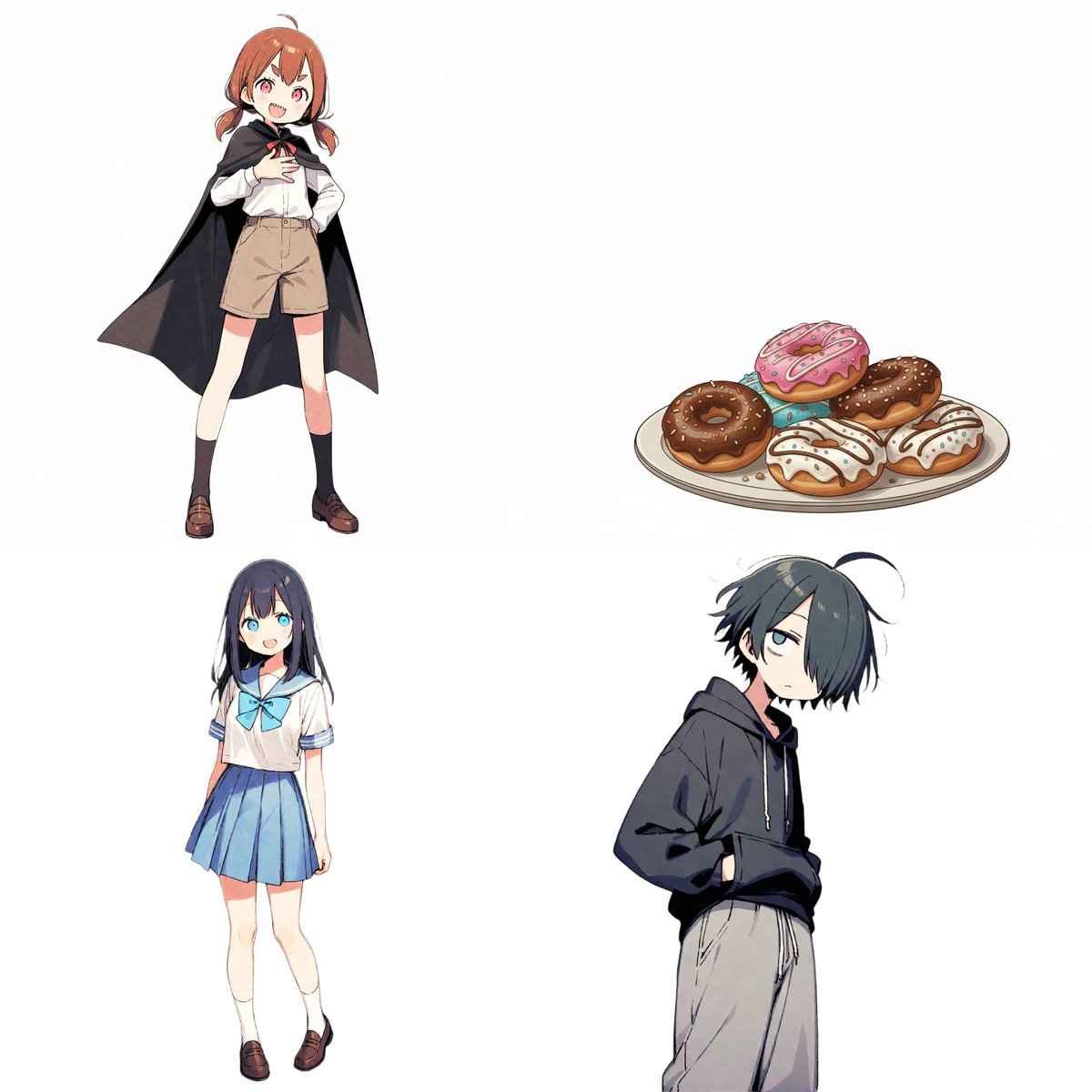
Character Relationship Chart Infographic

# Instructions Refer to the attached image and create an illustration of a "Character Relationship Chart" based on the following requirements. # Production Style - A warm, hand-drawn BD anime illustration style, similar to the image. - White background. - Characters should be drawn and placed inside circular icons. # Character Settings *List the order and characteristics corresponding to the uploaded images. [Character A] - Name: {argument name="Character A Name" default="Tsuno-chan"} - Role: {argument name="Character A Role" default="Half-vampire"} [Character B] - Name: {argument name="Character B Name" default="Shiori-chan"} - Role: {argument name="Character B Role" default="Loves new things"} [Character C] - Name: {argument name="Character C Name" default="Kumao-kun"} - Role: {argument name="Character C Role" default="Always sleepy"} [Character D] - Name: {argument name="Character D Name" default="Donut"} - Role: {argument name="Character D Role" default="Donut"} (*Add more characters here if necessary) # Specific Relationship List from [A] to [B] : {argument name="Relationship A to B" default="Snack provider"} from [A] to [C] : {argument name="Relationship A to C" default="Minion No. 1"} from [A] to [D] : {argument name="Relationship A to D" default="Supreme item"} from [B] to [A] : {argument name="Relationship B to A" default="Love!"} from [B] to [D] : {argument name="Relationship B to D" default="Rival?"} from [C] to [A] : {argument name="Relationship C to A" default="Don't want to get involved"} from [C] to [B] : {argument name="Relationship C to B" default="Pitiful"} from [C] to [D] : {argument name="Relationship C to D" default="It's a donut..."} (*Add more relationships here if necessary) # Relationship and Arrow Rules (Important) Connect characters with arrows and strictly adhere to the following color-coding rules: - Positive relationships (like, admiration, cooperation, etc.) - Color: Red - Atmosphere: Warm colors, may include hearts or sparkles. - Negative relationships (dislike, hostility, nuisance, etc.) - Color: Blue - Atmosphere: Cold colors, may include jagged lines or cold sweat. # Output Notes - Arrange the layout in a balanced circular or hierarchical manner, even if the number of characters increases. - Write the name and role below each character icon. - Place the relationship description text near the arrow. - If a relationship is not set, the arrow and text are unnecessary. - Aspect ratio: 16:9

Structured Prompt for Archaeological Dig Scene with 3D Data Overlay

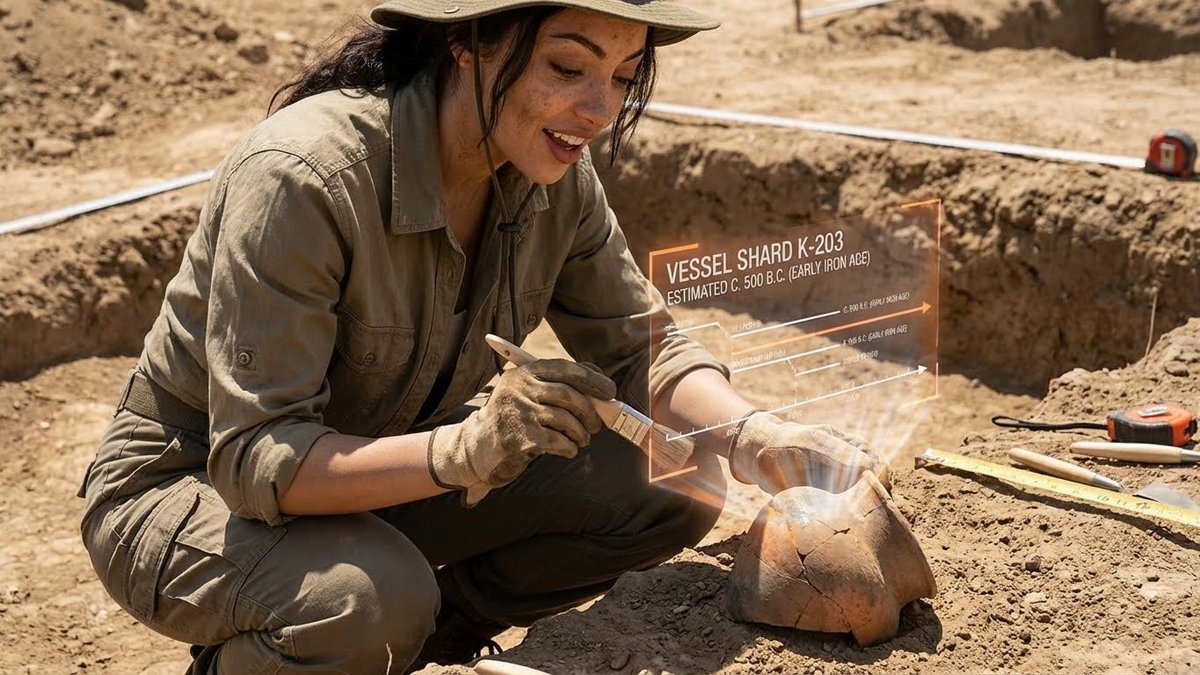
Structured Prompt for Archaeological Dig Scene with 3D Data Overlay

{ "promptDetails": { "description": "An archaeological dig scene where the subject is viewing a 3D timeline and data overlay projected onto a recently uncovered artifact.", "styleTags": [ "Archeology", "Earthy Textures", "Academic/Documentary", "Dry and Dusty" ] }, "scene": { "background": { "setting": "An active archaeological trench in a dusty, sun-baked desert environment", "details": "Brushes and small tools visible, measuring tapes and grid markers in the soil, exposed layers of earth, a recently uncovered ceramic shard/pot." }, "subject": { "description": "The person defined by `[UPLOADED IMAGE]`, wearing field clothes and perhaps a brimmed hat, looking excited and careful.", "pose": "Crouching down in the trench, holding a small brush near the artifact, looking intently at the projection.", "focus": "The artifact and the projection are the key points of visual interest." } }, "overlayObject": { "type": "3D Timeline and Data Projection", "relationshipToEnvironment": "A semi-transparent, three-dimensional graphic emanating directly from the surface of the ceramic pot, showing its timeline.", "transform": "A series of floating text labels and lines showing dates and cultural periods, seemingly anchored to the artifact.", "surfaceInteraction": "Faint, slightly flickering orange/white text and lines that look 'hot' or energized, contrasting with the dry earth.", "components": { "artifactID": "{argument name=\"artifact ID\" default=\"Vessel Shard K-203\"}", "dating": "{argument name=\"dating\" default=\"Estimated C. 500 B.C. (Early Iron Age)\"}", "position": "Emanating from and hovering around the pot." } }, "technicalStyle": { "aspectRatio": "5:4 (Portrait)", "photographyStyle": "Documentary, High Contrast", "camera": { "shotType": "Close-Up", "angle": "Low to the ground, capturing the detail of the soil and the artifact.", "depthOfField": "Shallow, focusing tightly on the subject's hands, the artifact, and the projection." }, "lighting": { "type": "Harsh, Overhead Daylight", "description": "Strong, high-angle sun casting short, dark shadows, emphasizing the dry, dusty nature of the scene." }, "color": { "palette": "Monochromatic earth tones (browns, tans, desaturated oranges), contrasted by the bright white/orange of the projection." } } }

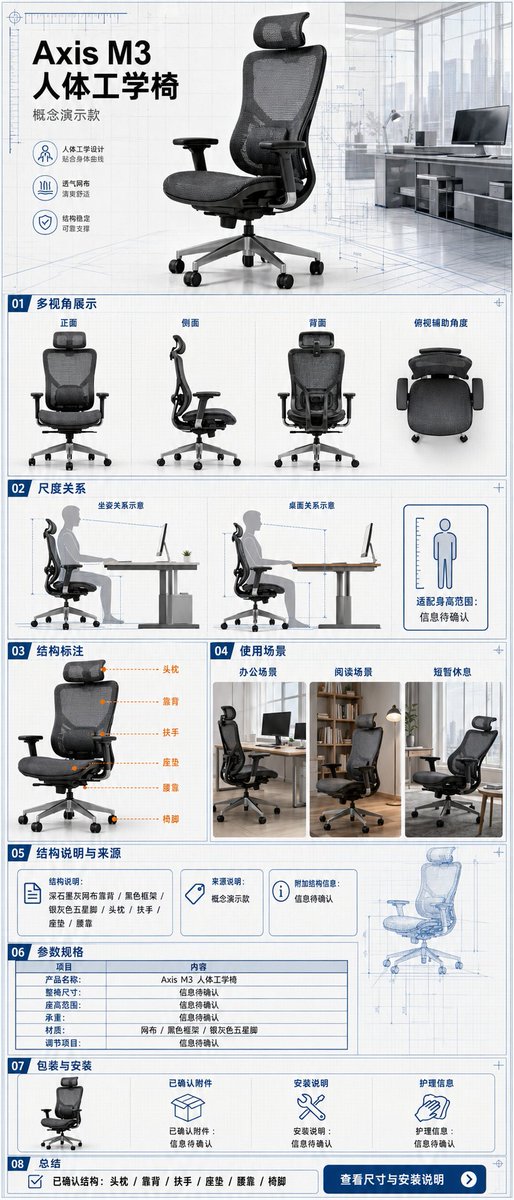
E-commerce Main Image - Ergonomic Office Chair E-commerce Mobile Detail Page
Nano Banana Pro

E-commerce Main Image - Ergonomic Office Chair E-commerce Mobile Detail Page

A single, continuous, and complete mobile e-commerce detail page for an ergonomic office chair, with an aspect ratio of {argument name="aspect ratio" default="3:7"}. The product is the "{argument name="product name" default="Axis M3 Ergonomic Chair"}" concept model, featuring a dark graphite grey mesh back, black frame, silver-grey five-star base, visible headrest, armrests, seat cushion, and lumbar support, maintaining structural consistency across all perspectives. The overall design uses a vertical grid system combining architectural blueprints with modern office spaces, featuring {argument name="color scheme" default="paper white, graphite grey, steel blue, and subtle orange"} annotations, clear narrow sans-serif, and monospace parameter fonts. The first screen shows the identity of the product with a 3/4 angle view; followed by front, side, back, and top-down auxiliary angles; using human sitting postures and desk relationships to show scale without inferring specific height suitability ranges; labeling headrest, backrest, armrests, seat cushion, lumbar support, and chair feet by outline without providing internal exploded structures; showcasing office, reading, and brief rest scenarios; the evidence section only shows structural descriptions and sources provided by the user, with missing items marked "information to be confirmed"; the parameter section includes full chair dimensions, seat height range, load capacity, materials, and adjustment items, with unknown values not guessed; the packaging section shows the chair body, confirmed accessories, installation instructions, and care information, with missing accessories marked "information to be confirmed"; and ends with a summary of confirmed structures and a "view dimensions and installation instructions" note. Every parameter unit, dimension line, and information card must be fully filled out. Fictional ergonomic certifications, load-bearing values, adjustment levels, health improvements, patents, or test results are prohibited.

@Mr.pinecone
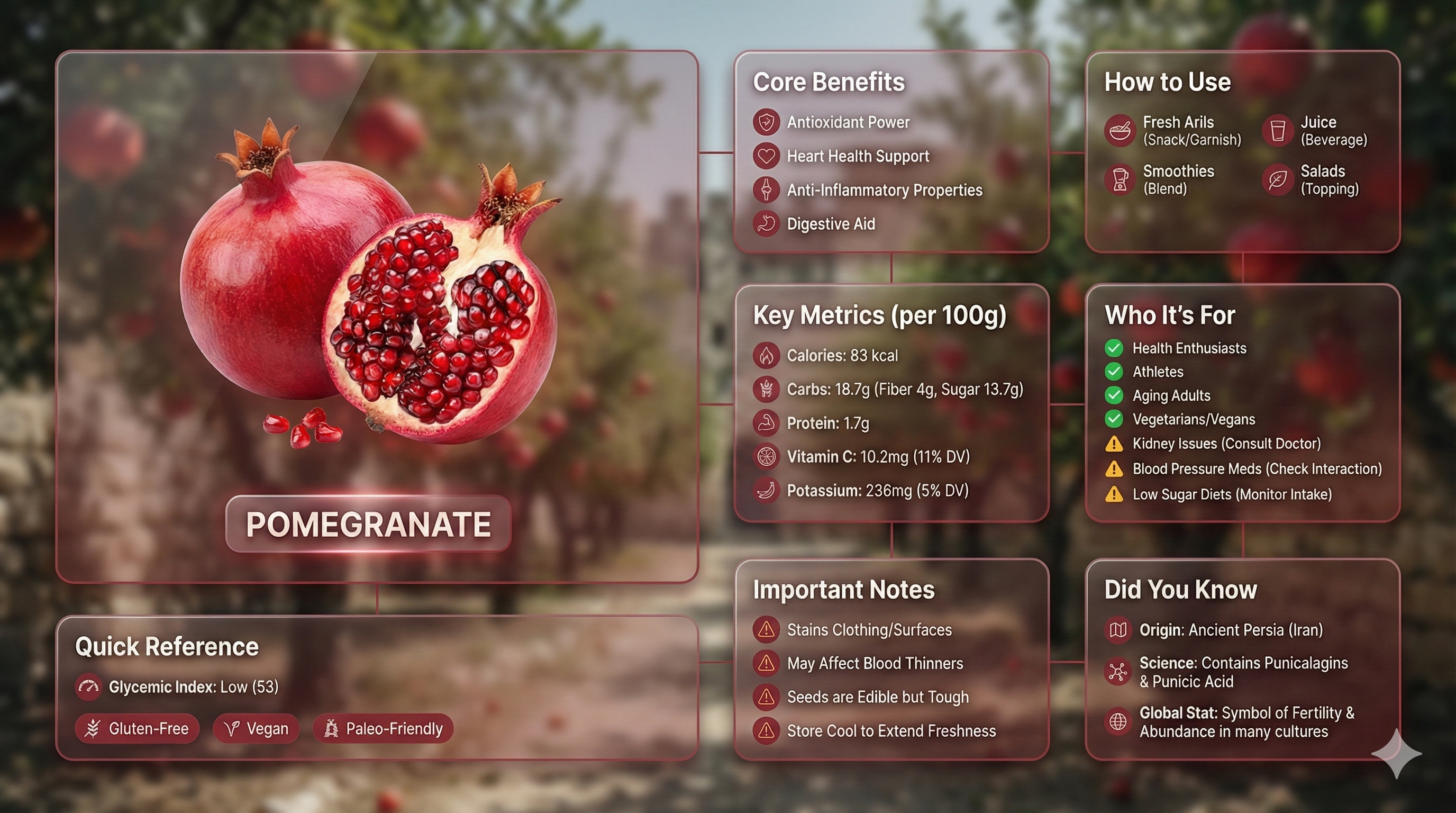
Premium liquid glass Bento grid product infographic with 8 modules
Nano Banana ProFeatured

Premium liquid glass Bento grid product infographic with 8 modules

Input Variable: [insert product name] Language: [insert language] System Instruction: Create an image of premium liquid glass Bento grid product infographic with 8 modules (card 2 to 8 show text titles only). 1) Product Analysis: → Identify product's dominant natural color → "hero color" → Identify category: FOOD / MEDICINE / TECH 2) Color Palette (derived from hero): → Product + accents: full saturation hero color → Icons, borders: muted hero (30-40% saturation, never black) 3) Visual Style: → Hero product: real photography (authentic, premium), 3D Glass version [choose one] → Cards: Apple liquid glass (85-90% transparent) with Whisper-thin borders and Subtle drop shadow for floating depth and reflecting the background color → Background stays behind cards and high blur where cards are [choose one]: - Ethereal: product essence, light caustics, abstract glow - Macro: product texture close-up, heavily blurred - Pattern: product repeated softly at 10-15% opacity - Context: relevant environment, blurred + desaturated → Add subtle motion effect → Asymmetric Bento grid, 16:9 landscape → Hero card: 28-30% | Info modules: 70-72% 4) Module Content (8 Cards): M1 — Hero: Product displayed as real photo / 3D glass / stylized interpretation (choose one)in beautiful form + product name label M2 — Core Benefits: 4 unique benefits + hero-color icons M3 — How to Use: 4 usage methods + icons M4 — Key Metrics: 5 EXACT data points Format: [icon] [Label] [Bold Value] [Unit] FOOD: Calories: [X] kcal/100g, Carbs: [X]g (fiber [X]g, sugar [X]g), Protein: [X]g, [Key Vitamin]: [X]mg ([X]% DV), [Key Mineral]: [X]mg ([X]% DV) MEDICINE:Active: [name], Strength: [X] mg, Onset: [X] min, Duration: [X] hrs, Half-life: [X] hrs TECH:Chip: [model], Battery: [X] hrs, Weight: [X]g,[Key spec]: [value], Connectivity: [protocols] M5 — Who It's For: 4 recommended groups with green checkmark icons | 3 caution groups with amber warning icons M6 — Important Notes: 4 precautions + warning icons M7 — Quick Reference: → FOOD: Glycemic Index + dietary tags with icons → MEDICINE: Side effects + severity with icons → TECH: Compatibility + certifications with icons M8 — Did You Know: 3 facts (origin, science, global stat) + icons Output: 1 image, 16:9 landscape, ultra-premium liquid glass infographic.

@Mansi Sanghani
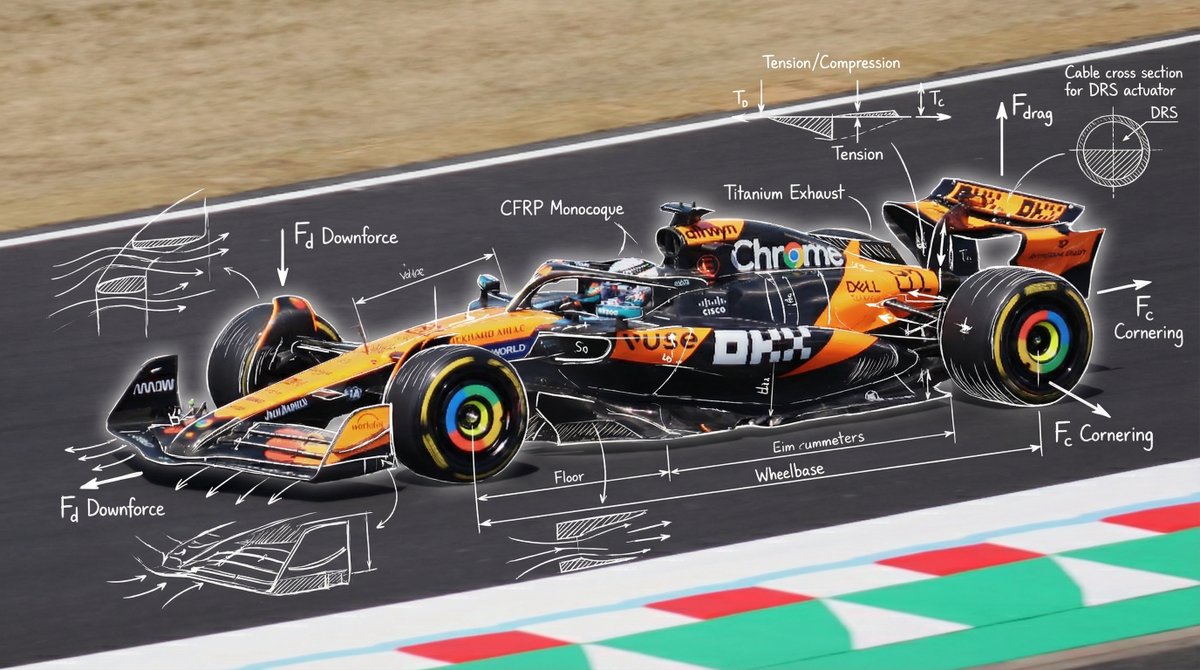
Engineering annotations overlay

Engineering annotations overlay

Overlay technical, engineering handwritten annotations on top of the image. Use white chalk-style handwriting and clean technical sketch lines. Include labels, arrows, dimensions, forces, engineering diagrams, and cross-sections. Style: blueprint-like doodles,

Technical Outerwear Design Sheet

Technical Outerwear Design Sheet

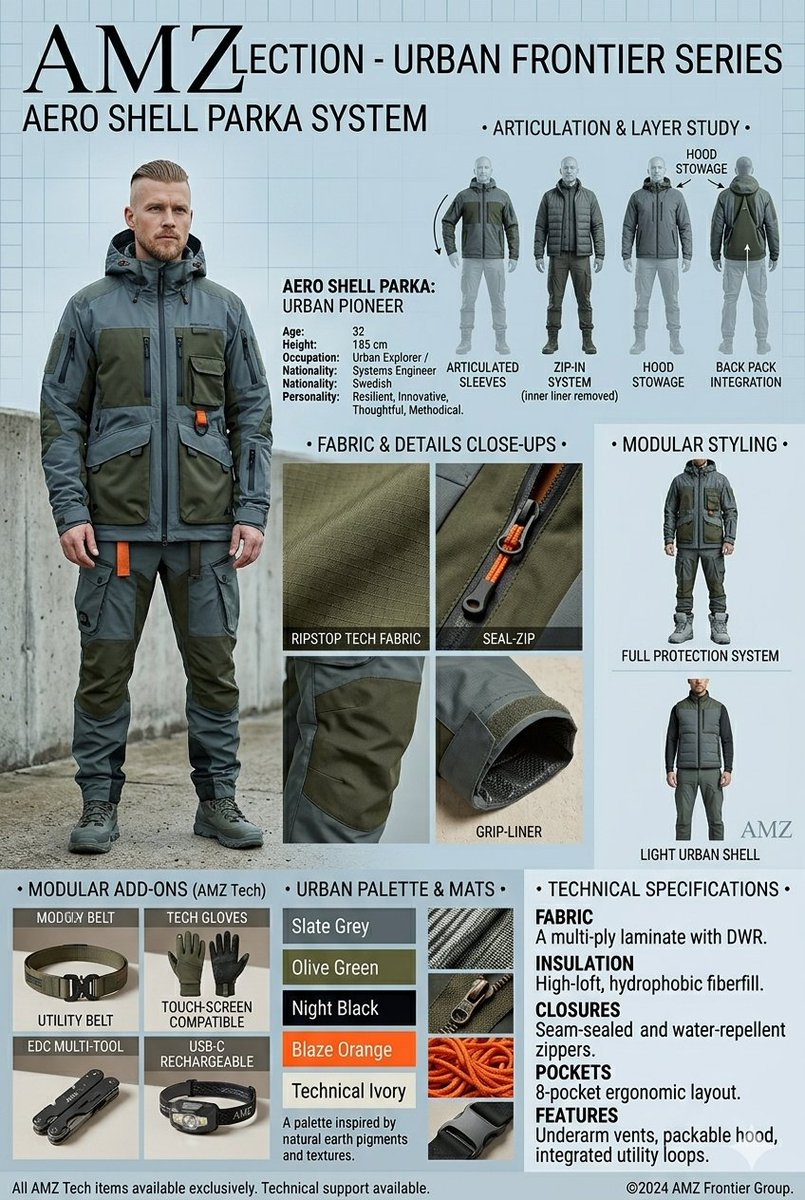
An {argument name="collection name" default="AMZ Collection"} fashion design spec sheet and product layout presented as a tall, vertical infographic for men's technical outerwear. On the left side, a full-body shot features a 32-year-old male model with a short beard and a faded haircut, wearing a rugged, multi-pocketed utility jacket and matching cargo pants in deep olive green and slate grey with bright orange accents. The top of the sheet prominently displays the title "{argument name="title" default="AMZLECTION - URBAN FRONTIER SERIES"}" and "AERO SHELL PARKA SYSTEM" in a bold, clean sans-serif typeface, accompanied by a bio detailing his occupation as a systems engineer and urban explorer. The right side features a technical "Articulation & Layer Study" breakdown showing multiple back and front silhouette angles detailing the zip-in system, articulated sleeves, and hood stowage. The center section provides macro close-up macro shots highlighting the technical textures, including ripstop tech fabric, a seal-zip closure, and a grip-liner sleeve cuff. Below, a "Modular Styling" column showcases alternative ways to style the garment, such as a full protection system or a light urban shell. The bottom of the layout features grid sections labeled "Modular Add-Ons" displaying accessories like a utility belt, touchscreen-compatible tech gloves, an EDC multi-tool, and a headlamp. Adjacent to this is an "Urban Palette & Mats" swatch color bar showing slate grey, olive green, night black, blaze orange, and technical ivory, followed by a comprehensive "Technical Specifications" block outlining the fabric, insulation, closures, pockets, and features of the high-performance gear.

Exploded View Taco Visualization and Commercial Food Photography Prompt

Exploded View Taco Visualization and Commercial Food Photography Prompt

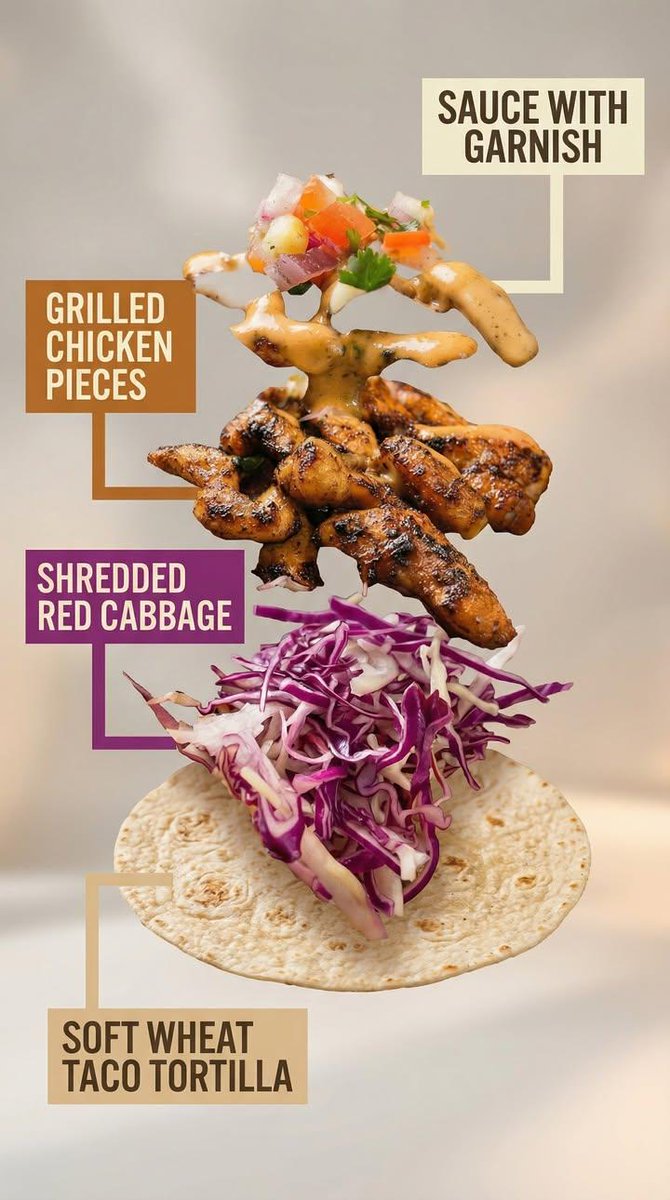
Motion Prompt: The food start to round spin while ingredients separate gently and precisely, maintaining alignment and scale. The motion is smooth, with no extra effects. Image 1: A high-end commercial food photograph of the same two tacos from the reference image, preserving their exact structure, fillings, proportions, and arrangement. The camera angle is slightly adjusted to a more flattering three-quarter close-up, enhancing depth and appetite appeal without altering the tacos themselves. Soft cinematic lighting highlights the textures of the tortillas and fillings, with subtle steam and natural sheen to emphasize freshness. The background is replaced with a clean, modern, out-of-focus setting in warm complementary tones that enhance the food without distracting from it. Shallow depth of field, crisp focus on the tacos, rich contrast, natural colors, and premium restaurant advertising quality. No added or removed ingredients, refined composition, lighting, and environment. Image 2: Exploded-view commercial visualization of the taco from the image, presented as premium recipe-style breakdown. The taco is deconstructed into four visible ingredients, matching the original taco precisely in composition, color, and texture. No additional ingredients. The ingredients are separated and arranged in a clean vertical stack, evenly spaced from bottom to top, floating in place with precise alignment and symmetry. Ingredient order (bottom → top): Soft wheat taco tortilla Shredded red cabbage Grilled chicken pieces Sauce with garnish (topped with a small mixed garnish of diced onion, tomato, and parsley, approximately 5–6 small cubes total, lightly mixed, placed naturally on top) Each ingredient is visually distinct and clearly readable in shape and texture. Annotation design requirements: – Large, bold sans-serif font, high legibility at feed scale – Each annotation placed inside a solid or softly rounded rectangular color block – Background color of each block corresponds subtly to the ingredient color (tomato red, lettuce green, meat warm brown, sauce white/cream, pita beige) – High contrast text (dark on light, light on dark) – Thick, clean connector lines pointing clearly to each ingredient – No transparency that reduces readability – Annotations must visually dominate over background without covering ingredients Background is soft, neutral, and atmospheric, with subtle depth and gentle gradients, inspired by premium food advertising. Overall style is clean, modern, and appetizing, commercial-ready without technical or schematic feel. No extra elements, no substitutions, no reinterpretation of ingredients.

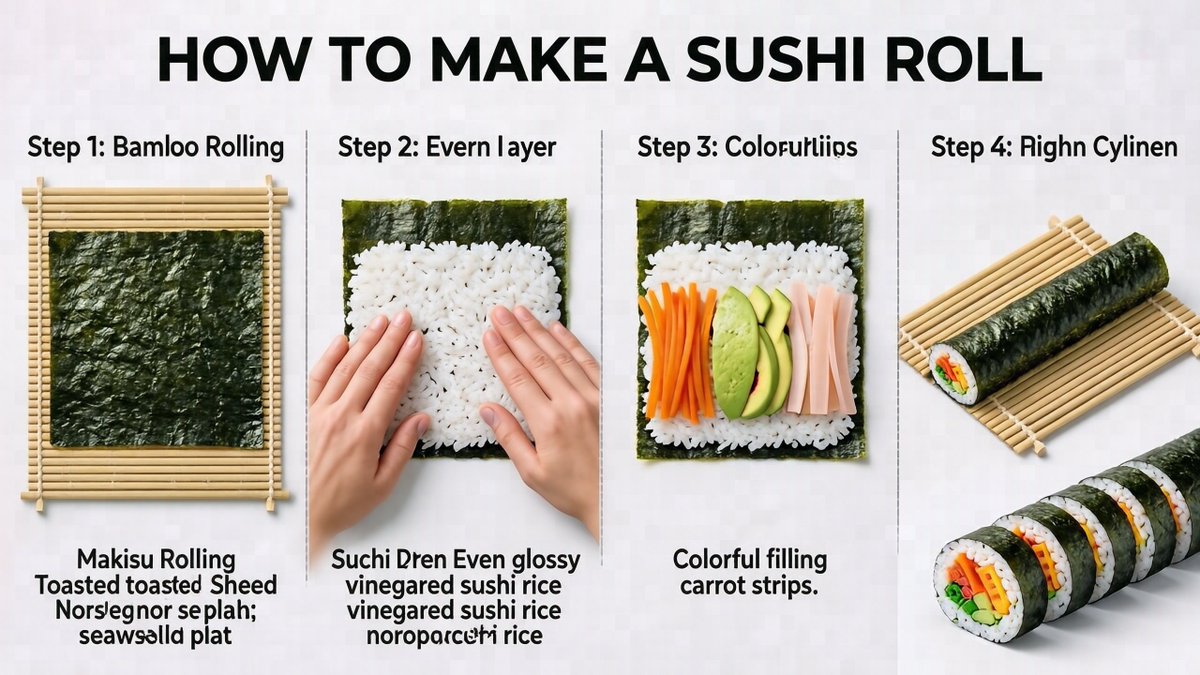
Kid-Friendly Routine Poster Prompt

Kid-Friendly Routine Poster Prompt

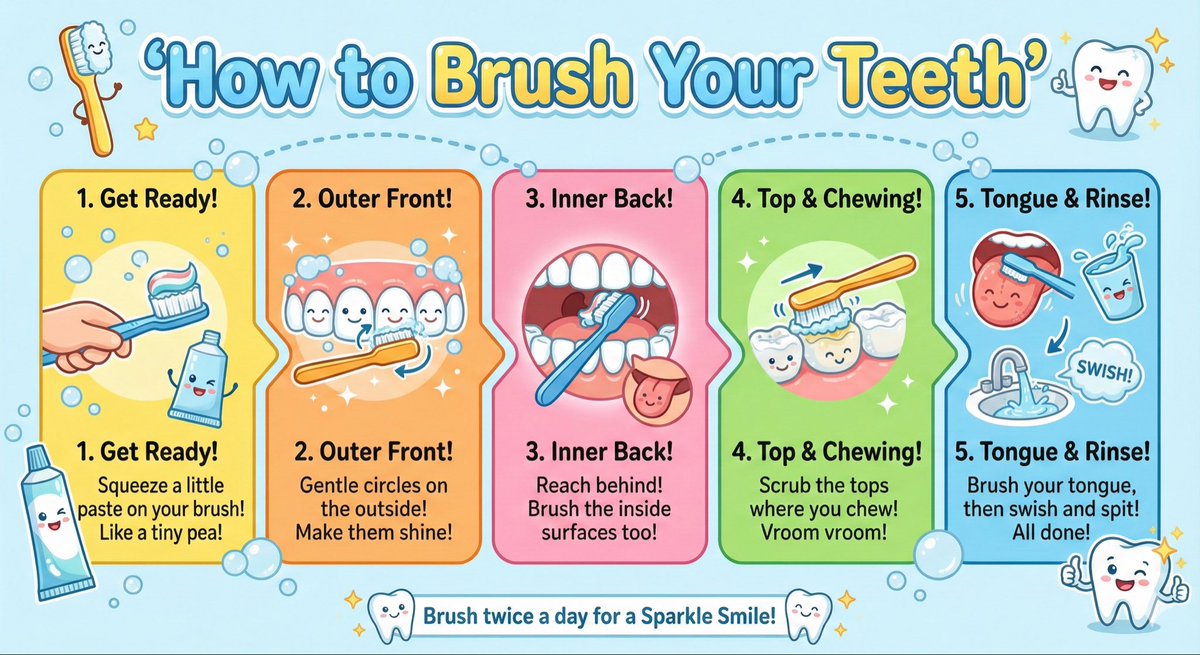
Create a kid-friendly ‘How to Brush Your Teeth’ poster with cartoon teeth, simple steps, bright colors, and big illustrations.

Modern Minimalist PPT/Diagram Generation Prompt

Modern Minimalist PPT/Diagram Generation Prompt

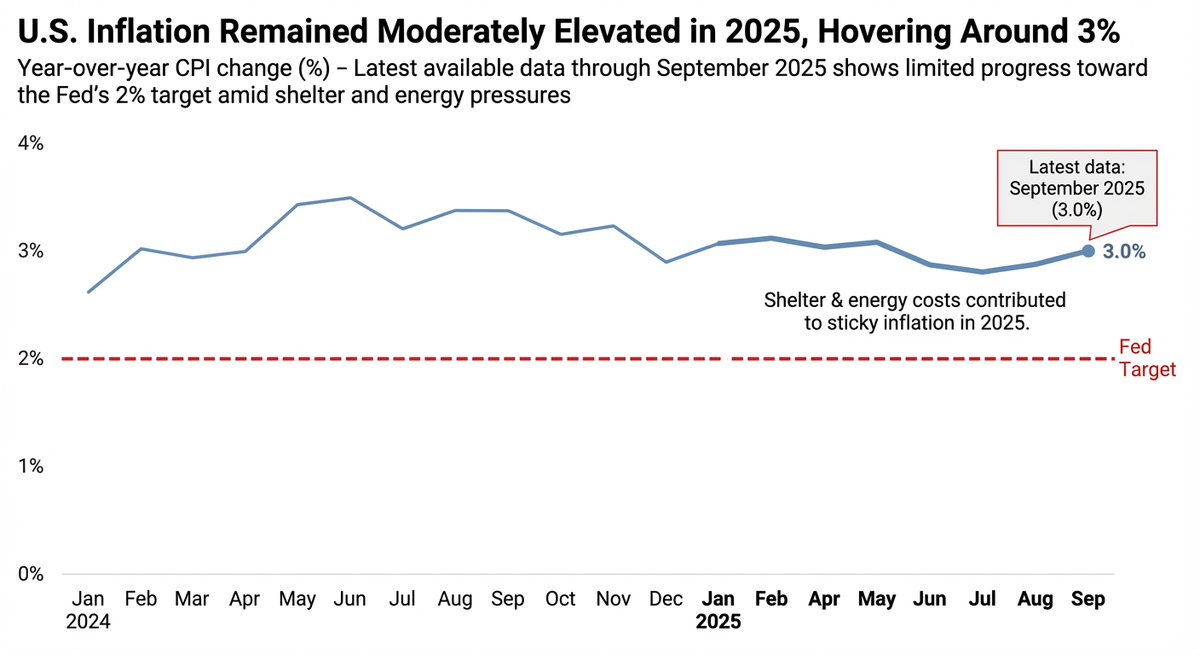
1. Overall Visual Style Style Keywords: Flat UI, Vector, Modern Minimalist, Card-style design. Lines and Shapes: Rounded Corners Priority: All borders, background blocks, buttons, and process nodes must be rounded rectangles (Rounded Rectangles, with a large corner radius, approximately 10-15px). Elbow Lines: Process connections use right-angle polylines (no curves), lines are simple and strong. Color Logic (Key): “Candy Color” Scheme: Use light backgrounds with high brightness and low saturation (such as light blue, light green, light purple), paired with darker borders of the same color family. Border Emphasis: All graphics must have clear 2px~3px solid borders. 2. Vertical Layout Structure Regardless of the topic, please follow the following top-down layout order, which must be contained within a large border container: Layer 1: Main Title (Header) Position: Centered at the top of the container. Style: Bold black font, largest font size, darkest color. Layer 2: Core Flowchart Area Position: Occupies 50% of the core area of the layout. Content: Rectangular nodes + arrow connections. If it is a loop step, please use a dashed line pointing back. Layer 3: Feature List Position: Below the flowchart, centered or left-aligned. Style: Short and concise bullet points, slightly smaller font, with some white space. Layer 4: Full-width Summary Box (Footer Box) Position: At the very bottom of the container, filling the width horizontally. Color Scheme: Use a contrasting color (such as purple in the example), distinct from the main color scheme above. Function: Used to place 'Summary', 'Analogy', or 'Core Conclusion'. Landscape size (horizontal/scenic mode) is chosen because: Content Adaptation: Horizontal content like timelines is better displayed in a horizontal canvas to show the evolution process. Presentation Friendly: The 3:2 horizontal ratio is very suitable for insertion into PPTs and documents, and displays well on projectors or screens. Information Capacity: Horizontal layout can accommodate more text and icons, avoiding clutter.

Japanese Text and Layout Comparison Prompt (3-Panel Manga)

Japanese Text and Layout Comparison Prompt (3-Panel Manga)

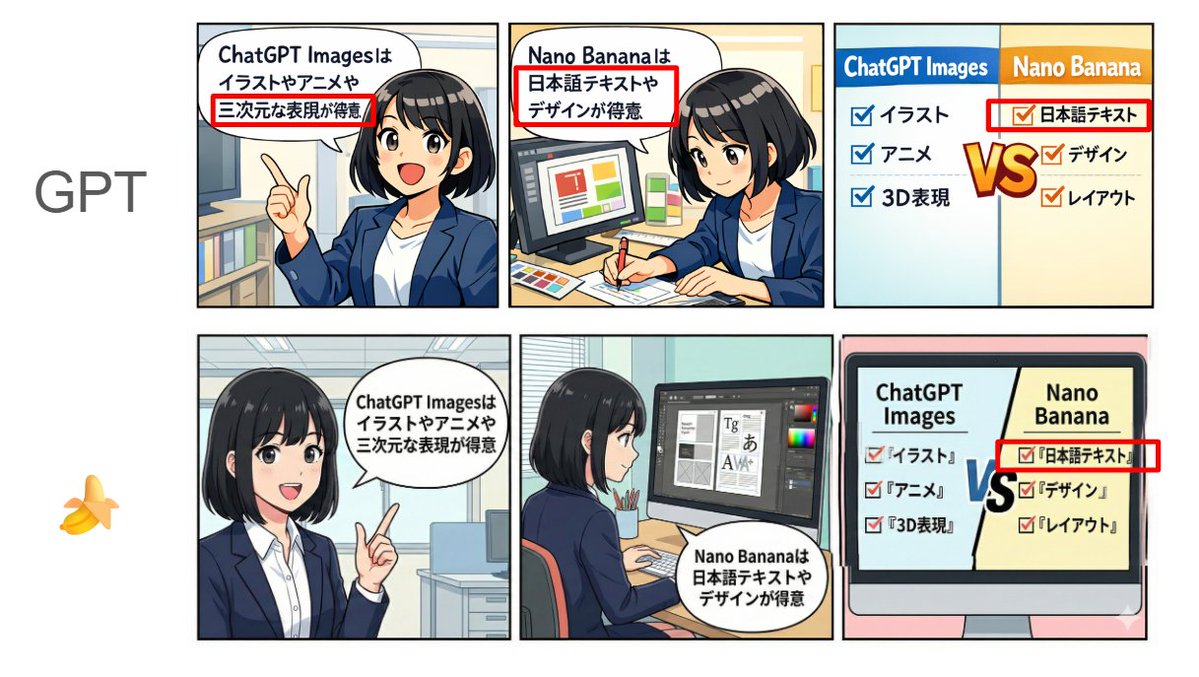
[Format] Horizontal 3-panel manga (left to right). Anime style + pop. Bright color scheme. Clean lines. Simple office background. [Characters] Emma (20s female, black bob, white shirt + navy jacket, expressive face). Consistent appearance across all panels. [Text] Japanese text displayed clearly and legibly. No typos, garbled characters, or broken text. Use the following text in the speech bubbles "exactly as written": Panel 1 (Left): Emma is explaining while pointing. Speech bubble text (exact match): "{argument name="Panel 1 Text" default="ChatGPT Images is good at illustrations, anime, and 3D expressions"}" Panel 2 (Center): Emma is doing design work (layout and typesetting). Speech bubble text (exact match): "{argument name="Panel 2 Text" default="Nano Banana is good at Japanese text and design"}" Panel 3 (Right): Comparison panel. Split the screen left/right, with headings "ChatGPT Images" on the left and "Nano Banana" on the right. Include checklists for each (in Japanese, short, and readable). Left (ChatGPT Images): 'Illustration', 'Anime', '3D Expression' Right (Nano Banana): 'Japanese Text', 'Design', 'Layout' Also, place a large "VS" in the center to compare the two compositions. [NG] No unnecessary text, arbitrary English additions, watermarks, signatures, unreadable text, or broken Japanese. [Image Quality] High resolution, sharp, suitable for SNS posting.

Vintage Technical Illustration Macro Shot

Vintage Technical Illustration Macro Shot

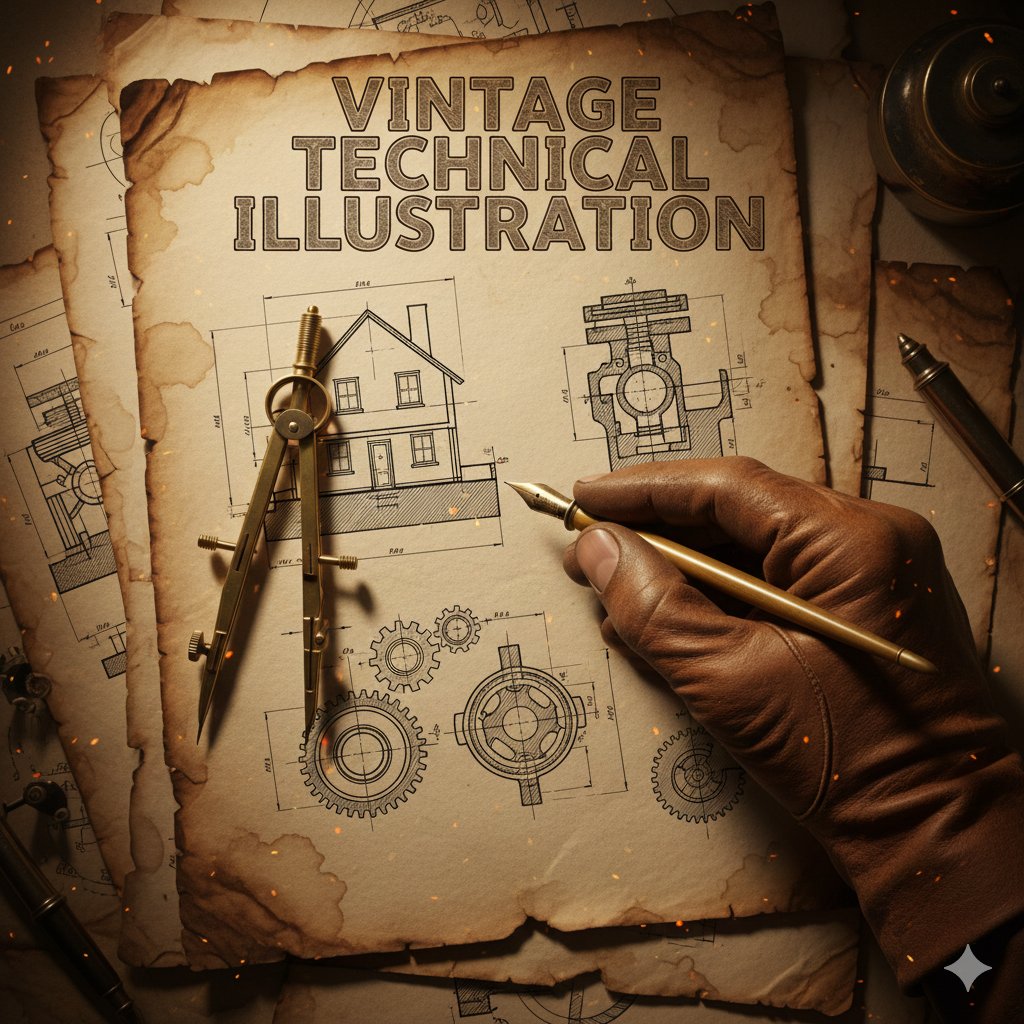
{ "subject": { "main_focus": "A gloved hand holding a brass drafting compass and a vintage fountain pen", "background_elements": [ "Architectural blueprints of a house", "Mechanical gear schematics", "Cross-section technical drawings" ], "setting": "An aged, weathered parchment paper workbench" }, "style": { "aesthetic": "Vintage industrial technical illustration", "art_medium": "Ink and wash on aged paper", "texture": "Grainy, sepia-toned, distressed paper with creases and coffee stains", "typography": { "text": "{argument name="title text" default="VINTAGE TECHNICAL ILLUSTRATION"}", "font_style": "Bold, serif, weathered woodblock style", "placement": "Top center" } }, "composition": { "perspective": "Top-down close-up (macro)", "lighting": { "type": "Warm, cinematic spot lighting", "effects": "Floating embers and dust particles, glowing highlights on the metallic tools" }, "color_palette": [ "Sepia", "Burnt orange", "Charcoal grey", "Antique gold" ], "framing": "The hand enters from the bottom right, creating a diagonal focal point" }, "technical_details": { "line_work": "Fine-liner precision, hatching and cross-hatching for shadows", "realism": "High detail on the leather glove texture and metallic sheen of the tools" } }

Ultra-Realistic Exploded Pizza Infographic and Motion Prompt

Ultra-Realistic Exploded Pizza Infographic and Motion Prompt

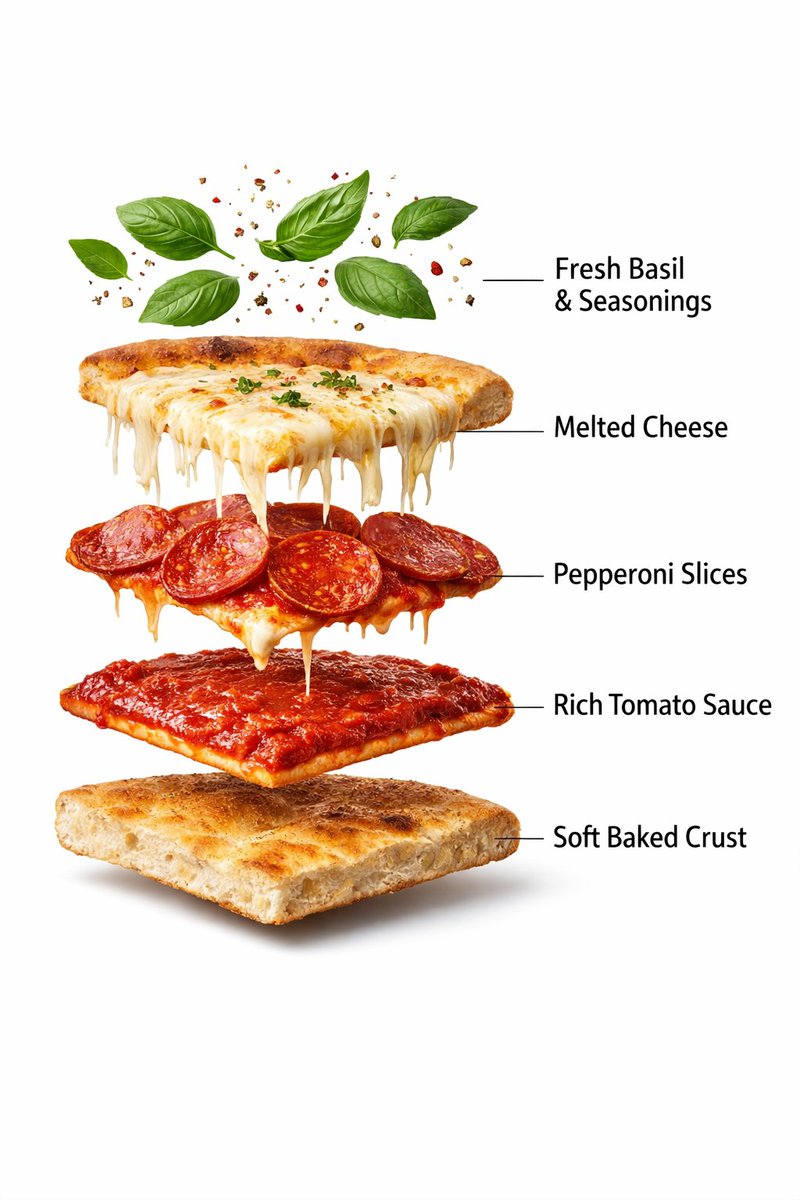
Motion Prompt: The Pizza start to round spin while ingredients separate gently and precisely, maintaining alignment and scale. The motion is smooth, with no extra effects. Image 1 :- Ultra-realistic prepared pepperoni pizza slice, fully assembled, gooey melted mozzarella cheese stretching and dripping over the edges, crispy pepperoni slices on top, rich tomato sauce beneath, thick golden baked crust, fresh basil leaves and light seasoning floating subtly above, clean pure white background, professional commercial food photography lighting, soft natural shadows under the slice, sharp focus, extreme texture detail, glossy cheese, crunchy crust surface, studio shot, minimal composition, no text, no labels, no hands, premium food advertisement style, 8K resolution, ultra-detailed, hyper-realistic. Image 2 :- Produce an ultra-realistic exploded pizza slice infographic. Top layer features basil leaves and seasoning particles floating. Below are melted cheese stretch, pepperoni slices, rich tomato sauce layer, soft baked crust base. Clean white background, professional food photography lighting, realistic textures, gentle shadows, floating layers evenly spaced, labeled infographic style, 8K resolution.

Some prompts are collected from creators on X. Copyright belongs to the original authors.