
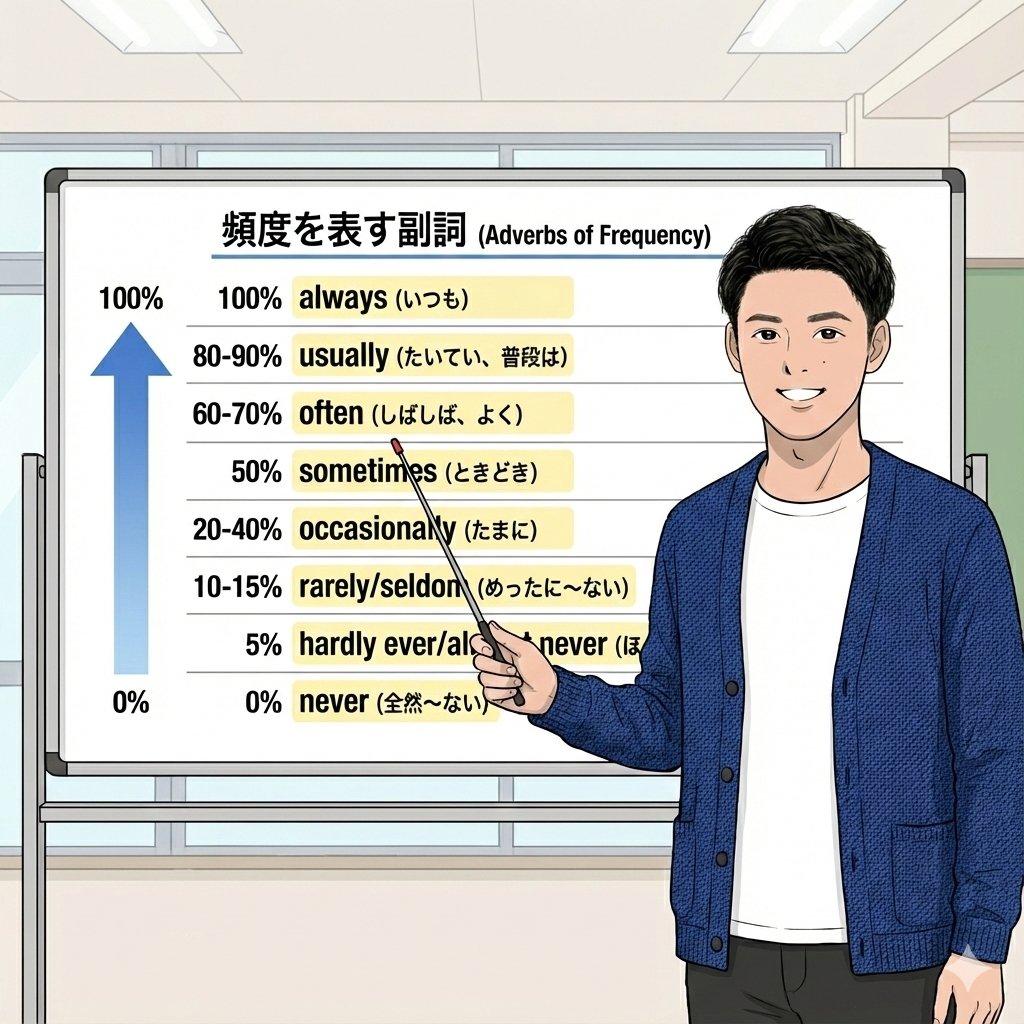
Educational Image Prompt: Adverbs of Frequency
I wanted to create adverbs of frequency so that everyone could easily understand them
Prompt Library
Curated image, video and web design prompts from creators around the world. Copy any prompt, swap the subject or style, and generate with the latest models.
15,630 prompts · Updated daily · 100% free
599 prompts
I wanted to create adverbs of frequency so that everyone could easily understand them
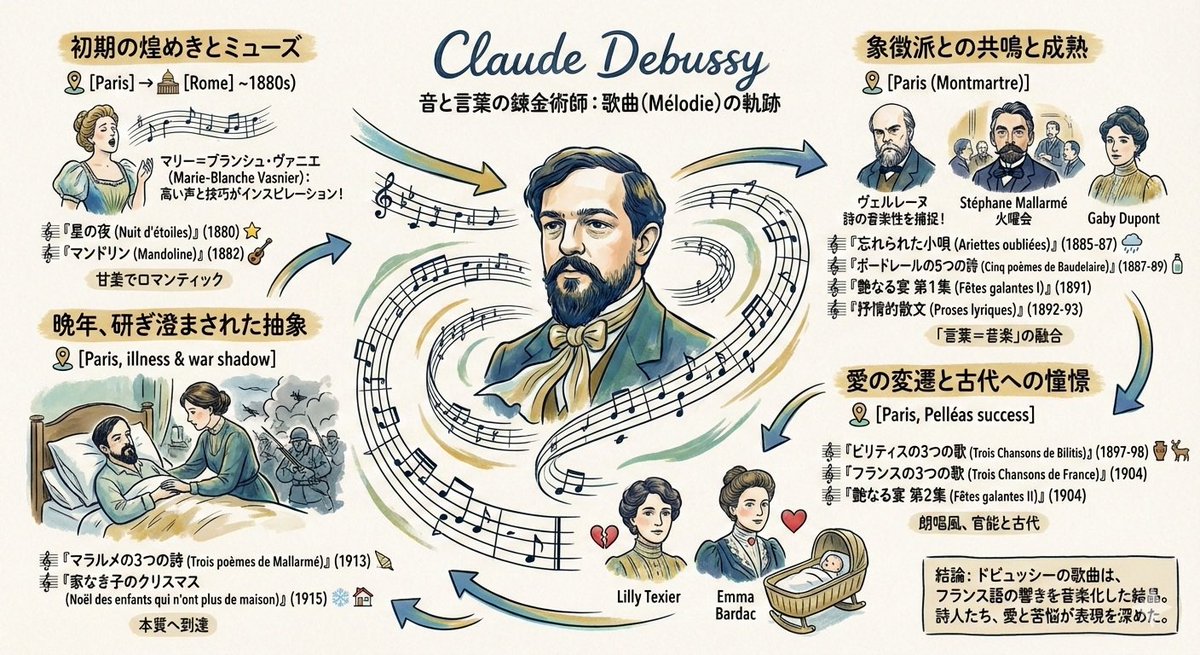
Please create a graphic record (grareco) about the art songs of the French composer {argument name="composer name" default="Debussy"} under the following conditions: ・A portrait of {argument name="composer name" default="Debussy"} in the center ・Composed works arranged chronologically ・Information about the places he lived, and the friends, lovers, and wives he met
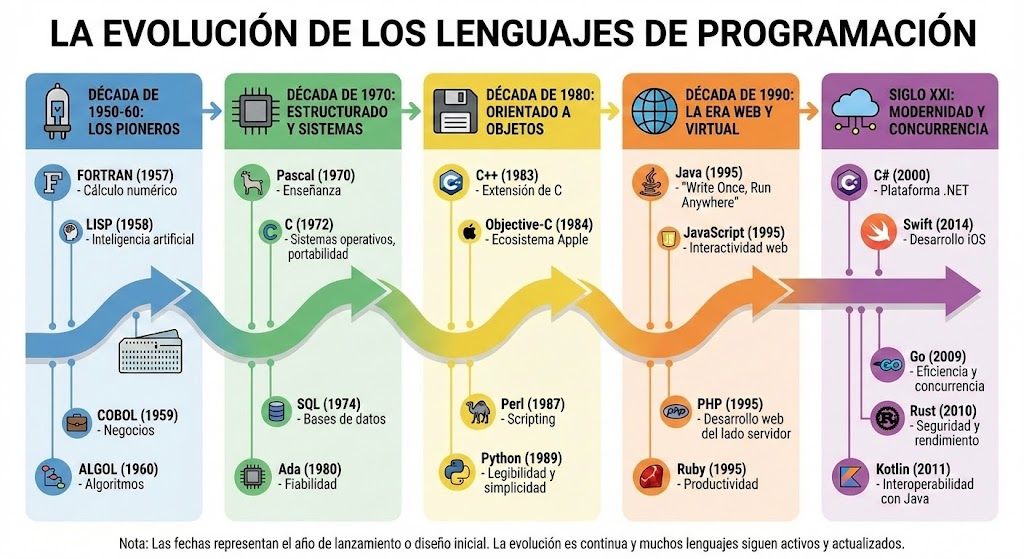
An {argument name="type_en" default="infographic"} showing the evolution of programming languages.
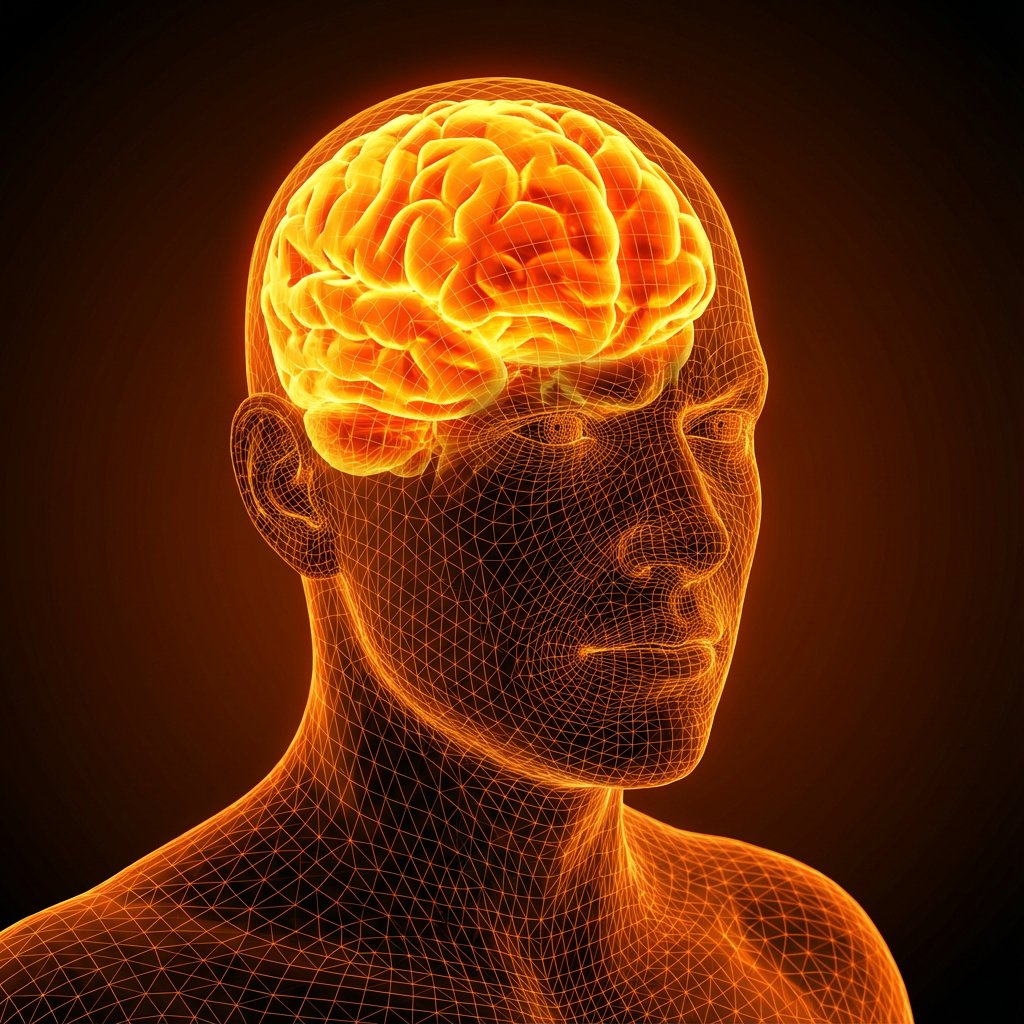
Create an image featuring a digital wireframe human figure highlighting a specific product inside the mind. The subject MUST follow these descriptions EXACTLY: The figure is a 3D rendered human bust (head and shoulders) composed entirely of a glowing orange polygonal wireframe mesh. The facial expression MUST be tense and stressed, with a visibly furrowed brow. Inside the transparent head, strictly positioned in the cranial cavity, is a brain. The brain MUST glow intensely with a fiery yellow-orange light, resembling a superheated or energy-filled object. Aspects of the image composition that MUST be followed EXACTLY: The perspective is a three-quarter portrait view against a solid glowing orange black background. The lighting MUST appear to emanate from the product inside the head, illuminating the wireframe skin from within. The style MUST be a photorealistic 3D medical visualization with a cybernetic aesthetic. NEVER include any text, watermarks, or line overlays.
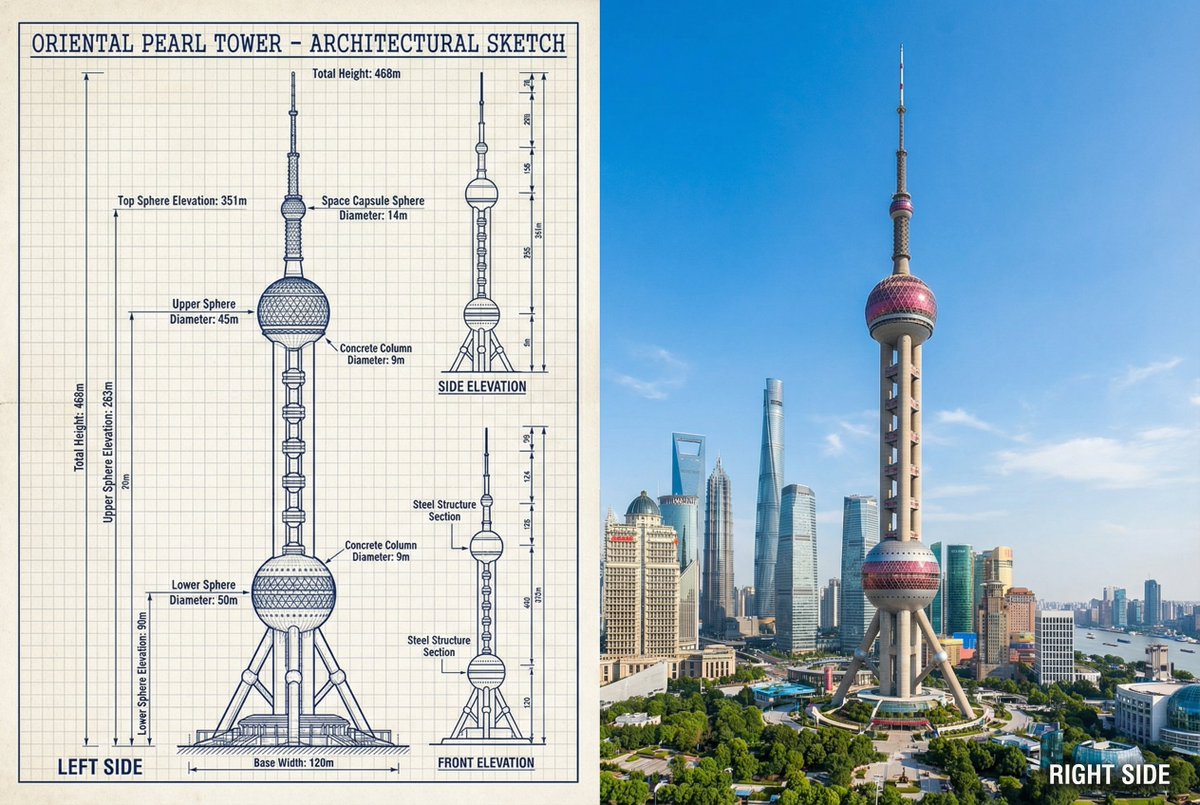
{ "objective": "Create a side-by-side comparison image featuring a technical sketch and real photograph of the Oriental Pearl Tower", "image_specifications": { "style": "Mixed media (Technical drawing + Real photograph)", "layout": "Horizontal split - Left side: Sketch with measurements, Right side: Real photo", "aspect_ratio": "3:2" }, "left_side": { "content_type": "Technical sketch of the Oriental Pearl Tower", "features": [ "Detailed architectural lines showing spherical observation decks and structural columns", "Numerical height and width measurements", "Elevation labels for different tower sections", "Side and front elevation views (top-down projection if space allows)" ], "text_annotations": { "units": "Metric (meters)", "language": "English", "font_style": "Blueprint or engineering-style typography" }, "positioning": "Take up the left half of the image" }, "right_side": { "content_type": "High-resolution real photo of the Oriental Pearl Tower", "features": [ "Full view of the tower from base to top sphere", "Natural daylight with clear sky", "Color image with Shanghai skyline or Pudong district context" ], "positioning": "Take up the right half of the image" }, "visual_elements": { "border_division": "Vertical line or subtle transition between left (sketch) and right (photo)", "color_palette": { "left": "Monochrome or blueprint blue for sketch", "right": "Natural realistic colors" } }, "output_format": { "type": "Image", "use_case": [ "Educational poster", "Architectural comparison", "Engineering visualization", "Tourism visual aid" ], "high_resolution": true } }

Please create a presentation document summarizing the trends in collected prompt guides and the differences in best practices for prompts across LLM, image generation, and video generation models.
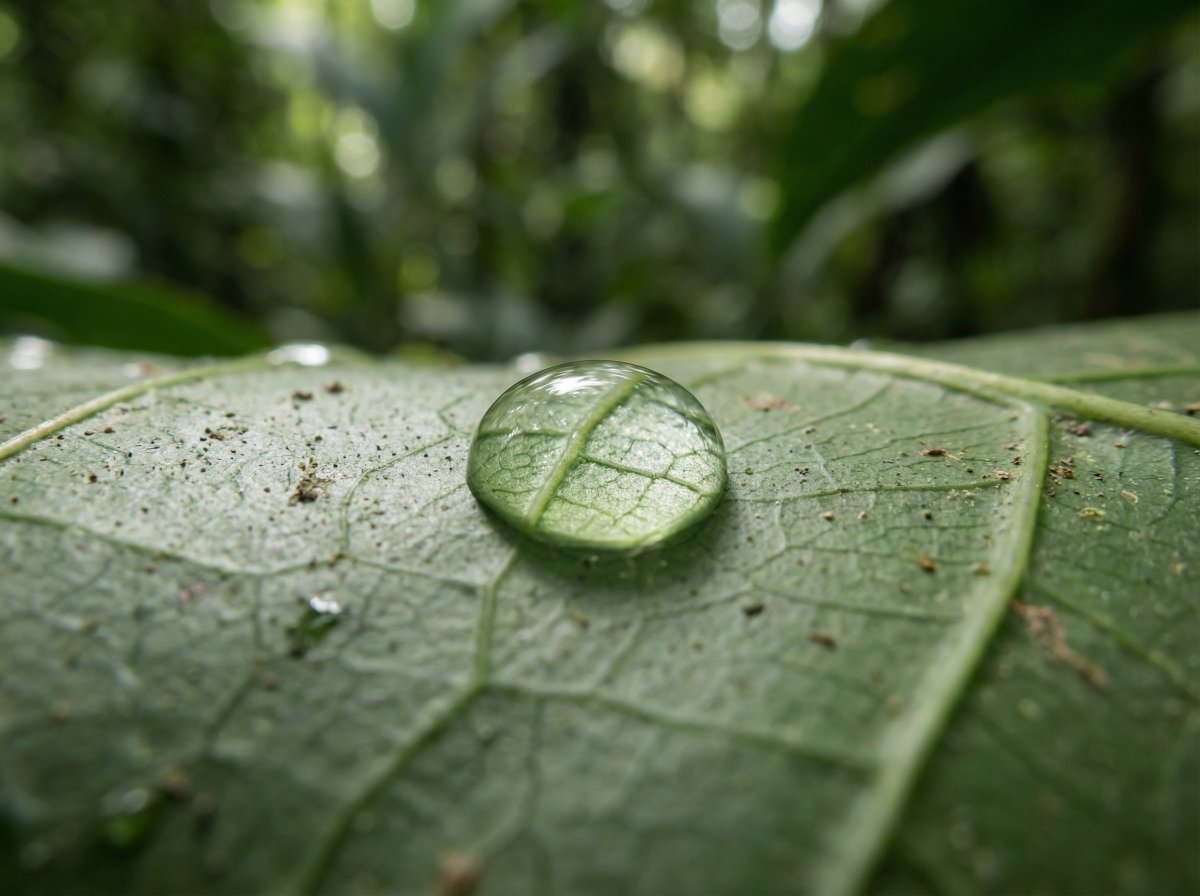
{ "meta": { "aspect_ratio": "3:2", "quality": "ultra_photorealistic", "resolution": "8k", "style": "scientific macro documentary photography", "realism_level": "extreme realism, natural optics", "ai_artifacts": "none" }, "subject": { "description": "a single water droplet resting on a rainforest leaf", "droplet": { "shape": "natural spherical tension", "clarity": "crystal clear", "refraction": "subtle optical refraction of leaf veins inside the droplet" }, "leaf": { "type": "{argument name="leaf type" default="broad tropical rainforest leaf"}", "surface": "slightly waxy, natural micro texture", "veins": "highly detailed visible leaf veins branching naturally", "imperfections": [ "tiny surface pores", "microscopic dust", "organic irregularities" ] } }, "environment": { "location": "dense tropical rainforest", "atmosphere": "humid, quiet, post-rain stillness", "background": [ "soft green bokeh", "out-of-focus jungle foliage", "natural depth layers" ], "air": "moist, slightly misty" }, "lighting": { "type": "natural diffused rainforest light", "source": "filtered sunlight through canopy", "quality": "soft, scattered, non-directional", "highlights": "gentle specular highlight on water droplet", "shadows": "extremely soft micro-shadows along leaf veins" }, "camera": { "camera_type": "professional macro photography setup", "lens": "100mm macro lens", "aperture": "f/8", "focus": "razor-sharp focus on leaf veins and water droplet edge", "depth_of_field": "very shallow, true macro depth", "magnification": "1:1 macro ratio", "perspective": "parallel to leaf surface" }, "color_grading": { "palette": "deep natural greens, subtle yellow highlights", "saturation": "realistic, not boosted", "contrast": "low to medium, natural tonal range", "clarity": "optical clarity, not digital sharpening", "grain": "none or extremely subtle" }, "constraints": [ "no insects", "no fantasy glow", "no artificial lighting", "no cinematic color grading", "no exaggerated sharpness", "must look like a real scientific macro photograph" ] }

[ Theme ] Advertisement for an accounting efficiency tool This is a standard layout. People read from the top left and their gaze flows to the bottom right. The arrangement follows this rule. It continues with the main copy, sub-copy, and CTA button. The right side is the eye-catcher, whose role is to attract attention, evoke empathy, and make the viewer feel personally connected.
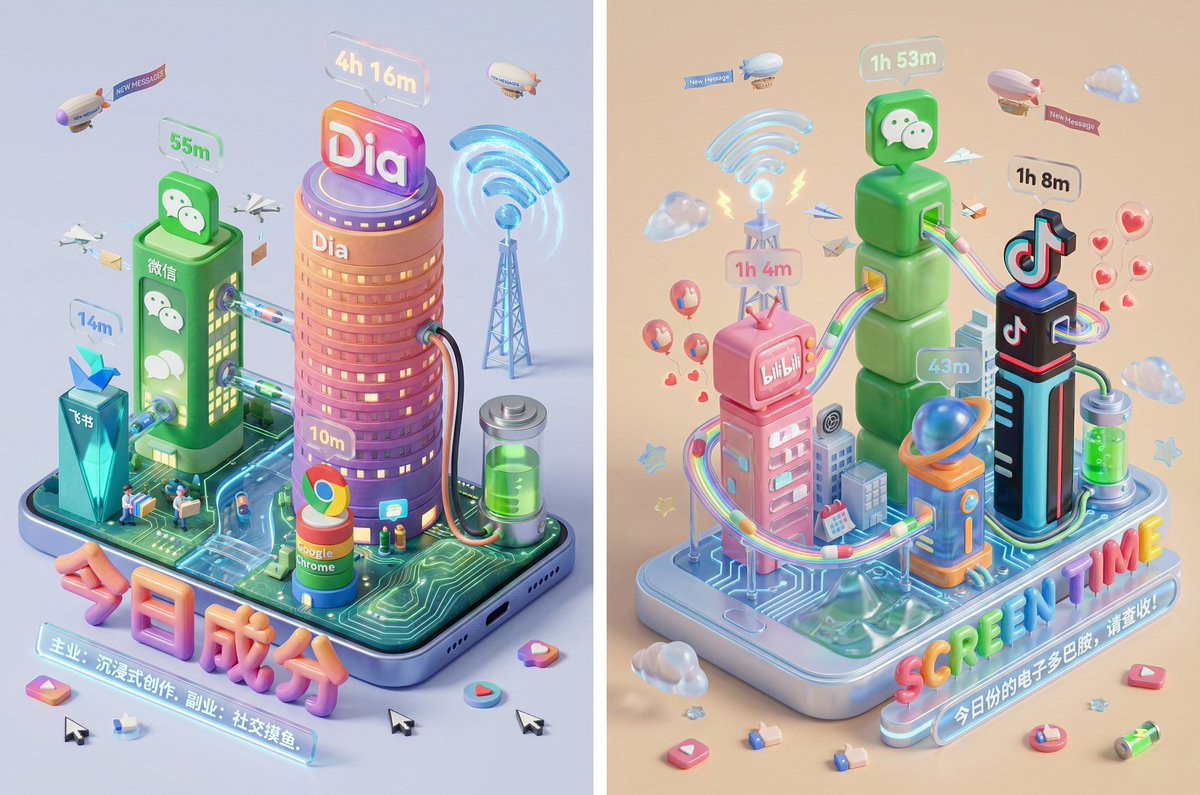
Please read the user-uploaded [Screen Time Data Screenshot] and identify the top four APP names and icons. Retrieve information and icon styles for these APPs. Based on the tone of the APP combination (Social/Entertainment/Office/Comprehensive), independently decide on the core art style. [2. Main Model Construction: Miniature Town Infrastructure] Construct a vibrant miniature digital town in the center of the screen, not just a display of buildings: Smart Base (Foundation): A stylized mobile phone base. The surface is no longer flat but topographical (depending on the style, it could be rolling circuit board hills, glass water surfaces, or Lego baseplates). Building Cluster (APP Embodiment): Skyscrapers representing the APPs. Base: A cartoon-style smartphone base with rounded, frosted metal edges, and the screen surface emits a faint breathing light. The base is surrounded by floating, materialized 3D Emojis (clouds, stars, hearts) with a translucent jelly texture. Building Cluster (APP Embodiment): Q-version skyscrapers stand on the island, representing the identified APPs. Height Rule: Building height strictly corresponds to usage duration. The APP with the longest usage time is the tallest skyscraper, occupying the visual center. Shape Rule: Extract the geometric features of the APP icons (e.g., circular icons become stacked spherical towers, square icons become rounded cube buildings). Material: A mix of high-grade Frosted Polymer Clay and Translucent Jelly Resin. The surface should have delicate fingerprint textures and diffuse reflection gloss, like an expensive blind box toy. Top Logo: The 3D logo of the App stands on the rooftop, with a texture like freshly baked, glossy candy. Floating Time Card: A frosted glass-textured 3D bubble floats directly above the Logo. The bubble encapsulates three-dimensional, softly glowing numbers (corresponding to usage duration, such as "{argument name="usage duration" default="4h 12m"}"). Buildings should not be arranged in isolation but should form neighborhoods. Tall buildings are in the center (CBD area), surrounded by potentially low-rise system application buildings (Settings, Calendar, etc.). [3. Urban Ecosystem and Interaction System (Urban Ecosystem & Interactions)] (Core Upgrade: Add “Interaction” and “Liveliness”) Please add rich dynamic details between the buildings to show how this “Digital Town” operates: Traffic and Connection (The Data Flow): Connection Method: Buildings must have physical connections. Style Adaptation: If it's cyberpunk, use glowing fiber optic elevated bridges and maglev trains; if minimalist, use transparent glass pipes; if cute, use rainbow slides. Vehicles and Transport: Pipes or roads must have flowing light points/capsules, representing data transmission. Active “Data Sprites” (The Digital Citizens): NPC Setting: Add tiny functional NPCs besides the main character figure. Message Carriers: Near social APP buildings (like WeChat), flying paper airplane drones or small postmen carrying envelopes move in and out. Like Sprites: Around video/community APP buildings (like Douyin/Xiaohongshu), glowing red hearts or thumb balloons float like fireflies. Delivery/Shopping Riders: If Meituan/Taobao is present, there should be miniature riders or package conveyor belts connected to the main building where the protagonist is located. Public Infrastructure (Public Utilities): Wi-Fi Signal Tower: A glowing signal tower (shaped like a Wi-Fi icon) stands high in the town, broadcasting energy ripples across the city. Battery Energy Station: A cylindrical energy tank (shaped like a battery icon) is located at the edge of the town, connected by thick cables to power the main building, where green liquid energy can even be seen sloshing. Notification Airship: Small airships or clouds float in the air, hanging banners with “New Message” or “Red Dot.” [4. Bottom Visual Center: Stylized 3D Nameplate] (Keep unchanged, emphasize high-end design sense) Main Title Design: “SCREEN TIME” or “{argument name="main title" default="Today's Composition"}” are designed using Inflatable Typography or Neon Tube Fonts, with materials related to the current theme. They are not printed on paper but physically “stand” in the foreground of the image. Decorative Details: Small 3D fragment elements (such as play buttons, like thumbs, battery icons) are scattered around the title, increasing the richness and trendy feel of the image. Subtitle Copy: Below the 3D title, generate a floating glowing light strip with a short, sharp comment based on user data. [5. Rendering and Photography (Tech Specs)] Composition: Axonometric overhead view, emphasizing prosperity and order. Details: Extremely rich Micro-details, making the viewer want to zoom in to see what the small figures are doing in every corner. Keywords: Octane Render, C4D, Isometric City, Micro World, Living Ecosystem, 8k Resolution.
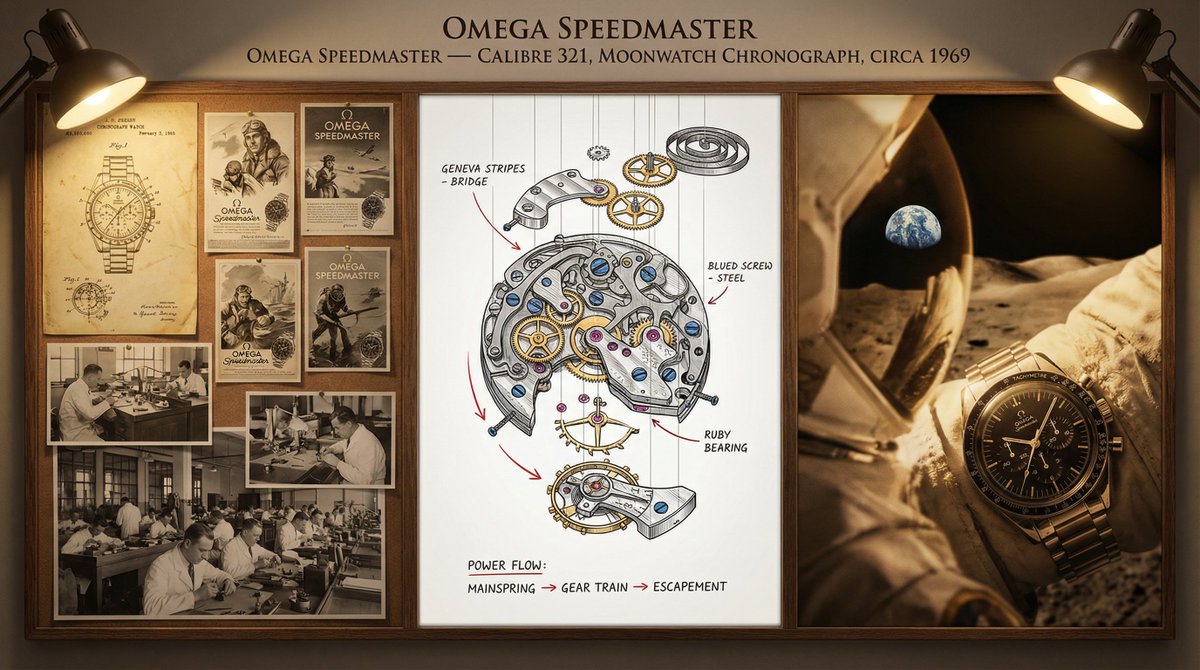
A master watchmaker's documentation board for {argument name="timepiece" default="a Tourbillon Chronograph"} — {argument name="manufacture" default="Patek Philippe"} / {argument name="complication" default="Perpetual Calendar"} / {argument name="year" default="1950"}. Left section: historical context showing the original patent drawings, period advertisements in gilded frames, and archival photographs of the atelier with craftsmen at work. Center section: the movement in exploded view, every wheel, spring, and jewel suspended in precise spatial relationship, with material callouts (Geneva stripes, blued screws, ruby bearings) and functional annotations tracing the flow of power from mainspring to escapement. Right section: the completed watch in its defining context—wrist of an explorer, pocket of a diplomat, or display case of a collector—captured with shallow depth and warm side lighting. Visual style transitions from sepia patent office to mechanical precision chrome to intimate portraiture. Title block reading "{argument name="watch name" default="[WATCH NAME]"} — CALIBRE {argument name="calibre number" default="[NUMBER]"}, {argument name="complication" default="[COMPLICATION]"}, CIRCA {argument name="year" default="[YEAR]"}".
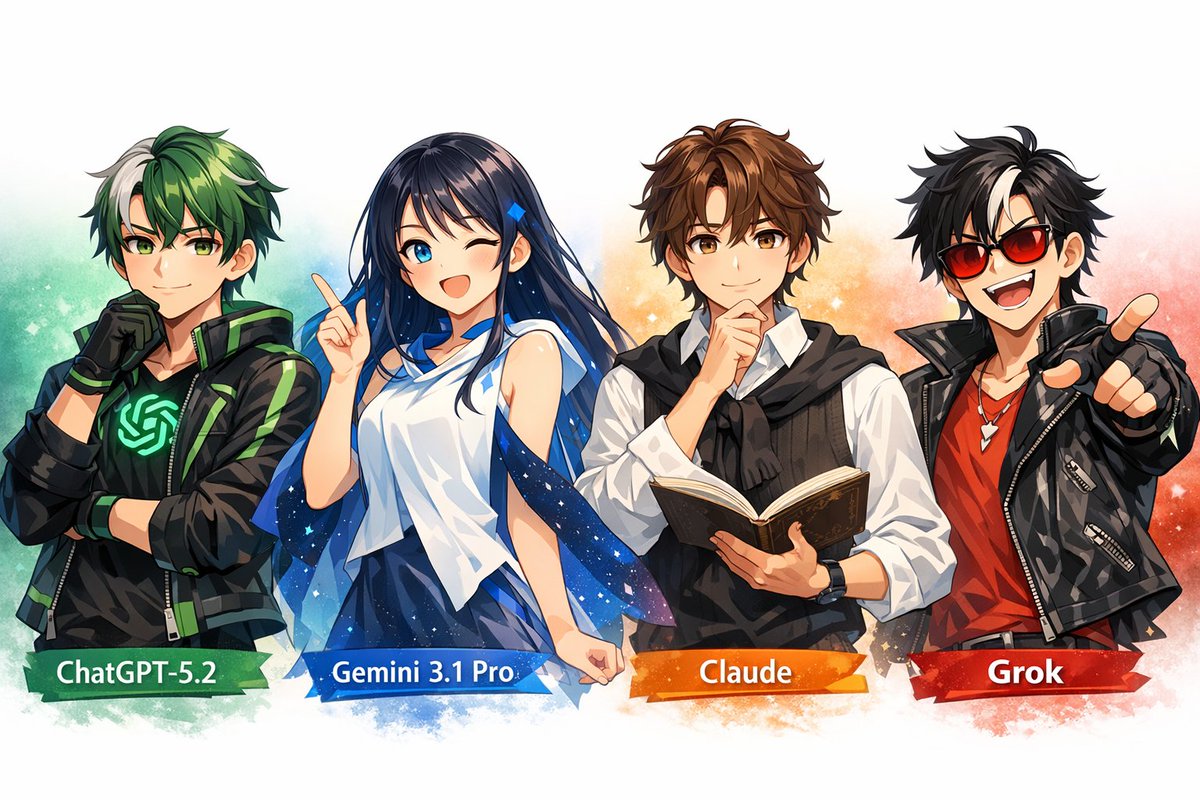
Extremely anthropomorphize ChatGPT-5.2 think, Gemini 3.1 pro, Claude, and Grok, characterizing them with creative expressions and poses, and arranging them in an image.
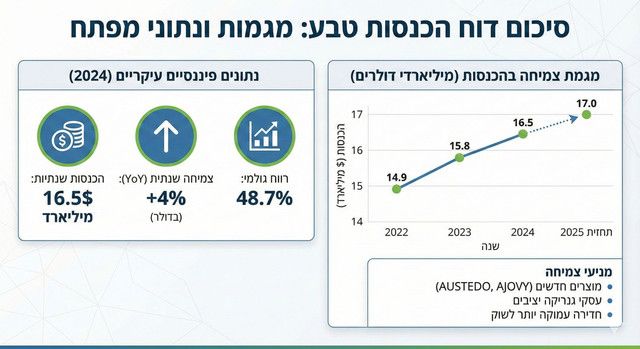
Create a clean infographic summarizing {argument name="subject" default="Teva’s revenue report"}, with clear headings and a {argument name="chart type" default="chart showing annual growth"}.
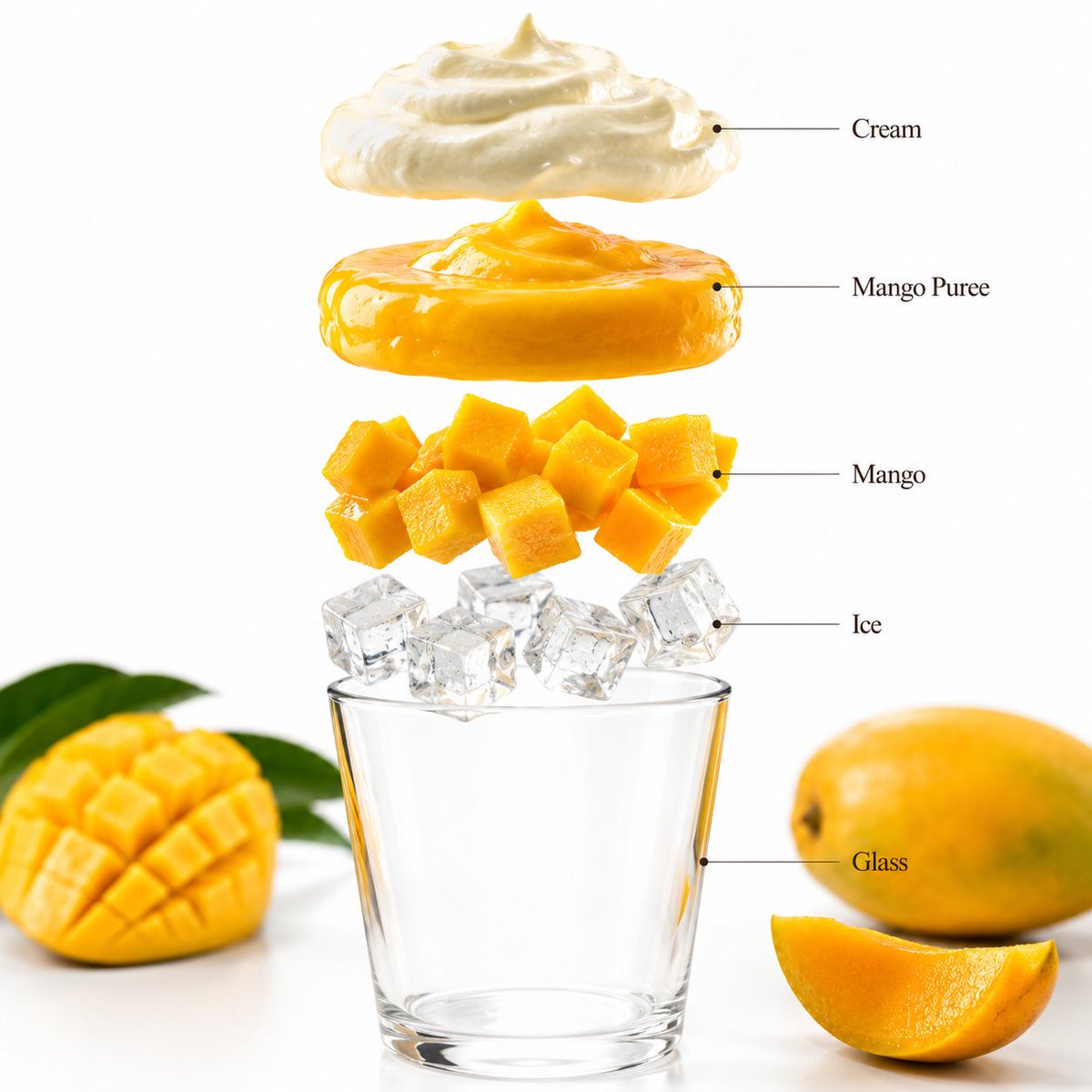
- A premium beverage product photograph of a {argument name="fruit" default="mango"} smoothie in a tall transparent glass centered against a bright tropical yellow seamless studio background. The smoothie has a rich creamy mango texture with fresh mango slices garnish, condensation droplets, and vibrant color. Soft commercial lighting creates clean reflections and realistic shadows beneath the glass. Ultra-sharp focus, premium beverage advertisement style, hyper realistic, 8K. Aspect Ratio: 1:1 Create a hyper-realistic exploded vertical infographic composition of a mango smoothie. Top → Bottom structure: Cream Foam Layer (light airy cream texture) → Mango Puree Layer (rich vibrant mango texture) → Fresh Mango Chunks (juicy fruit detail) → Ice Cube Layer (clear realistic ice texture) → Glass Base (minimal transparent glass) Perfect alignment, tropical yellow background, soft realistic shadows, premium beverage infographic design. Add clean infographic text labels with thin pointer lines using these exact labels: “Cream” “Mango Puree” “Mango” “Ice” “Glass” Ultra-realistic drink detail, premium commercial photography, 8K. Aspect Ratio: 1:1
I am planning a 7-day trip to Japan. I want to visit Tokyo, Kyoto, and Osaka. Please create a detailed itinerary for me. Include specific activities, transportation methods between cities, and suggested accommodations (e.g., traditional ryokan in Kyoto, modern hotel in Tokyo). Also, include a rough estimate of the daily budget (excluding flights). Focus on cultural experiences and local cuisine.
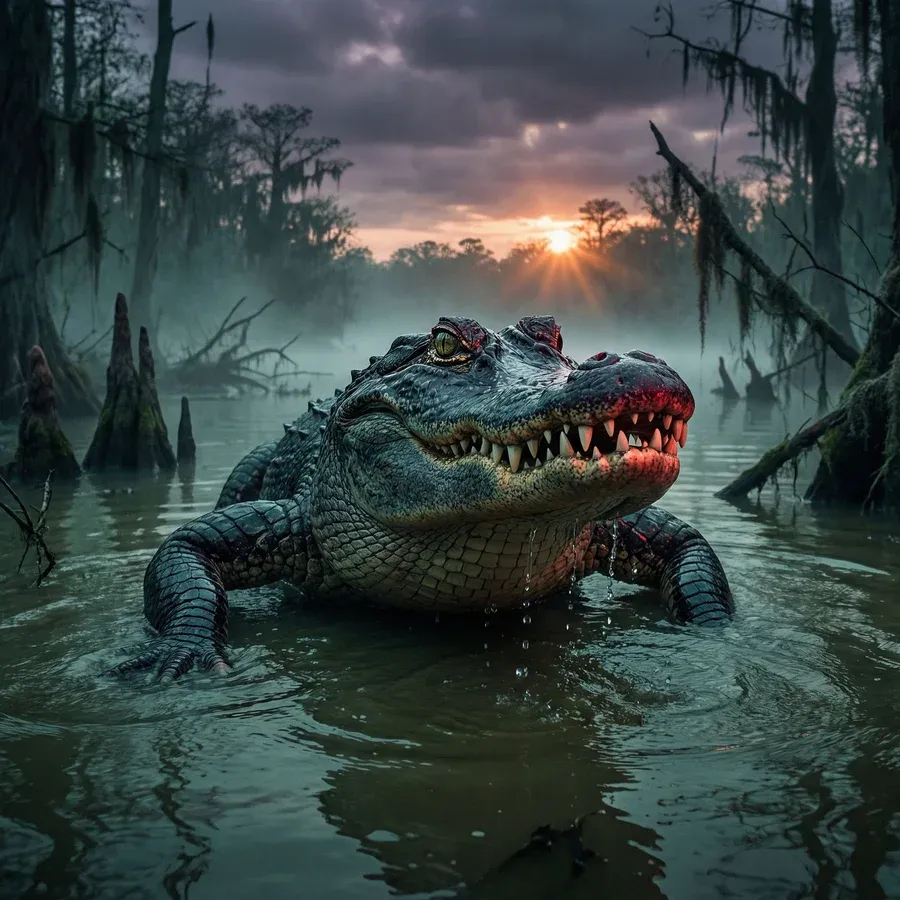
{argument name="subject" default="Alligator"} lurking in a {argument name="setting" default="swamp"} at {argument name="time" default="dusk"}
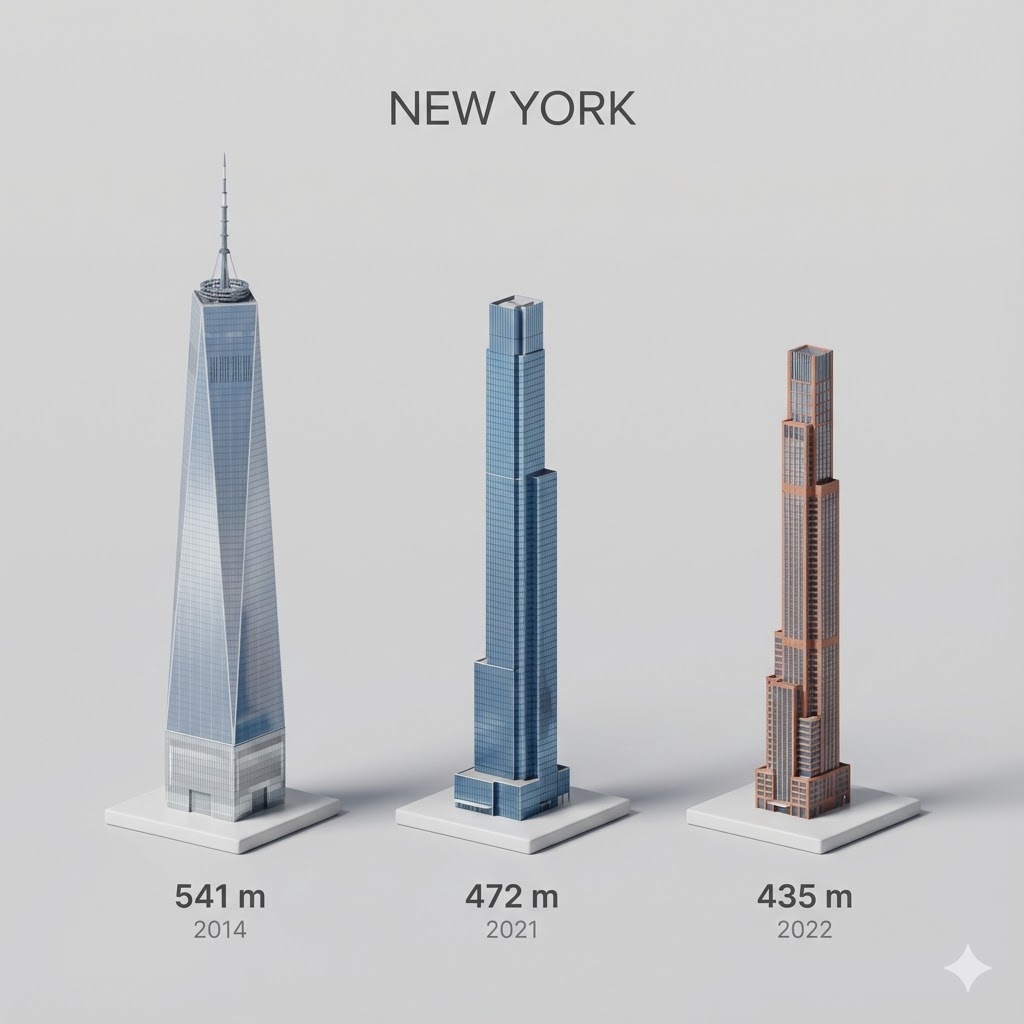
Present a clear, side miniature 3D cartoon view of the tallest buildings in {argument name="city in English" default="YOUR CITY"}. Use minimal textures with realistic materials and soft, lifelike lighting and shadows. Use a clean, minimalistic composition showing exactly the three tallest buildings in {argument name="reference city in English" default="Sopot"}, arranged from left to right in strict descending height order. The tallest must appear visibly tallest, the second must be clearly shorter than the first, and the third must be clearly shorter than the second. All buildings must follow accurate relative proportions: if a building is taller in real life, it must be taller in the image by the same approximate ratio. No building may be visually stretched or compressed. Each building should stand separately on a thin, simple ceramic base. Below each base, centered text should display: Height in meters — semibold sans-serif, medium size Year built — lighter-weight sans-serif, smaller size, directly beneath the height text Provide consistent padding, spacing, leading, and kerning. Write “{argument name="city name title" default="YOUR CITY NAME"}” centered above the buildings, using a medium-sized sans-serif font. No building top should overlap or touch the text above. Use accurate architectural proportions based on real-world references. Maintain a consistent camera angle and identical scale for each building model. No forced perspective. Use straight-on orthographic-style rendering. Do not exaggerate or stylize size differences beyond proportional accuracy. Use a square 1080×1080 composition. Use a clean, neutral background. Ensure no extra objects are present.
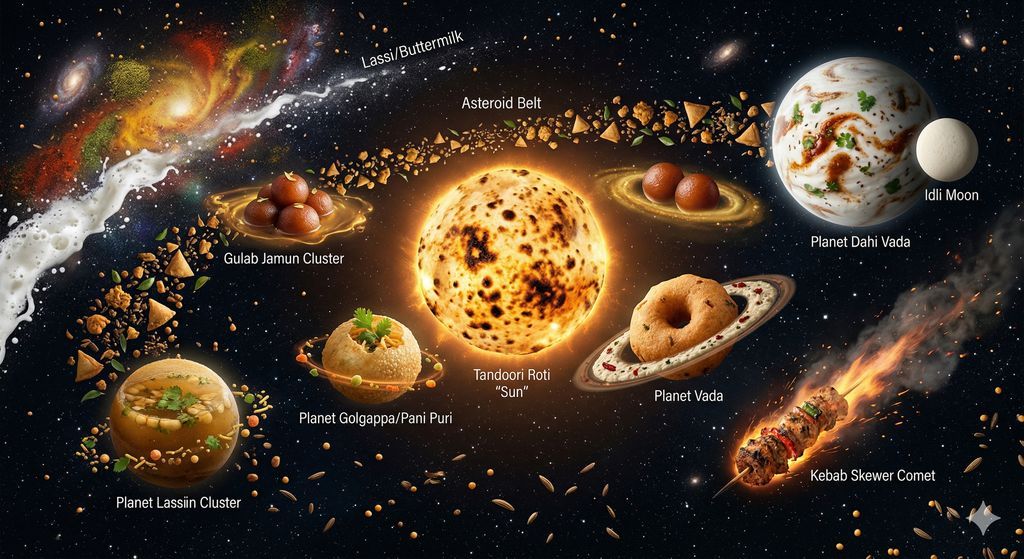
Create a cosmic/space scene where various Indian street foods are floating in deep space as if they are planets, moons, and celestial objects in a delicious galaxy. THE FOOD SOLAR SYSTEM: - CENTER (Sun): A massive round tandoori roti, glowing from within like a star, with charred spots resembling sunspots, radiating warm golden light outward - PLANET 1 (closest): A perfect round golgappa/pani puri — crispy shell glistening, filled with spiced water visible through the opening. Tiny orbit ring of sev and chutney droplets. - PLANET 2: A round vada (medu vada) as a donut-shaped planet with a ring system made of coconut chutney - PLANET 3: A plate of round gulab jamuns as a cluster of sweet brown planets with syrup nebula around them - ASTEROID BELT: Dozens of floating samosas, pakoras, and bhel pieces scattered in a ring - PLANET 4 (gas giant): A huge round dahi vada — white yogurt surface like a cloudy gas giant, with tempering (tadka) marks resembling Jupiter's storms - COMET: A kebab skewer streaking across the scene with a trail of spice smoke and sparks - MOON: A round idli orbiting the dahi vada planet - NEBULA: A colorful cloud of turmeric (yellow), chili (red), and coriander (green) powders mixing in space, forming a stunning spice nebula BACKGROUND: - Deep space black with thousands of tiny stars (mustard seeds and cumin seeds floating as stars) - Distant galaxies made of swirling masala powder - The Milky Way visible but made of a stream of white lassi/buttermilk LIGHTING: - The tandoori roti "sun" provides warm orange light illuminating nearby foods - Each food item has its own subtle glow — the hot items emit warm light, the cold items (lassi, curd) emit cool blue light - Dramatic space lighting: stark bright highlights, deep black shadows, no atmosphere STYLE: Photorealistic food photography meets NASA space photography. Every food item is rendered with appetite-triggering detail — crispy textures, steam, glistening oil, fresh garnishes — but floating in actual outer space with real stars and cosmic phenomena. This surreal combination is the kind of image people share saying "this is the most Indian thing I've ever seen." 8K resolution.
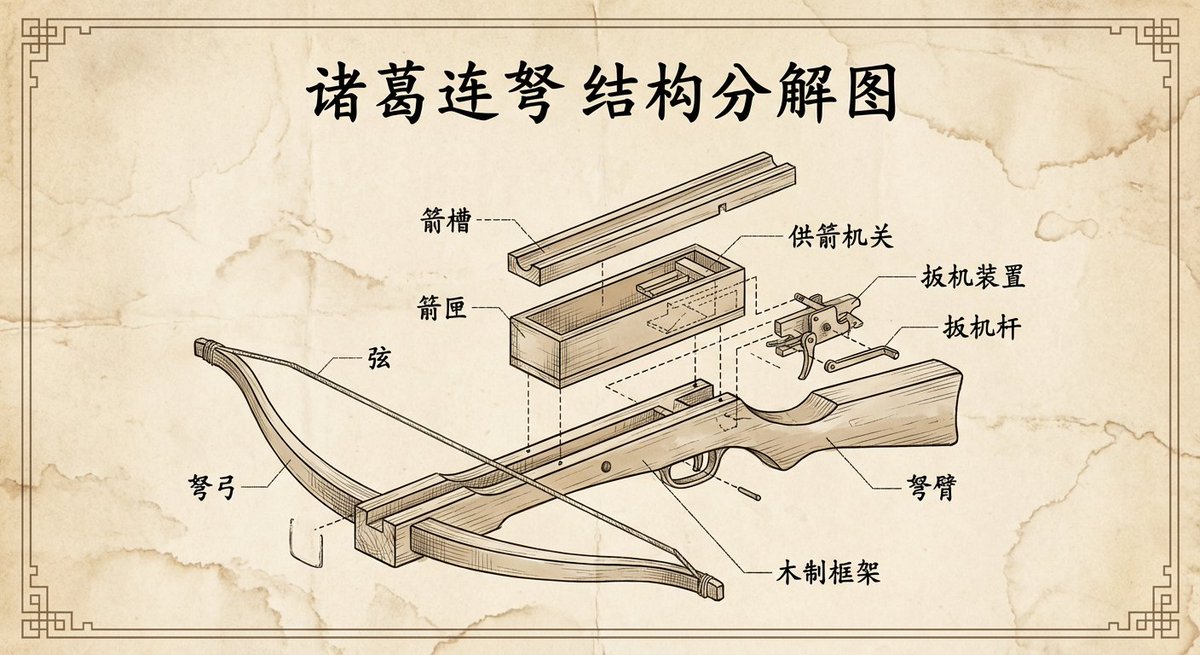
Please create a vintage-style engineering exploded view diagram of the {argument name="weapon_name" default="Zhuge repeating crossbow"}, with all labels and text in Chinese.

An intricate, highly detailed and clean 3D illustration and cross-section diagram of a massive horizontal-axis wind turbine, rendered on a crisp white background with a ground landscape and a distant power grid. The style is an illustrative technical schematic with clear lines and subtle textures. The overall title, positioned at the top-center in a professional sans-serif font, is "{argument name="title" default="Wind Turbine Components"}". The composition is dominated by the tall turbine, which is positioned slightly to the left, and its cutaway nacelle. The turbine stands on a detailed gray modular tower (Component 6), which rests on a ground plane of green rolling hills and foliage, alongside a detailed grey Transformer (Component 7). To the far right, two detailed steel lattice power pylons connect the transformer via high-voltage lines, labeled "To Power Grid". At the top of the tower sits the large nacelle, with a detailed internal cutaway revealing a visible multi-stage Gearbox (Component 4) with internal blue gears and a complex copper-coil Generator (Component 5), both cut to show their internal structure. The Generator housing is cut away to show the stator and rotor coils. Leading from the front is the Hub (Component 2), connecting three enormous, clean white aerodynamically-shaped Rotor Blades (Component 1) (labeled with bullet points: "Capture the wind energy.", "Designed like airplane wings...", "When wind passes over them..."). Inside the cutaway, the Hub leads to a detailed blue Main Shaft (Component 3, labeled with bullet points: "Transfers mechanical energy from rotor to the gearbox.", "Uses Direct Drive in some modern turbines.") that connects to the Gearbox. Multiple distinct, precise gray call-out lines with blue circular numbered bullet points (1 through 7) and corresponding text blocks are positioned around the diagram, connected to specific components. A large, blue-to-white gradient angled banner at the bottom-left features the bold, white text "{argument name="banner text" default="Power systems protection"}". The text for each component and its function is perfectly transcribed and legible as in image_1.png. The entire scene is sharply focused, like a technical patent illustration, with clean lighting.
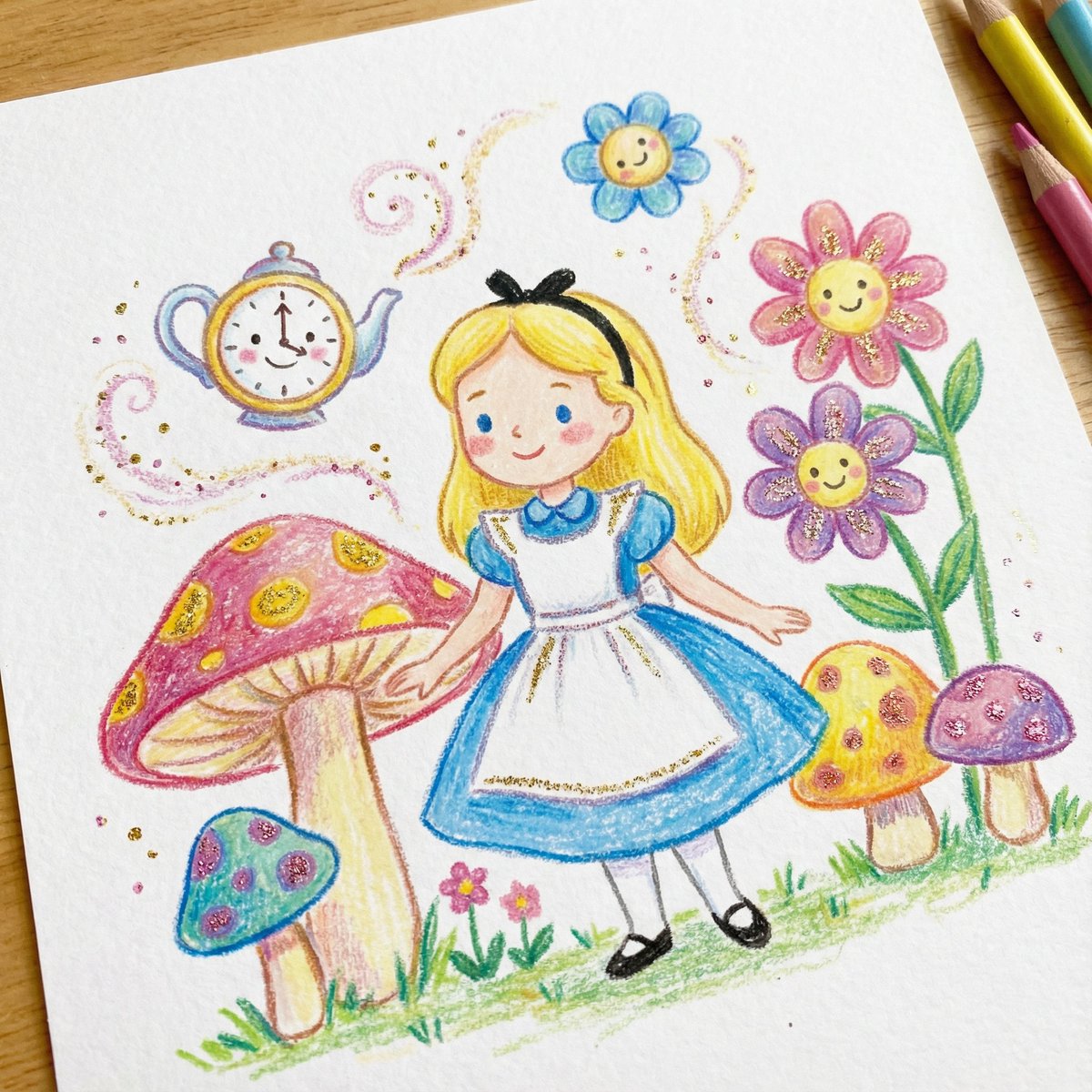
DRAWING a drawing of {argument name="character" default="[Character]"}, crayon on white paper, in the style of a children's book illustration – simple, cute, and full-color, with {argument name="glitter color" default="[two glitter accent colors]"} glitter accents and high detail.

A close-up, eye-level shot captures a {argument name="animal type" default="European hamster"} in a field of dry grass. The {argument name="animal type" default="hamster"}, with its distinctive brown and black fur, is positioned slightly to the left of the frame, facing right. Its tiny paws are holding a {argument name="food item" default="small green leaf"}, which it appears to be eating. The {argument name="animal type" default="hamster"}'s dark, beady eyes are sharp and focused, and its long whiskers are prominent.
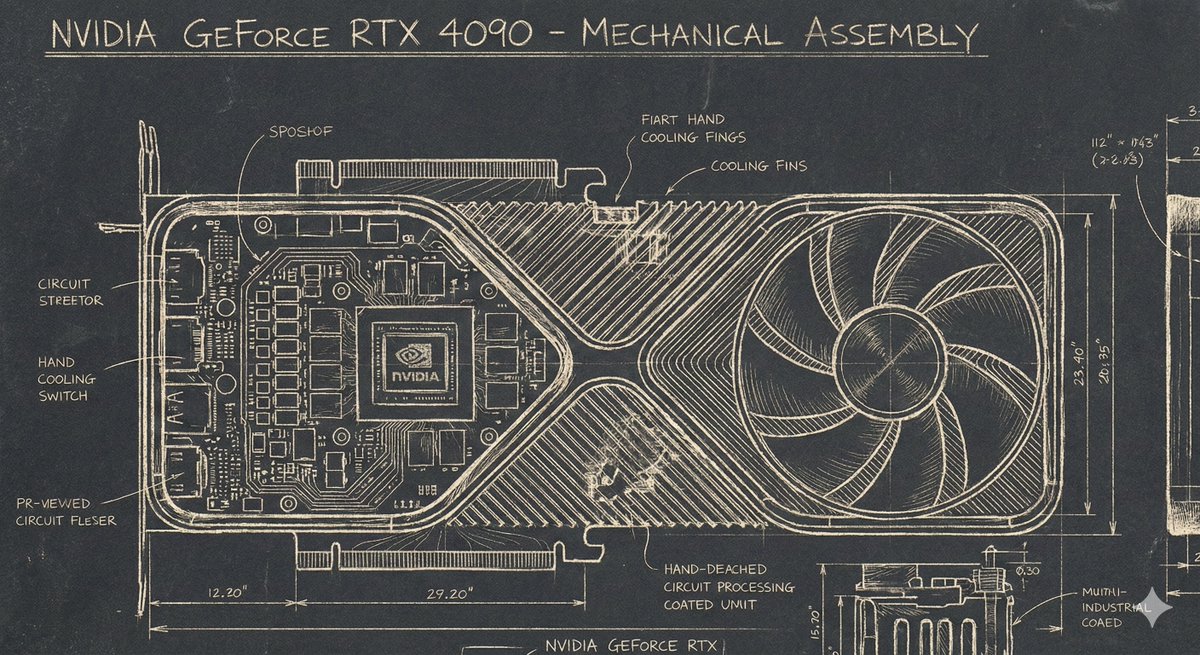
A Sgraffito Mechanical Blueprint of {argument name="GPU model" default="NVIDIA 4090 GPU"}
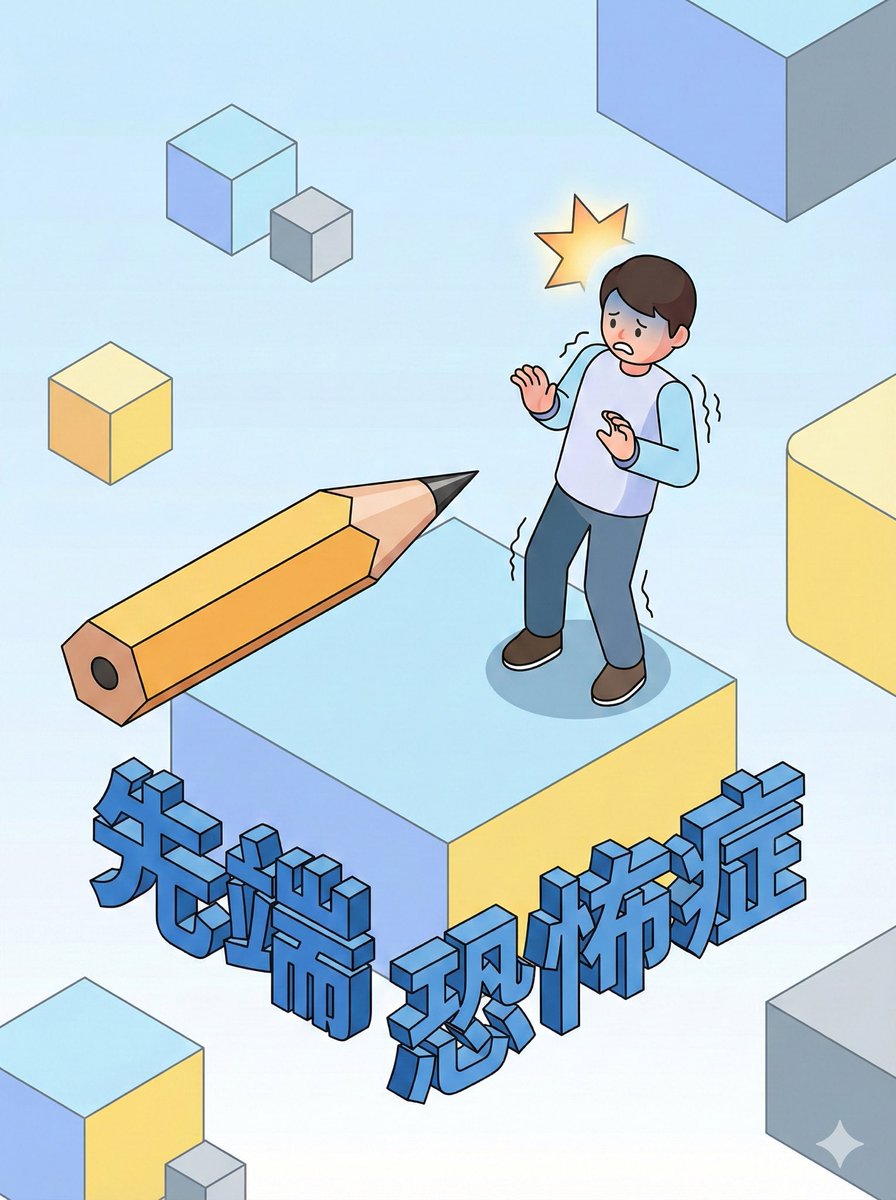
Aichmophobia (fear of sharp objects), {argument name="style" default="clay animation style"}, {argument name="detail level" default="detailed infographic"}, {argument name="depiction" default="psychological illustration"}
Some prompts are collected from creators on X. Copyright belongs to the original authors.