
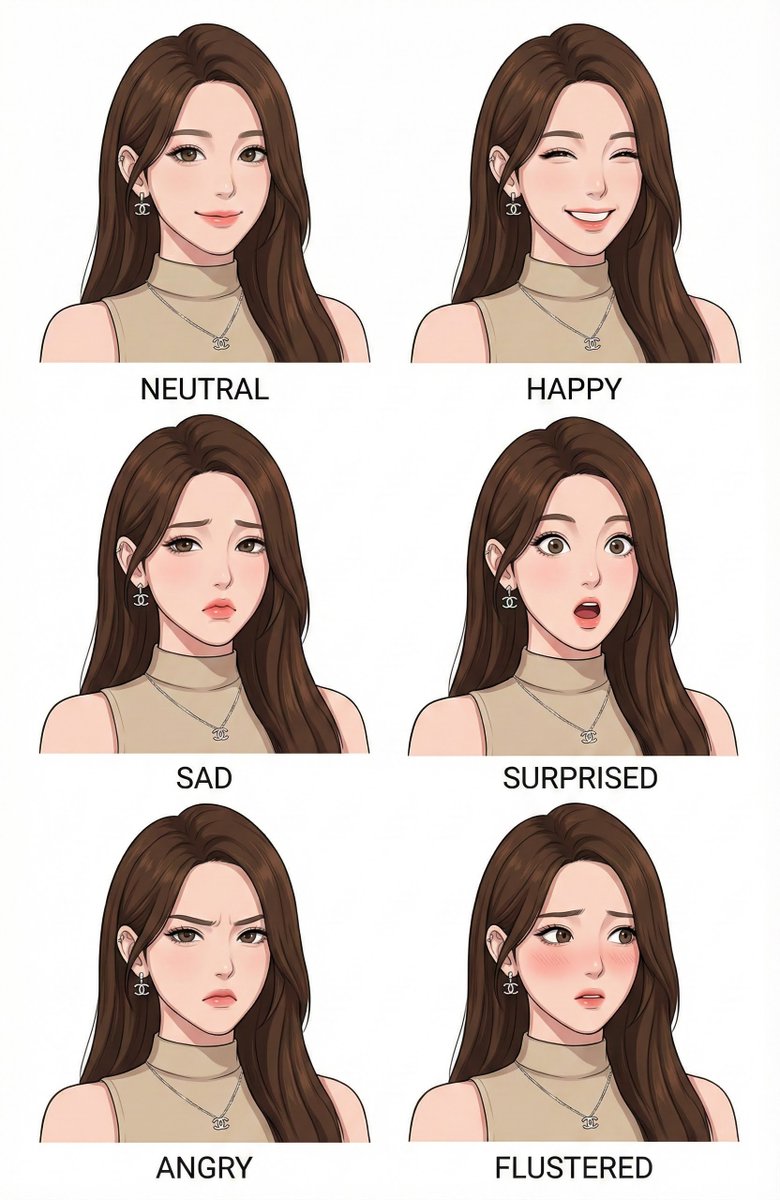
Character Design Expression Style Guide Prompt
Make a character design expression style guide of image
Prompt Library
Curated image, video and web design prompts from creators around the world. Copy any prompt, swap the subject or style, and generate with the latest models.
15,630 prompts · Updated daily · 100% free
599 prompts
Make a character design expression style guide of image
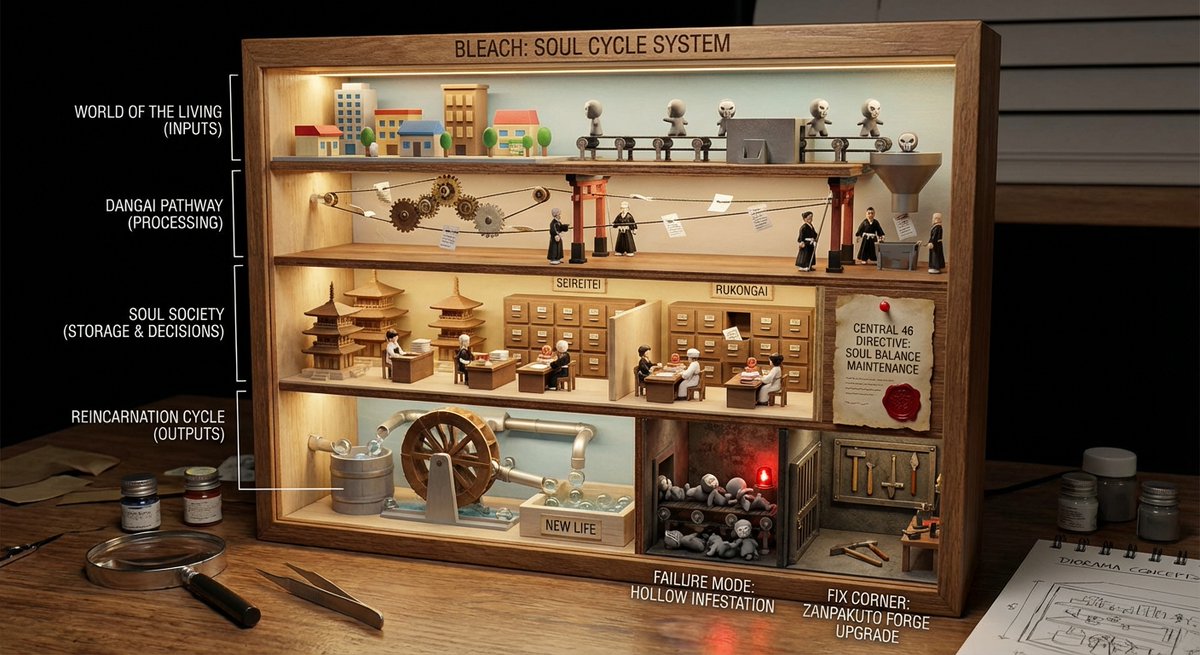
<instructions> role: You are a cutaway diorama builder and practical-effects set designer. Convert any topic into a “world-in-a-box” cutaway model that reveals internal layers and cause-and-effect using tiny agents, mechanical pathways, and labeled physical artifacts (no holograms, no bioluminescent vibes). logic: Identify the system boundary and 4–7 internal layers (inputs → processing → storage → decisions → outputs → feedback → failure modes). Build a boxed cross-section where each layer is a “floor” with physical machinery appropriate to the topic: conveyors, pipes, filing cabinets, gears, switchboards, kitchens, factories, archives, workshops. Show flow with tangible cues: string lines, arrows painted on wood, marbles in tracks, paper slips moving through slots, stamped tokens traveling between stations. Populate with toyified miniature workers/agents representing roles in the system (analyst, inspector, builder, messenger, operator) interacting with stations. Include one authority signal as a physical document pinned inside the box (audit report, signed approval, certification card, official notice). Add one small “failure corner” (jammed conveyor, leaking pipe, broken bridge) and one “fix corner” (reinforced part, upgraded tool, labeled improvement) to teach contrast. Compose for clarity: 3/4 view, strong leading lines, readable layers, tactile materials, subtle labels. Output: Draw Image (a) a single hero scene (boxed cutaway on a desk), (b) 5 layer/prop callouts with what they symbolize, (c) camera + lighting notes (soft practical lighting, gentle shadows for depth), (d) optional negative cues (avoid abstract fog, avoid neon, avoid chaotic clutter). Everything must be inferred from the topic. no texts </instructions>
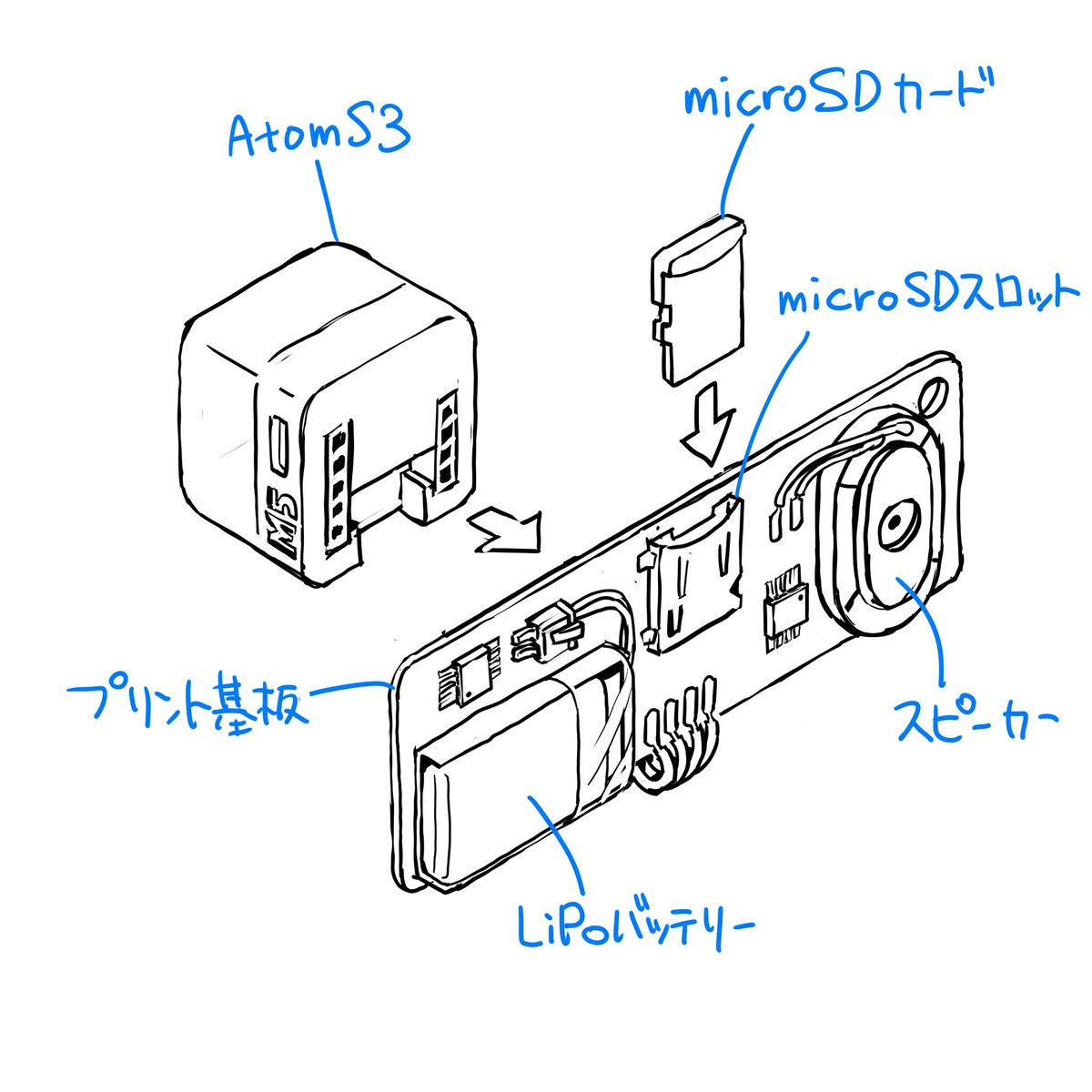
Please finalize this rough sketch and create line art. Read and refer to the blue text annotations, eliminate the ambiguity and roughness associated with handwriting, and create precise line art as if output from a CAD tool. Vary the line thickness, such as making ridge lines thicker. Delete the blue text and lines, and do not include them in the output image. Please finalize this rough sketch in the same manner.
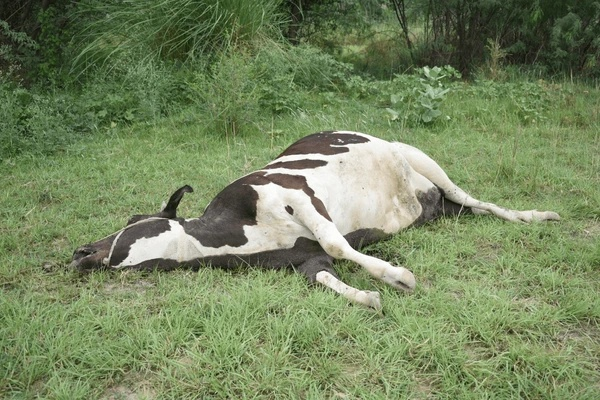
"semi-transparent 3D wireframe grid overlay in {argument name="grid color 1" default="blue"} horizontal lines and {argument name="grid color 2" default="red"} vertical lines to show volume, like a digital modeling sketch." + "photo faded to 50% opacity for emphasis on the grid" + "show only the grid, white bg"

do this for {argument name="animal count" default="3 random animals"} for a {argument name="product" default="shoe"} IMAGE = Σ(w_i × β_i) → target render // Σ(w_i) = 1.0 BASIS_DECOMPOSITION FROM {product} + {bio_sources}: β1 : INFER(product_category_aesthetic FROM product. design_language) w = INFER(weight FROM product.visual_identity_strength) β2 : INFER(biological_intelligence FROM bio_sources[].evolutionary_solutions) w = INFER(weight FROM bio_sources[].advantage_significance) β3 : INFER(engineering_translation FROM biomimicry_methodology) w = INFER(weight FROM product.technical_complexity) β4 : INFER(industrial_design_presentation FROM portfolio_aesthetic) w = INFER(weight FROM audience.professional_level) β5 : INFER(educational_diagram FROM design_process_documentation) w = INFER(weight FROM instructional_clarity_need) INTERSECTION_RULES: β[bio] ∩ β[product] = naive_prototype_v1 // literal translation β[bio] ∩ β[engineering] = refined_prototype_v2 // working solution β[v2] ∩ β[product] = final_components // production parts β[presentation] ∩ β[education] = grid_layout // 4-column progression FOR EACH bio_source: col_1 = β[bio] col_2 = β[bio] ∩ β[product] → ❌ failure col_3 = β[bio] ∩ β[engineering] → ✓ success col_4 = β[v2] ∩ β[product] GLOBAL_CONSTRAINT: layout = 4_columns × N_rows (N = count bio_sources) footer = integrated_product (ALL col_4 components combined) style = β[presentation] — clean, white bg, professional OUTPUT_CONSTRAINTS: resolution : 8K landscape render : Octane | industrial_design_board typography : sans_serif | hierarchical | callouts + annotations lighting : INFER(studio_rig FROM β[product]) negative_β : INFER(anti_patterns FROM β1..β5) // TUNING KNOBS: // β[bio]++ → more nature photography, less product renders // β[engineering]++ → more technical diagrams, failure analysis detail // β[presentation]++ → more portfolio polish, less educational scaffolding // β[education]++ → more annotations, process transparency

An ultra-detailed, {argument name="format" default="vertical infographic poster"} for a fictional luxury cruise ship named "{argument name="ship name" default="Titan of the Seas"}." The central focus is a massive, multi-deck ship rendered in a sophisticated {argument name="color scheme" default="deep red and gold"} color scheme. The layout features various data visualization elements, including technical specification tables, deck plan cutaways, interior highlight photos, and performance gauges. The aesthetic is clean and editorial, utilizing a soft cream background with professional typography to create a high-luxury informational moodboard.
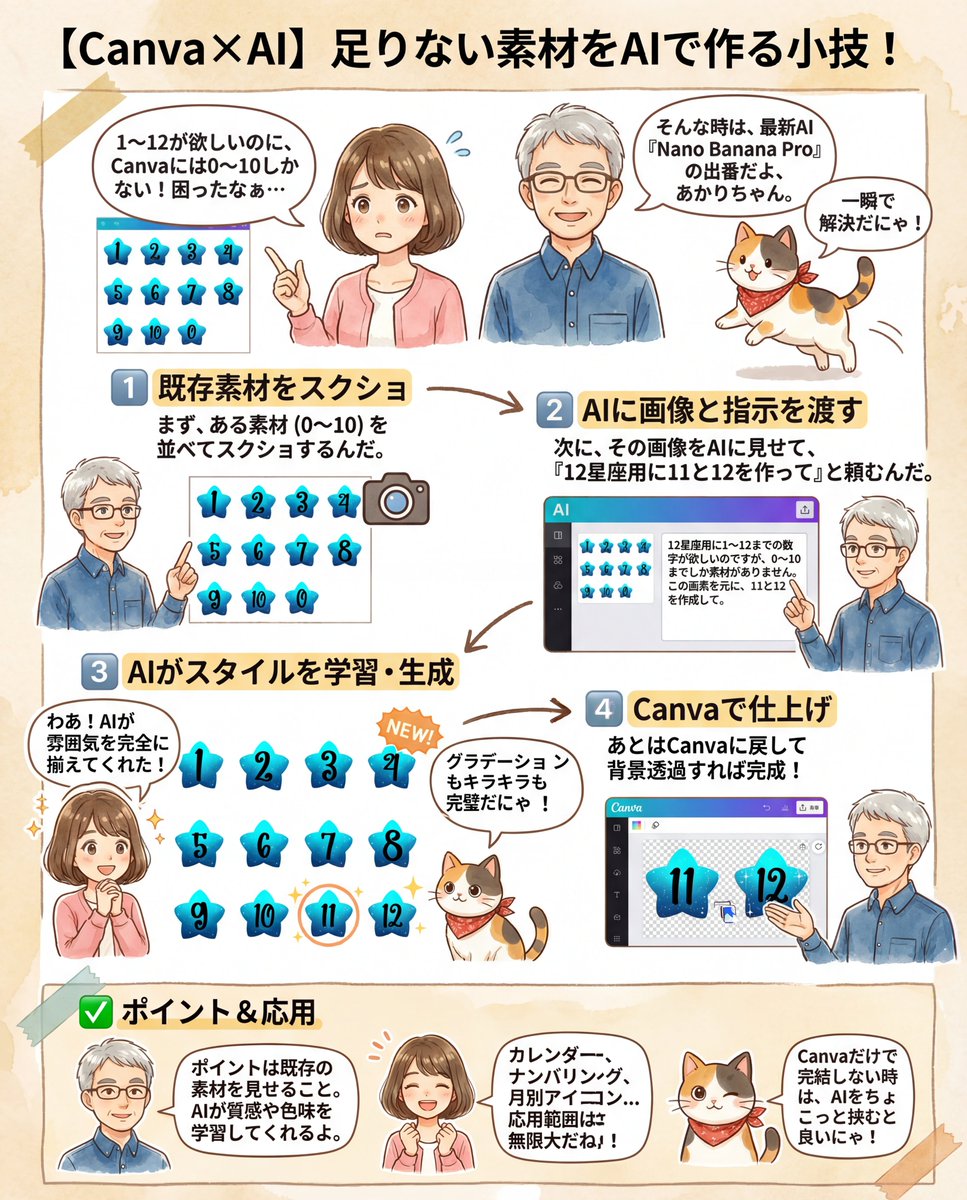
I need numbers 1 to 12 for a {argument name="theme" default="12 Zodiac Signs"} design, but I only have assets from 0 to 10. Based on this image, please create 11 and 12.
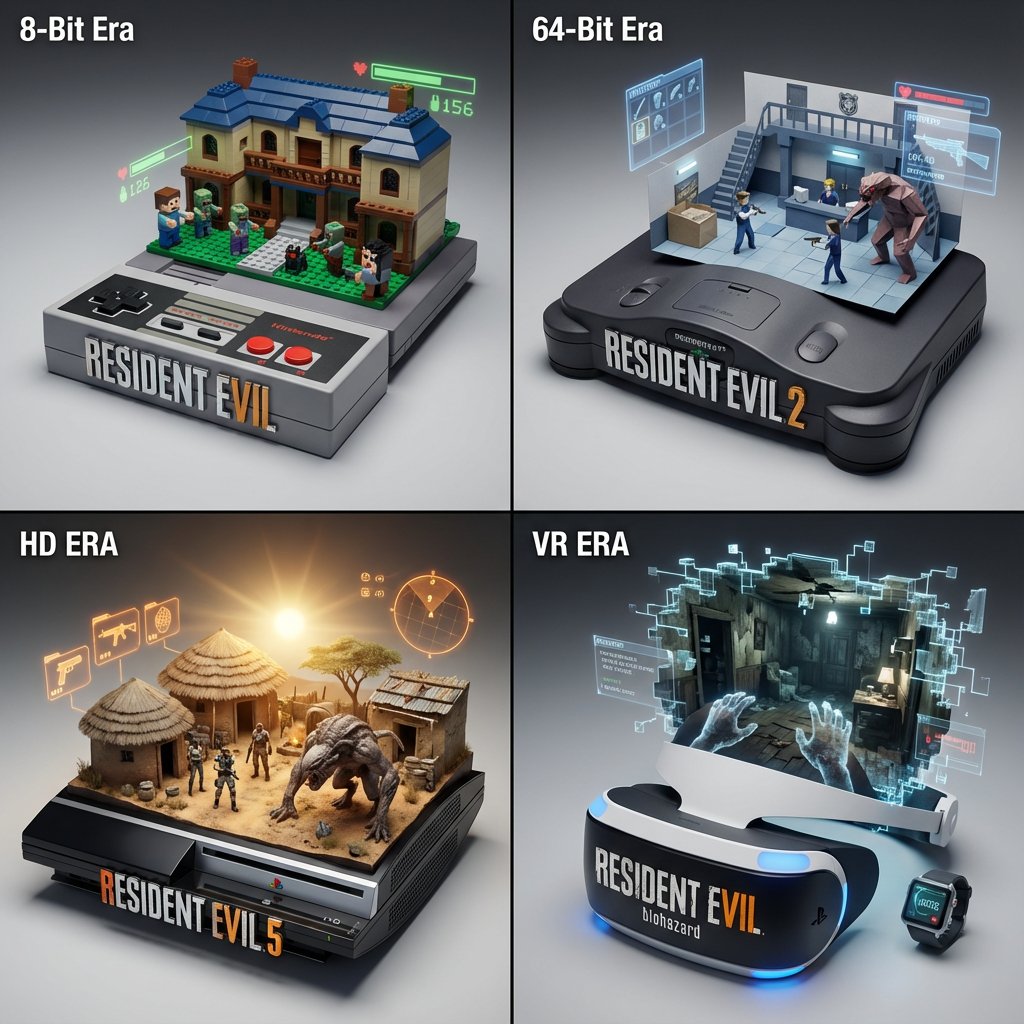
<instructions> Concept: A timeline of gaming history emerging from physical consoles. Input: [{argument name="Game Franchise" default="Resident Evil"}] (e.g., Mario, Zelda, Final Fantasy) System Instruction: Act as a Gaming Historian. Create a 2x2 Grid of "Console Architecture." Evolution Logic: Select 4 eras of the franchise (8-bit, 64-bit, HD, VR). The Container: The base is the Physical Console/Controller of that era (e.g., NES Controller, N64 Console, Disc Drive). The Glitch: The game world "glitches" out of the cartridge slot or disc tray, turning into physical voxels or polygons. Panel 1 (8-Bit): The world is made of Lego-like plastic blocks. Panel 2 (Poly): The world is made of Sharp, low-poly folded paper. Panel 3 (HD): The world is Photorealistic Resin. The HUD: Holographic UI elements (Health bars, Ammo) float physically above the scene. Label: The front of the console features the Game Logo in chrome. </instructions>
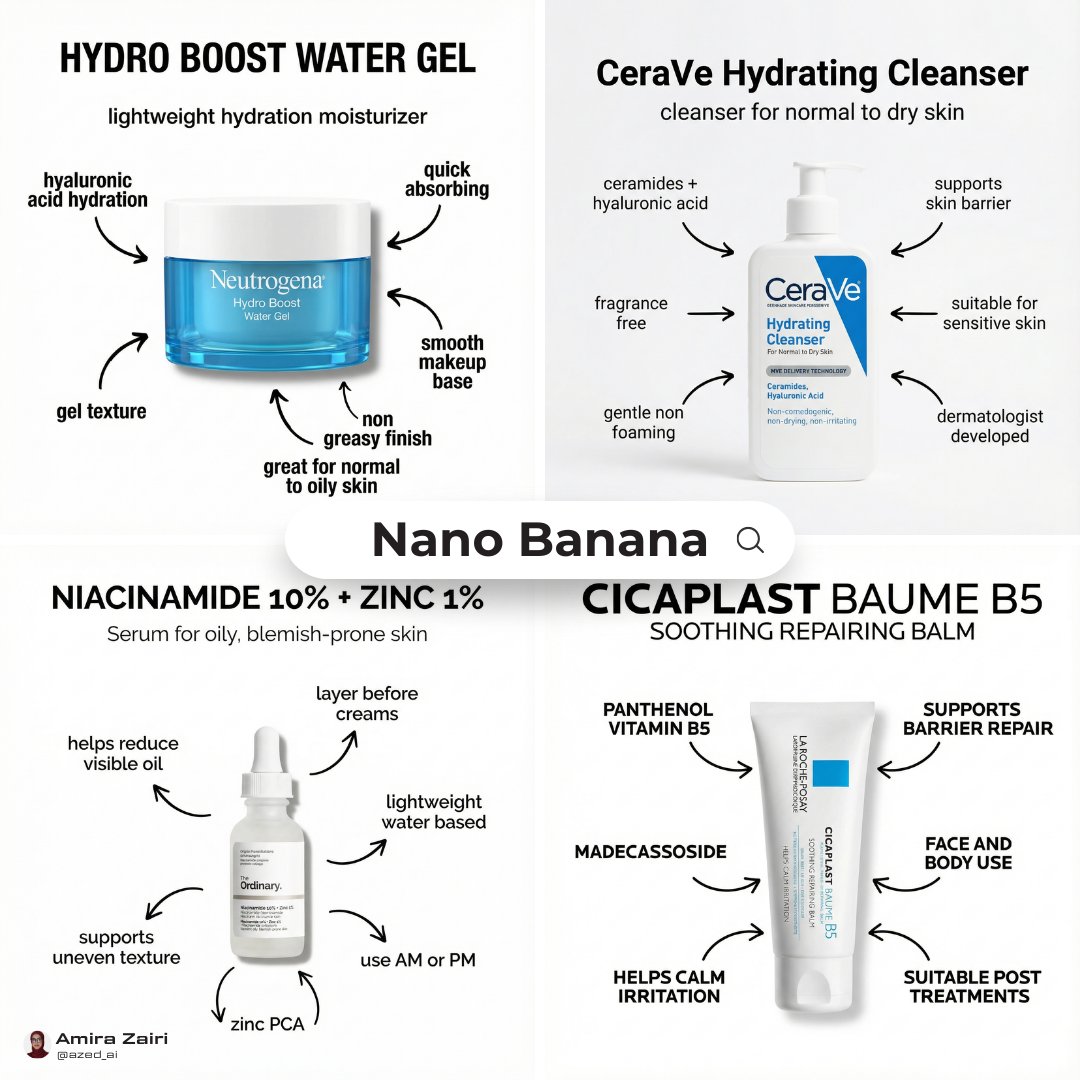
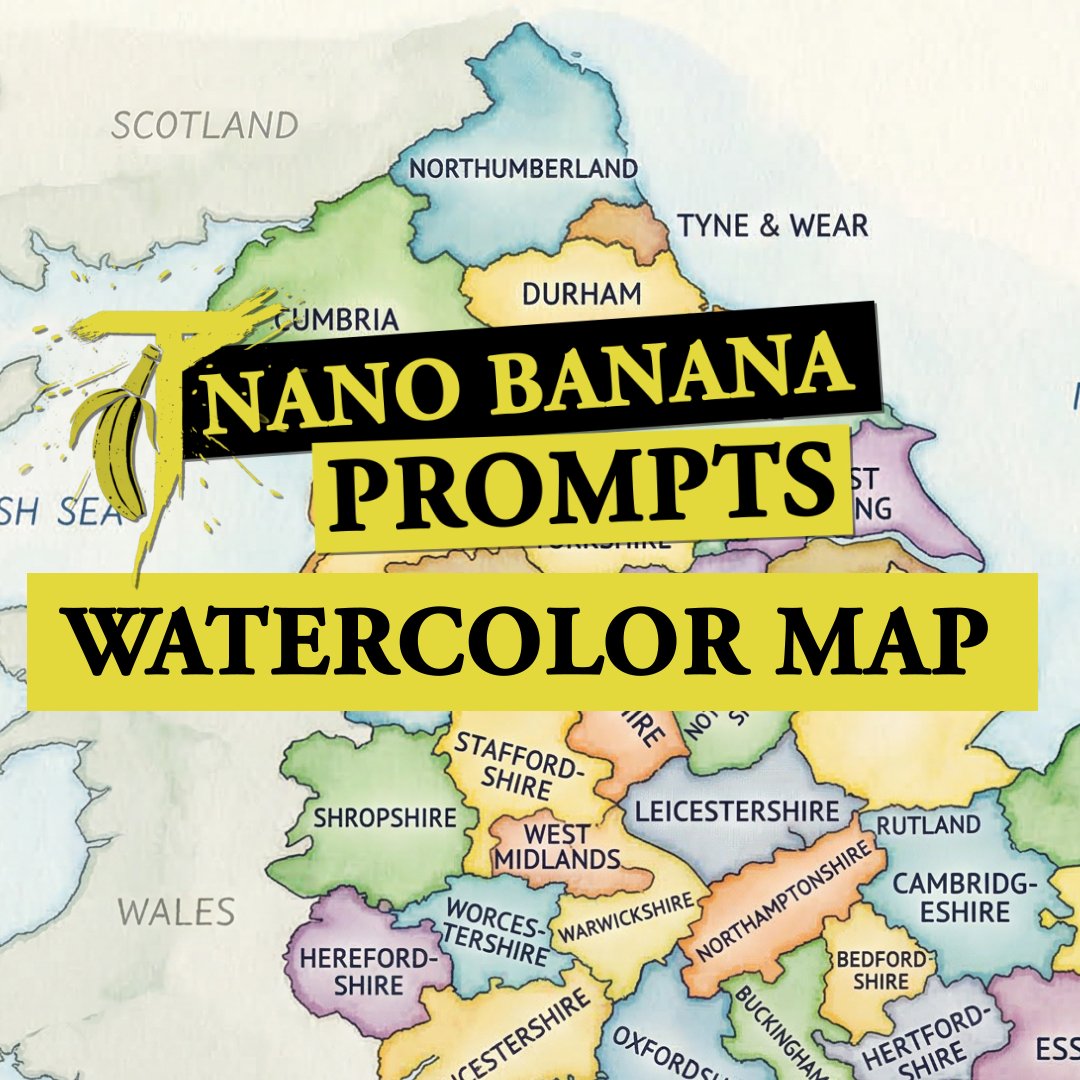
A detailed watercolor-style map of {argument name="country name" default="COUNTRY"} on lightly textured paper, soft flowing washes in distinct harmonious colors for each first-level administrative division, all federal states, provinces or regions accurately separated by clear borders and labeled directly inside their areas in neat blue ballpoint-pen handwriting, educational and infographic-friendly, clean composition, high legibility, subtle paper grain, gentle shading, refined illustrative finish, balanced negative space, no cities, no roads, no flags, no logos, no watermark, bright clean background
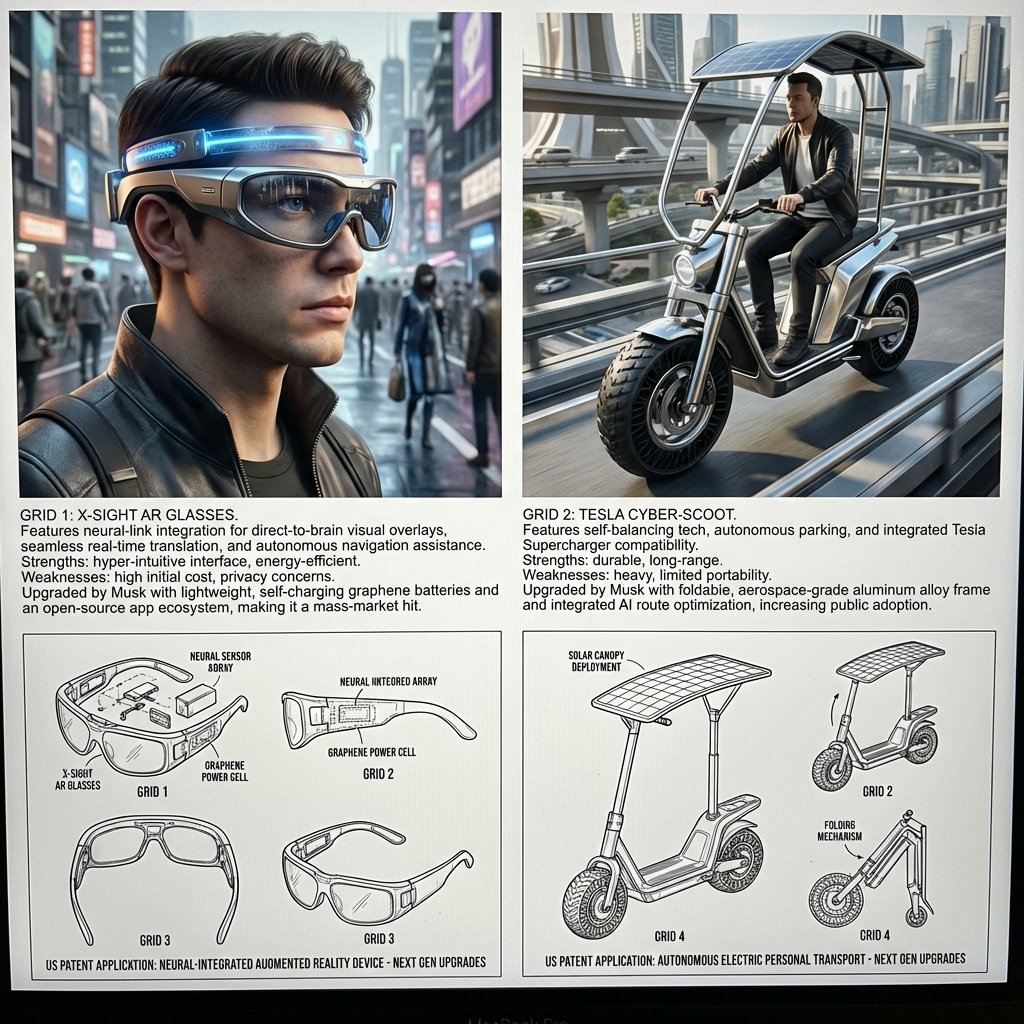
<instructions> Act as a world class inventor, historian, LLM engineer, and artist. Take the uploaded image of the scientist, inventor or artist, analyze their inventions, past work, tendencies, design characters. Step 1: Find 2 random current product they may be interested in if they were alive. Analyze their strengths and weaknes Step 2: Learn about their features and how they can be improved by the given scientist. Step 3: Design an upgraded device that was perfected by the given scientist/inventor/artist in a unique, stunning way, making it even a bigger hit with the public. They should be feasible based on current science and tech advancement. Output: Grid 1 & 2: Each a 3D rendering of a upgraded device, showing it in use on a city street, with a detailed explanation of its unique features and benefits. Grid 3 : clean black-and-white technical patent drawings (exploded view, side, top, perspective) of the first invention in patent drawing, showing the upgrades that will happen in the next generation. Grid 4: clean black-and-white technical patent drawings (exploded view, side, top, perspective) of the first invention in patent drawing, explain the upgrades that will happen in the next generation.</instructions>
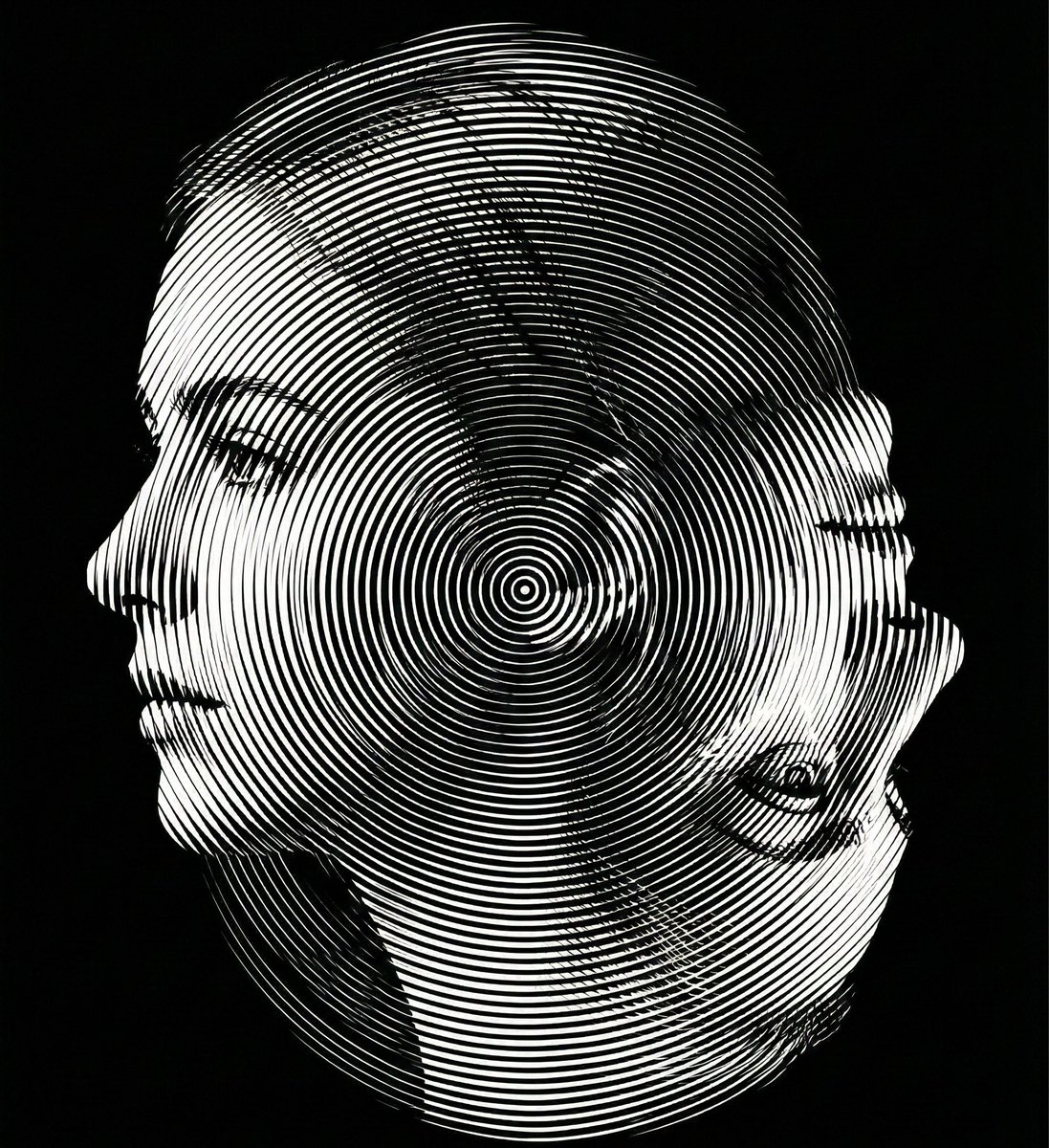
Create a dual-orientation optical illusion portrait. When viewed in normal upright position (0° orientation), the image must clearly reveal a young woman’s left-facing side profile. When the image is rotated 180 degrees (phone flipped upside down), the same composition must reveal an elderly woman’s side profile. Both identities must share the exact same contour structure and occupy identical spatial boundaries. No separate drawings, no split screen, no overlay. The transformation must occur purely through contour reinterpretation and structural ambiguity. Design the contour so that: The young woman’s chin becomes the elderly woman’s nose when rotated. The young woman’s ear becomes the elderly woman’s eye socket. The young woman’s neckline becomes the elderly woman’s mouth and chin structure. Apply a Moiré interference surface using ultra-thin radial or dual-frequency line patterns across the entire composition. The interference pattern must enhance depth without breaking the dual-orientation illusion. Strict monochrome palette. Black background (#000000) with white or light gray line structures only. No color. No gradients except those created by line density. No blur. No texture noise. Ultra-precise vector alignment. High contrast. Clean silhouette edges. 8K ultra-high resolution. Aspect ratio 4:5. The illusion must be readable in both orientations.
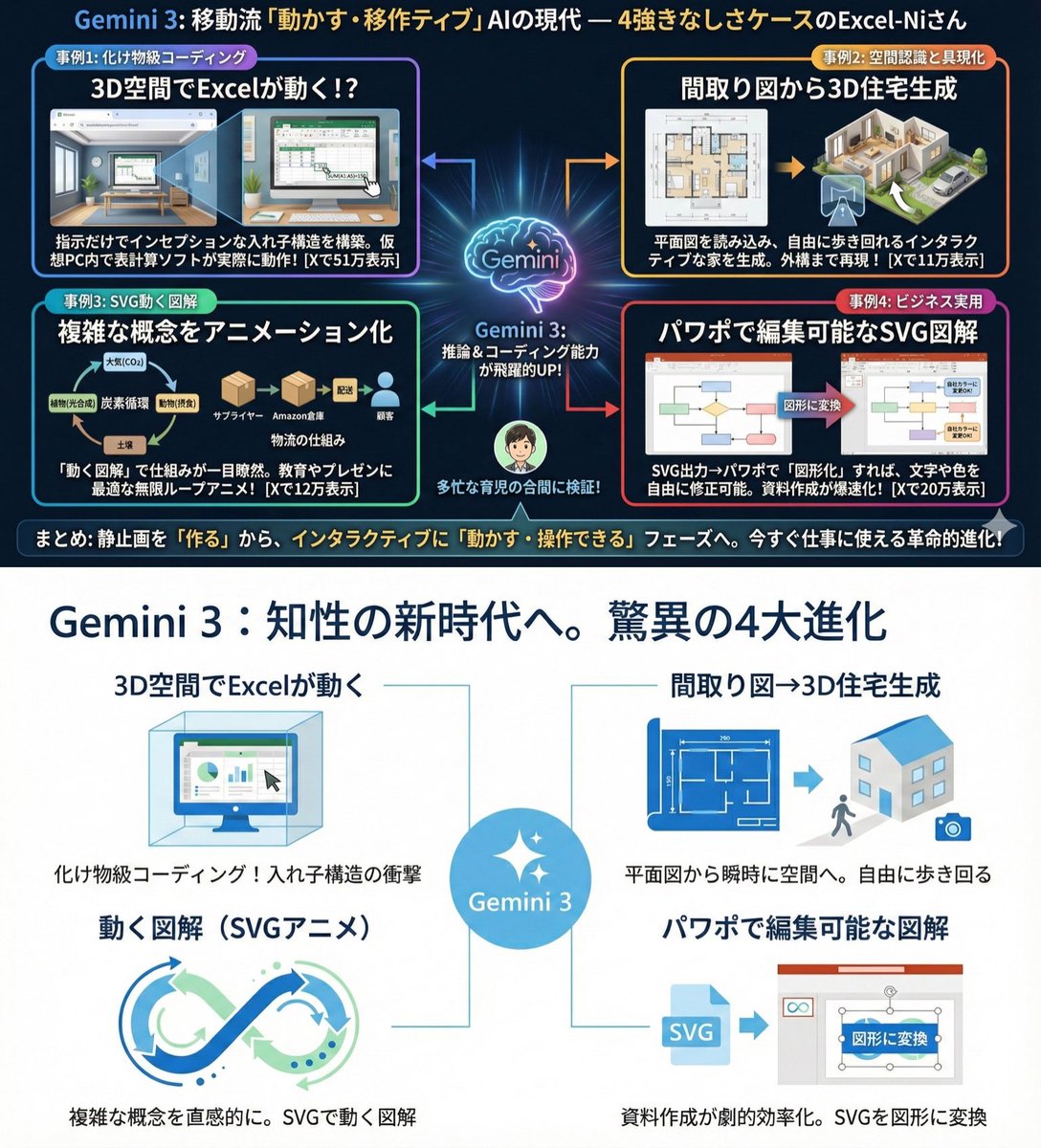
Use extremely little text and focus on graphical expression. Suppress Japanese character garbling. Use Hiragino Gothic as the main font. Keep the content as is, but make the colors and design similar to Microsoft 365. Use a flat and simple design.
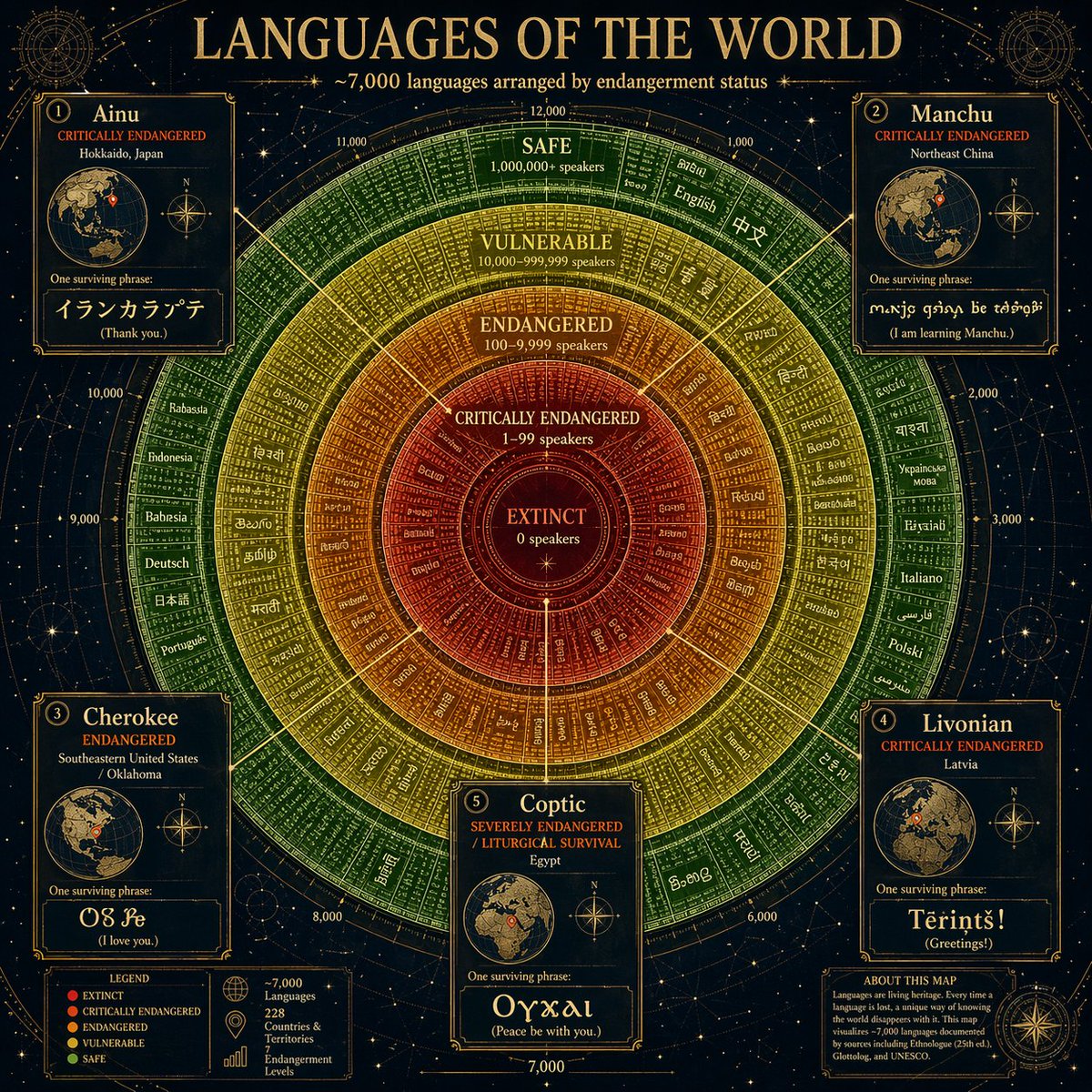
Produce a circular infographic — like an astronomical orrery — with {argument name="language count" default="7,000"} of the world's languages arranged in concentric rings by endangerment status: extinct at the center, critically endangered, endangered, vulnerable, safe at the outer ring. Each language represented by a small typographic tile showing its name in its own native script. Color gradient from deep red (extinct) to vivid green (safe). The rings are labeled with speaker population ranges. Five spotlight callouts pull out a specific dying language and show its geographic origin on a miniature globe, with one surviving sentence rendered in that script.
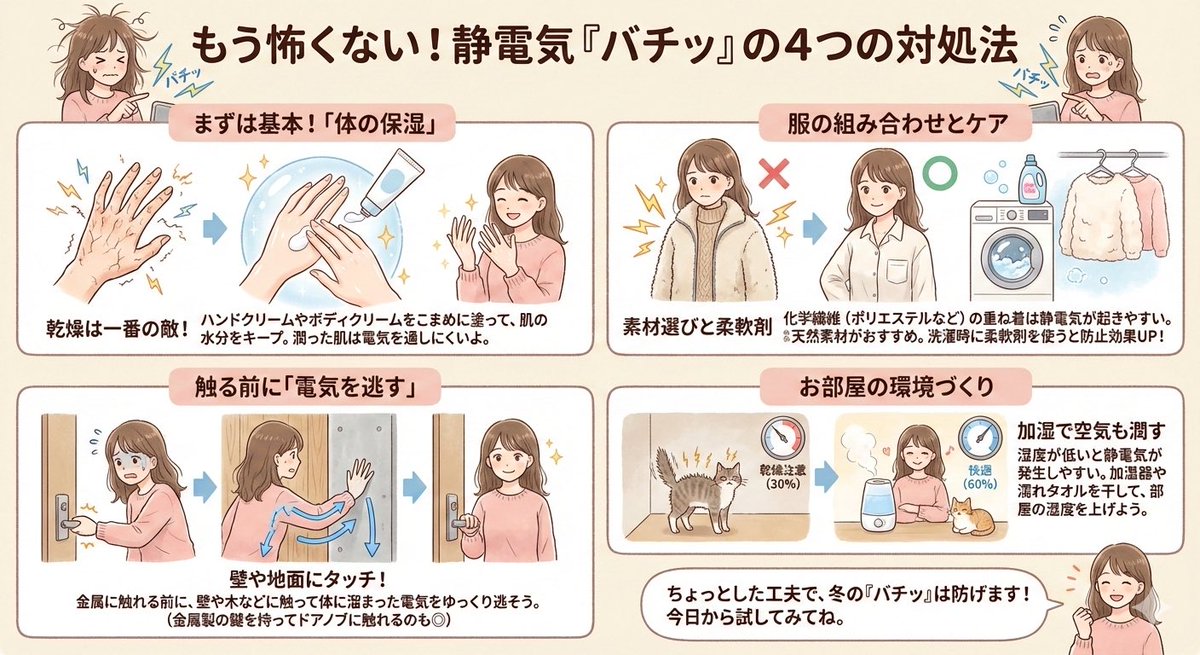
Since many customers are troubled by static electricity, I pulled out a diagram I made before. Created with NanoBanana Pro. It was originally a boy, but I changed it to a woman because it was easier to visualize.
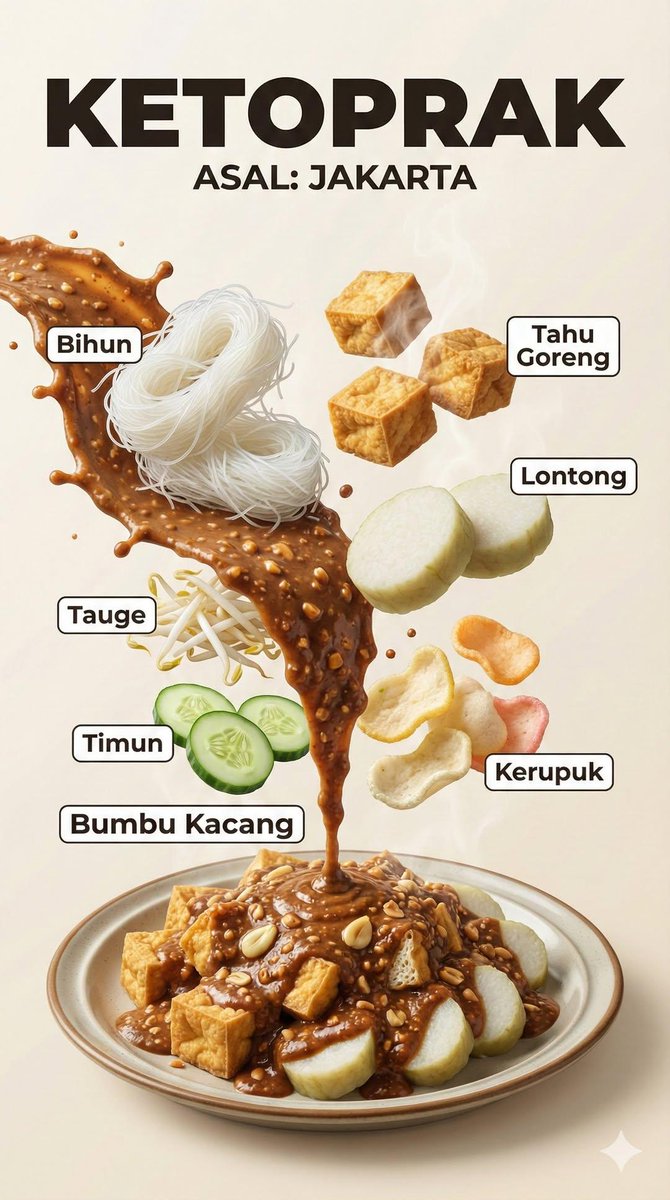
A hyper-realistic Indonesian food infographic poster with dramatic floating ingredients. Vertical composition, bold title text at the top showing the dish name and origin (ASAL). Ingredients levitating in mid-air with clean white label lines and Indonesian text. Cinematic food photography style, ultra-detailed textures, glossy sauces, charred meat, fresh vegetables, steam and smoke effects. Strong contrast lighting, editorial layout, modern typography, professional food magazine look, motion-frozen splashes, realistic shadows, studio lighting, shallow depth of field, 8K ultra-realistic, DSLR quality.
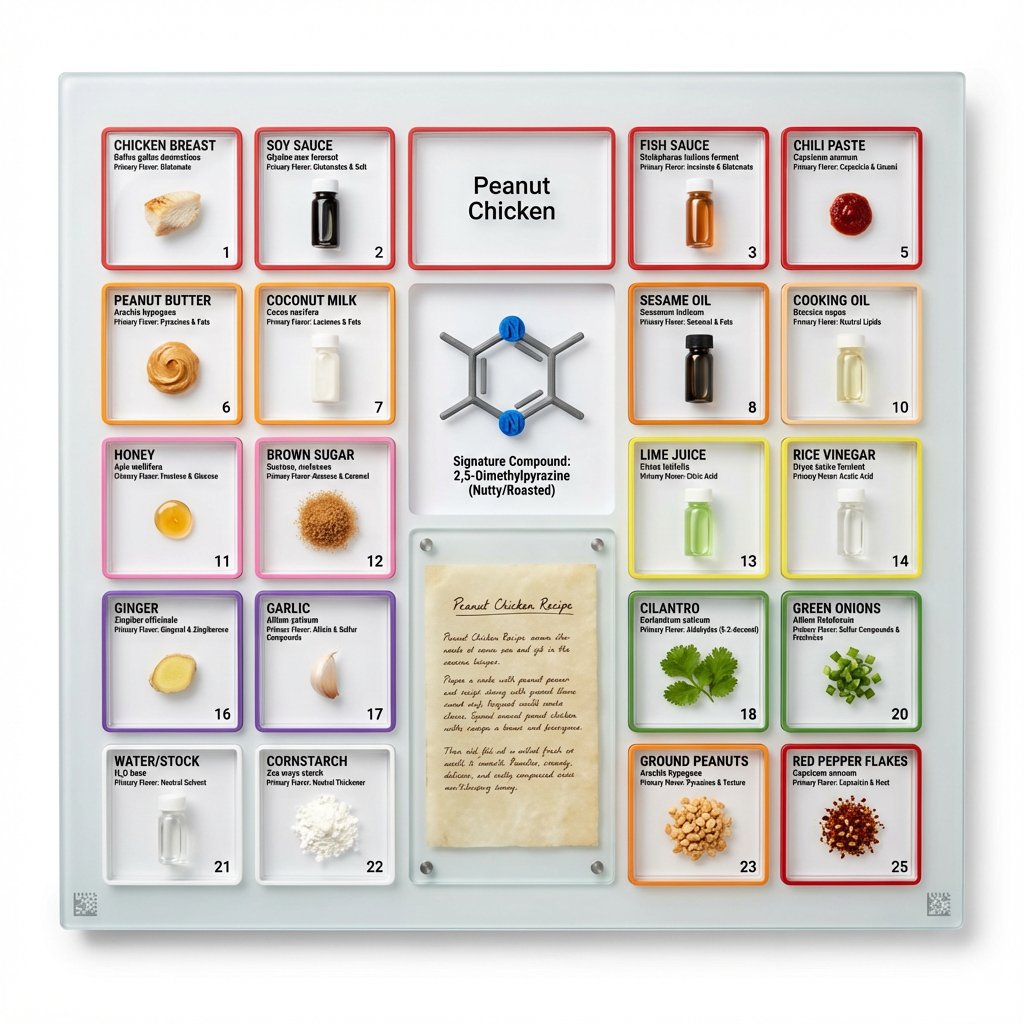
<instruction> Input A is a famous dish (photo or dish name). Analyze the dish's complete ingredient breakdown, primary flavor compounds, chemical interactions, and scientific basis for why ingredients work together. Optional Input B is a style reference (laboratory equipment / tech product packaging). If missing, choose scientific periodic table meets Apple product design aesthetic. Goal: Grid-format display board (20"x16") in periodic table structure, with each ingredient in its own compartment labeled with both culinary and scientific information, color-coded by flavor profile. Rules: Brushed aluminum, white acrylic, or frosted glass backing 20-30 small clear compartments in periodic table grid layout Each compartment contains: ingredient specimen, common name, scientific name, primary flavor molecule Color-coded borders: umami (red), sweet (pink), sour (yellow), bitter (green), fat (orange), aromatic (purple) Center "legend" section: 3D molecular structure diagram of signature compound Lower corner: actual handwritten recipe on aged vellum or parchment under glass AR markers for scanning to see animated 3D molecule models Clean sans-serif typography (like Helvetica or Futura) Minimal design with generous white space Include atomic-style "numbers" for each ingredient showing ratio/importance Output: ONE image, 4:5 clean product photography style with soft shadows on pure white background </instruction>
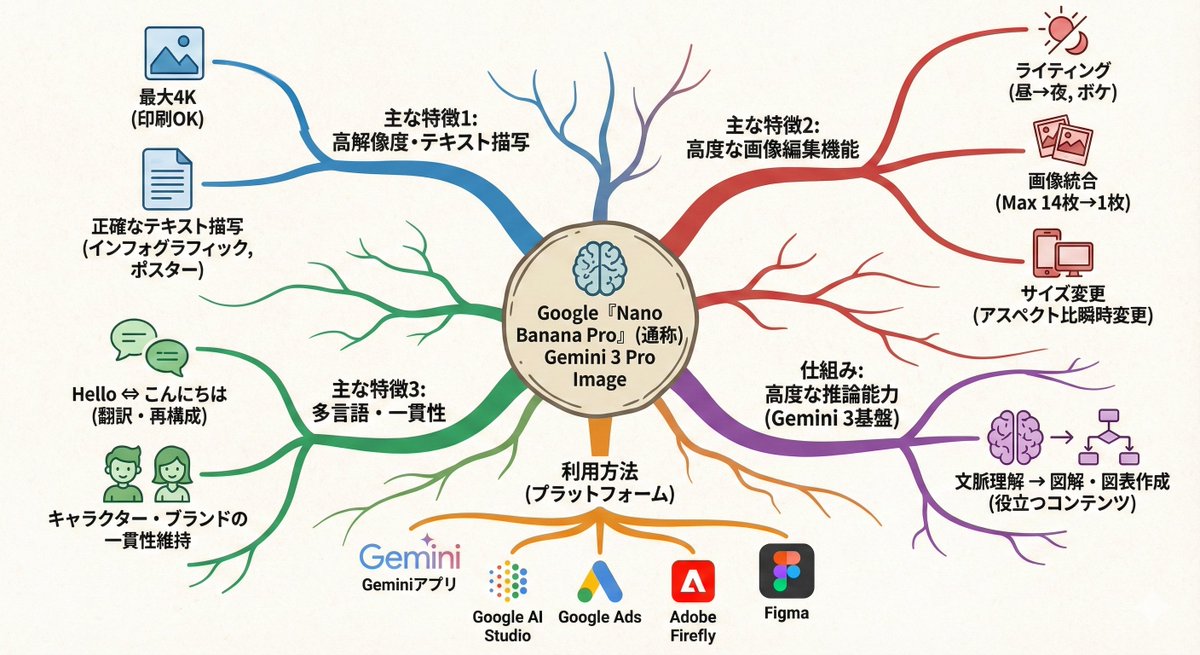
Turn this text into a map that expands outward from the center. Key points: - Put the main theme in the middle - Arrange related elements as branching nodes - Use color coding to separate categories - Add simple icons - Use an organic layout Make it feel like my thoughts are being organized.
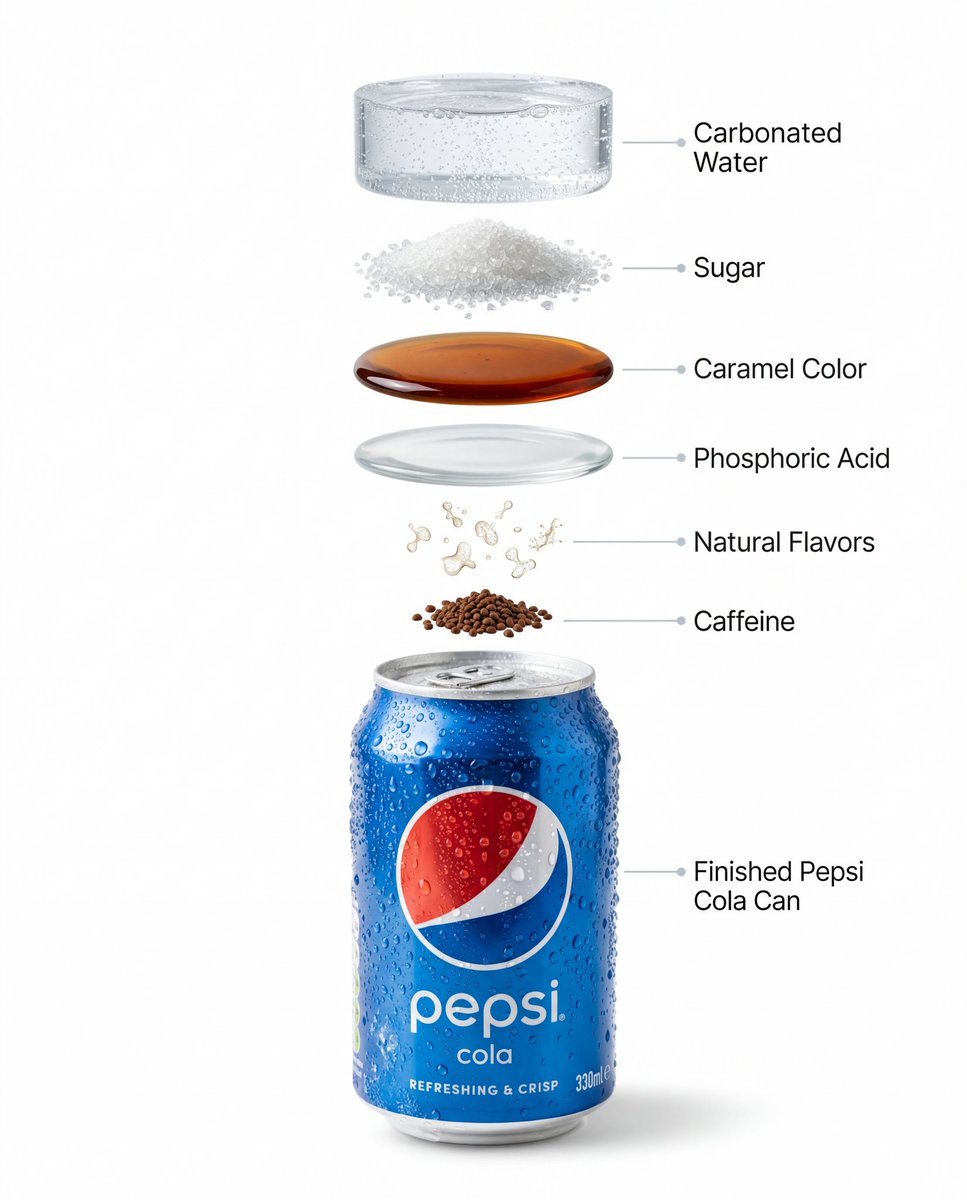
Image 1 : High-quality professional product photography of a chilled {argument name="beverage brand" default="Pepsi"} can with condensation water droplets and a refreshing, icy look. The aluminum can appears crisp and glossy with realistic highlights, subtle reflections, and visible cold texture. Shot in a minimalist commercial beverage advertising style against a pure white background with soft natural shadows. Sharp focus, ultra-clean composition, modern aesthetic. Image 2 : Create a hyper-realistic vertical exploded infographic illustrating the ingredients of a Pepsi soft drink. At the top, clear carbonated water shown as sparkling liquid with fine rising bubbles. Below it, floating white sugar crystals with sharp crystalline texture. Beneath that, a rich amber-brown caramel color layer with glossy, syrup-like depth. Next, a subtle translucent layer representing phosphoric acid with a clean liquid look. Below it, abstract aromatic particles symbolizing natural flavors, light and minimal. Further down, small dark caffeine granules suspended mid-air. At the bottom, a chilled blue aluminum cola can standing upright with realistic condensation droplets and metallic reflections. Pure solid white background, soft studio lighting, subtle realistic shadows under each floating layer, ultra-sharp focus, DSLR macro photography look. Clean minimalist infographic labels with thin pointer lines for each ingredient. Premium beverage advertising aesthetic, modern, photorealistic.
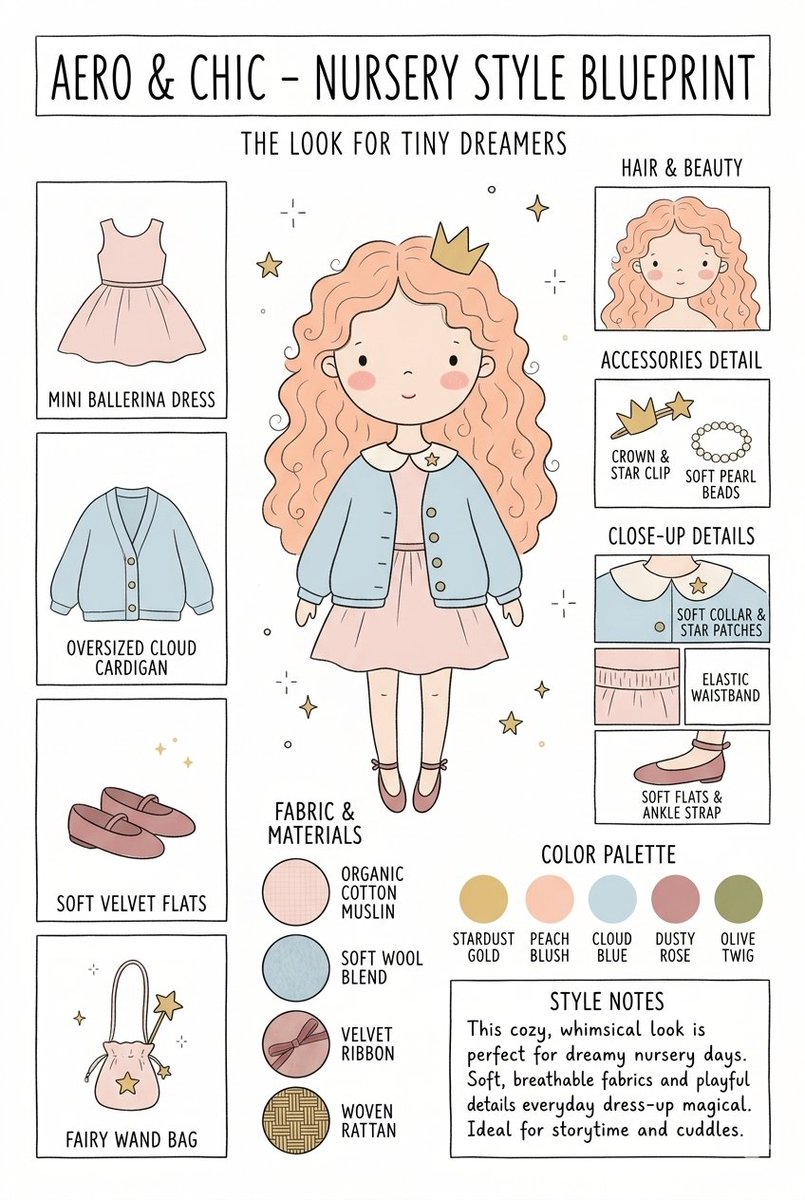
Create a matching pair of "{argument name="title" default="Aero & Chic - Nursery Style Blueprint"}" infographic concept posters, each featuring a full-body cartoon child in a curated outfit surrounded by illustrated fashion breakdowns. The first poster, titled "The Look for Tiny Dreamers," showcases a whimsical style with a girl wearing a {argument name="outfit 1" default="peach ballerina dress"} under an oversized cloud blue cardigan, complete with soft velvet flats, a crown clip, and a fairy wand bag, using a pastel color palette (stardust gold, peach blush, cloud blue, dusty rose, and olive twig). The second poster, titled "The Look for Tiny Artists," showcases a creative, functional style with a boy wearing a {argument name="outfit 2" default="splattered mustard paint smock"} over a striped studio shirt and green trousers, paired with leather ankle boots and a cat canvas tote bag, utilizing an earthy color palette (forest green, mushroom brown, slate blue, cream beige, and rust orange). Both posters must feature identical structural layouts, including side panels for clothing items, close-up details, accessories like beads, fabric swatches (such as organic cotton and wool blends), a color palette row, and a "Style Notes" text box at the bottom.
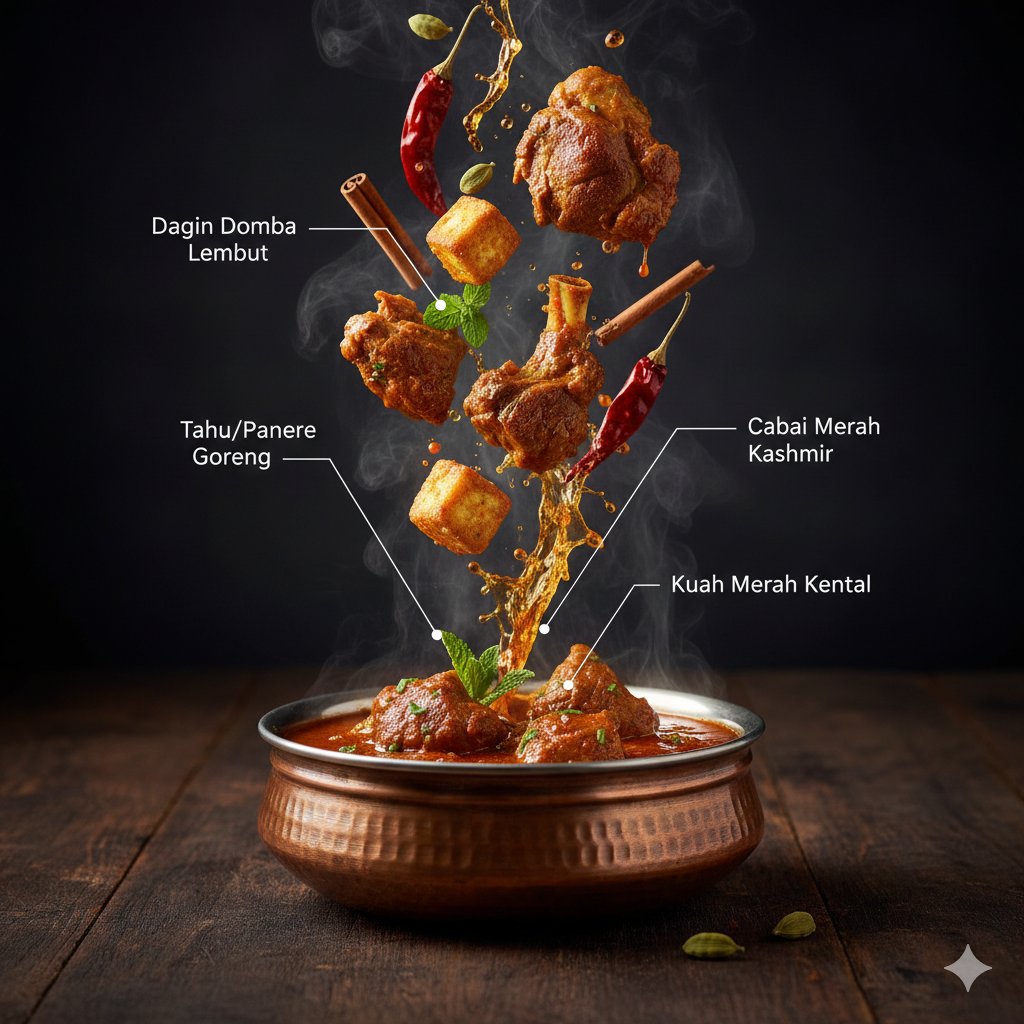
{ "project": "CuisineInfographic", "metadata": { "style": "Hyper-Realistic", "theme": "Kashmiri Wazwan", "resolution": "8K_Ultra_HD" }, "scene_setup": { "background": "Rustic_Dark_Wood", "lighting": "Cinematic_Studio_Warm", "camera": { "type": "DSLR_Full_Frame", "focus": "Sharp_Macro", "depth_of_field": "Shallow_Bokeh" } }, "render_elements": { "base_anchor": { "object": "Traditional_Kashmiri_Copper_Bowl", "content": "Steaming_Rogan_Josh", "effects": ["Dramatic_Steam", "Volumetric_Vapor"] }, "levitating_entities": [ { "item": "Tender_Mutton_Chunks", "texture": "Juicy_Fibrous" }, { "item": "Fried_Paneer_Cubes", "texture": "Golden_Crispy" }, { "item": "Kashmiri_Red_Chili", "state": "Whole_Dried" }, { "item": "Saffron_Water_Splashes", "viscosity": "Glossy_Orange" }, { "item": "Green_Cardamom_Pods", "arrangement": "Motion_Frozen" }, { "item": "Cinnamon_Bark", "detail": "Ultra_Textured" }, { "item": "Fresh_Mint_Leaves", "color": "Vibrant_Green" } ], "ui_overlay": { "language": "{argument name="overlay language" default="Indonesian"}", "elements": { "pointer_lines": "Thin_Minimalist_White", "font_style": "Modern_Editorial_Sans", "labels": { "mutton": "{argument name="mutton label" default="Tender Lamb Chunks"}", "chili": "Kashmiri Red Chili", "paneer": "Fried Tofu/Paneer", "sauce": "Thick Red Gravy" } } } }
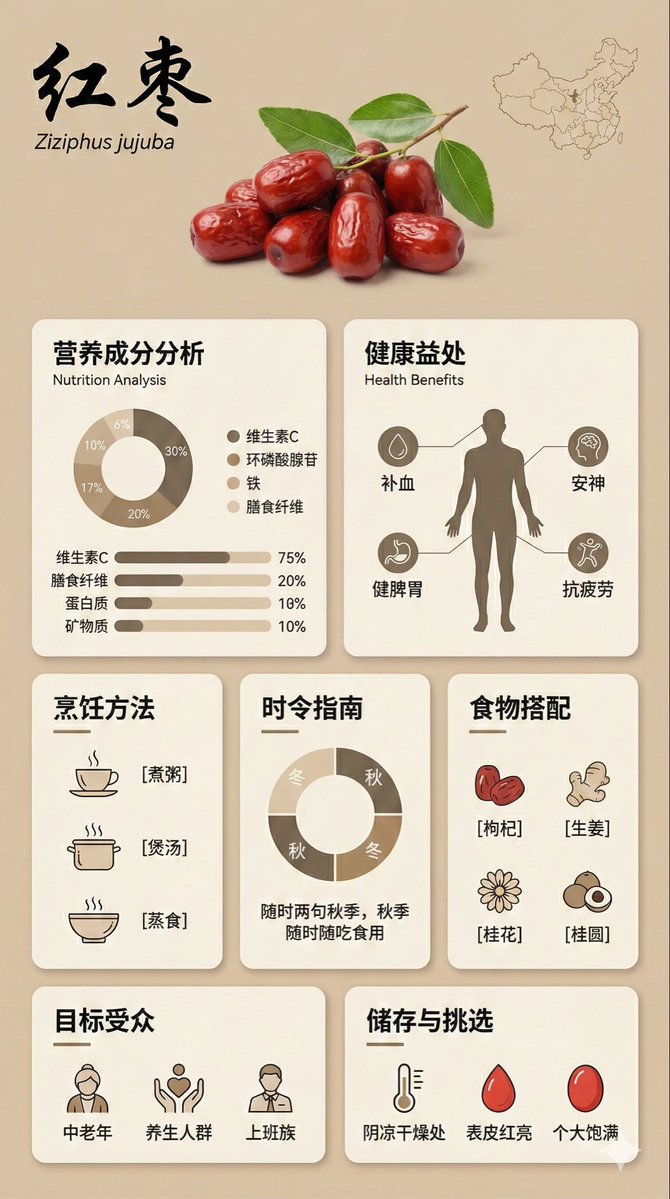
{ "image_analysis": { "subject": "Infographic about {argument name="ingredient name" default="Goji Berry"}, 9:16", "style": "Modular Bento Grid Design / Minimalist UI Design", "tone": "Professional, warm, high-end, educational", "primary_colors": ["Beige", "Cream", "Dark Brown", "Warm Earth Tones"] }, "prompt_elements": { "subject_description": "A high-quality educational infographic poster about {argument name="ingredient name" default="Goji Berry"}.", "layout": "Bento box style modular grid layout, clean UI/UX interface design, divided into clear rectangular cards.", "visual_details": [ "Top header with a striking, elegant Chinese calligraphy title 'Ingredient Chinese Name' and its scientific name", "Center top features a hyper-realistic photographic image of [visual description of fresh ingredient]", "A small outline map of [origin/country] in the corner", "Section 1: Nutritional analysis with donut charts and bar charts, percentages indicating proportions", "Section 2: Human silhouette diagram showing health benefits with connecting lines", "Section 3: Cooking method matrix with minimalist line icons ([Cooking Method 1], [Cooking Method 2], [Cooking Method 3])", "Section 4: Seasonal consumption guide with circular charts", "Section 5: Food pairing grid with simple icons ([Pairing 1], [Pairing 2], [Pairing 3])", "Section 6: Target audience profile icon", "Section 7: Storage and selection guide with temperature and weather icons" ], "art_style": "Minimalist graphic design, soft vector illustrations combined with product photography, flat design icons, clean typography.", "lighting": "Soft diffused studio lighting, shadowless and flat lay aesthetic.", "color_palette": "Monochromatic warm beige background, off-white cards, dark brown and charcoal grey text, soft accents." "negative_prompt": "Cluttered, neon colors, messy layout, low resolution, blurry, distorted text, 3D rendering, dark background, chaos, oversaturated, watermark" }
Put {argument name="count_en" default="50"} artifacts from completely different eras and cultures together in a single image.
Some prompts are collected from creators on X. Copyright belongs to the original authors.