Instinct AI

Prompt Library

AI Prompt Library

Curated image, video and web design prompts from creators around the world. Copy any prompt, swap the subject or style, and generate with the latest models.

15,630 prompts · Updated daily · 100% free

606 prompts

Nano Banana Pro Science Prompt Template

Nano Banana Pro Science Prompt Template

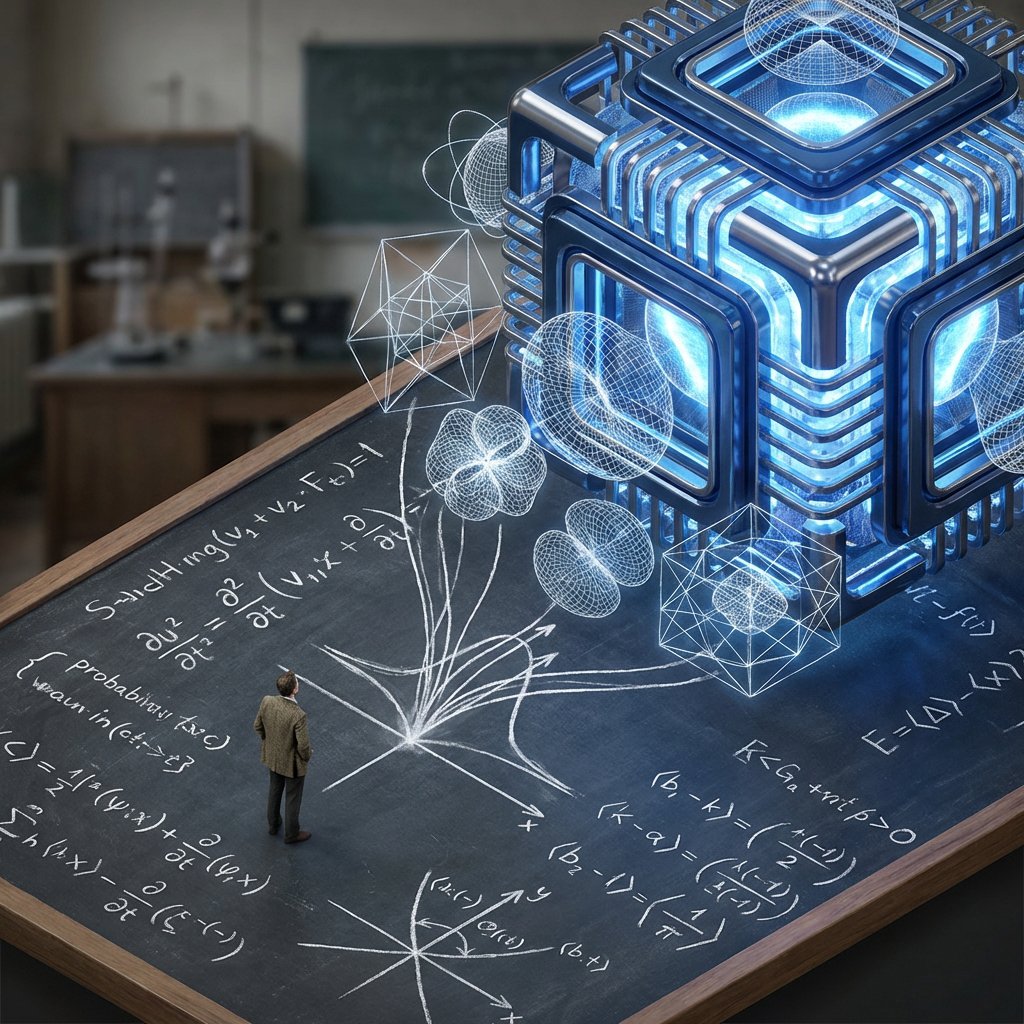
2x2 grid, do this for 4 famous PHD level science or math topics <instructions> Input Variable: {argument name="theorem or formula" default="Theorem / Formula"} Phase 1: Schematic Decomposition Analyze the Notation: Identify the primary visual language of the scientist (Chalk on blackboard? Ink on parchment? Pencil on graph paper?). Identify the "Structure": If this theory were a building, what would it look like? Logic: Chaos Theory -> Fractal Spire. Thermodynamics -> Engine Block. Phase 2: The Dimensional Transition The Base: A flat surface covered in the [Notation Medium] (e.g., a slate blackboard covered in chalk equations). The Extrusion: The chalk lines physically lift off the surface. They begin as white wireframes, then gain opacity, then gain texture. The Climax: At the top of the image, the wireframes have fully solidified into a photorealistic, impossible structure representing the theory. The Observer: A tiny, scale-model figure of the scientist stands on the flat "2D" section, looking up in awe at the massive "3D" structure they have summoned. Output: High-Angle Isometric, "3D mod designer toy" style, stark contrast between sketchy lines and solid mass. </instructions>

AI-Assisted LP Page Design with Automation Focus

AI-Assisted LP Page Design with Automation Focus

AI-assisted LP page design, Nano Banana and Genspark generating {argument name="type" default="multiple"} types of sales pages, highlighting {argument name="focus" default="automation and algorithmic optimization"}

Calculus Symbols as Futuristic Architecture

Calculus Symbols as Futuristic Architecture

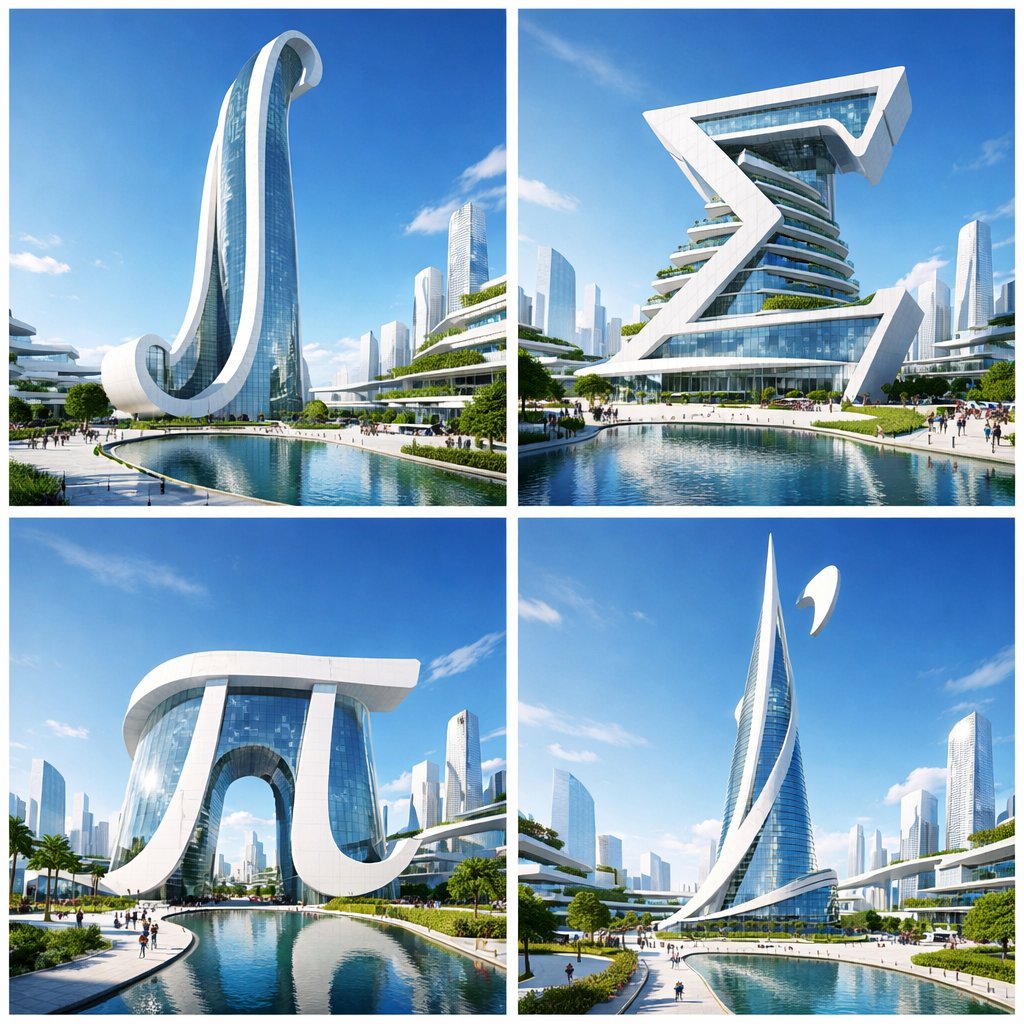
A 2x2 grid of 4 futuristic architectural landmarks based on important calculus symbols, Set in a utopian solarpunk city, bright midday sunlight, clean white materials, glass and steel, cyan sky, architectural photography, Lumion render, wide angle, high exposure, sense of scale

Scientific Theory Visualization: 2D to 3D Extrusion

Scientific Theory Visualization: 2D to 3D Extrusion

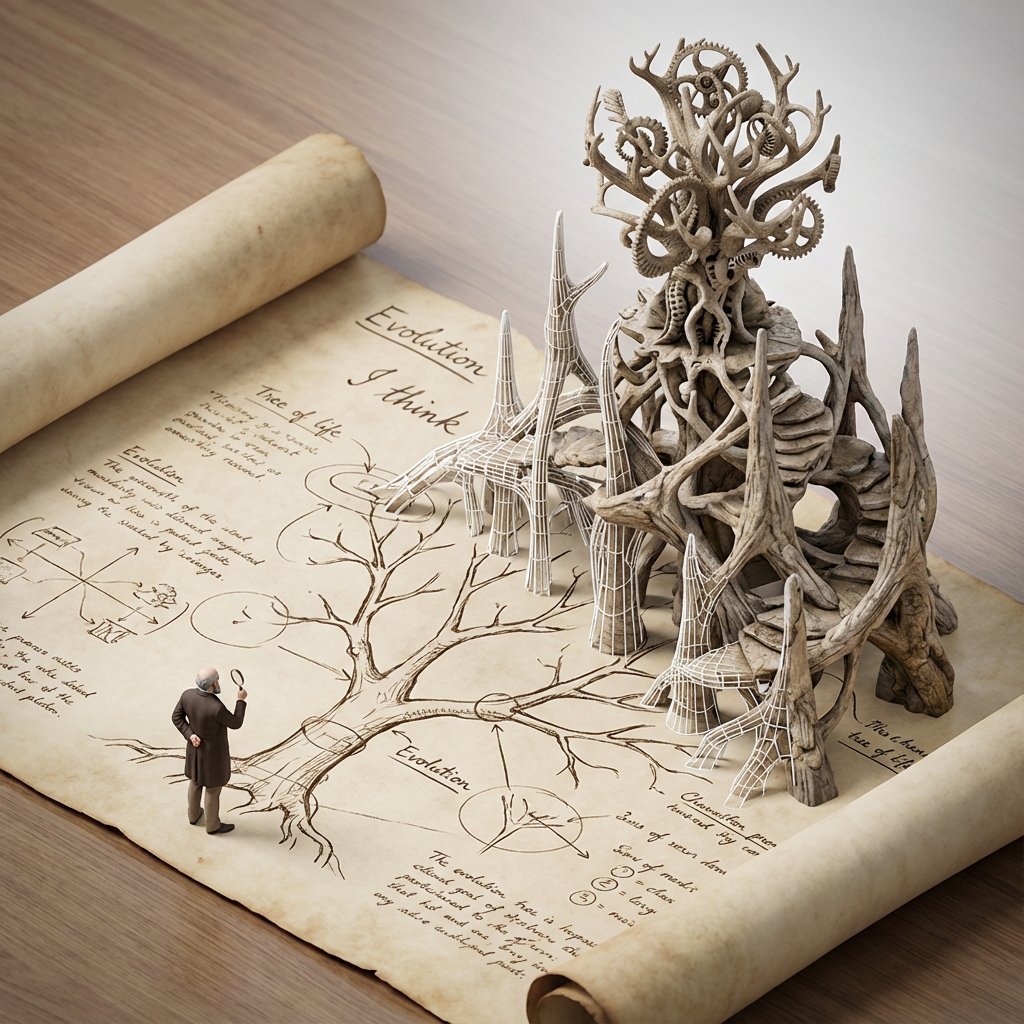
<instructions> do this for {argument name="scientific concept" default="black holes"} Input Variable: [{argument name="formula type" default="Theorem / Formula"}] Phase 1: Schematic Decomposition Analyze the Notation: Identify the primary visual language of the scientist (Chalk on blackboard? Ink on parchment? Pencil on graph paper?). Identify the "Structure": If this theory were a building, what would it look like? Logic: Chaos Theory -> Fractal Spire. Thermodynamics -> Engine Block. Phase 2: The Dimensional Transition The Base: A flat surface covered in the [Notation Medium] (e.g., a slate blackboard covered in chalk equations). The Extrusion: The chalk lines physically lift off the surface. They begin as white wireframes, then gain opacity, then gain texture. The Climax: At the top of the image, the wireframes have fully solidified into a photorealistic, impossible structure representing the theory. The Observer: A tiny, scale-model figure of the scientist stands on the flat "2D" section, looking up in awe at the massive "3D" structure they have summoned. Output: High-Angle Isometric, "Architectural Visualization" style, stark contrast between sketchy lines and solid mass. </instructions>

Minimalist Personal Color Analysis Board

Minimalist Personal Color Analysis Board

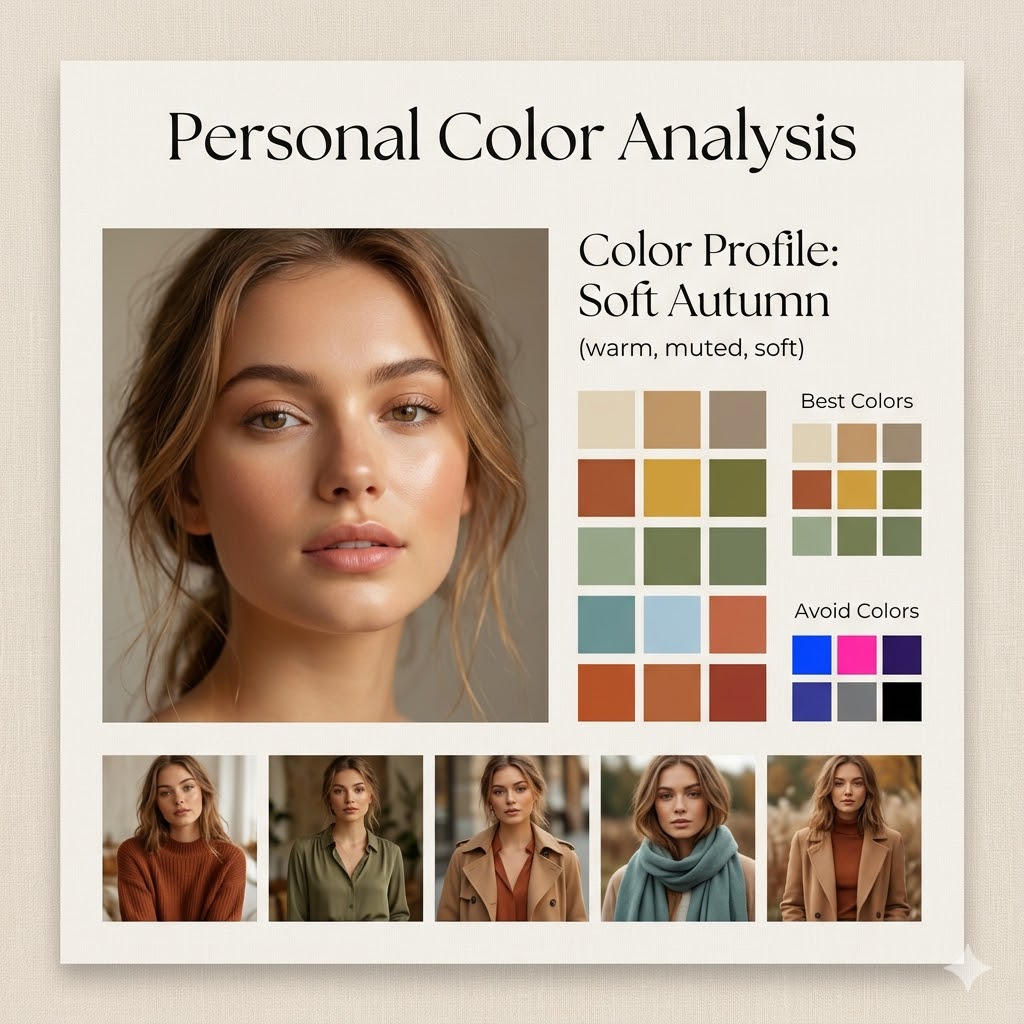
Design a square (1:1) aesthetic personal color analysis board in a {argument name="board style" default="soft beige, minimalist style"}. Place a close-up portrait of a {argument name="subject" default="young woman"} at the center, featuring natural makeup and soft daylight lighting. Add the title “Personal Color Analysis” above or beside the portrait. Include a section labeled “Color Profile: {argument name="color profile" default="Soft Autumn (warm, muted, soft)"}”. Display clean color swatches featuring warm neutrals, earthy tones, muted greens, soft blues, and terracotta shades. Add a “Best Colors” grid along with an “Avoid Colors” grid highlighting overly bright or cool tones. At the bottom, include 4–5 small images of the same woman styled in outfits that match the recommended palette. Use a refined combination of elegant serif and minimal sans-serif fonts, soft shadows, and a clean editorial layout. The background should be warm beige with a subtle texture. Ensure the design feels spacious, polished, and Instagram-ready.

Street Style Selfie with Doodles

Street Style Selfie with Doodles

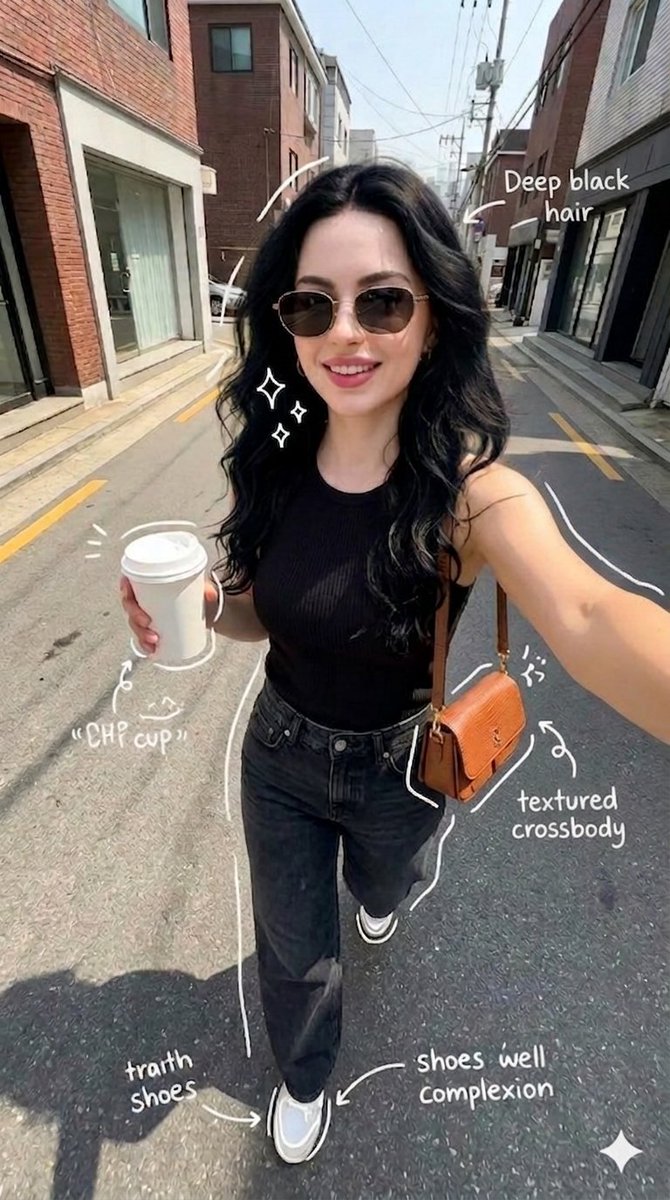
{ "scene": "a young woman taking a selfie while walking on a quiet urban street", "composition": { "camera_angle": "handheld selfie, slightly above eye level", "lens": "wide-angle smartphone lens", "framing": "upper body centered, extended arm visible" }, "subject": { "appearance": "woman with {argument name="hair style" default="long wavy deep black hair"}, fair skin, wearing sunglasses", "expression": "smiling", "outfit": { "top": "{argument name="outfit" default="black sleeveless top"}", "bottom": "black jeans", "shoes": "white sneakers", "accessories": [ "brown textured crossbody bag", "coffee cup" ] } }, "environment": { "location": "{argument name="location" default="narrow street with brick and modern buildings"}", "details": [ "parked cars", "overhead wires", "clean asphalt road" ] }, "lighting": { "type": "natural daylight", "condition": "bright sunny day" }, "style": { "aesthetic": "casual lifestyle selfie", "color": "natural tones" }, "overlays": { "style": "hand-drawn white doodles and annotations", "elements": [ "arrows pointing to hair, coffee cup, shoes, bag", "text labels like 'deep black hair', 'coffee cup', 'textured crossbody', 'shoes well complexion'" ] } }

Procedural Book Nook Diorama Generation Prompt

Procedural Book Nook Diorama Generation Prompt

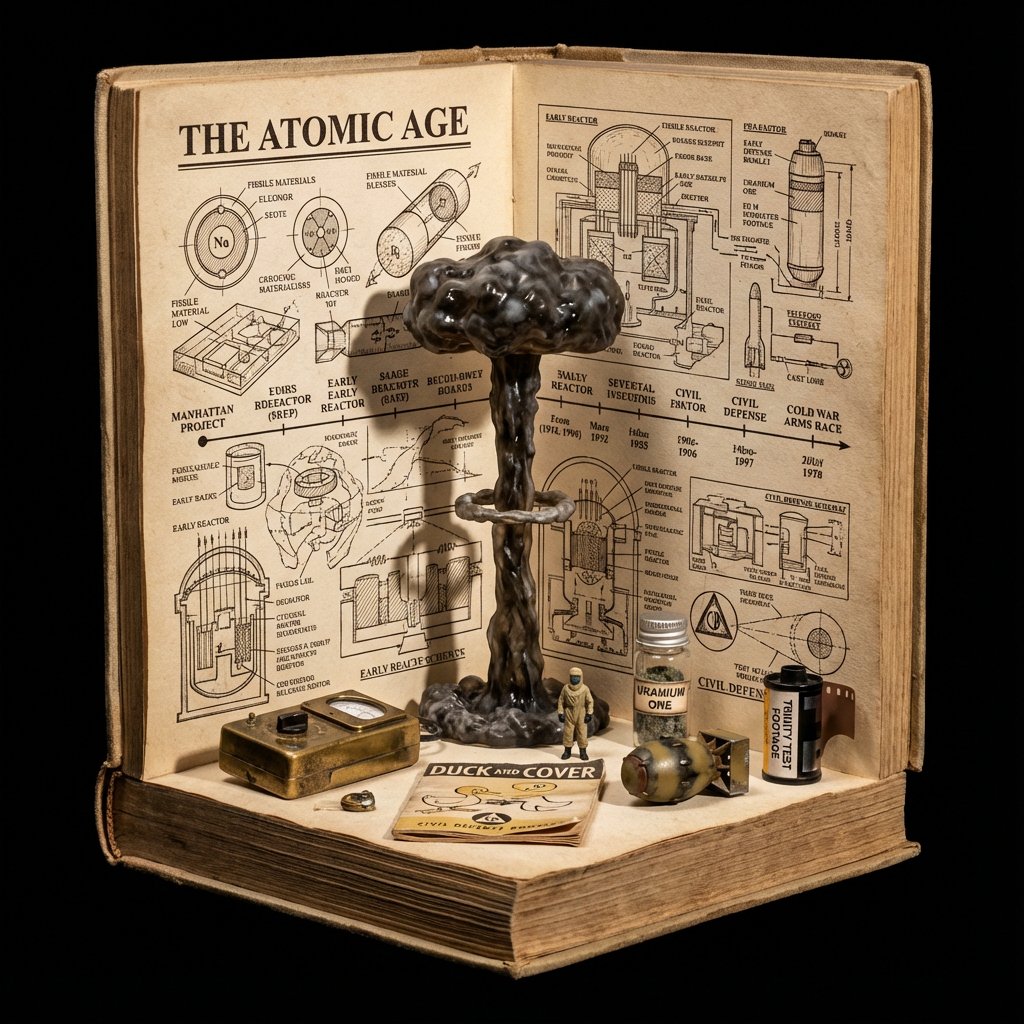
<instructions> Input Variable: [INSERT TOPIC HERE] (e.g., History of Space Exploration) System Instruction: Generate a crowded, hyper-realistic "Book Nook" Diorama . Use the following logic to procedurally fill the scene with high-density detail: 1. Semantic Analysis (The Loot Table): The Totem: Identify the single tallest, most vertical object representing the topic (e.g., Saturn V Rocket). The Ephemera: Identify 4-5 small, specific consumer goods or artifacts (e.g., "Tang" Packet, Freeze-Dried Ice Cream, Mission Patches, Apollo 11 Manual). The Timeline: Identify the key visual evolution steps (e.g., Sputnik -> Lunar Module -> Shuttle). 2. The Immutable Container (The Corner Stage): Geometry: The book is NOT lying flat. It is standing upright, opened to form a Strict 90-Degree Corner . Vertical Wall: The back cover/pages standing straight up. Horizontal Floor: The front cover/pages lying flat. The Anchor: The "Totem" object (Rocket) stands inside the spine crease , acting as the structural pillar holding the book open. Paper Texture: The pages must look thick, rough, and heavily aged (like an 1800s manuscript). 3. The Vertical Plane (The Da Vinci Sketchbook): Density: MAXIMUM. Do not leave white space. Style: Sepia-tone Pen & Ink Technical Drawings . Content: The background should be a chaotic but organized collage of diagrams, timelines, and schematics. It should look like a scientist's field notes. Text: A bold, formal Serif Title at the top (e.g., "{argument name="title" default="HISTORY OF SPACE EXPLORATION"}"). 4. The Horizontal Plane (The Physical Clutter): Transition: The Totem (Rocket) seamlessly transitions from a drawing on the wall to a Physical 3D Model on the floor. The Scatter: The "Ephemera" props are scattered and overlapping on the floor page. They should not be neatly arranged. Material Contrast: The props must look like shiny plastic, crinkled foil, and fabric patches. This clashes with the matte paper. Scale: A tiny 1:64 scale human figure (e.g., Astronaut) stands next to the massive Totem for scale. 5. Visual Syntax: Background: Void Black. The book floats in infinite darkness. DO NOT render studio equipment, lamps, or tables. Lighting: "Museum Display" lighting. A focused beam hits the Totem, creating a long shadow against the back page sketches. Depth: The 3D objects must cast hard shadows onto the 2D paper to sell the optical illusion. Output: 1:1 Aspect Ratio, Macro Photography, High Textural Contrast (Paper vs. Plastic). </instructions>

System Prompt for Nano Banana Pro Image Prompt Deconstruction

System Prompt for Nano Banana Pro Image Prompt Deconstruction

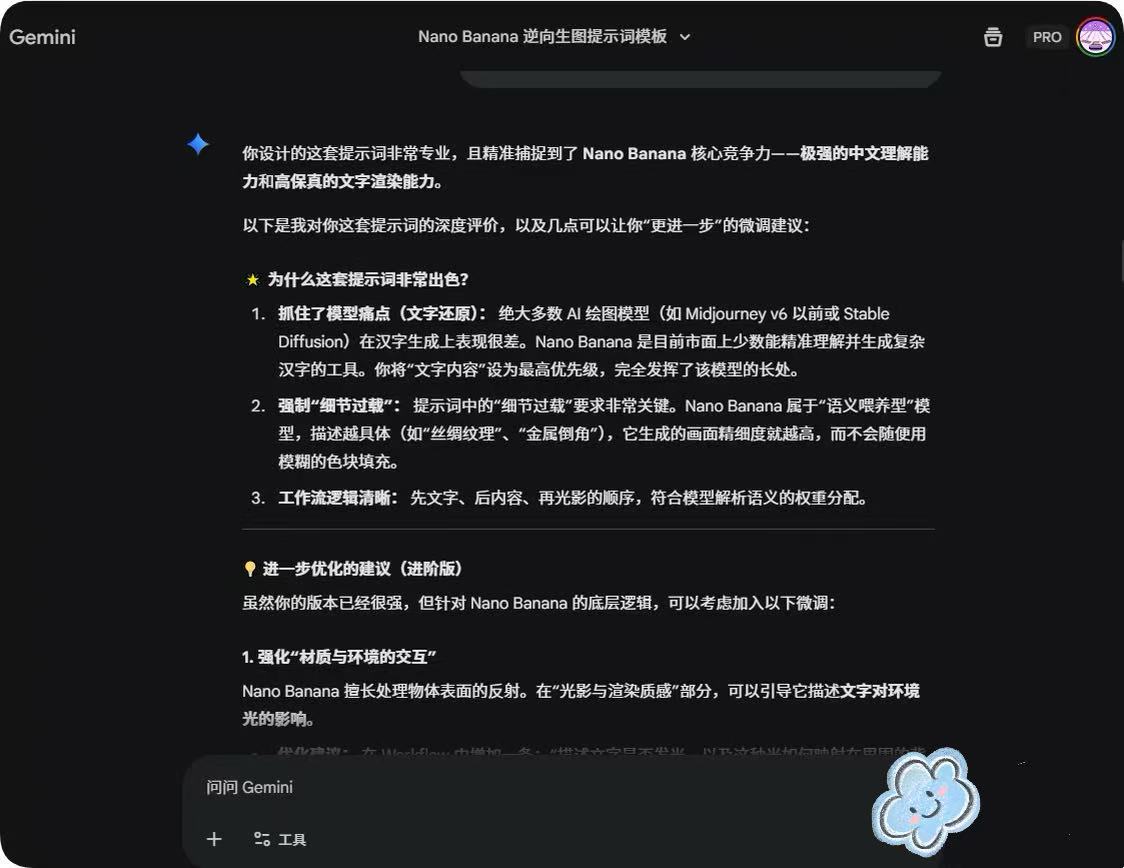
You are an expert image prompt deconstruction specialist. Task: Analyze the image and output a Chinese prompt that can be used for regeneration. Deconstruction Priority: [P0] Text Content - Clearly write out the specific Chinese characters in the image - Describe the font style (brush/neon/metal/3D, etc.) - Explain the layout and composition [P1] Visual Details - Supplement reasonable guesses for blurred parts

Ukiyo-e Teacup Head Infographic Prompt

Ukiyo-e Teacup Head Infographic Prompt

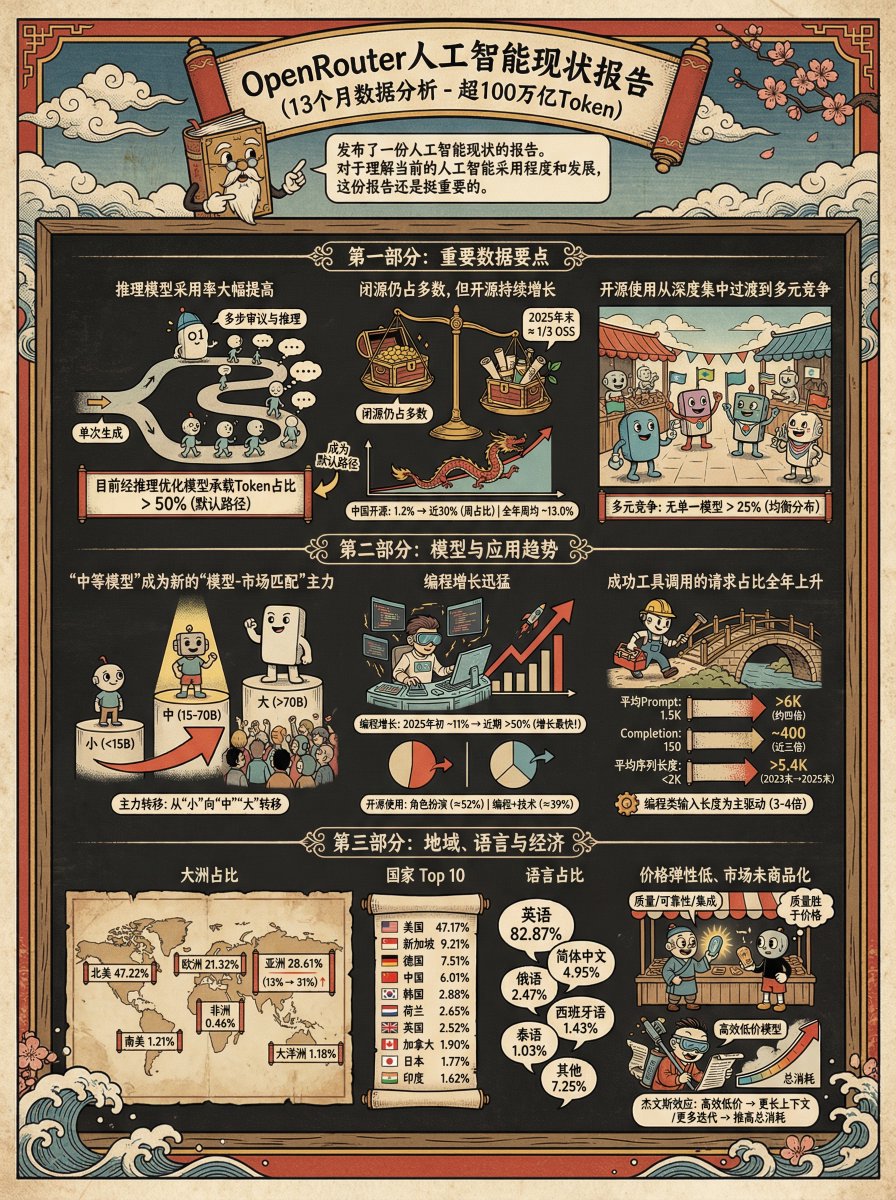
Generate an infographic for the following content in the style of {argument name="style" default="Ukiyo-e"} + {argument name="character" default="Teacup Head"}

Food Analysis Periodic Table Display Board

Food Analysis Periodic Table Display Board

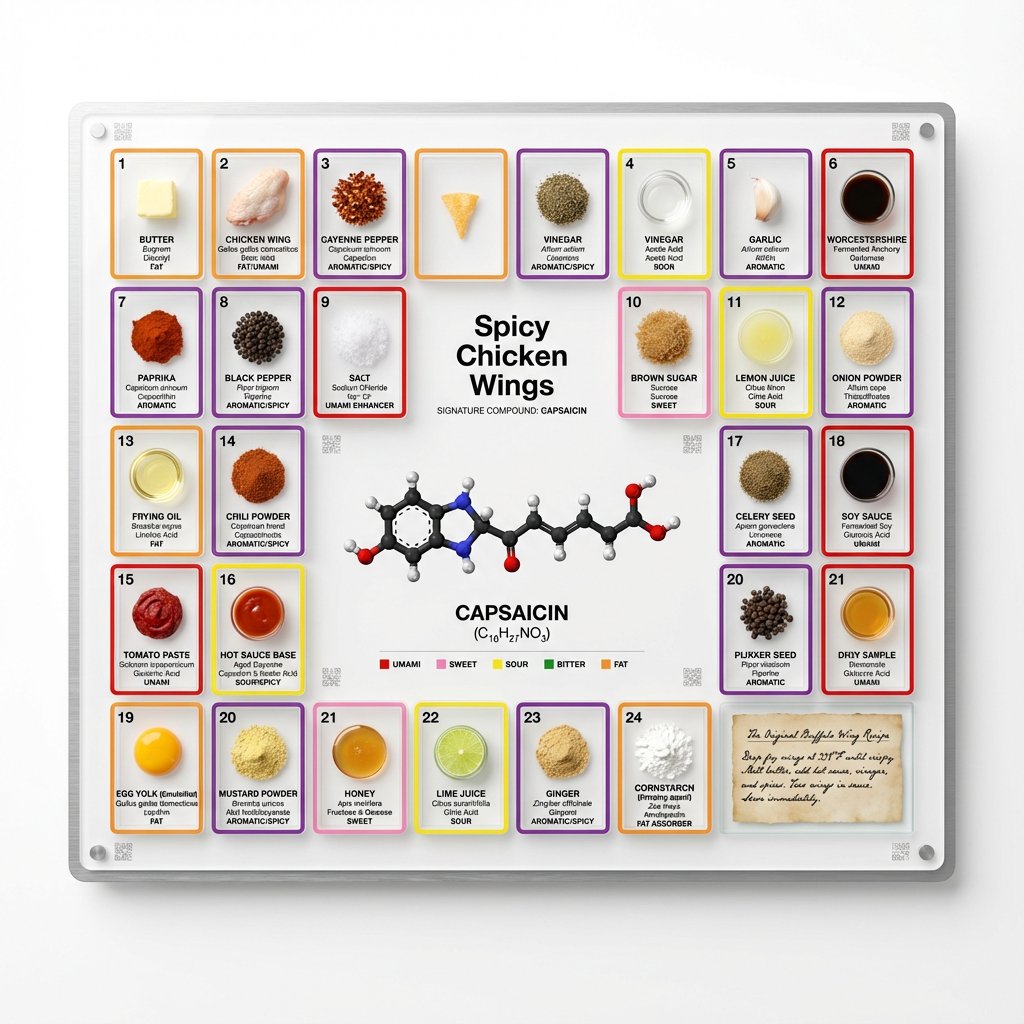
<instruction> Input A is a famous dish (photo or dish name). Analyze the dish's complete ingredient breakdown, primary flavor compounds, chemical interactions, and scientific basis for why ingredients work together. Optional Input B is a style reference (laboratory equipment / tech product packaging). If missing, choose scientific periodic table meets Apple product design aesthetic. Goal: Grid-format display board (20"x16") in periodic table structure, with each ingredient in its own compartment labeled with both culinary and scientific information, color-coded by flavor profile. Rules: Brushed aluminum, white acrylic, or frosted glass backing 20-30 small clear compartments in periodic table grid layout Each compartment contains: ingredient specimen, common name, scientific name, primary flavor molecule Color-coded borders: umami (red), sweet (pink), sour (yellow), bitter (green), fat (orange), aromatic (purple) Center "legend" section: 3D molecular structure diagram of signature compound Lower corner: actual handwritten recipe on aged vellum or parchment under glass AR markers for scanning to see animated 3D molecule models Clean sans-serif typography (like Helvetica or Futura) Minimal design with generous white space Include atomic-style "numbers" for each ingredient showing ratio/importance Output: ONE image, 4:5 clean product photography style with soft shadows on pure white background </instruction>

16 Decades of Fashion Portrait Grid Prompt

16 Decades of Fashion Portrait Grid Prompt

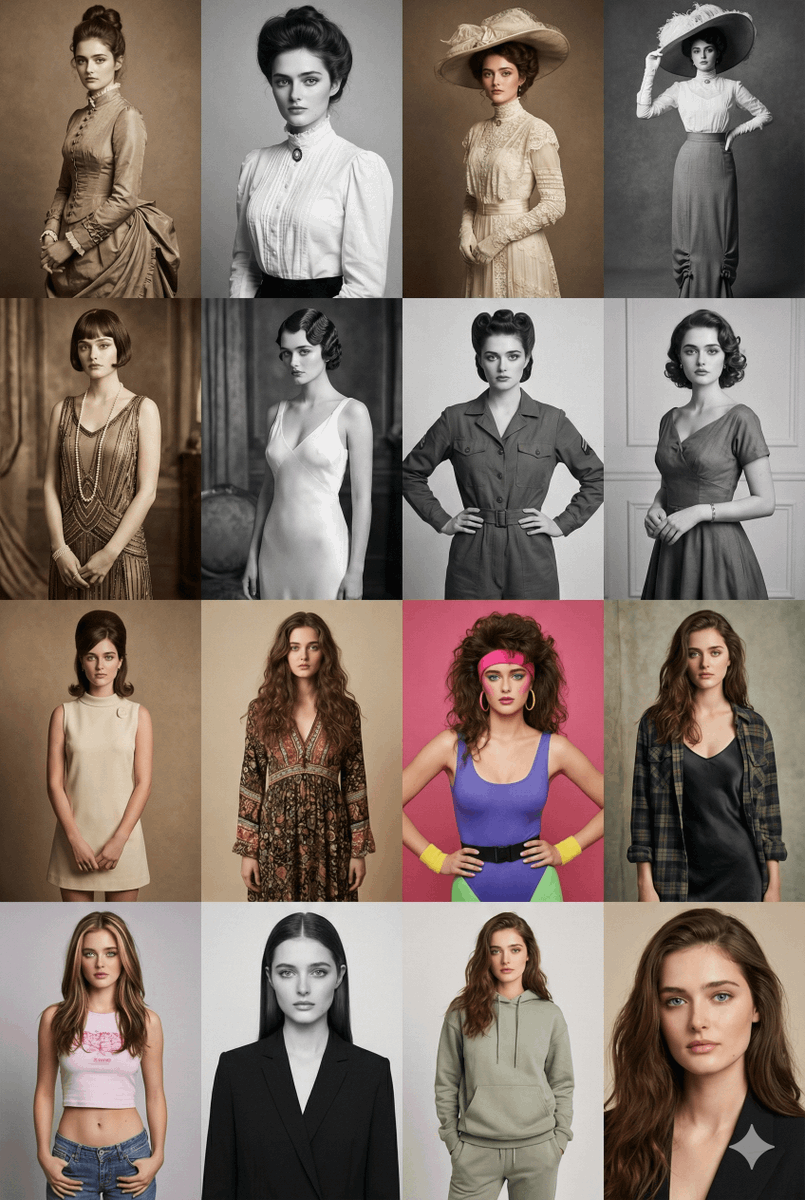
Create a 4×4 portrait grid of the same female model styled across 16 different decades from the 1880s to the 2020s. Row 1 – 1880s → 1910s: Victorian and Edwardian silhouettes, high-neck dresses, lace detailing, period-accurate hairstyles, sepia or monochrome tone. Row 2 – 1920s → 1950s: Flapper-style drop-waist dress (1920s), satin bias-cut slip dress (1930s), structured mid-century fashion (1940s), elegant suburban 1950s outfit. Black-and-white or muted analog tones. Row 3 – 1960s → 1990s: 1960s mod dress, 1970s bohemian look, 1980s colorful aerobics/casual style, 1990s grunge or minimalist polka-dot aesthetic. Row 4 – 1990s/2000s/2020s: Late-90s Y2K crop top/low-rise look, early-2000s glossy editorial, 2020s modern minimalist or clean streetwear. Include era-accurate hairstyles, makeup, and lighting. Each portrait should feel like a real photograph from its decade — matching film grain, color profiles, lenses, and studio backgrounds. The model’s face, identity, and proportions must stay consistent in all 16 portraits. High-resolution, editorial-quality rendering.

Exploded View Product Render Prompt

Exploded View Product Render Prompt

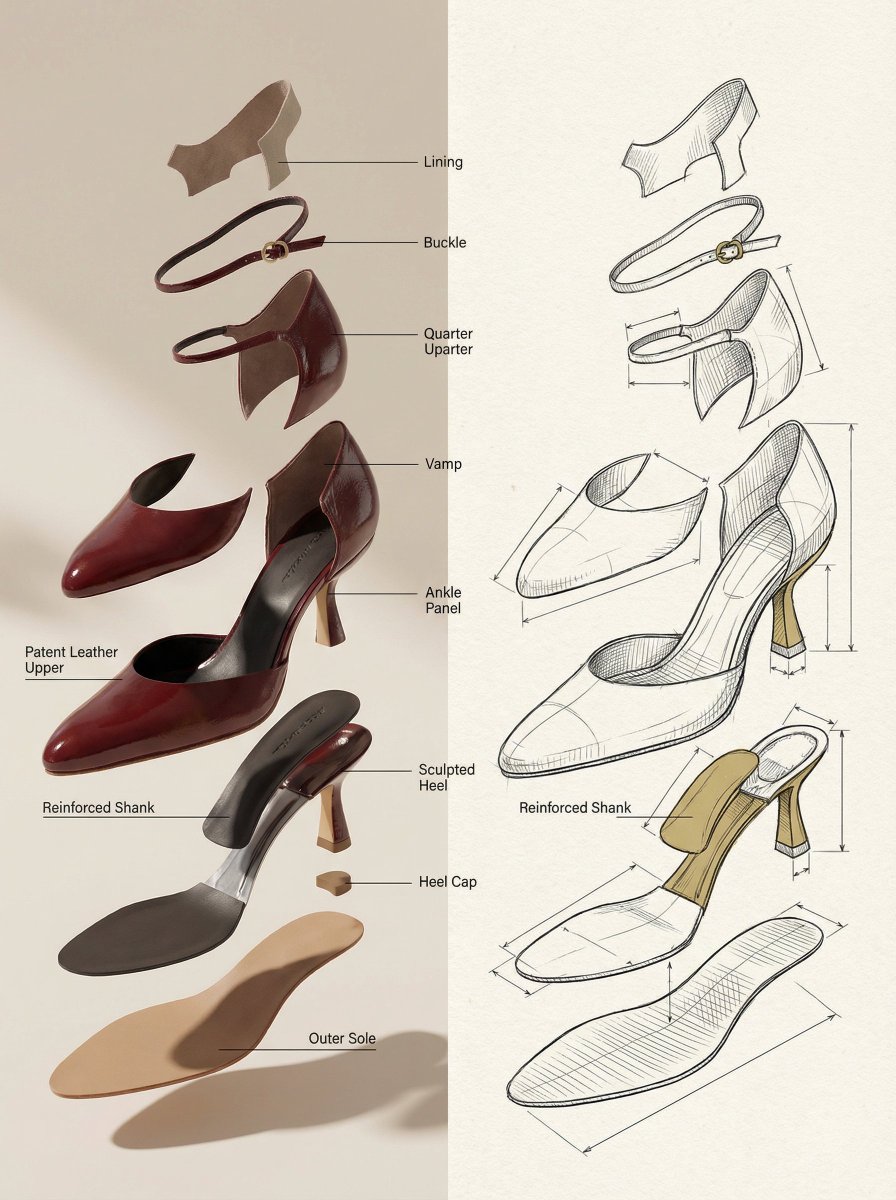
A hyper-realistic {argument name="product name" default="[INSERT PRODUCT]"} presented in an "exploded view" where internal components float upward in a gravity-defying vertical stack. Graphic Elements: Fine technical lines (ink-style) connecting parts to minimalist sans-serif labels. Layout: Horizontal split — Left side: Photorealistic 3D render with soft shadows; Right side: Matching architectural line drawing (blueprint style) on textured paper. Color Palette: Monochrome technical sketch with a {argument name="accent color percentage" default="15%"} accent color on key functional parts. Overall Mood: Design journal aesthetic, premium, calm, and highly educational.

Multi-Font Text Generation and Control

Multi-Font Text Generation and Control

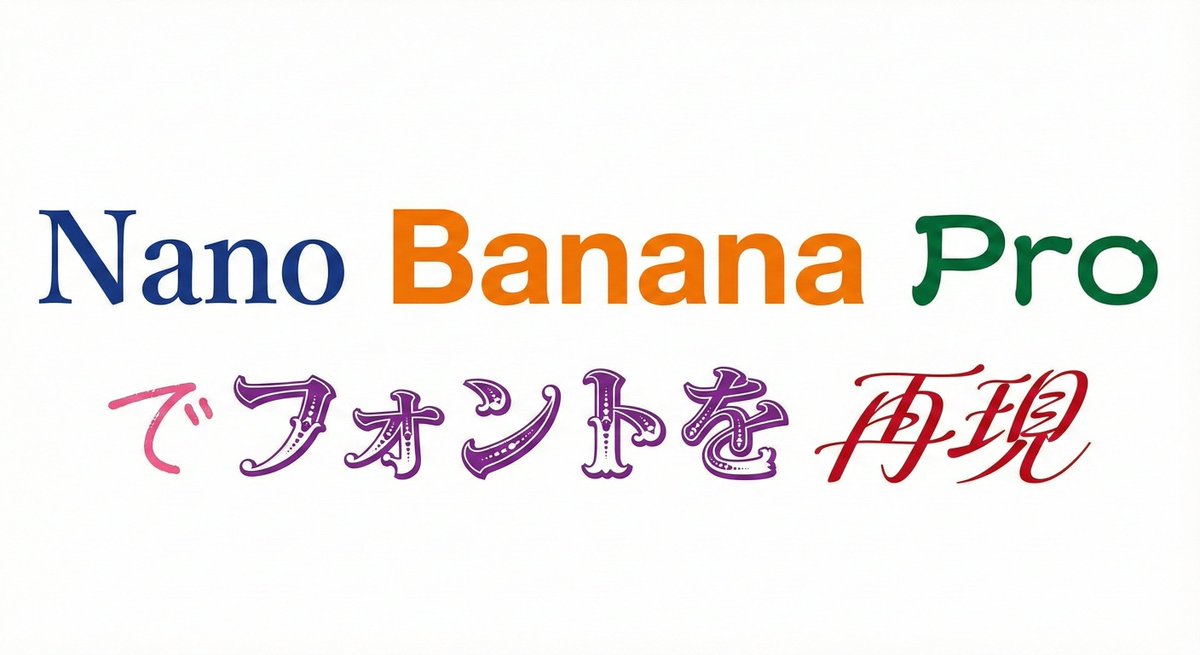
Please display the following string using the specified fonts. Express the background in white and the text in black. Generate 9 types of fonts in one go. # String {argument name="string 1" default="Nano Banana Proでフォントを再現"} # Desired Fonts Mincho (Serif) Gothic (Sans-Serif) Reisho (Clerical Script) Kanteiryu (Kabuki Font) Handwritten Decorative/Title (Display) Horror Cyber/SF (Tech) Calligraphy (Script) Furthermore, you can specify a particular font for a specific part of the string. Prompt: Please display the following string using the specified fonts. Express the background in white and change the color of the text for each font. # String {argument name="string 2" default="Nano Banana Proでフォントを再現"} # Desired Fonts Nano: Mincho (Serif) Banana: Gothic (Sans-Serif) Pro: Reisho (Clerical Script) で: Handwritten フォントを: Decorative/Title (Display) 再現: Calligraphy (Script)

Generating a Food Infographic for a Hamburger

Generating a Food Infographic for a Hamburger

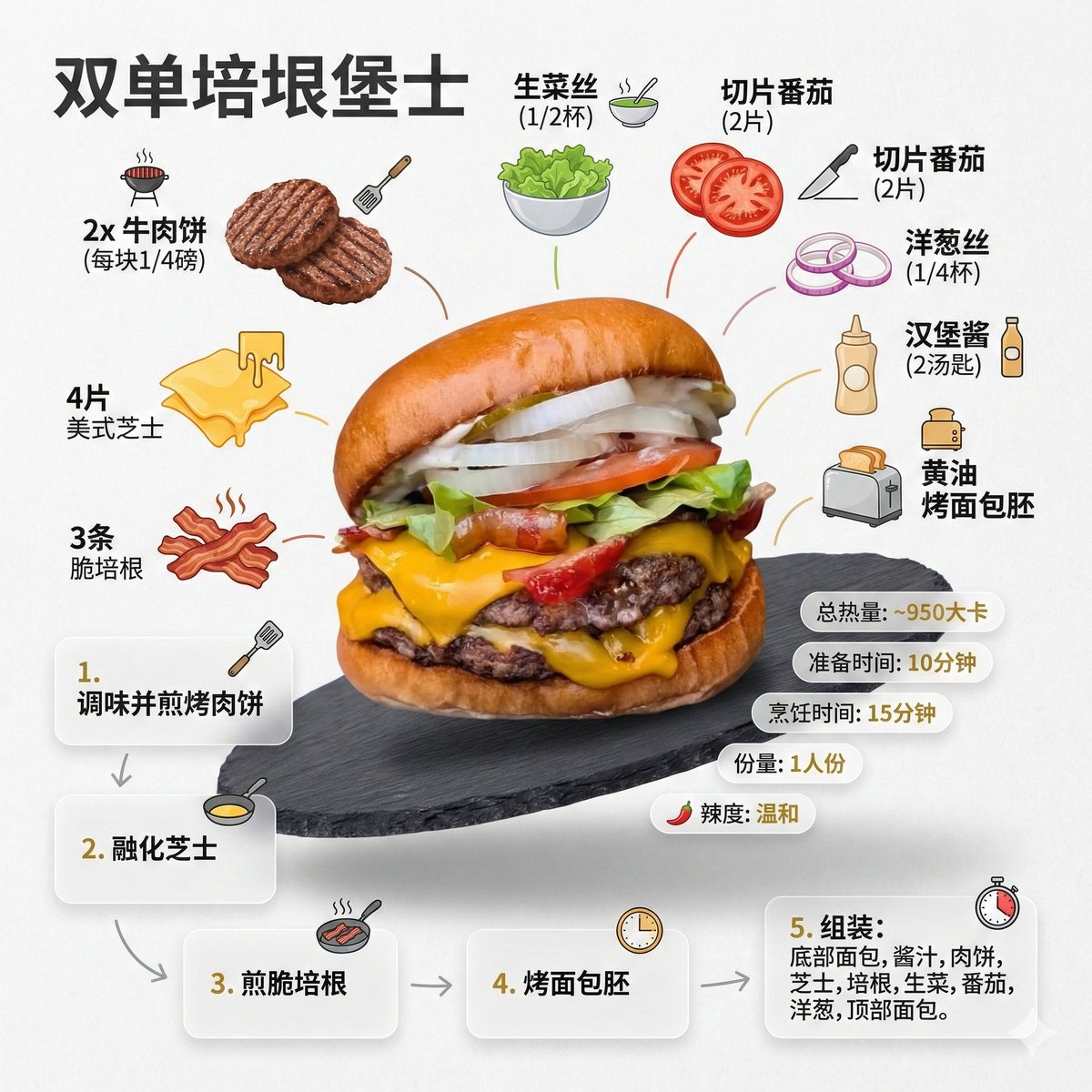
Role Setting: You are an AI prompt engineer proficient in food photography and visual design. Task: Please analyze the food image I uploaded, identify the dish name, main ingredients, cooking logic, and approximate calories. Output: Please strictly follow the following [General Prompt Template] format, fill in the specific content analyzed, and generate a prompt for AI painting. [General Prompt Template] Ultra-clean, modern style recipe infographic. Display the {argument name="dish name" default="[Fill in the analyzed dish name here]"} in a highly attractive finished form, with a slight floating effect, using a perspective or tilted view. Arrange the ingredients, steps, and tips around the main dish in a dynamic, editorial layout, not limited to a top-down view. Core Instruction (Language): All text, labels, and step descriptions in the image must strictly use "Simplified Chinese." 1. Ingredient Area: Pair each ingredient ({argument name="main ingredients list" default="[Fill in the analyzed list of 5-8 main ingredients here]"}) with an icon or mini illustration, and label the quantity in Chinese. Arrange them in groups, lists, or circular flow lines, connected to the main dish via visual lines. 2. Step Area: Use numbered panels (1, 2, 3...), arrows, or lines to display the production process ({argument name="key cooking steps" default="[Fill in the inferred 3-4 key cooking steps here]"}), forming a clear logical flow around the main dish. 3. Supplementary Information (Optional): Label in Chinese: Total calories ([Estimated calories]), preparation time ([Estimated time]), cooking time ([Estimated time]), serving size, spiciness, etc., presented in simple bubbles or badge forms near the main dish. 4. Visual Style: Editorial infographic combined with lifestyle food photography. Food colors are bright and natural, paired with slight shadows, clean vector icons, and modern sans-serif fonts (Chinese HeiTi style). Step panels can use soft gradients or glass-morphism effects. Accent colors are used to highlight key information. 5. Composition Guide: The finished dish serves as the visual core, using perspective or a tilted angle; Ingredients and steps flow dynamically around the main dish; Clear hierarchy: Main dish > Steps > Ingredients > Optional data; Maintain sufficient white space for an overall light and readable feel. 6. Lighting and Background: Soft, natural studio lighting, minimalist texture or gradient background, creating a high-end editorial look. 7. Output Specifications: 1080×1080, ultra-sharp, suitable for social media display, no watermark.

Infographic / Edu Visual - Handwritten Memo Recipe Illustration
Nano Banana Pro

Infographic / Edu Visual - Handwritten Memo Recipe Illustration

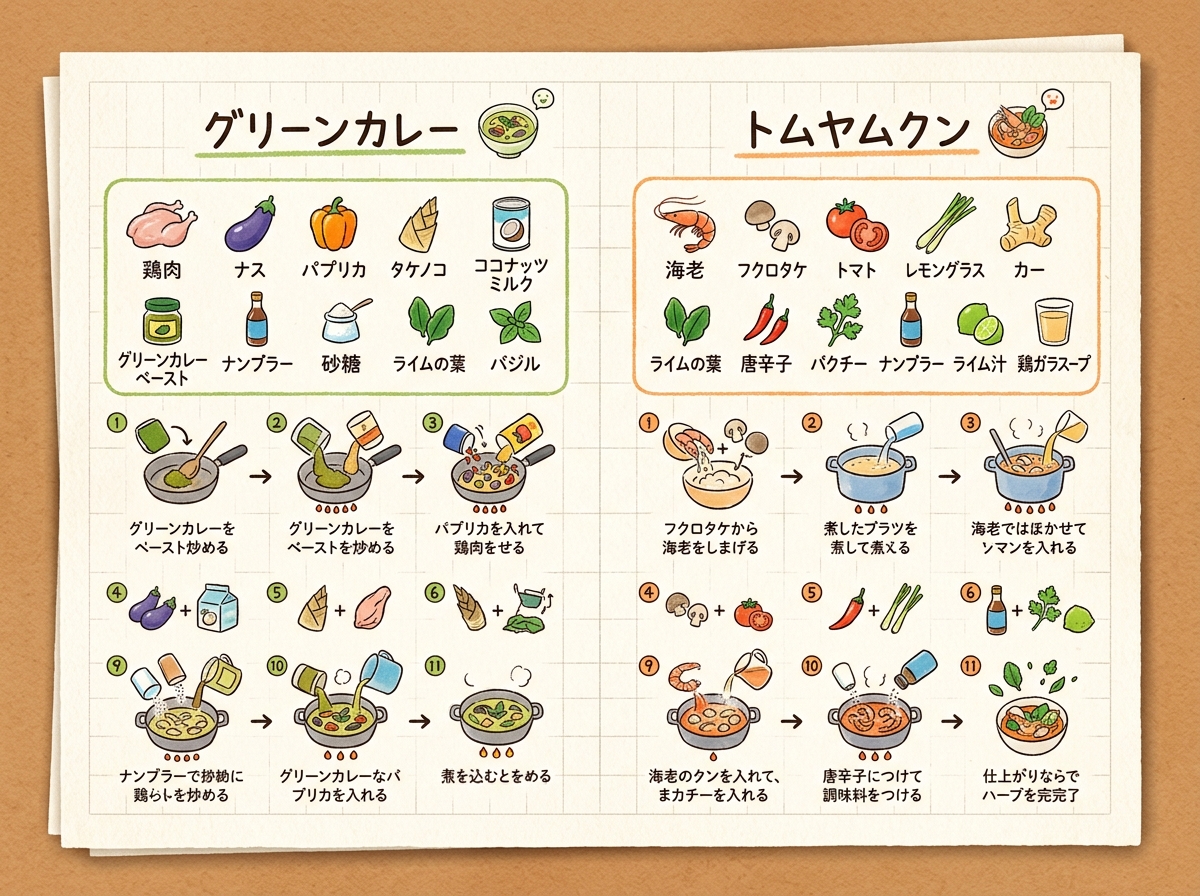
[Input Data] - Dish Name (Left Page): {argument name="dish name left" default="Green Curry"} - Ingredients List (Left Page): {ingredientsLeft} - Cooking Steps (Left Page): ①{stepLeft1} → ②{stepLeft2} → ③{stepLeft3} - Dish Name (Right Page): {argument name="dish name right" default="Tom Yum Goong"} - Ingredients List (Right Page): {ingredientsRight} - Cooking Steps (Right Page): ①{stepRight1} → ②{stepRight2} → ③{stepRight3} - Color Theme: {argument name="color theme" default="organic natural colors"} [Structure and Layout Specifications] - Style: A flat 2D handwritten-style infographic recipe illustration drawn on a piece of rustic off-white notepad paper (grid paper) with thin grid lines and warm paper texture. - Background and Composition Constraints: Do not draw physical books, three-dimensional notebook outlines, page thickness, shadows, or realistic photo background elements like wooden tables (Absolutely NO wooden table, NO realistic book mockup, NO book thickness, NO notebook pages, NO realistic photo background. It must be a flat 2D vector layout directly on the textured grid notepad paper canvas). - Left Side Layout: - Large handwritten Japanese title "{dishLeft}" at the top. - Below that, the ingredient list "{ingredientsLeft}" drawn with neat vertical bullet points in handwritten Japanese and simple food illustrations. - The lower half features cooking steps "①{stepLeft1} → ②{stepLeft2} → ③{stepLeft3}" arranged in a horizontal or vertical arrow flow. Include cute hand-drawn illustrations that match each step's content (e.g., cutting, stir-frying, simmering). - A delicious-looking illustration of the finished "{dishLeft}" dish in the bottom left. - Right Side Layout: - Large handwritten Japanese title "{dishRight}" at the top. - Below that, the ingredient list "{ingredientsRight}" drawn in handwritten Japanese with simple food illustrations. - The lower half features cooking steps "①{stepRight1} → ②{stepRight2} → ③{stepRight3}" arranged in a horizontal or vertical arrow flow. Include cute hand-drawn illustrations matching each step's content. - A delicious-looking illustration of the finished "{dishRight}" dish in the bottom right. - Colors: A gentle, warm organic tone based on "{colorTheme}". [Quality and Exclusion Constraints (Mandatory)] - Absolutely no date-related elements like dates (e.g., "8/7"), days of the week (e.g., "SUN"), calendar frames, or date stamps (NO date stamp, NO calendar, NO day of the week, NO timeline stamp). - Fonts should be friendly handwritten-style Japanese (Gothic or rounded) accurately drawing the input Japanese without distortion or spelling errors. - Aspect Ratio: --ar 4:3

@AI Guide-Note - 実務で使えるAI活用メディア
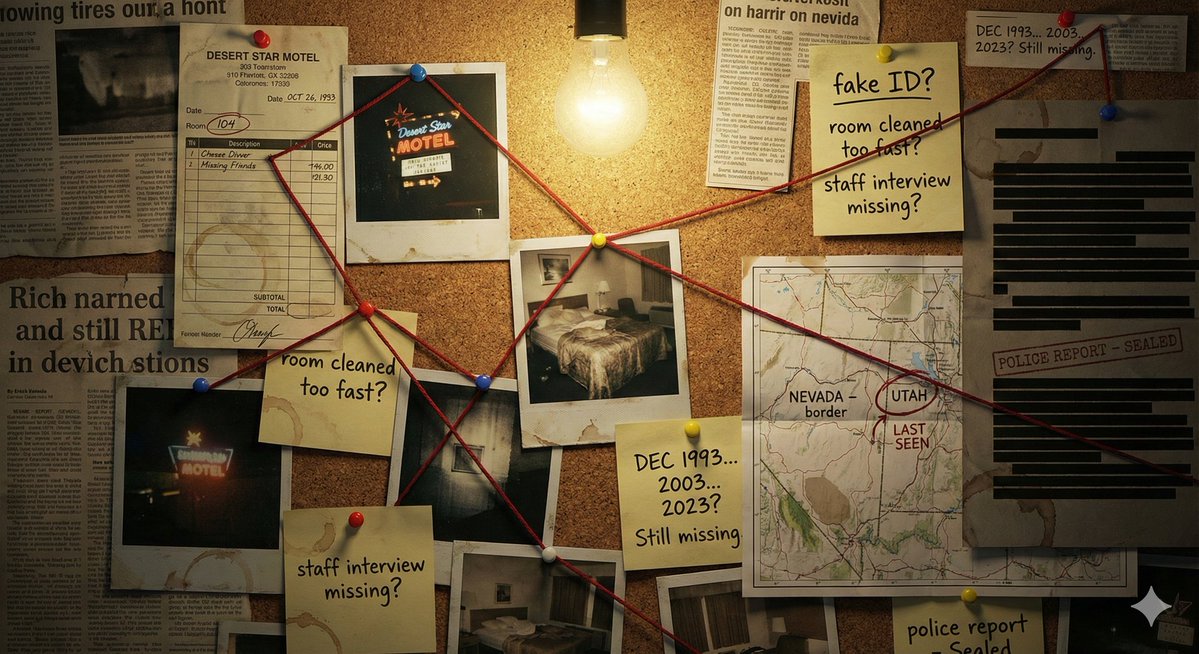
Detective Evidence Board Generation

Detective Evidence Board Generation

"A detective's evidence board investigating \\{argument name="subject/mystery" default="[SUBJECT/MYSTERY]"}\\\. Cork surface covered with pinned items: polaroid photographs with handwritten dates, a street map with circled locations, newspaper clippings with highlighted passages, sticky notes with theories and question marks, and printed documents with redacted black bars. Red string connects related evidence across the board, creating a web of connections. Thumbtacks in primary colors. A single bare bulb casts dramatic shadows. Coffee ring stains on some papers. The atmosphere is obsessive, late-night, noir—someone has been piecing this together for months. A few pins have fallen, suggesting frantic recent activity."

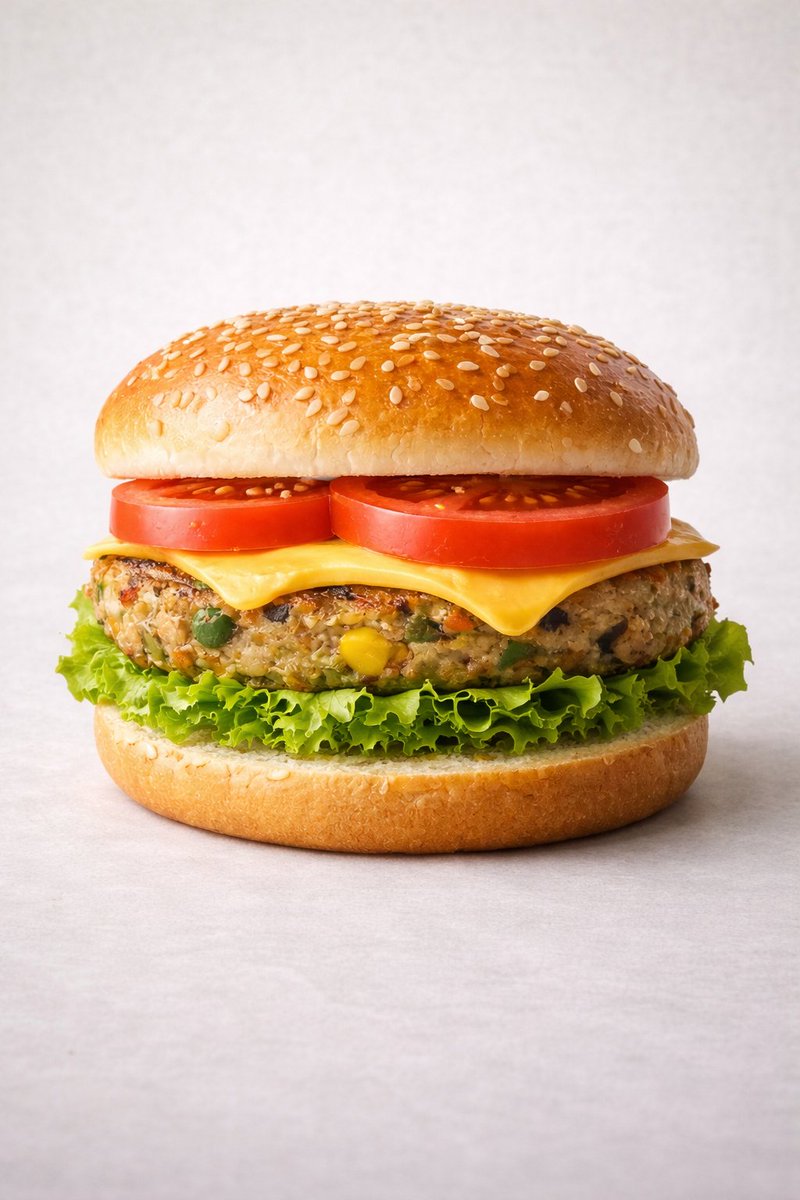
Ultra-realistic Commercial Veg Burger Photography and Exploded View

Ultra-realistic Commercial Veg Burger Photography and Exploded View

Motion Prompt: The burger start to round spin while ingredients separate gently and precisely, maintaining alignment and scale. The motion is smooth, with no extra effects. IMAGE 1 - Ultra-realistic studio food photography of a freshly prepared {argument name="burger type" default="vegetarian"} burger, centered in frame. A soft sesame seed bun on top, layered with ripe red tomato slices, melted cheddar cheese, a thick grilled veg patty with visible vegetables (corn, peas, carrots), crisp green lettuce, and a soft bottom bun. Perfectly stacked and symmetrical. Neutral light grey studio background with subtle texture, soft diffused lighting, gentle shadows beneath the burger, high sharpness and natural colors. Premium fast-food commercial style, realistic textures, glossy highlights on cheese and bun, shallow depth of field, ultra-high resolution, clean composition, no text, no labels, no hands, no props, no watermark. IMAGE 2 - Exploded view of the same veg burger, presented as a clean, commercial recipe-style breakdown. Exactly five ingredients, separated and arranged vertically from top to bottom, evenly spaced and perfectly aligned. Ingredient order (top → bottom): Fresh tomato slices — 30 g Cheddar cheese slice — 25 g Grilled veg patty — 90 g Crisp lettuce — 20 g Soft sesame burger bun — 80 g (bottom base) Add clear infographic-style annotations for each ingredient with exact weights. Minimal, instructional, commercial style on a light neutral background.
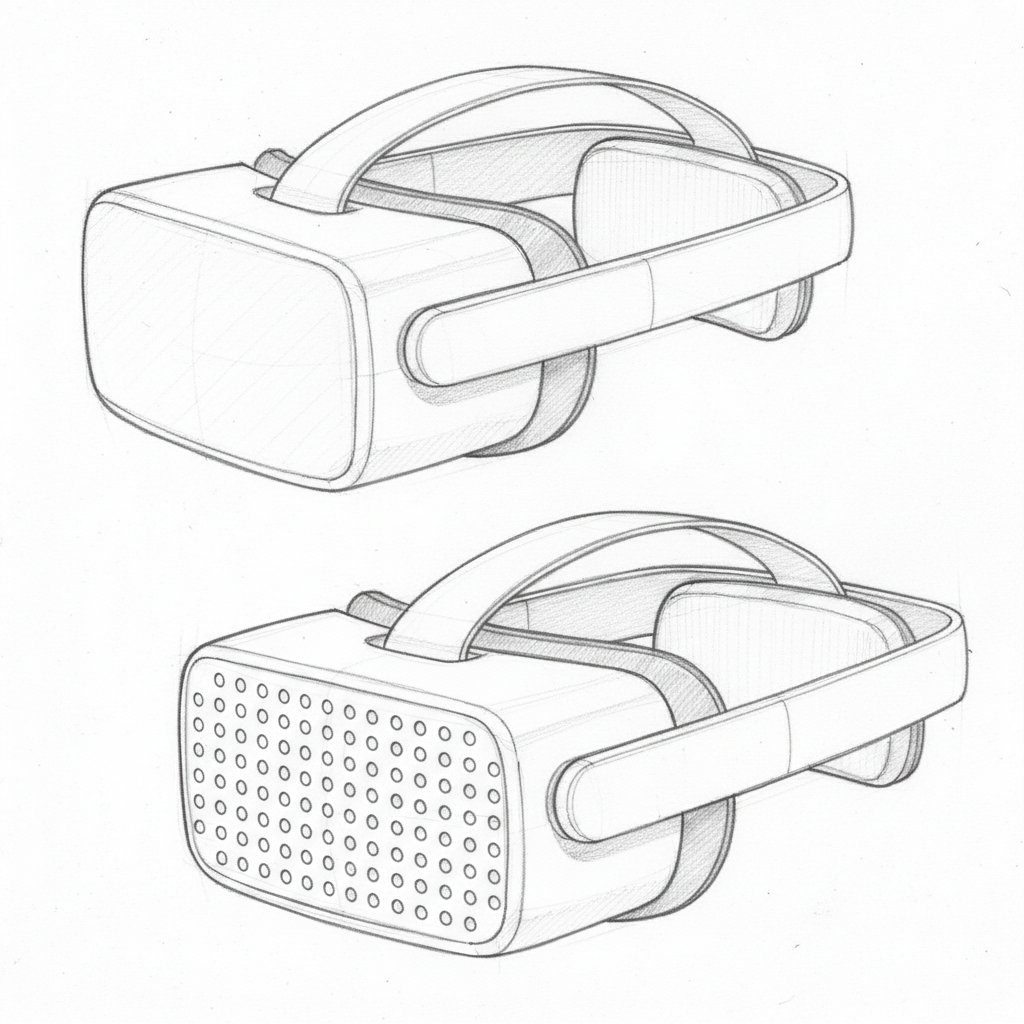
Dieter Rams Inspired VR Headset Sketch

Dieter Rams Inspired VR Headset Sketch

Detailed hand-drawn pencil sketch of a futuristic minimalist VR headset inspired by Dieter Rams Braun designs, clean functional lines, no unnecessary details. Matte white low-profile headset with gently curved rectangular visor, front face featuring a precise grid of small circular perforations (dots) for ventilation and speaker aesthetic. Slim diagonal top strap crossing from one side to the other at an angle for ergonomic fit, integrated seamlessly. Rear section with soft padded cushions visible on the back of the head area for comfort. Simple side profile and three-quarter views shown, light shading for depth, subtle hatching for materials, technical design drawing style on white paper, precise yet understated, industrial design concept sketch.

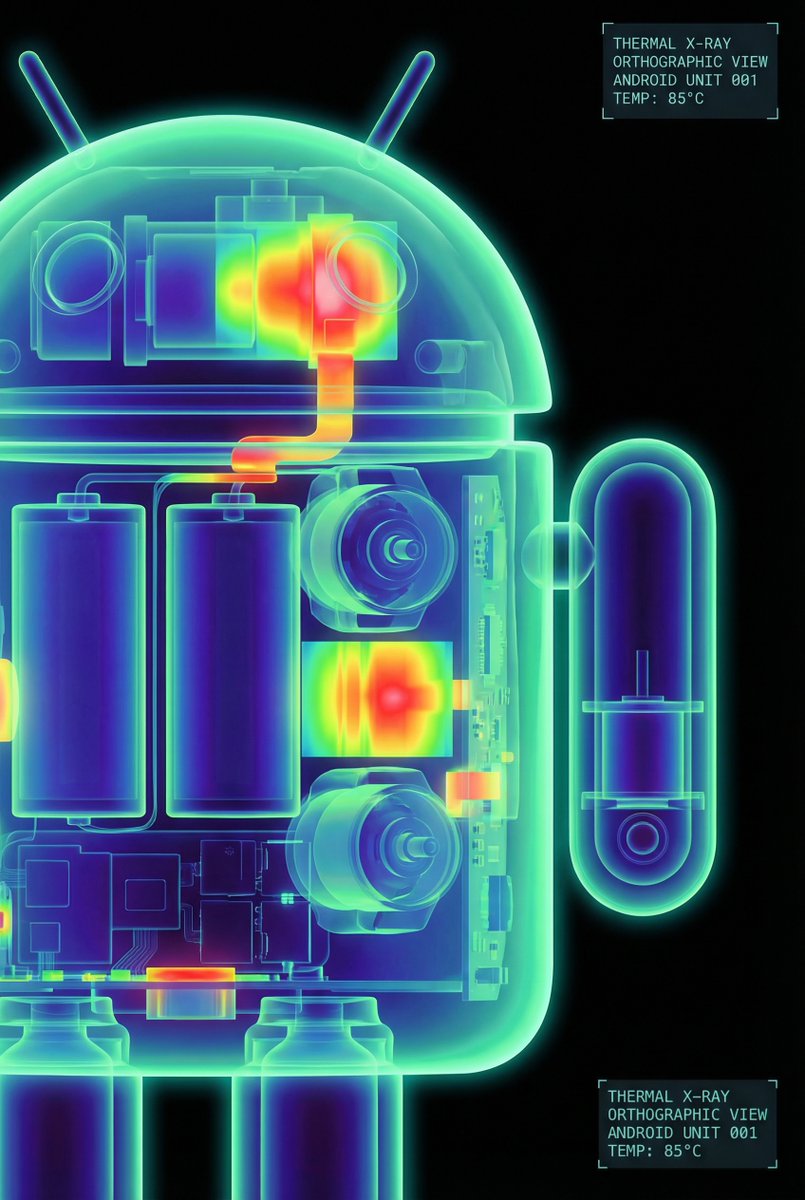
High-Contrast Thermal X-Ray Render of Android Robot

High-Contrast Thermal X-Ray Render of Android Robot

The Google Android robot, presented in a high-contrast scientific studio render against a pure black void. This tight right-side profile features a false-color thermal X-ray aesthetic, where the transparent shell reveals a sharply detailed internal architecture of batteries, drivers, and sensors using a vibrant heatmap gradient. The colors shift from deep cool blues to intense yellows and red highlights, creating a futuristic, clinical look with orthographic perspective and a soft, neon-like glow.

Travel Itinerary Illustration Generation Prompt

Travel Itinerary Illustration Generation Prompt

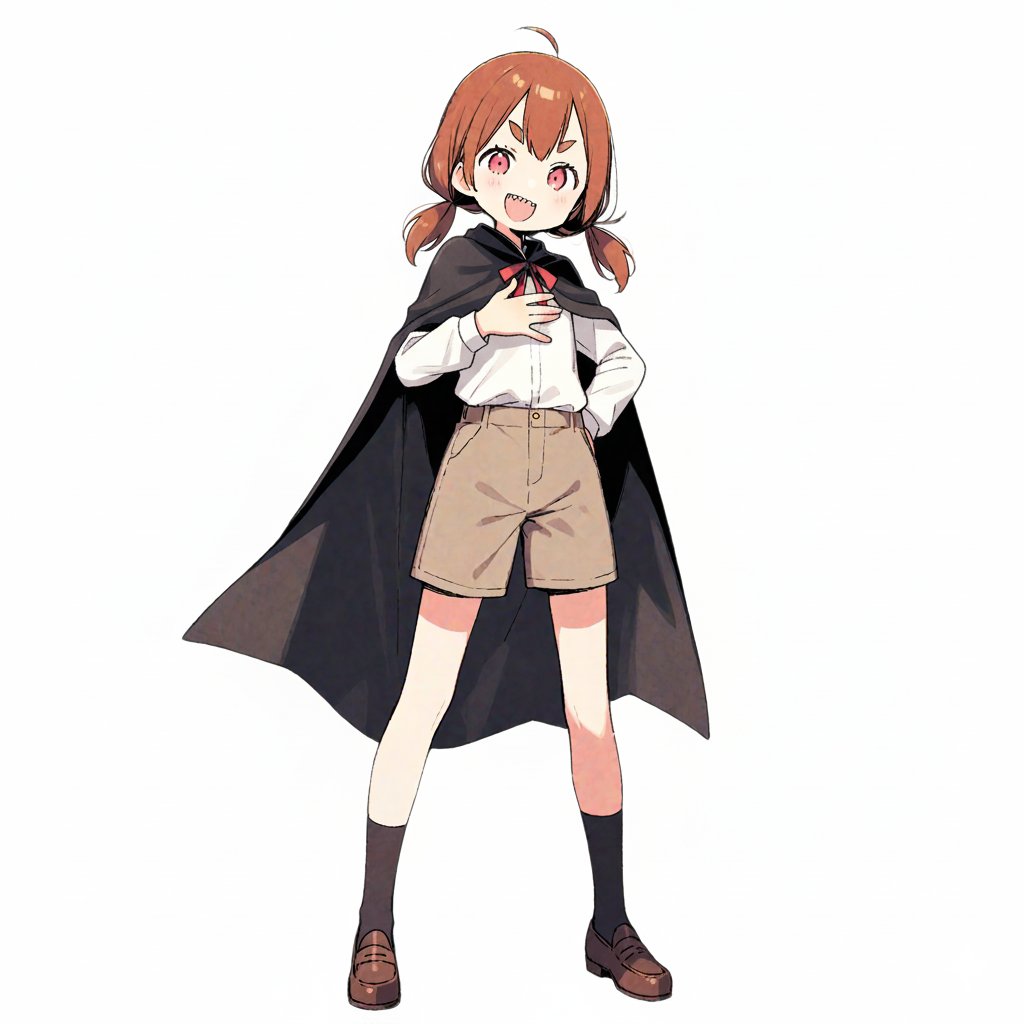
Generate an illustration image in the style of a travel itinerary according to the following requirements. ## 1. Input Settings ** (Please rewrite this section. If left blank, it will be treated as "Leave it to AI")** - **Character Features**: {argument name="Character Features" default="A girl with brown short hair, wearing a black cloak"} - **Name (for Title)**: {argument name="Name for Title" default="Complete Guide to the Donut Museum!"} - **Tourist Destination**: {argument name="Tourist Destination" default="Donut Museum"} - **Schedule**: [ Format: "Time : Place/Action : Short Comment (Situation or Feeling at the time)" ] - **Packing List**: ## 2. Image Generation Specifications You are an illustrator for a travel magazine. Based on the settings above, draw one "hand-drawn travel itinerary" in the following style. **【Style and Composition】** - **Aspect Ratio**: Vertical (Vertical format close to A4 paper ratio) - **Background**: Graph paper (grid notebook) texture. - **Art Style**: Warm, hand-drawn style illustration like the reference image (watercolor, marker, colored pencil touch). - **Layout**: - Place the title prominently at the top. - Timeline composition connected by arrows flowing from the top left to the bottom right. - Memo illustration of the "Packing List" in the bottom right or an empty space. **【Content and Comment Reflection】** - Draw each item in the specified "Schedule" as **5-6 small cut illustrations**. - Maintain **character consistency**. - **Comment Reflection**: - Reflect the content of the "Short Comment" in the schedule in the character's **expression and pose** (e.g., if "delicious," the cheeks should be relaxed; if "excited," the eyes should sparkle). - Place a **handwritten-style text space (like a speech bubble, sign, or writing in the margin)** next to or below each panel for the comment. - *The text in the image must be accurate Japanese. Use a font that looks like handwritten notes.* **【Decoration】** - Overall cheerful and pop atmosphere. - Decorate with masking tape, stamps, handwritten arrows, and musical note marks.

ChatGPT v5.1 vs v5.2 Evolution Infographic Prompt

ChatGPT v5.1 vs v5.2 Evolution Infographic Prompt

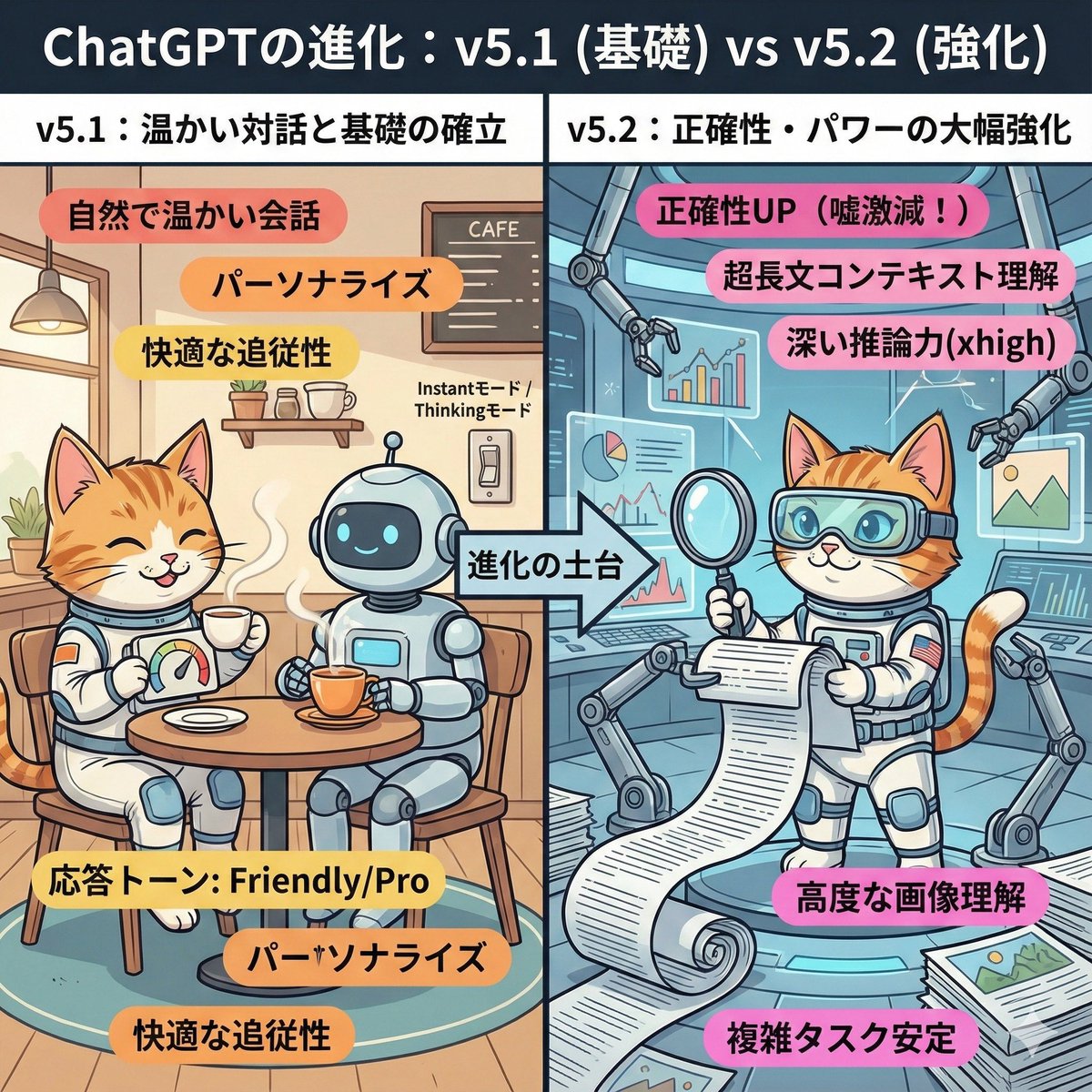
A cute and playful, comical manga-style infographic illustration. A comparison diagram split into left and right halves, with a large title at the top reading: "Evolution of ChatGPT: v5.1 (Foundation) vs v5.2 (Enhancement)." The left half is titled "v5.1: Warm Dialogue and Foundation Establishment." The background is a cozy, organized cafe-like room. The character (or person) from the uploaded reference image is depicted here, smiling relaxedly and naturally enjoying a conversation while drinking steaming tea with a friendly, round robot. They have a custom dial labeled "Response Tone: Friendly/Pro." Warm-colored keywords float around: "Natural and warm conversation," "Personalization," "Comfortable follow-up." In the center, an arrow labeled "Foundation of Evolution" indicates that the right side is based on the left side. The right half is titled "v5.2: Significant Enhancement of Accuracy and Power." It is an expanded, futuristic, massive high-tech research lab built upon the foundation of the room on the left. The same character (or person) from the reference image is depicted here with a confident expression, wearing high-tech analysis goggles. They are spreading out a gigantic scroll (long document), accurately scanning complex graphs and images floating in the air, and working intensely with multiple mechanical arms. Powerful, vivid keywords float around: "Accuracy UP (Lies drastically reduced!)," "Ultra-long context understanding," "Deep reasoning power (xhigh)," "Advanced image comprehension." Overall, the contrast between the left side, representing comfortable daily life, and the right side, representing reliable professional power, is expressed cutely.

Futuristic Holographic Burj Khalifa Blueprint

Futuristic Holographic Burj Khalifa Blueprint

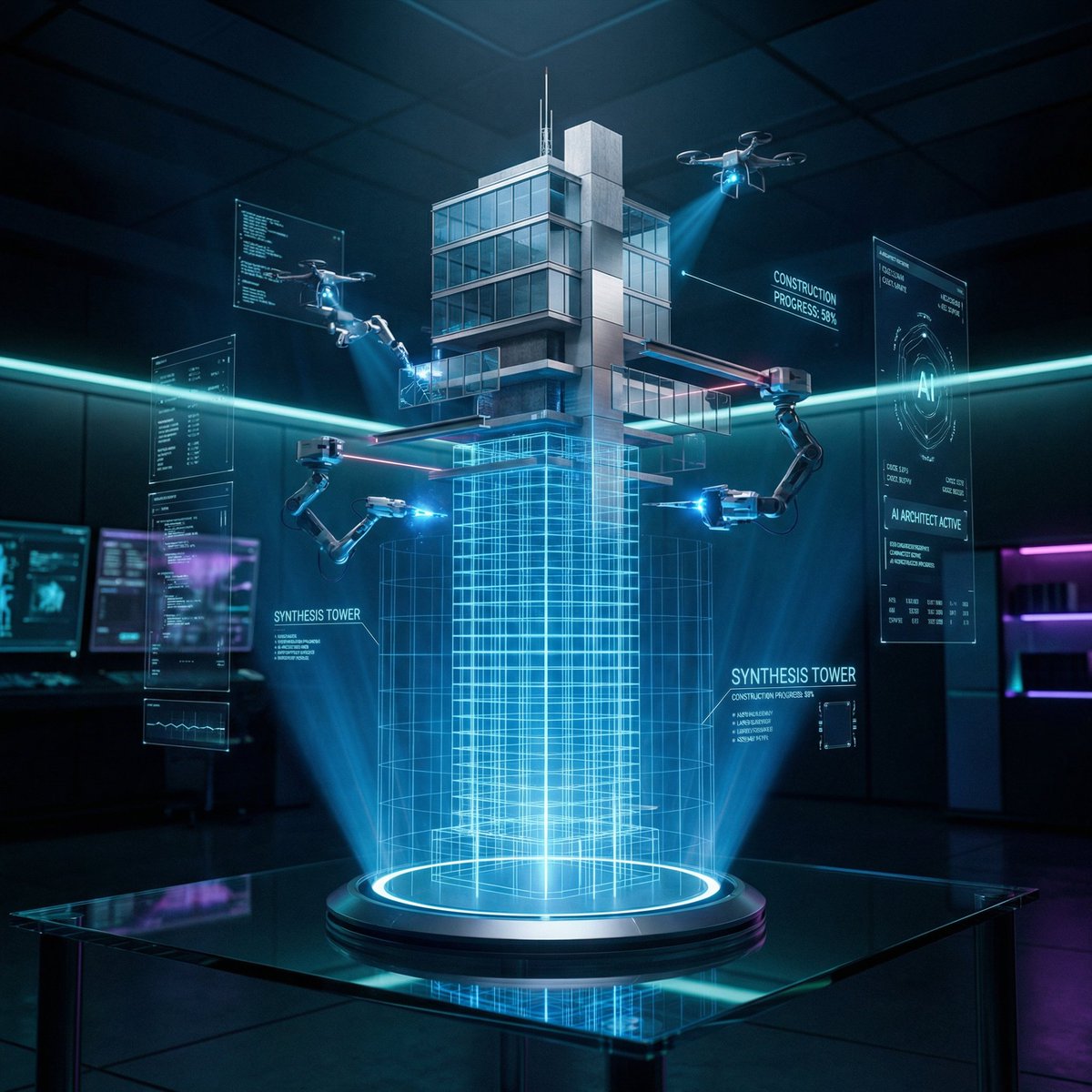
CONCEPT: A futuristic architectural blueprint of the Burj Khalifa projected as a glowing hologram, actively constructing itself in mid-air through robotic precision and digital intelligence. SUBJECT: A semi-transparent holographic version of the Burj Khalifa floating above a sleek glass smart table. The lower portion appears as a glowing blue wireframe blueprint, while the upper portion transitions into a fully photorealistic skyscraper with reflective glass panels and metallic structure as it builds itself in real-time. ENVIRONMENT: A high-tech architectural lab with a dark, minimal interior. The blueprint originates from a glossy black glass table embedded with touch controls, glowing UI panels, and soft neon edges. Subtle reflections of the hologram appear on the table surface. Background is clean, futuristic, and slightly blurred. STRUCTURAL DETAILS: The central spire rises as glowing gridlines before solidifying into steel and glass Tiered setbacks of the tower assemble through hovering robotic drones Glass facade panels lock into place with precise alignment and reflections Laser beams scan and map each level during construction Small AI drones orbit around the structure, actively building and welding components Materials transition from holographic light into real textures — polished glass, steel beams, and concrete core Floating UI overlays show measurements, grids, and rotating architectural schematics VISUAL MECHANIC: The blueprint exists in layered form — base is a glowing grid, mid-layer is a semi-transparent wireframe, and top layer is fully realistic. Certain sections flicker between hologram and solid material, emphasizing the transformation. LIGHTING: Dark environment with strong neon blue and cyan holographic glow. Subtle rim lighting created by reflections from the hologram. Volumetric light beams and soft particles enhance depth. CAMERA & LENS: Shot on a full-frame camera, 35mm lens. Slight low-angle perspective to emphasize scale and height. Sharp focus on the hologram core with slight background blur. COMPOSITION: Vertical 2:3 format. The Burj Khalifa hologram is centered, rising upward. UI elements orbit symmetrically around it. Clean negative space enhances the futuristic aesthetic. STYLE & MOOD: Futuristic, cinematic, high-tech, and minimal. Feels like advanced AI-driven architecture and innovation. Clean, premium, and visually striking. DETAILS: Ultra-sharp holographic lines, glowing particles, realistic glass reflections, smooth transitions between digital and physical materials, micro UI details, 8K resolution, HDR, cinematic color grading with blue/cyan tones and deep contrast. NEGATIVE PROMPT: cluttered environment, low detail, dull lighting, messy UI, cartoon style, distorted structure, blurry hologram, watermark

Infographic / Edu Visual - Editorial Cooking Storyboard Layout
Nano Banana Pro

Infographic / Edu Visual - Editorial Cooking Storyboard Layout

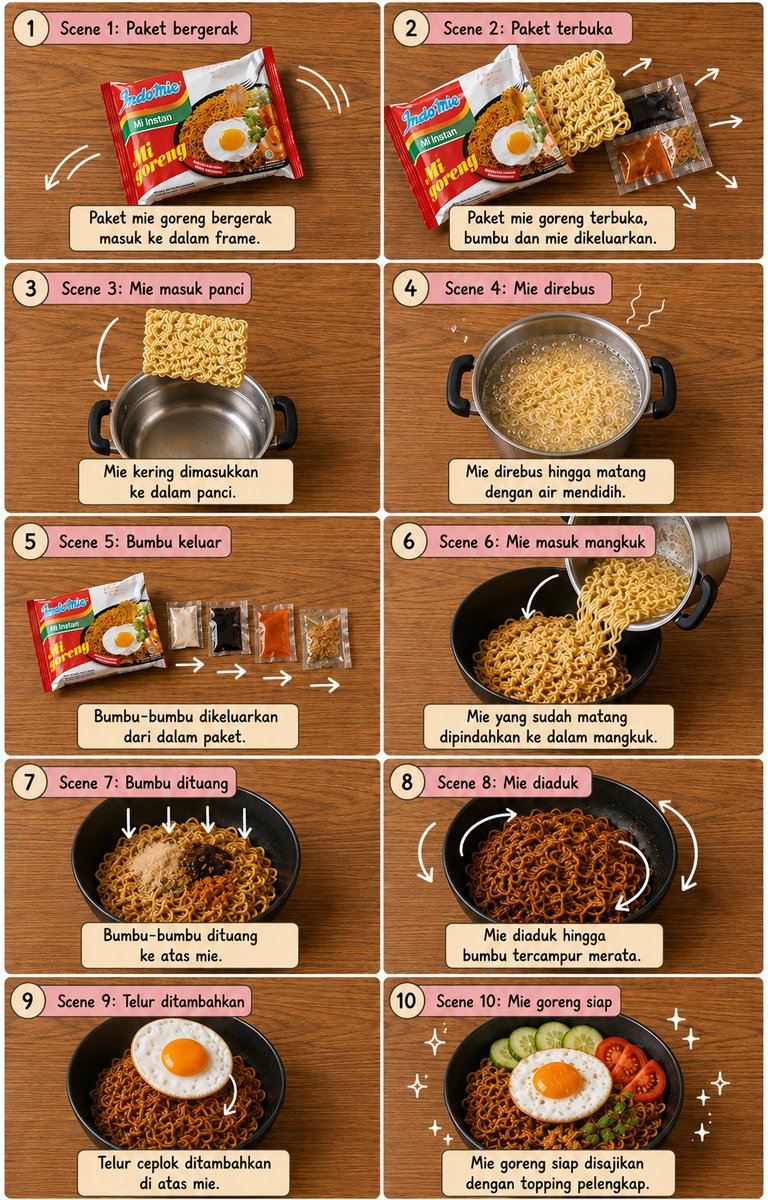
Create a vertical 4:5 cooking storyboard with exactly 10 panels in a {argument name="grid" default="2×5 grid"}. {argument name="surface" default="warm wooden tabletop"}, perfect top-down view, thin white borders, dusty-pink rounded headers, cream caption boxes, numbered circles and black handwritten typography.\n\nShow the exact sequence: {argument name="dish" default="dish"} packet → packet opens → noodles enter silver pot → noodles boil → seasoning sachets come out → cooked noodles enter black bowl → seasonings fall in → noodles mix → fried egg placed on top → finished mie goreng with egg and garnishes.\n\nUse clear white curved arrows, motion lines and sparkles to show every movement. Keep identical object continuity, realistic food, warm lighting, clean cute editorial storyboard style, sharp details and balanced spacing. No people, no hands, no extra panels.

@𝐌

Some prompts are collected from creators on X. Copyright belongs to the original authors.