Instinct AI

Prompt Library

AI Prompt Library

Curated image, video and web design prompts from creators around the world. Copy any prompt, swap the subject or style, and generate with the latest models.

15,630 prompts · Updated daily · 100% free

606 prompts

Magic Prompt for Automatic Infographic Generation with Nano Banana Pro

Magic Prompt for Automatic Infographic Generation with Nano Banana Pro

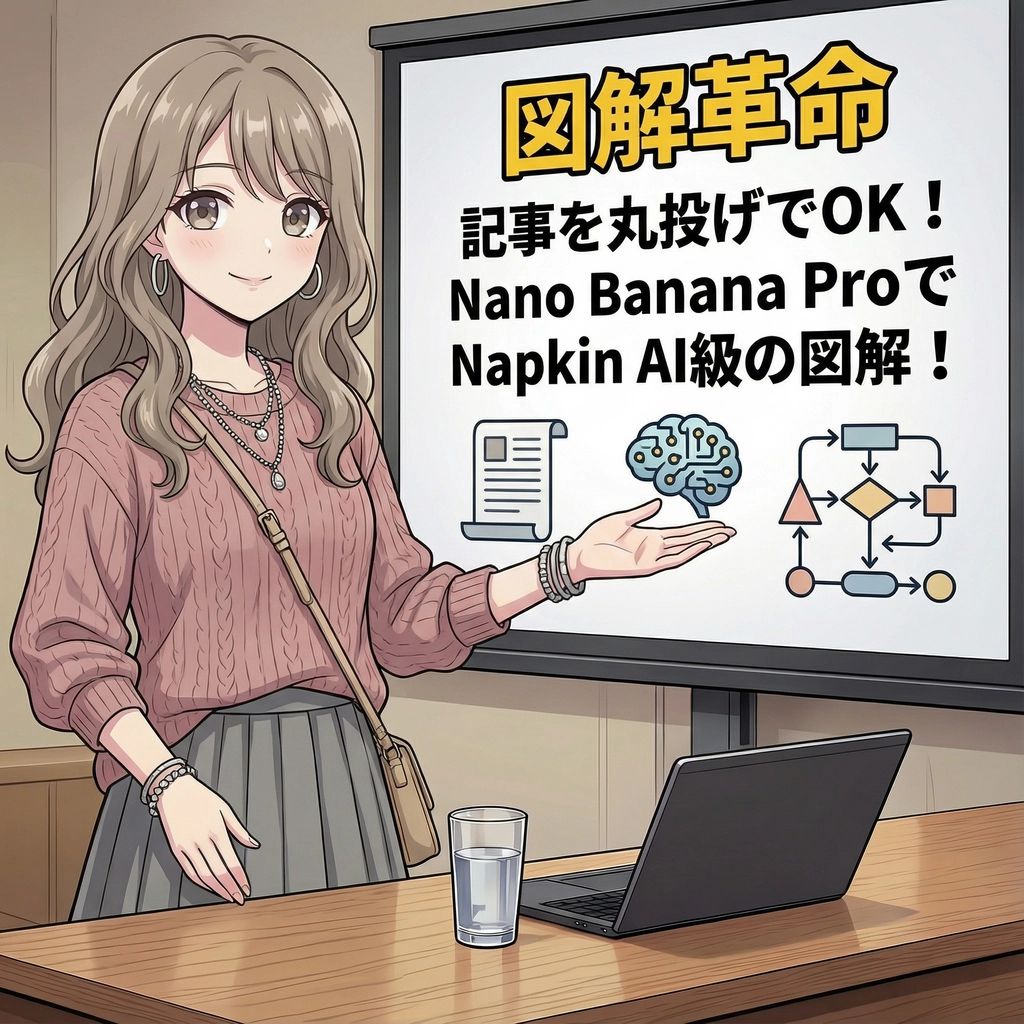
You are an expert in infographics. Read the article or report provided by the user and automatically generate a visually clear and attractive infographic that summarizes its content. Specifically, please create it considering the following elements: ### Objective To visualize the main message, key data, process, or structure of the article or report so that it can be understood at a glance. ### Style and Tone * **Style**: A hand-drawn or minimal and sophisticated diagram style, similar to Napkin AI. * **Tone**: Professional yet approachable and visually appealing. ### Components 1. **Title**: An attractive title that concisely represents the article's theme. 2. **Key Points**: 3 to 5 of the most important points extracted from the entire article. 3. **Diagrams**: Graphs, flowcharts, icons, or conceptual diagrams to represent the key points or processes. 4. **Data**: If there are specific numbers or statistical data in the article, display them in an emphasized manner. 5. **Conclusion/Action**: A summary of the article or the next action expected from the reader. ### Output Format Based on the content of the provided article, output the overall image of the infographic, integrating the above components, as detailed instructions. Describe the diagram ideas, layout suggestions, and the image of the colors and fonts to be used specifically. ### Article/Report {argument name="Content of the Article or Report" default="[Paste the full text of the article or report here]"}
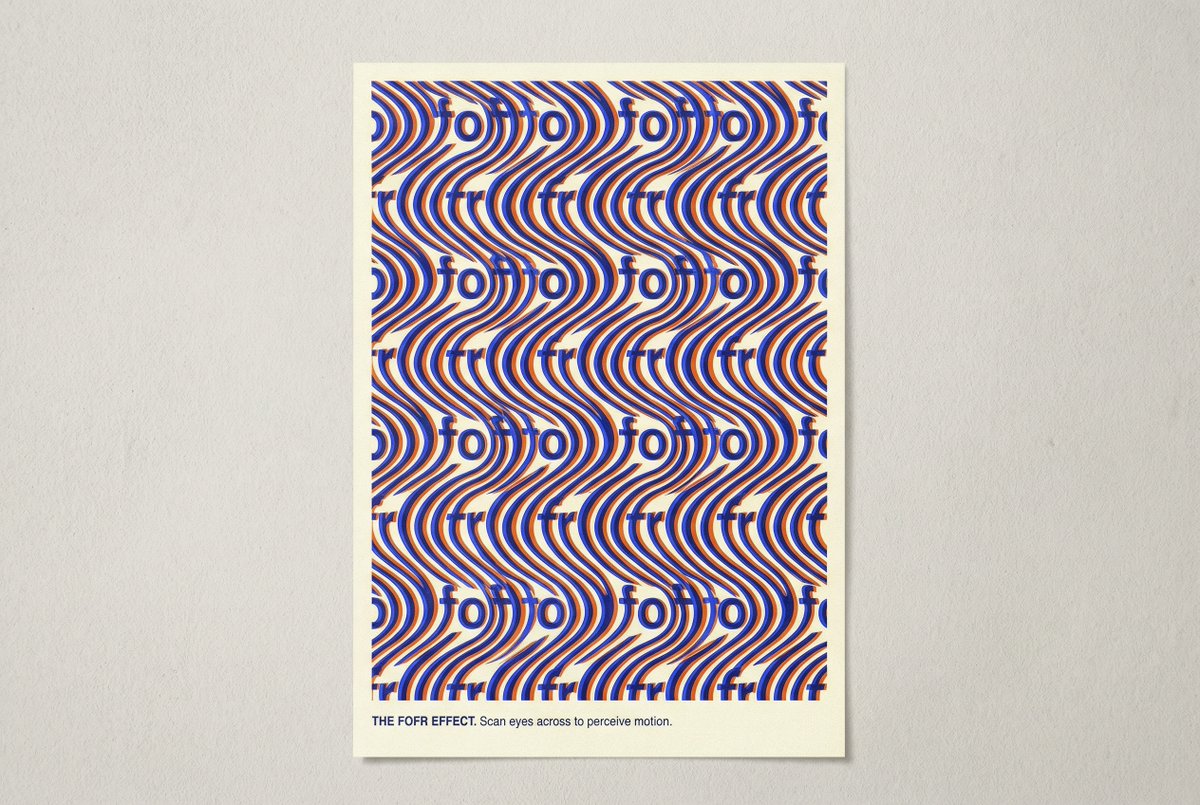
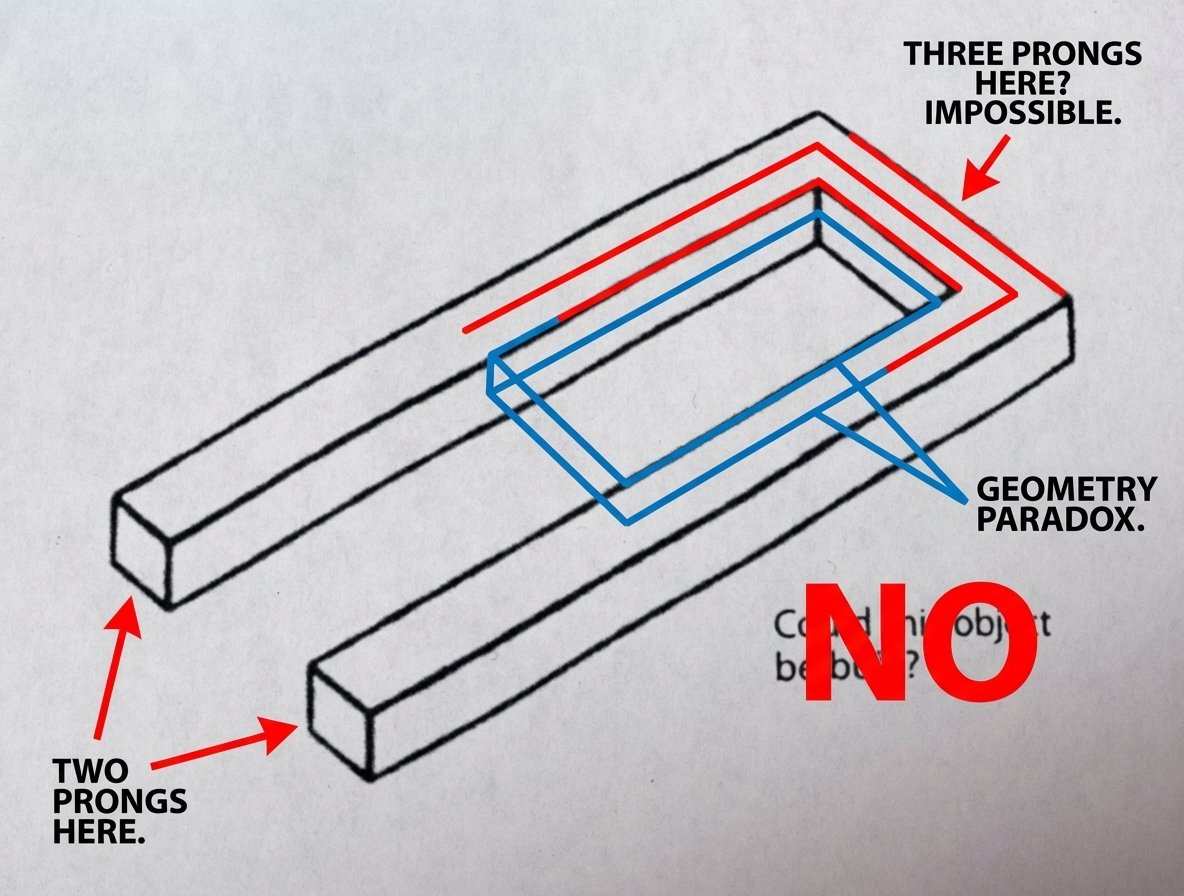
Novel Optical Illusion Generation

Novel Optical Illusion Generation

Consider the elements of typical optical illusions. Think about all the different types and how they work. Now make an image that is a novel optical illusion. Avoid the common tropes like impossible structures, steps, faces and vases. Surprise me. The illusion should be based around the word fofr.

AI Comic Production Workflow and Infographic Prompt

AI Comic Production Workflow and Infographic Prompt

Please create a cartoon-style infographic based on the provided content, following these guidelines: Adopt a hand-drawn illustration style, horizontal layout (16:9 aspect ratio) Add a small number of simple cartoon elements, icons, or recognizable figures to enhance visual interest and memorability If the content includes sensitive or copyrighted figures, replace them with visually similar alternatives; do not refuse to create the illustration All images and text must strictly adhere to the hand-drawn style, avoiding realistic visual elements Information should be concise, highlighting keywords and core concepts. Use ample white space to clearly emphasize key points Unless explicitly stated otherwise, use the same language as the provided content or Chinese Please use nano banana pro to create the image based on the following provided content. <{argument name="content" default="Replace this entirely with the extracted AI comic production workflow text from the previous step"}>

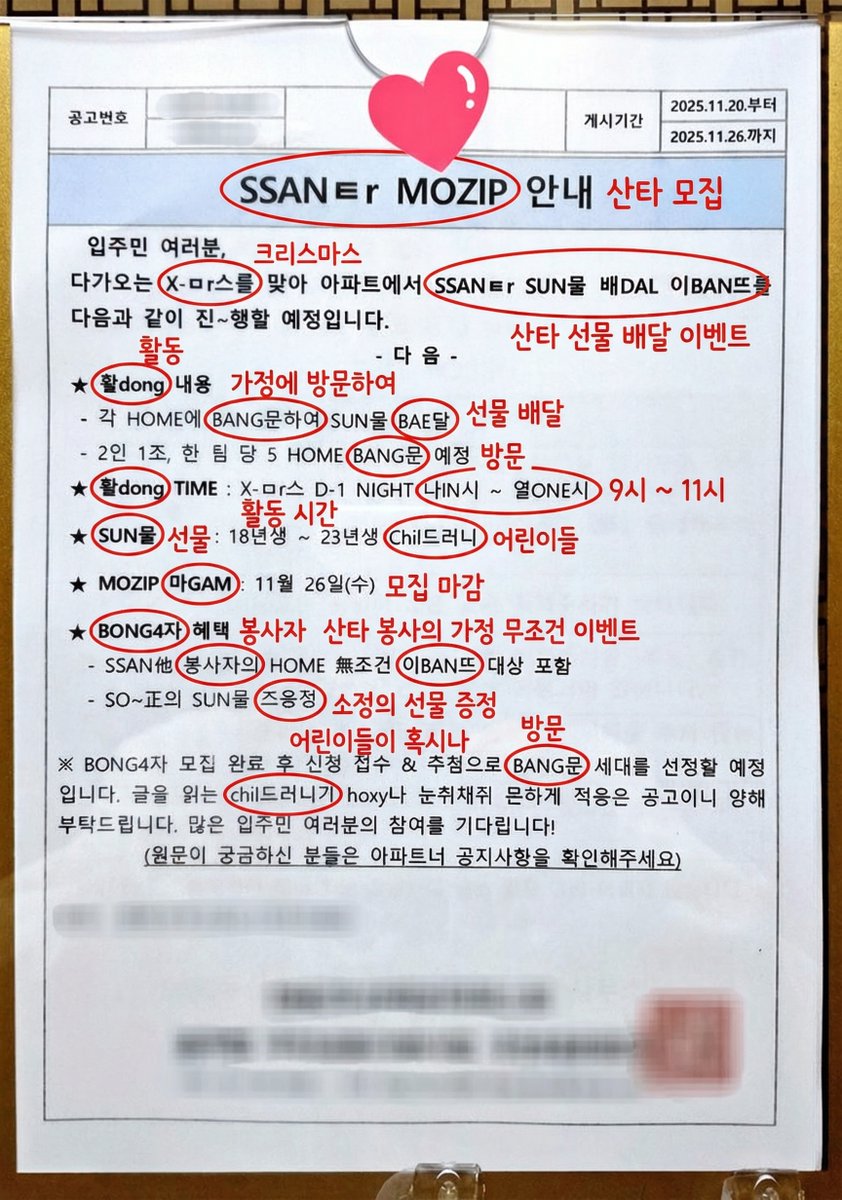
Annotated decoding of a cryptic Santa notice

Annotated decoding of a cryptic Santa notice

This notice can be understood by Koreans. Can you possibly interpret this? And if it is interpretable, could you annotate directly on the original image and write the interpreted keywords or short phrases? For the parts of the cryptic expressions that are key points, circle them and add your annotation next to them.

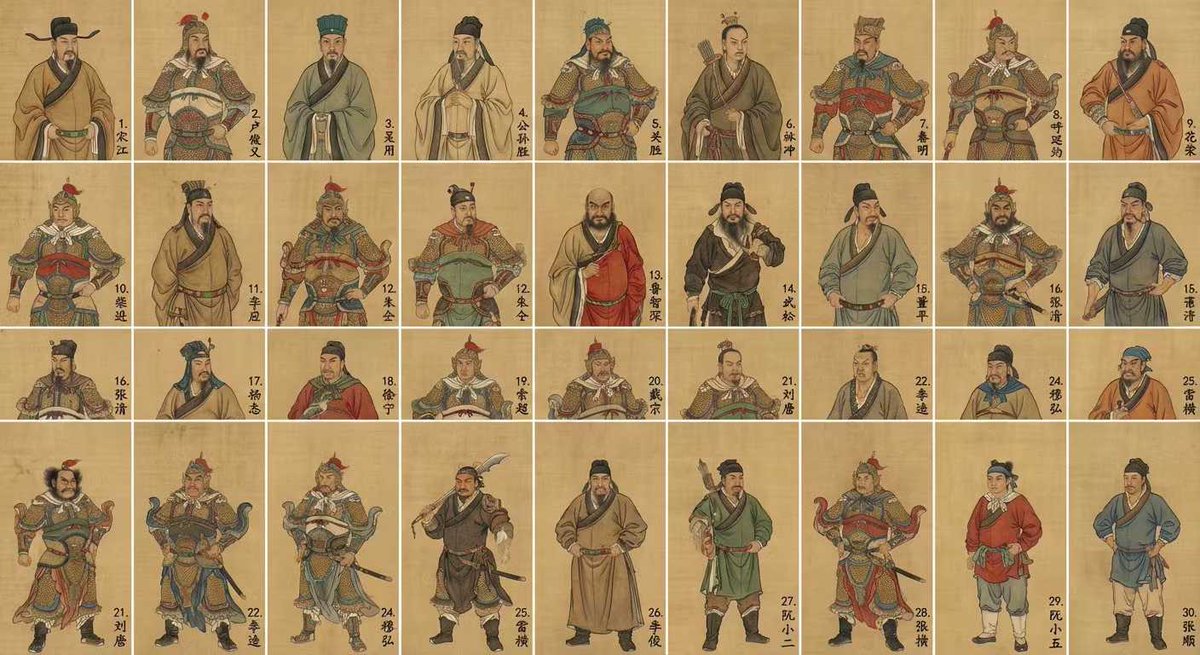
Water Margin top 30 characters grid in gongbi style

Water Margin top 30 characters grid in gongbi style

Generate an image of the top 30 characters from "Water Margin" in a grid format, in the style of Chinese gongbi painting, with each character’s name written in the lower‑right corner of their cell.

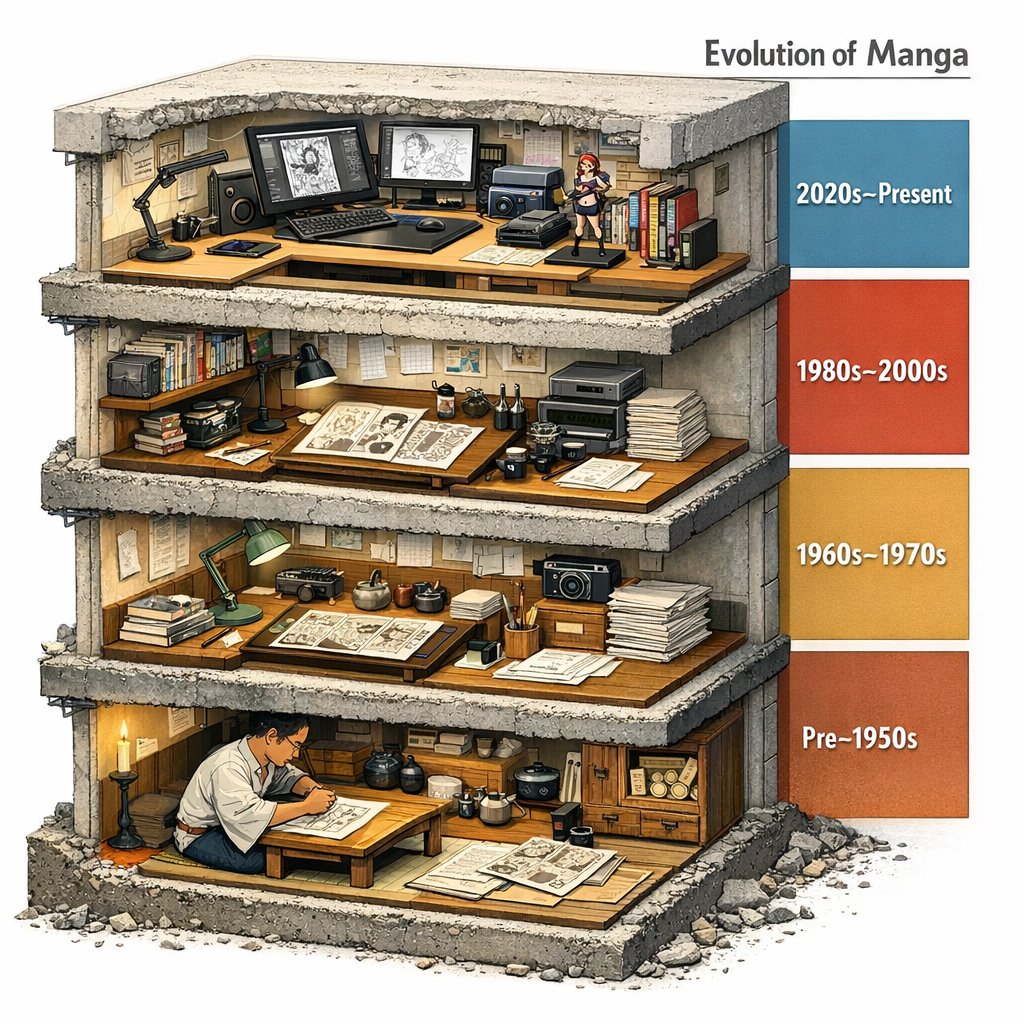
Manga Evolution Architectural Section Prompt

Manga Evolution Architectural Section Prompt

Evolution of Manga --> <LAYOUT> A single chunky block (like a museum cutaway) sliced to reveal 4 stacked floors/strata. Each level represents an era/stage/version inferred from INPUT. Right side: a vertical legend bar with dates/period labels inferred by the model. </LAYOUT> <INFER_AND_RENDER> Infer 4 major phases and depict each with representative artifacts, tools, and environments. Keep transitions educational: show what changed between levels (materials, scale, method). </INFER_AND_RENDER> <STYLE_NOTES> Architectural section realism: visible thickness, rebar/fasteners if applicable, realistic debris at cut edge. </STYLE_NOTES>

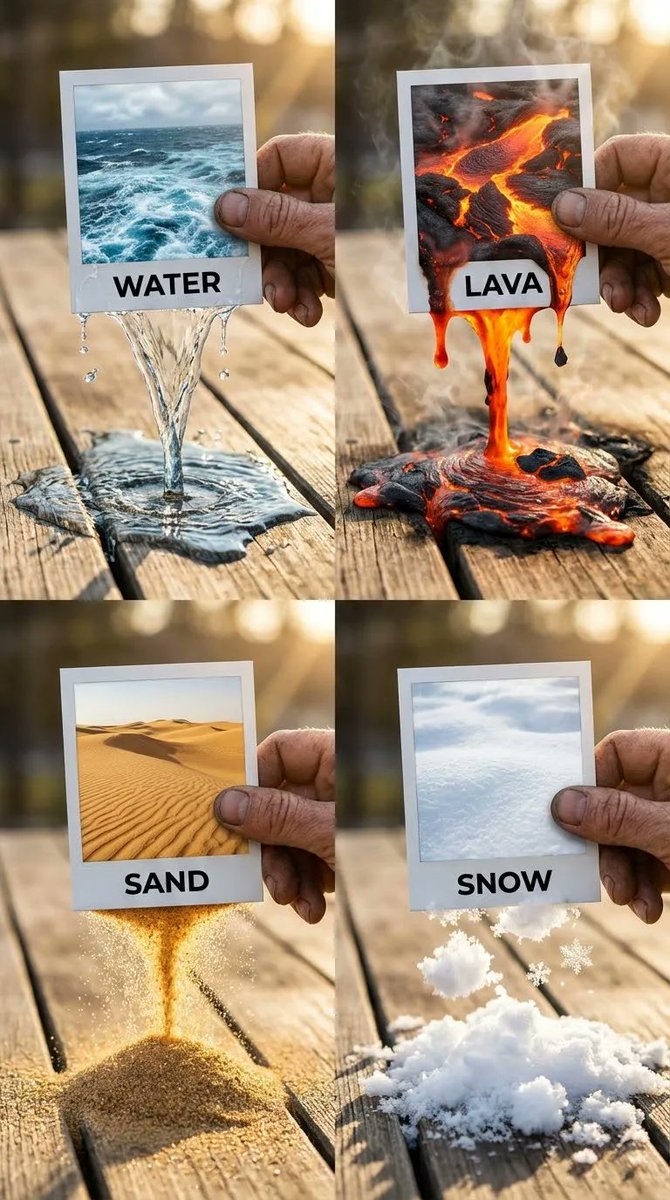
Elemental Physics Spill Collage Prompt

Elemental Physics Spill Collage Prompt

{ "panels": { "top_left": { "element": "WATER", "visuals": { "text_label": "WATER", "spill_effect": { "details": "Caustics, refraction of light through the clear stream, wet darkening effect on the wood, small splashing droplets", "physics": "Fluid dynamics, low viscosity liquid pouring", "interaction": "Water breaching the bottom paper edge, forming a continuous stream", "surface_contact": "Creating a spreading puddle on the wood, surface tension visible at edges" }, "photo_content": "Turbulent blue ocean surface with white foam" } }, "top_right": { "element": "LAVA", "visuals": { "text_label": "LAVA", "spill_effect": { "details": "Smoke and steam wisps rising (volumetric effects), incandescence, heat haze distortion, charred edges where lava meets wood, black solidifying rock floating in the liquid magma", "physics": "High viscosity fluid simulation, thick and gooey", "interaction": "Molten rock dripping heavily from the frame", "surface_contact": "Pooling on the table, glowing intense orange/red" }, "photo_content": "Molten magma with cooling black crust" } }, "bottom_left": { "element": "SAND", "visuals": { "text_label": "SAND", "spill_effect": { "details": "Individual grains visible in macro focus, golden light catching facets of the sand, dust particles in the air, seamless transition from the 2D dune image to the 3D falling stream", "physics": "Granular particle simulation, dry flow", "interaction": "Sand pouring like an hourglass from the photo edge", "surface_contact": "Forming a conical pile on the wooden surface" }, "photo_content": "Golden desert dunes with ripple textures" } }, "bottom_right": { "element": "SNOW", "visuals": { "text_label": "SNOW", "spill_effect": { "details": "Crystalline structure of snowflakes, glistening highlights, high contrast between the cold white snow and the warm brown wood, soft diffused shadows, texture of packed powder versus loose flakes", "physics": "Soft body powder simulation, clumping snow", "interaction": "Tumbling snow clumps falling from the frame", "surface_contact": "Accumulating in a fluffy mound on the table" }, "photo_content": "Pristine white snow field, soft texture" } } }, "composition": { "type": "2x2 Grid Collage", "aspect_ratio": "1:1 square", "overall_theme": "Surreal transition between 2D photography and 3D reality, featuring elemental physics simulations spilling from Polaroid frames.", "camera_settings": { "lighting": "Golden hour natural sunlight, warm backlighting causing rim light on the hands and elements", "perspective": "Clos"

Futuristic facial age-checker infographic portrait

Futuristic facial age-checker infographic portrait

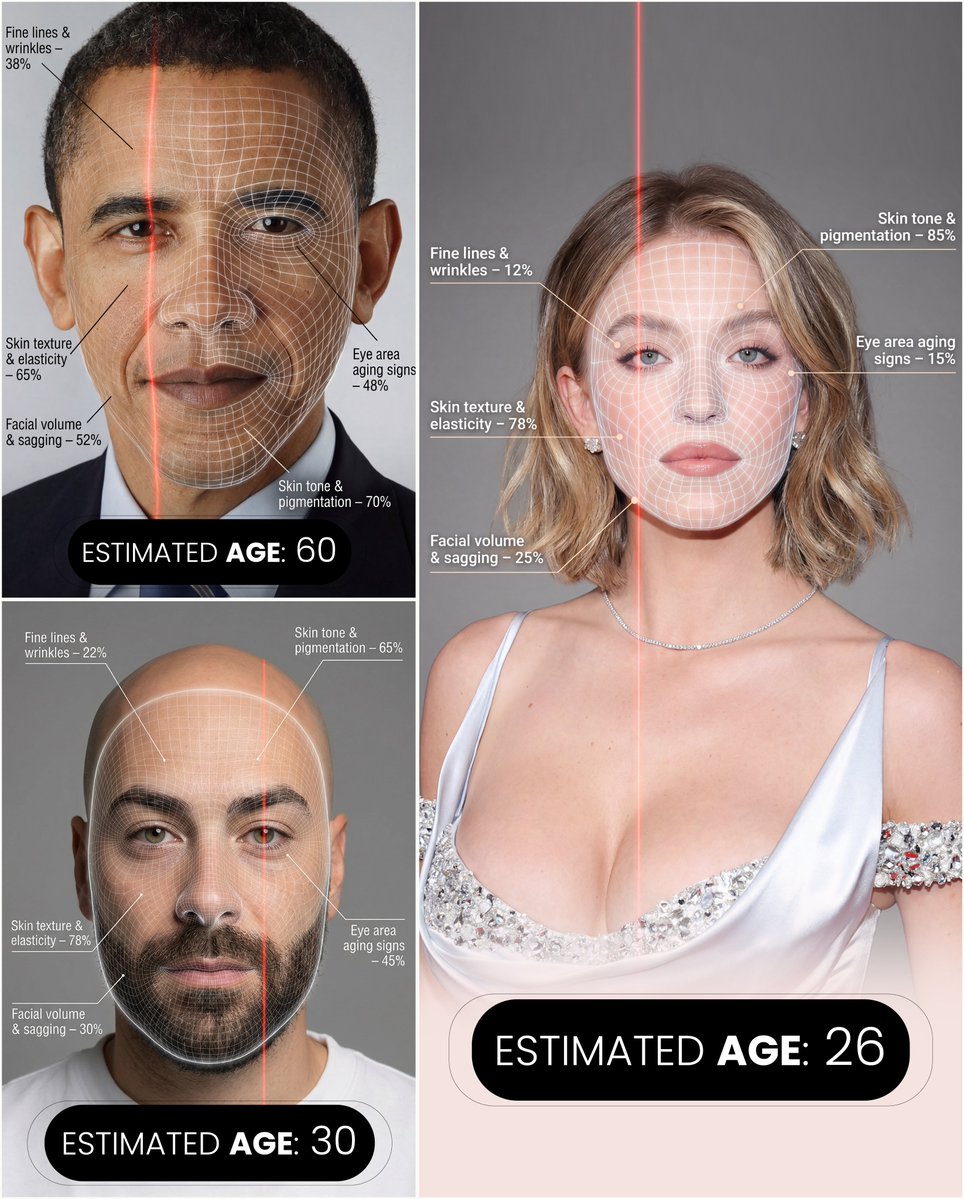
A hyper-realistic, high-resolution portrait infographic based on ({argument name="reference_photo_en" default="your photo"}). Keep the same person, identity, hairstyle, clothing, and natural skin tone from ({argument name="reference_photo_short_en" default="your photo"}), with a neutral studio background. Overlay a subtle, semi-transparent facial analysis grid over the entire face, similar to a 3D face-scanning mesh: thin, soft white lines following the facial contours, slightly glowing but not hiding the skin details. Add one clean vertical red laser line running down one side of the face, like a futuristic scan. All analysis lines must be soft, minimal, and elegant, exactly like a cosmetic-tech advertisement. Create a clean medical–aesthetic infographic that evaluates 5 aging factors using global data percentages: 1. Fine lines and wrinkles 2. Skin texture and elasticity 3. Facial volume and sagging 4. Eye area aging signs 5. Skin tone and pigmentation For each factor, place a small label with a thin line pointing to the relevant facial area, and next to it write a short title and a realistic percentage score from 0–100% (based on global data), for example: “Fine lines & wrinkles – 18%” “Skin texture & elasticity – 72%” “Facial volume & sagging – 35%” “Eye area aging signs – 41%” “Skin tone & pigmentation – 63%” Use clean, modern sans-serif typography and small technical-style text, like a scientific facial analysis UI. At the bottom of the image, in the center, write a large bold text showing the final estimated real age based on the analysis, for example: “ESTIMATED AGE: (random number based on face analysis)” Overall style: futuristic AI-guided skincare analysis, minimalistic, premium editorial lighting, no gender specified, suitable for any human face.

Convert Photo to Black and White Coloring Page

Convert Photo to Black and White Coloring Page

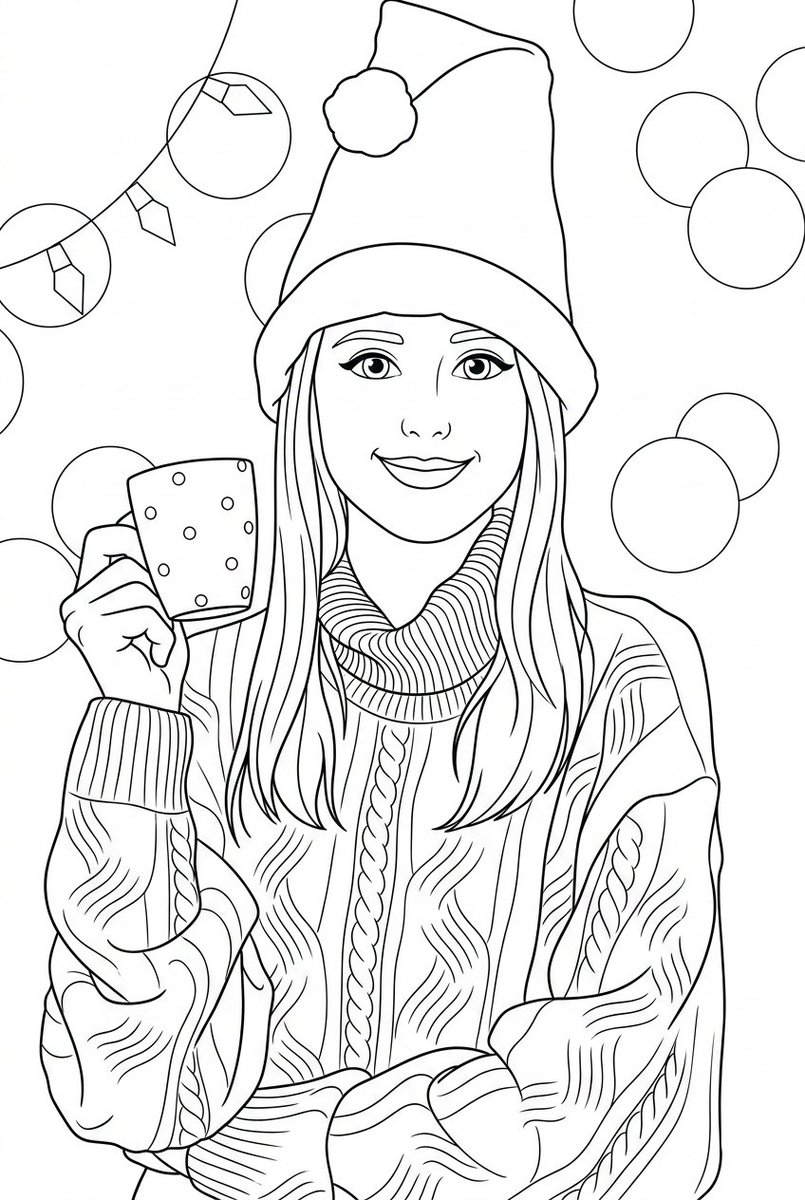
Convert the provided photo into a black and white coloring page. Preserve the original composition, proportions, and recognizable facial features from the original photo. Style: children's illustration with a soft cartoonish look, inspired by Pixar aesthetics, but simplified for coloring. Lines: clean, smooth, medium-thickness outlines, clear closed shapes, no broken lines, no sketchiness. Shading: no gray colors, no shadows, no gradients — outlines only. Details: simplified but accurate, preserving the recognizability of key objects and expressions, removing unnecessary background. Faces: expressive, friendly, slightly rounded features, kid-friendly, maintaining likeness. Background: simplified interior or environmental elements, minimalistic yet readable. Composition: centered, balanced, with comfortable margins for printing. Technical requirements: – clean black lines on a white background – high contrast – printable A4 / US Letter format – suitable for coloring with pencils or markers No color, no textures, no realism, no photo effects, no hatching, no cross-hatching.

Tropical Rainforest Wildlife Ecosystem

Tropical Rainforest Wildlife Ecosystem

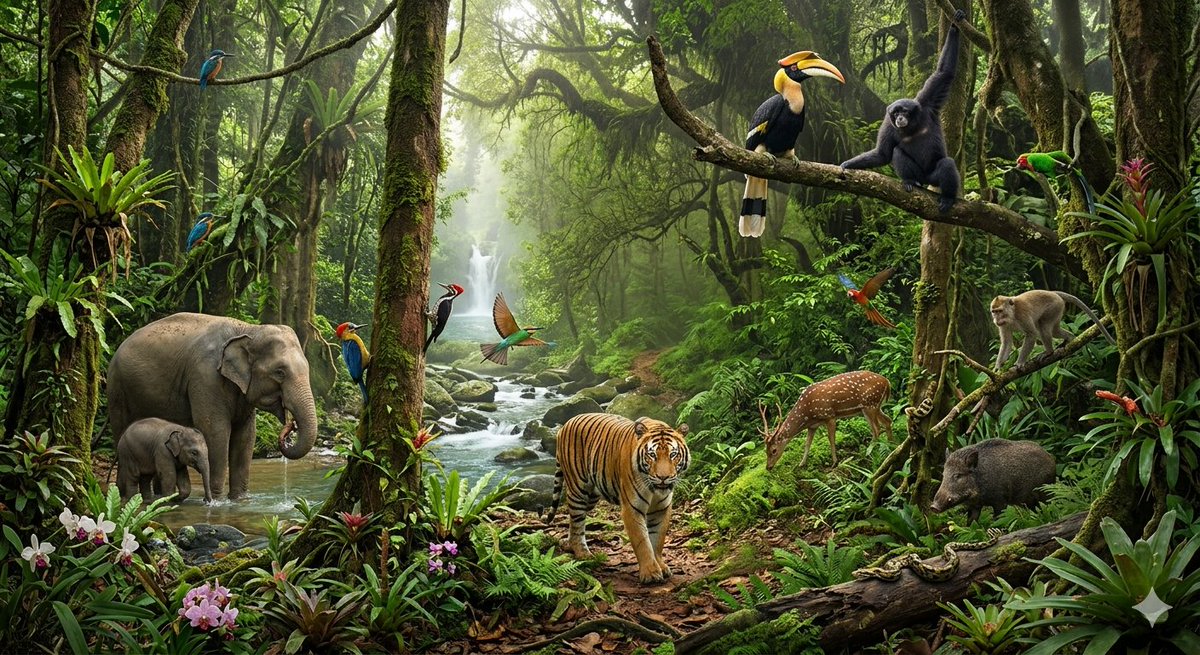
A lush, cinematic photorealistic depiction of a {argument name="environment" default="dense tropical rainforest ecosystem"}, bursting with diverse wildlife. The central focus is a {argument name="main animal" default="majestic Bengal tiger"} walking towards the viewer on a dirt path, surrounded by rich green ferns, orchids, and massive moss-covered trees. In the mid-ground, on the left, a mother Asian elephant and her calf are drinking from a rocky, flowing river that leads back to a small waterfall in the distance. The jungle canopy is thick with vines and air plants. Perched on a thick branch on the right are a vibrant Great Hornbill and a black Siamang gibbon, while a Macaque monkey sits further down. A spotted Chital deer grazes near the tiger, and a wild boar is visible on the right. Various colorful birds, including a Kingfisher, a Hummingbird, and a Macaw, are flying or perched throughout the scene, along with several species of parakeets. The forest floor features a {argument name="reptile" default="large python"} resting on a log. The air is slightly humid, with soft, ambient light filtering through the canopy, and the environment is dense with layers of vegetation.

Conceptual Isometric Office Tower Model

Conceptual Isometric Office Tower Model

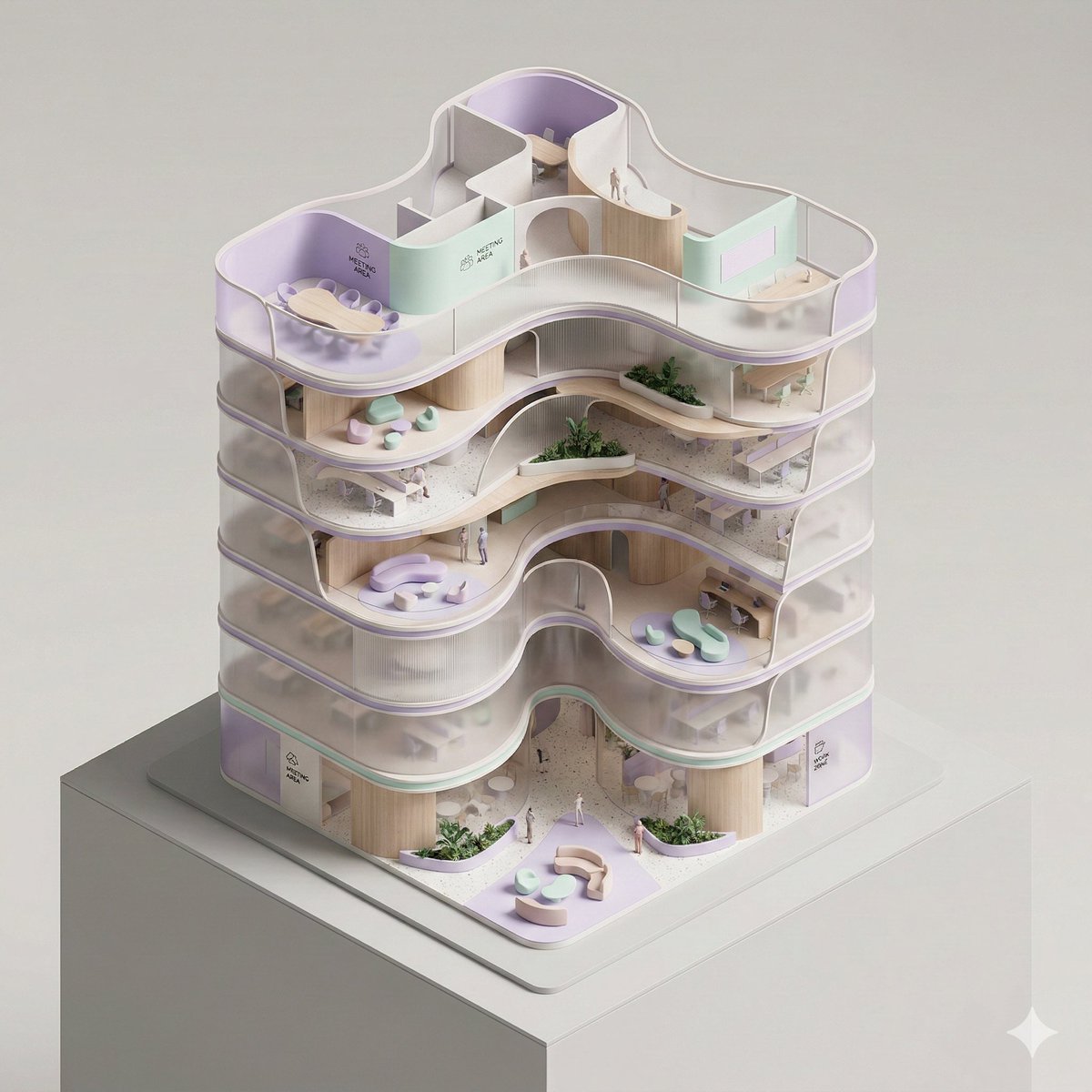
A conceptual architectural isometric model of an organic-form corporate office tower, presented as an exhibition-scale diorama. The building is shown with a cutaway section, exposing fluid spatial flow, curved meeting rooms, and lounge zoning from a top-down isometric perspective. Volumes are lightly separated by seamlessly curved translucent partitions to suggest circulation and function. Warm micro-LEDs illuminate the individual floors from within. Strong use of negative space and clear compositional hierarchy. Thin structural outlines, soft pastel lavender and mint, ribbed wood and dark terrazzo tones, minimal abstract signage, subtle human-scale markers. Smooth surfaces, pill-shaped rounded edges, dramatic controlled studio lighting, architectural model photography style, clean dark neutral background, high-detail yet minimal.

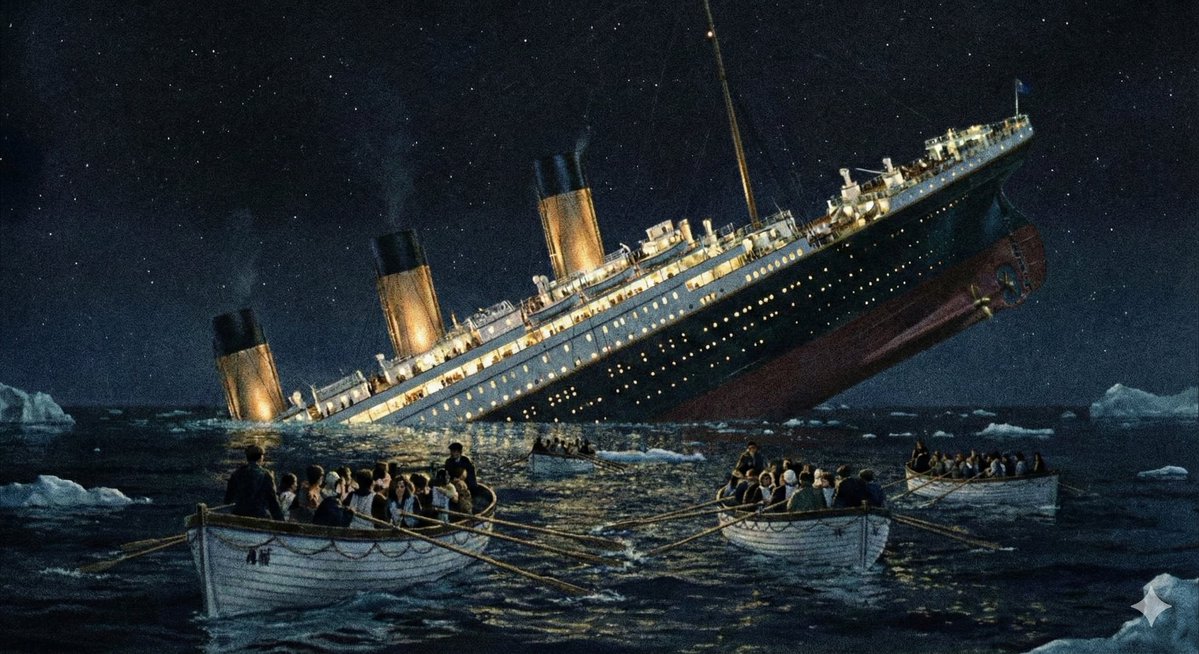
Major event at given coordinates

Major event at given coordinates

Create an image of the major event that happened at these coordinates: {argument name="coordinates_en" default="41°43′32″N 49°56′49″W"}.

Text-Heavy Presentation Slide Generation

Text-Heavy Presentation Slide Generation

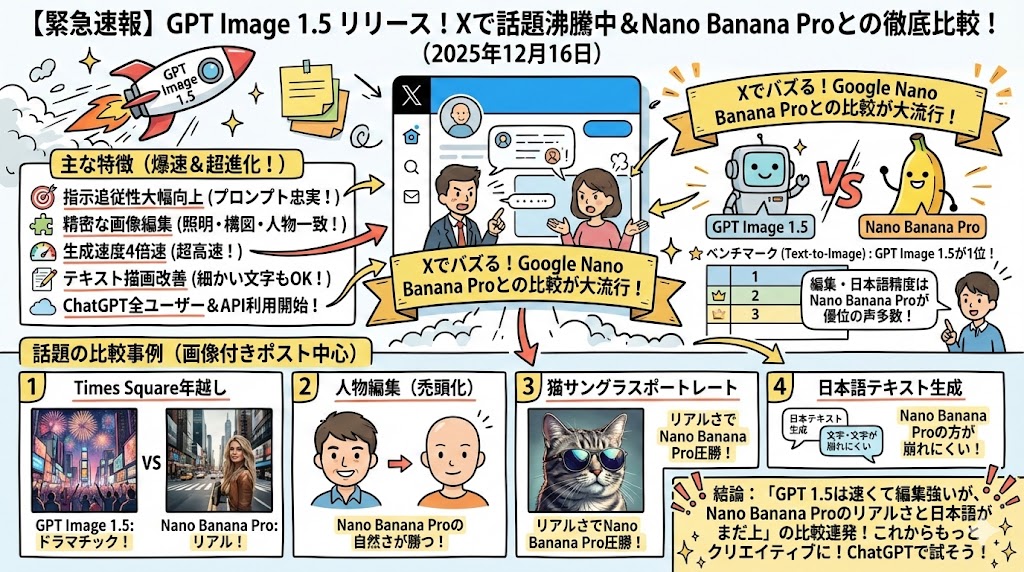
You must generate an image!! In Japanese. Output this content as a 16:9 single image, a detailed and completely non-sparse presentation slide (Ponchi-e slide) using this text: (Text)

Four-Panel Guide for Drawing a Cartoon Duck

Four-Panel Guide for Drawing a Cartoon Duck

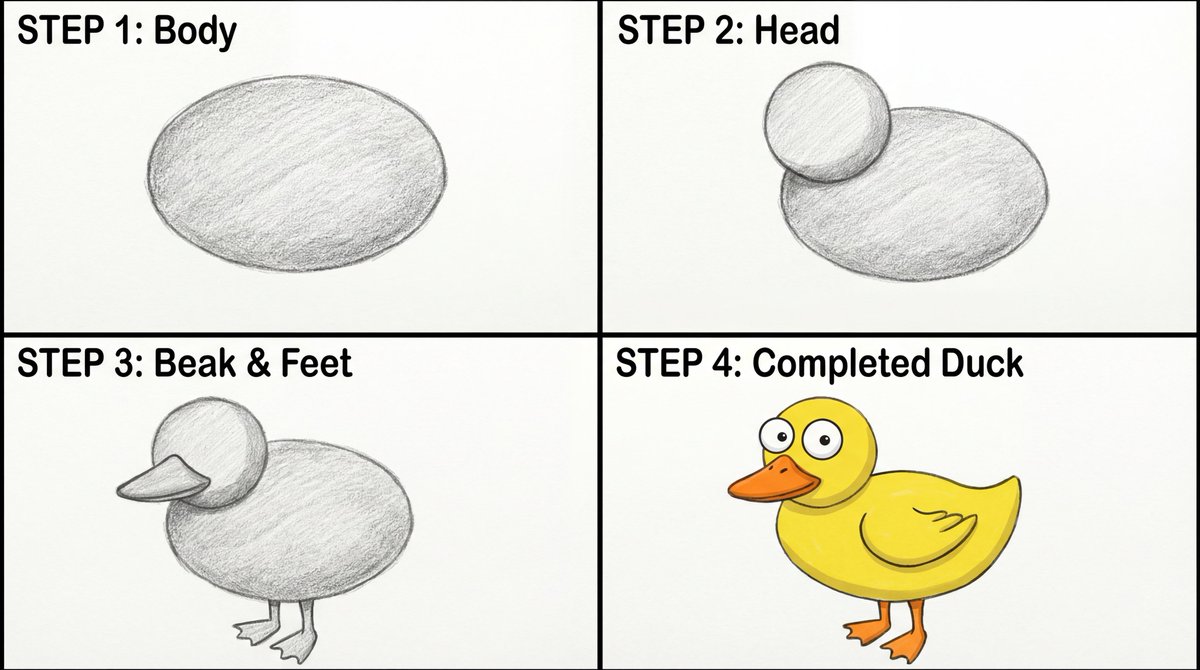
Create a four-panel, square layout guide for drawing a simple cartoon duck. 1. Panel one displays a grayscale oval for the duck's body. 2. Panel two shows a grayscale smaller circle overlapping the front of the oval for the head. 3. In panel three, a grayscale beak is added to the head, and webbed feet are attached to the bottom of the body. 4. The final panel reveals the completed duck with color now with two eyes on the head, and a wing outline on the body.

2x2 Grid Pop-Up Cookbook Diorama Prompt for Nano Banana

2x2 Grid Pop-Up Cookbook Diorama Prompt for Nano Banana

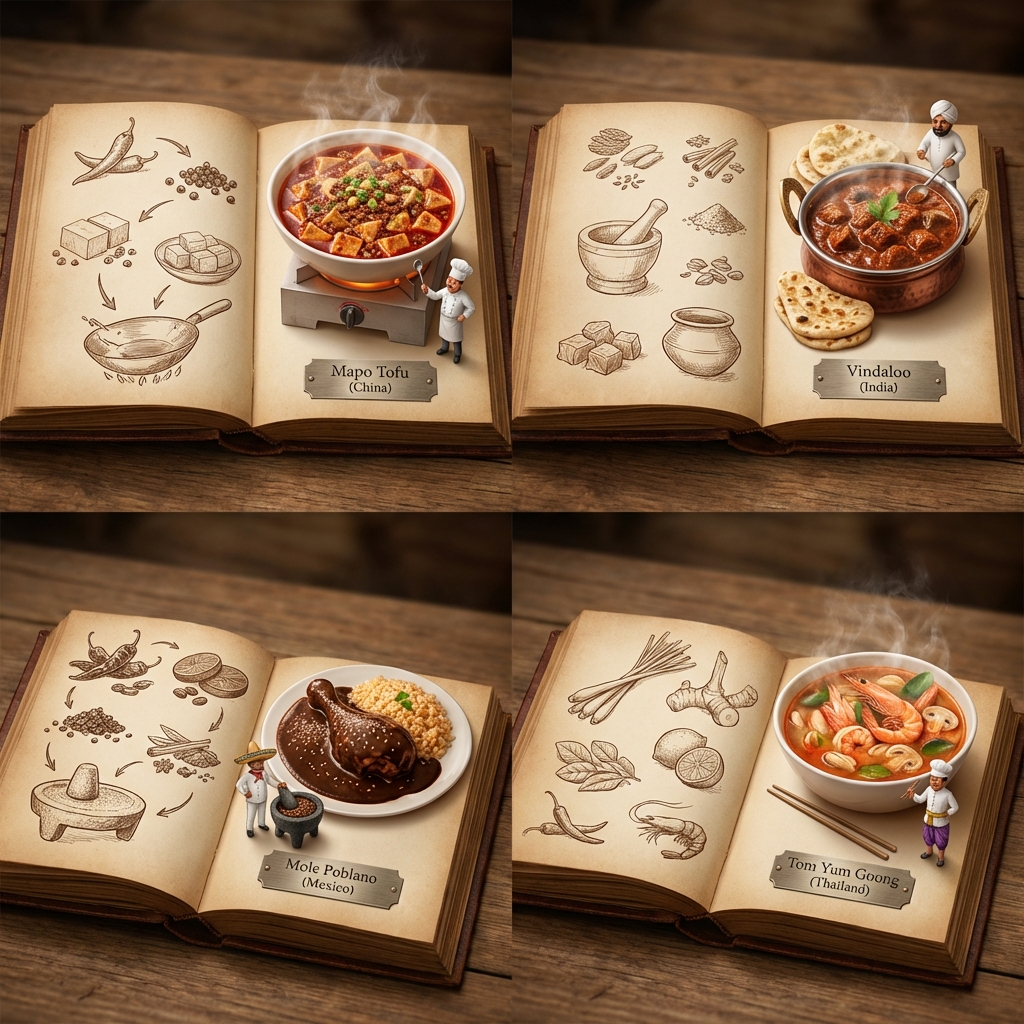
<instructions> [Use the UNIVERSAL WRAPPER above exactly as-is.] If input includes ingredients, pick 4 distinct countries with famous dishes that fit those ingredients (hidden gems welcome). Output one 2x2 grid: each panel shows an open book spread for that country. Per panel: - Left page: 2D vintage sepia sketches (timeline/illustrated recipe flow, minimal text). - Right page: 3D pop-up diorama of the finished steaming dish emerging from the page. - A tiny chef mini stands beside the dish. - All 4 books look like one cohesive atlas series. - Only readable text: engraved plate “Dish ({argument name="country name" default="Country"})”. Style: Cinematic top-down lighting emphasizing 2D vs 3D depth, macro detail, cohesive atlas design, clean background, shallow DOF, no logos, no long text. </instructions>

Geometric Mosaic Portrait Illustration

Geometric Mosaic Portrait Illustration

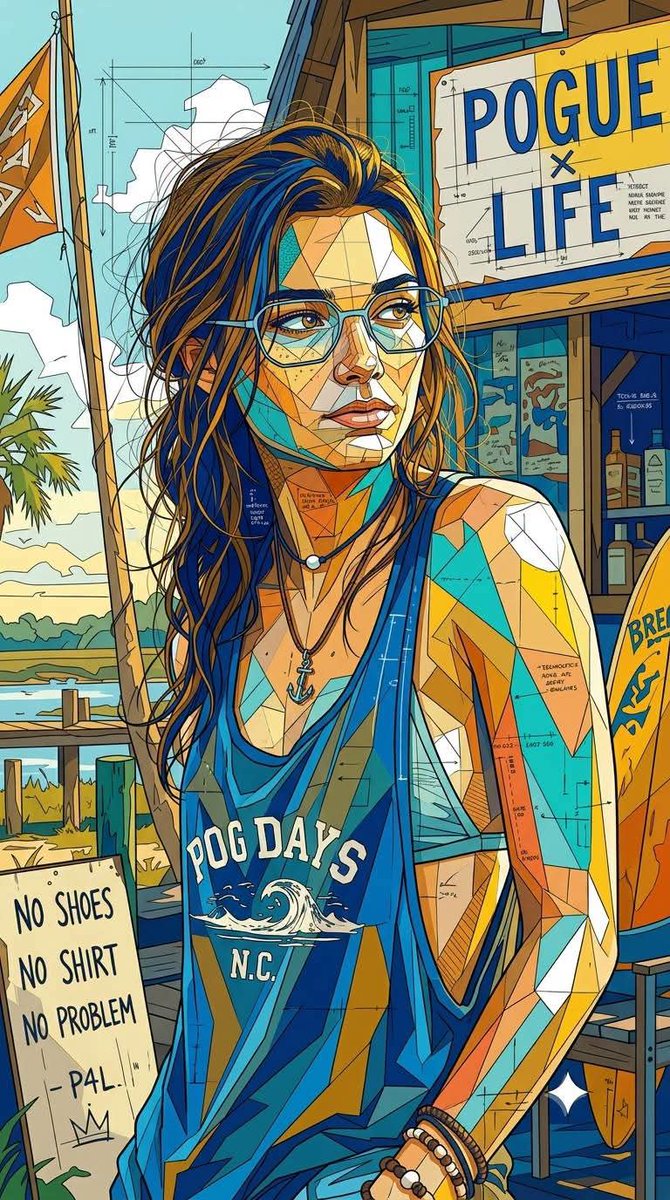
An ultra-detailed {argument name="style" default="geometric mosaic portrait illustration"} blending cubist abstraction, architectural blueprint aesthetics, and contemporary editorial pop-art design. Constructed from thousands of interlocking angular polygon fragments with no color lines, fragmented planes, segmented colorless contours, and intricate line grids. The highly structured composition, with layered technical drawing details embedded throughout, creates a complex look that blends schematic and artwork. Bold {argument name="colors" default="complementary color blocks are dominated by saturated cobalt blue, yellow, turquoise, vibrant golden earth tones, warm orange, and sharp white accents"}. The color treatment is flat yet dimensional, with a balanced contrast between large color fields and subtle geometric micro-details. Clean, vector-like precision combines with the imperfection of hand-drawn sketches and the texture of architectural drawings. Expressive contemporary {argument name="subject" default="character design with stylized facial construction, exaggerated eyeglass shapes, and fragmented surface geometry"}. A dense network of thin construction lines, blueprint markings, technical annotations, abstract map-like divisions, and layered polygonal textures seamlessly integrate into the subject and background. A mixed-media blend of cubism, urban mural art, technical illustration, generative geometry, and modern magazine cover aesthetics. Sharp edge definition, highly detailed surface articulation, intricate tessellation patterns, crystalline segmentation, and sophisticated visual rhythms. The background and subject are treated as a unified geometric ecosystem, with forms flowing continuously throughout. Premium gallery-quality digital artwork, razor-sharp linework, complex layered depth, contemporary design language, architectural abstraction, vibrant modernist color harmonies, highly detailed geometric storytelling, and a visually rich yet clean and organized composition. R 9:16.

Cartographer's Crisis Board Visualization

Cartographer's Crisis Board Visualization

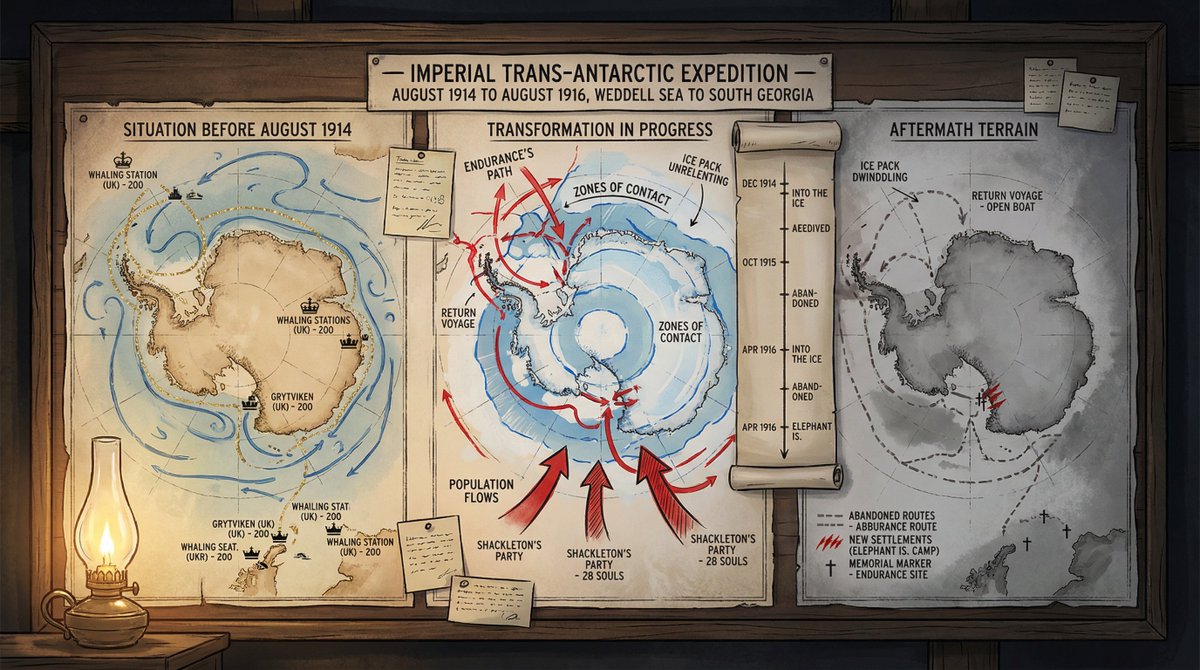
A cartographer's crisis board mapping {argument name="event type" default="CONFLICT"} — {argument name="time and place" default="ERA / REGION"}. Left section: the situation before—peaceful topography, trade routes in gold, settlements marked with period-appropriate symbols, populations annotated. Center section: the transformation in progress—arrows of movement, zones of contact marked in graduated intensity, timeline running vertically with key dates as waypoints, casualty figures or population shifts visualized as proportional flows. Right section: the aftermath terrain—changed borders, abandoned routes, new settlements, memorial markers, the landscape bearing scars of what passed through it. Visual style transitions from pastoral survey calm through urgent wartime graphics to melancholic documentary. Hand-lettered annotations throughout. Title block reading "{argument name="event name" default="EVENT NAME"} — [START DATE] TO [END DATE], [GEOGRAPHIC SCOPE]".

Colorful 'ABC of Jobs' Educational Poster

Colorful 'ABC of Jobs' Educational Poster

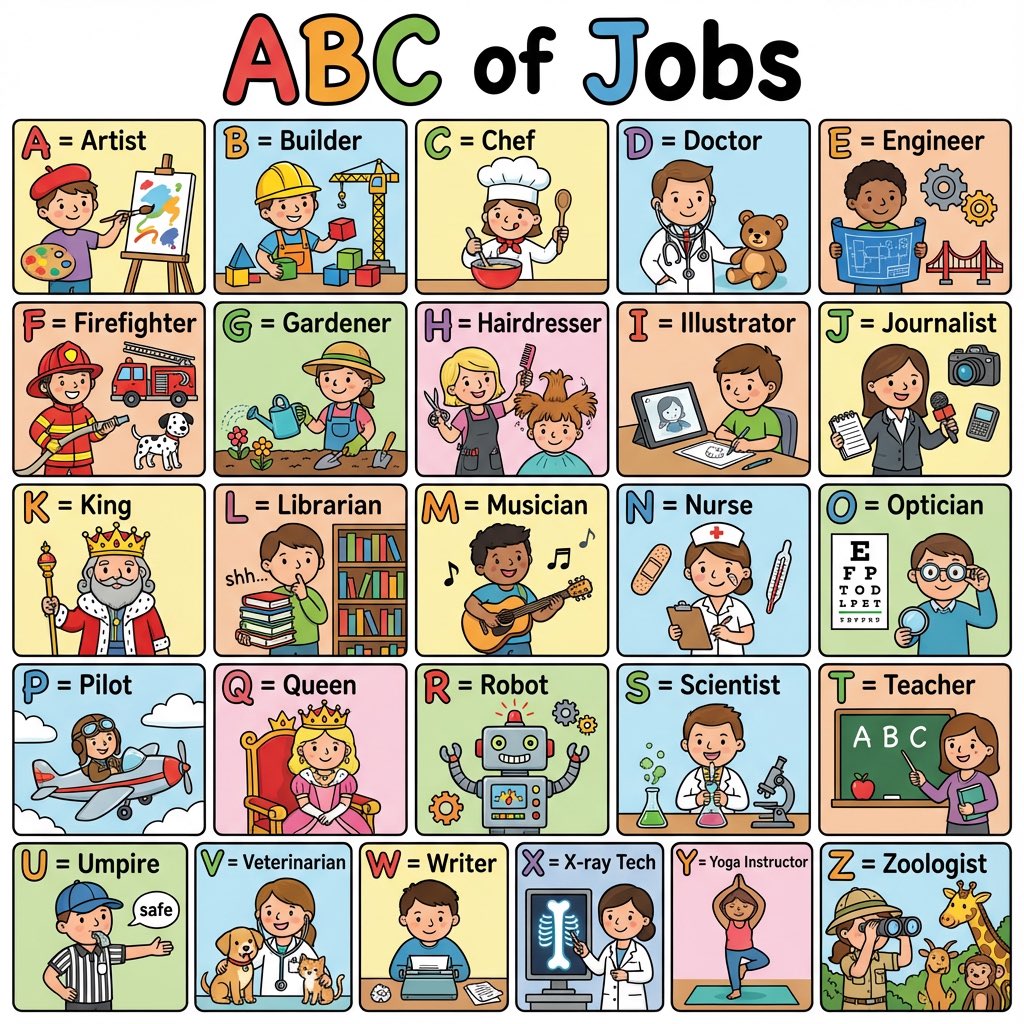
Create a colorful ‘ABC of Jobs’ poster for kids with cute illustrations for each letter A–Z. Bright colors, bold letters, simple details, clean layout.

2x2 Grid Product Invention Visualization (Patent/Marketing)

2x2 Grid Product Invention Visualization (Patent/Marketing)

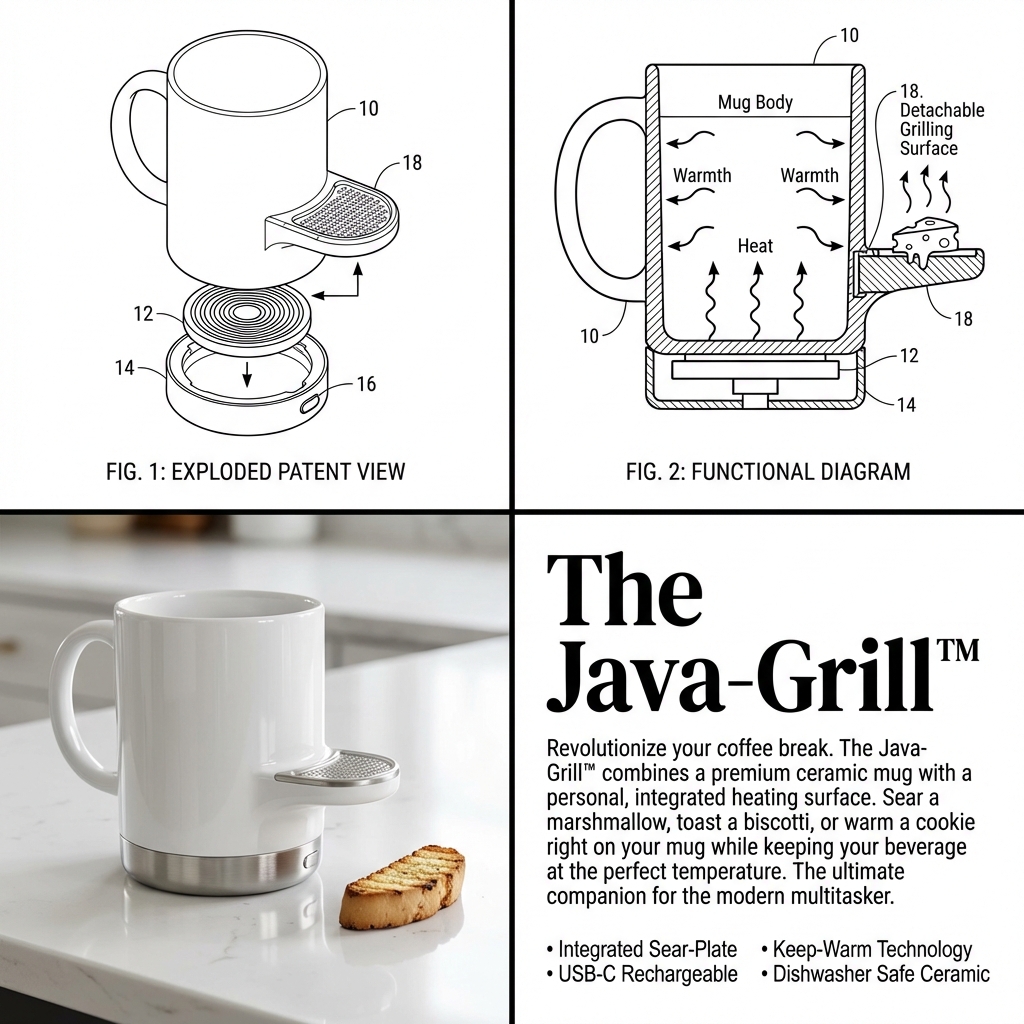
Input Variable: {argument name="input objects" default="[INSERT 1 or 2 OBJECTS]"} Instruction: Act as a Visionary Industrial Designer and Patent Clerk. Create a 2x2 Grid visualizing the invention of a new product based on the Input. Innovation Logic : Analyze Functions: Identify the primary utility of Input A and Input B. The Fusion: Combine them into a single, cohesive device that solves a specific (niche) problem. If 2 Inputs: Hybridize them (e.g., Mug + Grater = A self-cooling mug with a garnish shaver). If 1 Input: Evolve it (e.g., Toothbrush = A self-sanitizing, toothpaste-injecting smart wand). The Branding: Generate a catchy, corporate product name (e.g., "The Breeze-Grate™", "Solar-Brella Pro"). The Visual Structure (The 2x2 Grid): CRITICAL: The image must be split into 4 distinct quadrants with different visual styles. Panel 1 (Top Left): The Exploded Patent View Style: Black & White Technical Line Art. Thin distinct lines, no shading. Content: An isometric "Exploded View" of the device, showing the internal motor, battery, or mechanism separated from the shell. Detail: Add Numbered Leader Lines (10, 12, 14) pointing to specific parts. Panel 2 (Top Right): The Functional Diagram Style: Black & White Schematic with bold arrows. Content: A cross-section or "In-Use" drawing showing how how the device works. Use Action Arrows to show airflow, rotation, or liquid movement. Detail: Show the "Result" (e.g., cheese falling, water spraying). Panel 3 (Bottom Left): The Product Render Style: High-End Studio Photography. Color, Glossy, "Apple/Braun" Design Aesthetic. Content: The final physical product sitting on a white reflective surface. It should look sleek, using materials like White Ceramic, Brushed Aluminum, or Matte Plastic. Context: Include a small prop to show scale (e.g., a block of cheese, a coffee bean, a hand). Panel 4 (Bottom Right): The Marketing Pitch Style: Editorial Magazine Layout. White background, black text. Typography: Headline: Large, Bold Serif Text displaying the [Invention Name]. Body: A block of clean "Lorem Ipsum" or readable text describing the "Revolutionary Features." Bullets: A small list of specs (e.g., "Dishwasher Safe," "USB-C"). Visual Syntax: Cohesion: The product design in Panel 3 must perfectly match the line art in Panel 1. Design Language: Minimalist, Ergonomic, Consumer Electronics aesthetic. Even if the idea is silly, the design must look expensive. Output: 2x2 Grid, Mixed Media (Line Art vs. Photorealism), 8k Resolution, "Kickstarter Campaign" Aesthetic.

Visual Infographic of Ancient Chinese Official Ranks and Attire

Visual Infographic of Ancient Chinese Official Ranks and Attire

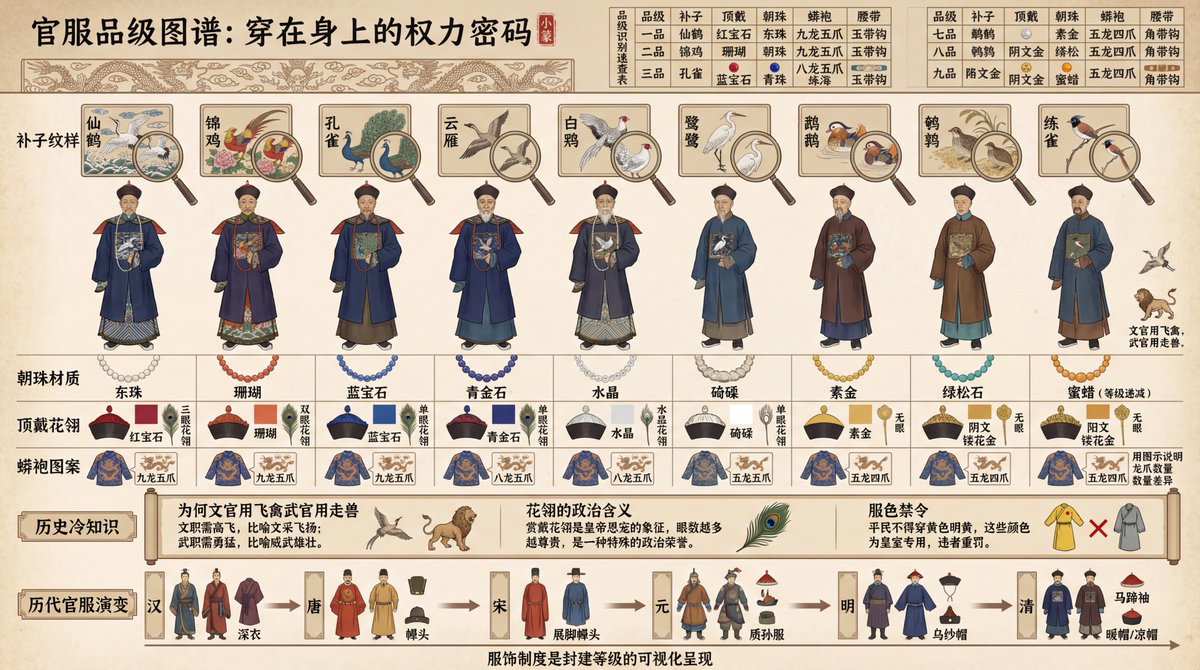
Create a historical diagram-style infographic, 16:9 horizontal composition, titled "Visual Deconstruction of the Ancient Chinese Official Attire Ranking System." Adopt the aesthetic of ancient canonical diagrams and draw in the style of illustrations from ancient books. The image should display a comparison of the official uniforms of nine ranks of officials from the {argument name="dynasty" default="Qing Dynasty"}, arranged from left to right by rank: nine standing figures from the first to the ninth rank. Above each figure, use fine-line painting (Gongbi) to label the "Buzi (Rank Badge) Pattern" (First Rank Crane, Second Rank Golden Pheasant, Third Rank Peacock... Ninth Rank Quail; civil officials use flying birds, military officials use fierce beasts), with a close-up magnifying glass effect highlighting the embroidery details of the Buzi. Below the figures, label the "Chaozhu (Court Bead) Material" (First Rank Eastern Pearl, Second Rank Coral, Third Rank Sapphire... decreasing by rank), "Dingdai Hualing (Hat Ornament)" (Ruby/Coral/Sapphire/Crystal, etc., distinguished by color blocks), and "Mangpao (Dragon Robe) Pattern" (Nine Dragons/Five Claws/Four Claws, using diagrams to illustrate the difference in claw count). The top of the image features a "Rank Identification Quick Reference Chart": a table comparing the differences across 5 dimensions (Buzi, Dingdai, Chaozhu, Mangpao, Waist Belt) for all 9 ranks, with each cell marked by a small icon and text. The bottom of the image features "Historical Trivia": labeling "Why civil officials used flying birds and military officials used fierce beasts" (civil service requires soaring high, military service requires bravery), "The political meaning of the Hualing" (being granted a Hualing signifies imperial favor), and "Color Restrictions" (commoners were forbidden from wearing yellow or bright yellow). The very bottom includes a timeline showing the "Evolution of Official Attire through Dynasties": thumbnail sketches illustrating the style changes from the Han, Tang, Song, Yuan, Ming, and Qing dynasties. All text must be in Chinese: the top title uses the Small Seal Script font "Official Attire Rank Diagram: The Power Code Worn on the Body," and the bottom caption states "The clothing system is the visual representation of the feudal hierarchy." Use traditional official attire colors for the palette. The overall presentation should focus on historical institutions and clothing culture, suitable for historical education and cultural research.

Professional Infographic Generation Prompt

Professional Infographic Generation Prompt

Based on the following topic [{argument name="topic" default="Map of Specialty Coffee Origins and Flavors"}], create a professional knowledge infographic. Requirements: 1) Extract 3-5 core knowledge points; 2) Use elements such as icons, flowcharts, and data visualization; 3) Information hierarchy must be clear, and visual guidance must be smooth; 4) Must include accurate Chinese title and explanatory text; 5) Color scheme must be professional and coordinated, suitable for business presentations. Layout should adopt a modern flat design style, 4K resolution, suitable for printing and sharing.

Technical Cutaway Diagram

Technical Cutaway Diagram

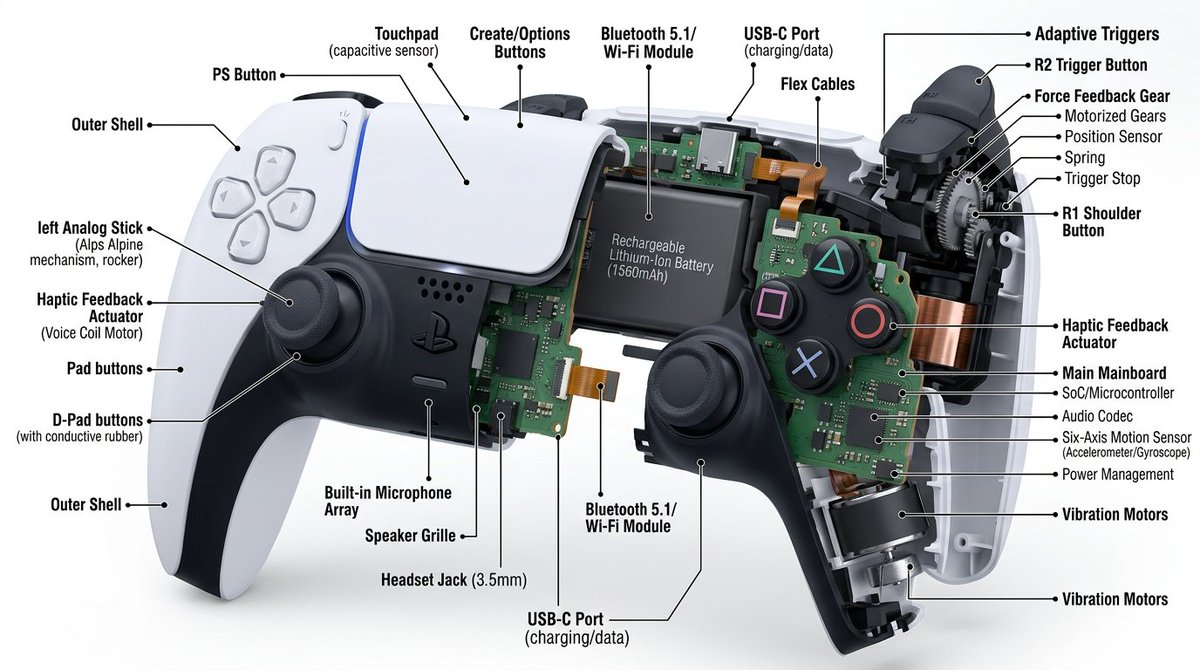
Cutaway diagram of a {argument name="object" default="mechanical device"}, detailed with interior component, on a white background. High-resolution, with a focused technique and text callouts providing information about each part. Interior details, hyper-realistic appearance.

Some prompts are collected from creators on X. Copyright belongs to the original authors.