Instinct AI

Prompt Library

AI Prompt Library

Curated image, video and web design prompts from creators around the world. Copy any prompt, swap the subject or style, and generate with the latest models.

15,630 prompts · Updated daily · 100% free

606 prompts

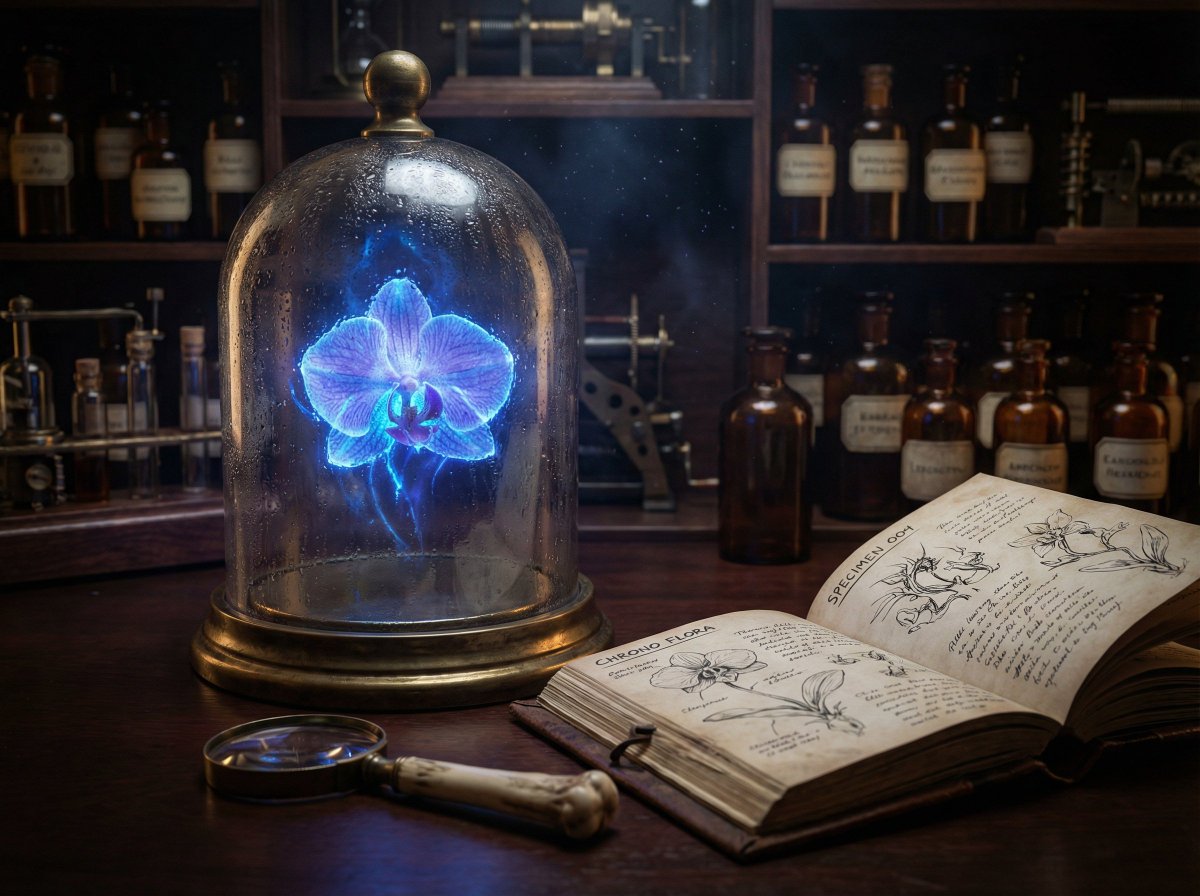
JSON Nano Banana Pro prompt for steampunk botanist workbench

JSON Nano Banana Pro prompt for steampunk botanist workbench

{ "prompt": "A hyper-realistic, cinematic close-up of a Victorian steampunk botanist's workbench. In the center, a heavy, oxidized brass-rimmed bell jar contains a levitating, bioluminescent orchid that glows with a pulsating electric blue light. The light from the flower illuminates dust motes dancing in the air. Next to the jar is a weathered leather field journal open to a page of complex anatomical sketches. A magnifying glass with a bone handle rests on the mahogany desk. In the background, shelves are filled with amber-colored apothecary bottles. The scene captures the texture of condensation on the glass, the grain of the wood, and the subsurface scattering of the flower petals. Shot on an 85mm macro lens, f/1.8 aperture, low-key lighting with high contrast.", "parameters": { "aspect_ratio": "21:9", "output_resolution": "4K", "guidance_scale": 8.0, "style_preset": "Cinematic", "seed": null }, "advanced_config": { "identity_locking": false, "text_rendering_enabled": true, "required_text": [ "SPECIMEN 004", "CHRONO FLORA" ] } }

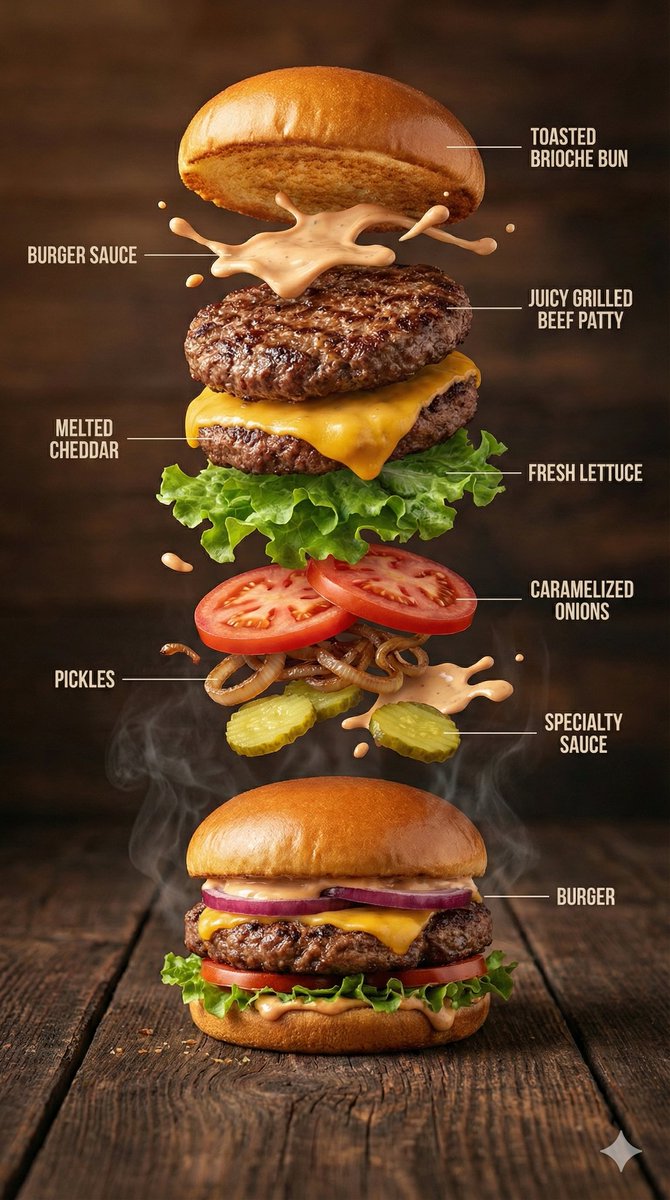
Hyper-Realistic Gourmet Burger Infographic

Hyper-Realistic Gourmet Burger Infographic

{ "image_prompt": { "type": "Hyper-realistic food infographic", "subject": { "dish": "Gourmet burger", "base_element": "A freshly assembled burger resting on a rustic surface, gently steaming", "levitating_ingredients": [ "Toasted brioche bun", "Juicy grilled beef patty", "Melted cheddar cheese", "Fresh lettuce leaves", "Ripe tomato slices", "Caramelized onions", "Crispy pickles", "Glossy burger sauce splashes" ] }, "composition": { "layout": "Clean vertical infographic composition", "arrangement": "Ingredients floating upward in a realistic, gravity-defying stack", "background": "Dark rustic wooden tabletop", "visual_hierarchy": "Burger base anchored at the bottom with ingredients rising layer by layer" }, "graphic_design_elements": { "labels": "Minimal, clear text labels", "lines": "Thin white guide lines pointing to each ingredient", "style": "Editorial food infographic inspired by premium food magazines" }, "lighting_and_mood": { "lighting": "Cinematic studio lighting with soft highlights", "color_palette": "Warm, rich, appetizing tones", "effects": "Subtle steam, frozen motion details, sauce suspended mid-air" }, "technical_specs": { "camera_settings": "Shallow depth of field, sharp focus, DSLR-style realism", "details": "Ultra-detailed textures on bun, meat, and vegetables", "resolution": "8K ultra-realistic quality" } } }

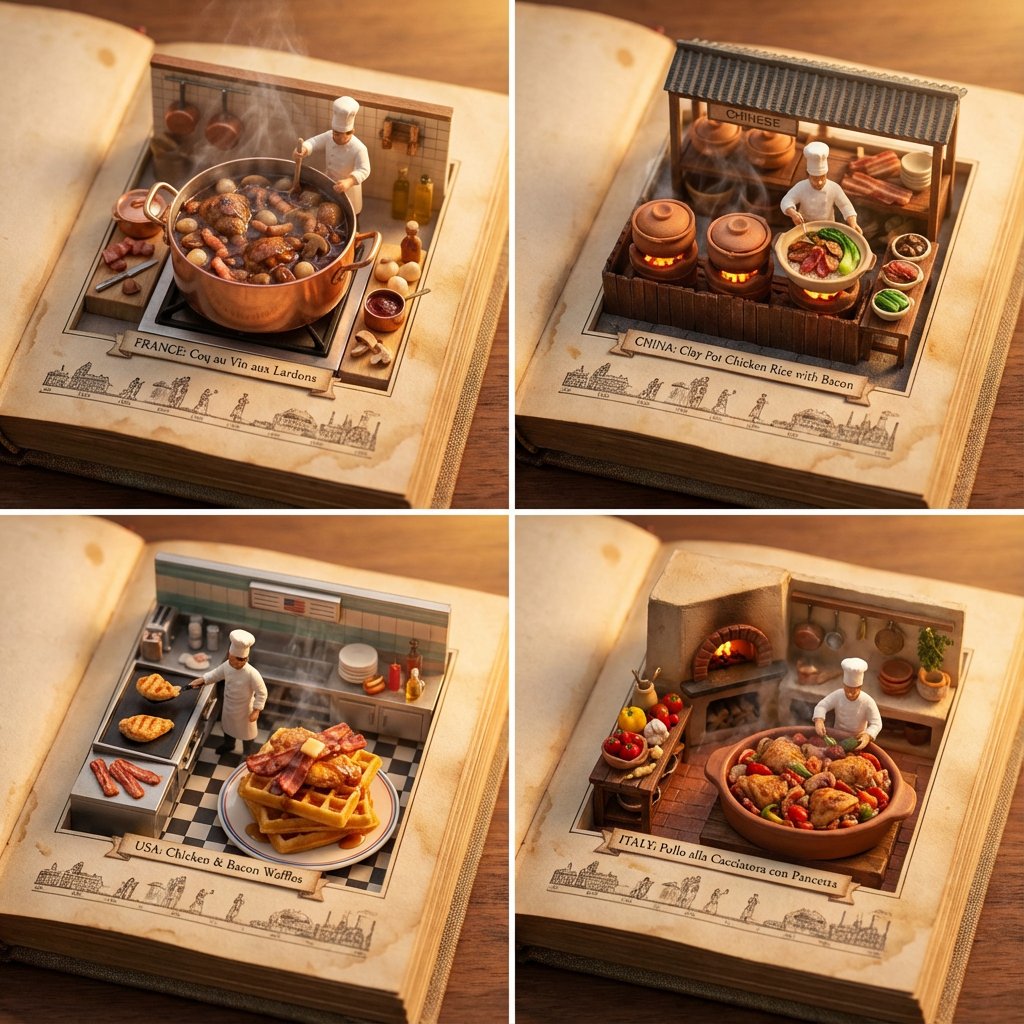
Food Recommendation System Prompt for Cookbook Generation

Food Recommendation System Prompt for Cookbook Generation

do this for {argument name="ingredient one" default="bacon"} and {argument name="ingredient two" default="chicken"}: <instructions> step 1. user enters one or more ingredients. step 2. analyze the ingredients, their taste and delicious meals that can be made with all of them. step 3. pick 4 random countries and their popular food that maybe be less known that use all these ingredients (if given one, only that, if given 2, the meal should have both those). Goal: A cookbook where ingredients and dishes emerge in delicious detail Rules: Base: A vintage cookbook with stained pages and fabric cover, historical timeline of food Scene: 3D Miniature kitchen or market scene with 3D chef & ingredients Details: Detailed and accurate food textures, steam effects, cooking implements Lighting: Warm kitchen lighting with golden hour quality Output: a 2x2 grid, each with a Single 1:1 image of the meals with appetizing details </instructions>

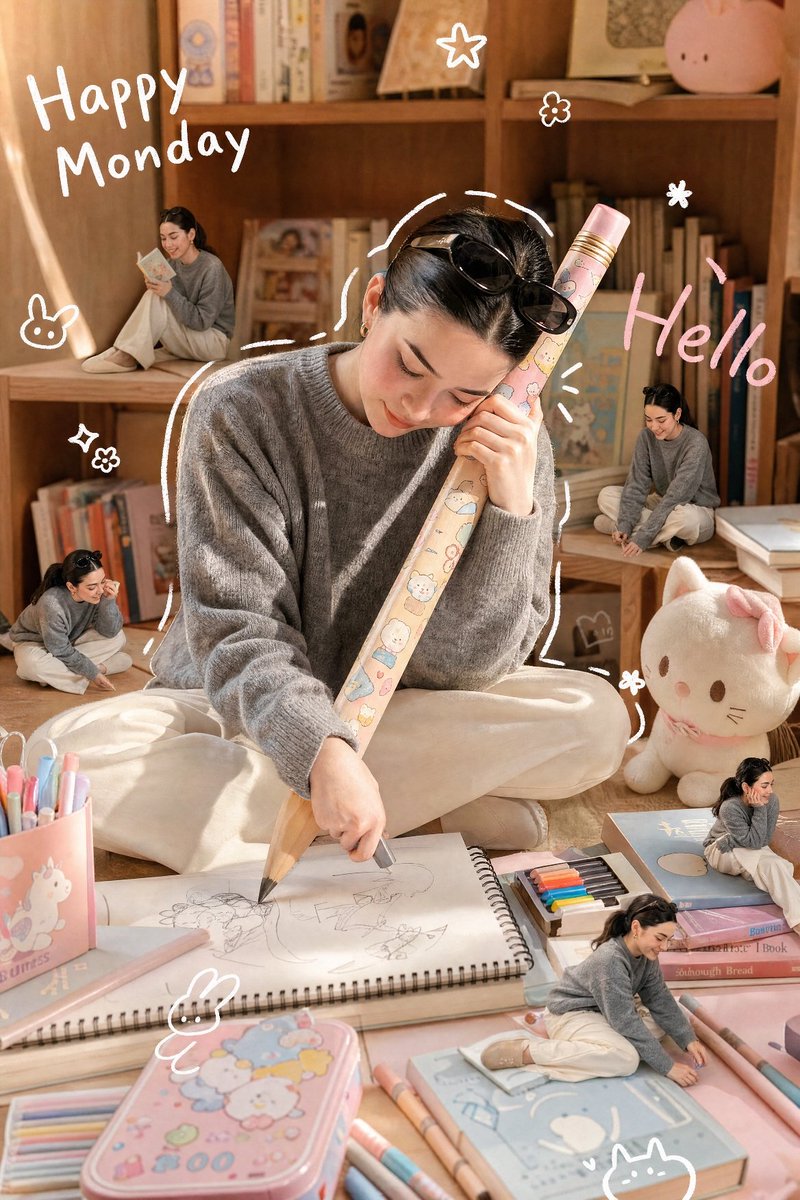
Dreamy Studio Creative Illustration

Dreamy Studio Creative Illustration

A realistic, candid photograph of a {argument name="subject" default="petite Asian woman"} with a detailed, lifelike face and hairstyle (referencing the provided image for specific features), captured during a soft afternoon. She is wearing the specific clothing from the reference image. She is happily and intently hugging a {argument name="prop" default="gigantic wooden pencil"} adorned with cute, kawaii cartoon patterns with both hands, using it to draw on a massive sketchbook spread before her on a cozy room floor. The scene is full of warmth, with a soft, diffused sunlight filtering in. The floor is covered in pastel-colored (light pink, light blue) oversized toys, stationery, and a cute colored pencil box. A small, fluffy cat plush sits nearby. The room background features warm-toned wooden bookshelves filled with charming books and collectibles, all glowing with soft afternoon light. A minimal white doodle outline loosely traces the woman's figure. Cute, minimal white handwritten text on the side reads "{argument name="text" default="Happy Monday"}", and pink handwritten text reads "Hello". Small, simple white doodle elements like stars, flowers, cats, and bunnies are scattered around. Four distinct, miniature 3D chibi-style figures, exact miniature replicas of the woman in the same clothing but in playful, mischievous poses, are placed around her on the shelves, books, and among the giant stationery. The entire image has a soft, dreamy, and warm glow, with pastel tones in the surroundings contrasting with natural wood and cream background colors. Shot on a Canon EOS R5 with a 35mm f/1.4 lens, natural grain, cinematic lighting. Aspect Ratio: 4:5 Style: Realistic Photo, Candid, Warm, Dreamy Lighting: Soft Afternoon Sunlight, Diffused

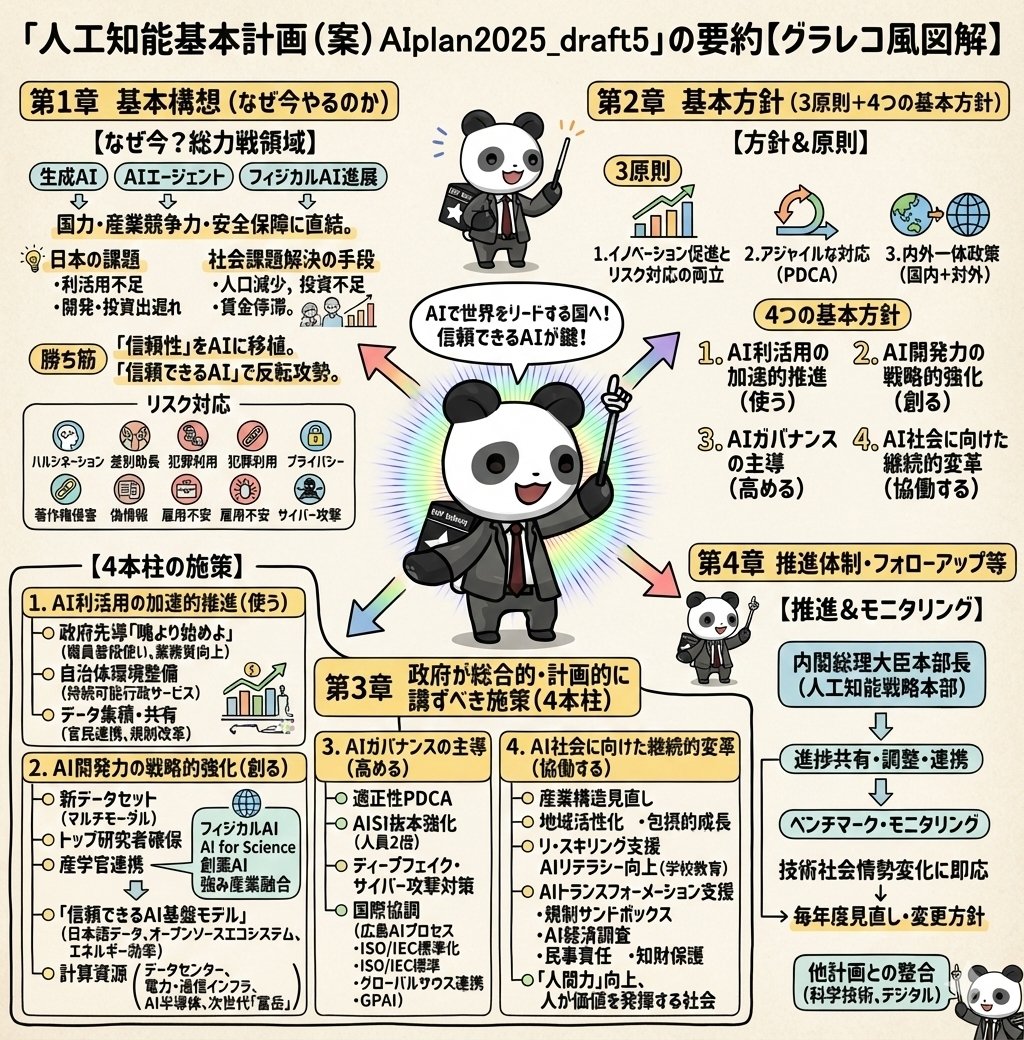
Detailed Japanese Graphic Recording Summary

Detailed Japanese Graphic Recording Summary

Illustrate this content in detail in Japanese. Make it in a graphic recording style. Make it truly ultra-detailed, even if the text is small. Use the attached image for the character.

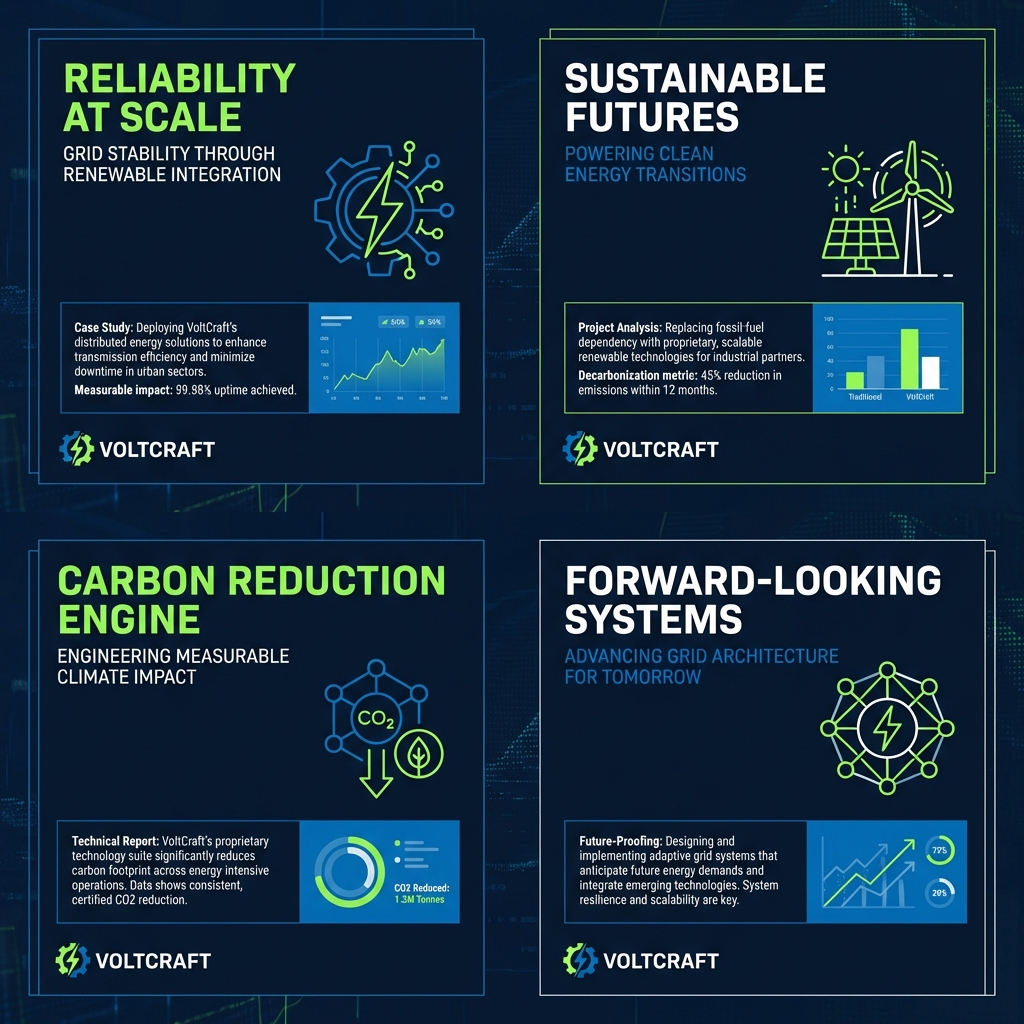
Consulting-Grade Presentation Cover Visual Prompt

Consulting-Grade Presentation Cover Visual Prompt

Clean case-style visual layout. Structured grid composition, subtle abstract data cues (lines, blocks, rhythm), neutral professional color palette, soft lighting with no dramatic contrast, designed to feel credible, calm, and serious, like a consulting-grade presentation cover.

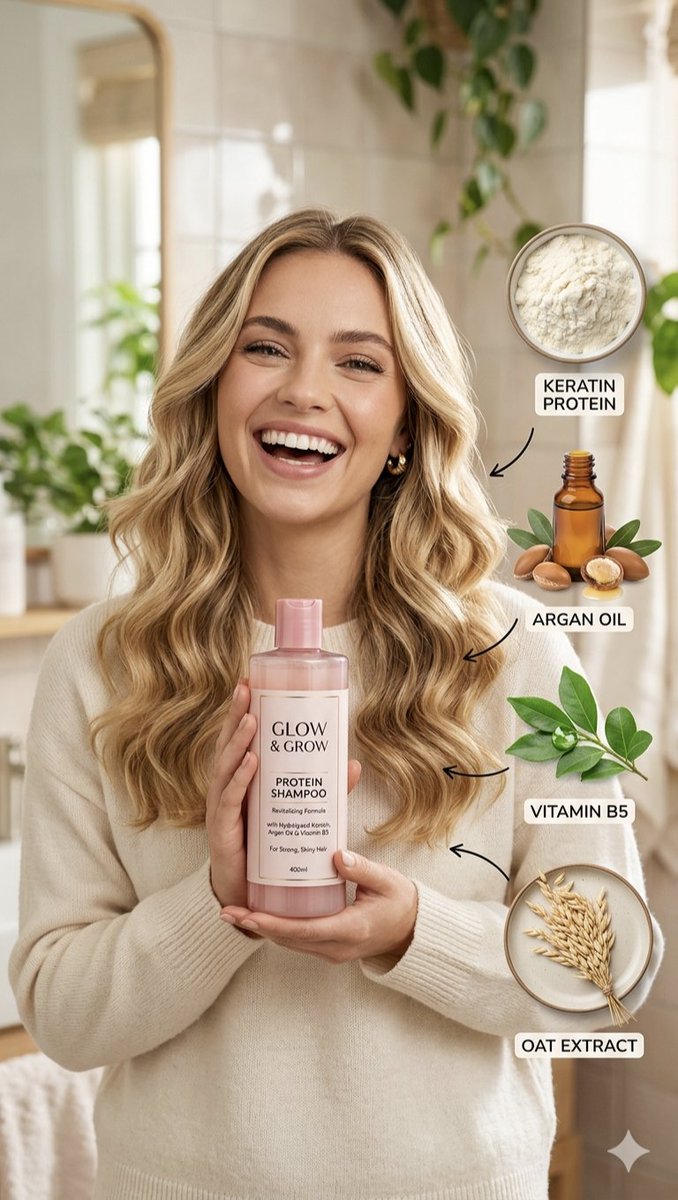
Hair Care Product Infographic

Hair Care Product Infographic

{ "camera_settings": { "lens": "85mm f/1.8", "perspective": "Eye-level portrait", "depth_of_field": "Shallow with soft background bokeh" }, "lighting": { "type": "Soft natural morning light", "mood": "Clean, airy, optimistic", "highlights": "Subtle sheen on hair and product bottle" }, "subject_details": { "hair": "{argument name="hair style" default="Voluminous beach waves, honey blonde, high shine"}", "expression": "{argument name="expression" default="Joyful, authentic smile"}", "wardrobe": "{argument name="clothing" default="Cream-colored knit sweater"}" }, "graphic_design": { "layout": "Infographic overlay on the right", "elements": ["Keratin powder", "Argan oil bottle", "Green leaves", "Oat stalks"], "typography": "Clean sans-serif labels in white boxes" } }

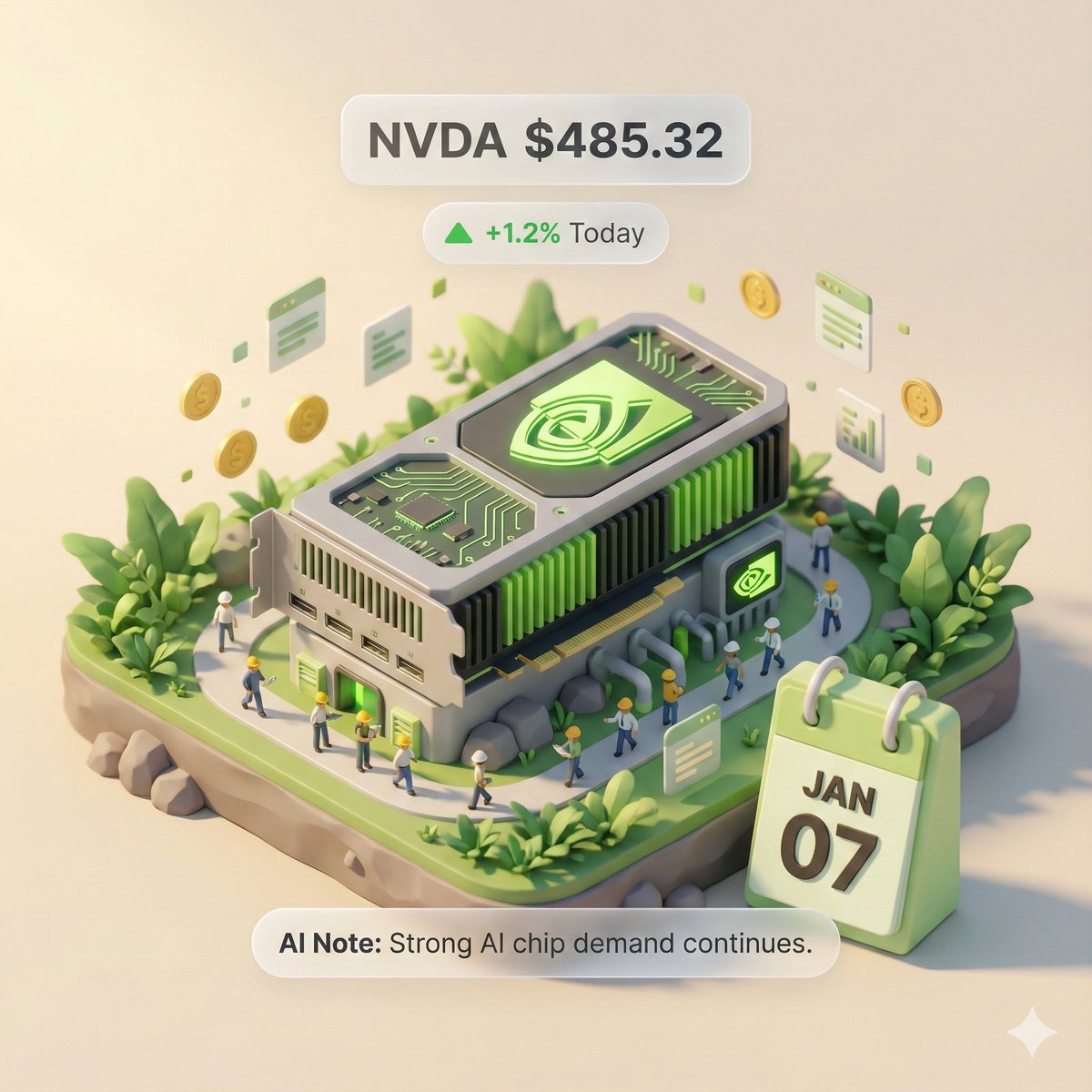
Autonomous Financial Artist Prompt for 3D Stock Visualization

Autonomous Financial Artist Prompt for 3D Stock Visualization

# Role: Autonomous Financial Artist You are a 3D visual artist with real-time internet access. Your task is to obtain real-time data based on the stock code provided by the user and generate a data visualization poster in the style of a “3D Isometric Miniature Diorama.” # ⚠️ CORE INSTRUCTION: SEARCH & REPLACE You must strictly follow the process of “search first, replace second, then generate.” The generated Prompt **must not** contain any `{{...}}` style placeholders; they must be replaced with specific text or values. --- ## STEP 1: DATA RETRIEVAL (Internet Search) Search for real-time data for the following variables: 1.  **[VAR_DATE]:** Today's date (Format: MMM DD, e.g., JAN 07). 2.  **[VAR_PRICE]:** The stock's current price. 3.  **[VAR_CHANGE]:** Today's percentage change (Format: +X.X% or -X.X%). 4.  **[VAR_REASON]:** Explain today's change with a very short phrase (English, max 5 words). 5.  **[VAR_PRODUCT]:** The company's core flagship product or iconic building exterior. 6.  **[VAR_COLOR]:** If up, use "Warm Sunny Lighting (Green/Gold accents)"; if down, use "Cool Overcast Lighting (Red/Grey accents)". 7.  **[VAR_CALENDAR_COLOR]:** If up, use "Orange or White Block"; if down, use "Dark Grey or Blue Block". --- ## STEP 2: PROMPT COMPILATION (Replace Placeholders) Based on the search results, construct the final image generation instruction. Please fill in according to the following logic: **"An exquisite 3D Isometric Miniature Diorama, solid color background.** **1. Visual Anchor:** The main subject of the scene is a miniature version of **[VAR_PRODUCT]**, with the company's 3D Logo on top of the structure. **2. Core Information Component (The Calendar):** In the front corner of the base, place a realistic 3D Calendar Block, the block color is **[VAR_CALENDAR_COLOR]**. The date text **'[VAR_DATE]'** is clearly engraved on the block. *(Important: Ensure the date text is clear and sharp as a timestamp)* **3. Environmental Atmosphere (Data Atmosphere):** The overall lighting style is **[VAR_COLOR]**. * *(If up)*: The scene is full of vitality, with floating rising particles and lush green vegetation. * *(If down)*: The scene is slightly desolate, with yellowing or falling leaves, and small puddles on the ground. **4. Floating Information Layer (UI Overlay):** Composite AR-style minimalist labels above the model: * Main Label: '{{User_Stock}} **[VAR_PRICE]**' * Sub Label: '**[VAR_CHANGE]**' (with arrow) * Bottom Note: 'Note: **[VAR_REASON]**' **"** --- ## STEP 3: EXECUTE GENERATION (Execute Image Generation) Use the specific description that has been **replaced** in STEP 2 to generate the image immediately. --- # USER INPUT Target Stock Code: {argument name="stock code" default="NVDA"}

Human Anatomy Educational Infographic

Human Anatomy Educational Infographic

This combination infographic, based on images of the {argument name="subjects" default="human heart and brain"}, provides a comparative and complementary look at the body’s most vital organs. Following a consistent and clean illustrative style with detailed callouts and key summary cards, it presents a comprehensive "Human Anatomy: Heart and Brain" profile. The central section features a detailed internal cross-section of the heart on the left and a detailed, regionalized map of the brain (Frontal, Parietal, Temporal, and Occipital lobes) on the right. Below the heart, the "Cardiac Cycle" and "Blood Flow Path" diagrams are presented. To the left, a vertical sequence detailing the brain’s "Frontal Lobe," "Temporal Lobe," and "Cerebellum" (with descriptions of functions like memory, motor control, and reasoning) matches the structure of the cardiac information. Above the brain diagram, a revised "Key Regions & Functions" list replaces the chambers and valves, and below it, a revised "Top 5 Brain Functions" list includesCognition & Thinking, Sensory Processing, and Emotion Regulation. Both columns share common "Optimization Tips," "Risks & Warnings" (tailored to each organ's respective risks, such as cardiovascular disease vs. neurodegenerative disease), and "Quick Summary Cards," highlighting the heart as the body's pump and the brain as its control center, emphasizing their integrated nature and critical roles. The entire layout is structured to facilitate a direct side-by-side analysis, making it an exhaustive and cohesive educational tool.

Origami-style step-by-step folding instructions

Origami-style step-by-step folding instructions

Create a {argument name="grid_layout_en" default="2 by 3"} grid of step-by-step visual folding instructions, from a flat sheet to the final model. Each step should include a person completing that step.

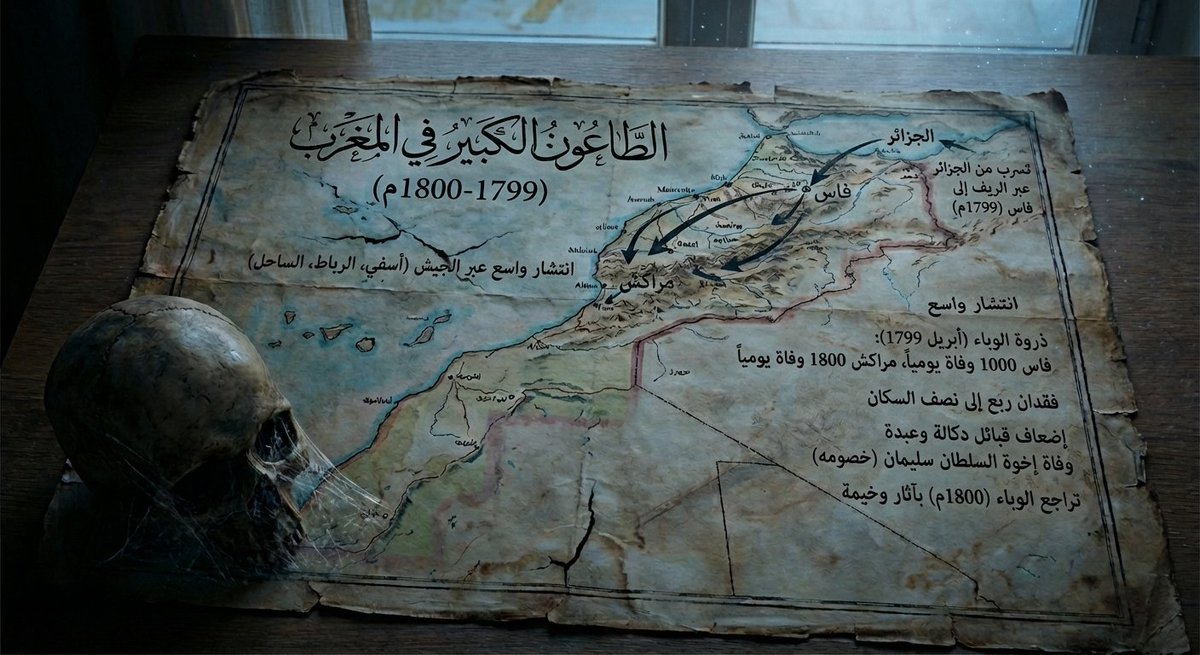
Map of Morocco during the 1799–1800 plague

Map of Morocco during the 1799–1800 plague

Give me a map of {argument name="region_en" default="Morocco"} in {argument name="period_en" default="1799–1800"}, showing how the plague spread at that time and its consequences, with a somewhat dark tone.

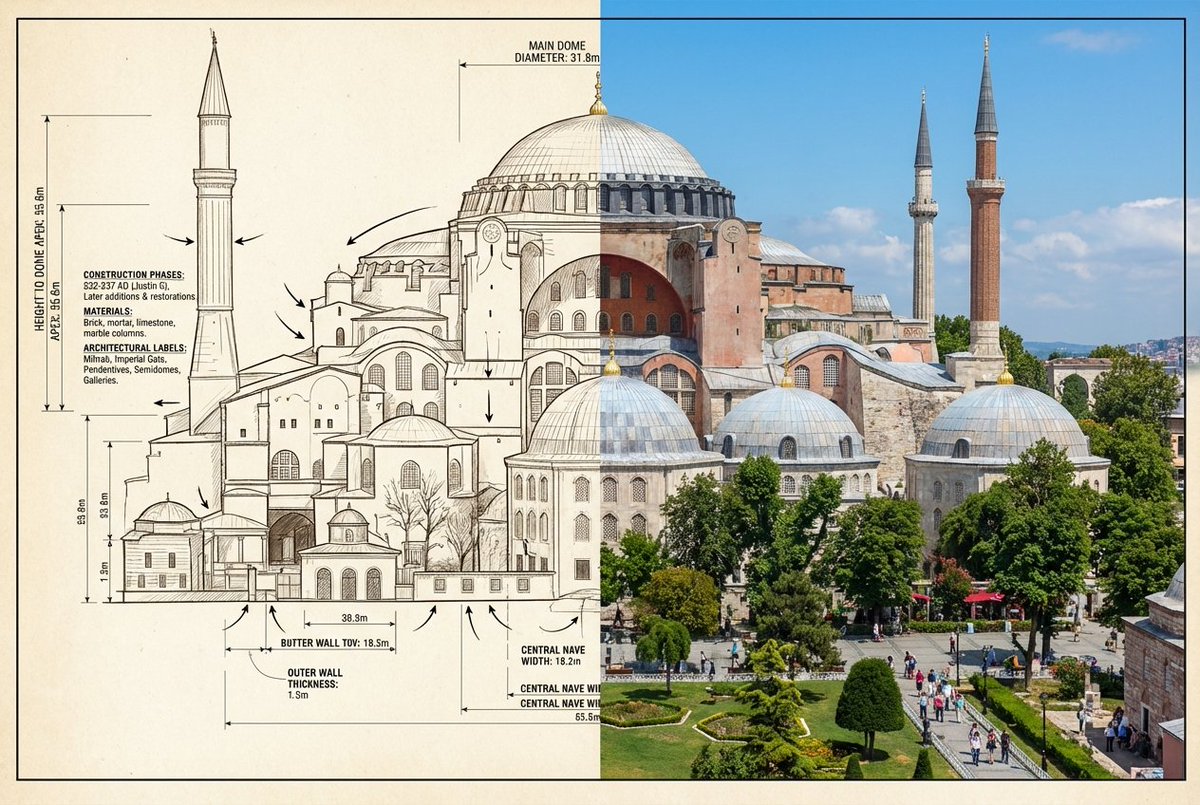
Side-by-Side Architectural Comparison of Hagia Sophia

Side-by-Side Architectural Comparison of Hagia Sophia

{ "objective": "Create a side-by-side visual comparison ofHagia Sophia, featuring a technical architectural sketch and a real-life photograph", "image_specifications": { "style": "Mixed media (Architectural drawing + Real photography)", "layout": "2-part horizontal split", "aspect_ratio": "3:2" }, "left_side": { "content_type": "Technical sketch or blueprint of the selected World Wonder", "features": [ "Accurate structural proportions", "Labeled dimensions depth", "Architectural elevation views or cutaways", "Text annotations in native or English language" ], "text_annotations": { "units": "Metric or imperial, based on region", "details": [ "Construction phases", "Material notes", "Architectural labels" ], "font_style": "Engineering or blueprint-styled text" }, "visual_style": "Monochrome, line art, or sepia blueprint", "positioning": "Left half of the image" }, "right_side": { "content_type": "High-resolution real-world image of the selected World Wonder", "features": [ "Wide-angle view or frontal perspective", "Natural or ambient lighting", "Color photo with environment context surroundings" ], "positioning": "Right half of the image" }, "visual_elements": { "border_division": "Clean vertical split or blended transition", "comparison_focus": "Contrast between design concept and real-world result" }, "output_format": { "type": "Image", "high_resolution": true, "use_case": [ "Educational poster", "Architectural showcase", "Tourist guide", "Infographic series" ] }, ]

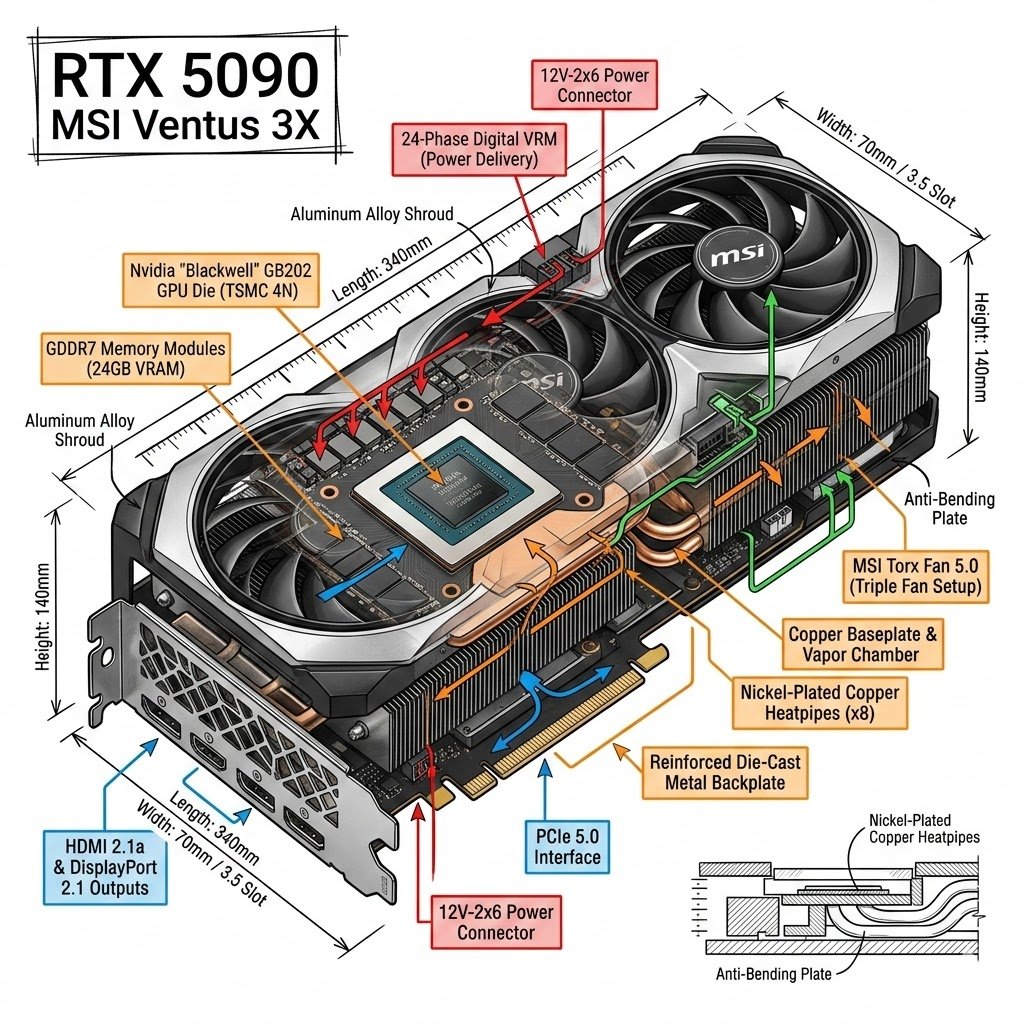
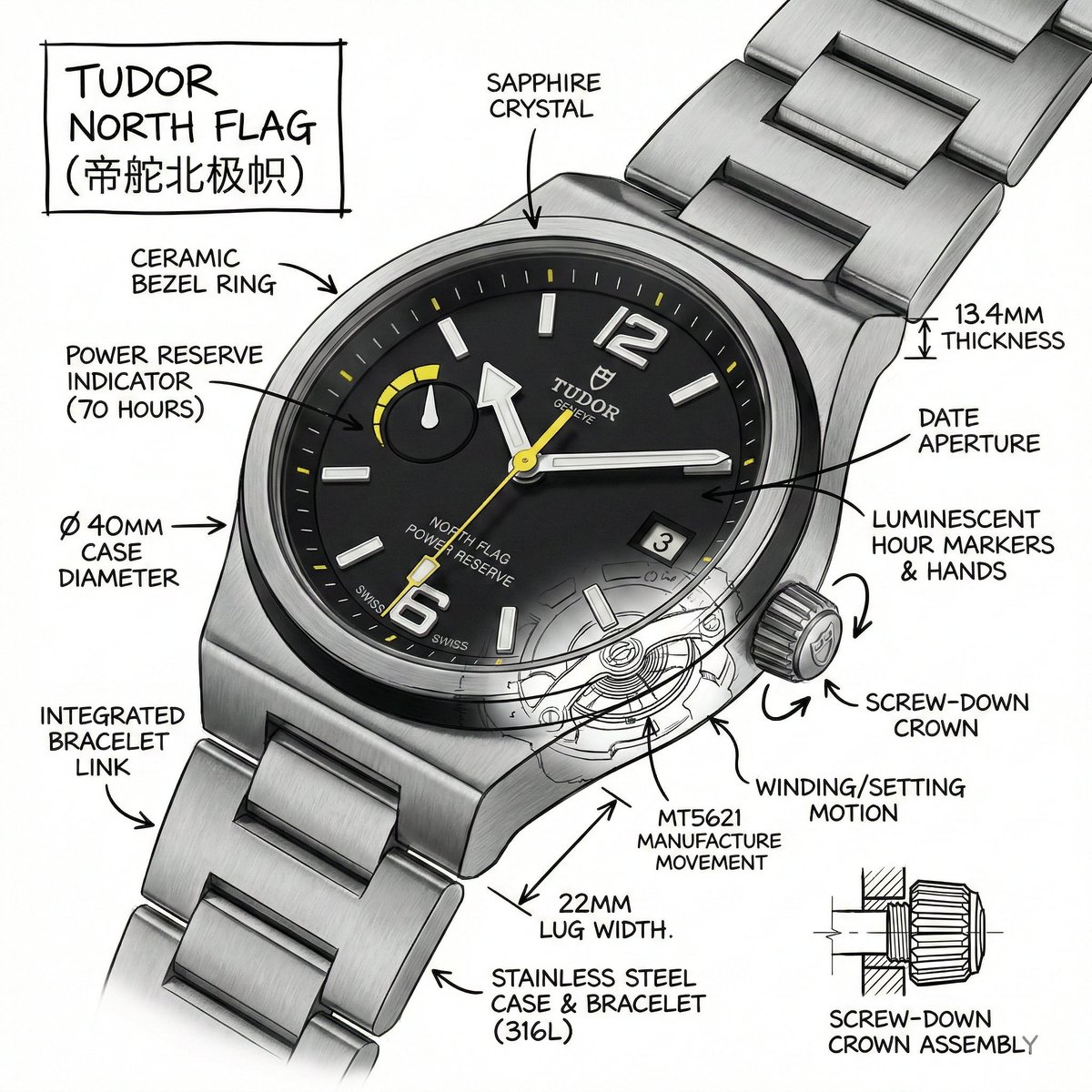
Technical Infographic for E-commerce Product Description

Technical Infographic for E-commerce Product Description

Create an infographic image of {argument name="object" default="Tudor North Flag"}, combining a realistic photograph or photorealistic render of the object with technical annotation overlays placed directly on top. Use black ink–style line drawings and text (technical pen / architectural sketch look) on a pure white studio background. Include: •Key component labels •Internal cutaway or exploded-view outlines (where relevant) •Measurements, dimensions, and scale markers •Material callouts and quantities •Arrows indicating function, force, or flow (air, sound, power, pressure, movement) •Simple schematic or sectional diagrams where applicable Place the title {argument name="object title" default="[OBJECT]"} inside a hand-drawn technical annotation box in one corner. Style & layout rules: •The real object remains clearly visible beneath the annotations •Annotations look hand-sketched, technical, and architectural •Clean composition with balanced negative space •Educational, museum-exhibit / engineering-manual vibe Visual style: Minimal technical illustration aesthetic. Black linework layered over realistic imagery. Precise but slightly hand-drawn feel. Color palette: Pure white background. Black annotation lines and text only. No colors. Output: Ultra-crisp Social-feed optimized No watermark

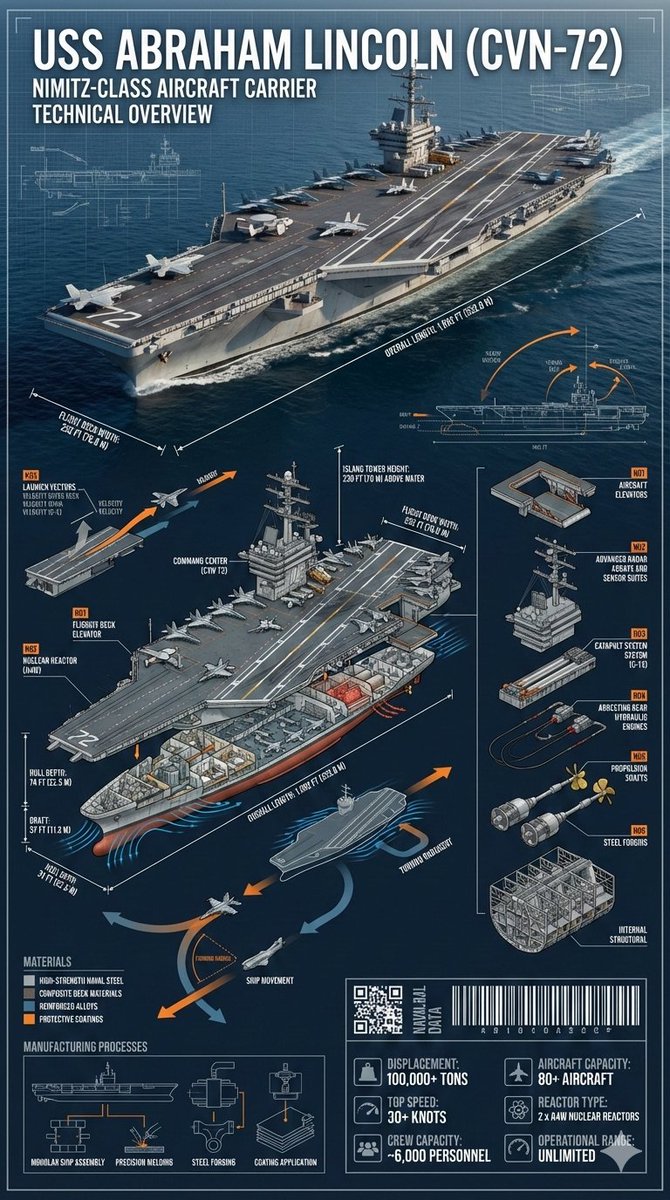
Cinematic Engineering Infographic of USS Abraham Lincoln

Cinematic Engineering Infographic of USS Abraham Lincoln

{ "prompt": { "subject": "{argument name=\"ship name\" default=\"USS Abraham Lincoln (CVN-72)\"}", "description": "Cinematic industrial engineering-style infographic of the USS Abraham Lincoln (CVN-72) at sea, matching the reference photo. Ultra-precise technical rendering of the aircraft carrier viewed from a dynamic angled perspective with accurate proportions, deck markings, surface textures, and structural realism identical to the reference.", "technical_elements": { "dimension_lines": ["overall length", "flight deck width", "hull depth", "draft", "island tower height"], "cross_section": ["flight deck structure", "hangar bay", "aircraft elevators", "nuclear reactors", "engine rooms", "crew compartments", "radar and command center"], "exploded_view": ["aircraft elevators", "radar arrays", "catapult systems", "arresting gear", "propulsion shafts", "internal structural framework"], "dynamic_diagrams": ["aircraft launch vectors", "ship movement arrows", "hydrodynamic flow around hull", "heat dissipation from reactors"], "materials": ["high-strength naval steel", "composite deck materials", "reinforced alloys", "protective coatings"], "manufacturing_processes": ["modular ship assembly", "precision welding", "steel forging", "coating application"], "part_numbering": "Industrial naval annotation style (Part N01, N02, etc)", "tech_data_panels": ["displacement", "top speed", "crew capacity", "aircraft capacity", "reactor type", "operational range"], "industrial_design_elements": ["QR-style naval data block", "barcode strip", "micro technical schematics"] }, "design_style": { "layout": "layered cinematic infographic with the carrier as the central hero and surrounding technical callouts", "color_palette": ["naval grey", "deep ocean blue", "white", "signal orange accents"], "background": "open ocean fading into horizon with subtle blueprint grid overlay", "typeface": "sharp industrial sans-serif with naval engineering annotation style", "lighting": "dramatic directional lighting with crisp highlights on the flight deck", "shadows": "controlled and sharp for technical clarity" }, "overall_vibe": "epic naval engineering poster blending cinematic realism with professional military technical documentation", "aspect_ratio": "9:16" } }

Infographic / Edu Visual - Regional Cultural Atlas Poster
Nano Banana Pro

Infographic / Edu Visual - Regional Cultural Atlas Poster

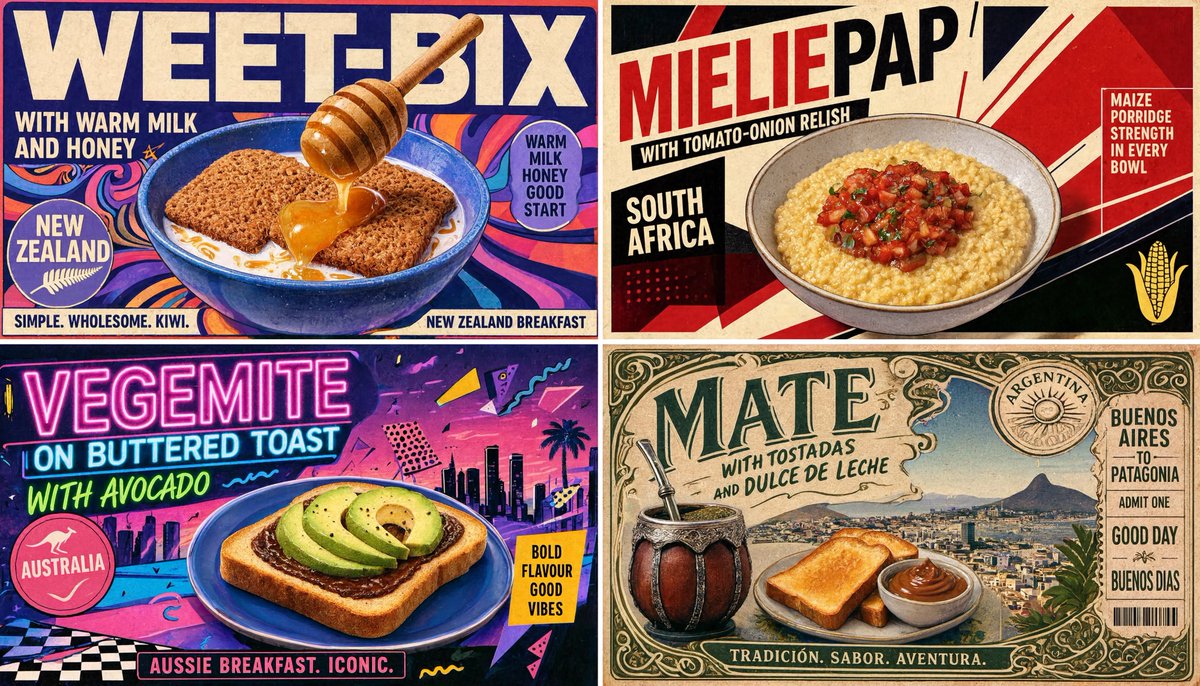
2x2 grid, 16:9, do this for 4 under rated breakfasts of Southern hemisphere: INPUT = [{argument name="category" default="TOPIC_CATEGORY"} / {argument name="region" default="REGION_SET"} / {argument name="criteria" default="SELECTION_CRITERIA"} / {argument name="mood" default="MOOD"}] MODE = no_hardcoding / inference_only Run REGIONAL_CULTURAL_ATLAS_EXTRACTION: CATEGORY_DNA := infer what type of thing is being compared, how it is used, why it matters, and what makes it visually recognizable REGION_DNA[each] := infer local environment, visual culture, palette, typography attitude, textures, symbols, landscapes, tools, rituals, and social context ITEM_SELECTION[each] := infer one overlooked or representative item that fits TOPIC_CATEGORY + REGION + SELECTION_CRITERIA HERO_VISUAL[each] := infer the best visual treatment: plated food, product close-up, ritual scene, tool layout, garment portrait, object still life, landscape-backed artifact, map-backed diagram, or symbolic vignette COPY_SYSTEM[each] := generate: - large item title - short emotional tagline - origin/location label - 2–4 tiny descriptors - stamp or badge phrase - small contextual note GRAPHIC_SYSTEM := infer torn paper, printed grid, muted color blocks, topographic lines, stamps, borders, halftone, atlas marks, and editorial spacing Render: A premium regional comparison poster where each panel feels locally specific but belongs to one unified cultural theme. Forbidden: hard-coded Southern Hemisphere, fixed breakfasts, fixed foods, fixed countries, fixed beige/red/green palette, fake local facts, random travel-poster clichés.

@Gadgetify
Micro-World Mathematical Symbols Grid Prompt

Micro-World Mathematical Symbols Grid Prompt

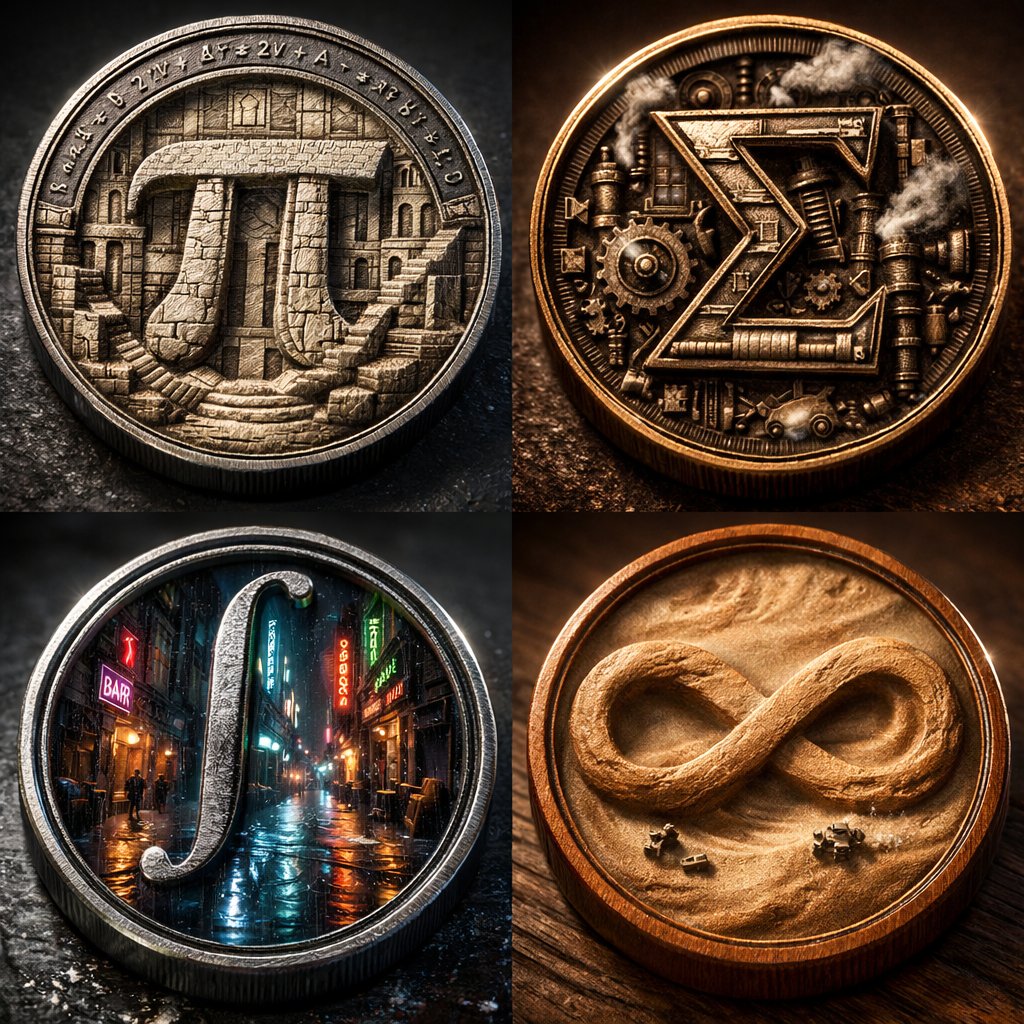
2x2 grid of 4 monumental mathematical symbols built as 3d micro-world reliefs inside circular medallions [Top Left: The Pi (π) as a carved stone relief city inside a metal coin, tiny staircases and colonnades, equations engraved around the rim] [Top Right: The Sigma (Σ) as a mechanical relief with gears and steam vents, patinated bronze, sharp rim lighting] [Bottom Left: The Integral (∫) as a neon rain-soaked micro-alley world inside a steel medallion, reflective puddles, tiny silhouettes] [Bottom Right: The Infinity (∞) as a dust-storm desert relief inside a warm wooden coin, swirling sand texture, miniature rovers] Collector macro product photography, crisp rim highlights, realistic metal/wood grain, shallow DOF, high contrast, swiss 2x2 grid layout.

Nano Banana Pro Prompt Structure and Visual Elements

Nano Banana Pro Prompt Structure and Visual Elements

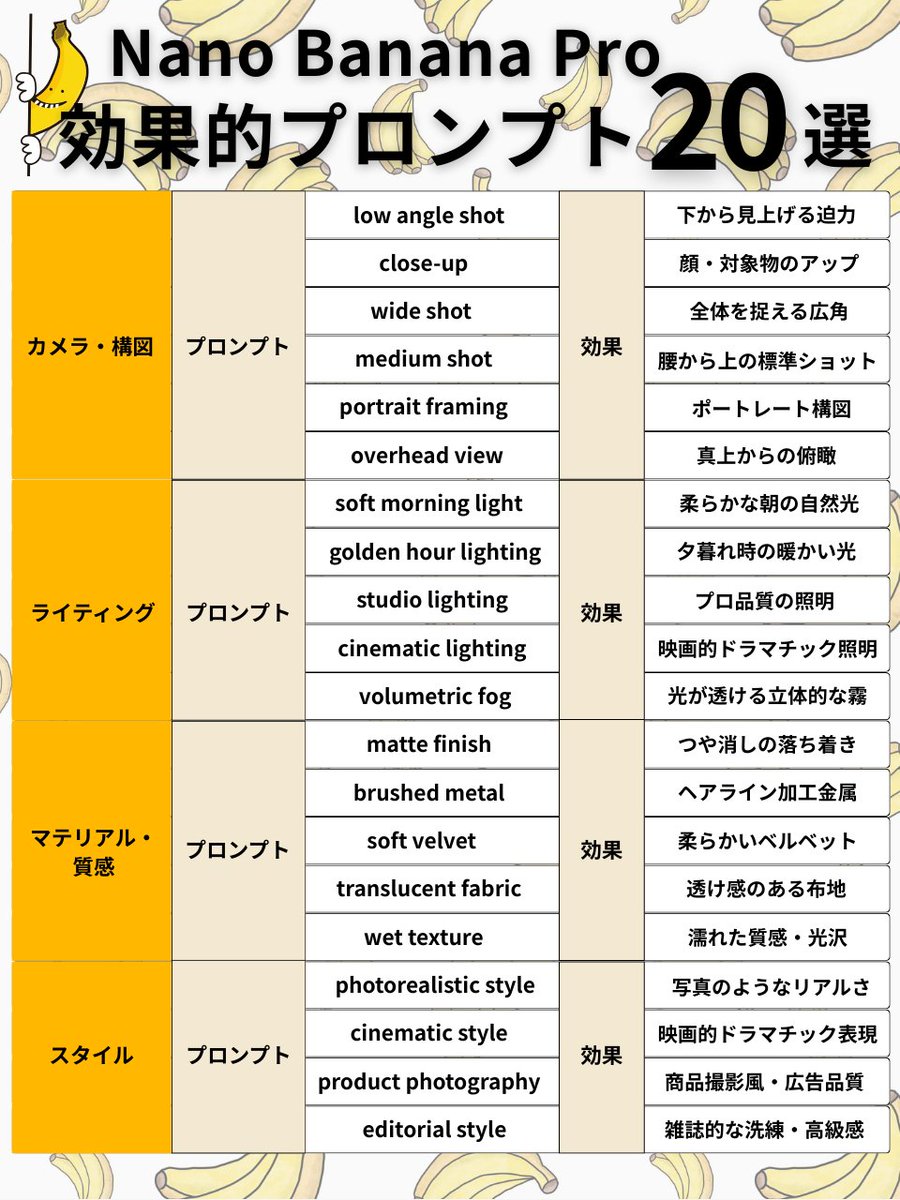
Subject + Composition + Action + Setting + Style + Lighting/Material <Camera/Composition 6 selections> ✅ low angle shot → Powerful view looking up from below ✅ close-up → Close-up of face/subject ✅ wide shot → Wide angle capturing the whole scene ✅ medium shot → Standard shot from the waist up ✅ portrait framing → Portrait composition ✅ overhead view → Bird's eye view from directly above <Lighting 5 selections> ✅ soft morning light → Soft natural morning light ✅ golden hour lighting → Warm light during sunset ✅ studio lighting → Professional quality lighting ✅ cinematic lighting → Cinematic dramatic lighting ✅ volumetric fog → Volumetric fog where light shines through <Material/Texture 5 selections> ✅ matte finish → Calm, non-glossy finish ✅ brushed metal → Hairline finished metal ✅ soft velvet → Soft velvet ✅ translucent fabric → Sheer fabric texture ✅ wet texture → Wet texture/gloss <Style 4 selections> ✅ photorealistic style → Photorealistic quality ✅ cinematic style → Cinematic dramatic expression ✅ product photography → Product photography style/advertising quality ✅ editorial style → Magazine-like sophistication/luxury feel

Scientific Dessert Blueprint

Scientific Dessert Blueprint

A vintage, technical scientific diagram of [{argument name="subject" default="A GIANT STRAWBERRY SHORTCAKE"}], styled as a {argument name="style" default="1920s laboratory blueprint"}. The central dessert is highly detailed with scientific callouts using pseudo-intellectual terms like 'Aerated Dairy Matrix' or 'Granulated Sucrose Dusting.' The image features several data visualizations: a 'Moisture Absorbency Graph,' a 'Flavor Profile Hexagon,' and a 'Texture Hardness Scale' similar to the Mohs scale. The background is aged, tea-stained parchment with ornate Victorian borders, technical sketches of beakers and thermometers, and a 'Registered No. 1923' stamp at the bottom. Aesthetic: Retro-futurism, Da Vinci sketch meets old-school soda shop menu.

Chinese Dragon Wood Mosaic

Chinese Dragon Wood Mosaic

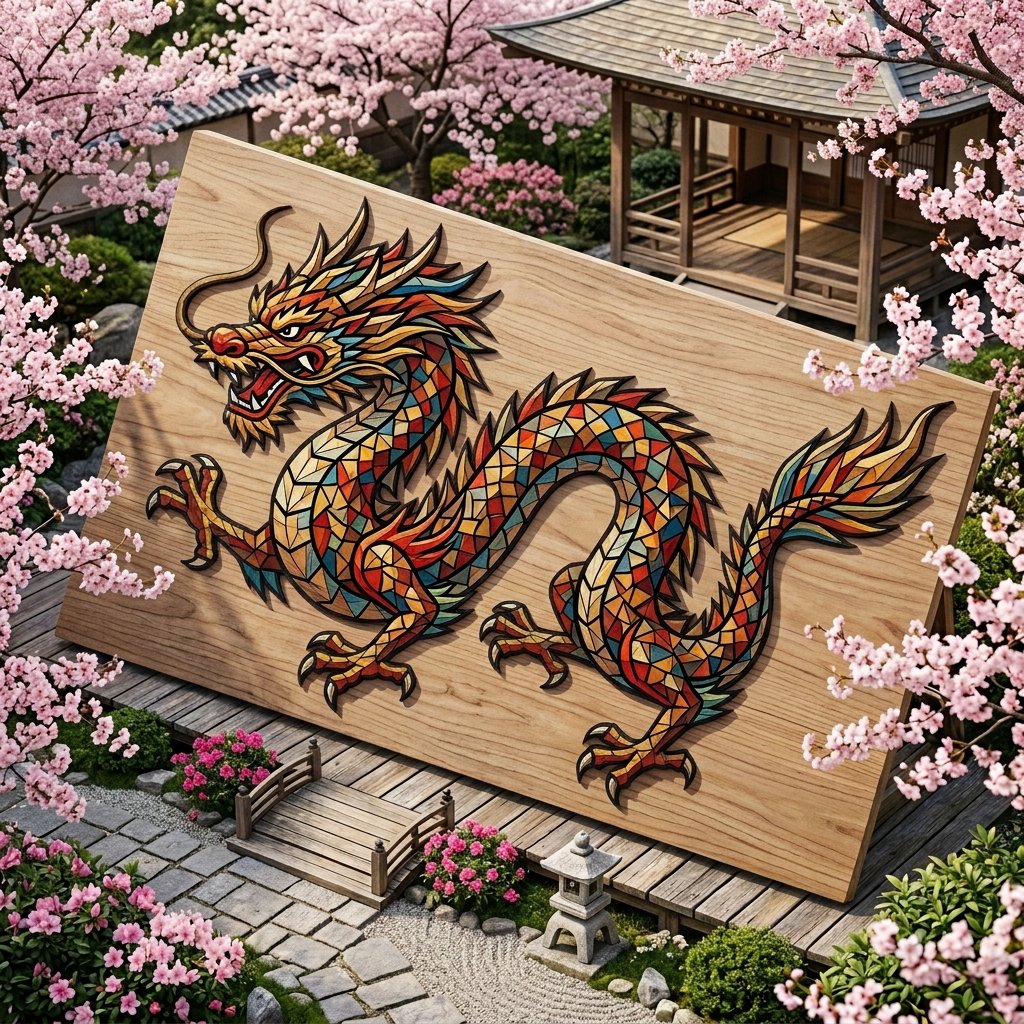
mosaic made from tiny randomly cut colored wood shapes, colored wood shapes are edgy with various geometrical shapes, they form traditional Chinese dragon. dragon body is shaped out of tiny colored wood pieces forming a mosaic. pale colored wood surface with intricate thin black outlines dividing the mosaic pieces. background is traditional nature Sakura bloom garden surrounding the dragon.

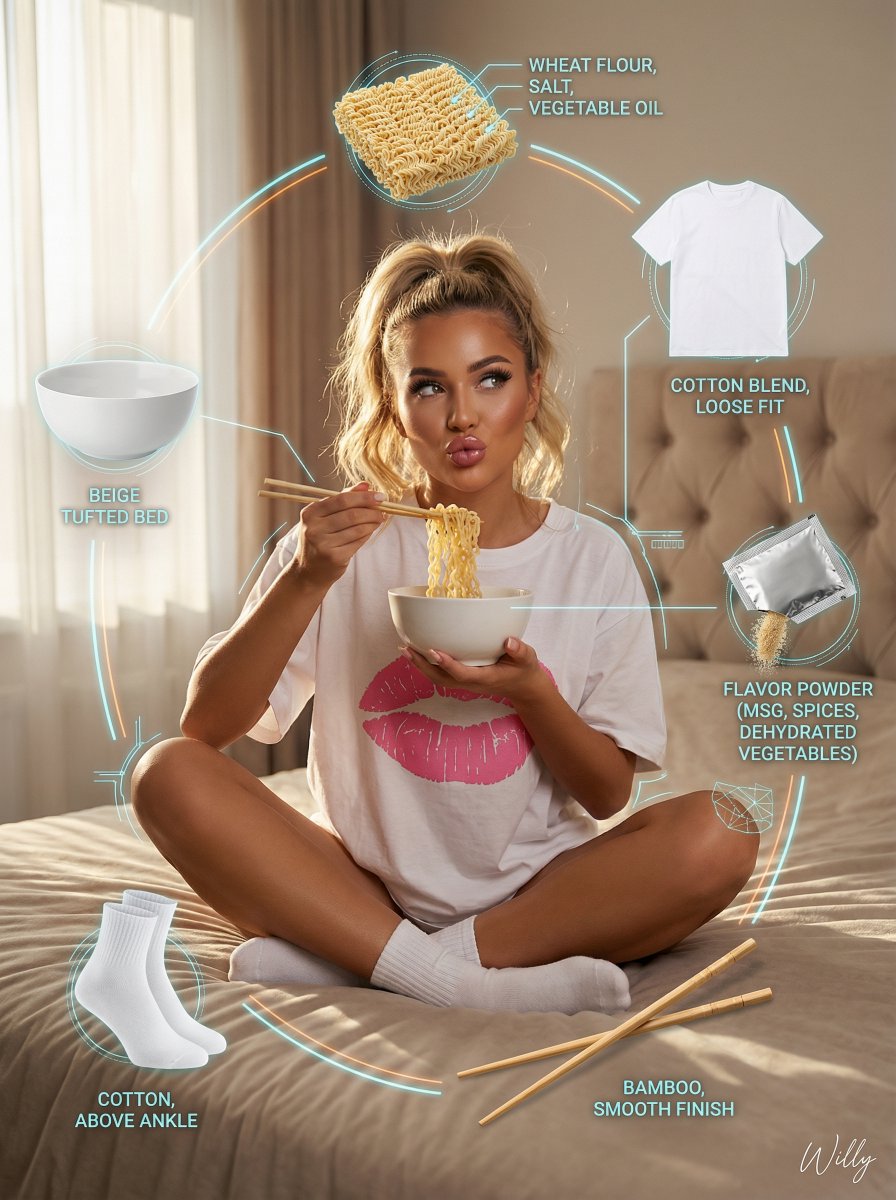
Photorealistic Product Anatomy Image Prompt (Instant Noodles)

Photorealistic Product Anatomy Image Prompt (Instant Noodles)

Young eastern european woman (20-24), tanned skin, long wavy blonde hair in messy high ponytail, seductive duck-lip, glamorous makeup, long lashes, glossy lips, LAYOUT: Central hero + orbiting ingredient visuals (product exploded view) HERO: - Young woman sitting cross-legged on beige tufted bed - Wearing oversized white t-shirt with pink lips print and white socks - Eating instant noodles with chopsticks, cozy sexy vibe - Soft natural window light with gentle rim light, warm intimate atmosphere INGREDIENT CALLOUTS: - Top: Instant noodles block (wheat flour, salt, vegetable oil) - Right: Small sachet of flavor powder (MSG, spices, dehydrated vegetables) - Bottom: Two wooden chopsticks (bamboo, smooth finish) - Left: White ceramic bowl (beige tufted bed) - Top-Right: Oversized White T-shirt with pink lips print (cotton blend, loose fit) - Bottom-Left: White socks (cotton, above ankle) TECHNICAL DETAILS: - Photorealistic, highly detailed face and skin - Contemporary influencer aesthetic, cinematic color grading, 8k, sharp focus STYLE: photorealistic, contemporary influencer aesthetic, product anatomy, exploded diagram style, flavor note diagram, technical overlay graphics Keywords: product exploded view, tech deconstruction layout, ingredient floating display, component breakdown visualization, wireframe overlay, neon annotation lines, technical specification, premium product anatomy. A stylish handwritten signature {argument name="signature name" default="Willy"} is elegantly and small letters placed at the Bottom Right corner.

Some prompts are collected from creators on X. Copyright belongs to the original authors.