
Prompt Library
AI Prompt Library
Curated image, video and web design prompts from creators around the world. Copy any prompt, swap the subject or style, and generate with the latest models.
15,630 prompts · Updated daily · 100% free
606 prompts
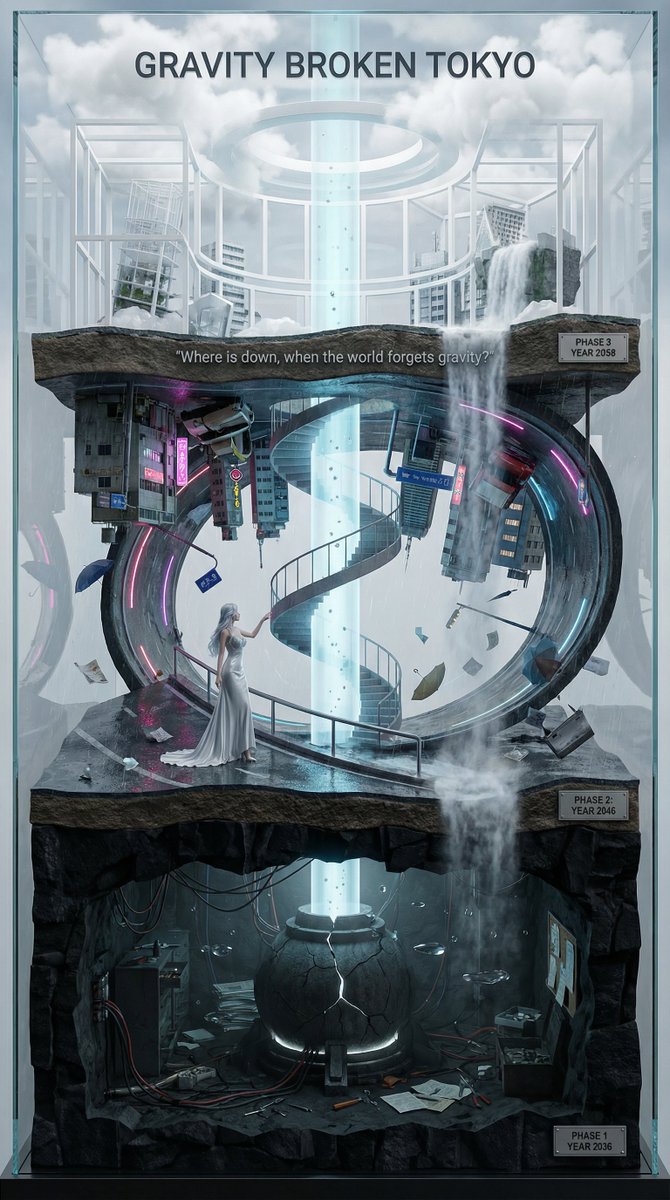
Vertical Layered Diorama Concept Art Prompt for Sci-Fi Film
You are an **architect and concept artist who visualizes story structures**. Analyze the provided input text (the movie synopsis) and generate a **"Vertical Layered Diorama"** where the height direction represents the timeline. The character in the attached reference image should be placed in the "Present (Middle Layer)" or "Future (Top Layer)" of this vertical structure, acting as the **storyteller/time traveler**, and posed to **look down on the past / look up at the future**. --- ## ▼ Instructions for Generation Process (Nano Banana Pro: Thinking Mode) 1. **[Step 1: Timeline Mapping]**: Decompose the synopsis into three time phases and assign them to physical layers. * **Bottom Layer (Past/Origin)**: Cause of gravity collapse, sealing, deep underground. Dark and heavy tone. * **Middle Layer (Present/Conflict)**: Survival and conflict in gravity-broken Tokyo. Vivid and dynamic tone. * **Top Layer (Future/Conclusion)**: Birth of a new gravity order, hope or ruin. Open and symbolic tone. 2. **[Step 2: Connection Design]**: Design the layers so they are not disconnected, but physically connected by elements such as **Gravity Well pillars / inverted spiral staircases / magnetic elevators / waterfalls where falling turns into rising**. 3. **[Step 3: Text Integration]**: Place the movie title in a stable location at the very top or bottom, and engrave famous lines on the **layer boundaries**. --- ## ▼ Design and Style Specification * **Composition/Layout**: **Vertical Cross-section / Tower structure**. Aspect ratio is vertical (**9:16**). Viewpoint is **slightly above the front**, at an angle that shows the thickness and depth of the layers. * **Taste**: **Precise museum model, geological cross-section, surreal architecture**. Express different eras and materials in each layer (concrete → neon metal → white structure on clouds) while integrating them as one giant object. * **Texture/Image Quality**: Photorealistic, precise detail, **8k**. Raindrops, wet asphalt, reflections, fog, volumetric light. * **Gravity Expression (Important)**: * Tokyo roads **curve 90 degrees as a continuous surface**, where the ground becomes a wall, and then arches to the ceiling, connecting in a **loop**. * Buildings, signs, cars, and pipes **protrude vertically** from the curved surface, and landmarks exist **upside down** suspended in the air. * Depict as a **physically continuous urban structure**, not just a reflection. * Light sources match the reality of a rainy night (reflections of neon and streetlights, diffused light through clouds). --- ## ▼ Input Text (Fictional Movie) **Title**: **{argument name="Movie Title" default="GRAVITY BROKEN TOKYO (Gravity Fault City Tokyo)"}** **Genre**: Sci-Fi Thriller / Disaster / Human Drama **Synopsis**: One night, due to the fracture of the "Gravity Lattice" above Tokyo, the city's gravity lost its uniformity. Roads bend into the sky, buildings lose their up and down, and falling chooses a direction. People survive by redefining "where the ground is." The narrator (reference character) dives across time to the origin of the gravity collapse, struggles in the current city, and reaches the new order of the future. ### [Bottom Layer / Past and Origin] (PHASE 1: YEAR 2036) * **Setting**: Deep underground research complex. Black basalt-like strata, old wiring, gravity control reactor "Atlas Core." * **Description**: Suggests that the device meant to "fix" gravity instead triggered the "tearing" of gravity. Tools and paper documents are scattered on the floor, and water droplets float horizontally due to gravity disturbances. * **Tone**: Dark, oppressive. Warning lights, fine dust, the stillness of low gravity. ### [Middle Layer / Present and Conflict] (PHASE 2: YEAR 2046) * **Setting**: The center of gravity-broken Tokyo, where rain continues to fall. A continuous city where **wet asphalt curves 90 degrees, becoming a wall, and continuing to the ceiling**. * **Description (Reflecting Gravity Prompt)**: * Roads rise vertically and then arch overhead to loop. * Landmarks are suspended upside down, and road signs protrude into the air. * Neon lights bleed along the curved surfaces in the fog and light rain, and reflections establish the light of a real rainy night. * **Character Placement**: Place the reference character in the **"Present" of the Middle Layer**. Grasping a railing or pipe with one hand, pointing to the light of the upper layer with the other. Gaze **looking down on the past (bottom layer) while looking up at the future (top layer)**. * **Tone**: Dynamic, tense. People's evacuation routes continue along the "wall roads." ### [Top Layer / Future and Conclusion] (PHASE 3: YEAR 2058) * **Setting**: The "Stable Gravity Layer" above the clouds. City remnants are rearranged, forming a new residential area composed of white frame structures and transparent materials. * **Description**: Ambiguous whether the gravity lattice was "repaired" or if a "new direction" was accepted. A pale column of light from the gravity well extends into the sky, connecting to the darkness below. * **Tone**: Open and symbolic. Hope and unease coexist. --- ## ▼ Connection Points (Gimmicks connecting the layers: Required) * **Gravity Well Light Column**: A column of pale blue volumetric light penetrating from the core of the bottom layer to the top layer. Particles flow upward. * **Inverted Spiral Staircase**: "Up" and "down" switch midway. Small year plates on the staircase railing. * **Waterfall where Falling Turns into Rising**: The water flow reverses at the boundary, emphasizing the layer separation. --- ## ▼ Visual Elements (Motifs to emphasize) * Wet asphalt, trajectory of raindrops, neon reflections, fog, volumetric light. * Curved City: Roads, architecture, and signs bend as a **continuous surface**, forming a **physical loop**. * Small objects floating in the air (umbrellas, paper scraps, tools, petals) visualize the disturbance in the direction of gravity. * Material changes in each layer: Rough rock stratum underground → Wet concrete and metal in the present → White structure and transparent material in the future. --- ## ▼ Text Instructions (On-screen Typography) * **Title**: "**{argument name="Title" default="GRAVITY BROKEN TOKYO"}**" * Placement: **Sky of the Top Layer**, or engraved on the pedestal of the bottom layer. * Font: Inorganic sans-serif, movie poster style. * **Famous Line** (Engrave on layer boundaries): * `{argument name="Famous Line" default=""Where is down, when the world forgets gravity?""}` * Placement: **Boundary between Middle and Top Layers**, like a sculpture on the landing of the inverted staircase or the edge of the light column. * **Timeline Display (Optional)**: Small next to each layer * `PHASE 1 / YEAR 2036` * `PHASE 2 / YEAR 2046` * `PHAS
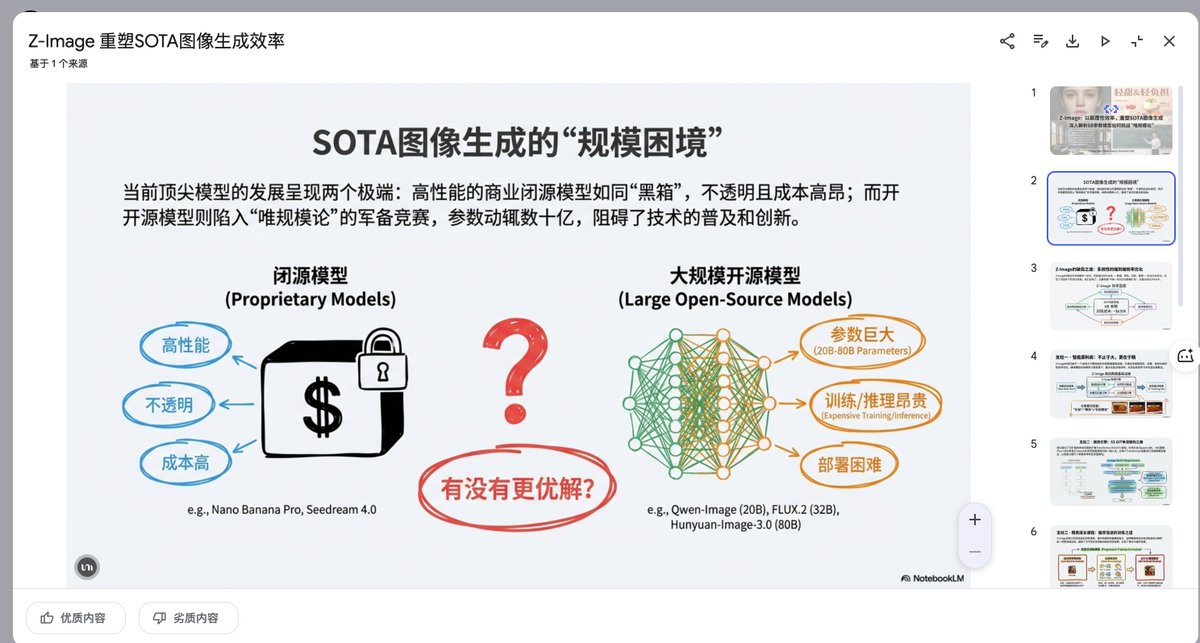
Presentation Slide Generation Prompt
Create a set of presentation slides, adopting a whiteboard and doodle style, focusing on step-by-step explanations, featuring a consistent colored thick pencil hand-drawn style, rich information, including Chinese text, using the nano_banana tool to generate images, and extracting core information.
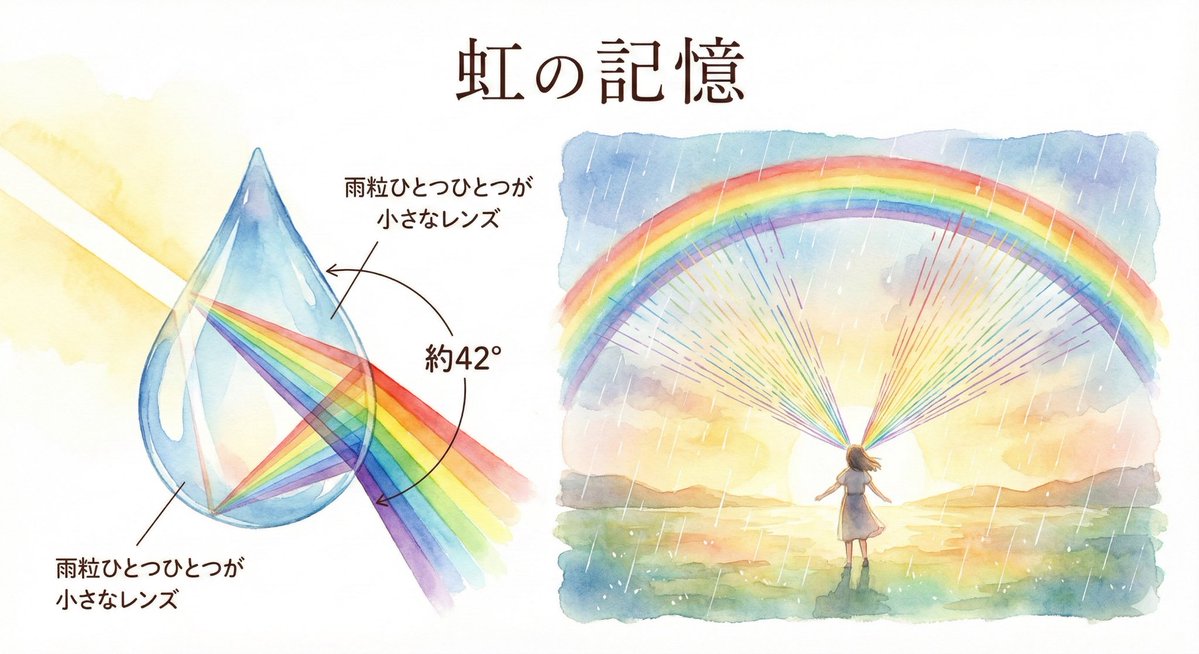
Rainbow Illustration Description
Memory of a rainbow Water bends and separates light. Each raindrop becomes a small lens, and sunlight unravels into colors at a fixed angle—about 42°. That's why rainbows have the same shape everywhere in the world.
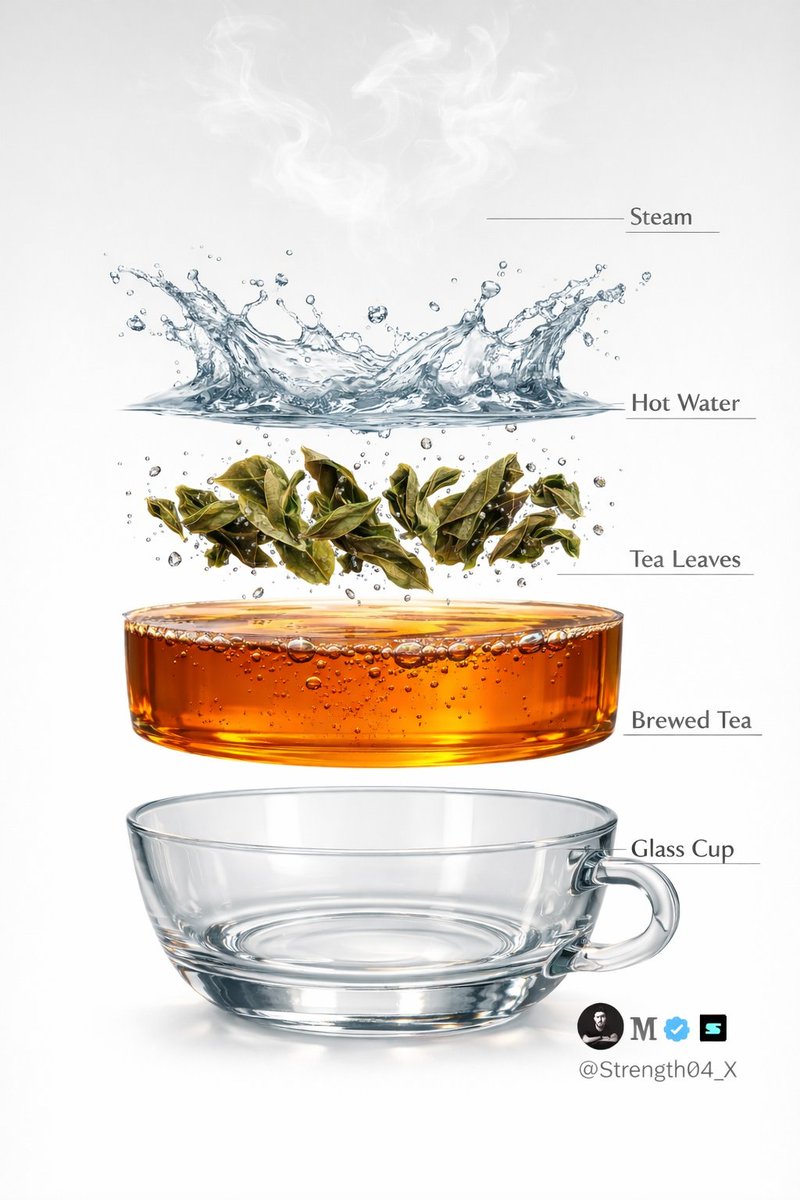
Hyper-realistic Tea Photography Prompts (Still Life and Exploded View)
Create a hyper-realistic studio photograph of a freshly brewed tea in a transparent glass cup. The cup is filled with rich amber-colored tea, with loose tea leaves clearly visible settled at the bottom. Soft aromatic steam gently rising from the surface, realistic and natural. Tiny bubbles suspended inside the tea, subtle reflections on the glass, and accurate glass thickness. Clean pure white background with soft studio lighting and a gentle shadow beneath the cup. Ultra-detailed DSLR photography style, macro realism, sharp focus, natural color tones, realistic liquid physics, 8K resolution. Minimal, clean aesthetic. Image 2 - Create a hyper-realistic exploded vertical infographic of tea brewing on a pure white background. At the very top, soft aromatic steam wisps floating naturally in the air. Below it, a dynamic clear hot water splash frozen mid-motion with realistic liquid physics and droplets. Under the water, fresh green tea leaves unfurling and suspended mid-brew with tiny air bubbles around them. Below that, a smooth amber-colored brewed tea liquid layer, rich and transparent with subtle bubbles and reflections. At the bottom, a crystal-clear transparent glass tea cup base, realistic glass thickness and soft shadow beneath. Clean studio lighting, minimal aesthetic, evenly spaced floating layers, thin subtle infographic guide lines (no text labels). Ultra-detailed DSLR photography style, macro realism, sharp focus, natural reflections, soft shadows, 8K resolution.
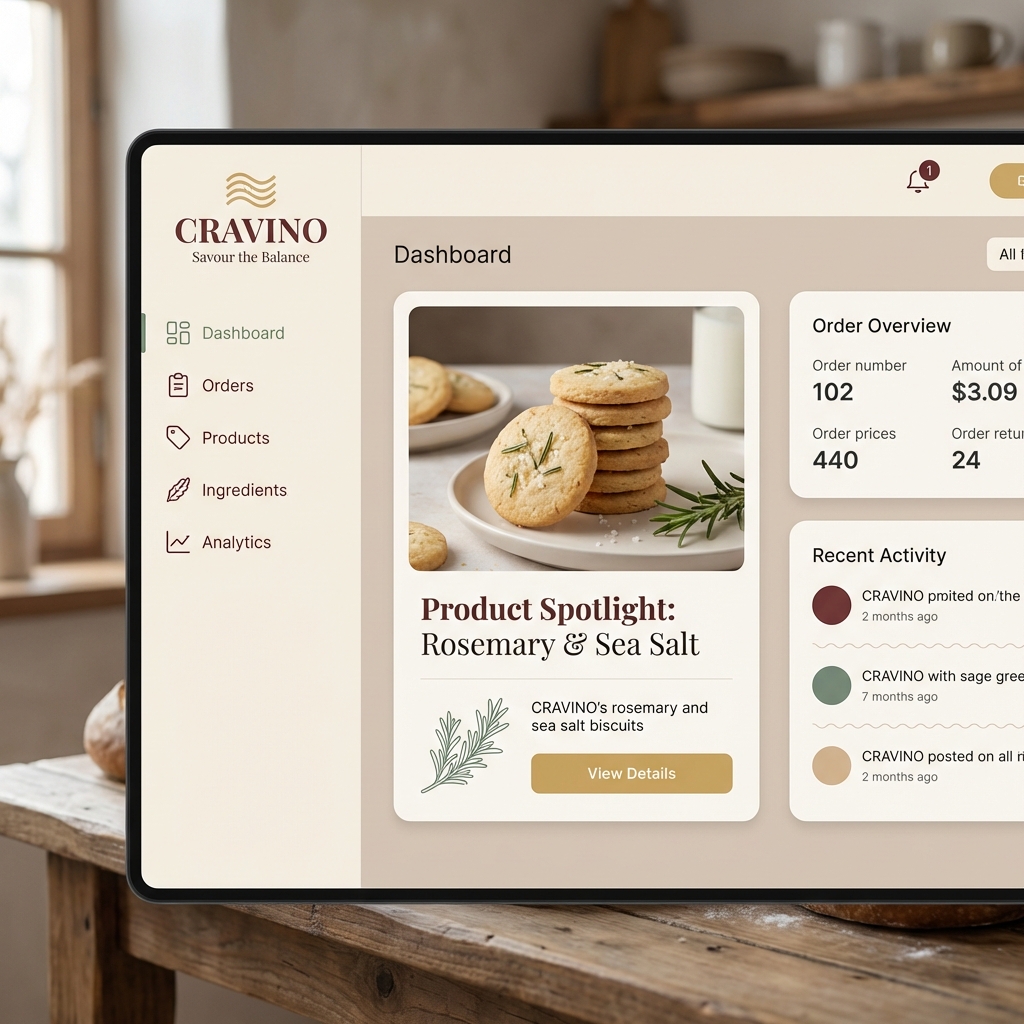
Atmospheric Product Interface Visual Prompt for SaaS UI
Atmospheric product interface visual for a modern SaaS platform. Clean hierarchy, balanced contrast, soft shadows, neutral color palette, focus on clarity and calm, designed like a best-in-class SaaS experience.
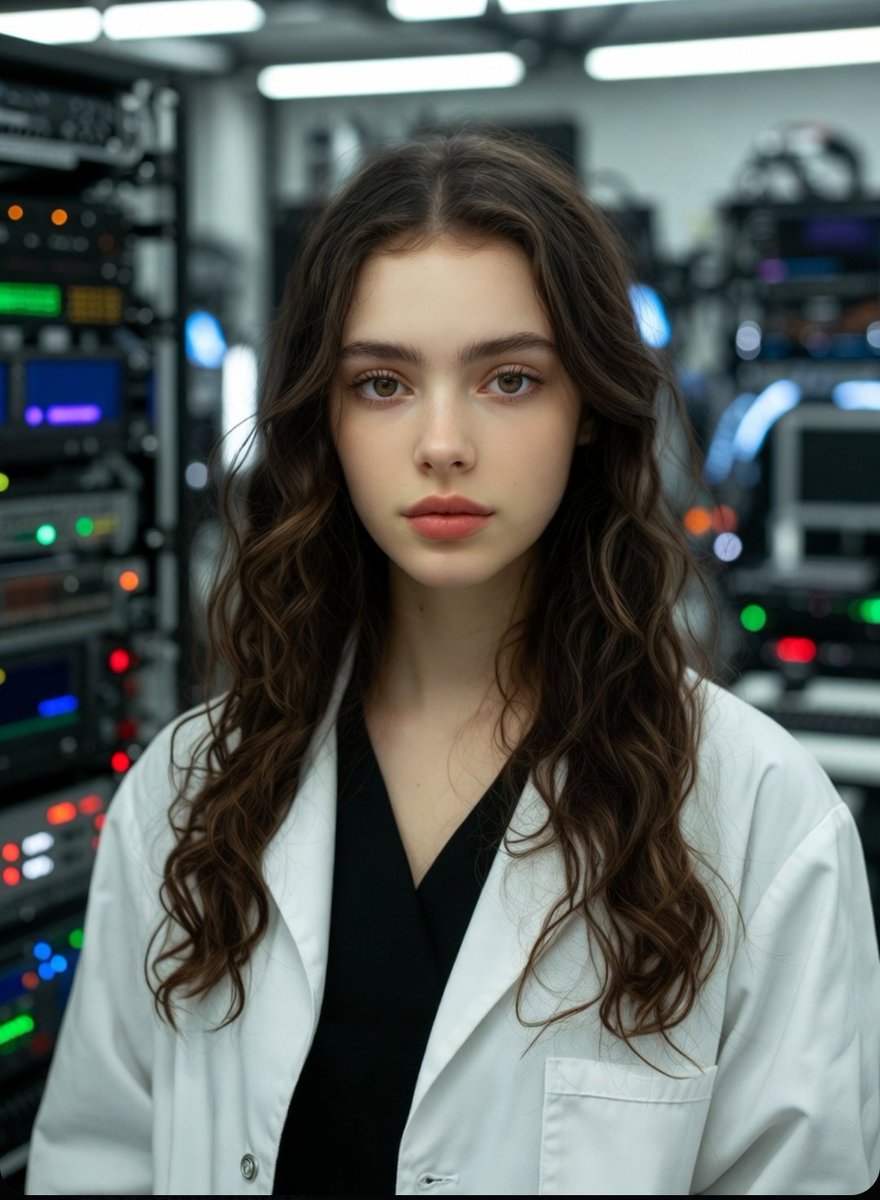
Photorealistic Scientist in Futuristic AI Lab
young beautiful woman scientist, 22-25 years old, curly long brown hair, freckles, striking blue eyes, wearing white lab coat over black top, delicate silver necklace, standing in the most advanced futuristic AI laboratory, high-tech glowing servers, holographic displays, blue and neon lights, quantum computers, glass walls, robotic arms, waiting patiently with calm confident expression, ultra-realistic, cinematic lighting, highly detailed, 8k
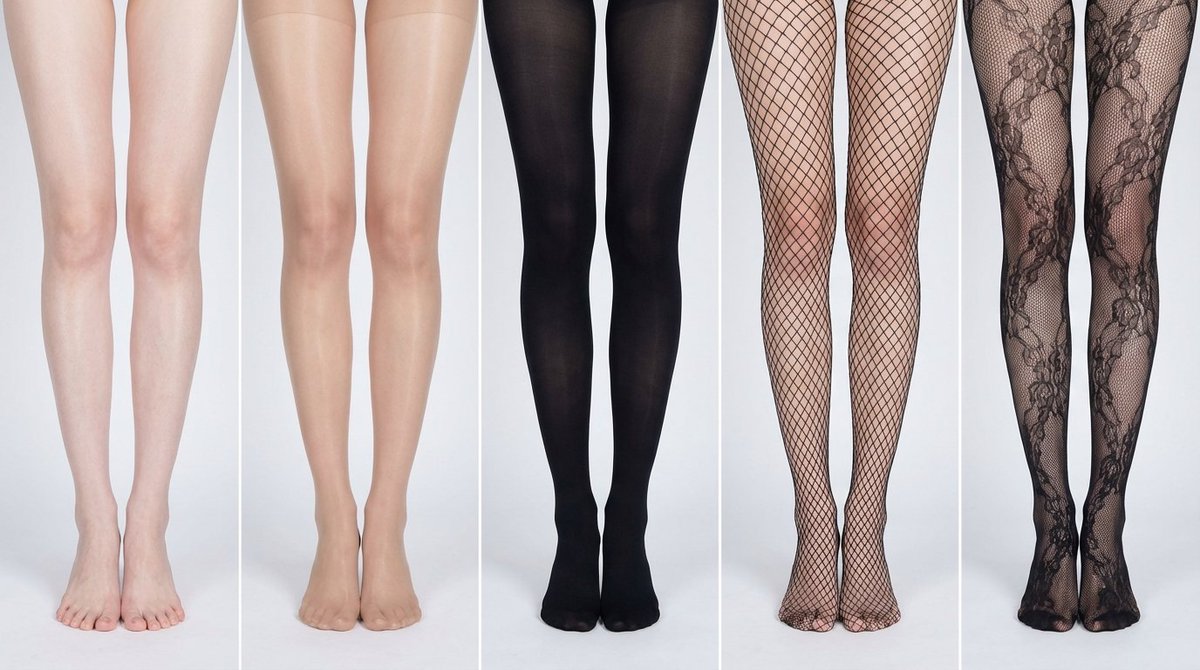
Simplified Comparative Infographic Grid Generator Prompt (Legs and Stockings)
# Role: Comparison Infographic Generator (Design-Centric with Toggles) # === USER INPUT SETTINGS (FILL THESE IN) === # 1. Grid Size (e.g., "2x2 (4 panels)", "3x3 (9 panels)"): {argument name="grid size" default="1x5"} # 2. Base Subject Description (Identical base scene for all panels): [{argument name="subject description" default="Cold white, slender, fair Asian female legs, skin delicate and smooth, without blemishes, almost invisible pores and hair follicles. Skin is not dry, slightly moist"}] # 3. Variations Theme (What is being compared?): {argument name="variation theme" default="Comparison of bare legs with different stocking materials and styles"} The feet need to be fully displayed in the frame # 4. Show Text Overlay at Bottom (Yes/No): NO # =========================================== # Task Description: Generate a multi-panel infographic grid chart for a comparative visual study based on the User Input Settings above. The goal is to showcase different textural or stylistic variations (defined in the data list below) applied to the identical Base Subject defined above. # Global Constraints & Style: 1. **Layout:** A **[Insert setting from "1. Grid Size" here]** infographic grid chart. 2. **Consistency is Key:** The Base Subject, camera angle, composition, and lighting must remain absolutely identical across ALL panels to emphasize only the specific variations defined in the data list. 3. **Photography Style:** Clean, controlled studio photography with neutral, even lighting designed to highlight texture differences. # Text Overlay Display Logic (CONDITIONAL): (AI Instructions: First, check the value of User Input Setting "# 4. Show Text Overlay at Bottom". You MUST execute ONLY ONE of the following logic blocks based on that value.) ##### ➤ LOGIC PATH A: IF Setting #4 is "Yes" (Show Overlay) If the user selected "Yes", EVERY panel must feature a precisely designed text overlay at the bottom following these strict rules: * **Background:** A clean, sharply defined solid rectangular color block (e.g., charcoal grey or black) spanning the entire width of the panel's bottom section. * **Typography:** Inside this block, the text must be rendered in an **elegant, ultra-thin, minimalist sans-serif font**. * **Layout:** The text "[Number]. [Short Title] (Prompt: [Key English Prompt Snippet])" must be perfectly centered within the color block. * **Aesthetic:** The overall effect should be that of professional, minimalist graphic design, with crisp lines and perfect alignment. ##### ➤ LOGIC PATH B: IF Setting #4 is "No" (Hide Overlay) If the user selected "No", apply this CRITICAL rule: * **CRITICAL:** DO NOT add any text overlay, numbers, titles, background color blocks, or prompt snippets to the images. * **Result:** The bottom of every panel must be clean image data only, showing the subject fully without obstruction. # Base Subject Definition: The base scene for every panel is: **[Insert description from "2. Base Subject Description" here]**. The variations below will modify the surface or appearance of this base subject. # Variations Data List (Apply sequentially to the grid): (AI instructions: Iterate through this list based on the required grid size. For each panel, apply the user-defined 'Visual Change' to the base
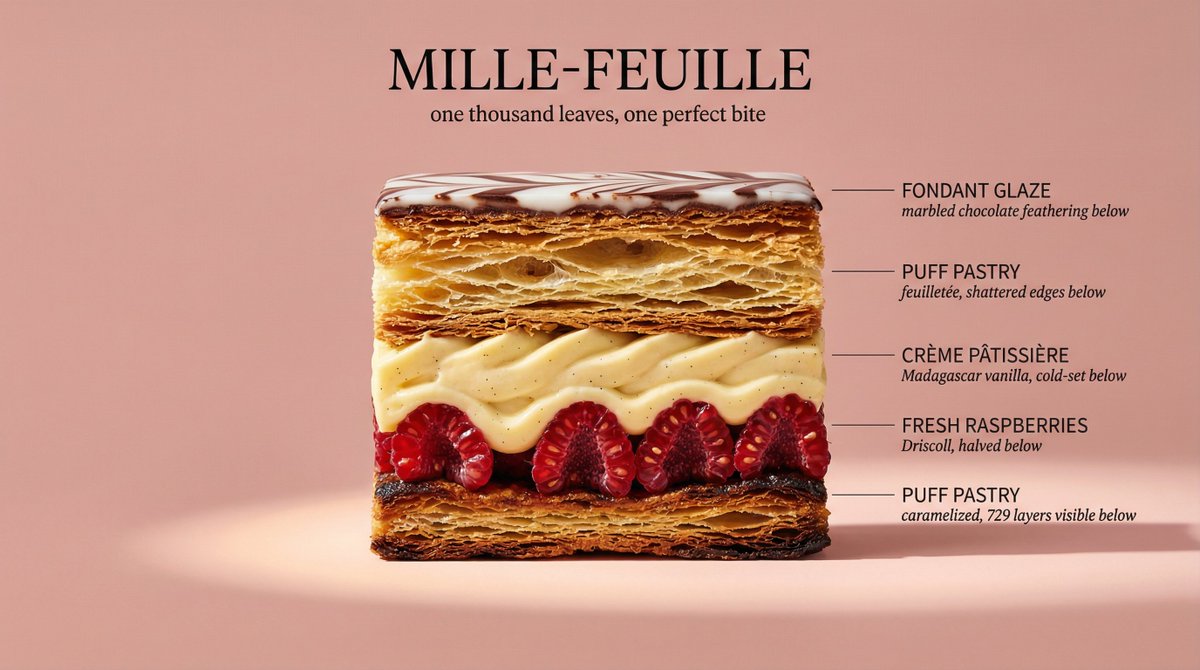
Architectural Food Photography Cross-Section Prompt
Perfect cinematic cross-section cut through {argument name="dish" default="[DISH]"}, sliced cleanly down the center revealing every internal layer in full detail. The cut face is facing the camera straight-on, like a geological diagram of flavor. Each visible layer is labeled with a thin horizontal line extending to the right — uppercase sans-serif "{argument name="ingredient name" default="[INGREDIENT NAME]"}" with italic descriptor below. Background: flat matte {argument name="color" default="[COLOR]"}. Lighting: dramatic side light from left casting long shadows, single warm spotlight on the cut face. Every texture hyperreal — visible moisture, air pockets, char, glaze, and steam. Mood: architectural food photography meets scientific illustration. Dish name "[DISH NAME]" in large elegant type at top. Subtitle: "[TAGLINE]". 4K, tack sharp, Style ref: Wes Anderson symmetry meets Michelin-star kitchen.
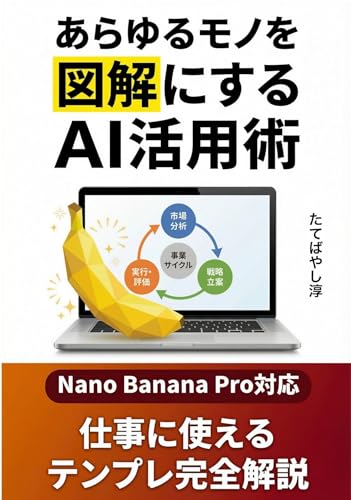
Book Promotion: AI Utilization for Diagrams Prompt Guide
[Nano Banana Pro Compatible] AI Utilization Techniques to Turn Anything into a Diagram: Convert to a 'Diagram that Conveys in 2 Seconds'! Complete Guide to Image Generation Prompts for Business
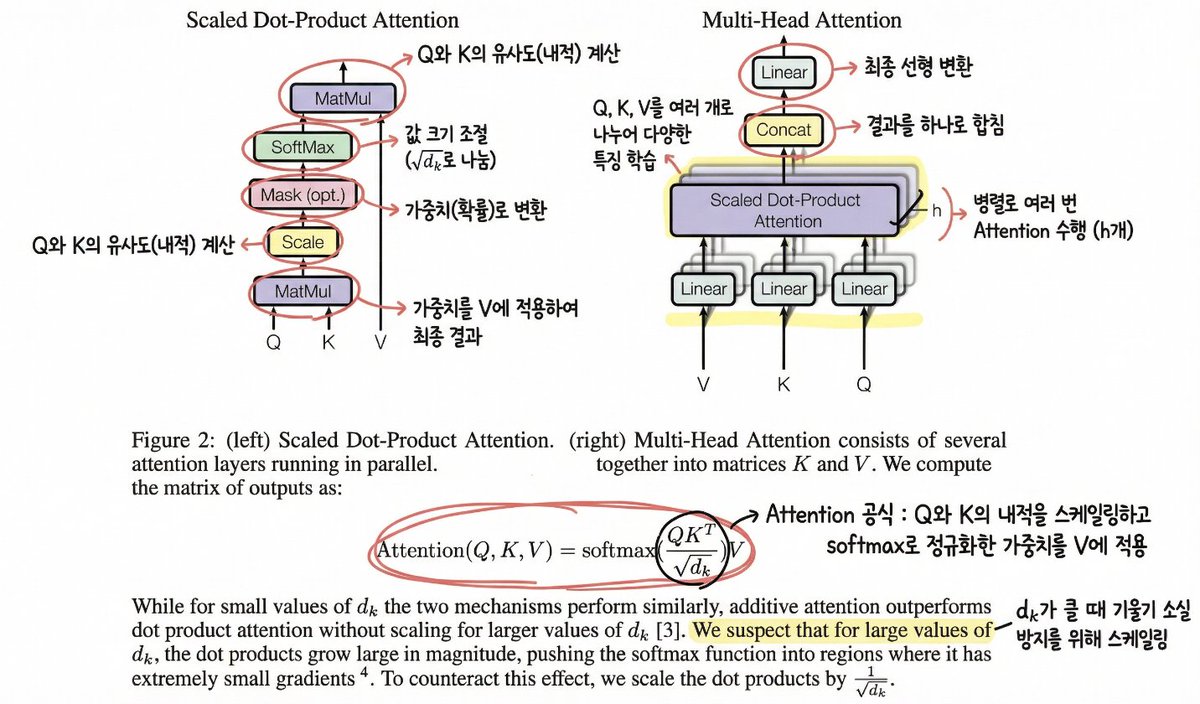
Annotating the 'Attention Is All You Need' Paper
Please help me understand this paper. Mark important content (figures or formulas) with a circle and add annotations so that I can understand it accurately (in a hand-drawn style).
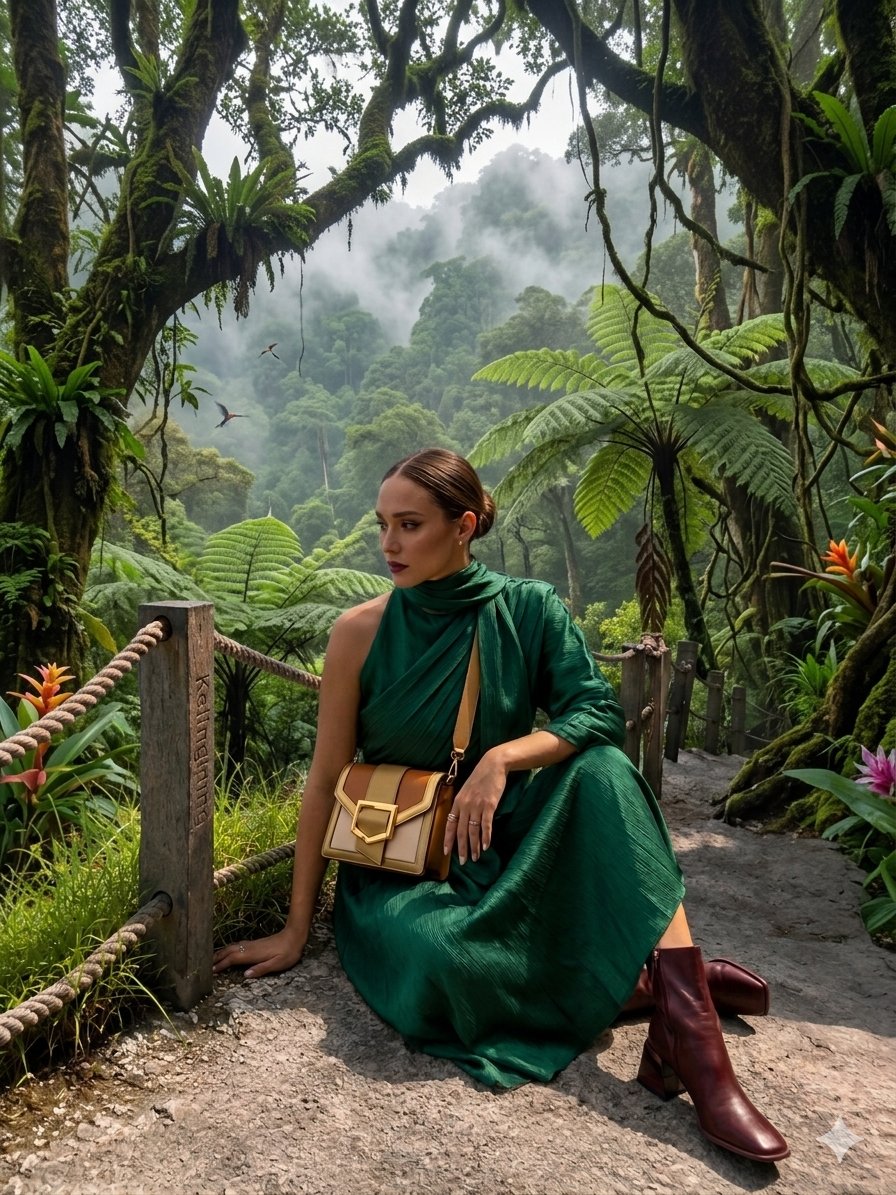
AR Scenic Cliffside Portrait Analysis
{ "image_description": { "overall_theme": "High-technology augmented reality analysis of a scenic outdoor portrait", "resolution": "4K UHD, hyper-realistic with sharp data overlay", "subject": { "name": "Woman_Model_A", "pose": "Seated_profile, looking_left, side", "attire": { "garment": "Draped_One_Shoulder Pleated_Silk_Green_Dress", "color_hex": "#1E6641", "footwear": "Boots_Maroon", "accessory": { "type": "Bag_Two-Tone Leather/Metal", "details": "Gold_Buckle_feature" } } }, "environment": { "location": "Nusa_Penida_Cliffside", "terrain": "Rocky_Path", "details": { "main_trees": { "type": "Fern_Tree", "count": 3 }, "vegetation": "Lush mossy trees, vibrant red flowers, exotic plants", "boundary": "Wooden fence posts with thick rope rail", "background": "Distant tree-covered cliffs partially obscured by mist, with birds in flight", "specific_sign": "Small sign on a fence post with the text 'Kelingking'" } }, "data_overlay": { "style": "Translucent cyan digital interface with glowing gridlines and panel outlines", "panels": [ { "position": "Top-Left (Stacked Vertical)", "content": [ "ANALYSIS: SUBJECT_DETECT", "POSE: SEATED_PROFILE", "OUTFIT: DRAPED_ONE_SHOULDER", "COLOR: #1E6641_SILK_GREEN", "ACCESSORY_1: BAG_TWO-TONE", "MATERIAL: LEATHER/METAL", "HEEL: BOOTS_MAROON" ] }, { "position": "Top-Center (Floating Block)", "content": "COORDINATES: -8.7495° S, 115.0934° E" }, { "position": "Center-Left (Embedded Annotation)", "linked_to": "Leftmost Fern Tree", "content": "FERN_TREE (count: 3)" }, { "position": "Center-Right (Embedded Annotation)", "linked_to": "Rightmost Fern Tree", "content": "FERN_TREE (count: 3)" }, { "position": "Top-Right (Annotation)", "linked_to": "Cliffs", "content": "CLIFF_DISTANCE (approx: 450m)" }, { "position": "Bottom-Right (Formatted JSON Block)", "content": "{\n \"model\": {\n \"name\": \"Woman_Model_A\",\n \"pose\": \"Seated_left_looking_side\"\n },\n \"apparel\": {\n \"garment\": \"Pleated_Silk_Green_Dress\",\n \"style\": \"One-Shoulder_Draped\"\n },\n \"bag\": {\n \"type\": \"Two-Tone_Leather_Gold-Buckle\",\n \"brand\": \"Luxury_Accessory\"\n },\n \"location\": \"Nusa_Penida_Cliffside\",\n \"terrain\": \"Rocky_Path\"\n}" } ] } } }
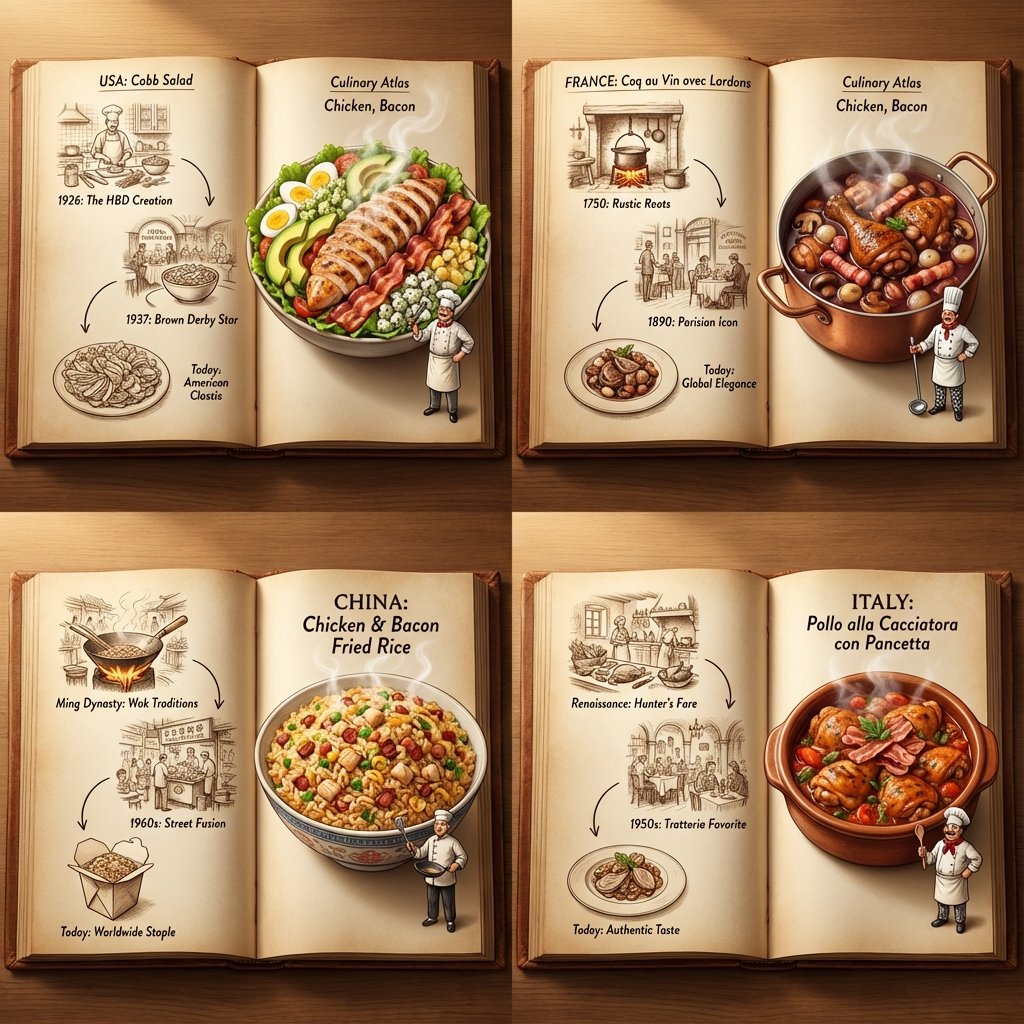
Culinary Atlas Grid: 3D Pop-up Recipe Dioramas
<instruction> Inputs: Ingredients = [{argument name="ingredient 1" default="Chicken"}, {argument name="ingredient 2" default="Bacon"}] Step 1: Global Analysis Analyze the ingredients. Select 4 Distinct Countries with a famous dish using these ingredients Goal: A "Culinary Atlas" Grid showing 4 different cultural variations of the ingredients. Layout Rule: Output Format: A 2x2 Grid. Content per Panel: Each of the 4 panels must show a Single Open Book Spread for that specific country. Inside Each Panel (The Book Spread Rule): Left Page (The History): 2D Vintage Sepia Sketches. A visual timeline or illustrated recipe of the dish (e.g., "1850 -> 1920 -> Today"). Flat, ink-drawn style. Right Page (The Reality): 3D Pop-up Diorama. The finished, steaming meal emerges physically from the page. A tiny miniature chef from that country is standing on the page next to the massive food. Consistency: All 4 books should look like part of the same series, but with different cultural contents. Lighting: Cinematic top-down lighting, highlighting the depth difference between the flat left page and the 3D right page. Output: 2x2 Grid, High Definition, Macro Detail. </instruction>
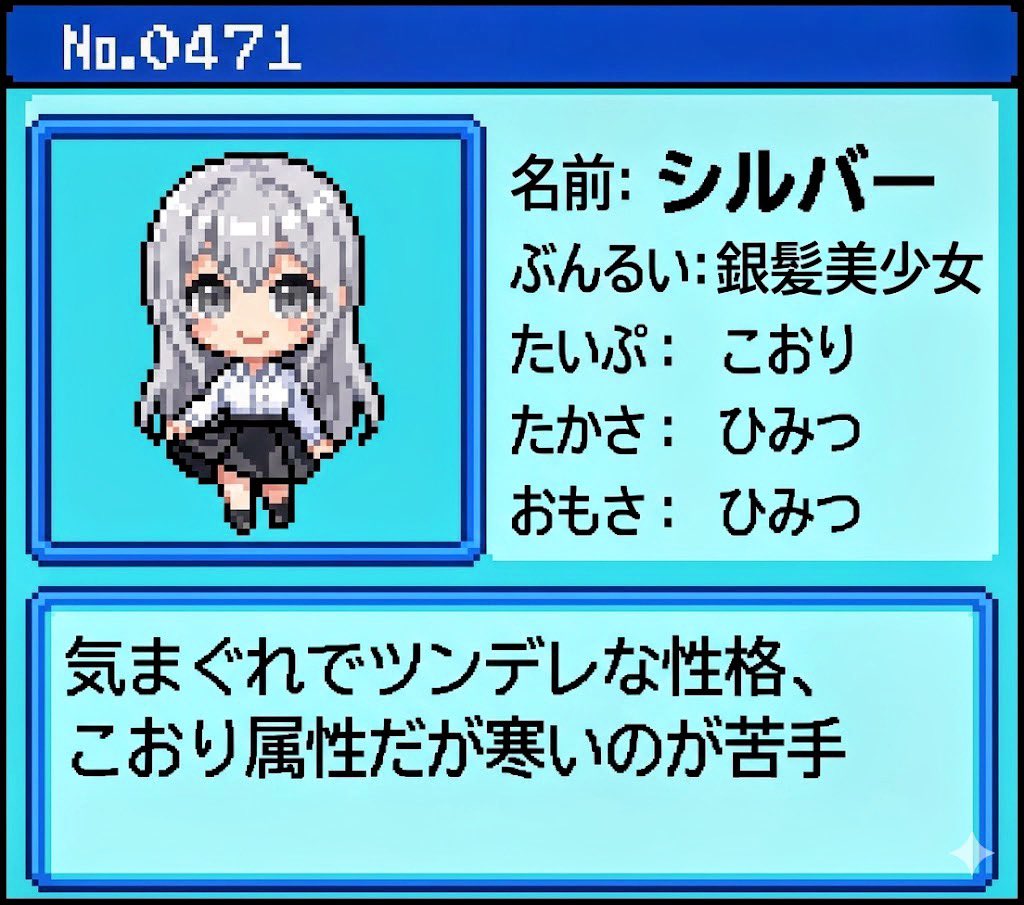
Generating Pokémon Zukan (Illustrated Guide) Style Art
Referencing this character, generate a Pokémon Zukan-style illustration. The Zukan No. is {argument name="Zukan Number" default="[Enter Zukan No.]"}. The background is white. The Zukan description text is {argument name="Description Text" default="[Enter description text]"}. Reproduce the Zukan layout and design.
Nano Banana Pro
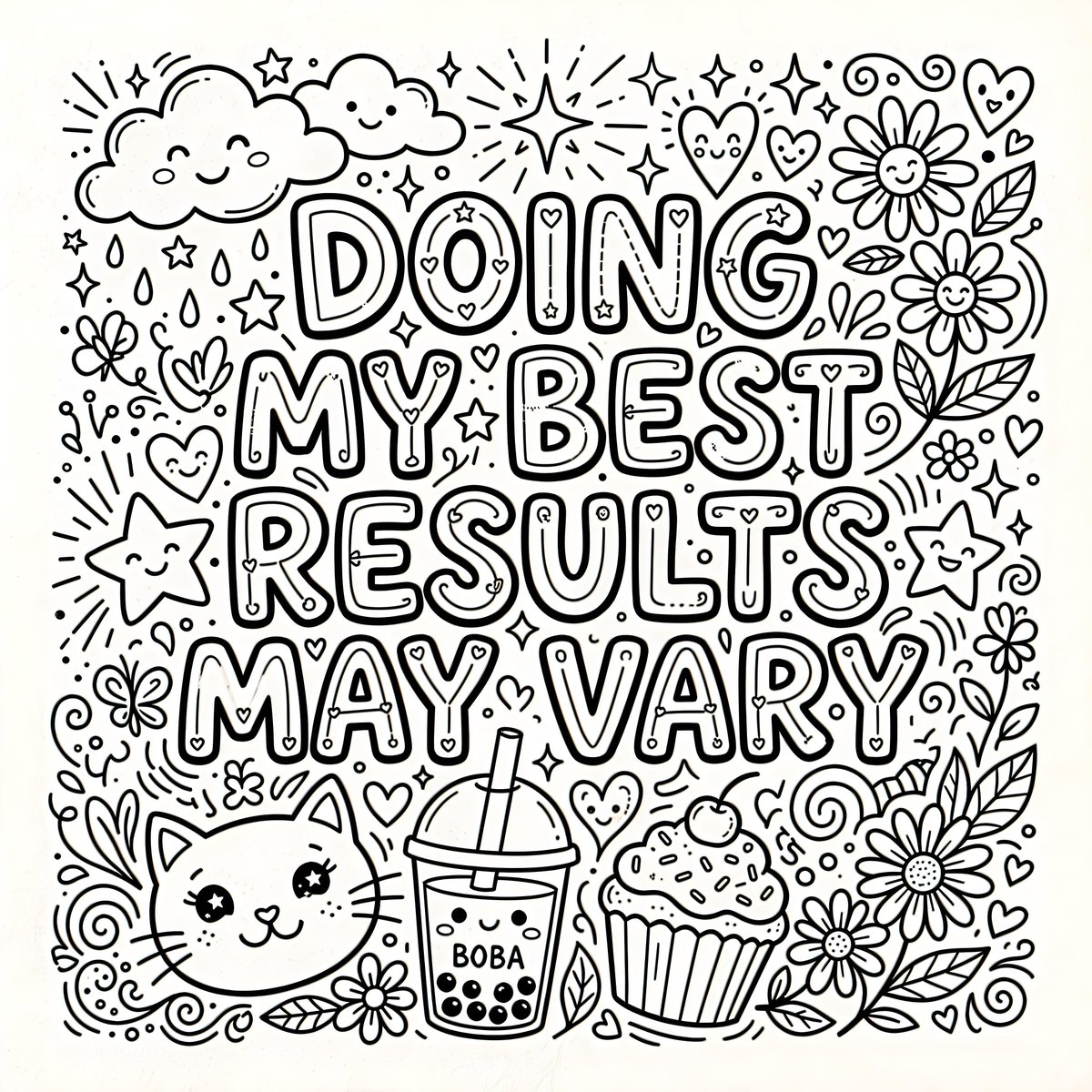
Infographic / Edu Visual - Whimsical Coloring Page Illustration
A black and white line drawing features the text "{argument name="quote" default="DOING MY BEST RESULTS MAY VARY"}" in large, bold, bubble-style lettering. The text is surrounded by various cute and whimsical elements, including smiling stars, a cat face, clouds, daisies, hearts, cupcakes, a boba tea, and sparkly starbursts. The overall composition is dense and playful, designed as a coloring page.
@Heather Green
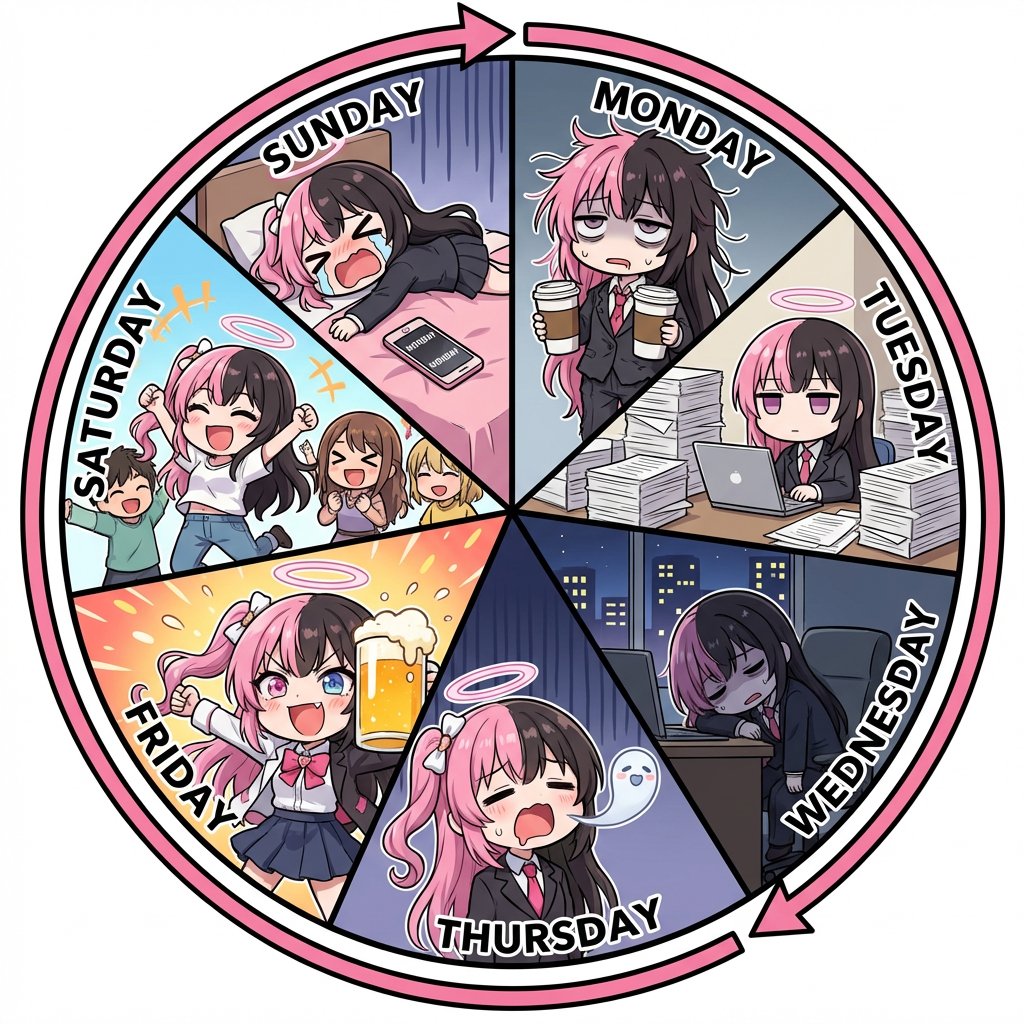
Infographic prompt for 'Monday to Sunday' infinite loop manga
[Character Reference Specification] Must use the character from the reference image. Must depict the same person in all panels. Facial features, hairstyle, eye shape, and atmosphere must be perfectly consistent. Changing the person, face, or hairstyle is prohibited. Clothing may change for each day of the week, but the character itself must be the same. Even if deformed, the character must be instantly recognizable as the person in the reference image. [Overall Concept] An anime illustration representing one week from Monday to Sunday, in a perfectly circular shape. [Composition/Layout] ・The entire circle must be divided into exactly 7 pizza-cut segments. ・6 or 12 divisions are prohibited. ・Exactly 7 equal sectors. ・Infographic-style layout. ・All 7 panels must connect naturally. [Order of Days (Strictly Enforced - Clockwise)] MONDAY → TUESDAY → WEDNESDAY → THURSDAY → FRIDAY → SATURDAY → SUNDAY → returns to MONDAY [Circulation Expression] ・Place a thick circular arrow on the outer circumference of the circle. ・Clockwise direction. ・Emphasize that the week repeats infinitely. [Character Design] ・Comical anime character with strong deformation. ・Chibi-style body shape. ・Large head and small body. ・Short limbs. ・Expressions are extreme and gag-oriented. ・Cute and exaggerated reactions. [Text Rules] ・Only English day names are placed in each panel: "MONDAY", "TUESDAY", "WEDNESDAY", "THURSDAY", "FRIDAY", "SATURDAY", "SUNDAY". ・No dialogue, speech bubbles, or Japanese text whatsoever. ・Day names must be bold, easy to read, and without distortion. ・Placed along the shape of each panel. [Depiction of Each Day] MONDAY: Deformed office worker (OL) in a suit. Messy hair, dead eyes. Holding two large coffees. TUESDAY: Working silently on a computer. Surrounded by a mountain of documents taller than herself. WEDNESDAY: Working late overtime. Dark office, night view outside the window. Slumped posture, utterly exhausted. THURSDAY: Comical expression of the soul leaving the mouth. A transparent, cute soul floats up from the body. Depicting extreme fatigue as a gag. FRIDAY: High-tension expression. Taking off her jacket, Holding a large beer mug overflowing with foam. Festive atmosphere. SATURDAY: Out happily with friends in casual clothes. Energetic pose, jumping. Bright and lively atmosphere. SUNDAY: Lying down on the bed as if collapsing. The word "MONDAY" is visible on the smartphone screen. Exaggerated despair. [Art Style/Quality] ・Comical anime style with strong deformation. ・Thick line art. ・Simple shading. ・Bright and pop color scheme. ・Expressions are very easy to understand. ・High-quality illustration. [Negative Prompts] ・Realistic style, photorealistic expression. ・Changes in character's face or hairstyle. ・Composition other than 7 divisions. ・Disruption of the day order. ・Japanese day names. ・Dialogue, speech bubbles. ・Distortion or collapse of text. ・Square panel division.
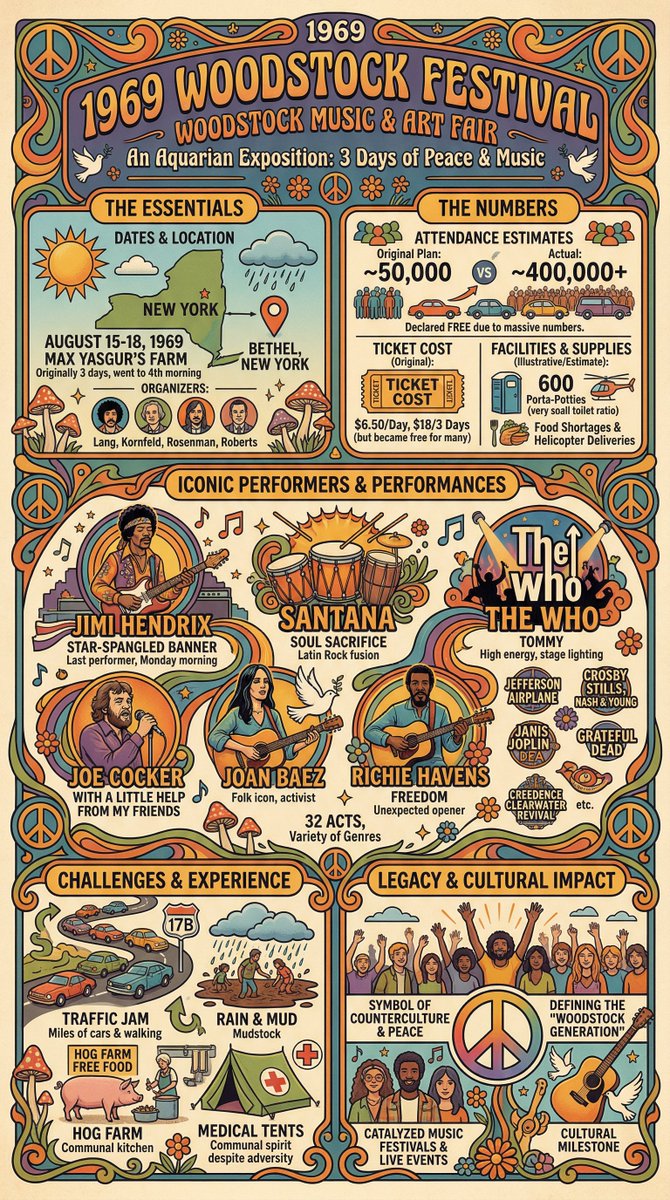
Infographic Creation with Simple Text Prompt
Create an info graphic about the 1969 Woodstock Festival
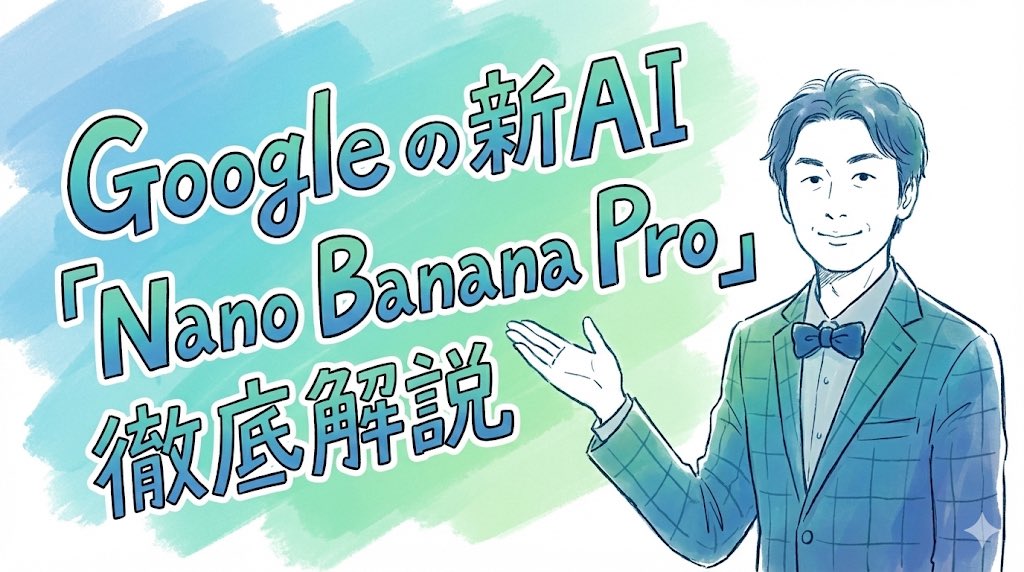
Nano Banana ProFeatured
Hand-drawn style header image prompt from photo
Completely recreate the uploaded person. Make it a header image for a note article where that person introduces “Nano Banana Pro”. Aspect ratio: horizontal 16:9. Style and colors: simple, hand-drawn style, italic, with a blue and green gradient. Title text: “In-depth explanation of Google’s new AI ‘Nano Banana Pro’”.
@セミナー講師専門AIコンシェルジュ|工藤 晶
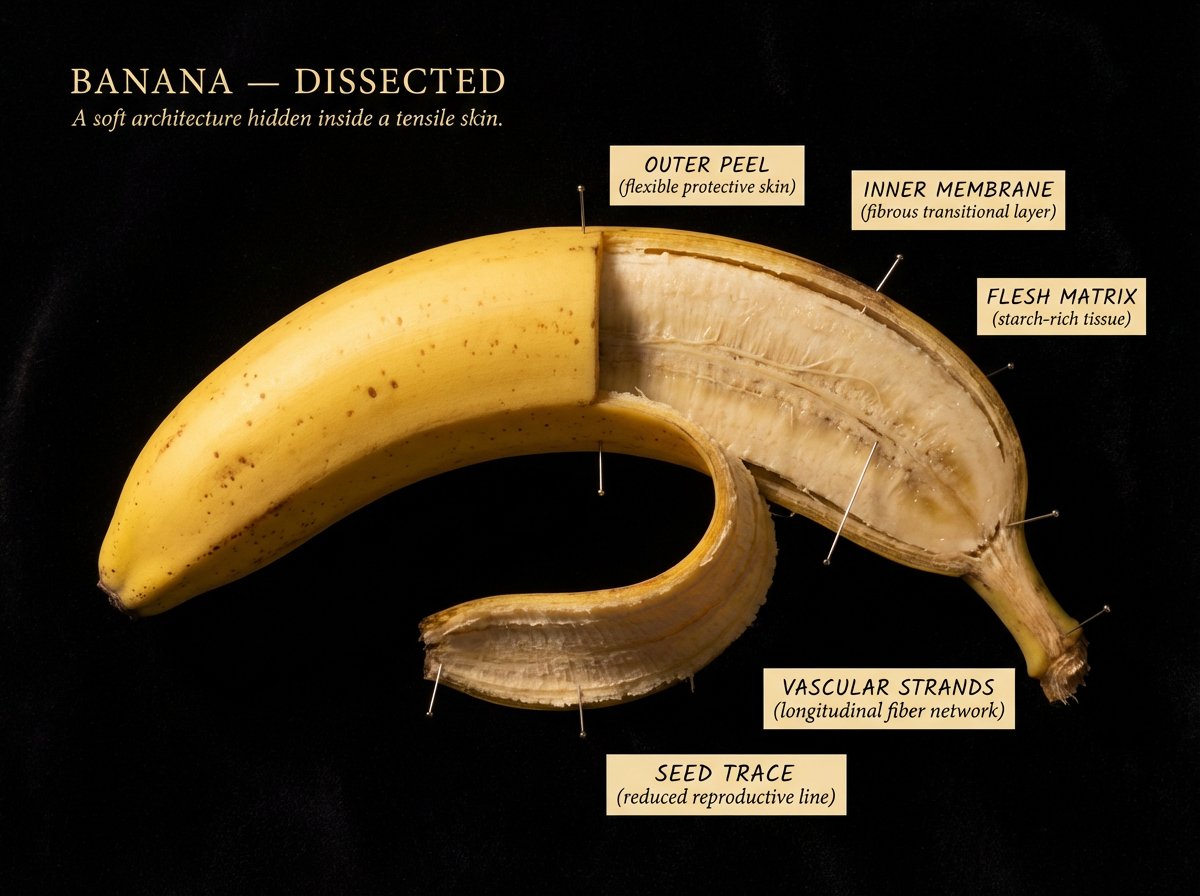
Caravaggio Meets National Geographic Dissection
[NATURAL OBJECT] dissected as if by a master naturalist who found it in the wild. Split and pinned open like a specimen, but lit as if Caravaggio worked for National Geographic. Every internal structure glowing with its own material truth. Cross-section so sharp it feels violent. Interior so beautiful it feels sacred. The full object present, one half intact, one half opened to its core, every layer at the resolution of obsession. Background: pure black velvet. The object floats in it like something precious and dangerous. Labels pressed close, handwritten-weight serif, never floating: "[STRUCTURE]" / "[MATERIAL TRUTH]" / "[AGE OR SCALE]" "[OBJECT] DISSECTED" title in warm ivory caps, upper left. "[One line that makes you lean closer]" italic beneath. Mood: Audubon illustration meets Caravaggio meets the most beautiful science photograph ever taken. 4K, specimen lighting, extraordinary interior detail, nothing clinical, everything alive.
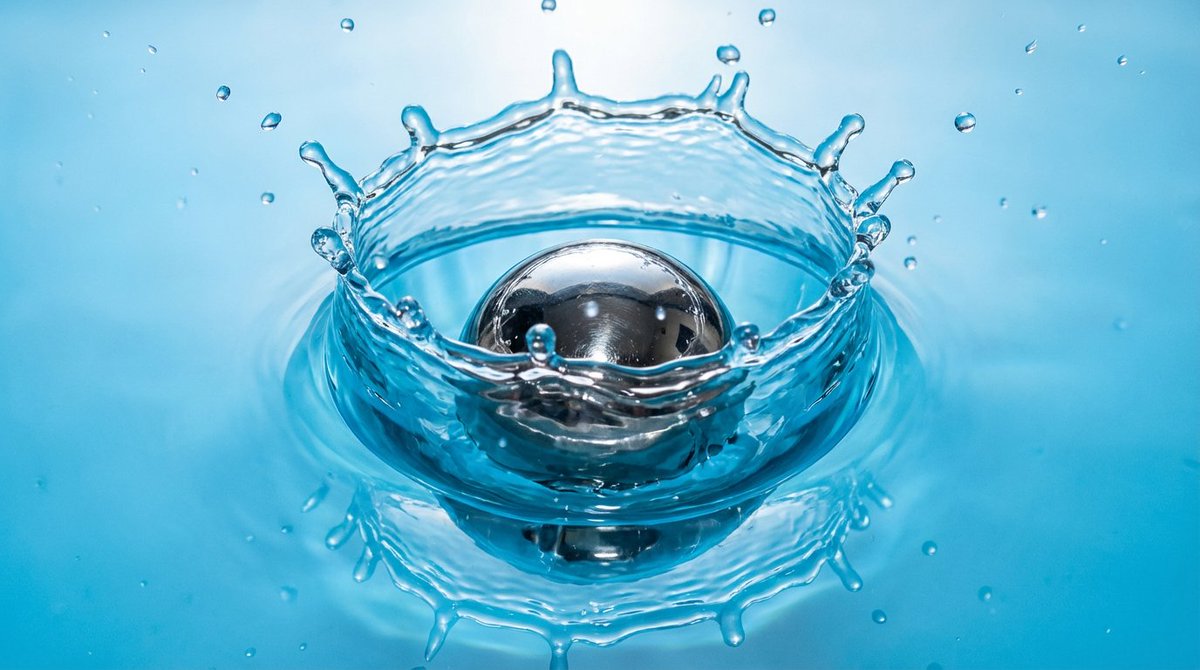
Metal ball splashing into water (slow-motion feel)
A {argument name="object_en" default="metal ball"} dropping into water, with a slow-motion splash, realistic physics and refraction, at {argument name="resolution_en" default="2K"} resolution.
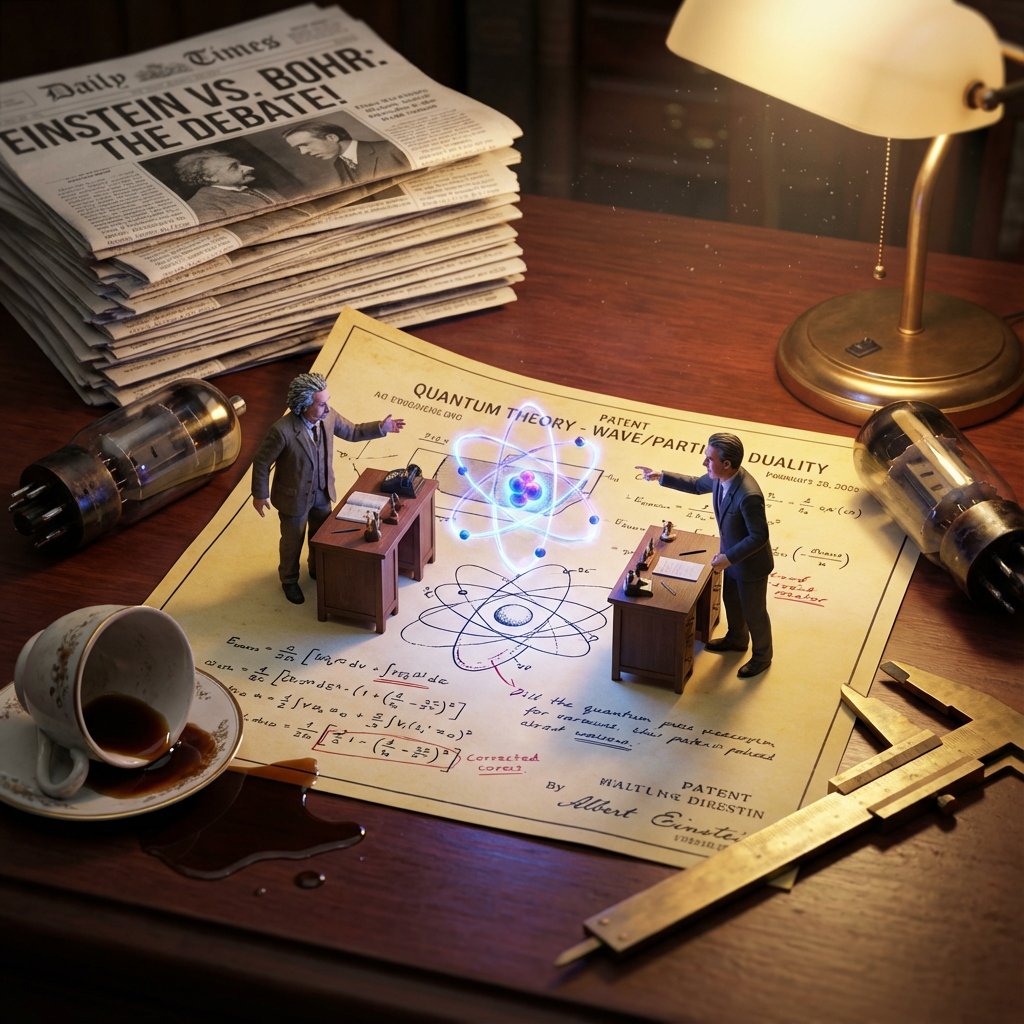
Historical Scientist Rivalry Macro Diorama Prompt
Do this for {argument name="scientist 1" default="Einstein"} and a competitor of his <instructions> Invention = [{argument name="invention" default="Electricity"}] Phase 1: Historical Conflict Analysis 1. Identify Rivals: Determine the two main historical figures associated with this invention (e.g., Tesla vs. Edison, Wright Bros vs. Curtiss). 2. Identify The Tech: Distinguish their competing methods (e.g., AC Coils vs. DC Bulbs). 3. Identify The Era: Select appropriate "Giant" background clutter (e.g., Victorian newspapers, 1920s fountain pens). Phase 2: Visual Execution Goal: A "Macro Diorama" of a Rivalry. A messy, highly detailed flat-lay of a shared historical workspace where the two rivals exist as tiny living figurines battling over their creation. Rules: The Stage: A large, yellowed Patent Diagram or Blueprint lies flat on a wooden desk. The paper is wrinkled and covered in scribbled corrections. The Tiny Rivals: Two hyper-realistic miniature figurines (Inventor A and Rival B) are standing on opposite sides of the document. They are positioned at their own tiny wooden desks or workstations on top of the paper. The Conflict: They are gesturing aggressively at each other. The Invention itself is physically emerging from the center of the paper between them (e.g., a glowing 3D lightbulb or a spinning biplane propeller), acting as the barrier or prize they are fighting over. The "Giant" Terrain (Surroundings): The scene is surrounded by massive, period-accurate objects acting as a landscape: A "Giant" wall of newspapers with headlines about their legal battles. Massive burnt fuses or broken prototypes scattered like boulders. A spilled cup of coffee creating a "lake" near one of the figures. Giant tools (calipers, screwdrivers) casting long shadows. Perspective: Slightly angled 45-degree macro shot looking down at the patent. Texture: Dust motes, scratched mahogany wood, paper grain, metallic reflections. Lighting: Cinematic Macro Lighting. A warm desk lamp illuminates the scene, but the Invention in the center emits its own light (e.g., blue electrical arcs vs. yellow filament glow), lighting the faces of the tiny figures. Output: ONE image, 4:5 aspect ratio, photorealistic historical macro photography, tilt-shift effect. </instructions>
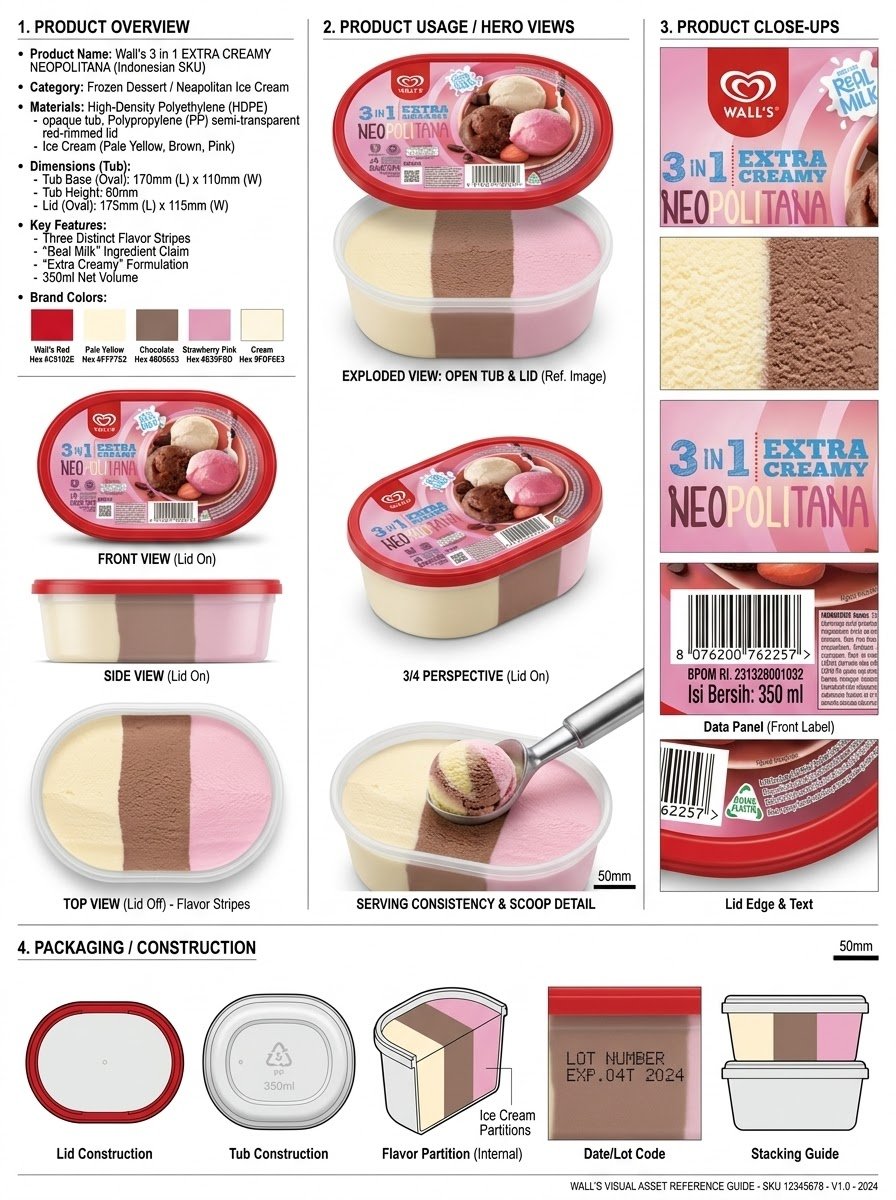
Nano Banana Pro
Infographic / Edu Visual - Product Reference Sheet Workflow
Analyze the product and create a high-resolution, photorealistic, professional advertising reference sheet containing these four sections, on a clean white/neutral studio background, premium commercial product photography, soft controlled lighting, realistic materials, sharp details, subtle shadows, and a professional editorial grid. 1. PRODUCT OVERVIEW; name, category, materials, dimensions/size, key features, and brand colors. 2. PRODUCT USAGE/HERO VIEWS - front, back, side, 3/4, and functional/use view where relevant. 3. PRODUCT CLOSE-UPS - logo/label, texture/material, key components, packaging details, and other important identifying features. 4. PACKAGING / CONSTRUCTION - relevant packaging or structural views where applicable. The entire sheet must function as a visual continuity bible for AI image/video production. Every product view must depict the exact same physical product with absolute consistency. Do not redesign, add variants, alter branding, or change proportions. Use cean typography, clear section labels, thin dividers, balanced spacing, sophisticated production-design aesthetic.
@Olatunde AI
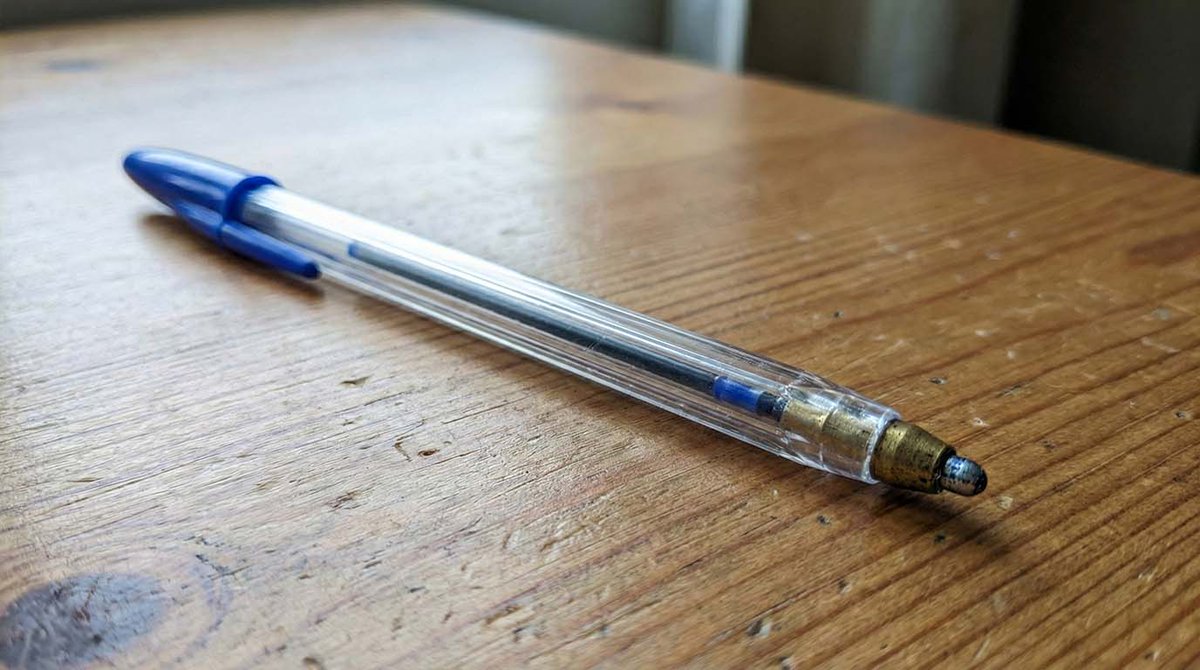
Microscopic Pencil Tip to Proton Zoom
Imagine a pencil tip seen through a microscope. Imagine how the pencil tip would look and create an image.
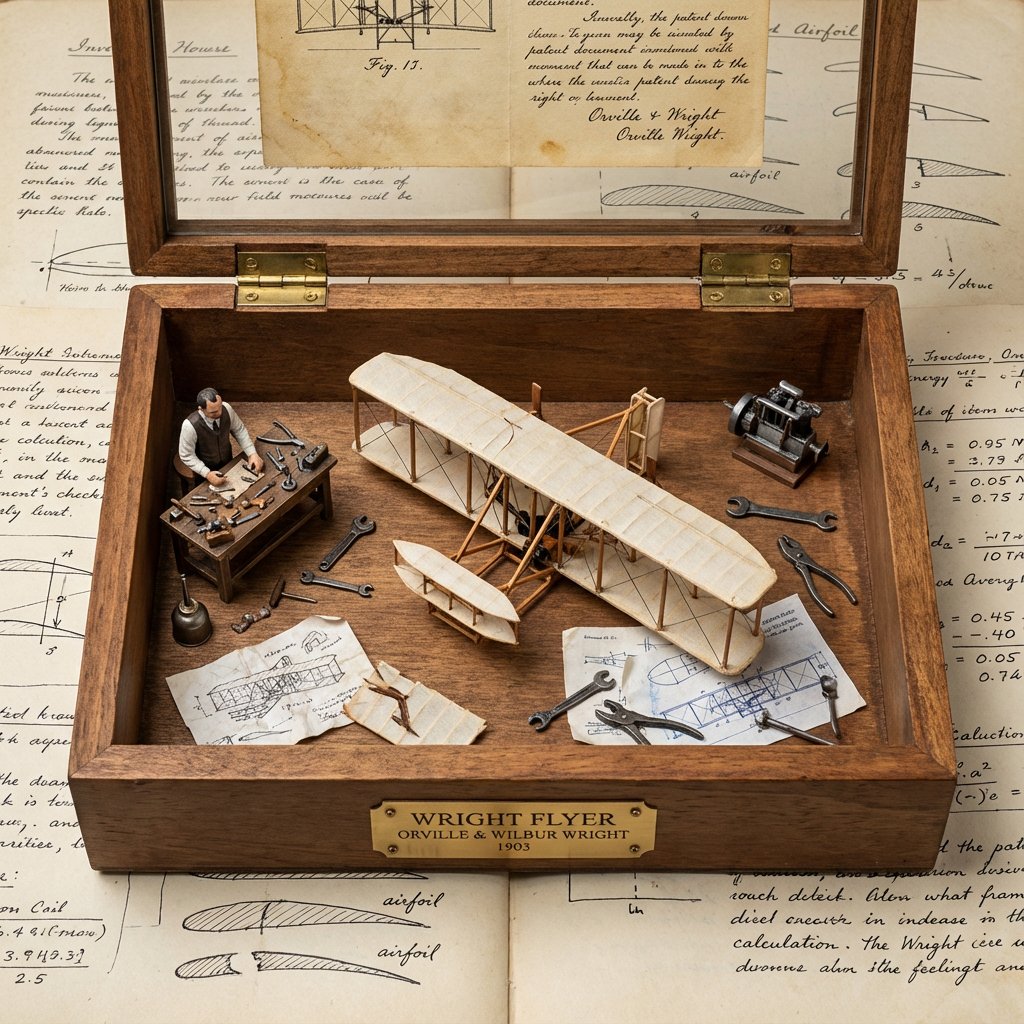
Invention Prototype Display Box Prompt
<instruction> Input A is a world-changing invention (photo or invention name). Analyze the inventor, eureka moment, prototype design, and societal impact. Optional Input B is a style reference (patent office / inventor's workshop). If missing, choose steampunk-meets-modern museum aesthetic. Goal: Wooden display box with brass hinges containing the miniature "first prototype" surrounded by inventor's tools, failed attempts, and blueprint fragments. Rules: - Center: tiny working-looking prototype of the invention - Include inventor figurine at miniature workbench - Surround with 10-15 period tools, sketches, failed versions - Add aged paper "patent document" visible through glass top - Materials: dark wood, brass accents, vintage glass - Plaque with invention name, inventor, patent year Output: ONE image, 1:1 inventor's journal aesthetic </instruction>
Some prompts are collected from creators on X. Copyright belongs to the original authors.