Instinct AI

Prompt Library

AI Prompt Library

Curated image, video and web design prompts from creators around the world. Copy any prompt, swap the subject or style, and generate with the latest models.

15,630 prompts · Updated daily · 100% free

226 prompts

Thumbnail Generation Prompt for Sales Content (Brain/Tips/Note)

Thumbnail Generation Prompt for Sales Content (Brain/Tips/Note)

# Role You are a professional graphic designer who creates "sellable" eye-catching images for Brain, Tips, and note. # Task Use the [Title] and [Sub-Catchphrase] below to create a high-quality thumbnail that is highly visible and conveys authority and expectation. # Design Style - Composition: Based on the layout of the attached image. 1. [Top]: Place a black, rounded-corner band (badge) in the upper left and write the [Achievement/Urgency Word] there. 2. [Upper Center]: Place the [Sub-Catchphrase] in bold white text (with orange or yellow borders). 3. [Center]: Place the main [Title] as huge, bold text spanning the screen. The text color should be the most prominent color that contrasts with the background, such as a "yellow-to-white gradient" or "neon glow," with multiple borders and a drop shadow for three-dimensionality. 4. [Bottom]: Place two "Benefit Boxes" (rectangles) on the left and right. Place a ribbon or badge labeled "Benefit 01" and "Benefit 02" above each. Write the [Benefit Content] inside the boxes. 5. [Decoration]: Place a cute or intellectual character (person or animal) related to the theme at either the left or right edge of the screen. - Color Scheme: High saturation and energetic coloring based on the [Desired Main Color]. - Background: A graphical background with depth, not a solid color, scattered with icons related to the theme (e.g., SNS, money, graphs). # Input Data - 【Main Color】: {argument name="main color" default="Blue system"} - 【Achievement/Urgency Word】: {argument name="achievement/urgency word" default="Achieved 100k in 5 days of entry!"} - 【Sub-Catchphrase】: {argument name="sub-catchphrase" default="No product creation! OK without achievements! In as little as 1 month"} - 【Title】: {argument name="title" default="Threads × Affiliate Strategy Course"} - 【Benefit 01 Content】: {argument name="benefit 01 content" default="10 days of actual selling posts"} - 【Benefit 02 Content】: {argument name="benefit 02 content" default="Includes AI automatic generation tool"} # Constraints - Accurately depict Japanese text. - Use a thick, powerful Gothic or design font. - Output in a 16:9 aspect ratio. __________________________
Corporate Tech/Anime Eyecatch Image Prompt

Corporate Tech/Anime Eyecatch Image Prompt

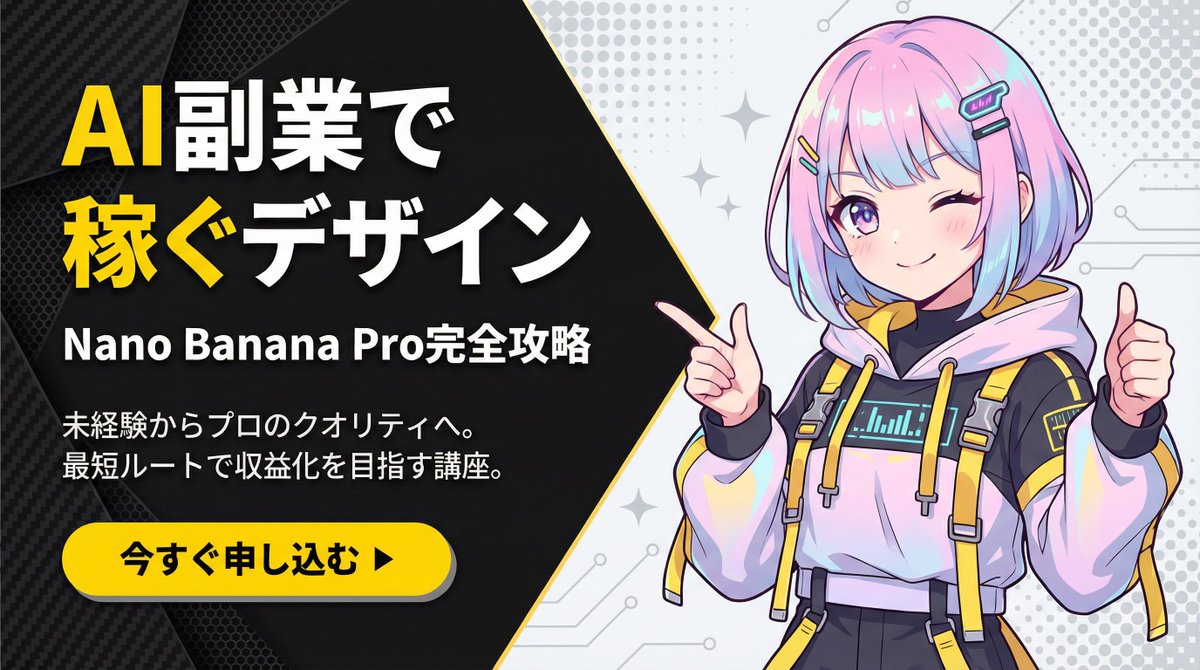
metadata: model_context: "Corporate Tech, High-Energy Business Youtube Thumbnail mixed with Anime Art" image_structure: composition_type: "Diagonal Split Layout (Arrowhead Shape)" visual_flow: "Left Text (Problem/Solution) -> Right Visual (Result/Character)" layers: layer_background_left: shape: "Geometric polygon covering left 60% of screen, with a sharp arrow-point extending into the right side" color: "Matte Black (#1A1A1A)" texture: "Subtle carbon fiber or mesh pattern to add tech depth" layer_typography: location: "Centered within the left black area" alignment: "Left-aligned or Centered" elements: - type: "Headline (Main)" text: "{argument name="main headline" default="Design to Earn\nwith AI Side Jobs"}" style: "Extremely bold, heavy Gothic font (Impact style). White text." highlight: "Apply Bright Yellow (#FFD700) color to the word '稼ぐ' (Earn) and 'AI'" - type: "Sub-Headline (Detail)" text: "{argument name="sub headline" default="Complete Guide to Nano Banana Pro"}" style: "Smaller white sans-serif text, clean and readable" - type: "Body Text (Explanation)" text: "{argument name="explanation text" default="From beginner to professional quality.\nCourse aiming for monetization via the shortest route."}" style: "Small, thin grey or white text block, justified layout" layer_cta_button: shape: "Rounded Pill Shape" color: "Bright Yellow (#FFD700)" text: "{argument name="CTA text" default="Apply Now ▶"}" text_color: "Black" location: "Bottom left, below the text block" style: "Flat design with slight drop shadow" layer_visual_right: shape: "Fills the remaining right side (behind the arrow overlap)" content: "Japanese Kawaii Anime Girl illustration" style: "2D Cel-shaded anime art, high detail, vibrant colors" details: subject: "A cute anime girl with a futuristic / cyber-fashion look" appearance: hair: "Pastel pink and blue gradient bob cut, with cyber hair clips" eyes: "Large sparkling anime eyes, confident smile" clothing: "Stylish tech-wear hoodie with yellow accents to match the background theme" pose: "Dynamic pose, pointing finger towards the text on the left or giving a thumbs up" background_context: "Simple light grey or white background with abstract pop patterns (dots/stars) to make the character stand out" style_and_tone: art_style: "Modern Corporate Tech Design mixed with Japanese Anime aesthetics" color_palette: primary: "Black, Yellow" secondary: "Pastel Pink/Blue (Character), White"

Serene Winter Ferry Portrait

Serene Winter Ferry Portrait

A stunning young woman with long wavy grey hair sits on a snow-covered ferry seat during a heavy snowfall, leaning her head on her arm. She wears a thick grey knitted sweater and a black puffer vest, with snowflakes resting on her hair and clothes. The background shows an empty ferry deck, icy railings, and a blurred winter cityscape across the water. The mood is cold, cinematic, and serene with soft natural lighting and a muted color palette.

Nano Banana Pro Profile Image Generator with Aspect Ratio Control

Nano Banana Pro Profile Image Generator with Aspect Ratio Control

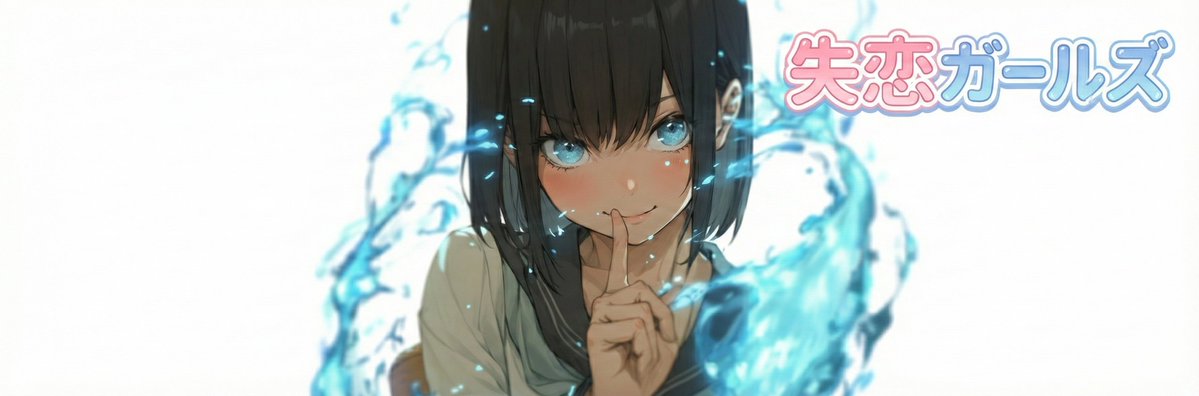
# ===== USER CONTROLS ===== aspect_ratio: "{argument name="aspect ratio" default="3:1"}" # examples: 3:1, 21:6, 16:9, 9:19.5, 2:1 ... (set any) title_text: "{argument name="title text" default="<<YOUR_TEXT>>"}" title_style_preset: "{argument name="logo style preset" default="cool"}" # cool, cute, cool_cute, luxury, pop, cyber, minimal, retro, kawaii face_zoom: "{argument name="face zoom" default="off"}" # off, on logo_position: "{argument name="logo position" default="right"}" # up, down, left, right subject: > Create a wide banner using the provided reference image content. The primary face must be centered, and a title logo (derived from title_text + title_style_preset) must be placed clearly in the composition. composition: > Use the aspect ratio defined in USER CONTROLS (aspect_ratio). Keep important elements comfortably inside the frame with inner padding: - Keep the face and the title logo at least 15% away from the left/right edges. - Keep the face and the title logo at least 16% away from the top/bottom edges. Background may extend to the edges. action: > Place the reference image content with maximum fidelity. Auto-crop/scale/reposition to fit the banner with no stretching. Detect the primary face (if multiple faces, pick the largest/most prominent). Center the primary

Split-Screen YouTube Thumbnail: JD Vance Political Commentary

Split-Screen YouTube Thumbnail: JD Vance Political Commentary

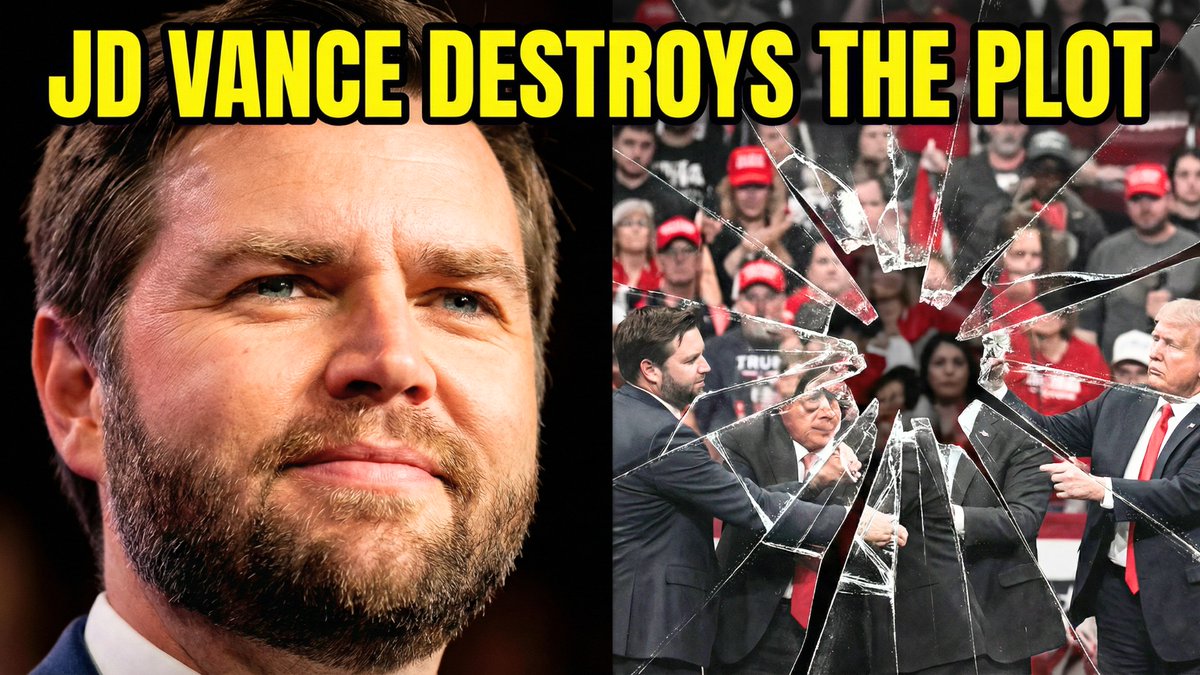
Split-screen YouTube thumbnail composition. LEFT SIDE (60%): JD Vance's face, professional warm lighting, determined confident expression with slight smirk, slight low angle shot looking up, high contrast and saturated colors, dark blurred background, heroic and resolute mood. RIGHT SIDE (40%): Shattered fractured glass effect overlaying darkened desaturated images of MAGA supporters and political figures pulling in different directions, visible crack lines and fragmentation throughout, chaotic and divided composition, dark grays and muted reds, broken and unstable visual. TOP OF ENTIRE THUMBNAIL: Bold yellow text with thick black outline reading "{argument name="text" default="JD VANCE DESTROYS THE PLOT"}", text spans across both sides at top third.

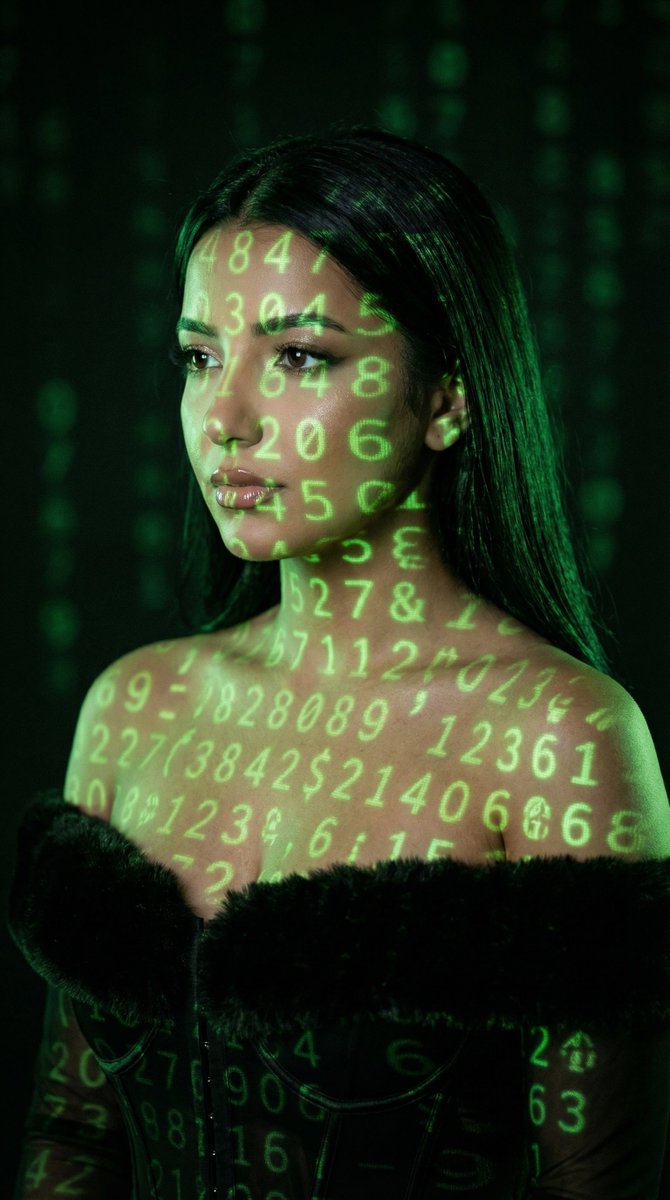
Cyber Projector Numbers Beauty Portrait Prompt (JSON format)

Cyber Projector Numbers Beauty Portrait Prompt (JSON format)

{ "generation_request": { "meta_data": { "tool": "NanoBanana Pro", "task_type": "cyber_projector_numbers_beauty_portrait", "version": "v1.0_GREEN_NUMBERS_PROJECTION_BEAUTY", "priority": "highest", "language": "en" }, "input": { "mode": "text_to_image", "notes": "Create a photoreal cinematic beauty portrait of an adult woman with green numeric projections mapped across her face, neck, shoulders, and chest. The projection must look physically correct (wraps around facial contours), with soft falloff and slight blur at edges. Dark background with faint out-of-focus green digits. Moody, low-key lighting. No text, no watermark." }, "output_settings": { "aspect_ratio": "4:5", "orientation": "portrait", "resolution_target": "ultra_high_res", "num_images": 1, "render_style": "cinematic_techno_editorial", "sharpness": "filmic_crisp", "grain": "subtle_35mm", "color_grading": "green_on_black_low_key" }, "scene": { "environment": "dark studio, faint bokeh of green digits in the background", "lighting": "primary light is the projector (green digits), minimal soft fill from camera-left, deep shadows", "mood": "mysterious, cyber, intimate" }, "subject": { "person": "adult woman", "pose": "3/4 portrait, head slightly tilted, eyes looking sideways past camera", "expression": "calm, intense, enigmatic", "hair": "long dark hair, sleek and natural", "makeup": "clean editorial skin, subtle shimmer on eyelids, soft liner, natural glossy lips", "skin_texture": "natural pores, realistic highlights" }, "camera": { "camera_body": "ARRI Alexa Mini", "lens": "85mm prime", "aperture": "f/2.0", "focus": "sharp on eyes and lips, projection still readable, background bokeh" }, "projection_details": { "content": "random green digits (0-9) and simple symbols", "behavior": "wraps on cheekbones, nose bridge, jawline, collarbones", "quality": "slight projector softness, realistic spill light on skin" }, "negative_prompt": "text, watermark, logo, letters, neon signs, cartoon, anime, CGI look, plastic skin, over-smoothing, distorted face, extra limbs, extra fingers, deformed hands, incorrect projection physics, flat overlay, low resolution, heavy HDR" } }

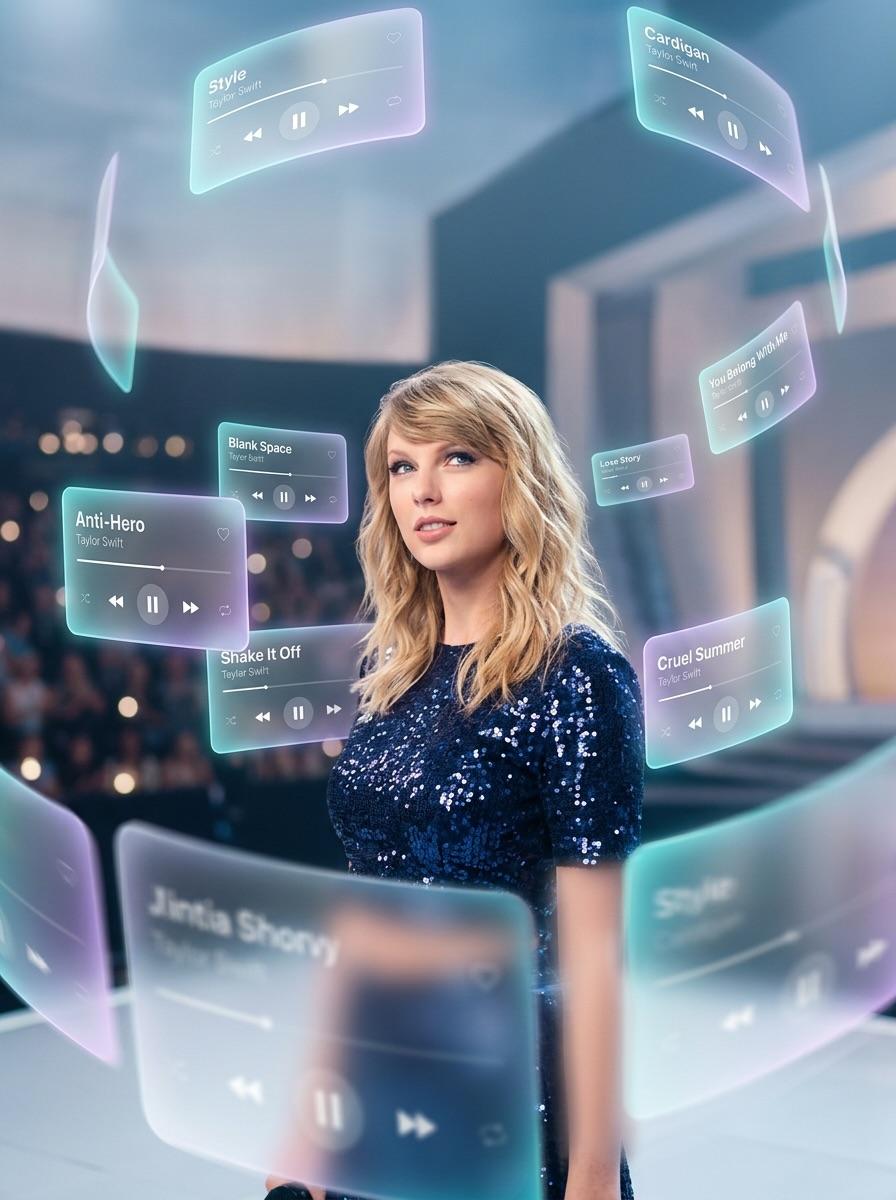
Drake with Orbiting Glass Music Interfaces

Drake with Orbiting Glass Music Interfaces

Numerous 3D Spotify and Apple Music interface cards orbiting Drake at varying depths. Material: Translucent frosted glass (glassmorphism) with soft rounded edges and subtle glowing borders. Movement: Some cards are in the extreme foreground, partially obscuring Drake, while others drift into the distance behind him. Visual Accents: Dynamic motion blur on the edges of the cards to suggest a swirling, orbiting movement. LIGHTING & COMPOSITION Lighting: Natural tones with enhanced professional photo quality. The soft glow from the interface cards subtly illuminates Drake’s face. Focus: Strong depth of field. The background and extreme foreground cards are artistically blurred, keeping the focus sharp on Drake and the closest player interfaces. Composition: A cinematic wide or medium shot that emphasizes the scale of the floating AR elements. AESTHETIC High-end editorial music photography, futuristic AR concept, clean and airy vibe. 8k resolution, sophisticated lighting, and realistic textures on the glass cards.

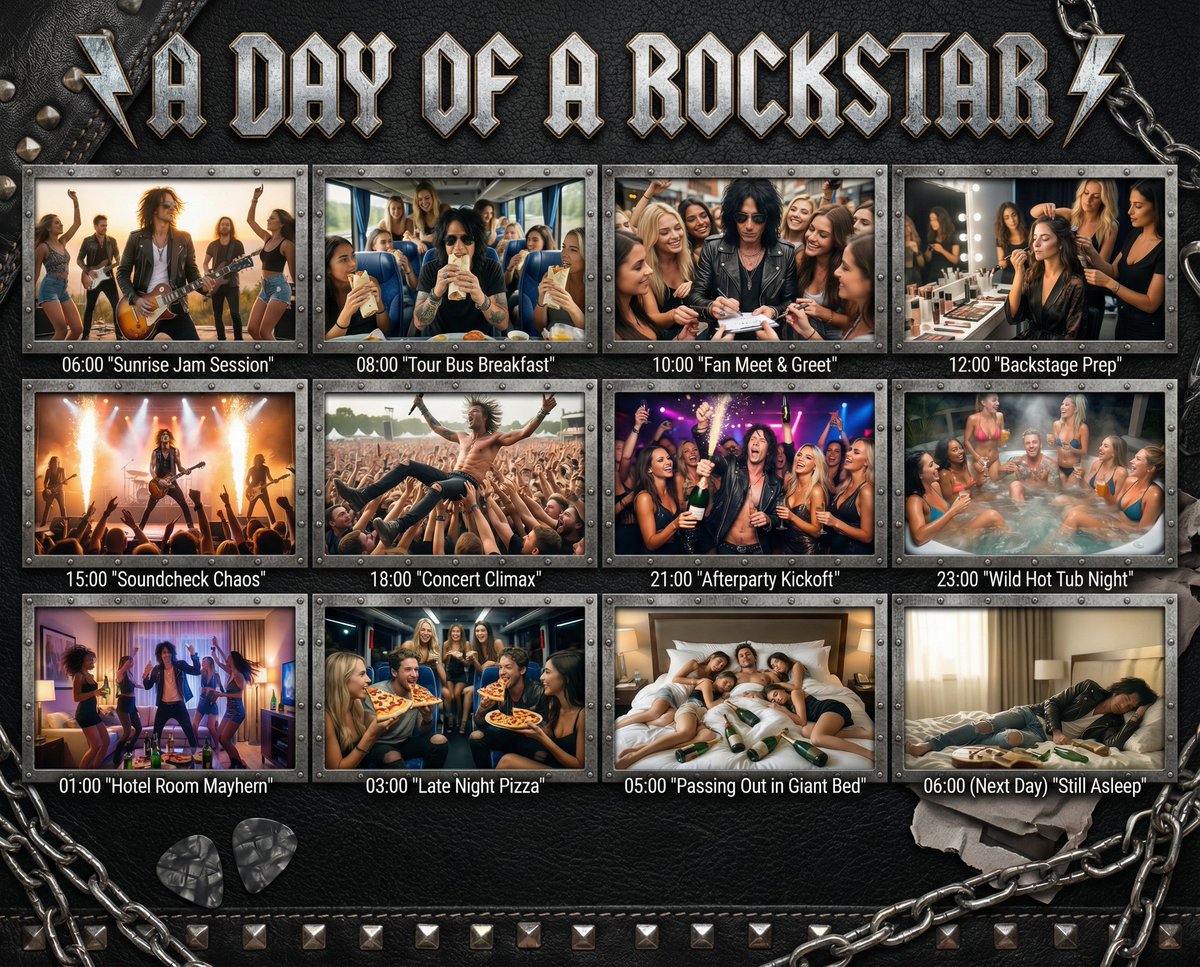
Cinematic 12-Panel Timeline of a Subject's Epic Day

Cinematic 12-Panel Timeline of a Subject's Epic Day

"In the Day of {argument name="subject" default="[SUBJECT]"}": Design a 12-panel (4x3) cinematic timeline capturing an epic, chaotic, or hilarious day in the life of {argument name="subject" default="[SUBJECT]"}. Add this title in a style that matches the subject to the top of the image. Each panel must be [PHOTOREALISTIC], large, and show: a timestamp (e.g. 06:00, 08:00...) a short, punchy caption in quotes (e.g. "Potion Mishap", "Midnight Bounty Run") a richly detailed, high-energy scene tailored to that moment of their day. The overall backdrop, panel frames, textures, and visual UI elements must match the subject’s universe — e.g., {argument name="theme example" default="leather + studs for rockstars"}, arcane scrolls for wizards, chrome HUD for cyborgs, jungle vines for pirates, etc. Panels are arranged in a grid or storyboard, with rugged or themed dividers. Final panel (06:00 next day) shows collapse, rest, or post-chaos resolution.

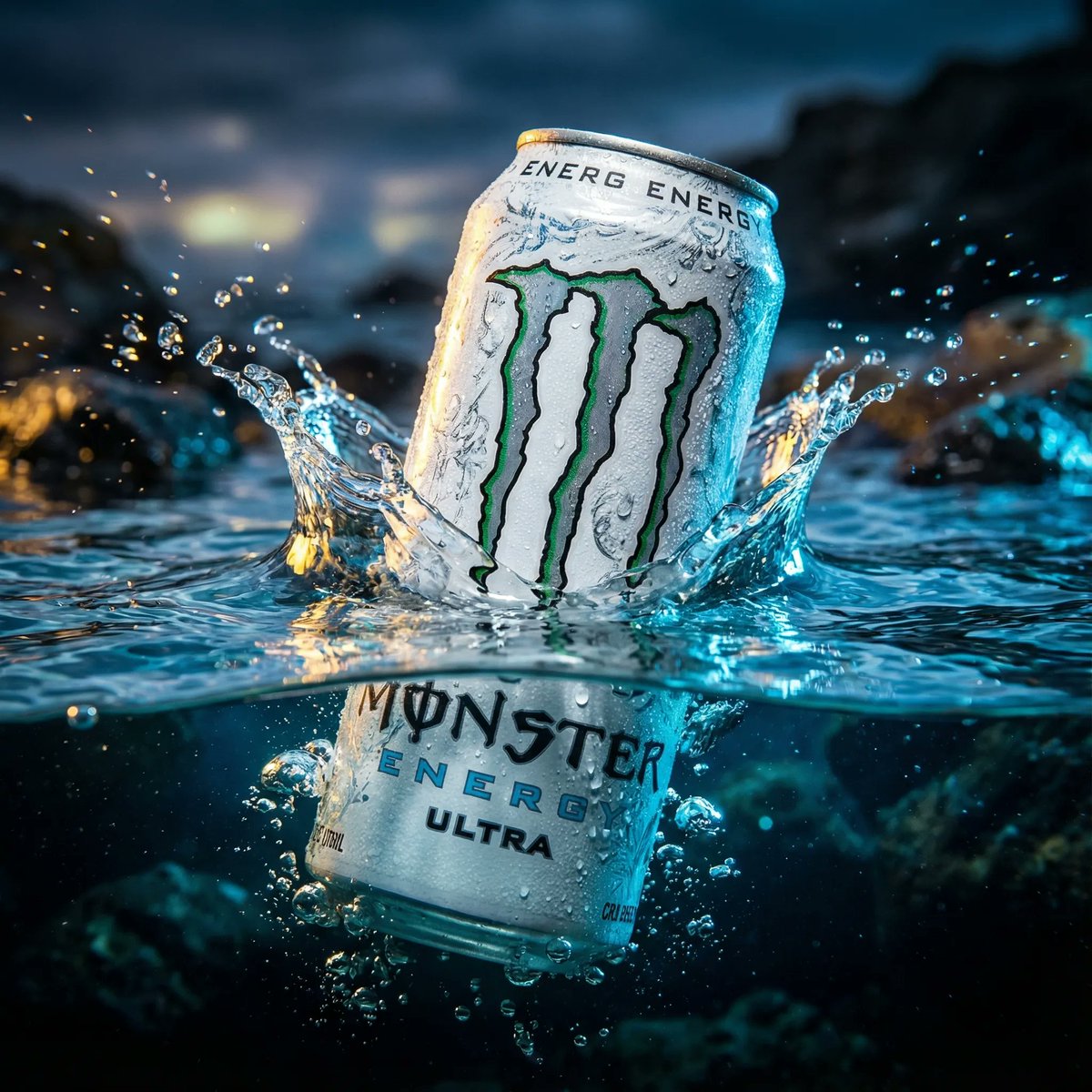
Product Ad: White Monster Energy Can Submerged in Water

Product Ad: White Monster Energy Can Submerged in Water

cinematic, ultra realistic, aesthetic wallpaper style image of a White Monster Energy Ultra can dramatically half submerged in crystal clear water with insane sharp details, wild lighting reflections, and intense emotional energy, the top half of the can emerging powerfully above the water while the bottom half sinks beneath the transparent ripples, water splashing with dramatic motion, cold frosty condensation on the can, vibrant high contrast colors, epic viral clickbait mood, ragebait intensity, insane hype energy, breathtaking composition, deeply atmospheric lighting, shallow depth of field, hyper detailed textures, premium advertising look, photorealistic, 8k resolution, cinematic framing, highly polished commercial visual, bold dramatic vibe, visually shocking and attention grabbing, perfect for viral wallpaper

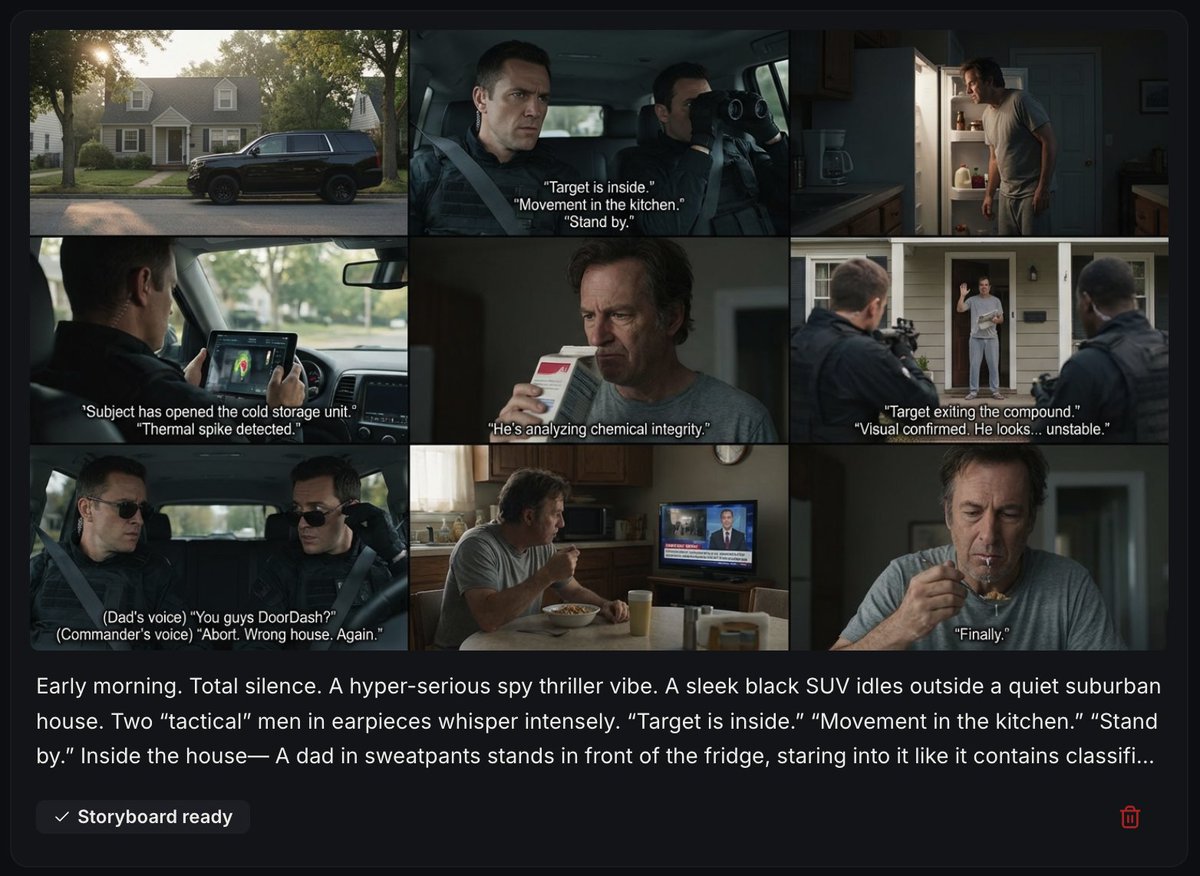
Spy Thriller Comedy Storyboard Prompt

Spy Thriller Comedy Storyboard Prompt

Early morning. Total silence. A hyper-serious spy thriller vibe. A sleek black SUV idles outside a quiet suburban house. Two “tactical” men in earpieces whisper intensely. “Target is inside.” “Movement in the kitchen.” “Stand by.” Inside the house— A dad in sweatpants stands in front of the fridge, staring into it like it contains classified secrets. Cut back outside. “Subject has opened the cold storage unit.” “Thermal spike detected.” Inside, he pulls out milk. Shakes it. Sniffs it. Makes a face. Outside, one agent squints at a tablet. “He’s analyzing chemical integrity.” The front door creaks open. The dad steps onto the porch in mismatched slippers to grab the newspaper. Both agents snap alert. “Target exiting the compound.” “Visual confirmed. He looks… unstable.” The dad waves awkwardly at them. They freeze. He squints. “You guys DoorDash?” Beat. They look at each other. Inside the SUV, a third “commander” barks through the radio: “Abort. Wrong house. Again.” The agents slowly lower their sunglasses. The dad shrugs, walks back inside. Cut to kitchen. He sits at the table with his cereal. Turns on the TV. BREAKING NEWS: “International spy ring apprehended after staking out random suburban dad for third straight day.” He crunches loudly. Milk drips down his chin. He sighs. “Finally.”

Vlog Style Video Generation from Nano Banana Pro Image using Google Veo 3.1

Vlog Style Video Generation from Nano Banana Pro Image using Google Veo 3.1

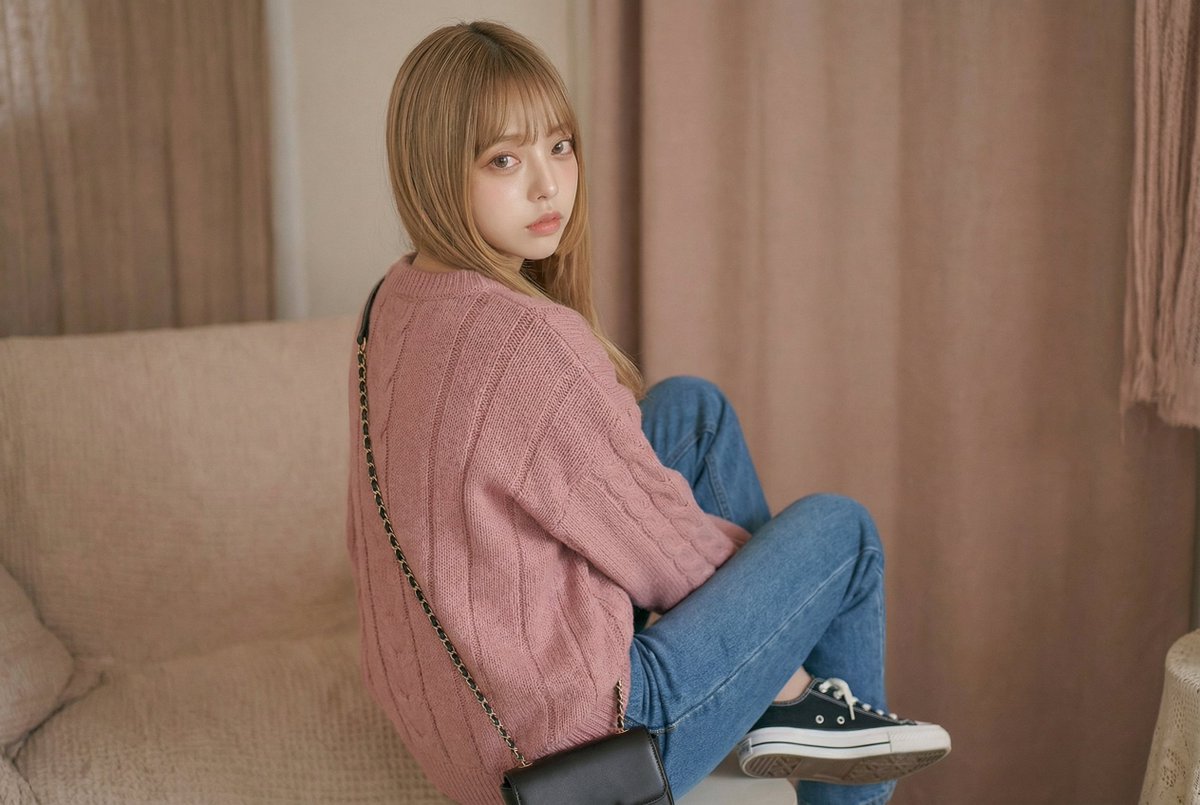
Create a video-style shot facing forward. The camera is fixed at face height and placed directly in front of the subject. The subject's posture and composition indicate they are sitting. The composition is simple and stable, with no dramatic angles or noticeable camera movements. Lighting is from [Add realistic lighting considering UGC style shots]. The face is clearly visible. The subject's expression is calm and relaxed, with a natural, faint smile. It looks as if they are about to start speaking into the camera for a vlog. The image quality reflects a video shot indoors at night (high quality), with no filters, beautification effects, or artificial sharpening applied. The space feels personal. The bokeh is due to the camera's limitations, not artificial depth-of-field effects. The overall atmosphere is warm, bright, and intimate, reminiscent of a real vlog moment just before the subject starts talking. The woman's dialogue is, "Today's fashion highlight is [Add fashion features]!" spoken in a gentle tone while touching her clothes. She smiles at the end. BGM: A comfortable sound suitable for a vlog-style fashion atmosphere is playing.

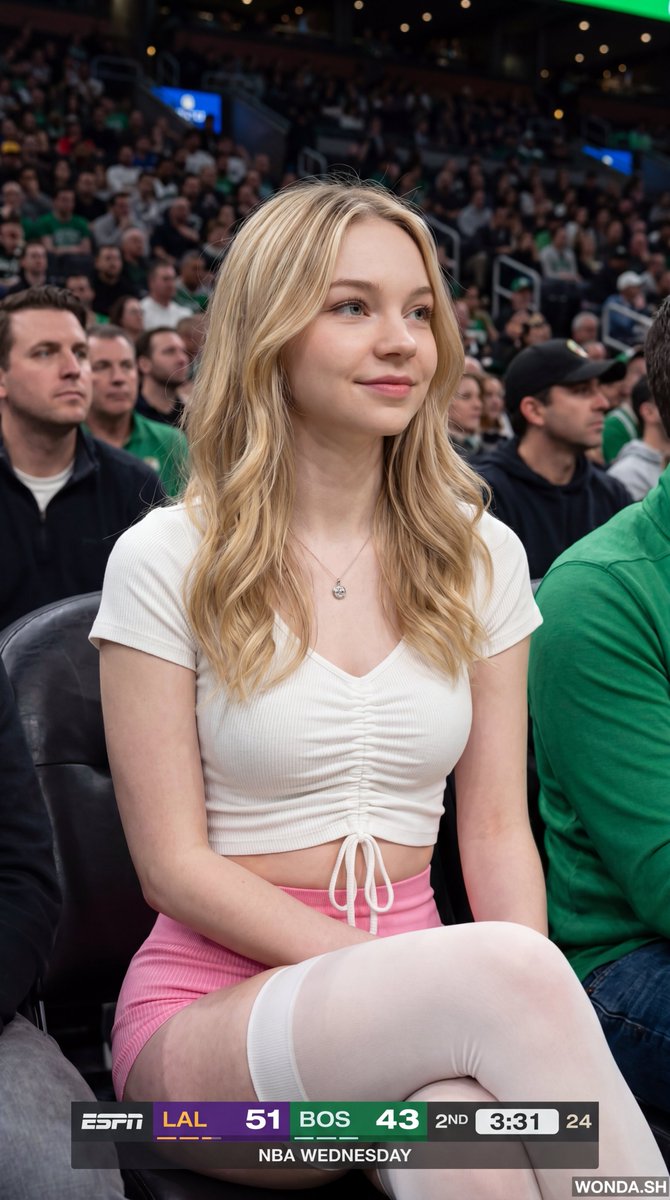
NBA Broadcast Stadium Screenshot

NBA Broadcast Stadium Screenshot

{"meta":{"image_quality":"High","image_type":"Screenshot","resolution_estimation":"1920x1080","file_characteristics":{"compression_artifacts":"Low","noise_level":"Low","lens_type_estimation":"Medium telephoto"}},"global_context":{"scene_description":"A medium shot of a young woman with long dark hair sitting in a crowded arena, likely a basketball game, with an ESPN broadcast overlay at the bottom and top right.","environment_type":"Indoor arena","time_of_day":"Unknown","weather_atmosphere":"Crowded, indoor lighting","lighting":{"source":"Artificial arena lighting","direction":"Frontal, slightly overhead","quality":"Soft, diffused","color_temperature":"Neutral"},"color_palette":{"dominant_hex_estimates":["#1a1a1a","#333333","#ffffff"],"accent_colors":["#fdb927","#007a33"],"contrast_level":"Medium"}},"composition":{"camera_angle":"Eye-level","framing":"Medium shot","depth_of_field":"Shallow","focal_point":"The woman's face","symmetry_type":"None","rule_of_thirds_alignment":"Woman's face is positioned in the upper right quadrant"},"objects":[{"id":"obj_001","label":"Woman","category":"Person","location":{"relative_position":"Center","bounding_box_percentage":{"x":0.25,"y":0.05,"width":0.5,"height":0.9}},"dimensions_relative":"Large","distance_from_camera":"Near","pose_orientation":"Facing slightly right, head turned towards the left","material":"Skin, hair, fabric","surface_properties":{"texture":"Smooth skin, wavy hair","reflectivity":"Low","micro_details":"Natural skin texture, subtle makeup","wear_state":"N/A"},"color_details":{"base_color_hex":"#d2b48c","secondary_colors":["#000000"],"gradient_or_pattern":"None"},"interaction_with_light":{"shadow_casting":"Soft shadows under chin and nose","highlight_zones":"Cheekbones, nose bridge, lips","translucency":"None"},"text_content":null,"relationships":[]},{"id":"obj_002","label":"ESPN Scoreboard Overlay","category":"UI elements","location":{"relative_position":"Bottom center","bounding_box_percentage":{"x":0.25,"y":0.85,"width":0.5,"height":0.15}},"dimensions_relative":"Medium","distance_from_camera":"Overlay","pose_orientation":"Flat","material":"Digital graphic","surface_properties":{"texture":"Smooth","reflectivity":"None","micro_details":"Sharp typography","wear_state":"N/A"},"color_details":{"base_color_hex":"#000000","secondary_colors":["#fdb927","#007a33","#ffffff"],"gradient_or_pattern":"Solid color blocks"},"interaction_with_light":{"shadow_casting":"None","highlight_zones":"None","translucency":"Slightly opaque"},"text_content":{"raw_text":"{argument name="scoreboard text" default="LAL 51 BOS 43 2ND 3:31 24 NBA WEDNESDAY"}","font_style":"Sans-serif","font_weight":"Bold","text_case":"Uppercase","alignment":"Center","color_hex":"#ffffff"},"relationships":[]}],"background_details":{"texture":"Blurred crowd","patterns":"None","lighting_behavior":"Out of focus","additional_elements":["Person holding a plastic cup on the left","Person on the right"]}}

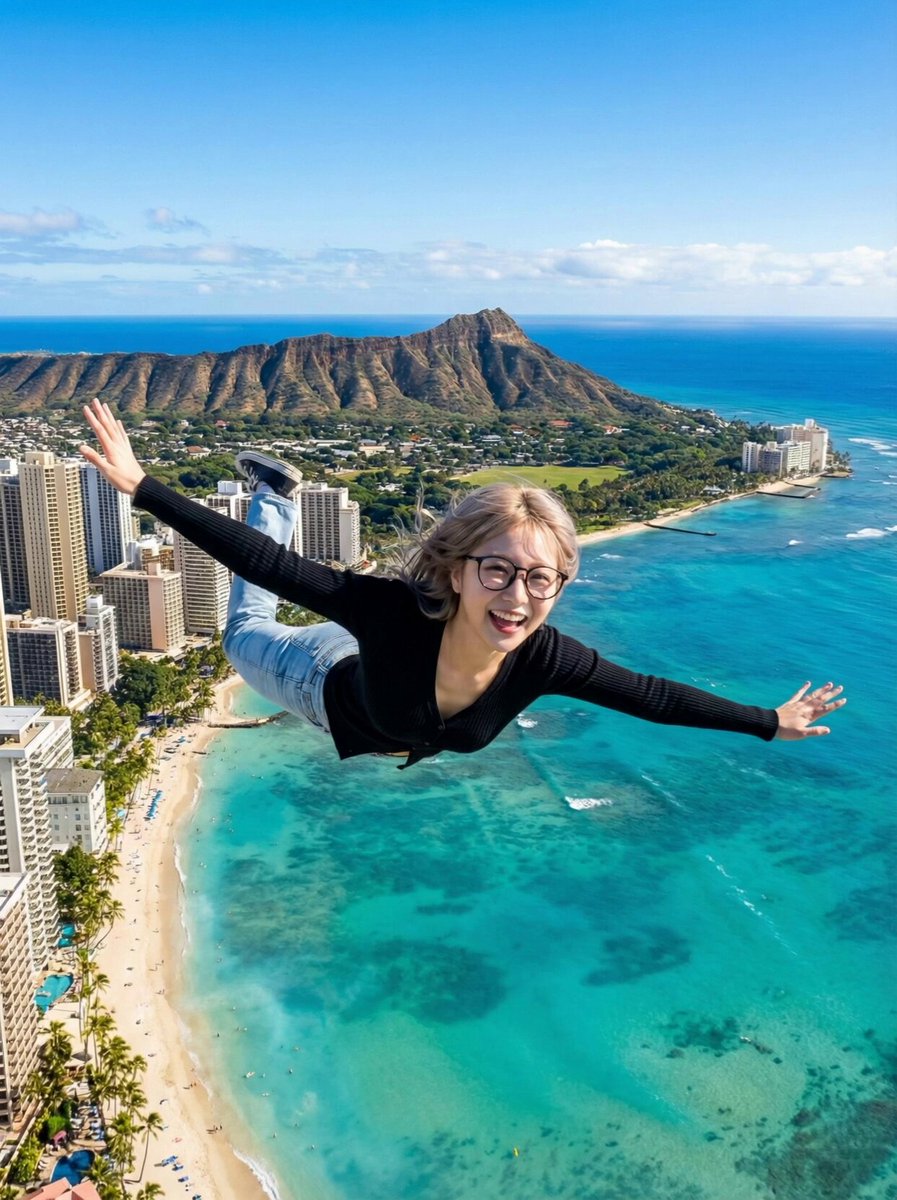
AI Video Generation Prompt for Flying Superhero

AI Video Generation Prompt for Flying Superhero

Scene: High altitude above Waikiki Beach, Hawaii. Sunny day. Action: The woman is flying forward at high speed (Superman pose). Her hair and clothes flap violently in the strong wind. She looks excited and shouts to the camera. Audio: Energetic female voice shouting in Chinese over the wind noise: "{argument name="Chinese Dialogue" default="Brothers, I can fly now! I can go anywhere I want!"}" (Xiongdi men, wo xianzai keyi fei le! Xiang qu nali jiu qu nali!). Loud wind rushing sound (Whoosh). Camera: Tracking Shot / Dolly Forward. The camera follows her at the same speed. The background city and ocean move backwards rapidly to show speed.

Nano Banana Pro X Header Image Generation Prompt

Nano Banana Pro X Header Image Generation Prompt

# ===== USER CONTROLS ===== title_text: "{argument name="display string" default="<<YOUR_TEXT>>"}" title_style_preset: "{argument name="logo design preset" default="cool"}" # cool, cute, cool_cute, luxury, pop, cyber, minimal, retro, kawaii face_zoom: "{argument name="zoom on/off" default="off"}" # off, on subject: > Create a 3:1 wide banner using the provided reference image content. The primary face must be centered inside an invisible safe zone (not drawn), and a title logo (derived from title_text + title_style_preset) must be placed inside the same safe zone. composition: > Aspect ratio 3:1. Invisible safe zone (DO NOT draw it): - Left margin: 15% of width - Right margin: 15% of width - Top margin: 16% of height - Bottom margin: 16% of height Keep the entire face AND the entire title logo fully inside this safe zone. Background may extend to the edges. action: > Place the reference image content with maximum fidelity. Auto-crop/scale/reposition to fit a 3:1 banner with no stretching. Detect the primary face (if multiple faces, pick the largest/most prominent). Center the primary face within the safe zone both horizontally and vertically. Never crop off the face/eyes; keep the full face comfortably inside the safe zone (not near edges). Face zoom behavior: - If face_zoom is OFF: keep the original framing as much as possible while still centering the face in the safe zone. - If face_zoom is ON: zoom/crop to a bust-up portrait centered on the face (head and shoulders visible; include upper chest; do not crop the top of the head or chin; keep facial features prominent). Create negative space inside the safe zone for the title logo by adjusting crop/reposition/out

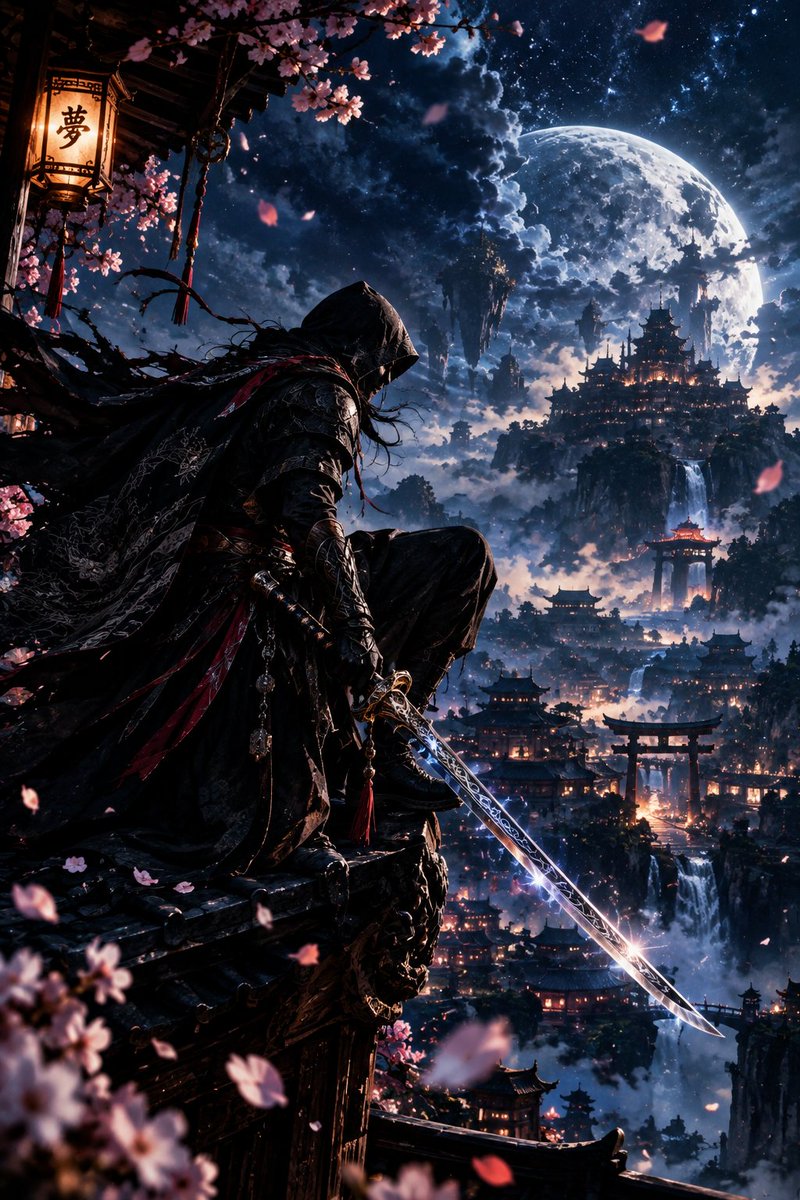
YouTube Thumbnail - Hooded Assassin on Temple Rooftop Fantasy Art
Nano Banana Pro

YouTube Thumbnail - Hooded Assassin on Temple Rooftop Fantasy Art

Ultra-detailed 4K cinematic fantasy artwork of a mysterious hooded assassin crouching on the edge of an ancient Japanese-inspired temple rooftop, overlooking a breathtaking mountain city floating above the clouds. He wears an elegant black tactical-ronin outfit with intricate silver embroidery, layered armor, flowing cloak and subtle crimson accents. He holds an extraordinary katana in one hand, the blade partially drawn and glowing with a subtle electric-blue energy, intricate runes etched along the steel, razor-sharp edge reflecting the moonlight. His face remains mostly hidden beneath the hood, with only faintly visible intense eyes. His cloak and hair flow dramatically in the wind. Behind him: a gigantic luminous full moon, deep midnight-blue sky filled with stars and dramatic clouds, floating mountains, waterfalls cascading through the clouds, ancient pagodas and glowing lanterns scattered across the valley. Cherry-blossom petals drift through the air, some close to the camera creating beautiful cinematic depth of field. Epic composition, low-angle perspective, dramatic silhouette, volumetric moonlight, subtle blue and crimson highlights, atmospheric fog, realistic fabric and metal textures, intricate weapon details, cinematic depth of field, soft background bokeh, breathtaking scale, dark fantasy atmosphere, elegant rather than violent, photorealistic, ultra-sharp details, HDR, 4K Ultra HD, masterpiece, premium cinematic concept art, no text, no watermark.

@Aryan v
Advanced Two-Step Prompting Strategy for Nano Banana Pro Thumbnails

Advanced Two-Step Prompting Strategy for Nano Banana Pro Thumbnails

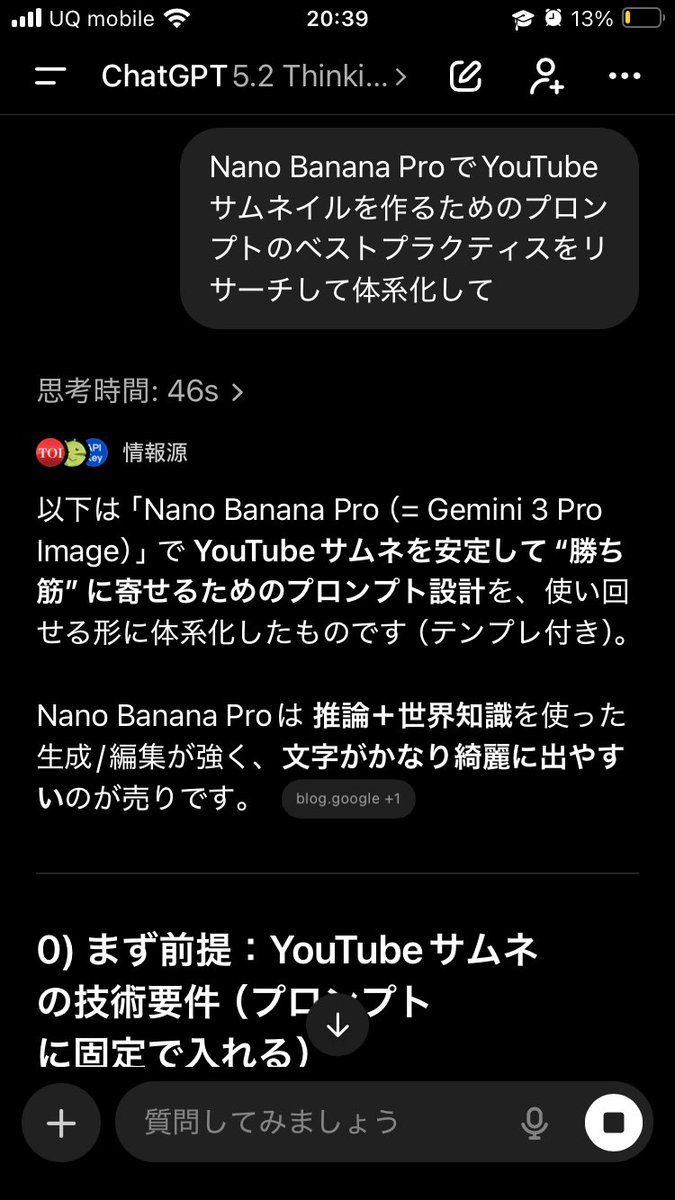
Actually, there's a trickier way to use this. First, have it systematically summarize the information → Then, based on that, have it create the output/deepen the discussion Just doing this makes the quality of the output completely different. This is because if you first create a blueprint in the AI's mind—including "terminology," "judgment criteria," "prohibited items," "patterns," and "priorities"— The next instructions will be output according to that blueprint, making it less likely to deviate. For example, if you want Nano Banana Pro to create a thumbnail: ① First, ask GPT-5.2: "Thoroughly research and systematize the best practices for creating prompts for YouTube thumbnails using Nano Banana Pro. Include common mistakes as well." ② After that, ask: "Based on the current system, create a prompt for making a YouTube thumbnail on the theme of {argument name="theme" default="XX"} using Nano Banana Pro. The video content is like this, and I want to include {argument name="wording" default="this kind of wording"}." Then, input the completed prompt into Nano Banana Pro. It becomes much easier to get the desired output. If you just ask it to "create" every time, the AI outputs based on the moment, leading to inconsistent results. But if you create a map (system) first, it's powerful. Moreover, this method works for side business strategies, sales copy, and video scripts. The versatility is insane. I highly recommend having the AI organize how to create good output before having it perform the task, and then having it think based on that organization. By the way, the thumbnail created this time is the third image. Since the first attempt was mediocre, I had it systematize how to create attractive YouTube thumbnails before generating the prompt.

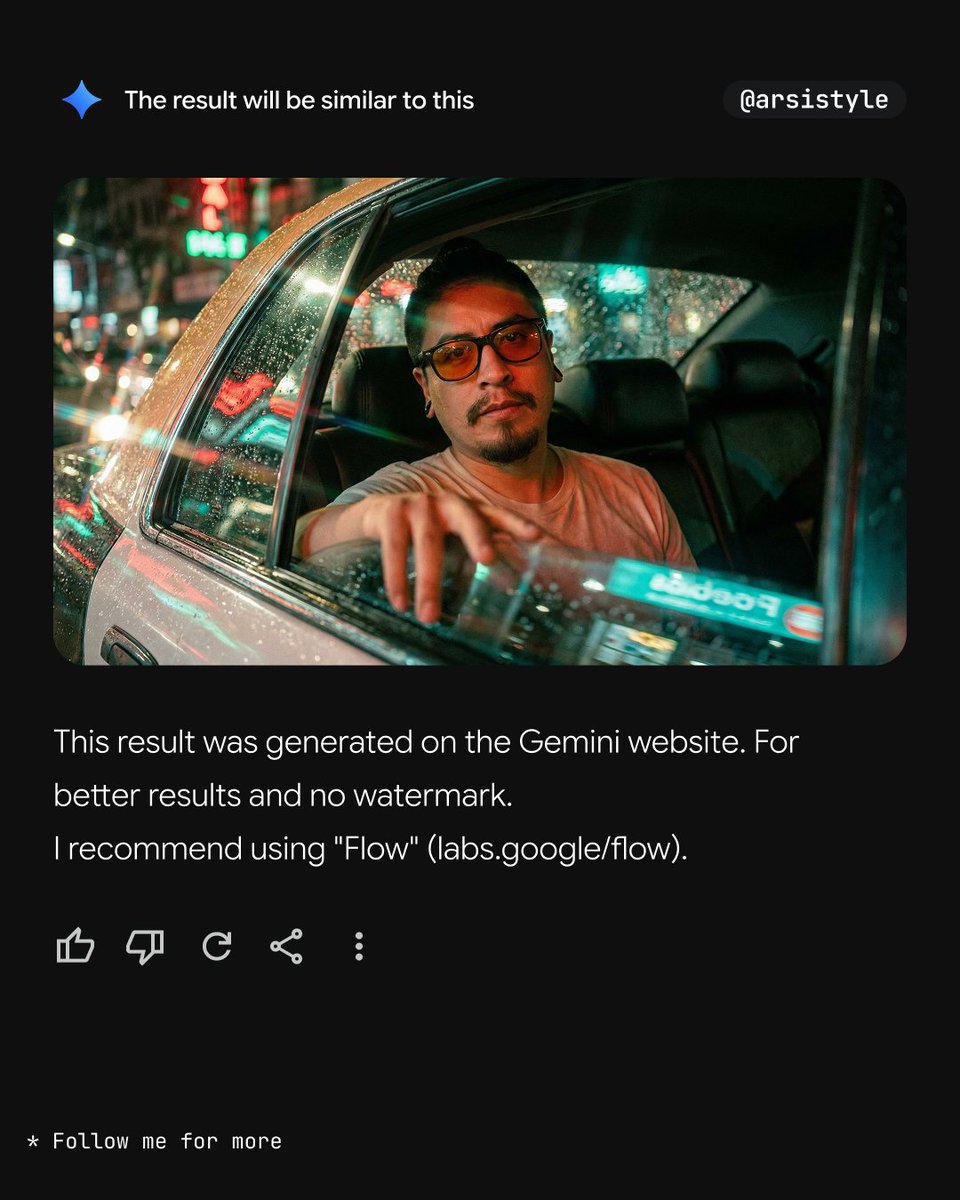
Cinematic Night Taxi Portrait with Teal and Orange Grading

Cinematic Night Taxi Portrait with Teal and Orange Grading

"Image from subject, medium close-up, shot from outside through a reflective car window. The subject is ({argument name="subject position" default="seated in the rear right passenger seat"}), leaning back against the headrest, looking directly toward the camera through the glass. A hand is visible resting on the interior window frame. Wearing a light-colored crew-neck t-shirt and dark-tinted round sunglasses. The setting is a taxi interior at night. The background is a blurred urban landscape with bright bokeh from traffic and neon signs. Rain droplets and condensation are present on the glass surface. Cinematic teal-and-orange color palette. Vibrant red and green neon reflections are projected onto the subject and the window glass. High-contrast lighting with deep, crushed shadows and warm, hazy highlights. Dense 35mm film grain, heavy glass reflections, lens flares, and soft chromatic aberration at the edges. "

Exploded Tacos Commercial Visualization

Exploded Tacos Commercial Visualization

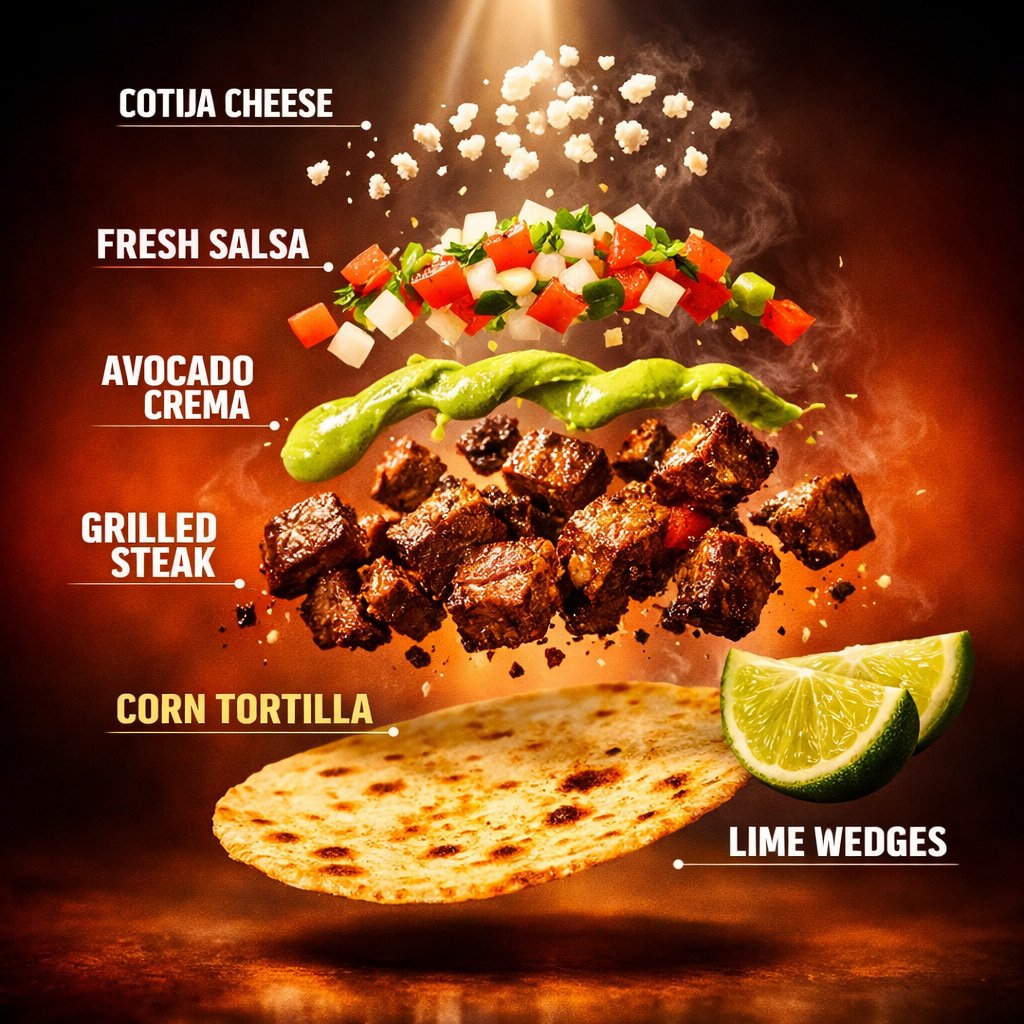
Motion Prompt: The food start to round spin while ingredients separate gently and precisely, maintaining alignment and scale. The motion is smooth, with no extra effects. Image 1: Cinematic frame from a high-end food commercial showing the same tacos, preserved exactly. Warm dramatic lighting, shallow depth, soft motion-like steam, luxurious blurred background, ultra-premium ad quality. Image 2: Cinematic exploded visualization with spotlight effect, bold modern labels, rich gradient background, sleek commercial presentation style.

Split Scene 'Before and After Payday' Prompt for Nano Banana Pro

Split Scene 'Before and After Payday' Prompt for Nano Banana Pro

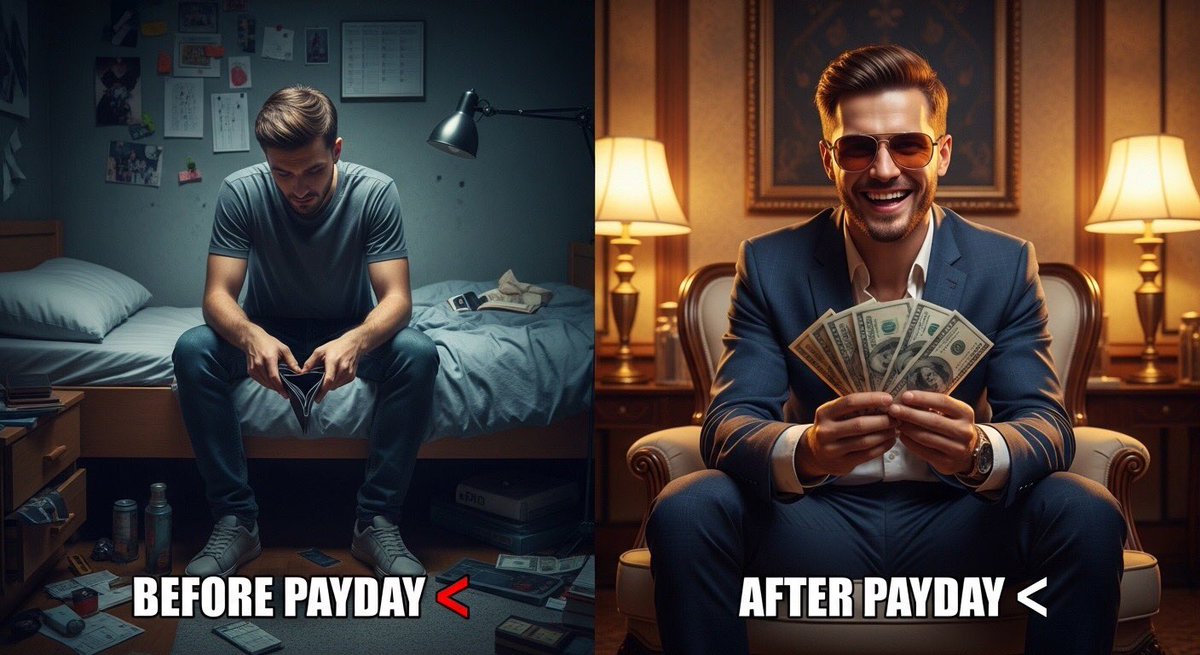
Ultra-realistic split scene of a young man. Left side: sitting on a bed in a small messy room, tired face, empty wallet, dim lighting, depressed mood. Right side: same man after payday, wearing stylish clothes and sunglasses, holding cash, confident smile, bright lighting, luxury background. Add bold meme text: “{argument name="meme text 1" default="Before Payday "}” and “{argument name="meme text 2" default="After Payday "}”. Cinematic lighting, 8K realism, sharp details, viral social media style.

Some prompts are collected from creators on X. Copyright belongs to the original authors.